Introduction
Web Content Filtering Tools are cybersecurity solutions designed to control, monitor, and restrict access to websites based on categories, URLs, user policies, or threat intelligence. They act as a gatekeeper between users and the internet, ensuring that unsafe, non-compliant, or productivity-draining content is blocked or restricted before it reaches the endpoint.
In web filtering has become a core pillar of modern security architecture due to rising phishing attacks, AI-generated malicious websites, shadow SaaS usage, and increasingly distributed remote workforces. Organizations now expect filtering tools to go beyond simple URL blocking and provide deep identity-based, AI-assisted, and policy-driven controls.
Common use cases include:
- Blocking phishing, malware, and fake login pages
- Enforcing acceptable use policies in enterprises
- Protecting students in education environments
- Controlling SaaS and social media usage in workplaces
- Supporting Zero Trust web access strategies
- Reducing insider risk and data leakage
When evaluating Web Content Filtering Tools, buyers should consider:
- Accuracy of web categorization engines
- Real-time threat intelligence updates
- Granular policy controls (user, device, group-based)
- SSL inspection capabilities
- Reporting and audit logs depth
- Performance impact on browsing experience
- Cloud vs on-prem deployment flexibility
- Integration with identity providers (SSO, AD, IAM)
- API availability and automation support
- Scalability for remote and hybrid environments
Best for: Enterprises, SMBs, schools, government organizations, MSPs, and security teams managing distributed users and SaaS-heavy environments.
Not ideal for: Organizations that require full endpoint EDR replacement, or those only needing basic firewall-level filtering without advanced policy controls.
Key Trends in Web Content Filtering Tools
- Shift toward Zero Trust web access enforcement across users and devices
- Increased adoption of AI-based URL classification and threat detection
- Growth of SSE (Secure Service Edge) and SASE-integrated filtering platforms
- Strong demand for remote workforce and BYOD protection
- Expansion of cloud-native filtering with global edge infrastructure
- More granular identity-based policies (user, role, device-aware)
- Integration with SIEM, SOAR, and XDR ecosystems
- Rise of real-time phishing and newly registered domain detection
- Increased focus on privacy-aware filtering (minimal logging options)
- Convergence of DNS filtering + web gateway + browser-level controls
How We Selected These Tools (Methodology)
- Market adoption across enterprise, SMB, and education sectors
- Strength of web categorization and threat intelligence engines
- Depth of policy customization and enforcement options
- Performance impact on end-user browsing experience
- Integration with identity, endpoint, and security ecosystems
- Scalability for distributed and remote work environments
- Availability of reporting, analytics, and compliance features
- Deployment flexibility (cloud, hybrid, on-prem)
- Vendor maturity and product roadmap stability
- Support for automation and API-based management
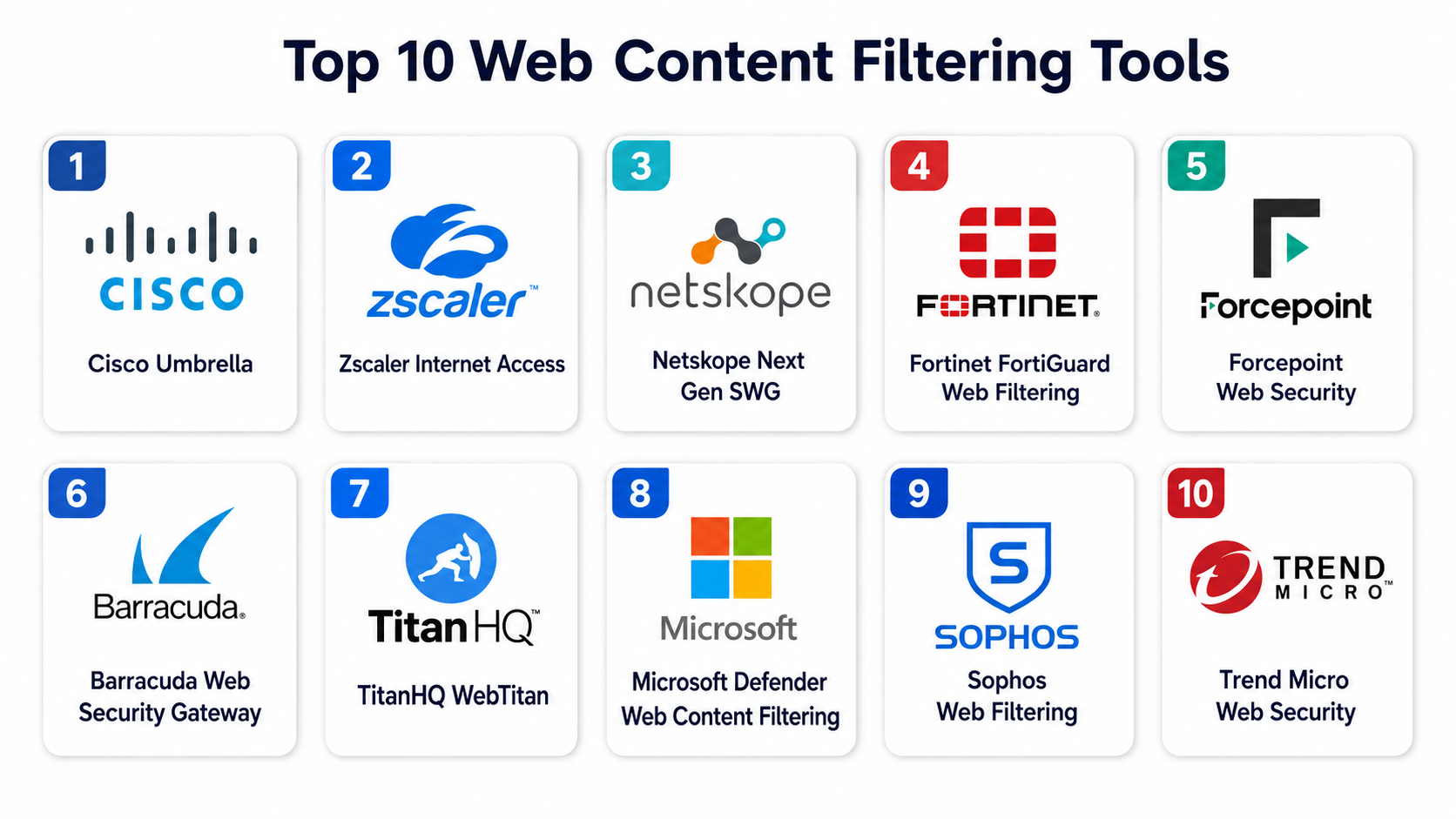
Top 10 Web Content Filtering Tools
#1 — Cisco Umbrella
Short description :
Cisco Umbrella is a leading cloud-delivered web security and content filtering platform that blocks malicious websites, phishing domains, and unwanted content at the DNS and web layer. It is widely used in enterprises for secure internet access and Zero Trust enforcement. It combines threat intelligence, DNS-layer security, and web filtering into a unified platform designed for large-scale environments with distributed users.
Key Features
- DNS and web-layer content filtering
- Real-time phishing and malware blocking
- Category-based web access control
- Roaming user protection for remote employees
- Cloud-delivered threat intelligence
- Detailed security reporting and analytics
- Policy enforcement by user/group/device
Pros
- Extremely strong enterprise adoption
- Highly scalable for global organizations
- Excellent threat intelligence coverage
Cons
- Complex configuration for small teams
- Premium pricing model
- Best value when used within Cisco ecosystem
Platforms / Deployment
- Web / Windows / macOS / Linux / Mobile
- Cloud
Security & Compliance
- SSO/SAML
- MFA
- Encryption
- Audit logs
- RBAC
- Enterprise compliance support (varies by deployment)
Integrations & Ecosystem
Cisco Umbrella integrates deeply with enterprise security ecosystems.
- Cisco SecureX
- SIEM platforms
- Identity providers (Azure AD, Okta)
- Endpoint protection tools
- Network security infrastructure
Support & Community
Strong enterprise support structure and extensive global documentation ecosystem.
#2 — Zscaler Internet Access (Web Filtering Module)
Short description :
Zscaler Internet Access (ZIA) provides cloud-native web content filtering as part of its Secure Service Edge platform. It inspects traffic in real time and enforces granular policies across users, applications, and devices. It is widely used by enterprises adopting Zero Trust architectures.
Key Features
- Cloud-based web content filtering
- SSL inspection and inline traffic control
- Granular user and app policies
- Advanced threat prevention
- SaaS and internet access control
- Data loss prevention capabilities
- Global cloud security infrastructure
Pros
- Strong Zero Trust alignment
- High-performance cloud architecture
- Deep enterprise-grade security controls
Cons
- Complex deployment process
- Higher cost for smaller organizations
- Requires ecosystem alignment for full value
Platforms / Deployment
- Web / Windows / macOS / Linux / Mobile
- Cloud
Security & Compliance
- SSO/SAML
- MFA
- Encryption
- Audit logs
- RBAC
- Enterprise compliance support
Integrations & Ecosystem
- SIEM tools
- Identity providers
- Endpoint security systems
- CASB and DLP solutions
Support & Community
Strong enterprise support with global deployment expertise.
#3 — Netskope Next Gen SWG
Short description :
Netskope provides advanced web content filtering through its Next Generation Secure Web Gateway. It focuses on cloud application visibility, data protection, and granular web control across SaaS and internet traffic.
Key Features
- Web and SaaS filtering policies
- Real-time cloud traffic inspection
- Advanced data loss prevention
- User and device-level controls
- Shadow IT visibility
- Threat protection engine
- Behavioral analytics
Pros
- Excellent SaaS visibility
- Strong data protection capabilities
- Modern cloud-first architecture
Cons
- Enterprise-focused pricing
- Requires configuration expertise
- Overkill for small environments
Platforms / Deployment
- Web / Windows / macOS / Linux / Mobile
- Cloud
Security & Compliance
- SSO/SAML
- MFA
- Encryption
- Audit logs
- RBAC
- Compliance support varies by deployment
Integrations & Ecosystem
- SIEM platforms
- IAM providers
- Endpoint security tools
- CASB and DLP ecosystems
Support & Community
Strong enterprise support with security-focused documentation.
#4 — Fortinet FortiGuard Web Filtering
Short description :
FortiGuard Web Filtering is part of Fortinet’s broader security ecosystem, providing URL categorization, web filtering, and threat intelligence integration with FortiGate firewalls.
Key Features
- URL and category-based filtering
- Real-time threat intelligence updates
- Application-aware filtering
- Malware and phishing protection
- Firewall-integrated policy control
- Custom allow/deny lists
- Reporting dashboards
Pros
- Strong firewall integration
- High-performance enterprise security
- Cost-effective within Fortinet ecosystem
Cons
- Best experience within Fortinet stack
- Requires appliance or ecosystem setup
- UI complexity for beginners
Platforms / Deployment
- Hardware / Cloud / Hybrid
Security & Compliance
- SSO/SAML
- MFA
- Encryption
- Audit logs
- RBAC
- Enterprise compliance support
Integrations & Ecosystem
- FortiGate firewalls
- FortiAnalyzer
- SIEM platforms
- Identity providers
Support & Community
Large global enterprise support network.
#5 — Forcepoint Web Security
Short description :
Forcepoint Web Security provides behavior-driven web filtering and content control designed to reduce insider risk and protect sensitive data across web usage.
Key Features
- Behavioral web risk analysis
- URL categorization and filtering
- Data loss prevention integration
- User activity monitoring
- Granular policy controls
- Cloud and hybrid filtering
- Threat intelligence integration
Pros
- Strong insider risk protection
- Good enterprise policy controls
- Integrated DLP capabilities
Cons
- Complex configuration
- UI can feel dated in some modules
- Best for larger enterprises
Platforms / Deployment
- Web / Windows / macOS / Linux
- Cloud / Hybrid
Security & Compliance
- SSO/SAML
- MFA
- Encryption
- Audit logs
- RBAC
- Compliance support varies
Integrations & Ecosystem
- SIEM platforms
- DLP systems
- Identity providers
- Endpoint security tools
Support & Community
Strong enterprise-focused support services.
#6 — Barracuda Web Security Gateway
Short description :
Barracuda Web Security Gateway provides URL filtering, malware protection, and web traffic control for organizations needing simplified deployment and strong content filtering capabilities.
Key Features
- URL and category filtering
- Malware and phishing protection
- Application control
- Web usage reporting
- SSL inspection
- Cloud-based policy management
- User activity monitoring
Pros
- Easy deployment
- Good SMB-to-enterprise scalability
- Strong security baseline
Cons
- Less advanced Zero Trust features
- Limited deep analytics vs competitors
- Appliance dependency in some setups
Platforms / Deployment
- Hardware / Cloud / Hybrid
Security & Compliance
- SSO/SAML
- MFA
- Encryption
- Audit logs
- RBAC
Integrations & Ecosystem
- SIEM tools
- Identity providers
- Endpoint security systems
Support & Community
Good enterprise and SMB support coverage.
#7 — TitanHQ WebTitan
Short description :
WebTitan is a cloud-based web filtering solution designed for MSPs, SMBs, and enterprises. It provides DNS and web filtering with strong category-based controls.
Key Features
- Cloud web filtering
- DNS and URL categorization
- Malware protection
- Policy-based access control
- MSP multi-tenant management
- Reporting dashboards
- API integration support
Pros
- Strong MSP-friendly design
- Easy deployment
- Good cost efficiency
Cons
- Limited advanced enterprise features
- Smaller ecosystem
- Basic analytics compared to leaders
Platforms / Deployment
- Web / Windows / macOS / Linux
- Cloud
Security & Compliance
- SSO/SAML (varies)
- Encryption
- Audit logs (basic to moderate)
- Compliance support varies
Integrations & Ecosystem
- MSP dashboards
- API integrations
- Identity providers
- Network-level configuration
Support & Community
Strong MSP-focused support model.
#8 — Microsoft Defender Web Content Filtering
Short description :
Microsoft Defender Web Content Filtering is integrated into Microsoft Defender for Endpoint and provides category-based web filtering for enterprise environments using Microsoft security stack.
Key Features
- Category-based website filtering
- Integration with endpoint security
- Policy enforcement by device groups
- Cloud-based reporting
- Threat intelligence integration
- Centralized Microsoft security dashboard
Pros
- Strong integration with Microsoft ecosystem
- Easy for Windows-centric environments
- Unified security platform advantage
Cons
- Limited outside Microsoft ecosystem
- Requires licensing stack
- Less flexible than standalone tools
Platforms / Deployment
- Windows / macOS / Linux
- Cloud
Security & Compliance
- SSO/SAML
- MFA
- Encryption
- Audit logs
- RBAC
Integrations & Ecosystem
- Microsoft Defender suite
- Entra ID
- SIEM tools (Microsoft Sentinel)
Support & Community
Strong enterprise support via Microsoft ecosystem.
#9 — Sophos Web Filtering
Short description :
Sophos Web Filtering is part of Sophos Firewall and endpoint security ecosystem, providing category-based filtering and threat protection.
Key Features
- URL category filtering
- Malware and phishing protection
- Application control
- Centralized policy management
- Reporting dashboards
- Firewall integration
- User identity-based policies
Pros
- Easy integration within Sophos ecosystem
- Good SMB and mid-market fit
- Strong endpoint synergy
Cons
- Less advanced than SSE platforms
- Requires Sophos stack for full value
- Limited deep analytics
Platforms / Deployment
- Hardware / Cloud / Hybrid
Security & Compliance
- SSO/SAML
- MFA
- Encryption
- Audit logs
- RBAC
Integrations & Ecosystem
- Sophos Firewall
- Sophos Endpoint
- SIEM tools
- Identity providers
Support & Community
Strong SMB and mid-market support ecosystem.
#10 — Trend Micro Web Security
Short description :
Trend Micro Web Security provides cloud-based web filtering and protection against malicious websites, phishing attempts, and unsafe content, integrated with broader Trend Micro security solutions.
Key Features
- Web filtering and URL categorization
- Advanced threat protection
- Cloud app visibility
- Email and web threat integration
- User-based policies
- Reporting and analytics
- Centralized management console
Pros
- Strong threat intelligence
- Good enterprise ecosystem integration
- Reliable global security coverage
Cons
- Best within Trend Micro stack
- Complex licensing structure
- UI varies across modules
Platforms / Deployment
- Web / Windows / macOS / Linux / Mobile
- Cloud
Security & Compliance
- SSO/SAML
- MFA
- Encryption
- Audit logs
- RBAC
- Enterprise compliance support
Integrations & Ecosystem
- SIEM platforms
- Endpoint protection tools
- Email security systems
- Identity providers
Support & Community
Strong global enterprise support presence.
Comparison Table (Top 10)
| Tool Name | Best For | Platform(s) Supported | Deployment | Standout Feature | Public Rating |
|---|---|---|---|---|---|
| Cisco Umbrella | Enterprises | Multi-platform | Cloud | DNS + web security integration | N/A |
| Zscaler Internet Access | Zero Trust enterprises | Multi-platform | Cloud | SSE-native filtering | N/A |
| Netskope | SaaS-heavy orgs | Multi-platform | Cloud | SaaS visibility | N/A |
| Fortinet FortiGuard | Firewall-based security | Multi-platform | Hybrid | Firewall integration | N/A |
| Forcepoint Web Security | Insider risk control | Multi-platform | Cloud/Hybrid | Behavioral analysis | N/A |
| Barracuda Web Security | SMB/Enterprise mix | Multi-platform | Hybrid | Simple deployment | N/A |
| WebTitan | MSPs & SMBs | Multi-platform | Cloud | MSP multi-tenancy | N/A |
| Microsoft Defender WCF | Microsoft ecosystems | Multi-platform | Cloud | Native Windows integration | N/A |
| Sophos Web Filtering | SMB & mid-market | Multi-platform | Hybrid | Endpoint synergy | N/A |
| Trend Micro Web Security | Enterprise security | Multi-platform | Cloud | Threat intelligence depth | N/A |
Evaluation & Web Content Filtering Tools
| Tool Name | Core (25%) | Ease (15%) | Integrations (15%) | Security (10%) | Performance (10%) | Support (10%) | Value (15%) | Weighted Total |
|---|---|---|---|---|---|---|---|---|
| Cisco Umbrella | 9 | 8 | 9 | 9 | 9 | 9 | 7 | 8.6 |
| Zscaler Internet Access | 9 | 7 | 9 | 9 | 9 | 9 | 7 | 8.5 |
| Netskope | 9 | 7 | 9 | 9 | 8 | 8 | 7 | 8.3 |
| Fortinet FortiGuard | 8 | 8 | 8 | 8 | 9 | 8 | 8 | 8.1 |
| Forcepoint | 8 | 7 | 8 | 9 | 8 | 8 | 7 | 8.0 |
| Barracuda | 8 | 9 | 7 | 8 | 8 | 8 | 8 | 8.0 |
| WebTitan | 7 | 9 | 7 | 7 | 8 | 7 | 9 | 7.9 |
| Microsoft Defender WCF | 8 | 9 | 9 | 8 | 8 | 8 | 8 | 8.3 |
| Sophos | 7 | 9 | 7 | 8 | 8 | 8 | 8 | 7.9 |
| Trend Micro | 8 | 8 | 8 | 9 | 8 | 8 | 7 | 8.2 |
These scores are comparative, not absolute. The right choice depends on whether an organization prioritizes ecosystem alignment, ease of deployment, or advanced threat intelligence. Large enterprises typically prioritize integration and security depth, while SMBs often focus on simplicity and cost efficiency.
Which Web Content Filtering Tools
Solo / Freelancer
Best suited for lightweight protection against unsafe websites and tracking. Simpler tools or browser-based filtering features are usually sufficient.
SMB
SMBs should focus on easy deployment and cost efficiency. Barracuda, Sophos, and WebTitan are strong choices.
Mid-Market
Mid-market organizations benefit from balanced security and scalability. Cisco Umbrella, Microsoft Defender, and Fortinet are strong options.
Enterprise
Enterprises require deep integrations, advanced threat intelligence, and Zero Trust alignment. Zscaler, Netskope, Cisco Umbrella, and Forcepoint lead this segment.
Budget vs Premium
- Budget-friendly: WebTitan, Sophos, Barracuda
- Mid-tier: Microsoft Defender WCF, Fortinet
- Premium enterprise: Zscaler, Netskope, Cisco Umbrella, Forcepoint
Feature Depth vs Ease of Use
- Deepest capabilities: Zscaler, Netskope, Forcepoint
- Easiest to deploy: Microsoft Defender WCF, Sophos, WebTitan
- Balanced approach: Cisco Umbrella, Barracuda
Integrations & Scalability
- Best enterprise ecosystems: Cisco, Microsoft, Zscaler
- Strong hybrid scalability: Fortinet, Barracuda
- MSP-friendly platforms: WebTitan, Sophos
Security & Compliance Needs
Organizations with strict compliance requirements should prioritize:
- Detailed audit logs
- Identity-based controls
- Strong threat intelligence
- SSL inspection capabilities
- Centralized policy management
Cisco Umbrella, Zscaler, Netskope, and Forcepoint are particularly strong in regulated environments.
Frequently Asked Questions (FAQs)
1. What is web content filtering?
Web content filtering controls access to websites by blocking or allowing traffic based on categories, URLs, or security policies.
2. How does web filtering improve security?
It blocks malicious websites, phishing pages, and unsafe downloads before users can interact with them.
3. Is web filtering the same as DNS filtering?
No. DNS filtering blocks domain resolution, while web filtering inspects and controls full web traffic at the application layer.
4. Can web filtering stop phishing attacks?
Yes, most modern tools detect and block known phishing domains and suspicious URLs.
5. Does web filtering slow down browsing?
Modern cloud-based solutions are optimized, but SSL inspection can introduce slight latency.
6. Can web filtering be used for remote workers?
Yes, most tools support roaming agents or cloud-based enforcement for remote users.
7. What industries use web filtering the most?
Education, finance, healthcare, government, and enterprise IT heavily use web filtering solutions.
8. Can users bypass web filtering?
Bypass is possible in poorly configured systems, but enterprise-grade tools use strong enforcement and identity controls.
9. What is category-based filtering?
It blocks or allows websites based on predefined categories like gambling, social media, or adult content.
10. Is web filtering part of Zero Trust security?
Yes, it is a foundational component of Zero Trust architecture for controlling internet access.
11. Do SMBs need web filtering tools?
Yes, SMBs are frequent targets of phishing and benefit significantly from basic web filtering.
12. What is the difference between web filtering and firewall?
Firewalls control network traffic broadly, while web filtering focuses specifically on HTTP/HTTPS content and URLs.
Conclusion
Web Content Filtering Tools have evolved into essential cybersecurity infrastructure for organizations of all sizes. In a world dominated by cloud applications, remote work, and increasingly sophisticated phishing attacks, controlling web access at a granular level is no longer optional—it is foundational. Modern solutions go far beyond simple URL blocking. They now integrate AI-driven threat detection, Zero Trust principles, identity-based policies, and deep SaaS visibility. Enterprises tend to prefer platforms like Cisco Umbrella, Zscaler, and Netskope, while SMBs and education environments benefit from simpler tools like WebTitan, Sophos, or Microsoft Defender Web Content Filtering.
