Introduction
Data encryption tools are software solutions designed to protect sensitive information by converting it into unreadable formats that can only be accessed with the correct decryption key. Whether data is stored, transmitted, or processed, encryption ensures that unauthorized users cannot access it.
In today’s environment, where data breaches, ransomware attacks, and privacy regulations are increasing, encryption has become a core requirement—not an option. Organizations are expected to secure customer data, intellectual property, and internal communications at every layer.
Common use cases include:
- Protecting customer data in applications and databases
- Securing communication between systems (TLS/SSL encryption)
- Encrypting files, disks, and backups
- Meeting compliance requirements like GDPR or HIPAA
- Protecting cloud storage and SaaS platforms
What buyers should evaluate:
- Encryption standards (AES-256, RSA, etc.)
- Key management capabilities
- Ease of integration with existing systems
- Performance impact
- Compliance and audit support
- Scalability across environments
- Automation and policy enforcement
- Multi-platform support
- Access control and user management
Best for: IT managers, DevOps engineers, security teams, compliance officers, and enterprises handling sensitive data across cloud, hybrid, or on-premise systems.
Not ideal for: Small projects with minimal sensitive data or use cases where basic platform-level encryption (e.g., default cloud encryption) is sufficient.
Key Trends in Data Encryption Tools
- Shift to Zero Trust Security Models: Encryption is now tightly integrated with identity and access control.
- Cloud-Native Encryption: Tools increasingly support AWS, Azure, and GCP environments with seamless integrations.
- Automated Key Management: Reducing human error through lifecycle automation and rotation policies.
- AI-Assisted Threat Detection: Some tools analyze encryption usage patterns to detect anomalies.
- Confidential Computing: Encrypting data even while in use, not just at rest or in transit.
- API-First Platforms: Developer-friendly encryption APIs are becoming standard.
- Regulatory Compliance Built-In: Pre-configured templates for GDPR, HIPAA, and industry-specific compliance.
- Hybrid Deployment Models: Supporting both on-premise and cloud environments.
- Post-Quantum Cryptography Exploration: Preparing for future threats from quantum computing.
How We Selected These Tools (Methodology)
- Evaluated market adoption and industry recognition
- Assessed feature completeness across encryption use cases
- Considered performance and scalability signals
- Reviewed security posture and compliance capabilities
- Checked integration ecosystem with cloud and enterprise tools
- Ensured coverage across enterprise, SMB, and developer use cases
- Analyzed deployment flexibility (cloud, on-premise, hybrid)
- Focused on ease of use and operational efficiency
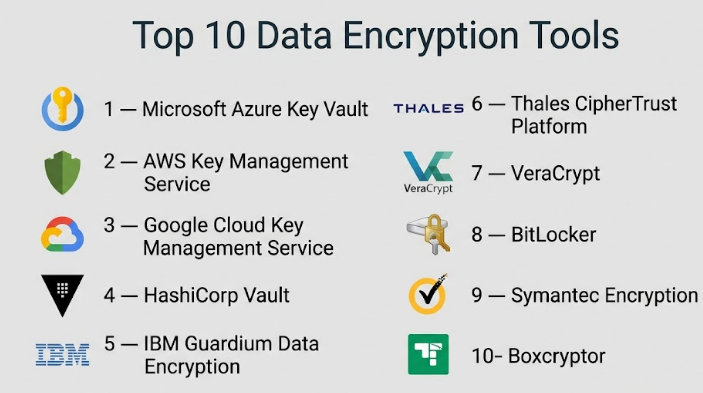
Top 10 Data Encryption Tools
#1 — Microsoft Azure Key Vault
Short description: A cloud-based service for securely storing and managing cryptographic keys and secrets, designed for enterprises using Azure.
Key Features
- Centralized key and secret management
- Hardware Security Module (HSM) support
- Automatic key rotation
- Integration with Azure services
- Access control via Azure Active Directory
- Audit logging and monitoring
Pros
- Strong integration with Azure ecosystem
- Enterprise-grade security
Cons
- Best suited for Azure users
- Can be complex for beginners
Platforms / Deployment
Cloud
Security & Compliance
Supports RBAC, encryption, audit logs; compliance details vary.
Integrations & Ecosystem
Deep integration with Azure services, APIs available.
- Azure DevOps
- Azure Storage
- Azure Kubernetes Service
Support & Community
Strong enterprise support with extensive documentation.
#2 — AWS Key Management Service (KMS)
Short description: A managed encryption key service for AWS environments, enabling secure key creation and control.
Key Features
- Centralized key management
- Automatic key rotation
- Fine-grained access policies
- Integration with AWS services
- Audit trails via CloudTrail
Pros
- Highly scalable
- Native AWS integration
Cons
- AWS lock-in
- Pricing complexity
Platforms / Deployment
Cloud
Security & Compliance
Supports IAM, encryption, logging; compliance varies.
Integrations & Ecosystem
- Amazon S3
- EC2
- Lambda
Support & Community
Well-documented with strong AWS support ecosystem.
#3 — Google Cloud Key Management Service
Short description: A cloud-based encryption key management tool for Google Cloud users.
Key Features
- Centralized key storage
- Hardware-backed keys
- IAM-based access control
- Automated key rotation
- Logging and monitoring
Pros
- Strong security model
- Easy integration with GCP
Cons
- Limited outside GCP
- Learning curve
Platforms / Deployment
Cloud
Security & Compliance
IAM, encryption, audit logs supported.
Integrations & Ecosystem
- BigQuery
- Cloud Storage
- Kubernetes Engine
Support & Community
Good documentation and enterprise support.
#4 — HashiCorp Vault
Short description: A widely used tool for secrets management and encryption, popular among DevOps teams.
Key Features
- Dynamic secrets generation
- Encryption as a service
- Multi-cloud support
- Token-based authentication
- Secret leasing and revocation
Pros
- Highly flexible
- Strong open-source community
Cons
- Setup complexity
- Requires operational expertise
Platforms / Deployment
Cloud / Self-hosted / Hybrid
Security & Compliance
Supports encryption, RBAC, audit logs.
Integrations & Ecosystem
- Kubernetes
- Terraform
- CI/CD tools
Support & Community
Large community and enterprise support options.
#5 — IBM Guardium Data Encryption
Short description: Enterprise-grade encryption solution focused on protecting databases and file systems.
Key Features
- Transparent data encryption
- Centralized policy management
- File and database encryption
- Key lifecycle management
- Compliance reporting
Pros
- Strong enterprise capabilities
- Compliance-focused
Cons
- Expensive
- Complex deployment
Platforms / Deployment
Hybrid
Security & Compliance
Supports encryption, audit logs; compliance varies.
Integrations & Ecosystem
- Databases
- File systems
- Enterprise systems
Support & Community
Enterprise-grade support.
#6 — Thales CipherTrust Platform
Short description: A comprehensive data security platform offering encryption, tokenization, and key management.
Key Features
- Centralized key management
- Data encryption and tokenization
- Policy-based access control
- Multi-cloud support
- Compliance reporting
Pros
- Broad feature set
- Strong compliance capabilities
Cons
- Complex setup
- High cost
Platforms / Deployment
Hybrid
Security & Compliance
Encryption, RBAC, compliance support.
Integrations & Ecosystem
- Cloud providers
- Databases
- Applications
Support & Community
Enterprise support available.
#7 — VeraCrypt
Short description: Open-source disk encryption tool for individuals and small teams.
Key Features
- Full disk encryption
- Hidden volumes
- Strong encryption algorithms
- Cross-platform support
- Portable usage
Pros
- Free and open-source
- Strong security
Cons
- Limited enterprise features
- No cloud integration
Platforms / Deployment
Windows / macOS / Linux
Security & Compliance
Encryption supported; compliance not publicly stated.
Integrations & Ecosystem
Minimal integrations.
Support & Community
Community-driven support.
#8 — BitLocker
Short description: Built-in Windows encryption tool for securing drives and devices.
Key Features
- Full disk encryption
- TPM integration
- Easy deployment
- Centralized management (via AD)
- Recovery key support
Pros
- Native to Windows
- Easy to use
Cons
- Windows-only
- Limited advanced features
Platforms / Deployment
Windows
Security & Compliance
Encryption, RBAC supported.
Integrations & Ecosystem
- Active Directory
- Microsoft ecosystem
Support & Community
Strong Microsoft support.
#9 — Symantec Encryption (Broadcom)
Short description: Enterprise encryption platform for email, files, and endpoints.
Key Features
- Email encryption
- File encryption
- Endpoint protection
- Key management
- Policy enforcement
Pros
- Comprehensive enterprise solution
- Strong security controls
Cons
- Complex
- Costly
Platforms / Deployment
Hybrid
Security & Compliance
Encryption, RBAC, audit logs supported.
Integrations & Ecosystem
- Email systems
- Enterprise apps
Support & Community
Enterprise support available.
#10 — Boxcryptor
Short description: Cloud encryption tool designed for securing files across cloud storage services.
Key Features
- End-to-end encryption
- Multi-cloud support
- File sharing security
- Key management
- User-friendly interface
Pros
- Easy to use
- Works with multiple cloud platforms
Cons
- Limited enterprise depth
- Subscription-based
Platforms / Deployment
Cloud / Desktop
Security & Compliance
Encryption supported; compliance varies.
Integrations & Ecosystem
- Dropbox
- Google Drive
- OneDrive
Support & Community
Good documentation; moderate support.
Comparison Table (Top 10)
| Tool Name | Best For | Platform(s) Supported | Deployment | Standout Feature | Public Rating |
|---|---|---|---|---|---|
| Azure Key Vault | Azure users | Web | Cloud | HSM support | N/A |
| AWS KMS | AWS users | Web | Cloud | Native AWS integration | N/A |
| Google KMS | GCP users | Web | Cloud | IAM integration | N/A |
| HashiCorp Vault | DevOps teams | Multi-platform | Hybrid | Dynamic secrets | N/A |
| IBM Guardium | Enterprises | Multi-platform | Hybrid | DB encryption | N/A |
| Thales CipherTrust | Compliance-heavy orgs | Multi-platform | Hybrid | Tokenization | N/A |
| VeraCrypt | Individuals | Desktop | Local | Open-source | N/A |
| BitLocker | Windows users | Windows | Local | Built-in encryption | N/A |
| Symantec Encryption | Enterprises | Multi-platform | Hybrid | Email encryption | N/A |
| Boxcryptor | Cloud users | Desktop/Web | Cloud | Multi-cloud encryption | N/A |
Evaluation & Scoring of Data Encryption Tools
| Tool Name | Core | Ease | Integrations | Security | Performance | Support | Value | Weighted Total |
|---|---|---|---|---|---|---|---|---|
| Azure Key Vault | 9 | 7 | 9 | 9 | 9 | 8 | 7 | 8.4 |
| AWS KMS | 9 | 7 | 9 | 9 | 9 | 8 | 7 | 8.4 |
| Google KMS | 8 | 7 | 8 | 9 | 8 | 7 | 7 | 7.9 |
| HashiCorp Vault | 9 | 6 | 9 | 9 | 8 | 8 | 8 | 8.3 |
| IBM Guardium | 9 | 6 | 8 | 9 | 8 | 8 | 6 | 7.8 |
| Thales CipherTrust | 9 | 6 | 8 | 9 | 8 | 8 | 6 | 7.8 |
| VeraCrypt | 7 | 6 | 4 | 8 | 7 | 6 | 9 | 6.8 |
| BitLocker | 7 | 9 | 6 | 8 | 8 | 8 | 9 | 7.9 |
| Symantec Encryption | 8 | 6 | 8 | 9 | 8 | 8 | 6 | 7.7 |
| Boxcryptor | 7 | 8 | 7 | 8 | 7 | 7 | 8 | 7.6 |
How to interpret scores:
- Scores are comparative, not absolute
- Higher scores indicate stronger overall capability
- Enterprise tools score higher on security and integration
- Simpler tools score higher on ease and value
- Choose based on your environment, not just total score
Which Data Encryption Tools Is Right for You?
Solo / Freelancer
VeraCrypt or BitLocker are sufficient for basic needs.
SMB
Boxcryptor or HashiCorp Vault offer flexibility and scalability.
Mid-Market
HashiCorp Vault or Google KMS provide strong balance.
Enterprise
Azure Key Vault, AWS KMS, IBM Guardium, or Thales CipherTrust.
Budget vs Premium
- Budget: VeraCrypt, BitLocker
- Premium: Thales, IBM
Feature Depth vs Ease of Use
- Easy: BitLocker, Boxcryptor
- Advanced: Vault, Thales
Integrations & Scalability
- Best: AWS KMS, Azure Key Vault
- Moderate: Boxcryptor
Security & Compliance Needs
- High compliance: Thales, IBM
- Basic: VeraCrypt
Frequently Asked Questions (FAQs)
What are data encryption tools used for?
They protect sensitive data by converting it into unreadable formats.
Are encryption tools expensive?
Pricing varies; some are free while enterprise tools can be costly.
Do small businesses need encryption?
Yes, especially if handling customer or financial data.
What is key management?
It involves creating, storing, and rotating encryption keys.
Can encryption impact performance?
Yes, but modern tools minimize this impact.
Are cloud encryption tools secure?
Yes, if properly configured with access controls.
How long does implementation take?
Depends on complexity; from hours to weeks.
Can I switch tools easily?
Migration can be complex due to key dependencies.
Do these tools support compliance?
Some do; always verify based on your requirements.
What is the best encryption tool?
It depends on your infrastructure and use case.
Conclusion
Data encryption tools play a critical role in modern security strategies, helping organizations protect sensitive data across applications, storage systems, and communication channels. As cyber threats evolve and regulatory requirements become stricter, choosing the right encryption solution is no longer optional—it’s a foundational decision. There is no single “best” tool for everyone. Cloud-native teams may benefit from AWS KMS or Azure Key Vault, while DevOps-driven organizations may prefer HashiCorp Vault for its flexibility. Enterprises with strict compliance needs might lean toward IBM Guardium or Thales CipherTrust, while individuals and small teams can rely on simpler tools like VeraCrypt or BitLocker.
