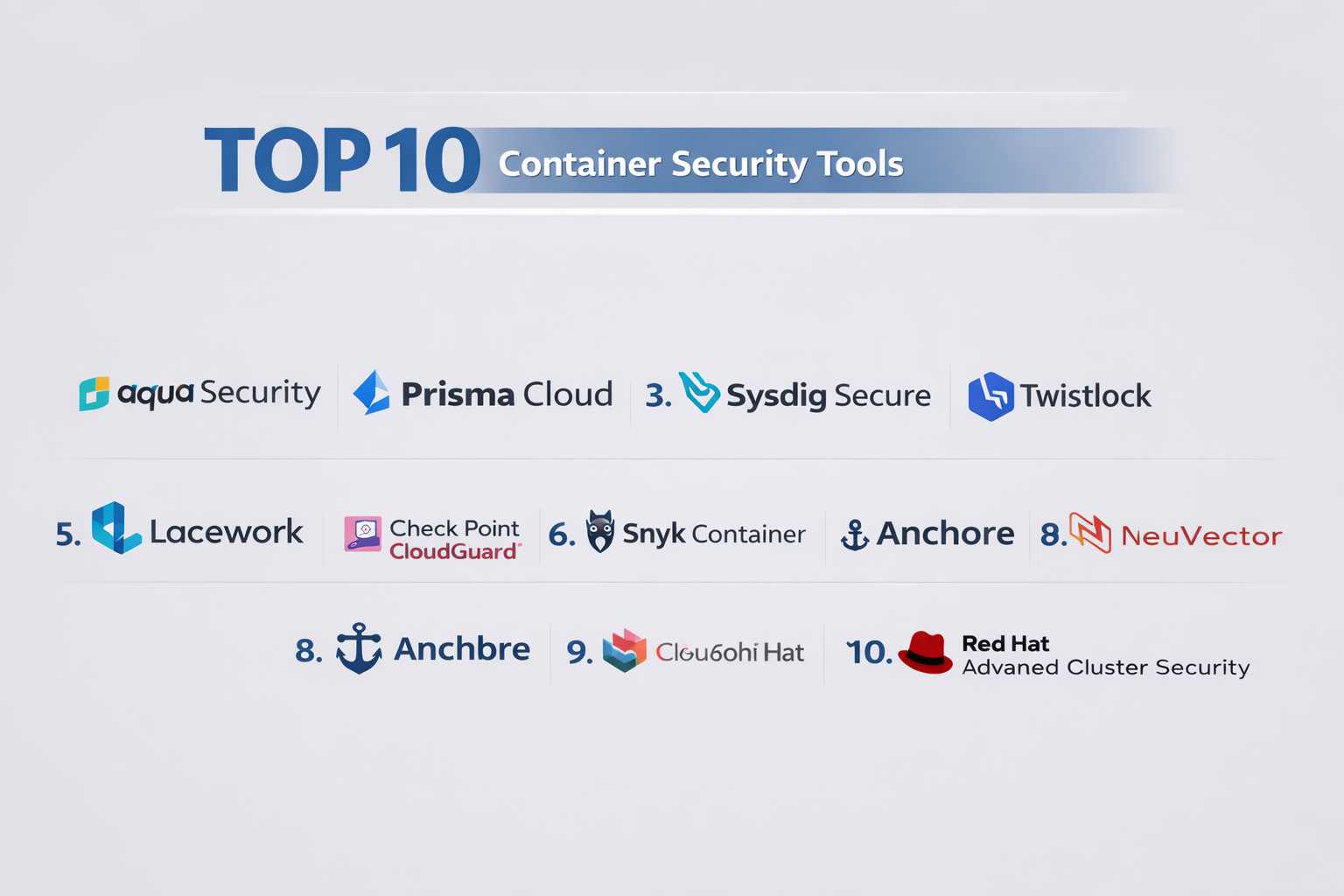
Introduction
Container Security Tools are designed to protect containerized applications throughout their lifecycle—from development and build stages to deployment and runtime. These tools help identify vulnerabilities, enforce security policies, monitor behavior, and prevent threats in environments powered by containers such as Docker and Kubernetes.
With the rapid adoption of microservices and cloud-native architectures, containers have become a core part of modern infrastructure. However, they also introduce new security challenges, including image vulnerabilities, misconfigurations, and runtime threats. Container security tools address these risks by providing visibility, automation, and continuous protection across container environments.
Common use cases include:
- Scanning container images for vulnerabilities before deployment
- Monitoring Kubernetes clusters for suspicious activity
- Enforcing security policies and compliance standards
- Detecting runtime threats and anomalous behavior
- Securing CI/CD pipelines in DevOps workflows
Key evaluation criteria for buyers:
- Container image scanning capabilities
- Kubernetes security and monitoring
- Runtime threat detection and response
- Integration with CI/CD pipelines
- Policy enforcement and compliance support
- Ease of deployment and usability
- Performance impact on workloads
- Multi-cloud and hybrid environment support
- Automation and remediation features
Best for: DevOps teams, platform engineers, cloud security professionals, and organizations adopting containerized and Kubernetes-based environments.
Not ideal for: Teams not using containers or running only traditional monolithic applications on on-premise infrastructure.
Key Trends in Container Security Tools
- Increased focus on Kubernetes-native security controls
- Integration of container security into DevSecOps pipelines
- AI-driven threat detection and anomaly analysis
- Shift toward unified CNAPP platforms combining multiple security layers
- Adoption of policy-as-code for security enforcement
- Expansion of runtime protection and behavioral monitoring
- Growth of open-source container security tools
- Enhanced visibility into container networking and traffic flows
- Automation of vulnerability remediation workflows
- Agentless scanning and lightweight deployment models
How We Selected These Tools (Methodology)
- Evaluated industry adoption and popularity
- Assessed feature completeness across the container lifecycle
- Reviewed runtime security and threat detection capabilities
- Considered integration with Kubernetes and CI/CD tools
- Analyzed scalability and performance impact
- Included both enterprise and developer-friendly solutions
- Evaluated documentation, support, and community strength
- Considered ease of use and deployment flexibility
- Balanced commercial and open-source offerings
Top Container Security Tools
#1 — Aqua Security
Short description: A leading container security platform offering full lifecycle protection for containers and Kubernetes environments.
Key Features
- Container image scanning
- Runtime protection
- Kubernetes security
- Policy enforcement
- Secrets management
- Compliance checks
Pros
- Comprehensive security coverage
- Strong Kubernetes support
Cons
- Complex setup
- Premium pricing
Platforms / Deployment
Cloud / Self-hosted
Security & Compliance
SSO, MFA, RBAC, encryption, audit logs.
Integrations & Ecosystem
Integrates with DevOps and cloud tools.
- Kubernetes
- CI/CD pipelines
- Cloud providers
- APIs
Support & Community
Strong enterprise support and active community.
#2 — Prisma Cloud
Short description: A unified cloud security platform with strong container security capabilities.
Key Features
- Image scanning
- Runtime protection
- Kubernetes monitoring
- Vulnerability management
- Compliance automation
Pros
- Enterprise-grade features
- Deep visibility
Cons
- Complex UI
- Higher cost
Platforms / Deployment
Cloud
Security & Compliance
SSO, MFA, RBAC, encryption.
Integrations & Ecosystem
- Cloud platforms
- DevOps tools
- APIs
Support & Community
Extensive documentation and support.
#3 — Sysdig Secure
Short description: A Kubernetes-focused container security platform with runtime detection capabilities.
Key Features
- Runtime threat detection
- Kubernetes security
- Compliance monitoring
- Container scanning
- Threat intelligence
Pros
- Strong runtime visibility
- Kubernetes-native
Cons
- Learning curve
- Limited outside containers
Platforms / Deployment
Cloud
Security & Compliance
SSO, MFA, encryption.
Integrations & Ecosystem
- Kubernetes
- DevOps tools
- APIs
Support & Community
Active community and strong support.
#4 — Twistlock (now part of Prisma Cloud)
Short description: Container security solution focused on vulnerability management and runtime protection.
Key Features
- Image scanning
- Runtime protection
- Compliance enforcement
- Access control
- Risk analysis
Pros
- Mature platform
- Strong protection
Cons
- Now integrated into Prisma Cloud
- Complexity
Platforms / Deployment
Cloud
Security & Compliance
SSO, MFA, RBAC.
Integrations & Ecosystem
- Kubernetes
- CI/CD
- APIs
Support & Community
Enterprise-level support.
#5 — Lacework
Short description: Behavioral analytics-driven platform for container and cloud security.
Key Features
- Anomaly detection
- Container monitoring
- Compliance checks
- Threat detection
- Automation
Pros
- Strong analytics
- Multi-cloud support
Cons
- Pricing
- Complexity
Platforms / Deployment
Cloud
Security & Compliance
SSO, MFA, encryption.
Integrations & Ecosystem
- Cloud providers
- DevOps tools
- APIs
Support & Community
Reliable support.
#6 — Check Point CloudGuard
Short description: Comprehensive cloud and container security platform.
Key Features
- Container protection
- Threat prevention
- Policy enforcement
- Compliance automation
- Multi-cloud support
Pros
- Strong security features
- Enterprise-ready
Cons
- Complex setup
- Cost
Platforms / Deployment
Cloud
Security & Compliance
SSO, MFA, RBAC.
Integrations & Ecosystem
- Cloud platforms
- Security tools
- APIs
Support & Community
Enterprise support.
#7 — Snyk Container
Short description: Developer-focused container security tool with strong vulnerability scanning.
Key Features
- Image vulnerability scanning
- Dependency analysis
- CI/CD integration
- Policy enforcement
- Developer-friendly UI
Pros
- Easy to use
- Strong developer focus
Cons
- Limited runtime protection
- Feature limitations
Platforms / Deployment
Cloud
Security & Compliance
SSO, MFA.
Integrations & Ecosystem
- Git platforms
- CI/CD tools
- APIs
Support & Community
Strong developer community.
#8 — Anchore
Short description: Open-source container security tool focused on image scanning and policy enforcement.
Key Features
- Image scanning
- Policy enforcement
- Vulnerability analysis
- CI/CD integration
- Open-source flexibility
Pros
- Open-source option
- Flexible deployment
Cons
- Limited enterprise features
- Requires setup effort
Platforms / Deployment
Self-hosted / Cloud
Security & Compliance
Varies / Not publicly stated
Integrations & Ecosystem
- CI/CD tools
- Kubernetes
- APIs
Support & Community
Active open-source community.
#9 — NeuVector
Short description: Kubernetes-native security platform offering runtime protection and network visibility.
Key Features
- Runtime protection
- Network monitoring
- Container firewall
- Vulnerability scanning
- Compliance enforcement
Pros
- Strong Kubernetes security
- Network visibility
Cons
- Limited outside Kubernetes
- Setup complexity
Platforms / Deployment
Cloud / Self-hosted
Security & Compliance
SSO, RBAC.
Integrations & Ecosystem
- Kubernetes
- DevOps tools
- APIs
Support & Community
Growing community support.
#10 — Red Hat Advanced Cluster Security
Short description: Kubernetes-focused security solution for containerized environments.
Key Features
- Kubernetes security
- Policy enforcement
- Risk detection
- Compliance monitoring
- CI/CD integration
Pros
- Strong Kubernetes integration
- Enterprise-ready
Cons
- Requires Red Hat ecosystem
- Complexity
Platforms / Deployment
Cloud / Hybrid
Security & Compliance
SSO, MFA, RBAC.
Integrations & Ecosystem
- OpenShift
- Kubernetes
- APIs
Support & Community
Strong enterprise and Red Hat support.
Comparison Table (Top 10)
| Tool Name | Best For | Platform(s) Supported | Deployment | Standout Feature | Public Rating |
|---|---|---|---|---|---|
| Aqua Security | Full lifecycle security | Web | Cloud/Self-hosted | Comprehensive coverage | N/A |
| Prisma Cloud | Enterprise | Web | Cloud | Unified platform | N/A |
| Sysdig Secure | Kubernetes | Web | Cloud | Runtime detection | N/A |
| Twistlock | Mature security | Web | Cloud | Risk analysis | N/A |
| Lacework | Analytics | Web | Cloud | Behavioral detection | N/A |
| Check Point CloudGuard | Multi-cloud | Web | Cloud | Policy enforcement | N/A |
| Snyk Container | Developers | Web | Cloud | Vulnerability scanning | N/A |
| Anchore | Open-source | Web | Self-hosted/Cloud | Policy control | N/A |
| NeuVector | Kubernetes security | Web | Cloud/Self-hosted | Network visibility | N/A |
| Red Hat Advanced Cluster Security | Enterprise Kubernetes | Web | Cloud/Hybrid | Cluster protection | N/A |
Container Security Tools
| Tool Name | Core | Ease | Integrations | Security | Performance | Support | Value | Weighted Total |
|---|---|---|---|---|---|---|---|---|
| Aqua Security | 9 | 7 | 9 | 9 | 9 | 8 | 7 | 8.5 |
| Prisma Cloud | 9 | 7 | 9 | 9 | 9 | 8 | 7 | 8.5 |
| Sysdig Secure | 8 | 7 | 8 | 8 | 8 | 8 | 7 | 7.9 |
| Twistlock | 8 | 7 | 8 | 8 | 8 | 8 | 7 | 7.9 |
| Lacework | 8 | 7 | 8 | 8 | 8 | 8 | 7 | 7.9 |
| Check Point CloudGuard | 9 | 7 | 8 | 9 | 8 | 8 | 7 | 8.2 |
| Snyk Container | 8 | 9 | 8 | 7 | 8 | 8 | 8 | 8.1 |
| Anchore | 7 | 6 | 7 | 7 | 7 | 7 | 9 | 7.3 |
| NeuVector | 8 | 7 | 8 | 8 | 8 | 8 | 7 | 7.9 |
| Red Hat Advanced Cluster Security | 9 | 7 | 8 | 9 | 8 | 8 | 7 | 8.2 |
How to interpret scores:
These scores provide a comparative view of each tool across key criteria. Higher totals indicate better overall balance, while lower scores may reflect trade-offs such as complexity or limited features. The right choice depends on your specific needs and environment.
Which Service Mesh Platforms Is Right for You?
Solo / Freelancer
Open-source tools like Anchore are sufficient for basic needs.
SMB
Snyk Container and Sysdig Secure offer simplicity and strong features.
Mid-Market
Lacework and NeuVector provide balanced capabilities and cost.
Enterprise
Aqua Security, Prisma Cloud, and Check Point are ideal for large environments.
Budget vs Premium
Open-source tools are budget-friendly, while enterprise platforms provide deeper security.
Feature Depth vs Ease of Use
Snyk offers ease of use, while Aqua provides deeper features.
Integrations & Scalability
Enterprise tools scale better and integrate widely.
Security & Compliance Needs
Highly regulated industries should choose enterprise-grade solutions.
Container Security Tools
What are container security tools?
They protect containerized applications across their lifecycle.
Why are they important?
They help prevent vulnerabilities and runtime attacks.
Do they support Kubernetes?
Yes, most tools provide Kubernetes security.
Can they scan container images?
Yes, image scanning is a core feature.
Are they expensive?
Pricing varies widely.
Can they integrate with CI/CD?
Yes, most tools support DevOps pipelines.
Do they provide runtime protection?
Yes, advanced tools include runtime monitoring.
Are open-source tools available?
Yes, tools like Anchore are open-source.
What are common mistakes?
Ignoring alerts and poor policy configuration.
Are they suitable for all businesses?
Best suited for organizations using containers.
Conclusion
Container Security Tools are essential for protecting modern cloud-native applications, especially as organizations continue to adopt containers and Kubernetes at scale. These tools provide visibility, vulnerability management, and runtime protection across the entire container lifecycle. While enterprise solutions like Aqua Security and Prisma Cloud offer deep capabilities, developer-focused tools like Snyk provide simplicity and faster adoption. Open-source options also provide flexibility for smaller teams. The right choice ultimately depends on your infrastructure, team expertise, and security requirements. Start by identifying your key risks, shortlist a few tools, and run pilot deployments to validate performance, integrations, and usability before making a final decision.
