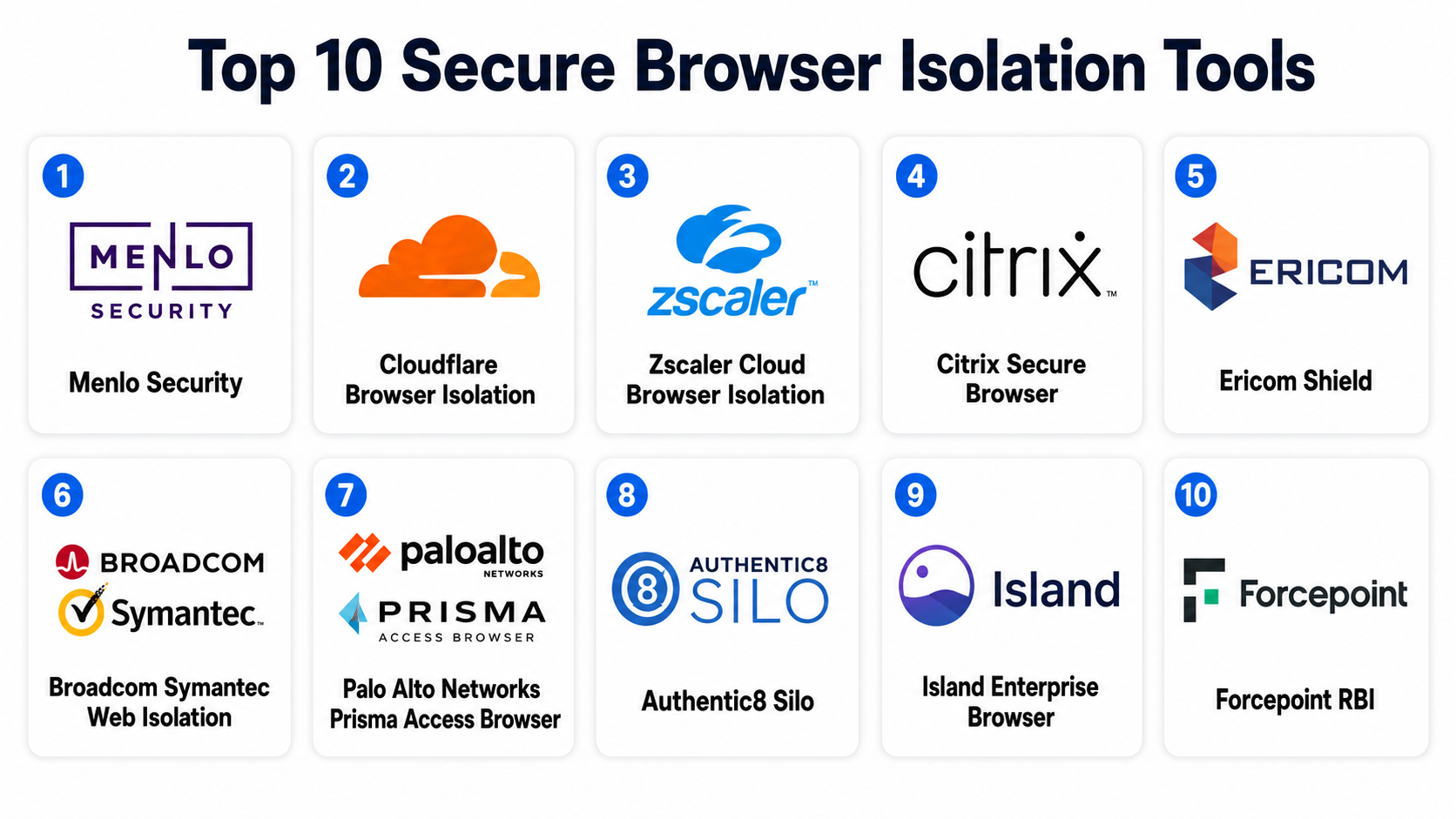
Introduction
Secure Browser Isolation (SBI), often called Remote Browser Isolation (RBI), is a cybersecurity approach that separates web browsing activity from user devices and internal networks. Instead of loading websites directly on an employee’s laptop or mobile device, the browsing session runs in an isolated environment such as a cloud container, virtual machine, or disposable sandbox. Only safe visual information is streamed back to the user.
In browser-based threats continue to rise due to phishing campaigns, malicious JavaScript, ransomware delivery, AI-generated scams, and zero-day browser exploits. Hybrid work, unmanaged devices, and SaaS-heavy environments have also increased the attack surface for organizations of all sizes.
Common use cases include:
- Protecting employees from phishing and malicious websites
- Securing third-party contractor access
- Enabling safe BYOD (Bring Your Own Device) programs
- Isolating high-risk web applications and internet traffic
- Supporting regulated industries with strict compliance needs
When evaluating Secure Browser Isolation tools, buyers should assess:
- Isolation architecture and rendering model
- User experience and browsing performance
- Zero Trust integration support
- Identity and access management capabilities
- Threat detection and analytics
- Policy granularity and admin controls
- Data loss prevention features
- Compliance and audit readiness
- Deployment flexibility
- Pricing and scalability
Best for: Enterprises, financial institutions, healthcare providers, government agencies, distributed workforces, MSPs, and organizations adopting Zero Trust security strategies.
Not ideal for: Very small teams with limited security requirements, offline-first environments, or organizations that already operate fully locked-down VDI infrastructures where browser isolation adds limited additional value.
Key Trends in Secure Browser Isolation Tools
- AI-powered phishing detection is becoming standard, helping identify suspicious websites and malicious user behavior in real time.
- Zero Trust Network Access (ZTNA) integration is increasingly bundled with browser isolation platforms.
- Agentless deployment models are growing in popularity for easier onboarding and contractor access.
- Data Loss Prevention (DLP) controls are becoming more granular, including clipboard restrictions, download controls, and watermarking.
- Browser-native security models are replacing older network-centric approaches.
- Cloud-delivered isolation continues to dominate due to scalability and lower infrastructure overhead.
- Managed browser solutions are converging with isolation technologies to secure SaaS access.
- AI-generated phishing attacks are pushing organizations toward proactive web session isolation.
- Performance optimization using lightweight streaming and local rendering techniques is improving user experience.
- Security analytics integration with SIEM, SOAR, and XDR platforms is becoming a key enterprise requirement.
How We Selected These Tools (Methodology)
The tools in this list were selected using a combination of practical evaluation criteria and industry adoption indicators.
- Assessed overall market recognition and enterprise adoption
- Evaluated breadth and maturity of isolation capabilities
- Considered support for Zero Trust and secure access strategies
- Reviewed deployment flexibility across cloud and hybrid environments
- Examined security administration and policy management features
- Compared ecosystem integrations with IAM, SIEM, and endpoint tools
- Considered user experience and browsing performance
- Evaluated suitability across SMB, mid-market, and enterprise use cases
- Included both standalone RBI vendors and broader SSE/SASE platforms with strong isolation functionality
- Prioritized vendors with active product development and modern security roadmaps
Secure Browser Isolation Tools
#1 — Menlo Security
Short description :
Menlo Security is one of the most recognized names in cloud browser isolation. The platform focuses on preventing phishing, malware, and web-based threats through isolation technology that executes browsing sessions remotely. It is widely used by enterprises adopting Zero Trust strategies and supports secure access for managed and unmanaged devices. Menlo also emphasizes SaaS application protection and secure enterprise browsing at scale.
Key Features
- Cloud-based remote browser isolation
- Phishing prevention and URL risk analysis
- Secure SaaS application access
- Data loss prevention controls
- Secure file rendering and sanitization
- Detailed browsing policy enforcement
- Integration with Zero Trust architectures
Pros
- Strong enterprise-grade security controls
- Mature phishing protection capabilities
- Scales well for distributed organizations
Cons
- Premium pricing for advanced deployments
- Initial policy configuration may require expertise
- Smaller organizations may find feature depth excessive
Platforms / Deployment
- Web / Windows / macOS / Linux / iOS / Android
- Cloud / Hybrid
Security & Compliance
- SSO/SAML
- MFA support
- Encryption
- Audit logs
- RBAC
- GDPR support
- SOC 2 and ISO 27001 capabilities publicly referenced in vendor materials
Integrations & Ecosystem
Menlo Security integrates with enterprise identity providers, SSE stacks, SIEM systems, and endpoint security platforms.
- Microsoft Entra ID
- Okta
- Splunk
- Palo Alto Networks
- CrowdStrike
- Zscaler ecosystems
Support & Community
Strong enterprise support model with onboarding assistance, documentation, and managed deployment guidance. Community presence is smaller than mainstream networking vendors but active within enterprise security circles.
#2 — Cloudflare Browser Isolation
Short description :
Cloudflare Browser Isolation is part of the broader Cloudflare Zero Trust platform. It allows organizations to isolate risky browsing sessions within Cloudflare’s global edge infrastructure. The solution is especially attractive to organizations already using Cloudflare services for networking, web security, and secure access.
Key Features
- Clientless browser isolation
- Integration with Zero Trust access policies
- Global edge performance optimization
- URL and category-based isolation policies
- Secure contractor and BYOD access
- Browser rendering isolation
- Centralized security administration
Pros
- Easy integration within Cloudflare environments
- Strong global network performance
- Flexible deployment options
Cons
- Best experience when using broader Cloudflare ecosystem
- Advanced policy tuning may require networking knowledge
- Some enterprise customization features vary by plan
Platforms / Deployment
- Web / Windows / macOS / Linux / iOS / Android
- Cloud
Security & Compliance
- SSO/SAML
- MFA
- Encryption
- Audit logging
- RBAC
- GDPR support
- SOC 2 publicly referenced
Integrations & Ecosystem
Cloudflare Browser Isolation benefits from deep integration with the Cloudflare security stack.
- Cloudflare Zero Trust
- Microsoft 365
- Okta
- Google Workspace
- SIEM integrations
- API access
Support & Community
Excellent documentation and strong developer ecosystem. Enterprise support quality depends on subscription tier.
#3 — Zscaler Cloud Browser Isolation
Short description :
Zscaler Cloud Browser Isolation extends the company’s Secure Service Edge platform with browser isolation capabilities. It helps organizations isolate untrusted websites, unknown URLs, and risky web applications while maintaining a cloud-first security posture.
Key Features
- Cloud-native browser isolation
- Risk-based browsing policies
- Inline threat prevention
- Secure internet access integration
- Data protection controls
- Granular admin policies
- Seamless user authentication
Pros
- Strong fit for Zero Trust environments
- Mature enterprise security ecosystem
- Excellent scalability
Cons
- Pricing can be high for smaller teams
- Complex deployment in large environments
- Best value comes from broader Zscaler adoption
Platforms / Deployment
- Web / Windows / macOS / Linux / iOS / Android
- Cloud
Security & Compliance
- SSO/SAML
- MFA
- Encryption
- Audit logs
- RBAC
- GDPR support
- Compliance capabilities vary by deployment
Integrations & Ecosystem
Zscaler integrates heavily with enterprise networking and identity systems.
- Microsoft Entra ID
- Okta
- Splunk
- CrowdStrike
- ServiceNow
- SIEM and SOAR platforms
Support & Community
Strong enterprise support organization and extensive documentation. Deployment partners are widely available.
#4 — Citrix Secure Browser
Short description :
Citrix Secure Browser provides isolated browser sessions using Citrix virtualization technology. It is commonly adopted in regulated industries and organizations that already rely on Citrix infrastructure for virtual desktop delivery.
Key Features
- Remote browser session isolation
- Virtual app and desktop integration
- Secure contractor access
- Web application protection
- Session policy enforcement
- Centralized administration
- Hybrid deployment options
Pros
- Strong virtualization heritage
- Good for regulated environments
- Flexible infrastructure choices
Cons
- Can feel infrastructure-heavy
- Requires Citrix expertise for advanced deployments
- UI experience varies across environments
Platforms / Deployment
- Web / Windows / macOS / Linux
- Cloud / Hybrid
Security & Compliance
- SSO/SAML
- MFA
- Encryption
- Audit logging
- RBAC
- Compliance support varies by deployment model
Integrations & Ecosystem
Citrix Secure Browser fits naturally into Citrix-centric IT environments.
- Citrix Workspace
- Microsoft ecosystems
- VMware environments
- SIEM tools
- Identity providers
Support & Community
Large enterprise customer base and mature documentation ecosystem. Partner network is extensive.
#5 — Ericom Shield
Short description :
Ericom Shield, now associated with broader cybersecurity offerings under the Cradlepoint and enterprise networking ecosystem, focuses on secure web browsing, SaaS isolation, and ransomware prevention. It emphasizes usability and policy-based web isolation.
Key Features
- Web and SaaS isolation
- Anti-phishing protection
- Read-only browsing modes
- File sanitization
- Secure remote access
- Policy-driven isolation controls
- Session recording options
Pros
- User-friendly browsing experience
- Good ransomware protection features
- Flexible policy controls
Cons
- Brand transitions may create market confusion
- Some advanced integrations require enterprise licensing
- Smaller ecosystem than larger SSE vendors
Platforms / Deployment
- Web / Windows / macOS / Linux
- Cloud / Hybrid
Security & Compliance
- SSO/SAML
- MFA
- Encryption
- Audit logs
- GDPR support
- Compliance details vary
Integrations & Ecosystem
Ericom Shield integrates with enterprise identity and security tools.
- Okta
- Microsoft Entra ID
- SIEM platforms
- Secure web gateways
- API integrations
Support & Community
Generally well-reviewed onboarding and responsive enterprise support. Community footprint is moderate.
#6 — Broadcom Symantec Web Isolation
Short description :
Broadcom’s Symantec Web Isolation solution extends traditional web security with browser isolation capabilities. It targets large enterprises needing advanced protection against phishing and web-delivered malware.
Key Features
- Remote browser isolation
- Threat prevention integration
- Secure web gateway alignment
- Risk-based browsing policies
- Download restrictions
- Centralized reporting
- Enterprise policy management
Pros
- Strong enterprise security heritage
- Good fit for existing Symantec customers
- Broad security stack integration
Cons
- Administrative complexity can be high
- User interface modernization varies
- Better suited to large organizations
Platforms / Deployment
- Web / Windows / macOS
- Cloud / Hybrid
Security & Compliance
- SSO/SAML
- MFA
- Encryption
- Audit logging
- RBAC
- Enterprise compliance support available
Integrations & Ecosystem
The platform integrates closely with Broadcom enterprise security products.
- Symantec Endpoint Security
- SIEM platforms
- Identity providers
- Email security systems
- Enterprise web gateways
Support & Community
Enterprise-focused support structure with professional services availability.
#7 — Palo Alto Networks Prisma Access Browser
Short description :
Prisma Access Browser combines managed browser functionality with secure access controls and isolation-oriented security features. It is designed for organizations modernizing browser-based work environments.
Key Features
- Managed enterprise browser
- Secure SaaS access
- Data protection controls
- Integrated Zero Trust policies
- Visibility into browser activity
- Threat prevention
- Policy enforcement for unmanaged devices
Pros
- Strong security visibility
- Tight SSE integration
- Modern browser-centric architecture
Cons
- Best value within Prisma ecosystem
- Some capabilities still evolving
- Enterprise-focused pricing
Platforms / Deployment
- Windows / macOS
- Cloud
Security & Compliance
- SSO/SAML
- MFA
- Encryption
- Audit logs
- RBAC
- Compliance support varies by subscription
Integrations & Ecosystem
Prisma Access Browser integrates with Palo Alto Networks security platforms.
- Prisma Access
- Cortex XDR
- Microsoft Entra ID
- Okta
- SIEM platforms
Support & Community
Strong enterprise support organization and growing documentation ecosystem.
#8 — Authentic8 Silo
Short description :
Authentic8 Silo is a secure browser platform widely used in government, defense, and high-security environments. It isolates browsing sessions and sensitive investigations away from endpoint devices.
Key Features
- Fully isolated browser sessions
- Secure intelligence gathering
- Anonymous browsing support
- Policy-based access controls
- Secure file handling
- Detailed audit capabilities
- High-risk investigation workflows
Pros
- Excellent for sensitive environments
- Strong investigative browsing features
- High security focus
Cons
- Niche use cases may limit broad adoption
- Premium enterprise pricing
- Learning curve for advanced workflows
Platforms / Deployment
- Web / Windows / macOS / Linux
- Cloud
Security & Compliance
- SSO/SAML
- MFA
- Encryption
- Audit logs
- RBAC
- Compliance details vary
Integrations & Ecosystem
Authentic8 supports integration with enterprise security infrastructure.
- SIEM platforms
- Identity providers
- Threat intelligence systems
- API integrations
Support & Community
Well-regarded enterprise support with specialized onboarding for regulated sectors.
#9 — Island Enterprise Browser
Short description :
Island Enterprise Browser is part of the growing enterprise browser category that blends browser management, isolation principles, and Zero Trust controls. It focuses on securing browser-based work without relying entirely on traditional RBI streaming.
Key Features
- Enterprise browser controls
- Data protection policies
- SaaS governance
- User activity visibility
- Secure application access
- Endpoint-aware controls
- Integrated enterprise management
Pros
- Modern browser-native experience
- Strong usability balance
- Good SaaS visibility
Cons
- Different approach from pure RBI platforms
- May require browser standardization
- Some advanced workflows are newer
Platforms / Deployment
- Windows / macOS
- Cloud
Security & Compliance
- SSO/SAML
- MFA
- Encryption
- Audit logging
- RBAC
- Compliance details not fully public
Integrations & Ecosystem
Island integrates with enterprise identity and security tooling.
- Okta
- Microsoft Entra ID
- SIEM tools
- Endpoint security platforms
- SaaS environments
Support & Community
Rapidly growing enterprise customer community and modern onboarding experience.
#10 — Forcepoint RBI
Short description :
Forcepoint RBI provides browser isolation capabilities as part of the company’s broader data-first cybersecurity portfolio. It focuses heavily on insider risk management and secure internet access.
Key Features
- Remote browser isolation
- Data-centric security controls
- Web threat prevention
- User behavior monitoring
- Secure web access
- Granular policy management
- Integrated DLP capabilities
Pros
- Strong DLP alignment
- Good insider risk visibility
- Enterprise-grade policy controls
Cons
- Management complexity can increase at scale
- UI experience may vary
- Best suited for larger deployments
Platforms / Deployment
- Web / Windows / macOS
- Cloud / Hybrid
Security & Compliance
- SSO/SAML
- MFA
- Encryption
- Audit logs
- RBAC
- GDPR support
Integrations & Ecosystem
Forcepoint integrates with enterprise security and compliance stacks.
- Forcepoint DLP
- SIEM tools
- Identity providers
- Endpoint security products
- CASB environments
Support & Community
Strong enterprise support offerings and professional services availability.
Comparison Table (Top 10)
| Tool Name | Best For | Platform(s) Supported | Deployment | Standout Feature | Public Rating |
|---|---|---|---|---|---|
| Menlo Security | Large enterprises | Web, Windows, macOS, Linux, Mobile | Cloud / Hybrid | Advanced phishing isolation | N/A |
| Cloudflare Browser Isolation | Zero Trust adoption | Web, Desktop, Mobile | Cloud | Edge-based isolation | N/A |
| Zscaler Cloud Browser Isolation | SSE environments | Web, Desktop, Mobile | Cloud | Deep Zero Trust integration | N/A |
| Citrix Secure Browser | Regulated industries | Web, Windows, macOS, Linux | Cloud / Hybrid | Virtualization integration | N/A |
| Ericom Shield | Mid-market security teams | Web, Desktop | Cloud / Hybrid | Ransomware-focused isolation | N/A |
| Symantec Web Isolation | Existing Symantec customers | Web, Windows, macOS | Cloud / Hybrid | Enterprise web security stack | N/A |
| Prisma Access Browser | Modern browser security | Windows, macOS | Cloud | Managed enterprise browser | N/A |
| Authentic8 Silo | Government and defense | Web, Desktop | Cloud | Secure investigative browsing | N/A |
| Island Enterprise Browser | Browser-centric workforces | Windows, macOS | Cloud | Enterprise browser management | N/A |
| Forcepoint RBI | DLP-focused enterprises | Web, Windows, macOS | Cloud / Hybrid | Data-centric protection | N/A |
Evaluation & Secure Browser Isolation Tools
| Tool Name | Core (25%) | Ease (15%) | Integrations (15%) | Security (10%) | Performance (10%) | Support (10%) | Value (15%) | Weighted Total |
|---|---|---|---|---|---|---|---|---|
| Menlo Security | 9 | 8 | 8 | 9 | 8 | 8 | 7 | 8.2 |
| Cloudflare Browser Isolation | 8 | 9 | 8 | 8 | 9 | 8 | 8 | 8.3 |
| Zscaler Cloud Browser Isolation | 9 | 7 | 9 | 9 | 8 | 8 | 7 | 8.2 |
| Citrix Secure Browser | 8 | 7 | 8 | 8 | 7 | 8 | 7 | 7.6 |
| Ericom Shield | 8 | 8 | 7 | 8 | 7 | 7 | 8 | 7.7 |
| Symantec Web Isolation | 8 | 6 | 8 | 9 | 7 | 8 | 6 | 7.5 |
| Prisma Access Browser | 8 | 8 | 8 | 8 | 8 | 8 | 7 | 7.9 |
| Authentic8 Silo | 8 | 7 | 7 | 9 | 7 | 8 | 6 | 7.5 |
| Island Enterprise Browser | 8 | 9 | 8 | 8 | 8 | 7 | 7 | 8.0 |
| Forcepoint RBI | 8 | 7 | 8 | 9 | 7 | 8 | 7 | 7.7 |
These scores are comparative rather than absolute measurements. A tool scoring higher overall may not always be the best fit for every organization. Enterprises with strict compliance needs may prioritize security and integrations, while SMBs may care more about simplicity and value. Buyers should also evaluate deployment complexity, internal expertise, and compatibility with existing Zero Trust or SSE architectures before making a final decision.
Which Secure Browser Isolation Tools
Solo / Freelancer
Most solo users do not require full enterprise-grade browser isolation. Simpler browser hardening tools, secure DNS services, or lightweight managed browsers are often sufficient. However, security researchers or journalists handling high-risk browsing may benefit from solutions like Authentic8 Silo.
SMB
SMBs typically benefit from cloud-native solutions with easier onboarding and predictable pricing. Cloudflare Browser Isolation and Ericom Shield are often attractive because they balance usability with strong security protections.
Mid-Market
Mid-market organizations should prioritize centralized management, identity integration, and scalable policy controls. Menlo Security and Prisma Access Browser offer strong balance across performance, usability, and enterprise security maturity.
Enterprise
Large enterprises often require deep integration with Zero Trust, SIEM, DLP, and compliance systems. Zscaler, Menlo Security, Broadcom Symantec, and Forcepoint are particularly strong for complex security environments.
Budget vs Premium
- Budget-focused: Cloudflare Browser Isolation, Ericom Shield
- Premium enterprise: Menlo Security, Zscaler, Authentic8
- Balanced value: Island Enterprise Browser, Prisma Access Browser
Feature Depth vs Ease of Use
- Deepest enterprise controls: Zscaler, Menlo, Forcepoint
- Simpler administration: Cloudflare, Island
- Specialized workflows: Authentic8 Silo
Integrations & Scalability
Organizations heavily invested in existing ecosystems should align RBI selection with their broader security stack:
- Palo Alto customers → Prisma Access Browser
- Zscaler customers → Zscaler RBI
- Cloudflare customers → Cloudflare Browser Isolation
- Citrix environments → Citrix Secure Browser
Security & Compliance Needs
Highly regulated industries should prioritize:
- Detailed audit logging
- Strong RBAC
- DLP integration
- Secure contractor access
- Session recording capabilities
- Regional data handling controls
Authentic8, Menlo Security, and Forcepoint are especially relevant for organizations with stricter compliance and investigative security requirements.
Frequently Asked Questions (FAQs)
1. What is Secure Browser Isolation?
Secure Browser Isolation separates browsing activity from the endpoint device by running web sessions in isolated cloud or virtual environments. This prevents malware and malicious scripts from directly reaching user devices.
2. How is RBI different from a secure web gateway?
A secure web gateway filters and monitors traffic, while RBI assumes websites may still be dangerous and isolates the actual browser session away from the endpoint for stronger protection.
3. Are Secure Browser Isolation tools only for enterprises?
No. While enterprises are the primary buyers, SMBs and remote-first companies increasingly adopt cloud-delivered RBI to protect distributed employees and unmanaged devices.
4. Do these tools slow down browsing performance?
Modern RBI platforms have significantly improved performance through lightweight rendering and edge infrastructure. However, some latency may still occur depending on geography and deployment design.
5. Can RBI stop phishing attacks?
RBI helps reduce phishing risk by isolating malicious websites and blocking harmful content execution. Some platforms also include AI-driven phishing analysis and URL categorization.
6. Are Secure Browser Isolation tools compatible with Zero Trust security?
Yes. Many modern RBI tools are designed specifically for Zero Trust architectures and integrate with ZTNA, identity providers, and SSE platforms.
7. What are the biggest implementation challenges?
Common challenges include policy tuning, user experience optimization, legacy application compatibility, and aligning browser controls with existing security workflows.
8. How do pricing models usually work?
Pricing commonly depends on user count, browsing volume, feature tiers, and integration requirements. Enterprise-grade platforms may also charge for advanced analytics or compliance capabilities.
9. Can RBI secure unmanaged or BYOD devices?
Yes. This is one of the strongest use cases for RBI. Organizations can allow secure access to web apps without exposing internal systems directly to unmanaged endpoints.
10. What alternatives exist to Secure Browser Isolation?
Alternatives include Virtual Desktop Infrastructure (VDI), hardened enterprise browsers, secure web gateways, endpoint isolation technologies, and strict application whitelisting approaches.
11. Is browser isolation replacing antivirus software?
No. RBI complements endpoint protection rather than replacing it. Organizations still need endpoint security, identity security, email protection, and broader Zero Trust controls.
12. Which industries benefit most from RBI?
Financial services, healthcare, government, legal services, defense, education, and technology organizations are among the most common adopters because they handle sensitive data and face higher phishing risk.
Conclusion
Secure Browser Isolation tools have evolved from niche enterprise technologies into important components of modern Zero Trust security strategies. As browser-based work continues to dominate SaaS access, collaboration, and remote operations, isolating risky web activity has become increasingly valuable for reducing phishing, malware, ransomware, and credential theft exposure. The best platform ultimately depends on organizational priorities. Enterprises needing deep security integrations and compliance controls may lean toward Menlo Security, Zscaler, or Forcepoint. Organizations prioritizing usability and simplified deployment may prefer Cloudflare Browser Isolation or Island Enterprise Browser.
