Introduction
Accounts Receivable (AR) Automation Tools help businesses manage invoicing, collections, payment tracking, and customer communications with minimal manual effort. Instead of chasing payments manually or reconciling spreadsheets, these tools automate invoice delivery, payment reminders, and cash application.
In modern finance environments, AR automation is critical because businesses need faster cash flow, better visibility into receivables, and reduced bad debt risk. With increasing digital payments and remote finance teams, automation ensures consistency, accuracy, and speed. Many tools now use AI to predict payment behavior, prioritize collections, and optimize working capital.
Real-world use cases:
- Automating invoice generation and delivery
- Sending payment reminders and follow-ups
- Matching incoming payments to invoices automatically
- Managing customer credit limits and risk
- Forecasting cash flow and receivables
What buyers should evaluate:
- Invoice automation and customization
- Payment collection capabilities (cards, bank transfers, etc.)
- Integration with ERP/accounting systems
- Cash application accuracy
- Collections workflow automation
- Reporting and analytics
- Security and compliance features
- Ease of use and onboarding
- Pricing and scalability
Best for: Finance teams, CFOs, AR managers, and accounting departments in SMBs to large enterprises, especially in SaaS, manufacturing, and services industries.
Not ideal for: Freelancers or micro-businesses with very few invoices and simple payment flows.
Key Trends in Accounts Receivable Automation Tools
- AI-driven collections: Predictive models identify high-risk customers and suggest follow-up actions
- Automated cash application: Faster matching of payments to invoices using AI
- Embedded payment solutions: Direct payment links within invoices
- Customer self-service portals: Customers can view invoices and make payments independently
- Real-time cash flow dashboards: Improved financial visibility
- API-first architectures: Easy integration with modern financial stacks
- Subscription billing integration: Strong alignment with SaaS billing models
- Fraud detection and risk scoring: Enhanced financial controls
- Mobile-friendly finance tools: Remote approvals and monitoring
How We Selected These Tools (Methodology)
- Evaluated market adoption and reputation
- Assessed feature completeness and innovation
- Compared performance and reliability
- Reviewed security and compliance capabilities
- Analyzed integration ecosystem
- Checked ease of use and onboarding experience
- Considered scalability across business sizes
- Evaluated customer support quality
- Balanced enterprise and SMB-focused tools
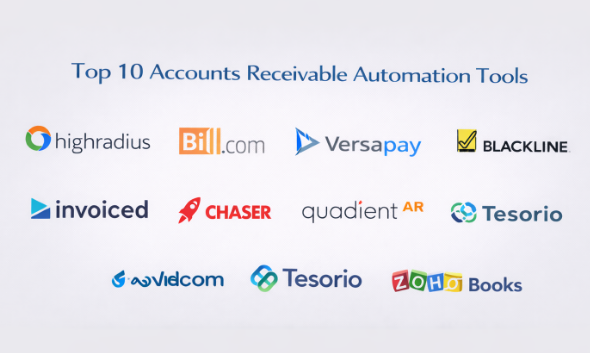
Top 10 Accounts Receivable Automation Tools
#1 — HighRadius
Short description: Enterprise-grade AR automation platform focused on cash application, collections, and credit management using AI.
Key Features
- AI-driven cash application
- Automated collections workflows
- Credit risk management
- Dispute management
- Real-time analytics dashboards
Pros
- Strong AI capabilities
- Designed for large enterprises
Cons
- Complex implementation
- Higher cost
Platforms / Deployment
Web
Cloud
Security & Compliance
SSO, encryption, audit logs
Not publicly stated
Integrations & Ecosystem
Integrates with major ERP systems and financial platforms.
- SAP
- Oracle
- APIs
Support & Community
Enterprise-level support with onboarding assistance.
#2 — Bill.com
Short description: Popular AR and AP automation tool for SMBs that simplifies invoicing and payment collection.
Key Features
- Automated invoicing
- Payment tracking
- Cash flow visibility
- Approval workflows
- Vendor and customer management
Pros
- Easy to use
- Strong SMB adoption
Cons
- Limited advanced features
- Basic customization
Platforms / Deployment
Web / iOS / Android
Cloud
Security & Compliance
Encryption, audit logs
SOC 2 compliant
Integrations & Ecosystem
Works with common accounting platforms.
- QuickBooks
- Xero
- Sage
Support & Community
Good support for SMB users with tutorials.
#3 — Versapay
Short description: Collaborative AR platform that focuses on improving customer engagement and payment experiences.
Key Features
- Customer payment portal
- Automated invoicing
- Cash application
- Collaboration tools
- Real-time reporting
Pros
- Strong customer experience features
- Good collaboration tools
Cons
- Limited analytics depth
- Smaller ecosystem
Platforms / Deployment
Web
Cloud
Security & Compliance
Encryption, audit logs
Not publicly stated
Integrations & Ecosystem
Supports ERP and accounting integrations.
- NetSuite
- SAP
Support & Community
Reliable support with onboarding services.
#4 — YayPay
Short description: AR automation tool designed for mid-market companies with strong collections and forecasting capabilities.
Key Features
- Automated collections workflows
- Payment reminders
- Cash flow forecasting
- Customer communication tracking
- Analytics dashboards
Pros
- Strong collections automation
- Good forecasting tools
Cons
- UI may feel outdated
- Limited customization
Platforms / Deployment
Web
Cloud
Security & Compliance
Encryption
Not publicly stated
Integrations & Ecosystem
Integrates with accounting and ERP systems.
- NetSuite
- QuickBooks
Support & Community
Good support and onboarding assistance.
#5 — BlackLine
Short description: Enterprise financial automation platform with AR capabilities focused on reconciliation and compliance.
Key Features
- Invoice management
- Cash application
- Reconciliation automation
- Compliance tracking
- Reporting tools
Pros
- Strong compliance features
- Reliable enterprise performance
Cons
- Expensive
- Complex setup
Platforms / Deployment
Web
Cloud
Security & Compliance
SSO, audit logs, encryption
SOC 2, ISO 27001
Integrations & Ecosystem
Integrates with ERP and finance systems.
- SAP
- Oracle
Support & Community
Enterprise-level support and training.
#6 — Invoiced
Short description: AR automation platform focused on billing, collections, and subscription-based businesses.
Key Features
- Automated invoicing
- Payment reminders
- Subscription billing
- Customer portal
- Reporting dashboards
Pros
- Good for SaaS businesses
- Easy to implement
Cons
- Limited enterprise features
- Smaller ecosystem
Platforms / Deployment
Web
Cloud
Security & Compliance
Encryption
Not publicly stated
Integrations & Ecosystem
Supports integration with accounting tools.
- QuickBooks
- Xero
Support & Community
Good documentation and onboarding support.
#7 — Chaser
Short description: AR tool focused on automated payment reminders and improving collections efficiency.
Key Features
- Automated email reminders
- Payment tracking
- Reporting tools
- Customer communication automation
- Integration with accounting software
Pros
- Easy to use
- Effective for collections
Cons
- Limited advanced features
- Not ideal for large enterprises
Platforms / Deployment
Web
Cloud
Security & Compliance
Encryption
Not publicly stated
Integrations & Ecosystem
Works with accounting platforms.
- QuickBooks
- Xero
Support & Community
Good support for SMB users.
#8 — Quadient AR
Short description: AR automation solution focusing on billing, payment processing, and customer communications.
Key Features
- Invoice delivery automation
- Payment processing
- Customer communication tools
- Reporting and analytics
- Cash application
Pros
- Strong billing features
- Good customer communication
Cons
- Limited integrations
- Smaller market presence
Platforms / Deployment
Web
Cloud
Security & Compliance
Encryption
Not publicly stated
Integrations & Ecosystem
Supports integration with financial systems.
- ERP tools
- APIs
Support & Community
Support varies depending on deployment.
#9 — Tesorio
Short description: Cash flow performance platform that combines AR automation with analytics and forecasting.
Key Features
- Cash flow forecasting
- Payment tracking
- Analytics dashboards
- Customer insights
- Collections automation
Pros
- Strong analytics capabilities
- Good forecasting
Cons
- Limited AP features
- Smaller ecosystem
Platforms / Deployment
Web
Cloud
Security & Compliance
Encryption
Not publicly stated
Integrations & Ecosystem
Integrates with accounting and ERP systems.
- NetSuite
- QuickBooks
Support & Community
Good onboarding and customer success support.
#10 — Zoho Books
Short description: Accounting platform with built-in AR automation features suitable for SMBs.
Key Features
- Invoice automation
- Payment reminders
- Customer management
- Reporting dashboards
- Multi-currency support
Pros
- Affordable pricing
- Easy to use
Cons
- Limited enterprise features
- Basic automation capabilities
Platforms / Deployment
Web / iOS / Android
Cloud
Security & Compliance
Encryption, audit logs
Not publicly stated
Integrations & Ecosystem
Part of Zoho ecosystem with integrations.
- Zoho apps
- Payment gateways
Support & Community
Strong community and documentation.
Comparison Table (Top 10)
| Tool Name | Best For | Platform(s) Supported | Deployment | Standout Feature | Public Rating |
|---|---|---|---|---|---|
| HighRadius | Enterprises | Web | Cloud | AI cash application | N/A |
| Bill.com | SMBs | Web, Mobile | Cloud | Ease of use | N/A |
| Versapay | Collaboration | Web | Cloud | Customer portal | N/A |
| YayPay | Mid-market | Web | Cloud | Collections automation | N/A |
| BlackLine | Enterprises | Web | Cloud | Compliance focus | N/A |
| Invoiced | SaaS billing | Web | Cloud | Subscription support | N/A |
| Chaser | Collections | Web | Cloud | Reminder automation | N/A |
| Quadient AR | Billing | Web | Cloud | Communication tools | N/A |
| Tesorio | Analytics | Web | Cloud | Cash forecasting | N/A |
| Zoho Books | SMBs | Web, Mobile | Cloud | Affordable AR tools | N/A |
Evaluation & Scoring of Accounts Receivable Automation Tools
| Tool Name | Core | Ease | Integrations | Security | Performance | Support | Value | Weighted Total |
|---|---|---|---|---|---|---|---|---|
| HighRadius | 9 | 7 | 9 | 8 | 9 | 8 | 7 | 8.3 |
| Bill.com | 8 | 9 | 8 | 8 | 8 | 8 | 9 | 8.4 |
| Versapay | 8 | 8 | 7 | 7 | 8 | 8 | 8 | 7.9 |
| YayPay | 8 | 8 | 7 | 7 | 8 | 8 | 8 | 7.9 |
| BlackLine | 9 | 7 | 9 | 9 | 9 | 8 | 7 | 8.4 |
| Invoiced | 8 | 9 | 7 | 7 | 8 | 8 | 8 | 8.0 |
| Chaser | 7 | 9 | 7 | 7 | 7 | 8 | 8 | 7.8 |
| Quadient AR | 7 | 8 | 7 | 7 | 7 | 7 | 7 | 7.3 |
| Tesorio | 8 | 8 | 7 | 7 | 8 | 8 | 7 | 7.8 |
| Zoho Books | 7 | 9 | 7 | 7 | 7 | 8 | 9 | 7.9 |
How to interpret scores:
These scores are comparative within this category. Higher scores in “Core” and “Integrations” indicate enterprise readiness, while “Ease” and “Value” are more important for SMBs. Always align tool selection with your business needs rather than choosing the highest score.
Which eProcurement Platforms
Solo / Freelancer
Basic invoicing tools or accounting software are sufficient; full AR automation may not be necessary.
SMB
Zoho Books, Bill.com, and Chaser provide affordability and ease of use.
Mid-Market
YayPay and Versapay offer better automation and workflow capabilities.
Enterprise
HighRadius and BlackLine are ideal for scalability and compliance.
Budget vs Premium
- Budget: Zoho Books, Chaser
- Premium: HighRadius, BlackLine
Feature Depth vs Ease of Use
- Feature-rich: HighRadius, BlackLine
- Easy to use: Bill.com, Zoho Books
Integrations & Scalability
Choose tools that integrate well with your ERP and can scale as your business grows.
Security & Compliance Needs
Enterprises should prioritize tools with audit logs, encryption, and compliance certifications.
Frequently Asked Questions (FAQs)
1. What is Accounts Receivable automation?
It automates invoicing, collections, and payment tracking to improve cash flow and efficiency.
2. How much does AR automation software cost?
Pricing varies depending on features, users, and transaction volume.
3. Is AR automation suitable for small businesses?
Yes, especially tools like Zoho Books and Bill.com.
4. How long does implementation take?
It can range from a few days to several weeks.
5. Can it integrate with ERP systems?
Most modern tools offer integration with ERP and accounting platforms.
6. Does it support multiple payment methods?
Many tools support cards, bank transfers, and digital payments.
7. Is AR automation secure?
Most tools use encryption and security controls.
8. What are common mistakes when adopting AR tools?
Not aligning workflows and ignoring integration requirements.
9. Can I switch tools later?
Yes, but data migration should be planned carefully.
10. What are alternatives to AR automation?
Manual invoicing or basic accounting software.
Conclusion
Accounts Receivable Automation Tools play a critical role in improving cash flow, reducing manual work, and enhancing financial visibility. While enterprise solutions like HighRadius and BlackLine offer advanced capabilities for large organizations, SMB-focused tools such as Zoho Books and Bill.com provide simplicity and affordability. The right tool depends on your business size, invoice volume, integration needs, and budget. Instead of choosing based on features alone, businesses should shortlist two to three tools, run a pilot, and validate how well they integrate with existing systems and workflows before making a final decision.
