Introduction
AutoML (Automated Machine Learning) platforms help teams build, train, and deploy machine learning models without needing deep data science expertise. Instead of writing complex code, users can automate tasks like data preprocessing, feature selection, model training, and tuning.
In today’s AI-driven environment, AutoML matters more than ever. Organizations are under pressure to deliver AI outcomes faster, reduce dependency on scarce data scientists, and democratize analytics across teams. AutoML bridges that gap by enabling engineers, analysts, and even business users to create predictive models efficiently.
Real-world use cases:
- Customer churn prediction in telecom and SaaS
- Fraud detection in banking and fintech
- Demand forecasting in retail and supply chain
- Predictive maintenance in manufacturing
- Marketing campaign optimization
What buyers should evaluate:
- Ease of use (UI vs code flexibility)
- Model performance and explainability
- Integration with data sources and pipelines
- Deployment and MLOps capabilities
- Security and compliance features
- Scalability and cost control
- Customization and extensibility
- Support and documentation quality
Best for: IT managers, data analysts, product teams, and startups looking to deploy AI quickly without heavy data science investment.
Not ideal for: Advanced ML researchers needing full control over algorithms, or teams requiring highly custom deep learning architectures.
Key Trends in AutoML Platforms
- Increasing use of generative AI-assisted model building
- Strong focus on no-code and low-code interfaces
- Integration with end-to-end MLOps pipelines
- Growing demand for explainable AI (XAI) features
- Support for real-time inference and edge deployment
- Expansion of hybrid and multi-cloud deployment models
- Improved data governance and compliance tooling
- Adoption of AutoML for tabular, NLP, and vision tasks
- Pricing models shifting toward usage-based billing
- Deeper integration with data lakes and warehouses
How We Selected These Tools (Methodology)
- High market adoption and enterprise usage
- Feature completeness across ML lifecycle
- Proven reliability and scalability
- Security and compliance readiness signals
- Strong integrations with cloud/data ecosystems
- Balanced coverage across enterprise, SMB, and developer-first tools
- Positive community and industry feedback
- Support for multiple ML use cases (tabular, NLP, vision)
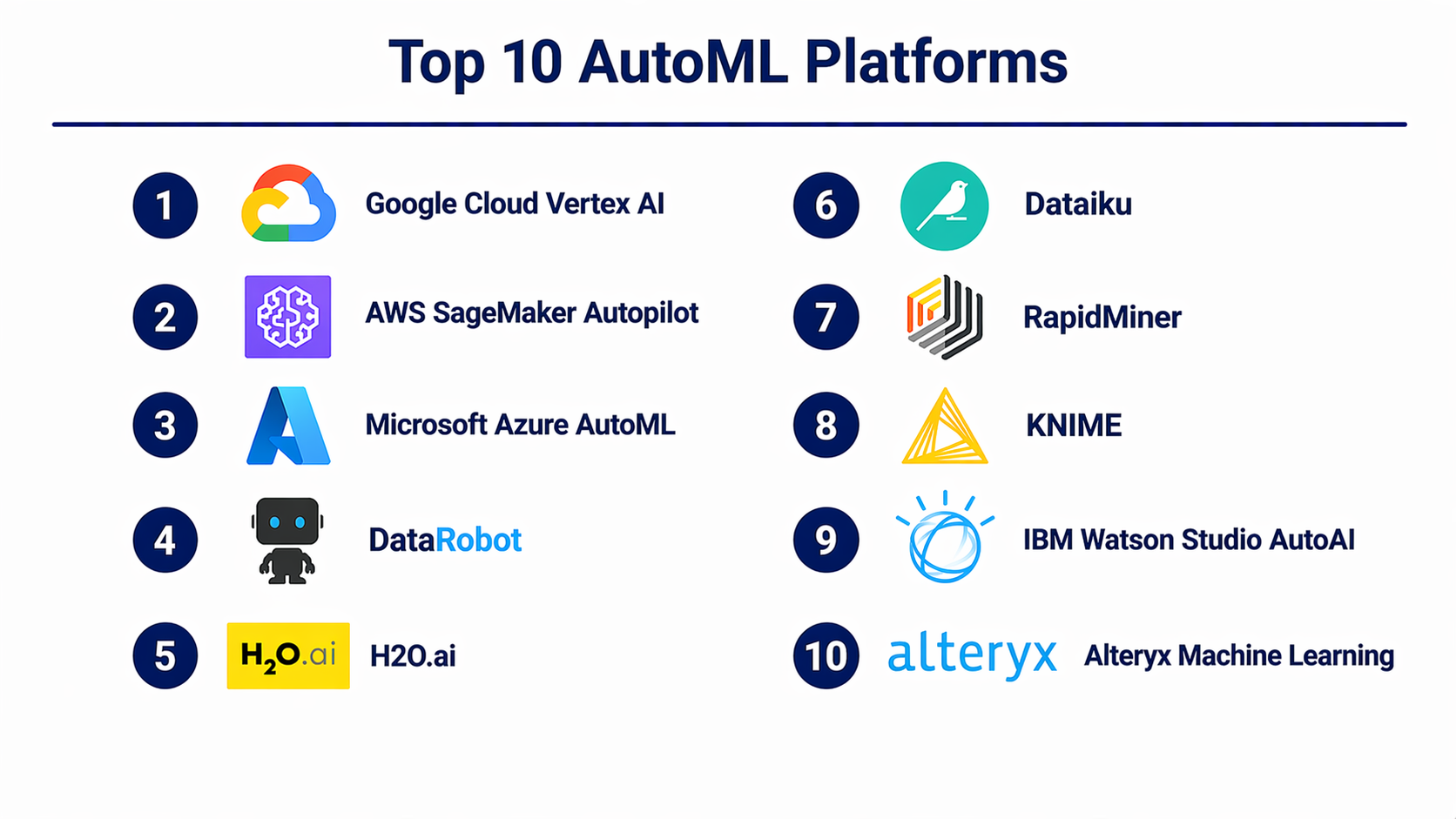
Top 10 AutoML Platforms
#1 — Google Cloud Vertex AI
Short description: A comprehensive AutoML and MLOps platform designed for enterprises building scalable AI applications.
Key Features
- AutoML for tabular, NLP, and vision
- Integrated pipeline orchestration
- Model monitoring and drift detection
- Feature store support
- Generative AI integration
- Managed training and deployment
Pros
- Strong scalability and performance
- Deep integration with cloud ecosystem
Cons
- Learning curve for beginners
- Pricing can become complex
Platforms / Deployment
Cloud
Security & Compliance
Supports IAM, encryption, audit logs, GDPR compliance (details vary)
Integrations & Ecosystem
Strong integration with cloud data tools and APIs
- BigQuery
- Dataflow
- Kubernetes
- APIs for extensibility
Support & Community
Strong enterprise support and documentation
#2 — AWS SageMaker Autopilot
Short description: AutoML solution within AWS ecosystem focused on automating model creation and deployment.
Key Features
- Automated feature engineering
- Model selection and tuning
- Built-in notebooks
- Model explainability tools
- Integration with AWS services
Pros
- Mature ecosystem
- Flexible deployment options
Cons
- Requires AWS familiarity
- Cost management needed
Platforms / Deployment
Cloud
Security & Compliance
IAM, encryption, audit logs supported
Integrations & Ecosystem
- S3
- Lambda
- Redshift
- API integrations
Support & Community
Extensive documentation and enterprise support
#3 — Microsoft Azure AutoML
Short description: Enterprise-grade AutoML integrated into Azure Machine Learning platform.
Key Features
- Automated model selection
- Time-series forecasting
- Responsible AI tools
- Pipeline automation
- Model interpretability
Pros
- Strong enterprise integration
- Good compliance features
Cons
- UI can be complex
- Requires Azure ecosystem
Platforms / Deployment
Cloud
Security & Compliance
RBAC, encryption, compliance certifications (varies)
Integrations & Ecosystem
- Azure Data Factory
- Power BI
- Synapse
Support & Community
Strong enterprise-level support
#4 — DataRobot
Short description: Enterprise-focused AutoML platform emphasizing speed, governance, and model explainability.
Key Features
- End-to-end ML lifecycle
- Auto feature engineering
- Model explainability
- Deployment automation
- Monitoring dashboards
Pros
- High-quality model performance
- Strong governance features
Cons
- Expensive for small teams
- Less flexible for custom models
Platforms / Deployment
Cloud / Hybrid
Security & Compliance
Enterprise-grade security features (details vary)
Integrations & Ecosystem
- APIs
- BI tools
- Data warehouses
Support & Community
Premium enterprise support
#5 — H2O.ai
Short description: Open-source-friendly AutoML platform with strong performance and flexibility.
Key Features
- AutoML for tabular data
- Distributed training
- Explainability tools
- GPU support
- Open-source core
Pros
- Cost-effective
- Strong performance
Cons
- Requires technical knowledge
- UI less polished
Platforms / Deployment
Cloud / Self-hosted
Security & Compliance
Varies / Not publicly stated
Integrations & Ecosystem
- Spark
- Python/R APIs
- Hadoop
Support & Community
Active open-source community
#6 — Dataiku
Short description: Collaborative data science platform with AutoML capabilities and strong governance.
Key Features
- Visual ML workflows
- AutoML pipelines
- Collaboration tools
- Data preparation
- Deployment automation
Pros
- Great for team collaboration
- Strong governance
Cons
- Complex for beginners
- Licensing cost
Platforms / Deployment
Cloud / On-prem
Security & Compliance
RBAC, audit logs (details vary)
Integrations & Ecosystem
- Databases
- Cloud platforms
- APIs
Support & Community
Strong enterprise support
#7 — RapidMiner
Short description: No-code/low-code platform for data science and AutoML workflows.
Key Features
- Drag-and-drop interface
- Automated model building
- Data prep tools
- Visual workflows
- Deployment options
Pros
- Easy to use
- Good for beginners
Cons
- Limited scalability
- UI performance issues
Platforms / Deployment
Cloud / Desktop
Security & Compliance
Varies / Not publicly stated
Integrations & Ecosystem
- APIs
- Databases
- BI tools
Support & Community
Good documentation and community
#8 — KNIME
Short description: Open-source analytics platform with AutoML extensions and visual workflows.
Key Features
- Visual data pipelines
- AutoML extensions
- Integration with Python/R
- Data preprocessing tools
- Workflow automation
Pros
- Free and open-source
- Highly flexible
Cons
- Steeper learning curve
- UI complexity
Platforms / Deployment
Desktop / Cloud
Security & Compliance
Not publicly stated
Integrations & Ecosystem
- Python
- R
- Databases
Support & Community
Strong open-source community
#9 — IBM Watson Studio AutoAI
Short description: Enterprise AI platform with AutoML capabilities focused on governance and compliance.
Key Features
- AutoAI model building
- Data preparation tools
- Model lifecycle management
- Governance features
- Deployment pipelines
Pros
- Strong compliance features
- Enterprise-ready
Cons
- Expensive
- UI complexity
Platforms / Deployment
Cloud / Hybrid
Security & Compliance
Enterprise-grade compliance (details vary)
Integrations & Ecosystem
- IBM Cloud
- APIs
- Data tools
Support & Community
Enterprise-level support
#10 — Alteryx Machine Learning
Short description: Business-focused AutoML tool designed for analysts and non-technical users.
Key Features
- No-code model building
- Data blending
- Workflow automation
- Predictive analytics
- Reporting integration
Pros
- Very user-friendly
- Strong analytics capabilities
Cons
- Limited advanced ML control
- Cost can be high
Platforms / Deployment
Cloud / Desktop
Security & Compliance
Varies / Not publicly stated
Integrations & Ecosystem
- Excel
- BI tools
- APIs
Support & Community
Strong business user community
Comparison Table (Top 10)
| Tool Name | Best For | Platform(s) Supported | Deployment | Standout Feature | Public Rating |
|---|---|---|---|---|---|
| Google Cloud Vertex AI | Enterprise AI teams | Cloud | Cloud | End-to-end MLOps | N/A |
| AWS SageMaker Autopilot | AWS users | Cloud | Cloud | Deep AWS integration | N/A |
| Azure AutoML | Enterprise users | Cloud | Cloud | Responsible AI tools | N/A |
| DataRobot | Large enterprises | Cloud | Hybrid | Model explainability | N/A |
| H2O.ai | Developers | Multi | Hybrid | Open-source AutoML | N/A |
| Dataiku | Collaborative teams | Multi | Hybrid | Team workflows | N/A |
| RapidMiner | Beginners | Desktop/Cloud | Hybrid | No-code ML | N/A |
| KNIME | Open-source users | Desktop | Hybrid | Visual pipelines | N/A |
| IBM Watson Studio | Regulated industries | Cloud | Hybrid | Governance focus | N/A |
| Alteryx ML | Business analysts | Desktop/Cloud | Hybrid | Easy automation | N/A |
Evaluation & Scoring of AutoML Platforms
| Tool Name | Core (25%) | Ease (15%) | Integrations (15%) | Security (10%) | Performance (10%) | Support (10%) | Value (15%) | Weighted Total |
|---|---|---|---|---|---|---|---|---|
| Vertex AI | 9 | 7 | 9 | 9 | 9 | 8 | 7 | 8.4 |
| SageMaker | 9 | 7 | 9 | 9 | 9 | 8 | 7 | 8.4 |
| Azure AutoML | 9 | 7 | 9 | 9 | 9 | 8 | 7 | 8.4 |
| DataRobot | 9 | 8 | 8 | 9 | 9 | 9 | 6 | 8.3 |
| H2O.ai | 8 | 6 | 8 | 7 | 8 | 7 | 9 | 7.8 |
| Dataiku | 8 | 7 | 8 | 8 | 8 | 8 | 7 | 7.9 |
| RapidMiner | 7 | 9 | 7 | 6 | 7 | 7 | 8 | 7.6 |
| KNIME | 7 | 6 | 7 | 6 | 7 | 7 | 9 | 7.2 |
| IBM Watson | 8 | 6 | 8 | 9 | 8 | 8 | 6 | 7.7 |
| Alteryx ML | 7 | 9 | 7 | 6 | 7 | 7 | 7 | 7.5 |
How to interpret scores:
- Scores are comparative across tools in this category
- Higher score = better overall balance of features and usability
- Enterprise tools score high in security and performance
- Open-source tools score higher in value
- Choose based on your priorities, not just total score
Which AutoML Platforms for You?
Solo / Freelancer
Choose KNIME or RapidMiner for affordability and simplicity.
SMB
Alteryx or H2O.ai offers balance between usability and cost.
Mid-Market
Dataiku and Azure AutoML provide scalability and governance.
Enterprise
Vertex AI, SageMaker, and DataRobot are strong choices.
Budget vs Premium
- Budget: KNIME, H2O.ai
- Premium: DataRobot, Vertex AI
Feature Depth vs Ease of Use
- Easy: Alteryx, RapidMiner
- Advanced: SageMaker, Vertex AI
Integrations & Scalability
- Best: AWS, Azure, Google ecosystems
Security & Compliance Needs
- Best: IBM Watson, Azure, DataRobot
Frequently Asked Questions (FAQs)
What is AutoML?
AutoML automates machine learning tasks like training and tuning models.
Is AutoML suitable for beginners?
Yes, many platforms offer no-code interfaces.
How much does AutoML cost?
Varies widely based on usage and platform.
Can AutoML replace data scientists?
No, it complements them but doesn’t replace expertise.
Is AutoML secure?
Most enterprise platforms offer strong security features.
What industries use AutoML?
Finance, healthcare, retail, manufacturing, and SaaS.
Can AutoML handle big data?
Yes, especially cloud-based platforms.
How long does it take to build a model?
Minutes to hours depending on data size.
Can I deploy models easily?
Yes, most platforms offer deployment tools.
What are alternatives to AutoML?
Manual ML frameworks like TensorFlow or PyTorch.
Conclusion
AutoML platforms have transformed how organizations approach machine learning. They reduce complexity, accelerate time-to-value, and open AI capabilities to a wider audience. However, the “best” platform depends on your needs—whether it’s ease of use, scalability, cost, or enterprise governance. If you’re just starting, focus on usability and cost-effective tools. If you’re scaling AI across teams, prioritize integration, security, and performance.
