Introduction
Self-service analytics tools are platforms that allow non-technical users—such as business analysts, marketers, and product managers—to explore, analyze, and visualize data without relying heavily on data engineers or IT teams. Instead of writing complex SQL queries or building pipelines, users can drag, drop, and interact with data to generate insights.
In today’s data-driven environment, especially with growing data volumes and AI-powered decision-making, self-service analytics has become essential. Organizations want faster decisions, reduced dependency on centralized teams, and real-time insights. These tools enable that shift.
Common real-world use cases include:
- Marketing campaign performance analysis
- Sales forecasting and pipeline tracking
- Product usage and customer behavior insights
- Financial reporting and forecasting
- Operational performance monitoring
What buyers should evaluate:
- Ease of use and learning curve
- Data connectivity and integrations
- Visualization and dashboard capabilities
- AI/ML features (auto insights, forecasting)
- Performance with large datasets
- Security and compliance controls
- Collaboration features
- Pricing and scalability
- Deployment flexibility
- Governance and access controls
Best for: Business analysts, marketing teams, product managers, startups to enterprises, and organizations aiming to democratize data access.
Not ideal for: Highly technical data science workflows, real-time streaming analytics at massive scale, or organizations requiring deep custom modeling beyond UI-based tools.
Key Trends in Self-Service Analytics Tools
- AI-driven insights: Tools now automatically detect trends, anomalies, and correlations.
- Natural language queries (NLQ): Users can ask questions in plain English to get insights.
- Embedded analytics: Analytics integrated directly into SaaS products and internal tools.
- Data governance built-in: Fine-grained access control and audit trails are now standard expectations.
- Cloud-first architecture: Most tools are cloud-native with scalable performance.
- Real-time analytics: Faster data refresh cycles and near real-time dashboards.
- Data mesh compatibility: Tools align with decentralized data ownership models.
- Low-code/no-code workflows: Simplified data modeling and transformation.
- Cross-platform integrations: Strong ecosystems with cloud warehouses and APIs.
- Usage-based pricing models: Increasing shift from license-based to consumption-based pricing.
How We Selected These Tools (Methodology)
- Strong market adoption and brand recognition
- Feature completeness across analytics workflows
- Proven performance with large-scale datasets
- Security and governance capabilities
- Integration ecosystem with modern data stacks
- Suitability across SMB, mid-market, and enterprise
- Ease of use for non-technical users
- Vendor innovation (AI, automation, embedded analytics)
- Community adoption and support quality
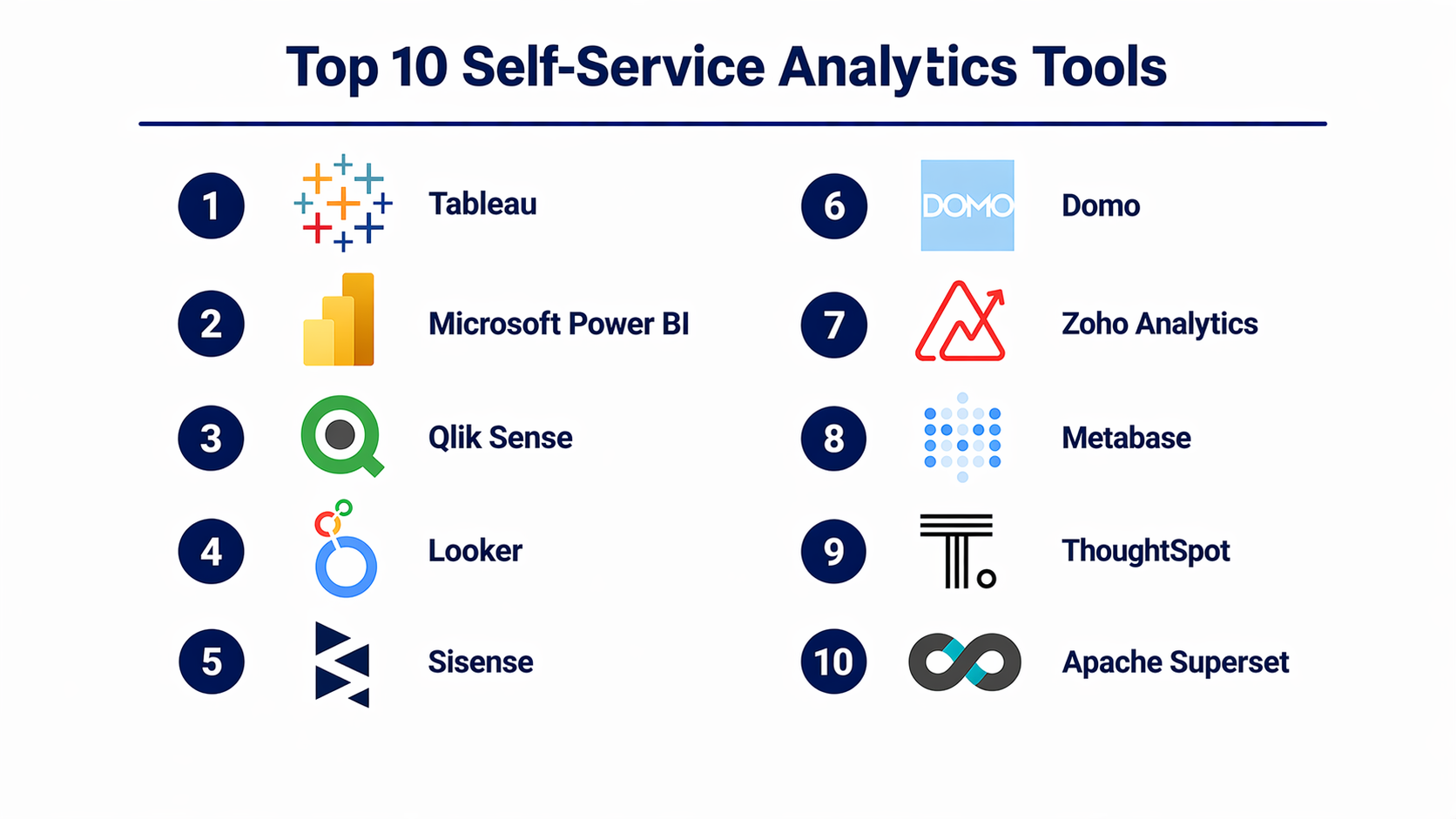
Top 10 Self-Service Analytics Tools
#1 — Tableau
Short description: A leading data visualization and analytics platform widely used across enterprises for interactive dashboards and deep data exploration.
Key Features
- Drag-and-drop dashboard builder
- Advanced visualizations
- Data blending and preparation
- AI-powered insights (Explain Data)
- Mobile dashboards
- Real-time data connectivity
Pros
- Highly intuitive UI
- Strong visualization capabilities
- Large community and ecosystem
Cons
- Expensive for smaller teams
- Performance may vary with large datasets
Platforms / Deployment
Web / Windows / macOS
Cloud / Self-hosted
Security & Compliance
SSO, MFA, RBAC, encryption
SOC 2, ISO 27001 (varies by deployment)
Integrations & Ecosystem
Tableau integrates with most major databases and cloud warehouses.
- Snowflake
- Google BigQuery
- AWS Redshift
- Salesforce
- APIs
Support & Community
Strong documentation, large community, enterprise support tiers.
#2 — Microsoft Power BI
Short description: A widely adopted BI and analytics tool integrated deeply with the Microsoft ecosystem.
Key Features
- Interactive dashboards
- AI-powered insights
- Data modeling with DAX
- Integration with Excel
- Real-time streaming dashboards
Pros
- Cost-effective
- Strong Microsoft integration
- Easy onboarding
Cons
- Complex DAX learning curve
- Performance tuning required
Platforms / Deployment
Web / Windows / iOS / Android
Cloud / Hybrid
Security & Compliance
SSO, MFA, RBAC
Varies / N/A
Integrations & Ecosystem
Deep integration with Microsoft tools.
- Azure
- Excel
- SQL Server
- Dynamics
Support & Community
Large global community and extensive documentation.
#3 — Qlik Sense
Short description: A modern analytics platform known for its associative data model and flexible data exploration.
Key Features
- Associative data engine
- Smart search
- AI insights
- Interactive dashboards
- Data storytelling
Pros
- Unique data exploration model
- Strong analytics engine
Cons
- Learning curve
- UI complexity
Platforms / Deployment
Web
Cloud / Self-hosted
Security & Compliance
RBAC, encryption
Not publicly stated
Integrations & Ecosystem
- Databases
- Cloud platforms
- APIs
Support & Community
Good documentation, moderate community size.
#4 — Looker
Short description: A cloud-native analytics platform focused on data modeling and centralized metrics definitions.
Key Features
- LookML modeling
- Embedded analytics
- Real-time dashboards
- Governance layer
- Data exploration
Pros
- Strong data governance
- Scalable architecture
Cons
- Requires modeling knowledge
- Expensive
Platforms / Deployment
Web
Cloud
Security & Compliance
SSO, RBAC
Varies / N/A
Integrations & Ecosystem
- BigQuery
- Snowflake
- APIs
Support & Community
Strong enterprise support.
#5 — Sisense
Short description: A flexible analytics platform designed for embedding and scaling analytics in applications.
Key Features
- Embedded analytics
- Custom dashboards
- Data modeling
- AI insights
- API-first design
Pros
- Highly customizable
- Strong embedding capabilities
Cons
- Complex setup
- Pricing transparency limited
Platforms / Deployment
Web
Cloud / Hybrid
Security & Compliance
RBAC, encryption
Not publicly stated
Integrations & Ecosystem
- APIs
- Databases
- Cloud warehouses
Support & Community
Enterprise-focused support.
#6 — Domo
Short description: A cloud-based analytics platform focused on business users and real-time dashboards.
Key Features
- Real-time dashboards
- Data connectors
- Mobile-first design
- Alerts and automation
- Collaboration tools
Pros
- Strong real-time capabilities
- Easy to use
Cons
- Expensive
- Limited customization
Platforms / Deployment
Web / Mobile
Cloud
Security & Compliance
MFA, RBAC
Varies / N/A
Integrations & Ecosystem
- SaaS apps
- APIs
- Databases
Support & Community
Good support, smaller community.
#7 — Zoho Analytics
Short description: A cost-effective analytics tool suitable for SMBs with strong reporting and visualization features.
Key Features
- Drag-and-drop reports
- AI assistant
- Data blending
- Pre-built connectors
- Dashboard sharing
Pros
- Affordable
- Easy to use
Cons
- Limited scalability
- Fewer advanced features
Platforms / Deployment
Web
Cloud
Security & Compliance
Varies / N/A
Integrations & Ecosystem
- Zoho apps
- Databases
- Cloud apps
Support & Community
Good SMB-level support.
#8 — Metabase
Short description: An open-source analytics tool focused on simplicity and accessibility for teams.
Key Features
- Simple dashboards
- SQL and no-code queries
- Embedding
- Alerts
- Lightweight setup
Pros
- Open-source
- Easy to deploy
Cons
- Limited enterprise features
- Basic visualization
Platforms / Deployment
Web
Self-hosted / Cloud
Security & Compliance
Varies / N/A
Integrations & Ecosystem
- Databases
- APIs
Support & Community
Strong open-source community.
#9 — ThoughtSpot
Short description: A search-driven analytics platform enabling users to ask questions in natural language.
Key Features
- Natural language search
- AI insights
- Live analytics
- Embedded analytics
- Cloud-native
Pros
- Easy for non-technical users
- Fast query performance
Cons
- Expensive
- Limited customization
Platforms / Deployment
Web
Cloud
Security & Compliance
SSO, RBAC
Varies / N/A
Integrations & Ecosystem
- Snowflake
- Databases
- APIs
Support & Community
Enterprise-grade support.
#10 — Apache Superset
Short description: An open-source data exploration and visualization platform designed for modern data teams.
Key Features
- SQL-based exploration
- Custom dashboards
- Role-based access
- Extensible architecture
- Lightweight UI
Pros
- Open-source flexibility
- Highly customizable
Cons
- Requires technical setup
- Limited beginner usability
Platforms / Deployment
Web
Self-hosted
Security & Compliance
RBAC
Not publicly stated
Integrations & Ecosystem
- Databases
- APIs
- Plugins
Support & Community
Active open-source community.
Comparison Table (Top 10)
| Tool Name | Best For | Platform(s) Supported | Deployment | Standout Feature | Public Rating |
|---|---|---|---|---|---|
| Tableau | Enterprises | Web, Desktop | Cloud/Self-hosted | Advanced visualization | N/A |
| Power BI | SMB to Enterprise | Web, Desktop, Mobile | Cloud/Hybrid | Microsoft integration | N/A |
| Qlik Sense | Data analysts | Web | Cloud/Self-hosted | Associative engine | N/A |
| Looker | Data teams | Web | Cloud | Data modeling layer | N/A |
| Sisense | Embedded analytics | Web | Cloud/Hybrid | API-first design | N/A |
| Domo | Business users | Web/Mobile | Cloud | Real-time dashboards | N/A |
| Zoho Analytics | SMB | Web | Cloud | Affordable BI | N/A |
| Metabase | Startups | Web | Self-hosted | Open-source simplicity | N/A |
| ThoughtSpot | Non-technical users | Web | Cloud | Search analytics | N/A |
| Apache Superset | Developers | Web | Self-hosted | Open-source flexibility | N/A |
Evaluation & Scoring of Self-Service Analytics Tools
| Tool | Core | Ease | Integrations | Security | Performance | Support | Value | Weighted Total |
|---|---|---|---|---|---|---|---|---|
| Tableau | 9 | 8 | 9 | 8 | 9 | 9 | 7 | 8.5 |
| Power BI | 9 | 8 | 9 | 8 | 8 | 9 | 9 | 8.7 |
| Qlik Sense | 8 | 7 | 8 | 7 | 8 | 7 | 7 | 7.6 |
| Looker | 9 | 7 | 8 | 8 | 9 | 8 | 6 | 8.0 |
| Sisense | 8 | 7 | 9 | 7 | 8 | 7 | 7 | 7.8 |
| Domo | 8 | 8 | 8 | 7 | 8 | 7 | 6 | 7.7 |
| Zoho Analytics | 7 | 9 | 7 | 6 | 7 | 7 | 9 | 7.8 |
| Metabase | 7 | 9 | 7 | 6 | 7 | 8 | 9 | 7.9 |
| ThoughtSpot | 9 | 9 | 8 | 8 | 9 | 8 | 6 | 8.6 |
| Apache Superset | 7 | 6 | 8 | 6 | 8 | 7 | 9 | 7.5 |
How to interpret scores:
- Scores are comparative, not absolute
- Higher “Core” means stronger analytics capability
- “Ease” reflects usability for non-technical users
- “Value” considers cost vs features
- Enterprise tools score higher in performance and governance
- Open-source tools often score higher in value but lower in ease
Which Self-Service Analytics Tools Right for You?
Solo / Freelancer
- Best: Metabase, Zoho Analytics
- Focus on affordability and ease
SMB
- Best: Power BI, Zoho Analytics
- Balance of cost and capability
Mid-Market
- Best: Tableau, Qlik Sense
- Strong analytics with scalability
Enterprise
- Best: Looker, ThoughtSpot, Tableau
- Governance, scale, and integrations
Budget vs Premium
- Budget: Metabase, Zoho
- Premium: Tableau, ThoughtSpot
Feature Depth vs Ease of Use
- Easy: Power BI, ThoughtSpot
- Deep features: Tableau, Looker
Integrations & Scalability
- Strong integrations: Power BI, Tableau
- Developer-friendly: Superset, Sisense
Security & Compliance Needs
- Enterprise-grade: Tableau, Looker
- Basic: Open-source tools
Frequently Asked Questions (FAQs)
What are self-service analytics tools?
They allow users to analyze data without technical expertise using dashboards and visual interfaces.
Are these tools suitable for non-technical users?
Yes, most tools are designed for business users with minimal technical skills.
How much do these tools cost?
Pricing varies widely—from free open-source to enterprise licensing.
Do they support real-time analytics?
Many modern tools offer near real-time or real-time capabilities.
Can they handle large datasets?
Enterprise tools can; smaller tools may have limitations.
Are they secure?
Most offer RBAC, encryption, and SSO, but levels vary.
Can I integrate them with my existing systems?
Yes, most support databases, cloud platforms, and APIs.
What are common mistakes when choosing tools?
Ignoring scalability, integrations, and user adoption.
Can I switch tools later?
Yes, but migration can be complex depending on data models.
Are open-source tools reliable?
Yes, but they require technical expertise for setup and maintenance.
Conclusion
Self-service analytics tools are no longer optional—they are a core part of how modern organizations make decisions. From small teams trying to understand customer behavior to large enterprises managing complex data ecosystems, these tools enable faster, more informed actions without bottlenecks. However, there is no single “best” tool for everyone. The right choice depends on your team’s technical skill level, data complexity, budget, and long-term scalability needs. Some tools excel in ease of use, while others focus on deep analytics or enterprise governance.
