Introduction
Code Review Tools are platforms that help developers review, discuss, and improve code before it is merged into the main codebase. In simple terms, they provide a structured way for teams to collaborate on code quality, catch bugs early, and enforce coding standards.
In modern development workflows—especially with distributed teams and continuous delivery—code reviews are essential. These tools streamline the review process through pull requests, inline comments, automated checks, and integrations with version control systems.
Common use cases include:
- Reviewing pull requests and merge requests
- Enforcing coding standards and best practices
- Detecting bugs and security issues early
- Collaborating across development teams
- Maintaining code quality and consistency
Key evaluation criteria:
- Ease of code review workflows
- Integration with SCM tools (Git-based systems)
- Inline commenting and collaboration features
- Automation and CI/CD integration
- Security and compliance checks
- Scalability for large teams and repositories
- Performance and usability
- Reporting and analytics
- Customization and extensibility
- Pricing and licensing
Best for: Developers, DevOps teams, QA engineers, and organizations focused on maintaining high-quality code and collaborative development.
Not ideal for: Solo developers or very small projects where formal code reviews are unnecessary.
Key Trends in Code Review Tools
- AI-assisted code reviews: Automated suggestions for improving code quality
- Integration with DevOps pipelines: Automated checks before merging code
- Security-focused reviews: Built-in vulnerability detection
- Real-time collaboration: Inline discussions and live feedback
- Cloud-native platforms: Increasing adoption of SaaS tools
- Automated linting and formatting: Enforcing coding standards
- Scalable review systems: Handling large codebases and teams
- Compliance and audit tracking: Logging changes and approvals
- Developer experience improvements: Faster and more intuitive interfaces
- Cross-repository and monorepo support: Managing large projects efficiently
How We Selected These Tools (Methodology)
We evaluated Code Review Tools based on:
- Market adoption and developer popularity
- Feature completeness (review workflows, automation, reporting)
- Ease of use and onboarding
- Integration with SCM and CI/CD tools
- Security and compliance capabilities
- Scalability for different team sizes
- Performance and reliability
- Community and vendor support
- Flexibility and customization
- Overall value for cost
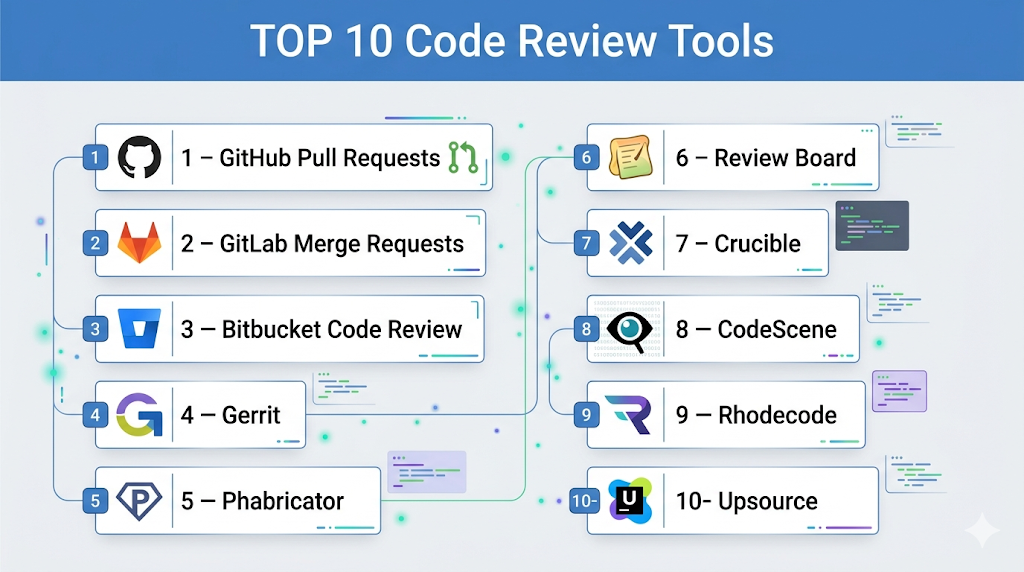
Top 10 Code Review Tools
#1 — GitHub Pull Requests
Short description: A widely used code review system integrated into GitHub, enabling collaborative code reviews through pull requests.
Key Features
- Pull request workflows
- Inline comments and discussions
- Code diff visualization
- Integration with GitHub Actions
- Review approvals and status checks
- Security scanning integration
Pros
- Easy to use and widely adopted
- Seamless integration with GitHub repositories
Cons
- Limited advanced customization
- Dependent on GitHub ecosystem
Platforms / Deployment
Web / Cloud
Security & Compliance
SSO, MFA, RBAC, audit logs
Integrations & Ecosystem
GitHub Pull Requests integrate with a vast ecosystem of tools, enabling automated workflows and enhanced collaboration.
- CI/CD pipelines
- Security tools
- Developer tools
Support & Community
Very large community and extensive documentation.
#2 — GitLab Merge Requests
Short description: A built-in code review system within GitLab offering integrated DevOps capabilities.
Key Features
- Merge request workflows
- Inline code comments
- CI/CD integration
- Code quality reports
- Security scanning
- Approval rules
Pros
- All-in-one platform
- Strong automation capabilities
Cons
- Can be complex for beginners
- Performance may vary at scale
Platforms / Deployment
Cloud / Self-hosted
Security & Compliance
RBAC, SSO, encryption, audit logs
Integrations & Ecosystem
GitLab integrates deeply with DevOps workflows and tools.
- CI/CD pipelines
- Kubernetes
- Monitoring tools
Support & Community
Strong community and enterprise support.
#3 — Bitbucket Code Review
Short description: A code review system integrated into Bitbucket, designed for teams using Atlassian tools.
Key Features
- Pull request workflows
- Inline commenting
- Branch permissions
- CI/CD integration
- Jira integration
Pros
- Seamless Atlassian ecosystem integration
- Good for Agile teams
Cons
- Limited features compared to competitors
- Smaller community
Platforms / Deployment
Cloud / Self-hosted
Security & Compliance
RBAC, encryption
Integrations & Ecosystem
Deep integration with Atlassian tools.
- Jira
- Confluence
- CI/CD tools
Support & Community
Good vendor support.
#4 — Gerrit
Short description: A web-based code review tool built around Git, focusing on structured review workflows.
Key Features
- Fine-grained access control
- Workflow customization
- Inline code reviews
- Git integration
- Approval-based merging
Pros
- Highly customizable
- Strong review workflows
Cons
- Steep learning curve
- Complex setup
Platforms / Deployment
Self-hosted
Security & Compliance
RBAC, authentication controls
Integrations & Ecosystem
Works with development pipelines and Git tools.
- Git
- CI/CD tools
Support & Community
Active developer community.
#5 — Phabricator
Short description: A suite of development tools including code review, task management, and repository hosting.
Key Features
- Differential code reviews
- Inline comments
- Workflow automation
- Repository hosting
- Task management
Pros
- All-in-one platform
- Flexible workflows
Cons
- No longer actively maintained
- Complex setup
Platforms / Deployment
Self-hosted
Security & Compliance
RBAC, authentication
Integrations & Ecosystem
Supports development workflows.
- Git
- CI/CD tools
Support & Community
Limited ongoing support.
#6 — Review Board
Short description: A web-based code review tool supporting multiple version control systems.
Key Features
- Multi-SCM support
- Inline code reviews
- Review dashboards
- File attachments
- Custom workflows
Pros
- Flexible and customizable
- Supports multiple repositories
Cons
- Outdated UI
- Limited modern features
Platforms / Deployment
Self-hosted
Security & Compliance
Access control, authentication
Integrations & Ecosystem
Works with various SCM tools.
- Git
- Subversion
- CI/CD tools
Support & Community
Moderate community support.
#7 — Crucible (by Atlassian)
Short description: A collaborative code review tool designed for enterprise teams.
Key Features
- Peer code reviews
- Inline comments
- Workflow tracking
- Integration with Atlassian tools
- Review metrics
Pros
- Enterprise-ready
- Strong collaboration features
Cons
- Paid tool
- Requires setup
Platforms / Deployment
Self-hosted
Security & Compliance
RBAC, encryption
Integrations & Ecosystem
Deep Atlassian ecosystem integration.
- Jira
- Confluence
Support & Community
Enterprise support available.
#8 — CodeScene
Short description: A behavioral code analysis tool focusing on code quality and risk assessment.
Key Features
- Code health analysis
- Risk detection
- Behavioral insights
- Visual reports
- Integration with SCM tools
Pros
- Unique insights into code quality
- Data-driven approach
Cons
- Niche use case
- Learning curve
Platforms / Deployment
Cloud / Self-hosted
Security & Compliance
Not publicly stated
Integrations & Ecosystem
Works with Git-based systems.
- GitHub
- GitLab
Support & Community
Growing community.
#9 — Rhodecode
Short description: A secure, enterprise-grade code review and repository management platform.
Key Features
- Code review workflows
- Repository management
- Access control
- Audit logs
- Multi-SCM support
Pros
- Strong security features
- Enterprise-ready
Cons
- Smaller ecosystem
- Paid plans
Platforms / Deployment
Self-hosted
Security & Compliance
RBAC, audit logs, encryption
Integrations & Ecosystem
Supports enterprise workflows.
- Git
- CI/CD tools
Support & Community
Enterprise support.
#10 — Upsource
Short description: A code review and repository browsing tool by JetBrains.
Key Features
- Code review workflows
- Code navigation
- Inline discussions
- Integration with JetBrains tools
- Search capabilities
Pros
- Strong code navigation
- Good developer experience
Cons
- Discontinued product
- Limited updates
Platforms / Deployment
Self-hosted
Security & Compliance
Not publicly stated
Integrations & Ecosystem
Works with JetBrains ecosystem.
- IDEs
- Git
Support & Community
Limited support.
Comparison Table (Top 10)
| Tool Name | Best For | Platform(s) Supported | Deployment | Standout Feature | Public Rating |
|---|---|---|---|---|---|
| GitHub PR | General dev | Web | Cloud | Ease of use | N/A |
| GitLab MR | DevOps teams | Web | Hybrid | CI/CD integration | N/A |
| Bitbucket | Atlassian users | Web | Hybrid | Jira integration | N/A |
| Gerrit | Advanced workflows | Web | Self-hosted | Custom workflows | N/A |
| Phabricator | All-in-one | Web | Self-hosted | Multi-tools | N/A |
| Review Board | Multi-SCM | Web | Self-hosted | Flexibility | N/A |
| Crucible | Enterprise | Web | Self-hosted | Collaboration | N/A |
| CodeScene | Code analysis | Web | Hybrid | Insights | N/A |
| Rhodecode | Security-focused | Web | Self-hosted | Audit logs | N/A |
| Upsource | JetBrains users | Web | Self-hosted | Navigation | N/A |
Code Review Tools Scoring
| Tool Name | Core (25%) | Ease (15%) | Integrations (15%) | Security (10%) | Performance (10%) | Support (10%) | Value (15%) | Weighted Total |
|---|---|---|---|---|---|---|---|---|
| GitHub PR | 9 | 9 | 10 | 9 | 9 | 10 | 8 | 9.1 |
| GitLab MR | 9 | 8 | 10 | 9 | 9 | 9 | 8 | 9.0 |
| Bitbucket | 8 | 8 | 9 | 9 | 8 | 8 | 8 | 8.4 |
| Gerrit | 8 | 6 | 7 | 8 | 8 | 7 | 8 | 7.6 |
| Phabricator | 7 | 6 | 7 | 7 | 7 | 6 | 9 | 7.0 |
| Review Board | 7 | 6 | 7 | 7 | 7 | 7 | 8 | 7.1 |
| Crucible | 8 | 7 | 8 | 8 | 8 | 8 | 7 | 7.8 |
| CodeScene | 8 | 7 | 7 | 7 | 8 | 7 | 7 | 7.5 |
| Rhodecode | 8 | 6 | 7 | 9 | 8 | 7 | 7 | 7.7 |
| Upsource | 7 | 7 | 7 | 7 | 7 | 6 | 8 | 7.0 |
How to interpret scores:
- Scores reflect comparative strengths across tools
- Integrated platforms score higher in ease and ecosystem
- Enterprise tools score higher in security and scalability
- Simpler tools may lack advanced features
- Choose based on workflow and team size
Which Code Review Tools Is Right for You?
Solo / Freelancer
- Use GitHub Pull Requests
- Simple and effective
SMB
- GitHub or Bitbucket
- Balance features and ease
Mid-Market
- GitLab Merge Requests or Bitbucket
- Focus on CI/CD integration
Enterprise
- GitLab or Gerrit
- Focus on scalability and control
Budget vs Premium
- Free tools provide great value
- Enterprise tools offer advanced workflows
Feature Depth vs Ease of Use
- Gerrit = powerful
- GitHub = simple
Integrations & Scalability
- Choose tools with strong CI/CD and SCM integration
- Ensure support for large repositories
Security & Compliance Needs
- Enterprises should prioritize audit logs and RBAC
- Cloud tools offer built-in compliance features
Frequently Asked Questions (FAQs)
What is a code review tool?
It helps developers review and improve code collaboratively.
Why are code reviews important?
They improve code quality and reduce bugs.
Are code review tools free?
Many offer free tiers; advanced features may require payment.
Which tool is best for GitHub users?
GitHub Pull Requests.
Can code reviews be automated?
Partially, using CI/CD and automation tools.
Do I need coding skills?
Yes, these tools are for developers.
Can I integrate with CI/CD?
Yes, most tools support integration.
What is a pull request?
A request to merge code changes.
Are these tools secure?
Most provide strong security features.
Can I switch tools later?
Yes, but workflows may change.
Conclusion
Code Review Tools are essential for maintaining high-quality code, enabling collaboration, and ensuring reliable software delivery. They help teams identify issues early and maintain consistency across projects.
