Introduction
Code Editors are software tools used by developers to write, edit, and manage source code efficiently. Unlike full-fledged IDEs, code editors are typically lightweight, fast, and highly customizable, making them ideal for a wide range of development tasks—from simple scripting to large-scale application development.
With the rise of modern frameworks, cloud-native development, and remote workflows, code editors have evolved into powerful platforms that support extensions, real-time collaboration, and intelligent coding assistance. They play a critical role in improving developer productivity, code quality, and workflow efficiency.
Common use cases include:
- Writing and editing code across multiple languages
- Debugging and testing scripts
- Managing large codebases
- Collaborating with teams in real time
- Integrating with version control systems
What buyers should evaluate:
- Ease of use and learning curve
- Language support and syntax highlighting
- Extension/plugin ecosystem
- Performance and responsiveness
- Debugging capabilities
- Integration with Git and DevOps tools
- Customization and themes
- Cross-platform availability
- Security features
- Cost and licensing
Best for: Developers, students, DevOps engineers, and teams looking for flexible and efficient coding environments.
Not ideal for: Users needing full enterprise IDE features like advanced debugging, profiling, or built-in enterprise tooling.
Key Trends in Code Editors
- AI-powered coding assistance: Smart autocomplete and code suggestions
- Cloud-based editors: Browser-based development environments
- Real-time collaboration: Pair programming features
- Extension ecosystems: Expanding capabilities through plugins
- Lightweight performance: Faster startup and low resource usage
- Integrated terminals: Built-in command-line tools
- Cross-platform consistency: Unified experience across OS
- Git integration: Native version control support
- Customization: Themes, shortcuts, and layouts
- Remote development: Editing code on remote servers and containers
How We Selected These Tools (Methodology)
- Evaluated developer adoption and popularity
- Assessed performance and responsiveness
- Reviewed language support and extensibility
- Considered ease of use and onboarding
- Analyzed integration with development tools
- Checked cross-platform compatibility
- Evaluated customization and flexibility
- Examined community and ecosystem strength
- Included both free and premium tools
- Focused on real-world developer workflows
Top Code Editors
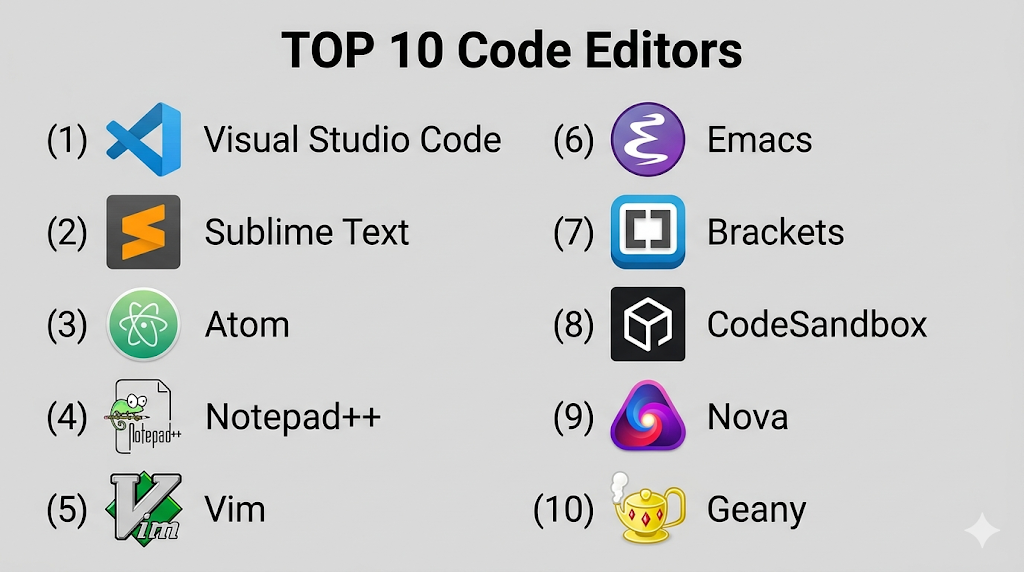
#1 — Visual Studio Code
Short description: A highly popular, lightweight code editor with extensive extension support.
Key Features
- IntelliSense autocomplete
- Built-in Git integration
- Large extension marketplace
- Debugging tools
- Integrated terminal
- Cross-platform support
Pros
- Free and highly customizable
- Massive ecosystem
Cons
- Can become heavy with extensions
- Performance issues on large projects
Platforms / Deployment
Windows / macOS / Linux
Security & Compliance
Extensions sandboxing, updates
Integrations & Ecosystem
VS Code integrates with a wide range of development tools.
- GitHub
- Docker
- Kubernetes
- APIs
Support & Community
Extremely strong global community.
#2 — Sublime Text
Short description: A fast and lightweight code editor known for its performance.
Key Features
- Fast startup
- Multi-cursor editing
- Command palette
- Syntax highlighting
- Plugin support
- Distraction-free mode
Pros
- Very fast
- Lightweight
Cons
- Paid license
- Limited built-in features
Platforms / Deployment
Windows / macOS / Linux
Security & Compliance
Not publicly stated
Integrations & Ecosystem
- Plugins
- APIs
- Git tools
Support & Community
Active community.
#3 — Atom
Short description: An open-source editor designed for customization.
Key Features
- Customizable UI
- Built-in package manager
- Git integration
- Collaborative editing
- Cross-platform
Pros
- Open-source
- Flexible
Cons
- Slower performance
- Limited updates
Platforms / Deployment
Windows / macOS / Linux
Security & Compliance
Not publicly stated
Integrations & Ecosystem
- GitHub
- Plugins
- APIs
Support & Community
Moderate community.
#4 — Notepad++
Short description: A lightweight editor for Windows with strong performance.
Key Features
- Syntax highlighting
- Plugin support
- Tabbed editing
- Lightweight
- Fast performance
Pros
- Very fast
- Free
Cons
- Windows-only
- Limited advanced features
Platforms / Deployment
Windows
Security & Compliance
Not publicly stated
Integrations & Ecosystem
- Plugins
- APIs
- Dev tools
Support & Community
Strong community.
#5 — Vim
Short description: A powerful text editor for advanced users with keyboard-driven workflows.
Key Features
- Modal editing
- Lightweight
- Highly customizable
- Plugin support
- Efficient navigation
Pros
- Extremely fast
- Highly customizable
Cons
- Steep learning curve
- Not beginner-friendly
Platforms / Deployment
Windows / macOS / Linux
Security & Compliance
Varies / N/A
Integrations & Ecosystem
- Plugins
- CLI tools
- APIs
Support & Community
Strong community.
#6 — Emacs
Short description: A highly extensible editor with powerful customization.
Key Features
- Lisp-based customization
- Integrated tools
- Plugin ecosystem
- Keyboard-driven workflow
- Cross-platform
Pros
- Extremely flexible
- Powerful
Cons
- Complex setup
- Learning curve
Platforms / Deployment
Windows / macOS / Linux
Security & Compliance
Varies / N/A
Integrations & Ecosystem
- Plugins
- APIs
- Dev tools
Support & Community
Strong niche community.
#7 — Brackets
Short description: A code editor focused on web development.
Key Features
- Live preview
- Inline editing
- Web-focused tools
- Lightweight
- Plugin support
Pros
- Great for front-end
- Easy to use
Cons
- Limited updates
- Not for large projects
Platforms / Deployment
Windows / macOS / Linux
Security & Compliance
Not publicly stated
Integrations & Ecosystem
- Web tools
- Plugins
- APIs
Support & Community
Moderate community.
#8 — CodeSandbox
Short description: A cloud-based code editor for web development.
Key Features
- Browser-based editing
- Real-time collaboration
- Instant previews
- Git integration
- Cloud deployment
Pros
- No setup required
- Great for collaboration
Cons
- Internet dependency
- Limited offline support
Platforms / Deployment
Web / Cloud
Security & Compliance
Not publicly stated
Integrations & Ecosystem
- GitHub
- APIs
- Web tools
Support & Community
Growing community.
#9 — Nova
Short description: A modern code editor designed for macOS users.
Key Features
- Fast performance
- Built-in tools
- Extension support
- Clean UI
- Git integration
Pros
- Polished design
- Fast
Cons
- macOS only
- Paid
Platforms / Deployment
macOS
Security & Compliance
Not publicly stated
Integrations & Ecosystem
- Git
- APIs
- Dev tools
Support & Community
Moderate support.
#10 — Geany
Short description: A lightweight editor with IDE-like features.
Key Features
- Fast performance
- Syntax highlighting
- Plugin support
- Built-in terminal
- Multi-language support
Pros
- Lightweight
- Easy to use
Cons
- Basic UI
- Limited advanced features
Platforms / Deployment
Windows / macOS / Linux
Security & Compliance
Not publicly stated
Integrations & Ecosystem
- Plugins
- APIs
- Dev tools
Support & Community
Moderate community.
Comparison Table (Top 10)
| Tool Name | Best For | Platform(s) Supported | Deployment | Standout Feature | Public Rating |
|---|---|---|---|---|---|
| VS Code | All developers | Multi-platform | Local | Extensions | N/A |
| Sublime | Speed | Multi-platform | Local | Performance | N/A |
| Atom | Customization | Multi-platform | Local | Flexibility | N/A |
| Notepad++ | Lightweight | Windows | Local | Simplicity | N/A |
| Vim | Power users | Multi-platform | Local | Efficiency | N/A |
| Emacs | Advanced users | Multi-platform | Local | Customization | N/A |
| Brackets | Web dev | Multi-platform | Local | Live preview | N/A |
| CodeSandbox | Cloud dev | Web | Cloud | Collaboration | N/A |
| Nova | macOS users | macOS | Local | UI design | N/A |
| Geany | Lightweight IDE | Multi-platform | Local | Speed | N/A |
Code Editors (Scoring)
| Tool Name | Core (25%) | Ease (15%) | Integrations (15%) | Security (10%) | Performance (10%) | Support (10%) | Value (15%) | Weighted Total |
|---|---|---|---|---|---|---|---|---|
| VS Code | 10 | 9 | 10 | 8 | 9 | 10 | 10 | 9.6 |
| Sublime | 8 | 9 | 7 | 6 | 10 | 8 | 7 | 8.1 |
| Atom | 7 | 8 | 7 | 6 | 6 | 7 | 9 | 7.2 |
| Notepad++ | 7 | 9 | 6 | 6 | 10 | 8 | 10 | 8.2 |
| Vim | 9 | 5 | 8 | 7 | 10 | 9 | 10 | 8.5 |
| Emacs | 9 | 5 | 8 | 7 | 9 | 9 | 9 | 8.3 |
| Brackets | 7 | 8 | 6 | 6 | 7 | 7 | 8 | 7.1 |
| CodeSandbox | 8 | 9 | 8 | 6 | 8 | 8 | 7 | 8.0 |
| Nova | 8 | 9 | 7 | 6 | 9 | 7 | 7 | 7.9 |
| Geany | 7 | 8 | 6 | 6 | 9 | 7 | 9 | 7.8 |
How to interpret:
- Scores reflect comparative strengths across tools
- Higher scores indicate balanced capabilities
- Choose based on workflow and preferences
- Performance vs features trade-offs matter
Which Service Mesh Platforms Is Right for You?
Solo / Freelancer
Use VS Code or Sublime Text for flexibility.
SMB
Choose VS Code or CodeSandbox.
Mid-Market
Use VS Code or Nova.
Enterprise
Use VS Code with extensions or Emacs/Vim setups.
Budget vs Premium
- Budget: VS Code, Notepad++
- Premium: Sublime, Nova
Feature Depth vs Ease of Use
- Easy: VS Code
- Advanced: Vim, Emacs
Integrations & Scalability
- Best: VS Code
- Limited: Notepad++
Security & Compliance Needs
- High: VS Code
- Basic: Lightweight editors
Code Editors (FAQs)
What is a code editor?
A tool for writing and editing source code.
How is it different from an IDE?
Editors are lightweight; IDEs include more tools.
Are they free?
Many are free; some are paid.
Which is best for beginners?
VS Code is widely recommended.
Do they support plugins?
Most modern editors support extensions.
Can they debug code?
Some include debugging tools.
Are they cross-platform?
Many support multiple OS.
Do they support Git?
Yes, most include Git integration.
Are they fast?
Yes, especially lightweight editors.
Can I switch editors?
Yes, easily without affecting code.
Conclusion
Code editors are essential tools for developers, offering flexibility, speed, and customization for modern development workflows. From powerful platforms like Visual Studio Code to minimalist tools like Vim, the right choice depends on your experience level, project needs, and preferred workflow.
