Introduction
Risk Management Information Systems, commonly called RMIS, are software platforms that help organizations identify, track, analyze, and manage risks in one central system. In simple English, an RMIS gives risk teams a structured place to manage incidents, claims, insurance policies, audits, controls, compliance tasks, safety events, exposures, and reports.
RMIS platforms are important because risk is no longer handled only in spreadsheets, emails, and disconnected files. Organizations now need real-time visibility into operational risk, insurance risk, compliance risk, vendor risk, enterprise risk, and financial exposure. A good RMIS helps teams reduce manual work, improve reporting accuracy, support audits, and make better decisions with reliable data.
Common use cases include claims tracking, insurance policy management, incident reporting, enterprise risk management, compliance monitoring, safety event management, vendor risk tracking, audit preparation, and executive risk dashboards.
Buyers should evaluate ease of use, workflow flexibility, reporting quality, claims features, insurance management capabilities, integrations, security controls, scalability, implementation support, and total cost of ownership.
Best for: Risk managers, insurance teams, claims teams, compliance leaders, safety teams, legal departments, finance teams, and enterprises that manage multiple risks, policies, claims, vendors, incidents, and reporting workflows.
Not ideal for: Very small businesses with simple risk tracking needs, teams that only need basic task lists, or organizations that can manage risk comfortably through lightweight spreadsheets and manual processes.
Key Trends in Risk Management Information Systems RMIS
- Integrated risk management is becoming more important as companies want one platform for claims, insurance, incidents, audits, controls, and enterprise risk.
- AI-assisted reporting and analytics are helping risk teams identify patterns, summarize incidents, detect anomalies, and prepare executive dashboards faster.
- Cloud-based RMIS platforms are becoming the preferred choice because they reduce infrastructure burden and make remote access easier.
- Mobile incident reporting is growing because safety teams, field employees, and operations staff need to report events directly from job sites.
- Configurable workflows are now a key buying factor because every organization has different approval steps, claim processes, and risk review methods.
- Data visualization and dashboards are replacing static reports, helping leaders understand risk trends, claim costs, loss drivers, and compliance gaps quickly.
- Insurance and claims integration is becoming more valuable for organizations that manage complex policies, renewals, certificates, and loss runs.
- Compliance-ready audit trails are important because risk decisions must be traceable, especially in regulated industries.
- Vendor and third-party risk modules are being added to RMIS platforms because supplier failures, cyber risks, and compliance issues can create business disruption.
- APIs and ecosystem integrations matter more now because RMIS platforms must connect with HR systems, finance platforms, claims systems, EHS tools, GRC software, and business intelligence tools.
How We Selected These Tools Methodology
- We focused on platforms that are widely recognized in risk management, insurance risk, claims management, enterprise risk, compliance, and operational risk.
- We selected tools that support multiple RMIS use cases, not just one narrow workflow.
- We considered feature completeness across incident management, claims tracking, policy management, reporting, analytics, workflows, and dashboards.
- We looked for platforms that can support mid-market and enterprise organizations with complex risk data.
- We considered configuration flexibility because RMIS buyers often need custom fields, workflows, forms, and reporting views.
- We included platforms with strong relevance for risk managers, insurance teams, safety teams, compliance teams, and executives.
- We avoided guessing public ratings, certifications, pricing, or security claims where they are not clearly known.
- We balanced dedicated RMIS providers with broader integrated risk management and GRC platforms that can support RMIS-style use cases.
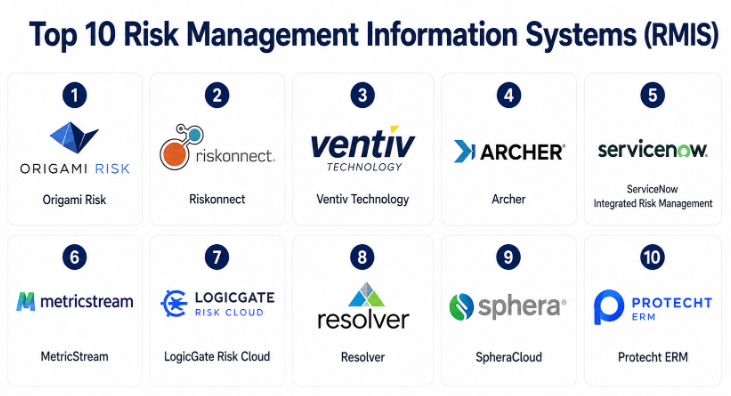
#1 — Origami Risk
Short description: Origami Risk is a widely recognized RMIS platform built for risk, safety, insurance, and claims teams that need flexible workflows and strong reporting. It helps organizations manage claims, incidents, policies, exposures, certificates, safety programs, and analytics in one connected platform. The system is commonly used by enterprises, public entities, insurance teams, and organizations with complex risk operations. Its strength is flexibility, configurability, and deep RMIS functionality. It is best suited for teams that want a mature platform instead of a simple tracking tool.
Key Features
- Claims management and loss tracking.
- Incident and safety event reporting.
- Insurance policy and exposure management.
- Dashboards, analytics, and custom reports.
- Certificate of insurance tracking.
- Workflow automation and configurable forms.
- Mobile access for field reporting.
Pros
- Strong fit for full RMIS requirements.
- Highly configurable for different industries and workflows.
- Good reporting depth for risk and insurance teams.
Cons
- Implementation may require planning and stakeholder involvement.
- Advanced configuration can feel complex for small teams.
- May be more than needed for simple risk tracking.
Platforms / Deployment
- Web
- Cloud
Security & Compliance
Not publicly stated.
Integrations & Ecosystem
Origami Risk supports many risk, insurance, claims, and reporting workflows. It can be used as a central platform for risk data and can connect with other business systems depending on customer needs.
- Claims administration systems.
- Insurance carrier data.
- HR and employee systems.
- Finance and accounting systems.
- Business intelligence tools.
- Safety and incident workflows.
Support & Community
Origami Risk generally provides implementation support, training, documentation, and customer support for enterprise users. Community strength is mainly customer and partner driven rather than open-source style.
#2 — Riskonnect
Short description: Riskonnect is an integrated risk management platform that supports RMIS, enterprise risk management, compliance, third-party risk, claims, policy management, and business continuity needs. It is designed for organizations that want to connect many types of risk into a single system. Riskonnect is especially useful for enterprises that need broad risk visibility across departments, regions, and business units. Its strength is combining traditional RMIS features with wider integrated risk management capabilities. It works well for mature teams that want to move away from disconnected tools.
Key Features
- Claims and incident management.
- Enterprise risk management.
- Insurance policy and exposure tracking.
- Compliance and audit workflows.
- Third-party risk management.
- Dashboards and executive reporting.
- Workflow automation and risk analytics.
Pros
- Broad platform covering many risk areas.
- Good fit for enterprise risk teams.
- Supports connected reporting across departments.
Cons
- May be complex for smaller organizations.
- Requires clear implementation planning.
- Broad feature set may require training for different teams.
Platforms / Deployment
- Web
- Cloud
Security & Compliance
Not publicly stated.
Integrations & Ecosystem
Riskonnect supports enterprise risk workflows and can connect risk data across different business systems. It is useful for organizations that want one platform for multiple risk domains.
- Claims systems.
- Insurance and policy systems.
- Compliance tools.
- Third-party risk workflows.
- Business continuity programs.
- Analytics and reporting systems.
Support & Community
Riskonnect provides enterprise-level support, onboarding, and training resources. Support depth may vary by product package and customer agreement.
#3 — Ventiv Technology
Short description: Ventiv Technology provides RMIS and risk management solutions for organizations that need to manage claims, insurance, incidents, exposures, and analytics. It is commonly used by risk teams, insurance departments, and organizations with complex loss and claims data. Ventiv is valuable for companies that need strong data management, reporting, and risk visibility across insurance programs. The platform supports both operational risk workflows and insurance-related risk processes. It is best suited for mid-market and enterprise buyers with mature risk management needs.
Key Features
- Claims and incident management.
- Insurance policy administration support.
- Exposure and asset tracking.
- Risk analytics and reporting.
- Workflow automation.
- Loss data management.
- Dashboards for risk and insurance teams.
Pros
- Strong RMIS and insurance risk focus.
- Useful for complex claims and loss reporting.
- Supports enterprise-level risk data management.
Cons
- May require setup support for complex configurations.
- Smaller teams may find it too advanced.
- User experience depends on configuration quality.
Platforms / Deployment
- Web
- Cloud / Hybrid
Security & Compliance
Not publicly stated.
Integrations & Ecosystem
Ventiv can support integration with claims, insurance, finance, and reporting systems. It is designed to centralize risk information and improve visibility across risk programs.
- Claims data sources.
- Insurance policy systems.
- Finance and accounting tools.
- Exposure data feeds.
- Reporting and analytics platforms.
- Risk workflow systems.
Support & Community
Ventiv provides customer support and implementation assistance. Documentation, training, and support levels may vary depending on the selected solution and customer agreement.
#4 — Archer
Short description: Archer is a governance, risk, and compliance platform that can support RMIS-style needs for organizations managing enterprise risk, operational risk, compliance, controls, audits, and third-party risk. While it is not only a traditional RMIS platform, many enterprises use it to centralize risk data and create structured workflows. Archer is best suited for large organizations with mature risk and compliance programs. It offers strong configurability and broad GRC capabilities. It may be less suitable for teams that only need simple insurance and claims tracking.
Key Features
- Enterprise risk management.
- Operational risk tracking.
- Compliance and control management.
- Audit management workflows.
- Third-party risk management.
- Custom applications and workflows.
- Dashboards and reporting.
Pros
- Strong enterprise GRC capabilities.
- Highly configurable for complex risk programs.
- Good fit for regulated industries.
Cons
- Can be complex to implement and maintain.
- May require specialized administrators.
- Traditional claims-focused RMIS needs may require customization.
Platforms / Deployment
- Web
- Cloud / Self-hosted / Hybrid
Security & Compliance
Not publicly stated.
Integrations & Ecosystem
Archer can integrate into large enterprise environments where risk, compliance, audit, and governance data need to be connected. It works best when supported by a clear risk architecture.
- GRC workflows.
- Audit systems.
- Compliance processes.
- Third-party risk programs.
- Enterprise reporting.
- Data and workflow integrations.
Support & Community
Archer has enterprise support, documentation, and a mature user ecosystem. Support experience may vary based on licensing, partner involvement, and implementation model.
#5 — ServiceNow Integrated Risk Management
Short description: ServiceNow Integrated Risk Management helps organizations manage risk, compliance, controls, audits, vendors, and operational resilience within the broader ServiceNow platform. It is a strong option for companies already using ServiceNow for IT service management, security operations, or enterprise workflows. The platform can support RMIS needs when risk teams want connected workflows, automation, and enterprise reporting. Its strength is workflow automation and integration with broader business processes. It is best suited for larger organizations that want risk management connected with IT, security, and operations.
Key Features
- Integrated risk and compliance management.
- Control testing and audit workflows.
- Policy and exception management.
- Vendor and third-party risk.
- Workflow automation.
- Dashboards and reporting.
- Connection with IT and security workflows.
Pros
- Strong workflow automation.
- Good fit for companies already using ServiceNow.
- Connects risk with IT, security, and operations data.
Cons
- May require ServiceNow ecosystem knowledge.
- Implementation can be complex.
- Traditional insurance claims RMIS features may need additional configuration.
Platforms / Deployment
- Web
- Cloud
Security & Compliance
Not publicly stated.
Integrations & Ecosystem
ServiceNow has a large ecosystem and can connect risk management with IT, security, HR, operations, and service workflows. This makes it useful for organizations that want risk processes tied to enterprise operations.
- IT service management.
- Security operations.
- Vendor risk workflows.
- Compliance systems.
- Audit workflows.
- Enterprise workflow automation.
Support & Community
ServiceNow has broad enterprise support, documentation, training resources, partner networks, and a large user community. Support depth depends on subscription and implementation partner.
#6 — MetricStream
Short description: MetricStream is an integrated risk management and GRC platform that helps organizations manage enterprise risk, compliance, audits, third-party risk, operational risk, policy management, and controls. It is often used by larger organizations with complex governance and regulatory needs. For RMIS-style use cases, MetricStream can help centralize risk data, track issues, monitor controls, and report to leadership. Its strength is broad risk and compliance coverage. It is more suitable for mature risk programs than very small teams.
Key Features
- Enterprise and operational risk management.
- Compliance and control management.
- Internal audit management.
- Third-party risk management.
- Policy and issue management.
- Risk dashboards and analytics.
- Workflow automation.
Pros
- Broad integrated risk management coverage.
- Strong fit for regulated industries.
- Supports structured governance and compliance workflows.
Cons
- May require significant implementation planning.
- Can be heavy for teams needing only claims or insurance tracking.
- Configuration and adoption may take time.
Platforms / Deployment
- Web
- Cloud / Hybrid
Security & Compliance
Not publicly stated.
Integrations & Ecosystem
MetricStream fits enterprise GRC and integrated risk management environments. It supports risk, compliance, audit, control, and governance workflows across departments.
- GRC systems.
- Audit and compliance workflows.
- Policy management.
- Third-party risk processes.
- Executive dashboards.
- Enterprise data systems.
Support & Community
MetricStream offers enterprise support, onboarding, and professional services. Documentation and support depth may vary based on customer package.
#7 — LogicGate Risk Cloud
Short description: LogicGate Risk Cloud is a flexible risk and compliance platform that helps organizations build and manage risk workflows without relying heavily on rigid system structures. It supports enterprise risk, compliance, third-party risk, policy management, audit readiness, and operational risk processes. For RMIS needs, it is useful when teams want configurable workflows, forms, approvals, and reporting. The platform is especially attractive to teams that want flexibility without building custom software from scratch. It is best for growing organizations and mid-market teams that want practical risk process automation.
Key Features
- Configurable risk workflows.
- Enterprise risk management.
- Compliance and control tracking.
- Third-party risk management.
- Policy and issue management.
- Dashboards and reporting.
- Workflow automation.
Pros
- Flexible workflow design.
- Easier to adapt for different risk processes.
- Good fit for growing risk and compliance teams.
Cons
- May not have the same deep insurance claims focus as traditional RMIS tools.
- Complex workflows still need careful design.
- Advanced analytics may require extra setup.
Platforms / Deployment
- Web
- Cloud
Security & Compliance
Not publicly stated.
Integrations & Ecosystem
LogicGate Risk Cloud can support different risk workflows through configurable applications and integrations. It works well where teams need adaptable risk processes.
- Compliance tools.
- Vendor risk processes.
- Audit workflows.
- Policy systems.
- Reporting dashboards.
- Business workflow tools.
Support & Community
LogicGate provides customer support, onboarding, and product guidance. Community and support strength may vary by customer tier and implementation scope.
#8 — Resolver
Short description: Resolver is a risk intelligence platform that helps organizations manage incidents, investigations, enterprise risk, compliance, security, and operational resilience. It is useful for organizations that want to connect incidents, controls, threats, and risk reporting in one place. Resolver can support RMIS-style workflows where incident tracking, investigation, risk registers, and reporting are important. It is especially relevant for security, compliance, and operational risk teams. The platform is best suited for organizations that need risk visibility across business operations.
Key Features
- Incident and investigation management.
- Enterprise risk management.
- Compliance and control tracking.
- Security risk workflows.
- Reporting and dashboards.
- Workflow automation.
- Risk intelligence and trend analysis.
Pros
- Strong incident and investigation focus.
- Useful for operational and security risk teams.
- Helps connect risk events with reporting.
Cons
- Insurance policy and claims depth may vary by use case.
- May require customization for traditional RMIS needs.
- Best value comes with clear process design.
Platforms / Deployment
- Web
- Cloud
Security & Compliance
Not publicly stated.
Integrations & Ecosystem
Resolver can support risk, security, incident, and compliance workflows. It is useful when organizations want to connect risk events with action plans and reporting.
- Incident reporting.
- Investigation workflows.
- Compliance tracking.
- Security risk programs.
- Executive reporting.
- Operational resilience processes.
Support & Community
Resolver provides support and onboarding for customers. Documentation and service levels may vary depending on solution package.
#9 — SpheraCloud
Short description: SpheraCloud is a platform focused on operational risk, environmental health and safety, product stewardship, sustainability, and risk management. It is especially useful for industries where safety, operational risk, compliance, and environmental risk are closely connected. For RMIS-style needs, SpheraCloud can help manage incidents, risk events, corrective actions, compliance tasks, and operational risk data. It is highly relevant for manufacturing, energy, chemicals, industrial operations, and asset-heavy businesses. It is less focused on traditional insurance claims than dedicated RMIS platforms.
Key Features
- Operational risk management.
- Environmental health and safety workflows.
- Incident and event management.
- Corrective and preventive action tracking.
- Compliance management.
- Sustainability and ESG-related workflows.
- Dashboards and analytics.
Pros
- Strong fit for industrial and safety-heavy environments.
- Good operational risk and EHS coverage.
- Supports compliance and corrective action workflows.
Cons
- May not be ideal for pure insurance claims management.
- Better suited for operational risk than general office-based risk teams.
- Configuration may depend on industry needs.
Platforms / Deployment
- Web
- Cloud
Security & Compliance
Not publicly stated.
Integrations & Ecosystem
SpheraCloud fits operational, EHS, sustainability, and risk management environments. It can support companies with complex regulatory, safety, and operational risk requirements.
- EHS systems.
- Operational risk workflows.
- Compliance management.
- Incident reporting.
- Sustainability reporting.
- Enterprise analytics.
Support & Community
Sphera provides enterprise support and implementation resources. Support experience may vary by product module and customer agreement.
#10 — Protecht ERM
Short description: Protecht ERM is an enterprise risk management platform that helps organizations manage risk registers, controls, incidents, compliance obligations, audits, and risk reporting. It is suitable for companies that want a structured risk system with strong enterprise risk and operational risk features. While it may not be a traditional claims-heavy RMIS for all buyers, it supports many RMIS-adjacent needs such as risk assessment, incident management, control tracking, and reporting. It is especially useful for risk teams that want practical governance and risk visibility. It fits organizations moving away from spreadsheets toward a more formal risk platform.
Key Features
- Enterprise risk registers.
- Incident and issue management.
- Control and compliance tracking.
- Risk assessment workflows.
- Audit and assurance support.
- Dashboards and reporting.
- Action tracking and accountability.
Pros
- Strong enterprise risk management focus.
- Useful for structured risk and control tracking.
- Practical for teams replacing spreadsheets.
Cons
- May not provide deep insurance claims management for every use case.
- Custom workflows may require setup effort.
- Best suited for teams with formal risk processes.
Platforms / Deployment
- Web
- Cloud
Security & Compliance
Not publicly stated.
Integrations & Ecosystem
Protecht ERM supports risk, compliance, control, audit, and incident workflows. It works well for organizations that need structured risk governance and management reporting.
- Risk register workflows.
- Compliance systems.
- Control testing processes.
- Audit workflows.
- Incident management.
- Executive reporting.
Support & Community
Protecht provides training, implementation support, and customer assistance. Public community details are limited, and support may vary by package.
Comparison Table Top 10
| Tool Name | Best For | Platform(s) Supported | Deployment Cloud/Self-hosted/Hybrid | Standout Feature | Public Rating |
|---|---|---|---|---|---|
| Origami Risk | Full RMIS, claims, insurance, safety, and risk teams | Web | Cloud | Highly configurable RMIS workflows | N/A |
| Riskonnect | Integrated enterprise risk and RMIS programs | Web | Cloud | Broad connected risk management | N/A |
| Ventiv Technology | Insurance risk, claims, exposure, and loss reporting | Web | Cloud / Hybrid | Strong risk and insurance data management | N/A |
| Archer | Enterprise GRC and operational risk programs | Web | Cloud / Self-hosted / Hybrid | Highly configurable enterprise risk workflows | N/A |
| ServiceNow Integrated Risk Management | Enterprises using ServiceNow workflows | Web | Cloud | Risk connected with IT and operations | N/A |
| MetricStream | Regulated enterprises and GRC-heavy teams | Web | Cloud / Hybrid | Broad compliance and risk governance | N/A |
| LogicGate Risk Cloud | Flexible risk workflow automation | Web | Cloud | Configurable no-code style risk workflows | N/A |
| Resolver | Incident, investigation, and operational risk teams | Web | Cloud | Incident-led risk intelligence | N/A |
| SpheraCloud | EHS, operational risk, and industrial companies | Web | Cloud | Operational risk and safety focus | N/A |
| Protecht ERM | Enterprise risk, controls, and governance teams | Web | Cloud | Structured ERM and risk reporting | N/A |
Evaluation & Risk Management Information Systems RMIS
| Tool Name | Core 25% | Ease 15% | Integrations 15% | Security 10% | Performance 10% | Support 10% | Value 15% | Weighted Total 0–10 |
|---|---|---|---|---|---|---|---|---|
| Origami Risk | 9 | 8 | 8 | 7 | 8 | 8 | 8 | 8.15 |
| Riskonnect | 9 | 7 | 8 | 7 | 8 | 8 | 7 | 7.85 |
| Ventiv Technology | 8 | 7 | 8 | 7 | 8 | 7 | 7 | 7.55 |
| Archer | 9 | 6 | 8 | 7 | 8 | 8 | 7 | 7.70 |
| ServiceNow Integrated Risk Management | 8 | 7 | 9 | 7 | 8 | 8 | 7 | 7.80 |
| MetricStream | 8 | 6 | 8 | 7 | 8 | 8 | 7 | 7.55 |
| LogicGate Risk Cloud | 8 | 8 | 7 | 7 | 7 | 7 | 8 | 7.60 |
| Resolver | 8 | 7 | 7 | 7 | 7 | 7 | 7 | 7.35 |
| SpheraCloud | 8 | 7 | 7 | 7 | 8 | 7 | 7 | 7.45 |
| Protecht ERM | 8 | 7 | 7 | 7 | 7 | 7 | 7 | 7.35 |
These scores are comparative and should be used as a shortlist guide, not as a final buying decision. A higher score does not automatically mean a tool is best for every organization. Origami Risk may be stronger for traditional RMIS, while ServiceNow may be better for companies already using ServiceNow across IT and operations. Archer and MetricStream are strong for GRC-heavy environments, while LogicGate may be easier for teams that want flexible workflow design. Buyers should validate each platform against their own risk process, claims volume, reporting needs, integrations, and internal skills.
Which Risk Management Information Systems RMIS
Solo / Freelancer
Solo consultants and independent risk advisors usually do not need a full enterprise RMIS. They may be better served by lightweight risk registers, simple reporting tools, or project-based templates unless they are managing risk programs for multiple clients.
If a solo professional needs a platform, LogicGate Risk Cloud or Protecht ERM-style solutions may be useful for structured workflows and risk registers. However, cost, setup time, and client reporting needs should be checked carefully before choosing a full RMIS.
SMB
Small and mid-sized businesses often need incident tracking, policy documentation, claims visibility, and basic risk reporting. They should look for a platform that is easy to configure, simple to use, and does not require a large internal admin team.
LogicGate Risk Cloud, Protecht ERM, Resolver, or a focused RMIS solution may work depending on the company’s needs. If the SMB has heavy insurance claims or safety events, Origami Risk or Ventiv Technology may be worth evaluating. If the need is mainly compliance and controls, MetricStream or ServiceNow may be more than required unless already used internally.
Mid-Market
Mid-market companies usually need stronger reporting, workflow automation, risk ownership, insurance tracking, incident management, and executive dashboards. They often outgrow spreadsheets because risk data becomes scattered across departments.
Origami Risk, Riskonnect, Ventiv Technology, LogicGate Risk Cloud, and Resolver are strong options for mid-market teams. The best choice depends on whether the main need is insurance and claims, enterprise risk, incident management, compliance, or flexible workflow automation.
Enterprise
Enterprises need scalable RMIS platforms that can support multiple departments, business units, regions, users, and risk domains. They also need audit trails, permission controls, integrations, analytics, and strong implementation support.
Origami Risk, Riskonnect, Archer, ServiceNow Integrated Risk Management, MetricStream, and Ventiv Technology are strong enterprise candidates. Large organizations should evaluate not only features but also governance, user adoption, data migration, integration cost, and long-term administration needs.
Budget vs Premium
Budget-conscious buyers should avoid buying a large enterprise platform before defining their core requirements. If the main need is risk register management, incident tracking, or simple workflows, a more flexible and focused platform may be enough.
Premium platforms are better when the organization needs advanced claims management, insurance program tracking, compliance workflows, enterprise dashboards, complex integrations, or global risk governance. Buyers should compare total cost, including implementation, configuration, training, support, and future changes.
Feature Depth vs Ease of Use
Deep RMIS platforms provide advanced reporting, complex workflows, claim details, policy tracking, and enterprise analytics. They are valuable for mature risk teams but may take longer to implement.
Easier platforms may help teams move faster, especially when replacing spreadsheets. However, buyers should confirm that ease of use does not come at the cost of missing important RMIS features such as audit trails, permissions, reporting, and integration flexibility.
Integrations & Scalability
RMIS platforms often need to connect with HR systems, finance tools, claims administrators, insurance carriers, EHS systems, GRC tools, document systems, and business intelligence platforms. Poor integration can lead to duplicate data entry and weak reporting.
Scalability is also important. A platform should support more users, more business units, more workflows, and more reporting complexity as the organization grows. Enterprise buyers should ask about API access, data import/export, role permissions, and reporting performance.
Security & Compliance Needs
Risk platforms store sensitive information such as claims data, incident details, legal notes, employee information, vendor data, policy information, and financial exposure. Security should be reviewed carefully before purchase.
Buyers should ask about SSO, MFA, encryption, audit logs, RBAC, data retention, backup policies, privacy practices, and compliance support. If security certifications are not clearly stated, they should be validated directly during procurement.
Frequently Asked Questions FAQs
1. What is an RMIS?
An RMIS is a Risk Management Information System used to manage risk-related data in one central platform. It helps teams track incidents, claims, insurance policies, exposures, audits, controls, and risk reports.
2. Who uses RMIS software?
RMIS software is commonly used by risk managers, insurance teams, claims teams, safety departments, compliance teams, legal teams, finance leaders, and executives. It is especially useful in organizations with complex risk operations.
3. How is RMIS different from GRC software?
RMIS is often more focused on claims, insurance, incidents, exposures, and risk reporting. GRC software is usually broader around governance, compliance, controls, audit, and regulatory workflows. Some platforms can support both areas.
4. What are common RMIS pricing models?
Pricing varies by vendor and may depend on modules, number of users, claim volume, integrations, support level, and implementation scope. Many enterprise platforms use custom pricing, so buyers should request a detailed quote.
5. How long does RMIS implementation take?
Implementation can take weeks or months depending on data migration, workflows, integrations, reporting requirements, and user training. Simple deployments are faster, while enterprise rollouts need more planning.
6. What are common RMIS implementation mistakes?
Common mistakes include unclear requirements, poor data cleanup, weak stakeholder involvement, over-customization, lack of training, and not defining reporting needs early. A strong implementation plan reduces these risks.
7. Can RMIS replace spreadsheets?
Yes, RMIS can replace spreadsheets for many risk workflows, especially when data needs to be shared, reported, audited, and updated regularly. However, teams should migrate carefully to avoid moving poor-quality spreadsheet data into the new platform.
8. Does RMIS help with claims management?
Many RMIS platforms support claims tracking, loss data, incident intake, reserve information, claim status, documents, and reporting. Buyers with heavy claims needs should choose a platform with strong claims functionality.
9. Is RMIS useful for compliance teams?
Yes, many RMIS platforms support compliance workflows, audit trails, control tracking, issue management, and reporting. However, compliance-heavy teams may also compare dedicated GRC platforms.
10. Can RMIS integrate with other business systems?
Many RMIS platforms support integrations, but the depth varies by vendor. Buyers should check API support, standard connectors, data import/export options, and integration experience with HR, finance, claims, insurance, and reporting systems.
Conclusion
Risk Management Information Systems help organizations move from scattered spreadsheets and manual reporting to structured, centralized, and more reliable risk management. The best RMIS depends on the organization’s size, industry, risk maturity, claims volume, insurance complexity, reporting needs, and integration requirements. Origami Risk is strong for traditional RMIS and insurance-focused workflows, while Riskonnect offers broad integrated risk management. Ventiv Technology is useful for claims, insurance, and exposure management, while Archer, ServiceNow, and MetricStream fit larger GRC-heavy enterprises. LogicGate, Resolver, SpheraCloud, and Protecht ERM serve different needs around workflow flexibility, incident management, operational risk, and enterprise risk governance.
