Introduction
Notebook environments are interactive workspaces where users can write code, run it, visualize outputs, and document results—all in one place. They are widely used in data science, machine learning, research, and analytics because they combine coding with narrative explanation and visual outputs.
In the modern AI-first ecosystem, notebook environments have evolved beyond simple experimentation tools. They now support collaboration, real-time data access, scalable compute, and production workflows. With growing adoption of AI/ML, notebooks are becoming central to how teams build, test, and deploy intelligent applications.
Real-world use cases include:
- Building and training machine learning models
- Data exploration and visualization
- Prototyping AI applications
- Sharing reproducible research and analysis
- Automating data workflows
What buyers should evaluate:
- Ease of use and learning curve
- Collaboration and sharing capabilities
- Integration with data sources and tools
- Scalability and compute management
- Version control and reproducibility
- Security and access controls
- Deployment and production readiness
- AI/AutoML support
- Cost and pricing flexibility
Best for: Data scientists, ML engineers, researchers, developers, and analytics teams working with data-driven workflows.
Not ideal for: Users who only need dashboards or simple reporting tools, or teams that require strict production pipelines without experimentation layers.
Key Trends in Notebook Environments
- AI-assisted coding: Integration of AI copilots to generate code and insights
- Collaborative notebooks: Real-time multi-user editing and commenting
- Cloud-native execution: Shift toward managed cloud environments
- MLOps integration: Versioning, deployment, and monitoring built into notebooks
- Reproducibility focus: Better environment and dependency tracking
- Security-first approach: RBAC, encryption, and audit logging becoming standard
- Hybrid deployment models: Flexibility between local and cloud execution
- Notebook-to-production pipelines: Easier transition from prototype to deployment
- Low-code capabilities: Expanding access to non-technical users
How We Selected These Tools (Methodology)
- Strong adoption across data science and ML communities
- Feature-rich environments supporting end-to-end workflows
- Performance and scalability for large datasets
- Security capabilities for enterprise use
- Integration with modern data stacks and cloud platforms
- Active community and ecosystem support
- Usability across beginner and advanced users
- Flexibility in deployment (local, cloud, hybrid)
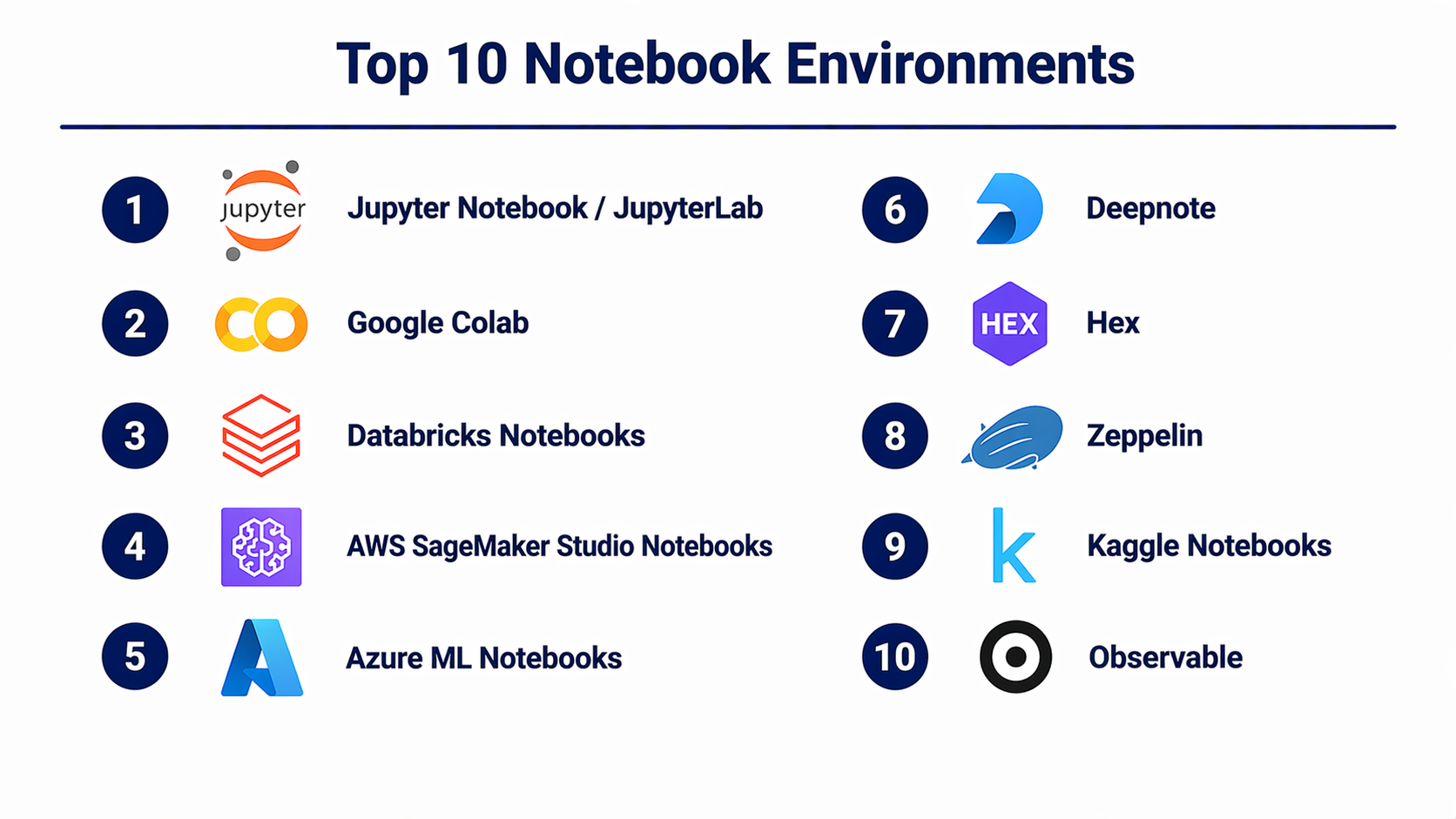
Top 10 Notebook Environments
#1 — Jupyter Notebook / JupyterLab
Short description: The most widely used open-source notebook environment for data science, supporting multiple languages and flexible workflows.
Key Features
- Interactive code cells
- Multi-language support via kernels
- Rich visualization support
- Extensions and plugins
- JupyterLab advanced interface
- Notebook sharing
Pros
- Free and open-source
- Highly flexible and extensible
Cons
- Limited built-in collaboration
- Requires setup and management
Platforms / Deployment
Web / Windows / macOS / Linux
Self-hosted / Local
Security & Compliance
Not publicly stated
Integrations & Ecosystem
Strong integration with Python ecosystem and data tools.
- Pandas, NumPy
- APIs and extensions
- Visualization libraries
Support & Community
Very large open-source community with extensive documentation.
#2 — Google Colab
Short description: Cloud-based notebook environment with free GPU/TPU access, ideal for experimentation and learning.
Key Features
- Free GPU/TPU access
- Cloud execution
- Easy sharing
- Integration with Google Drive
- Pre-configured environments
Pros
- No setup required
- Easy collaboration
Cons
- Limited runtime duration
- Resource constraints
Platforms / Deployment
Web
Cloud
Security & Compliance
Not publicly stated
Integrations & Ecosystem
- Google ecosystem
- Python libraries
Support & Community
Large user base and community support.
#3 — Databricks Notebooks
Short description: Collaborative notebooks integrated into the Databricks platform for big data and machine learning.
Key Features
- Real-time collaboration
- Spark integration
- Version control
- Multi-language support
- Cluster management
Pros
- Scalable for big data
- Strong collaboration features
Cons
- Requires Databricks ecosystem
- Cost considerations
Platforms / Deployment
Web
Cloud
Security & Compliance
RBAC, audit logs (details vary)
Integrations & Ecosystem
- Apache Spark
- Cloud services
Support & Community
Strong enterprise support.
#4 — AWS SageMaker Studio Notebooks
Short description: Fully managed notebook environment within AWS SageMaker for ML workflows.
Key Features
- Integrated ML lifecycle
- Managed compute
- Built-in algorithms
- Version control
- Collaboration tools
Pros
- Seamless AWS integration
- Scalable
Cons
- Complex pricing
- AWS dependency
Platforms / Deployment
Web
Cloud
Security & Compliance
IAM, encryption (details vary)
Integrations & Ecosystem
- AWS services
- APIs
Support & Community
Strong enterprise documentation and support.
#5 — Azure ML Notebooks
Short description: Notebook environment integrated into Azure Machine Learning for enterprise AI workflows.
Key Features
- Cloud-based notebooks
- Integrated ML pipelines
- Collaboration tools
- Version control
- AutoML support
Pros
- Strong enterprise integration
- Flexible workflows
Cons
- Complex interface
- Learning curve
Platforms / Deployment
Web
Cloud / Hybrid
Security & Compliance
RBAC, encryption (details vary)
Integrations & Ecosystem
- Azure ecosystem
- APIs
Support & Community
Enterprise-level support.
#6 — Deepnote
Short description: Modern collaborative notebook platform focused on team workflows and real-time editing.
Key Features
- Real-time collaboration
- Version history
- SQL + Python support
- Data integrations
- Cloud execution
Pros
- Excellent collaboration
- User-friendly interface
Cons
- Limited offline usage
- Cost for advanced features
Platforms / Deployment
Web
Cloud
Security & Compliance
Not publicly stated
Integrations & Ecosystem
- Databases
- APIs
Support & Community
Growing community and support.
#7 — Hex
Short description: Collaborative data platform combining notebooks with dashboards and apps.
Key Features
- Notebook + dashboard hybrid
- SQL and Python support
- Collaboration tools
- Data integrations
- App building capabilities
Pros
- Strong collaboration
- Flexible workflows
Cons
- Newer platform
- Limited ecosystem maturity
Platforms / Deployment
Web
Cloud
Security & Compliance
Not publicly stated
Integrations & Ecosystem
- Data warehouses
- APIs
Support & Community
Growing support ecosystem.
#8 — Zeppelin
Short description: Web-based notebook for big data analytics with strong Apache ecosystem integration.
Key Features
- Multi-language support
- Apache Spark integration
- Data visualization
- Web-based interface
- Interpreter framework
Pros
- Strong for big data
- Open-source
Cons
- UI less modern
- Limited collaboration features
Platforms / Deployment
Web
Self-hosted
Security & Compliance
Not publicly stated
Integrations & Ecosystem
- Apache ecosystem
- APIs
Support & Community
Active open-source community.
#9 — Kaggle Notebooks
Short description: Free cloud notebooks for data science competitions and experimentation.
Key Features
- Free compute resources
- Dataset integration
- Community sharing
- Pre-built environments
- Competition workflows
Pros
- Free and easy to use
- Large community
Cons
- Limited customization
- Not enterprise-ready
Platforms / Deployment
Web
Cloud
Security & Compliance
Not publicly stated
Integrations & Ecosystem
- Kaggle datasets
- Python libraries
Support & Community
Very active community.
#10 — Observable
Short description: Notebook platform focused on JavaScript-based data visualization and analytics.
Key Features
- Reactive notebooks
- JavaScript support
- Interactive visualizations
- Collaboration tools
- Web-based execution
Pros
- Excellent for visualization
- Real-time updates
Cons
- Limited ML capabilities
- Niche use cases
Platforms / Deployment
Web
Cloud
Security & Compliance
Not publicly stated
Integrations & Ecosystem
- JavaScript ecosystem
- APIs
Support & Community
Active niche community.
Comparison Table (Top 10)
| Tool Name | Best For | Platform(s) | Deployment | Standout Feature | Public Rating |
|---|---|---|---|---|---|
| Jupyter | General data science | Web/Desktop | Self-hosted | Open-source flexibility | N/A |
| Colab | Learning & prototyping | Web | Cloud | Free GPU/TPU | N/A |
| Databricks | Big data teams | Web | Cloud | Spark integration | N/A |
| SageMaker Studio | AWS ML workflows | Web | Cloud | Managed ML lifecycle | N/A |
| Azure ML | Enterprise AI | Web | Cloud/Hybrid | MLOps integration | N/A |
| Deepnote | Team collaboration | Web | Cloud | Real-time editing | N/A |
| Hex | Notebook + apps | Web | Cloud | App building | N/A |
| Zeppelin | Big data analytics | Web | Self-hosted | Apache integration | N/A |
| Kaggle | Learning & competitions | Web | Cloud | Dataset integration | N/A |
| Observable | Data visualization | Web | Cloud | Reactive notebooks | N/A |
Evaluation & Scoring of Notebook Environments
| Tool Name | Core | Ease | Integrations | Security | Performance | Support | Value | Total |
|---|---|---|---|---|---|---|---|---|
| Jupyter | 9 | 7 | 9 | 6 | 8 | 9 | 9 | 8.3 |
| Colab | 8 | 9 | 7 | 6 | 7 | 8 | 9 | 8.0 |
| Databricks | 9 | 7 | 9 | 8 | 9 | 8 | 7 | 8.3 |
| SageMaker | 9 | 7 | 9 | 8 | 9 | 8 | 7 | 8.3 |
| Azure ML | 8 | 7 | 9 | 8 | 8 | 8 | 7 | 8.0 |
| Deepnote | 8 | 9 | 8 | 7 | 7 | 7 | 8 | 7.9 |
| Hex | 8 | 8 | 8 | 7 | 7 | 7 | 7 | 7.7 |
| Zeppelin | 7 | 6 | 7 | 6 | 7 | 7 | 8 | 7.0 |
| Kaggle | 7 | 9 | 6 | 6 | 7 | 8 | 9 | 7.8 |
| Observable | 7 | 8 | 7 | 6 | 7 | 7 | 8 | 7.4 |
How to interpret scores:
- Scores are comparative and reflect relative strengths.
- Core features carry the highest weight for functionality.
- Value score reflects cost vs benefit.
- Choose based on your specific workflow needs.
Which Notebook Environments Right for You?
Solo / Freelancer
- Jupyter, Colab, Kaggle
- Focus on flexibility and cost
SMB
- Deepnote, Hex
- Balance collaboration and usability
Mid-Market
- Azure ML, SageMaker
- Scalable and integrated
Enterprise
- Databricks, Azure ML
- Governance and scalability
Budget vs Premium
- Budget: Jupyter, Kaggle
- Premium: Databricks
Feature Depth vs Ease of Use
- Depth: Databricks, SageMaker
- Ease: Colab, Deepnote
Integrations & Scalability
- Best: Databricks, Azure ML
Security & Compliance Needs
- Enterprise-grade: SageMaker, Azure ML
Frequently Asked Questions (FAQs)
What is a notebook environment?
An interactive coding workspace combining code, visuals, and documentation.
Are notebook environments free?
Some are free, others use subscription or usage-based pricing.
Do they support collaboration?
Many modern platforms offer real-time collaboration.
Can I deploy models from notebooks?
Yes, many platforms support deployment pipelines.
Are notebooks secure?
Security features vary by platform.
Do I need coding skills?
Most require coding, but some offer low-code features.
What languages are supported?
Commonly Python, R, SQL, and sometimes JavaScript.
Can notebooks handle big data?
Yes, especially cloud-based platforms.
What is the difference from IDEs?
Notebooks are interactive and exploratory.
Can I switch tools easily?
Possible, but migration may require effort.
Conclusion
Notebook environments have become a foundational layer in modern data science and AI workflows. They provide the flexibility to experiment, the power to scale, and increasingly, the structure needed to move ideas into production. The tools in this list reflect a broad spectrum—from open-source flexibility with Jupyter to enterprise-grade environments like Databricks and SageMaker.
