Introduction
Mocking & Service Virtualization Tools are solutions that simulate the behavior of dependent systems, APIs, or services during testing and development. In simple terms, they allow teams to test applications even when real dependencies (like third-party APIs, databases, or microservices) are unavailable, unstable, or costly to use.
As modern architectures rely heavily on distributed systems and external integrations, testing becomes more complex. These tools help isolate components, speed up development cycles, and reduce dependency-related bottlenecks—making them essential for Agile and DevOps workflows.
Common use cases include:
- Simulating APIs and third-party services
- Testing microservices independently
- Enabling parallel development across teams
- Creating controlled test environments
- Reducing dependency on external systems during testing
Key evaluation criteria:
- Ease of creating mocks and virtual services
- Protocol support (HTTP, REST, SOAP, gRPC, etc.)
- Integration with CI/CD pipelines
- Scalability for large test environments
- Realistic simulation capabilities (latency, errors)
- Collaboration and sharing features
- Deployment flexibility (cloud, on-premise)
- Performance and reliability
- Security and access control
- Cost and licensing model
Best for: QA engineers, developers, DevOps teams, and organizations working with APIs, microservices, or third-party integrations.
Not ideal for: Simple applications with minimal external dependencies or teams that rely entirely on real system integration testing.
Key Trends in Mocking & Service Virtualization Tools
- API-first development: Increased reliance on API mocking before backend readiness
- AI-assisted mock generation: Automatic creation of mock responses from API schemas
- Shift-left testing: Early-stage testing using virtual services
- Cloud-based virtualization platforms: Scalable, collaborative environments
- Support for modern protocols: gRPC, GraphQL, and event-driven architectures
- Realistic simulation capabilities: Latency injection, fault simulation, and behavior modeling
- Integration with CI/CD pipelines: Automated mock environments during builds
- Improved developer experience: Simplified UI and low-code configurations
- Security testing support: Simulating authentication and authorization flows
- Reusable mock libraries: Sharing mocks across teams and projects
How We Selected These Tools (Methodology)
We evaluated Mocking & Service Virtualization Tools based on:
- Industry adoption and credibility
- Feature completeness (mocking, virtualization, simulation)
- Ease of use and setup
- Integration with development and testing workflows
- Protocol and API support
- Scalability and performance
- Collaboration capabilities
- Security features
- Community and vendor support
- Suitability for different team sizes
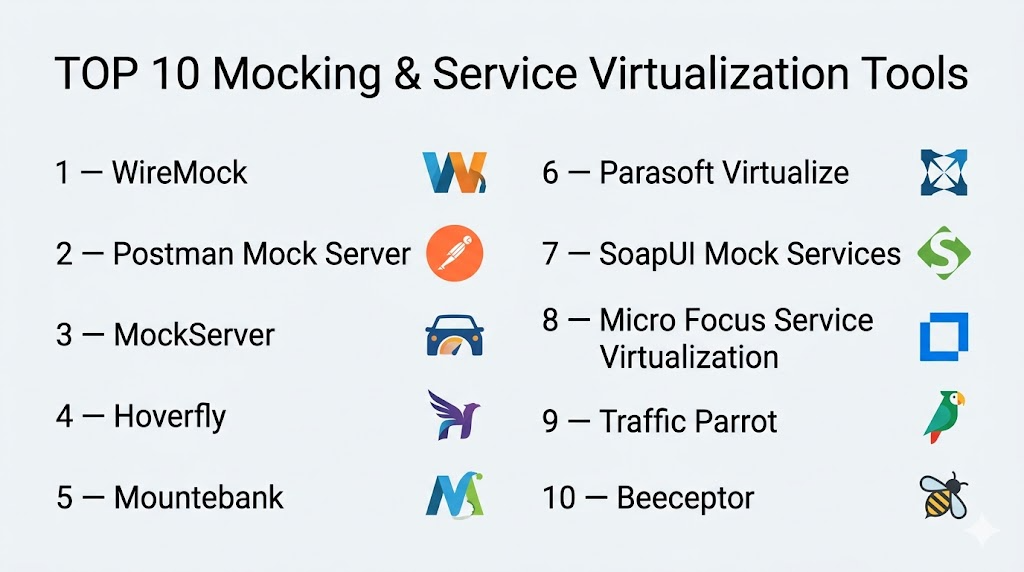
Top 10 Mocking & Service Virtualization Tools
#1 — WireMock
Short description: A popular open-source tool for mocking HTTP-based APIs and services.
Key Features
- HTTP API mocking
- Record and replay functionality
- JSON-based configuration
- Fault simulation
- Standalone and embedded modes
Pros
- Flexible and powerful
- Open-source and widely adopted
Cons
- Limited to HTTP-based services
- Requires configuration effort
Platforms / Deployment
Cloud / Self-hosted
Security & Compliance
Basic authentication, Not publicly stated
Integrations & Ecosystem
WireMock integrates with development and testing pipelines, making it suitable for automation workflows.
- Java ecosystem
- CI/CD tools
- Docker
Support & Community
Large open-source community with extensive documentation.
#2 — Postman Mock Server
Short description: A built-in mocking feature within Postman for simulating APIs during development.
Key Features
- Easy mock server creation
- API schema-based responses
- Integration with Postman collections
- Cloud-based access
- Collaboration features
Pros
- Very easy to use
- Great for API-first workflows
Cons
- Limited advanced simulation features
- Dependent on Postman ecosystem
Platforms / Deployment
Cloud
Security & Compliance
RBAC, API key authentication
Integrations & Ecosystem
Works within Postman ecosystem.
- API testing
- Collaboration tools
Support & Community
Strong community and vendor support.
#3 — MockServer
Short description: A tool for mocking HTTP and HTTPS services with advanced expectations and verification.
Key Features
- Request matching
- Response simulation
- Verification of requests
- TLS support
- Integration with testing frameworks
Pros
- Flexible and feature-rich
- Supports HTTPS
Cons
- Complex setup
- Learning curve
Platforms / Deployment
Self-hosted
Security & Compliance
TLS encryption
Integrations & Ecosystem
Works with testing frameworks and CI/CD tools.
- Java
- Docker
- CI/CD pipelines
Support & Community
Active community support.
#4 — Hoverfly
Short description: An API simulation tool focused on capturing and simulating HTTP traffic.
Key Features
- Record and replay
- Middleware support
- API simulation
- Lightweight deployment
- CLI and UI modes
Pros
- Easy simulation setup
- Lightweight
Cons
- Limited advanced features
- Smaller ecosystem
Platforms / Deployment
Self-hosted
Security & Compliance
Not publicly stated
Integrations & Ecosystem
Works with DevOps workflows.
- Docker
- CI/CD tools
Support & Community
Growing community.
#5 — Mountebank
Short description: A multi-protocol service virtualization tool supporting HTTP, TCP, and more.
Key Features
- Multi-protocol support
- Flexible configuration
- Fault injection
- Record/replay
- Open-source
Pros
- Supports multiple protocols
- Highly customizable
Cons
- Requires configuration knowledge
- Smaller community
Platforms / Deployment
Self-hosted
Security & Compliance
Not publicly stated
Integrations & Ecosystem
Supports various environments.
- Node.js
- CI/CD tools
Support & Community
Moderate community support.
#6 — Parasoft Virtualize
Short description: An enterprise-grade service virtualization platform for complex testing environments.
Key Features
- Advanced service simulation
- Data-driven virtualization
- Performance testing support
- Integration with CI/CD
- API and microservices support
Pros
- Enterprise-level capabilities
- Highly scalable
Cons
- Expensive
- Complex setup
Platforms / Deployment
Cloud / Self-hosted
Security & Compliance
RBAC, encryption
Integrations & Ecosystem
Integrates with enterprise tools.
- CI/CD pipelines
- Testing tools
Support & Community
Enterprise support available.
#7 — SoapUI Mock Services
Short description: A mocking feature within SoapUI for simulating SOAP and REST APIs.
Key Features
- SOAP and REST mocking
- Easy setup
- Integration with testing workflows
- GUI-based configuration
- Automation support
Pros
- Easy to use
- Good for API testing
Cons
- Limited advanced virtualization
- UI limitations
Platforms / Deployment
Windows / Linux / macOS
Security & Compliance
Basic authentication
Integrations & Ecosystem
Works with API testing tools.
- SoapUI
- CI/CD tools
Support & Community
Active community.
#8 — Micro Focus Service Virtualization
Short description: A robust enterprise solution for simulating complex systems and dependencies.
Key Features
- Enterprise-grade virtualization
- Protocol support
- Performance simulation
- Centralized management
- Integration with testing tools
Pros
- Highly scalable
- Comprehensive features
Cons
- High cost
- Complex deployment
Platforms / Deployment
Cloud / Self-hosted
Security & Compliance
RBAC, encryption
Integrations & Ecosystem
Works with enterprise ecosystems.
- Testing tools
- CI/CD pipelines
Support & Community
Enterprise support.
#9 — Traffic Parrot
Short description: A service virtualization tool designed for testing and development environments.
Key Features
- Record and replay
- API simulation
- Data-driven testing
- CI/CD integration
- User-friendly interface
Pros
- Easy setup
- Good for teams
Cons
- Smaller ecosystem
- Limited advanced features
Platforms / Deployment
Cloud / Self-hosted
Security & Compliance
Not publicly stated
Integrations & Ecosystem
Works with DevOps workflows.
- CI/CD tools
- API testing tools
Support & Community
Moderate support.
#10 — Beeceptor
Short description: A lightweight API mocking tool for quick testing and debugging.
Key Features
- Instant API mocking
- Request inspection
- Custom responses
- Cloud-based
- Easy setup
Pros
- Very simple to use
- Fast setup
Cons
- Limited advanced features
- Not suitable for enterprise use
Platforms / Deployment
Cloud
Security & Compliance
Not publicly stated
Integrations & Ecosystem
Basic integrations.
- API development tools
Support & Community
Growing community.
Comparison Table (Top 10)
| Tool Name | Best For | Platform(s) Supported | Deployment | Standout Feature | Public Rating |
|---|---|---|---|---|---|
| WireMock | API mocking | Cross-platform | Hybrid | Record/replay | N/A |
| Postman Mock | API teams | Web | Cloud | Ease of use | N/A |
| MockServer | Advanced users | Cross-platform | Self-hosted | HTTPS support | N/A |
| Hoverfly | Lightweight simulation | Cross-platform | Self-hosted | CLI-based | N/A |
| Mountebank | Multi-protocol | Cross-platform | Self-hosted | Protocol support | N/A |
| Parasoft | Enterprise | Cross-platform | Hybrid | Advanced simulation | N/A |
| SoapUI | API testing | Cross-platform | Local | SOAP support | N/A |
| Micro Focus | Enterprise | Cross-platform | Hybrid | Scalability | N/A |
| Traffic Parrot | Teams | Cross-platform | Hybrid | Ease of use | N/A |
| Beeceptor | Quick testing | Web | Cloud | Simplicity | N/A |
Mocking & Service Virtualization Tools Scoring
| Tool Name | Core (25%) | Ease (15%) | Integrations (15%) | Security (10%) | Performance (10%) | Support (10%) | Value (15%) | Weighted Total |
|---|---|---|---|---|---|---|---|---|
| WireMock | 9 | 7 | 8 | 7 | 8 | 9 | 9 | 8.3 |
| Postman Mock | 7 | 9 | 8 | 8 | 7 | 8 | 8 | 8.0 |
| MockServer | 8 | 6 | 8 | 8 | 8 | 8 | 8 | 7.9 |
| Hoverfly | 7 | 7 | 7 | 7 | 7 | 7 | 9 | 7.4 |
| Mountebank | 8 | 6 | 7 | 7 | 8 | 7 | 9 | 7.6 |
| Parasoft | 9 | 6 | 9 | 9 | 9 | 9 | 6 | 8.5 |
| SoapUI | 7 | 8 | 7 | 7 | 7 | 8 | 8 | 7.6 |
| Micro Focus | 9 | 6 | 9 | 9 | 9 | 9 | 6 | 8.5 |
| Traffic Parrot | 7 | 8 | 7 | 7 | 7 | 7 | 8 | 7.5 |
| Beeceptor | 6 | 10 | 6 | 6 | 7 | 7 | 9 | 7.4 |
How to interpret scores:
- Scores are comparative across tools
- Enterprise tools score higher in features and scalability
- Lightweight tools score higher in ease of use
- Open-source tools provide strong value
- Choose based on complexity and team needs
Which Mocking & Service Virtualization Tools Is Right for You?
Solo / Freelancer
- Use Beeceptor or Postman Mock Server
- Focus on simplicity and quick setup
SMB
- WireMock or Hoverfly for flexibility
- Balance between features and ease
Mid-Market
- MockServer or Mountebank for advanced use cases
- Ensure CI/CD integration
Enterprise
- Parasoft Virtualize or Micro Focus Service Virtualization
- Focus on scalability and advanced simulation
Budget vs Premium
- Open-source tools provide cost efficiency
- Enterprise tools offer advanced capabilities
Feature Depth vs Ease of Use
- Parasoft = powerful
- Beeceptor = simple
Integrations & Scalability
- Choose tools with CI/CD integration
- Ensure support for multiple protocols
Security & Compliance Needs
- Enterprises should prioritize RBAC and encryption
- Lightweight tools may lack advanced security
Frequently Asked Questions (FAQs)
What is service virtualization?
It simulates real systems and dependencies for testing purposes.
What is mocking in testing?
Creating fake versions of components to test functionality.
Are these tools free?
Some are open-source, others require licenses.
Which tool is best for API mocking?
WireMock and Postman Mock Server are popular choices.
Do I need coding skills?
Some tools require scripting, others offer GUI-based setup.
Can these tools simulate failures?
Yes, many support fault injection and latency simulation.
Are they suitable for microservices?
Yes, they are widely used in microservices architectures.
Can I integrate them with CI/CD?
Yes, most tools support CI/CD integration.
How long does setup take?
From minutes (simple tools) to days (enterprise tools).
Can I switch tools later?
Yes, but configurations may need to be recreated.
Conclusion
Mocking & Service Virtualization Tools are essential for modern development, enabling faster testing, reduced dependencies, and improved reliability. They empower teams to simulate real-world scenarios without relying on external systems.
