Introduction
Performance Testing Tools are software solutions designed to evaluate the speed, scalability, stability, and responsiveness of applications under different workloads. These tools simulate real-world user traffic to identify bottlenecks, ensure reliability, and validate that systems perform well under stress.
As modern applications become more distributed—spanning cloud environments, APIs, and microservices—performance testing has become critical for maintaining user experience, uptime, and business continuity. Poor performance can lead to lost revenue, reduced engagement, and system failures.
Common use cases include:
- Load testing web and mobile applications
- Stress testing APIs and backend systems
- Capacity planning and scalability testing
- Identifying performance bottlenecks
- Validating system behavior under peak traffic
What buyers should evaluate:
- Ease of scripting and test creation
- Support for protocols (HTTP, WebSockets, APIs, etc.)
- Scalability and distributed testing capabilities
- Reporting and analytics features
- Integration with CI/CD pipelines
- Cloud vs on-premise deployment options
- Real-time monitoring and alerts
- Support for modern architectures (microservices, containers)
- Cost and licensing flexibility
- Community and vendor support
Best for: QA engineers, DevOps teams, developers, and enterprises focused on delivering high-performance applications.
Not ideal for: Small static websites or low-traffic applications where performance risks are minimal.
Key Trends in Performance Testing Tools
- Shift to continuous performance testing: Integrated into CI/CD pipelines.
- Cloud-based load testing: On-demand scalability without infrastructure overhead.
- AI-driven insights: Automatic bottleneck detection and anomaly analysis.
- API-first testing: Growing focus on backend and microservices testing.
- Shift-left testing: Developers running tests earlier in the development cycle.
- Real user simulation: Advanced user behavior modeling.
- Observability integration: Combining logs, metrics, and traces.
- Container-native testing: Kubernetes-based test execution.
- Low-code/no-code scripting: Easier test creation for non-developers.
- Hybrid testing environments: Combining on-prem and cloud execution.
How We Selected These Tools (Methodology)
- Evaluated market popularity and adoption
- Assessed feature depth for load, stress, and scalability testing
- Reviewed ease of use and scripting capabilities
- Considered integration with CI/CD and DevOps tools
- Analyzed reporting and analytics capabilities
- Checked support for modern architectures and APIs
- Examined scalability and distributed testing support
- Evaluated community support and documentation
- Ensured a mix of open-source and enterprise tools
- Considered deployment flexibility (cloud, on-prem, hybrid)
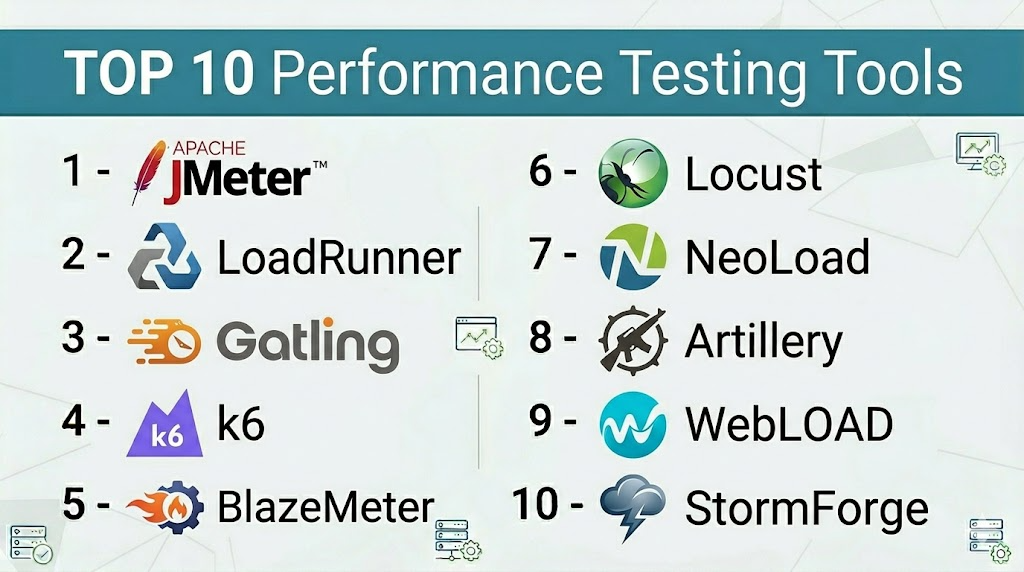
Top Performance Testing Tools
#1 — Apache JMeter
Short description: A popular open-source tool for load testing web applications and APIs.
Key Features
- Supports multiple protocols (HTTP, FTP, JDBC)
- GUI-based test creation
- Distributed load testing
- Extensible plugin ecosystem
- Real-time reporting
- Script recording
Pros
- Free and open-source
- Large community support
Cons
- UI can be outdated
- High resource usage for large tests
Platforms / Deployment
Windows / Linux / macOS / Self-hosted
Security & Compliance
Basic authentication support
Integrations & Ecosystem
JMeter integrates with CI/CD tools and monitoring platforms.
- Jenkins
- Git
- APIs
- Plugins
Support & Community
Very strong open-source community.
#2 — LoadRunner
Short description: An enterprise-grade performance testing tool for complex applications.
Key Features
- Supports multiple protocols
- Advanced analytics and reporting
- Scalable load testing
- Real-time monitoring
- Scriptless testing options
Pros
- Enterprise-level capabilities
- Highly scalable
Cons
- Expensive
- Steep learning curve
Platforms / Deployment
Cloud / On-prem / Hybrid
Security & Compliance
RBAC, encryption
Integrations & Ecosystem
- CI/CD tools
- APIs
- Enterprise systems
Support & Community
Enterprise support available.
#3 — Gatling
Short description: A developer-friendly performance testing tool using code-based scripting.
Key Features
- High-performance engine
- Scala-based scripting
- Detailed reports
- CI/CD integration
- Real-time metrics
Pros
- Efficient and fast
- Developer-centric
Cons
- Requires coding knowledge
- Smaller community than JMeter
Platforms / Deployment
Linux / Cloud / Self-hosted
Security & Compliance
Not publicly stated
Integrations & Ecosystem
- Jenkins
- APIs
- DevOps tools
Support & Community
Growing community.
#4 — k6
Short description: A modern performance testing tool designed for developers and DevOps teams.
Key Features
- JavaScript-based scripting
- CLI-based execution
- Cloud and local testing
- CI/CD integration
- Real-time results
Pros
- Easy to use
- Developer-friendly
Cons
- Limited GUI
- Advanced features require paid version
Platforms / Deployment
Windows / Linux / macOS / Cloud / Self-hosted
Security & Compliance
Not publicly stated
Integrations & Ecosystem
- CI/CD tools
- APIs
- Cloud platforms
Support & Community
Strong community and documentation.
#5 — BlazeMeter
Short description: A cloud-based performance testing platform built on JMeter.
Key Features
- Cloud load testing
- JMeter compatibility
- Real-time reporting
- API testing
- CI/CD integration
Pros
- Easy scaling
- User-friendly
Cons
- Costly for large tests
- Limited offline capabilities
Platforms / Deployment
Cloud
Security & Compliance
RBAC, encryption
Integrations & Ecosystem
- Jenkins
- APIs
- Monitoring tools
Support & Community
Enterprise support.
#6 — Locust
Short description: An open-source load testing tool using Python scripting.
Key Features
- Python-based scripts
- Distributed testing
- Web-based UI
- Scalable
- Real-time stats
Pros
- Flexible scripting
- Lightweight
Cons
- Requires coding
- Limited built-in reporting
Platforms / Deployment
Linux / Cloud / Self-hosted
Security & Compliance
Not publicly stated
Integrations & Ecosystem
- APIs
- CI/CD tools
- Plugins
Support & Community
Active open-source community.
#7 — NeoLoad
Short description: A performance testing tool focused on automation and enterprise environments.
Key Features
- Automated test design
- CI/CD integration
- Real-time analytics
- Cloud testing
- API testing
Pros
- Easy automation
- Enterprise features
Cons
- Licensing cost
- Learning curve
Platforms / Deployment
Cloud / On-prem / Hybrid
Security & Compliance
RBAC, encryption
Integrations & Ecosystem
- Jenkins
- APIs
- DevOps tools
Support & Community
Strong enterprise support.
#8 — Artillery
Short description: A modern load testing tool for APIs and microservices.
Key Features
- YAML/JSON scripting
- Real-time metrics
- Cloud integration
- Lightweight
- CI/CD ready
Pros
- Simple setup
- Great for APIs
Cons
- Limited UI
- Less enterprise features
Platforms / Deployment
Node.js / Cloud / Self-hosted
Security & Compliance
Not publicly stated
Integrations & Ecosystem
- CI/CD tools
- APIs
- Cloud services
Support & Community
Growing community.
#9 — WebLOAD
Short description: A performance testing tool with powerful analytics and scripting.
Key Features
- JavaScript scripting
- Advanced analytics
- Load generation
- Real-time monitoring
- CI/CD integration
Pros
- Strong reporting
- Scalable
Cons
- Costly
- Complex setup
Platforms / Deployment
Windows / Cloud / Hybrid
Security & Compliance
Not publicly stated
Integrations & Ecosystem
- APIs
- DevOps tools
- Monitoring tools
Support & Community
Enterprise support.
#10 — StormForge
Short description: A performance testing and optimization platform for Kubernetes environments.
Key Features
- Kubernetes-native testing
- AI-driven optimization
- Load testing automation
- Performance tuning
- Cloud-native focus
Pros
- Ideal for Kubernetes
- AI-based insights
Cons
- Niche use case
- Limited general-purpose features
Platforms / Deployment
Cloud / Kubernetes
Security & Compliance
Not publicly stated
Integrations & Ecosystem
- Kubernetes
- Cloud platforms
- APIs
Support & Community
Growing enterprise support.
Comparison Table (Top 10)
| Tool Name | Best For | Platform(s) Supported | Deployment | Standout Feature | Public Rating |
|---|---|---|---|---|---|
| JMeter | Open-source testing | Multi-platform | Self-hosted | Plugin ecosystem | N/A |
| LoadRunner | Enterprise testing | Multi-platform | Hybrid | Advanced analytics | N/A |
| Gatling | Developer testing | Linux | Hybrid | High performance | N/A |
| k6 | DevOps teams | Multi-platform | Hybrid | JavaScript scripting | N/A |
| BlazeMeter | Cloud testing | Web | Cloud | JMeter integration | N/A |
| Locust | Python testing | Linux | Hybrid | Python scripting | N/A |
| NeoLoad | Enterprise automation | Multi-platform | Hybrid | Automation | N/A |
| Artillery | API testing | Node.js | Hybrid | Lightweight | N/A |
| WebLOAD | Advanced analytics | Windows | Hybrid | Reporting | N/A |
| StormForge | Kubernetes | Cloud | Cloud | AI optimization | N/A |
Performance Testing Tools (Scoring)
| Tool Name | Core (25%) | Ease (15%) | Integrations (15%) | Security (10%) | Performance (10%) | Support (10%) | Value (15%) | Weighted Total |
|---|---|---|---|---|---|---|---|---|
| JMeter | 9 | 7 | 8 | 7 | 8 | 9 | 9 | 8.3 |
| LoadRunner | 10 | 6 | 9 | 9 | 10 | 9 | 5 | 8.6 |
| Gatling | 8 | 7 | 8 | 6 | 9 | 7 | 8 | 7.8 |
| k6 | 8 | 9 | 9 | 6 | 9 | 8 | 8 | 8.3 |
| BlazeMeter | 9 | 9 | 9 | 8 | 9 | 8 | 6 | 8.4 |
| Locust | 8 | 7 | 7 | 6 | 8 | 7 | 9 | 7.7 |
| NeoLoad | 9 | 8 | 9 | 8 | 9 | 9 | 6 | 8.5 |
| Artillery | 7 | 8 | 8 | 6 | 8 | 7 | 8 | 7.6 |
| WebLOAD | 8 | 7 | 8 | 7 | 9 | 8 | 6 | 7.8 |
| StormForge | 8 | 7 | 8 | 7 | 9 | 7 | 7 | 7.9 |
How to interpret:
- Scores are relative comparisons, not absolute benchmarks
- Higher scores indicate better overall balance
- Choose based on your specific use case
- Enterprise tools score high in features but may lag in value
Which Service Mesh Platforms Is Right for You?
Solo / Freelancer
Use k6 or Locust for simplicity and flexibility.
SMB
Choose JMeter or BlazeMeter for balanced features and cost.
Mid-Market
Use Gatling or NeoLoad for automation and scalability.
Enterprise
Go with LoadRunner or NeoLoad for advanced capabilities.
Budget vs Premium
- Budget: JMeter, Locust
- Premium: LoadRunner, NeoLoad
Feature Depth vs Ease of Use
- Easy: BlazeMeter, k6
- Advanced: LoadRunner
Integrations & Scalability
- Best: k6, BlazeMeter
- Limited: Artillery
Security & Compliance Needs
- High: LoadRunner, NeoLoad
- Basic: Open-source tools
Performance Testing Tools (FAQs)
What are performance testing tools?
They simulate user traffic to test system performance and stability.
Are they only for large applications?
No, even small apps benefit from performance testing.
Are open-source tools reliable?
Yes, tools like JMeter are widely used in production.
Do they support CI/CD?
Most modern tools integrate with CI/CD pipelines.
How much do they cost?
Ranges from free to enterprise-level pricing.
Can they test APIs?
Yes, most tools support API testing.
Are they hard to learn?
Some require coding; others offer low-code options.
Can they scale?
Yes, especially cloud-based tools.
What are common mistakes?
Not testing realistic scenarios or ignoring bottlenecks.
Can I switch tools later?
Yes, but script migration may be required.
Conclusion
Performance testing tools are essential for ensuring that applications remain fast, stable, and scalable under real-world conditions. Whether you choose open-source tools like JMeter or enterprise platforms like LoadRunner, the right solution depends on your team skills, infrastructure, and testing needs.
