Introduction
Automated Testing Tools are software solutions designed to automatically execute test cases, validate expected outcomes, and ensure application quality without manual intervention. These tools help teams accelerate testing cycles, improve accuracy, and maintain consistency across releases.
As software development shifts toward continuous integration and continuous delivery (CI/CD), automated testing has become essential for delivering reliable applications at speed. From web and mobile apps to APIs and enterprise systems, automation ensures that code changes do not introduce regressions or performance issues.
Common use cases include:
- Functional and regression testing of web applications
- API and backend testing
- Mobile app testing (Android and iOS)
- UI/UX validation across browsers and devices
- Continuous testing within CI/CD pipelines
What buyers should evaluate:
- Ease of test creation (low-code vs code-based)
- Supported platforms (web, mobile, API, desktop)
- Integration with CI/CD pipelines
- Cross-browser and cross-device support
- Scalability and parallel test execution
- Reporting and analytics capabilities
- Maintenance effort and test stability
- Security features and compliance
- Community support and documentation
- Pricing and licensing flexibility
Best for: QA engineers, developers, DevOps teams, and organizations aiming for faster release cycles and higher software quality.
Not ideal for: Very small projects with minimal testing needs or teams without resources to maintain automated test scripts.
Key Trends in Automated Testing Tools
- AI-powered test automation: Self-healing scripts and intelligent test generation
- Shift-left testing: Developers writing and running tests early in development
- Low-code/no-code platforms: Enabling non-technical users to create tests
- Cloud-based testing platforms: Scalable testing without infrastructure setup
- Cross-browser and cross-device testing: Ensuring consistent user experience
- API-first testing: Increased focus on backend validation
- Parallel execution: Faster testing cycles with distributed execution
- Test maintenance automation: Reducing flaky tests and script failures
- Integration with DevOps tools: Seamless CI/CD pipeline integration
- Containerized testing environments: Kubernetes-based execution
How We Selected These Tools (Methodology)
- Evaluated market adoption and popularity
- Assessed feature completeness across web, mobile, and API testing
- Reviewed ease of use and learning curve
- Considered integration with CI/CD and DevOps ecosystems
- Analyzed cross-browser and cross-platform support
- Checked scalability and performance of test execution
- Evaluated reporting and analytics capabilities
- Examined community support and documentation
- Included both open-source and enterprise tools
- Considered deployment flexibility (cloud, on-prem, hybrid)
Top Automated Testing Tools
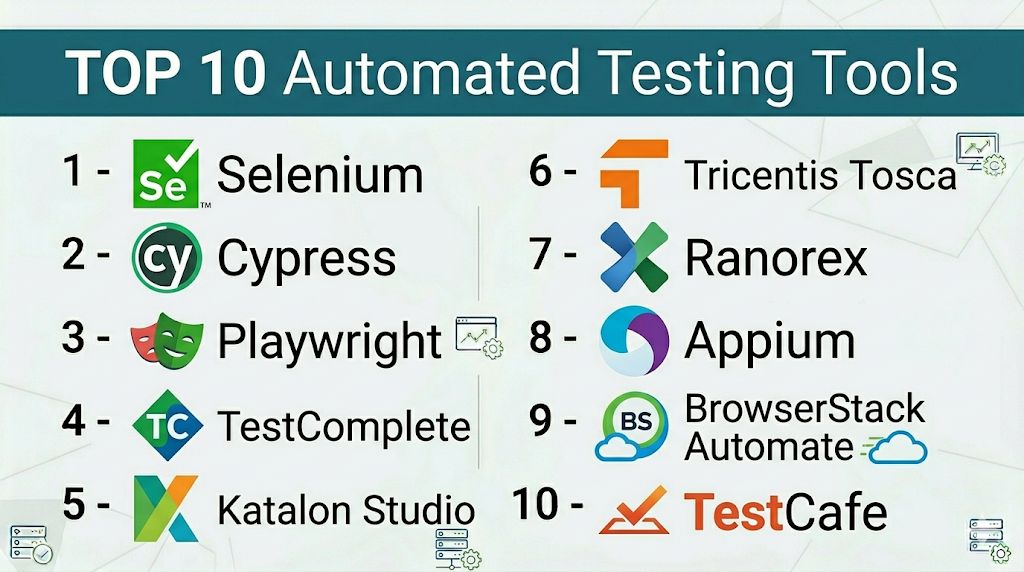
#1 — Selenium
Short description: A widely used open-source framework for automating web browsers.
Key Features
- Supports multiple programming languages
- Cross-browser testing
- WebDriver API
- Large ecosystem
- Integration with CI/CD tools
- Parallel execution support
Pros
- Free and open-source
- Highly flexible
Cons
- Requires coding
- Maintenance-heavy
Platforms / Deployment
Windows / Linux / macOS / Cloud / Self-hosted
Security & Compliance
Varies / N/A
Integrations & Ecosystem
Selenium integrates with most testing and DevOps tools.
- Jenkins
- TestNG
- CI/CD platforms
- APIs
Support & Community
Very strong global community.
#2 — Cypress
Short description: A modern front-end testing tool for web applications.
Key Features
- Real-time test execution
- Automatic waiting
- Built-in assertions
- Developer-friendly UI
- Fast execution
- Debugging tools
Pros
- Easy to use
- Fast and reliable
Cons
- Limited browser support
- Not ideal for complex scenarios
Platforms / Deployment
Windows / Linux / macOS / Cloud / Self-hosted
Security & Compliance
Not publicly stated
Integrations & Ecosystem
- CI/CD tools
- APIs
- Plugins
Support & Community
Strong and growing community.
#3 — Playwright
Short description: A powerful automation framework for end-to-end testing across browsers.
Key Features
- Multi-browser support
- Auto-waiting
- Parallel execution
- Headless testing
- API testing
- Cross-platform
Pros
- Modern architecture
- Reliable execution
Cons
- Requires coding
- Smaller ecosystem than Selenium
Platforms / Deployment
Windows / Linux / macOS / Cloud / Self-hosted
Security & Compliance
Not publicly stated
Integrations & Ecosystem
- CI/CD tools
- APIs
- DevOps platforms
Support & Community
Growing community.
#4 — TestComplete
Short description: A commercial automated testing tool supporting web, mobile, and desktop apps.
Key Features
- Scripted and scriptless testing
- Object recognition engine
- Cross-platform testing
- Parallel execution
- Reporting tools
Pros
- Easy for beginners
- Comprehensive features
Cons
- Expensive
- Windows-centric
Platforms / Deployment
Windows / Cloud / Hybrid
Security & Compliance
RBAC, encryption
Integrations & Ecosystem
- CI/CD tools
- APIs
- DevOps tools
Support & Community
Enterprise support available.
#5 — Katalon Studio
Short description: A popular automation tool for web, API, and mobile testing.
Key Features
- Low-code interface
- Built-in keywords
- Cross-platform support
- API testing
- Reporting dashboards
Pros
- Easy to learn
- All-in-one platform
Cons
- Limited customization
- Paid features for advanced use
Platforms / Deployment
Windows / macOS / Linux / Cloud / Self-hosted
Security & Compliance
Not publicly stated
Integrations & Ecosystem
- CI/CD tools
- APIs
- Plugins
Support & Community
Strong community and support.
#6 — Tricentis Tosca
Short description: A model-based testing tool focused on enterprise automation.
Key Features
- Scriptless testing
- Risk-based testing
- CI/CD integration
- Test case design
- API testing
Pros
- Enterprise-grade
- No coding required
Cons
- Expensive
- Complex setup
Platforms / Deployment
Cloud / On-prem / Hybrid
Security & Compliance
RBAC, encryption
Integrations & Ecosystem
- SAP
- CI/CD tools
- APIs
Support & Community
Strong enterprise support.
#7 — Ranorex
Short description: A test automation tool for desktop, web, and mobile apps.
Key Features
- GUI-based test creation
- Cross-platform testing
- Object recognition
- Reporting tools
- CI/CD integration
Pros
- Easy to use
- Good reporting
Cons
- Licensing cost
- Limited scalability
Platforms / Deployment
Windows / Cloud / Hybrid
Security & Compliance
Not publicly stated
Integrations & Ecosystem
- CI/CD tools
- APIs
- DevOps tools
Support & Community
Moderate community.
#8 — Appium
Short description: An open-source tool for mobile application testing.
Key Features
- Cross-platform mobile testing
- Supports multiple languages
- Real device testing
- WebDriver protocol
- Integration with CI/CD
Pros
- Open-source
- Flexible
Cons
- Complex setup
- Requires coding
Platforms / Deployment
Windows / Linux / macOS / Cloud / Self-hosted
Security & Compliance
Varies / N/A
Integrations & Ecosystem
- Selenium ecosystem
- CI/CD tools
- APIs
Support & Community
Strong open-source community.
#9 — BrowserStack Automate
Short description: A cloud-based platform for cross-browser testing.
Key Features
- Real device cloud
- Cross-browser testing
- Parallel execution
- CI/CD integration
- Visual testing
Pros
- No infrastructure needed
- Wide device coverage
Cons
- Subscription cost
- Internet dependency
Platforms / Deployment
Cloud
Security & Compliance
Not publicly stated
Integrations & Ecosystem
- Selenium
- CI/CD tools
- APIs
Support & Community
Enterprise support.
#10 — TestCafe
Short description: A Node.js-based automation tool for web testing.
Key Features
- No WebDriver required
- Cross-browser testing
- Easy setup
- Built-in wait mechanisms
- Parallel execution
Pros
- Simple setup
- Lightweight
Cons
- Limited ecosystem
- Less enterprise adoption
Platforms / Deployment
Windows / Linux / macOS / Cloud / Self-hosted
Security & Compliance
Not publicly stated
Integrations & Ecosystem
- CI/CD tools
- APIs
- Plugins
Support & Community
Growing community.
Comparison Table (Top 10)
| Tool Name | Best For | Platform(s) Supported | Deployment | Standout Feature | Public Rating |
|---|---|---|---|---|---|
| Selenium | Web automation | Multi-platform | Hybrid | Flexibility | N/A |
| Cypress | Frontend testing | Multi-platform | Hybrid | Real-time testing | N/A |
| Playwright | E2E testing | Multi-platform | Hybrid | Multi-browser | N/A |
| TestComplete | Enterprise testing | Windows | Hybrid | Scriptless testing | N/A |
| Katalon | All-in-one testing | Multi-platform | Hybrid | Low-code | N/A |
| Tosca | Enterprise automation | Multi-platform | Hybrid | Model-based | N/A |
| Ranorex | Desktop/web testing | Windows | Hybrid | Ease of use | N/A |
| Appium | Mobile testing | Multi-platform | Hybrid | Mobile support | N/A |
| BrowserStack | Cross-browser | Web | Cloud | Real devices | N/A |
| TestCafe | Lightweight testing | Multi-platform | Hybrid | No WebDriver | N/A |
Automated Testing Tools (Scoring)
| Tool Name | Core (25%) | Ease (15%) | Integrations (15%) | Security (10%) | Performance (10%) | Support (10%) | Value (15%) | Weighted Total |
|---|---|---|---|---|---|---|---|---|
| Selenium | 10 | 6 | 10 | 6 | 9 | 10 | 10 | 8.9 |
| Cypress | 9 | 9 | 8 | 6 | 9 | 9 | 9 | 8.7 |
| Playwright | 9 | 8 | 9 | 6 | 9 | 8 | 9 | 8.6 |
| TestComplete | 9 | 8 | 8 | 8 | 8 | 9 | 6 | 8.0 |
| Katalon | 8 | 9 | 8 | 6 | 8 | 8 | 8 | 8.0 |
| Tosca | 9 | 8 | 9 | 9 | 9 | 9 | 5 | 8.5 |
| Ranorex | 8 | 8 | 7 | 6 | 8 | 7 | 7 | 7.6 |
| Appium | 9 | 6 | 9 | 6 | 8 | 9 | 9 | 8.3 |
| BrowserStack | 9 | 9 | 9 | 7 | 9 | 9 | 6 | 8.5 |
| TestCafe | 7 | 8 | 7 | 6 | 8 | 7 | 8 | 7.5 |
How to interpret:
- Scores are comparative, not absolute
- Higher scores indicate balanced capabilities
- Choose based on your use case and team skills
- Enterprise tools score high but may cost more
Which Service Mesh Platforms Is Right for You?
Solo / Freelancer
Use Cypress or TestCafe for simplicity.
SMB
Choose Katalon or Playwright for balance.
Mid-Market
Use Selenium or Appium for flexibility.
Enterprise
Go with Tosca or TestComplete.
Budget vs Premium
- Budget: Selenium, Appium
- Premium: Tosca, BrowserStack
Feature Depth vs Ease of Use
- Easy: Cypress, Katalon
- Advanced: Selenium
Integrations & Scalability
- Best: Selenium, BrowserStack
- Limited: TestCafe
Security & Compliance Needs
- High: Tosca
- Basic: Open-source tools
Automated Testing Tools (FAQs)
What are automated testing tools?
They automatically execute test cases to validate software behavior.
Are they better than manual testing?
They complement manual testing and improve efficiency.
Do they require coding?
Some do, while others offer low-code options.
Can they test mobile apps?
Yes, tools like Appium support mobile testing.
Are they expensive?
Some are free; enterprise tools can be costly.
Do they support CI/CD?
Yes, most integrate with CI/CD pipelines.
Are they scalable?
Yes, especially cloud-based tools.
What are common challenges?
Test maintenance and flaky tests.
Can beginners use them?
Yes, low-code tools are beginner-friendly.
Can I switch tools later?
Yes, but migration effort is required.
Conclusion
Automated testing tools are essential for delivering high-quality, reliable, and scalable applications. From open-source frameworks like Selenium to enterprise platforms like Tosca, each tool offers unique strengths depending on your requirements.
