Introduction
Web servers are software systems that handle HTTP/HTTPS requests from clients (typically web browsers) and deliver web content such as HTML pages, APIs, images, and files. In simple terms, a web server is what makes websites and web applications accessible over the internet or internal networks.
In modern infrastructure, web servers are no longer just about serving static pages. They play a critical role in API delivery, microservices architectures, cloud-native applications, and edge computing. With increasing demands for speed, scalability, and security, choosing the right web server has become a strategic decision for developers and organizations.
Common use cases include:
- Hosting websites and web applications
- Serving REST APIs and backend services
- Acting as reverse proxies and load balancers
- Handling static content delivery (images, CSS, JS)
- Supporting microservices and containerized environments
Key evaluation criteria:
- Performance and concurrency handling
- Ease of configuration and management
- Security features (TLS, access control, WAF support)
- Scalability and load balancing capabilities
- Compatibility with programming languages and frameworks
- Reverse proxy and caching capabilities
- Resource efficiency (CPU, memory usage)
- Community and enterprise support
- Integration with DevOps and cloud ecosystems
Best for: Developers, DevOps engineers, system administrators, and enterprises building scalable web applications and APIs.
Not ideal for: Very simple local projects or static-only workflows where lightweight file servers or CDNs may be sufficient.
Key Trends in Web Servers for the Future
- HTTP/3 and QUIC adoption: Faster, more reliable web communication protocols becoming standard
- Edge computing integration: Web servers increasingly deployed closer to users for lower latency
- AI-driven performance optimization: Automated tuning and anomaly detection
- Container-first architectures: Tight integration with Docker and Kubernetes
- Serverless compatibility: Supporting event-driven and ephemeral workloads
- Zero-trust security models: Built-in authentication and encryption mechanisms
- API-first design: Optimized for microservices and API traffic
- Lightweight and high-performance servers: Focus on minimal resource usage
- Improved observability: Native metrics, logs, and tracing integration
- Automation and GitOps workflows: Declarative configuration management
How We Selected These Tools (Methodology)
We evaluated Web Servers based on:
- Global adoption and production usage
- Performance benchmarks and efficiency
- Stability and reliability under load
- Security capabilities and protocol support
- Flexibility across use cases (static, dynamic, API, proxy)
- Integration with modern development ecosystems
- Ease of deployment and configuration
- Community activity and vendor backing
- Suitability for different scales (SMB to enterprise)
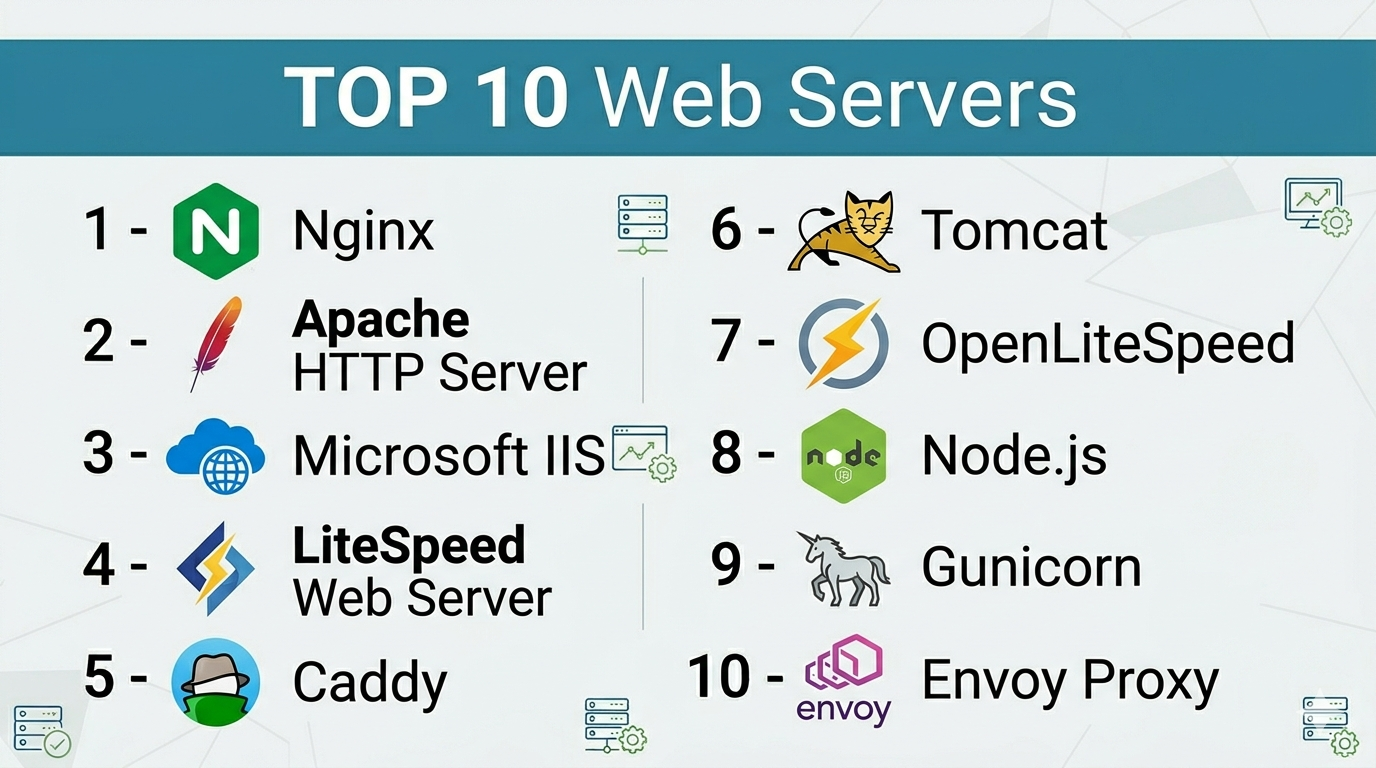
Top 10 Web Servers
#1 — Nginx
Short description: A high-performance web server and reverse proxy widely used for serving static content, load balancing, and API gateways.
Key Features
- Event-driven architecture
- Reverse proxy and load balancing
- High concurrency handling
- Caching and compression
- SSL/TLS support
- API gateway capabilities
Pros
- Extremely fast and scalable
- Efficient resource usage
Cons
- Configuration complexity for beginners
- Advanced features may require paid version
Platforms / Deployment
Linux / Windows / Cloud / Self-hosted
Security & Compliance
TLS encryption, access control, basic security modules
Integrations & Ecosystem
Nginx integrates with most web frameworks and cloud platforms, making it a core component in modern stacks.
- Docker
- Kubernetes
- Node.js
- PHP
- Python
Support & Community
Large global community and enterprise support available.
#2 — Apache HTTP Server
Short description: One of the oldest and most widely used web servers, known for flexibility and module-based architecture.
Key Features
- Modular architecture
- .htaccess configuration
- Wide OS compatibility
- Dynamic content support
- Strong community support
Pros
- Highly customizable
- Extensive documentation
Cons
- Lower performance under high concurrency
- Higher resource usage
Platforms / Deployment
Linux / Windows / macOS / Self-hosted
Security & Compliance
TLS, authentication modules, access control
Integrations & Ecosystem
Works with a wide range of technologies.
- PHP
- Perl
- Python
- CMS platforms
Support & Community
Very large and mature community.
#3 — Microsoft IIS
Short description: A web server designed for Windows environments, commonly used in enterprise setups.
Key Features
- Tight integration with Windows Server
- GUI-based management
- ASP.NET support
- Security features
- Application pool management
Pros
- Easy to manage for Windows users
- Strong enterprise integration
Cons
- Limited to Windows
- Less flexible than open-source alternatives
Platforms / Deployment
Windows
Security & Compliance
RBAC, encryption, enterprise security tools
Integrations & Ecosystem
Deep integration with Microsoft ecosystem.
- .NET
- Azure
- Active Directory
Support & Community
Enterprise-grade Microsoft support.
#4 — LiteSpeed Web Server
Short description: A high-performance commercial web server designed as an alternative to Apache.
Key Features
- Apache compatibility
- Built-in caching
- HTTP/3 support
- High scalability
- Security features
Pros
- Faster than Apache in many cases
- Easy migration from Apache
Cons
- Licensing cost
- Smaller community than Apache
Platforms / Deployment
Linux / Cloud / Self-hosted
Security & Compliance
TLS, anti-DDoS features
Integrations & Ecosystem
Popular in hosting environments.
- cPanel
- WordPress
- PHP
Support & Community
Commercial support with growing community.
#5 — Caddy
Short description: A modern web server known for automatic HTTPS and simple configuration.
Key Features
- Automatic SSL/TLS
- Simple configuration syntax
- HTTP/3 support
- Reverse proxy
- Modular architecture
Pros
- Easy to use
- Secure by default
Cons
- Smaller ecosystem
- Less mature than competitors
Platforms / Deployment
Linux / Windows / macOS / Cloud
Security & Compliance
Automatic TLS, encryption
Integrations & Ecosystem
Works well with modern development stacks.
- Docker
- Kubernetes
Support & Community
Growing open-source community.
#6 — Tomcat (Apache Tomcat)
Short description: A web server and servlet container primarily used for Java applications.
Key Features
- Java servlet support
- Lightweight container
- Open-source
- Session management
- Security features
Pros
- Ideal for Java applications
- Reliable and stable
Cons
- Not a full-featured web server
- Requires additional components
Platforms / Deployment
Linux / Windows / Cloud
Security & Compliance
Authentication, encryption
Integrations & Ecosystem
Java ecosystem integration.
- Spring
- Java EE
Support & Community
Strong community support.
#7 — OpenLiteSpeed
Short description: An open-source version of LiteSpeed with high performance and modern features.
Key Features
- Event-driven architecture
- Built-in caching
- HTTP/3 support
- Lightweight design
- Easy configuration
Pros
- High performance
- Free and open-source
Cons
- Smaller ecosystem
- Limited enterprise features
Platforms / Deployment
Linux / Cloud
Security & Compliance
TLS encryption
Integrations & Ecosystem
Popular with web hosting stacks.
- WordPress
- CyberPanel
Support & Community
Active but smaller community.
#8 — Node.js (as Web Server)
Short description: A JavaScript runtime often used to build custom web servers and APIs.
Key Features
- Event-driven architecture
- Non-blocking I/O
- High scalability
- Large package ecosystem
- API-first design
Pros
- Excellent for real-time applications
- Huge ecosystem
Cons
- Requires coding
- Not a traditional web server
Platforms / Deployment
Linux / Windows / macOS / Cloud
Security & Compliance
Varies based on implementation
Integrations & Ecosystem
Extensive ecosystem.
- npm packages
- Express.js
- Microservices
Support & Community
Massive global community.
#9 — Gunicorn
Short description: A Python WSGI HTTP server commonly used for deploying Python applications.
Key Features
- Pre-fork worker model
- Lightweight
- Easy integration with frameworks
- Configurable workers
- Stable performance
Pros
- Simple to use
- Ideal for Python apps
Cons
- Requires reverse proxy
- Limited standalone capabilities
Platforms / Deployment
Linux / Cloud
Security & Compliance
Basic security, depends on setup
Integrations & Ecosystem
Python ecosystem integration.
- Django
- Flask
Support & Community
Strong developer community.
#10 — Envoy Proxy
Short description: A modern high-performance proxy designed for microservices and cloud-native environments.
Key Features
- L7 proxy capabilities
- Observability features
- Dynamic configuration
- Service mesh integration
- High performance
Pros
- Ideal for microservices
- Advanced traffic control
Cons
- Complex setup
- Not beginner-friendly
Platforms / Deployment
Cloud / Self-hosted
Security & Compliance
mTLS, RBAC, encryption
Integrations & Ecosystem
Core component in service meshes.
- Kubernetes
- Istio
- Prometheus
Support & Community
Strong CNCF-backed community.
Comparison Table (Top 10)
| Tool Name | Best For | Platform(s) Supported | Deployment | Standout Feature | Public Rating |
|---|---|---|---|---|---|
| Nginx | High-performance apps | Cross-platform | Hybrid | Event-driven architecture | N/A |
| Apache | Flexibility | Cross-platform | Self-hosted | Modular design | N/A |
| IIS | Windows enterprise | Windows | Local | Microsoft integration | N/A |
| LiteSpeed | Hosting providers | Linux | Hybrid | Built-in caching | N/A |
| Caddy | Simplicity | Cross-platform | Cloud | Automatic HTTPS | N/A |
| Tomcat | Java apps | Cross-platform | Hybrid | Servlet container | N/A |
| OpenLiteSpeed | Open-source performance | Linux | Cloud | Lightweight | N/A |
| Node.js | APIs | Cross-platform | Cloud | Non-blocking I/O | N/A |
| Gunicorn | Python apps | Linux | Cloud | WSGI server | N/A |
| Envoy | Microservices | Cloud | Hybrid | Service mesh proxy | N/A |
Web Servers Scoring
| Tool Name | Core (25%) | Ease (15%) | Integrations (15%) | Security (10%) | Performance (10%) | Support (10%) | Value (15%) | Weighted Total |
|---|---|---|---|---|---|---|---|---|
| Nginx | 9 | 7 | 9 | 8 | 9 | 9 | 9 | 8.7 |
| Apache | 8 | 7 | 9 | 8 | 7 | 9 | 9 | 8.2 |
| IIS | 8 | 8 | 8 | 9 | 8 | 9 | 7 | 8.2 |
| LiteSpeed | 8 | 8 | 7 | 8 | 9 | 8 | 7 | 8.1 |
| Caddy | 7 | 9 | 7 | 9 | 8 | 7 | 9 | 8.0 |
| Tomcat | 7 | 7 | 8 | 8 | 7 | 8 | 8 | 7.6 |
| OpenLiteSpeed | 7 | 8 | 6 | 8 | 9 | 7 | 9 | 7.9 |
| Node.js | 8 | 7 | 10 | 7 | 9 | 9 | 9 | 8.6 |
| Gunicorn | 6 | 8 | 7 | 7 | 8 | 8 | 9 | 7.6 |
| Envoy | 9 | 6 | 9 | 9 | 9 | 8 | 8 | 8.5 |
How to interpret scores:
- Scores are comparative and reflect trade-offs across use cases
- High-performance tools may sacrifice ease of use
- Simpler tools may lack enterprise-grade features
- Always evaluate based on workload and architecture needs
- Consider team expertise before selecting complex tools
Which Web Servers Is Right for You?
Solo / Freelancer
- Caddy or Apache for simplicity
- Node.js for development
SMB
- Nginx or Apache for balance
- OpenLiteSpeed for performance
Mid-Market
- Nginx or LiteSpeed
- Consider integration with containers
Enterprise
- IIS (Windows), Nginx, or Envoy
- Focus on scalability and security
Budget vs Premium
- Open-source tools are cost-effective
- Paid solutions offer performance and support
Feature Depth vs Ease of Use
- Nginx/Envoy = powerful but complex
- Caddy = simple and secure
Integrations & Scalability
- Node.js and Envoy excel in microservices
- Nginx offers strong scalability
Security & Compliance Needs
- IIS and Envoy offer strong enterprise security
- Caddy provides secure defaults
Frequently Asked Questions (FAQs)
What is a web server?
A web server handles HTTP requests and delivers web content to users.
Which web server is fastest?
Nginx and LiteSpeed are known for high performance.
Is Apache still relevant?
Yes, it remains widely used due to flexibility.
What is reverse proxy?
A server that forwards client requests to backend servers.
Do I need a web server for APIs?
Yes, web servers handle API requests.
Is Node.js a web server?
It can act as one but is primarily a runtime.
What is HTTP/3?
A newer protocol improving speed and reliability.
Which server is best for beginners?
Caddy or Apache.
Are web servers secure?
Yes, with proper configuration and TLS.
Can I switch web servers?
Yes, but requires configuration changes.
Conclusion
Web servers are a critical component of modern web infrastructure, enabling everything from simple websites to complex microservices architectures. Each server offers unique strengths—from simplicity and performance to enterprise-grade scalability.
