Introduction
Operating Systems (OS) are the foundational software that manage hardware resources and provide a platform for running applications. In simple terms, an OS acts as the bridge between users and their computers, handling everything from memory allocation to process management and user interfaces.
In today’s digital environment, operating systems are more important than ever. With the rise of cloud computing, remote work, edge devices, and security threats, choosing the right OS directly impacts productivity, performance, and cybersecurity.
Common use cases include:
- Running personal and enterprise applications
- Managing servers and cloud infrastructure
- Powering mobile devices and IoT systems
- Supporting software development environments
- Enabling virtualization and containerization
Key evaluation criteria:
- Performance and system efficiency
- Security features and update frequency
- Compatibility with software and hardware
- Ease of use and user interface
- Customization and flexibility
- Ecosystem and developer support
- Cost and licensing model
- Stability and reliability
- Enterprise management capabilities
Best for: Individuals, businesses, developers, IT administrators, and enterprises requiring reliable system management across devices.
Not ideal for: Users with very specific legacy requirements or niche hardware dependencies where specialized systems may be better suited.
Key Trends in Operating Systems for the Future
- AI integration at the OS level: Built-in AI assistants, automation, and predictive system management.
- Enhanced security models: Zero-trust architecture, hardware-level encryption, and biometric authentication.
- Cloud-native OS evolution: Systems optimized for cloud workloads and remote environments.
- Cross-device ecosystems: Seamless synchronization across desktop, mobile, and IoT devices.
- Container-first design: Native support for containers and microservices.
- Energy efficiency optimization: Improved battery life and green computing initiatives.
- Open-source adoption: Increasing enterprise acceptance of Linux-based systems.
- Edge computing support: Lightweight OS for edge and IoT deployments.
- Improved virtualization: Built-in hypervisors and sandbox environments.
- User experience simplification: Minimalist, intuitive interfaces for broader accessibility.
How We Selected These Tools (Methodology)
We evaluated Operating Systems based on:
- Global adoption and market presence
- Stability and long-term reliability
- Security architecture and update practices
- Hardware and software compatibility
- Performance benchmarks and efficiency
- Ecosystem strength (apps, developers, vendors)
- Flexibility for different use cases (desktop, server, mobile)
- Enterprise readiness and management tools
- Community and vendor support
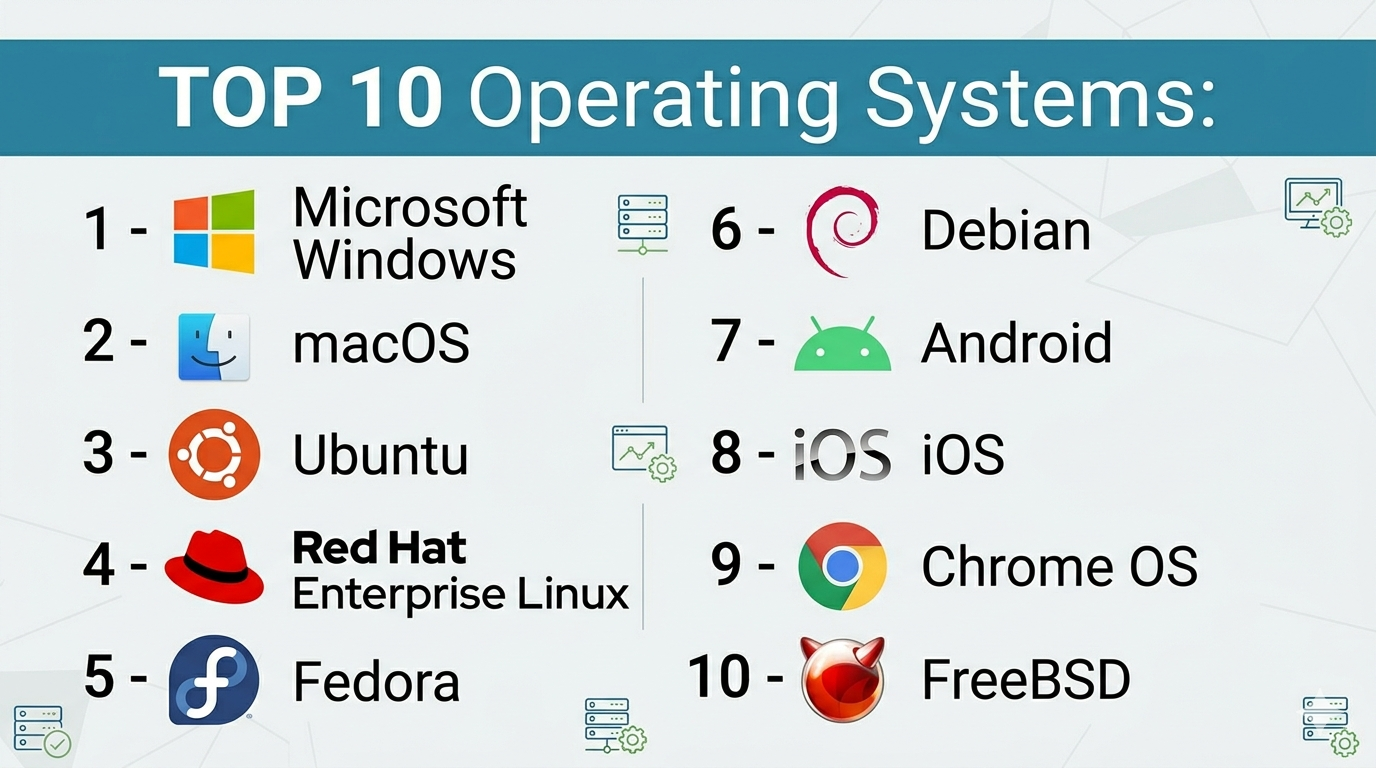
Top 10 Operating Systems
#1 — Microsoft Windows
Short description: The most widely used desktop operating system, suitable for personal, business, and enterprise environments.
Key Features
- Broad hardware and software compatibility
- User-friendly graphical interface
- Built-in security tools
- Enterprise management features
- Extensive application ecosystem
Pros
- Easy to use and widely supported
- Large software compatibility
Cons
- Licensing cost
- Higher vulnerability target
Platforms / Deployment
Windows
Security & Compliance
Encryption, MFA, RBAC, enterprise security tools
Integrations & Ecosystem
Extensive ecosystem including enterprise tools and productivity software.
- Office suite
- Active Directory
- Azure services
Support & Community
Strong enterprise support and massive user base.
#2 — macOS
Short description: Apple’s operating system designed for Mac devices, known for its performance and seamless ecosystem.
Key Features
- Optimized for Apple hardware
- Strong security architecture
- Smooth user experience
- Unix-based foundation
- Seamless device integration
Pros
- High stability and performance
- Excellent ecosystem integration
Cons
- Limited to Apple hardware
- Higher cost
Platforms / Deployment
macOS
Security & Compliance
Encryption, sandboxing, secure boot
Integrations & Ecosystem
Deep integration with Apple ecosystem.
- iCloud
- iPhone/iPad
- Apple services
Support & Community
Strong vendor support; active developer community.
#3 — Ubuntu (Linux)
Short description: A popular open-source Linux distribution known for ease of use and strong community support.
Key Features
- Open-source and free
- Regular updates
- Strong security model
- Large package repository
- Customizable environment
Pros
- Free and flexible
- Strong community
Cons
- Learning curve for beginners
- Limited proprietary software
Platforms / Deployment
Linux / Cloud / Self-hosted
Security & Compliance
RBAC, encryption, open-source auditing
Integrations & Ecosystem
Supports a wide range of development tools.
- Docker
- Kubernetes
- Open-source tools
Support & Community
Extensive community and documentation.
#4 — Red Hat Enterprise Linux (RHEL)
Short description: Enterprise-grade Linux OS focused on stability, security, and long-term support.
Key Features
- Enterprise support and stability
- Security certifications
- Long-term updates
- Container support
- Automation tools
Pros
- Reliable for enterprise use
- Strong security
Cons
- Subscription cost
- Requires expertise
Platforms / Deployment
Cloud / Self-hosted / Hybrid
Security & Compliance
RBAC, encryption, compliance frameworks
Integrations & Ecosystem
Strong enterprise integrations.
- OpenShift
- Ansible
- Kubernetes
Support & Community
Enterprise-grade support.
#5 — Fedora
Short description: A cutting-edge Linux distribution focused on innovation and modern technologies.
Key Features
- Latest software updates
- Developer-friendly
- Strong security defaults
- Open-source focus
- Fast release cycle
Pros
- Access to new features quickly
- Ideal for developers
Cons
- Frequent updates may cause instability
- Not ideal for production
Platforms / Deployment
Linux / Self-hosted
Security & Compliance
SELinux, encryption
Integrations & Ecosystem
Works with modern development tools.
- Docker
- Kubernetes
Support & Community
Active community support.
#6 — Debian
Short description: A stable and secure Linux distribution known for reliability.
Key Features
- High stability
- Large package repository
- Strong security
- Free and open-source
- Multi-architecture support
Pros
- Very stable
- Strong community
Cons
- Older software versions
- Less user-friendly
Platforms / Deployment
Linux / Self-hosted
Security & Compliance
Encryption, RBAC
Integrations & Ecosystem
Wide compatibility.
- Open-source ecosystem
Support & Community
Large and active community.
#7 — Android
Short description: A mobile operating system used globally across smartphones and tablets.
Key Features
- Open-source base
- Large app ecosystem
- Customizable UI
- Google integration
- Wide hardware support
Pros
- Massive app availability
- Flexible ecosystem
Cons
- Fragmentation
- Security inconsistencies
Platforms / Deployment
Mobile
Security & Compliance
Sandboxing, encryption
Integrations & Ecosystem
Extensive mobile ecosystem.
- Google services
- Play Store
Support & Community
Huge global community.
#8 — iOS
Short description: Apple’s mobile operating system known for performance and security.
Key Features
- Optimized performance
- Strong security
- Seamless Apple ecosystem
- Regular updates
- High-quality apps
Pros
- Secure and stable
- Excellent user experience
Cons
- Limited customization
- Apple-only devices
Platforms / Deployment
Mobile
Security & Compliance
Encryption, secure enclave
Integrations & Ecosystem
Apple ecosystem integration.
- App Store
- Apple services
Support & Community
Strong vendor support.
#9 — Chrome OS
Short description: A lightweight operating system focused on web-based applications.
Key Features
- Fast boot time
- Cloud-first design
- Built-in security
- Automatic updates
- Android app support
Pros
- Simple and fast
- Low maintenance
Cons
- Limited offline capabilities
- Dependency on internet
Platforms / Deployment
Cloud
Security & Compliance
Sandboxing, automatic updates
Integrations & Ecosystem
Google ecosystem.
- Google Workspace
- Android apps
Support & Community
Good vendor support.
#10 — FreeBSD
Short description: A Unix-like OS known for performance and networking capabilities.
Key Features
- Advanced networking
- High performance
- Strong security
- Open-source
- Stability
Pros
- Excellent for servers
- Highly reliable
Cons
- Smaller community
- Steeper learning curve
Platforms / Deployment
Self-hosted
Security & Compliance
RBAC, encryption
Integrations & Ecosystem
Focused on server environments.
- Open-source tools
Support & Community
Moderate community support.
Comparison Table (Top 10)
| Tool Name | Best For | Platform(s) Supported | Deployment | Standout Feature | Public Rating |
|---|---|---|---|---|---|
| Windows | General use | Desktop | Local | Compatibility | N/A |
| macOS | Apple users | Desktop | Local | Ecosystem | N/A |
| Ubuntu | Developers | Linux | Hybrid | Open-source | N/A |
| RHEL | Enterprise | Linux | Hybrid | Stability | N/A |
| Fedora | Developers | Linux | Self-hosted | Innovation | N/A |
| Debian | Servers | Linux | Self-hosted | Stability | N/A |
| Android | Mobile users | Mobile | Cloud | App ecosystem | N/A |
| iOS | Apple mobile | Mobile | Cloud | Security | N/A |
| Chrome OS | Lightweight use | Desktop | Cloud | Simplicity | N/A |
| FreeBSD | Servers | Unix | Self-hosted | Networking | N/A |
Operating Systems Scoring
| Tool Name | Core (25%) | Ease (15%) | Integrations (15%) | Security (10%) | Performance (10%) | Support (10%) | Value (15%) | Weighted Total |
|---|---|---|---|---|---|---|---|---|
| Windows | 9 | 9 | 9 | 7 | 8 | 9 | 7 | 8.4 |
| macOS | 8 | 9 | 8 | 9 | 9 | 8 | 7 | 8.3 |
| Ubuntu | 8 | 7 | 9 | 8 | 8 | 9 | 9 | 8.3 |
| RHEL | 9 | 6 | 9 | 9 | 9 | 9 | 7 | 8.5 |
| Fedora | 7 | 7 | 8 | 8 | 8 | 8 | 9 | 7.8 |
| Debian | 8 | 6 | 8 | 9 | 9 | 8 | 9 | 8.2 |
| Android | 8 | 9 | 9 | 7 | 8 | 9 | 9 | 8.5 |
| iOS | 8 | 9 | 8 | 9 | 9 | 9 | 7 | 8.4 |
| Chrome OS | 6 | 10 | 7 | 8 | 8 | 8 | 9 | 8.0 |
| FreeBSD | 8 | 5 | 7 | 9 | 9 | 7 | 8 | 7.9 |
Interpretation:
- Scores reflect relative strengths across categories
- Enterprise tools score higher in security and performance
- Simpler OS score higher in ease of use
- Always align with your specific use case
Which Operating Systems Is Right for You?
Solo / Freelancer
- Windows or macOS for general productivity
- Ubuntu for development
SMB
- Windows or Ubuntu for cost-effectiveness
- Chrome OS for simple workflows
Mid-Market
- Mix of Windows, Linux, and mobile OS
- Consider Ubuntu or RHEL for servers
Enterprise
- RHEL, Windows Enterprise, or macOS (for specific teams)
- Strong security and management tools required
Budget vs Premium
- Linux = cost-effective
- macOS = premium experience
Feature Depth vs Ease of Use
- Linux = flexibility
- Windows/macOS = ease
Integrations & Scalability
- Windows and Linux offer best scalability
- Cloud-native OS gaining importance
Security & Compliance Needs
- Enterprise Linux and macOS lead
- Mobile OS strong in sandboxing
Frequently Asked Questions (FAQs)
What is an operating system?
An OS manages hardware and software resources, allowing applications to run.
Which OS is best for beginners?
Windows and macOS are easiest to use.
Is Linux better than Windows?
It depends—Linux offers flexibility, while Windows offers compatibility.
Are operating systems free?
Some are free (Linux), others require licenses (Windows, macOS devices).
Which OS is most secure?
Linux and macOS are often considered more secure due to architecture.
Can I switch operating systems?
Yes, but it requires reinstalling and data migration.
What OS is best for gaming?
Windows has the best game compatibility.
Which OS is best for developers?
Linux and macOS are preferred for development.
Are mobile OS different from desktop OS?
Yes, they are optimized for touch interfaces and mobile hardware.
What is the future of operating systems?
AI integration, cloud-native design, and enhanced security.
Conclusion
Operating Systems are the backbone of modern computing, shaping performance, security, and user experience. From enterprise-grade Linux distributions to user-friendly desktop systems and mobile platforms, each OS serves a unique purpose.
