Introduction
Server Management Tools are software platforms that help organizations monitor, configure, maintain, and optimize servers—whether they run on-premises, in the cloud, or in hybrid environments. These tools centralize tasks like performance monitoring, patching, automation, security enforcement, and infrastructure provisioning.
In today’s infrastructure landscape, server environments are increasingly distributed, containerized, and cloud-native, making manual server management inefficient and error-prone. As organizations adopt multi-cloud and DevOps practices, server management tools have become essential for maintaining uptime, security, and scalability.
Common use cases include:
- Monitoring server health and performance metrics
- Automating configuration and patch management
- Managing cloud infrastructure and virtual machines
- Ensuring compliance and security across systems
- Scaling infrastructure dynamically based on demand
What buyers should evaluate:
- Ease of deployment and usability
- Automation capabilities (scripts, workflows, IaC support)
- Monitoring depth and real-time visibility
- Security features (RBAC, encryption, audit logs)
- Integration with cloud providers and DevOps tools
- Scalability across distributed environments
- Cost and pricing model flexibility
- Support and community ecosystem
- Compliance and governance features
Best for: IT administrators, DevOps engineers, cloud architects, managed service providers (MSPs), and enterprises managing complex server infrastructures.
Not ideal for: Very small teams or individuals managing a single server manually—lighter tools or basic cloud dashboards may suffice in those cases.
Key Trends in Server Management Tools
- AI-driven automation: Predictive maintenance, anomaly detection, and self-healing infrastructure are becoming standard.
- Infrastructure as Code (IaC) dominance: Tools increasingly integrate with declarative provisioning frameworks.
- Hybrid and multi-cloud management: Unified control across AWS, Azure, GCP, and on-prem environments is essential.
- Agentless monitoring growth: Reduced overhead and simplified deployment through agentless architectures.
- Security-first design: Built-in compliance checks, zero-trust frameworks, and automated patching.
- Observability convergence: Logs, metrics, and traces are combined into unified dashboards.
- Kubernetes integration: Native support for container orchestration and cluster management.
- API-first ecosystems: Strong extensibility via APIs and plugin architectures.
- Usage-based pricing: More vendors adopting consumption-based billing models.
- Shift-left operations: Developers increasingly involved in infrastructure management via DevOps practices.
How We Selected These Tools (Methodology)
The tools in this list were selected based on a structured evaluation framework:
- Market adoption and brand recognition
- Feature completeness across monitoring, automation, and configuration
- Performance and reliability in production environments
- Security posture and compliance capabilities
- Integration with major cloud platforms and DevOps ecosystems
- Support for modern architectures (containers, microservices)
- Ease of onboarding and usability
- Scalability across small to enterprise environments
- Community support and documentation quality
- Flexibility in deployment (cloud, on-prem, hybrid)
Top Server Management Tools
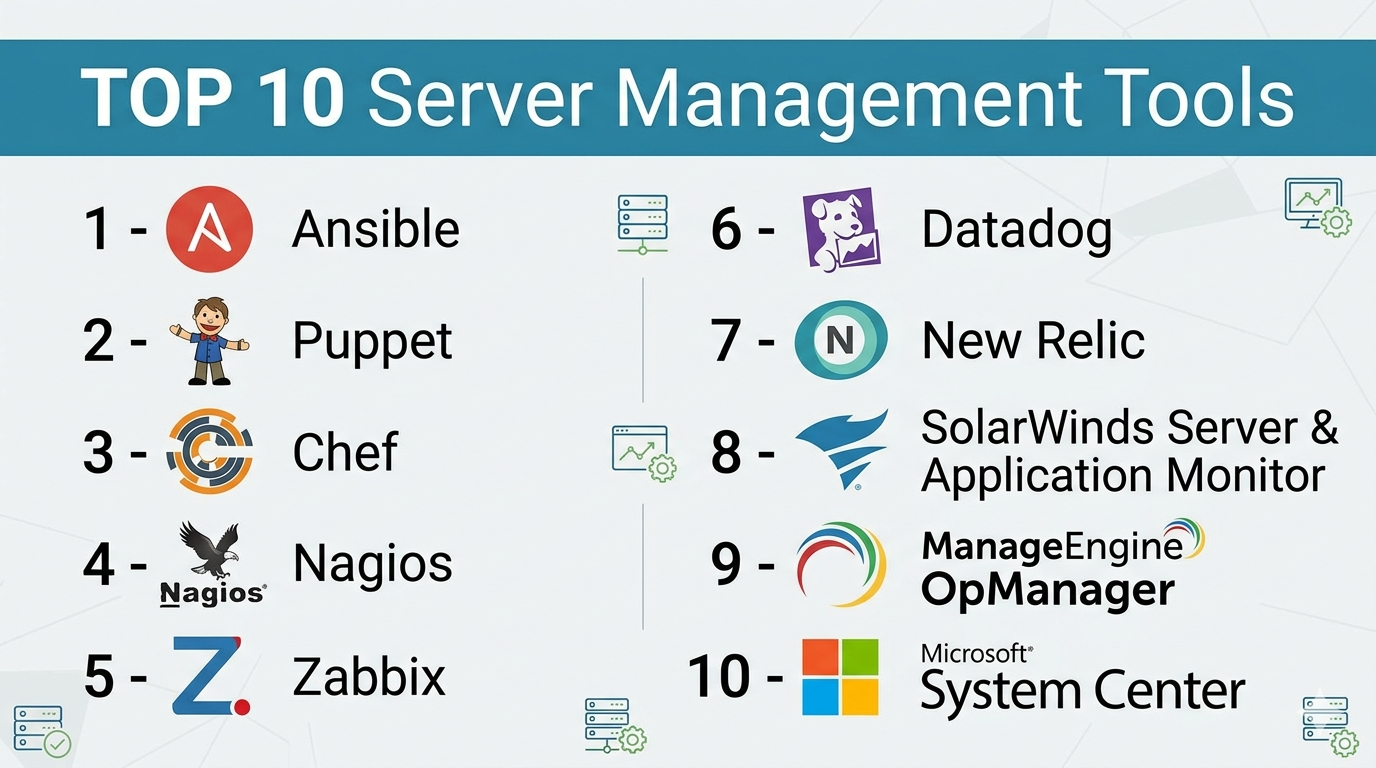
#1 — Ansible
Short description: A powerful open-source automation tool used for configuration management, application deployment, and orchestration. Ideal for DevOps teams.
Key Features
- Agentless architecture using SSH
- YAML-based playbooks for automation
- Configuration management and provisioning
- Integration with cloud providers
- Role-based automation workflows
- Large library of modules
Pros
- Easy to learn and use
- No agents required
Cons
- Limited real-time monitoring
- Can become complex at scale
Platforms / Deployment
Linux / Cloud / Self-hosted
Security & Compliance
RBAC, encryption via SSH, audit logs
Integrations & Ecosystem
Ansible integrates with major cloud platforms and CI/CD tools.
- AWS, Azure, GCP
- Kubernetes
- Jenkins, GitHub Actions
- REST APIs
Support & Community
Strong open-source community and enterprise support via Red Hat.
#2 — Puppet
Short description: A configuration management tool designed for large-scale infrastructure automation.
Key Features
- Declarative language for system configuration
- Automated compliance enforcement
- Reporting and auditing
- Scalable infrastructure management
- Role-based access control
Pros
- Highly scalable
- Strong compliance capabilities
Cons
- Steeper learning curve
- Requires agent installation
Platforms / Deployment
Linux / Windows / Cloud / Self-hosted
Security & Compliance
RBAC, audit logs, encryption
Integrations & Ecosystem
- AWS, Azure
- Docker, Kubernetes
- APIs for extensibility
Support & Community
Enterprise support available; active community.
#3 — Chef
Short description: A DevOps automation platform for infrastructure configuration and compliance.
Key Features
- Infrastructure as Code with Ruby DSL
- Continuous compliance automation
- Policy-based configuration
- Test-driven infrastructure
- Cloud integration
Pros
- Powerful automation
- Strong compliance tools
Cons
- Complex setup
- Requires coding knowledge
Platforms / Deployment
Cloud / Self-hosted / Hybrid
Security & Compliance
RBAC, audit tools, encryption
Integrations & Ecosystem
- AWS, Azure
- CI/CD tools
- APIs and plugins
Support & Community
Enterprise-grade support; strong developer community.
#4 — Nagios
Short description: A widely used monitoring system for servers, networks, and infrastructure.
Key Features
- Real-time monitoring
- Alerting system
- Plugin-based architecture
- Performance tracking
- Dashboard visualization
Pros
- Highly customizable
- Large plugin ecosystem
Cons
- Outdated UI
- Complex configuration
Platforms / Deployment
Linux / Self-hosted
Security & Compliance
Not publicly stated
Integrations & Ecosystem
- Plugins for various services
- APIs
- Third-party tools
Support & Community
Large community; enterprise support available.
#5 — Zabbix
Short description: An open-source monitoring tool for networks and servers.
Key Features
- Agent and agentless monitoring
- Real-time alerts
- Data visualization dashboards
- Auto-discovery of devices
- Scalability
Pros
- Free and open-source
- Scalable
Cons
- Setup complexity
- UI can be overwhelming
Platforms / Deployment
Linux / Cloud / Self-hosted
Security & Compliance
Encryption, RBAC
Integrations & Ecosystem
- APIs
- Cloud integrations
- SNMP support
Support & Community
Strong open-source community.
#6 — Datadog
Short description: A cloud-based monitoring and analytics platform for modern infrastructure.
Key Features
- Unified observability (logs, metrics, traces)
- AI-based anomaly detection
- Real-time dashboards
- Cloud-native monitoring
- Integration with DevOps tools
Pros
- Easy to use
- Powerful analytics
Cons
- Expensive at scale
- Requires configuration
Platforms / Deployment
Cloud
Security & Compliance
SSO, RBAC, encryption
Integrations & Ecosystem
- AWS, Azure, GCP
- Kubernetes
- CI/CD tools
Support & Community
Strong enterprise support.
#7 — New Relic
Short description: A full-stack observability platform for monitoring applications and infrastructure.
Key Features
- Real-time monitoring
- Distributed tracing
- Log management
- AI insights
- Custom dashboards
Pros
- Comprehensive monitoring
- Flexible dashboards
Cons
- Pricing complexity
- Learning curve
Platforms / Deployment
Cloud
Security & Compliance
SSO, RBAC, encryption
Integrations & Ecosystem
- Cloud providers
- APIs
- DevOps tools
Support & Community
Enterprise support and documentation.
#8 — SolarWinds Server & Application Monitor
Short description: A robust monitoring tool for enterprise IT infrastructure.
Key Features
- Application and server monitoring
- Dependency mapping
- Performance tracking
- Alerting system
- Custom dashboards
Pros
- Deep visibility
- Enterprise-grade features
Cons
- Expensive
- Heavy setup
Platforms / Deployment
Windows / On-prem / Hybrid
Security & Compliance
RBAC, encryption
Integrations & Ecosystem
- Microsoft ecosystem
- APIs
- Third-party tools
Support & Community
Strong enterprise support.
#9 — ManageEngine OpManager
Short description: A network and server monitoring tool for IT teams.
Key Features
- Network monitoring
- Server performance tracking
- Alerts and notifications
- Visualization dashboards
- Automation workflows
Pros
- Affordable
- Easy to deploy
Cons
- Limited advanced features
- UI can feel dated
Platforms / Deployment
Windows / Linux / On-prem / Cloud
Security & Compliance
RBAC, encryption
Integrations & Ecosystem
- APIs
- ITSM tools
- Cloud platforms
Support & Community
Good support; moderate community.
#10 — Microsoft System Center
Short description: A suite of tools for managing enterprise IT infrastructure.
Key Features
- Centralized server management
- Virtual machine management
- Automation and orchestration
- Patch management
- Integration with Microsoft ecosystem
Pros
- Strong integration with Windows
- Enterprise-ready
Cons
- Complex licensing
- Limited outside Microsoft ecosystem
Platforms / Deployment
Windows / On-prem / Hybrid
Security & Compliance
RBAC, audit logs
Integrations & Ecosystem
- Azure
- Active Directory
- Microsoft tools
Support & Community
Enterprise support; strong documentation.
Comparison Table (Top 10)
| Tool Name | Best For | Platform(s) Supported | Deployment | Standout Feature | Public Rating |
|---|---|---|---|---|---|
| Ansible | Automation | Linux | Self-hosted | Agentless automation | N/A |
| Puppet | Enterprise config | Linux, Windows | Hybrid | Compliance automation | N/A |
| Chef | DevOps teams | Multi-platform | Hybrid | Policy-based automation | N/A |
| Nagios | Monitoring | Linux | Self-hosted | Plugin ecosystem | N/A |
| Zabbix | Open-source monitoring | Linux | Hybrid | Scalability | N/A |
| Datadog | Cloud monitoring | Web | Cloud | AI insights | N/A |
| New Relic | Observability | Web | Cloud | Full-stack monitoring | N/A |
| SolarWinds | Enterprise IT | Windows | Hybrid | Deep insights | N/A |
| OpManager | SMB IT teams | Multi-platform | Hybrid | Ease of use | N/A |
| System Center | Microsoft environments | Windows | Hybrid | Integration | N/A |
Server Management Tools (Scoring)
| Tool Name | Core (25%) | Ease (15%) | Integrations (15%) | Security (10%) | Performance (10%) | Support (10%) | Value (15%) | Weighted Total |
|---|---|---|---|---|---|---|---|---|
| Ansible | 9 | 8 | 9 | 8 | 8 | 9 | 9 | 8.7 |
| Puppet | 9 | 6 | 8 | 9 | 9 | 8 | 7 | 8.2 |
| Chef | 9 | 6 | 8 | 9 | 9 | 8 | 7 | 8.2 |
| Nagios | 7 | 6 | 7 | 6 | 7 | 7 | 8 | 6.9 |
| Zabbix | 8 | 7 | 7 | 7 | 8 | 7 | 9 | 7.8 |
| Datadog | 9 | 9 | 9 | 9 | 9 | 9 | 6 | 8.8 |
| New Relic | 9 | 8 | 9 | 9 | 9 | 8 | 6 | 8.6 |
| SolarWinds | 9 | 7 | 8 | 8 | 9 | 8 | 6 | 8.0 |
| OpManager | 8 | 8 | 7 | 7 | 8 | 7 | 8 | 7.8 |
| System Center | 8 | 6 | 8 | 8 | 9 | 8 | 6 | 7.9 |
How to interpret:
- Scores are relative comparisons across tools.
- Weighted totals highlight overall balance.
- Higher scores don’t always mean better—fit matters.
- Consider your use case, not just rankings.
Which Service Mesh Platforms Is Right for You?
Solo / Freelancer
- Use lightweight tools like Zabbix or Ansible
- Avoid complex enterprise platforms
SMB
- ManageEngine OpManager or Datadog
- Balance cost and ease of use
Mid-Market
- Puppet, Chef, or New Relic
- Focus on automation and observability
Enterprise
- SolarWinds or Microsoft System Center
- Advanced compliance and scalability
Budget vs Premium
- Budget: Zabbix, Nagios
- Premium: Datadog, New Relic
Feature Depth vs Ease of Use
- Easy: Datadog, OpManager
- Advanced: Chef, Puppet
Integrations & Scalability
- Strong integrations: Datadog, New Relic
- Limited: Nagios
Security & Compliance Needs
- High compliance: Puppet, Chef
- Basic: Nagios
Server Management Tools (FAQs)
What are server management tools?
They help monitor, configure, and maintain servers efficiently.
Are these tools cloud-based?
Some are cloud-based, others are on-prem or hybrid.
How much do they cost?
Pricing varies widely; many use subscription models.
Are open-source tools reliable?
Yes, tools like Zabbix and Nagios are widely used.
Do they support automation?
Yes, especially tools like Ansible and Chef.
Are they secure?
Most include RBAC, encryption, and audit logs.
Can they scale?
Yes, enterprise tools are designed for scalability.
What are common mistakes?
Overcomplicating setups and ignoring integrations.
How long does setup take?
From hours to weeks depending on complexity.
Can I switch tools later?
Yes, but migration requires planning.
Conclusion
Server management tools are essential for modern IT operations, enabling teams to automate, monitor, and secure infrastructure at scale. From open-source solutions like Zabbix to enterprise platforms like Datadog and System Center, the right choice depends heavily on your team size, infrastructure complexity, and budget.
