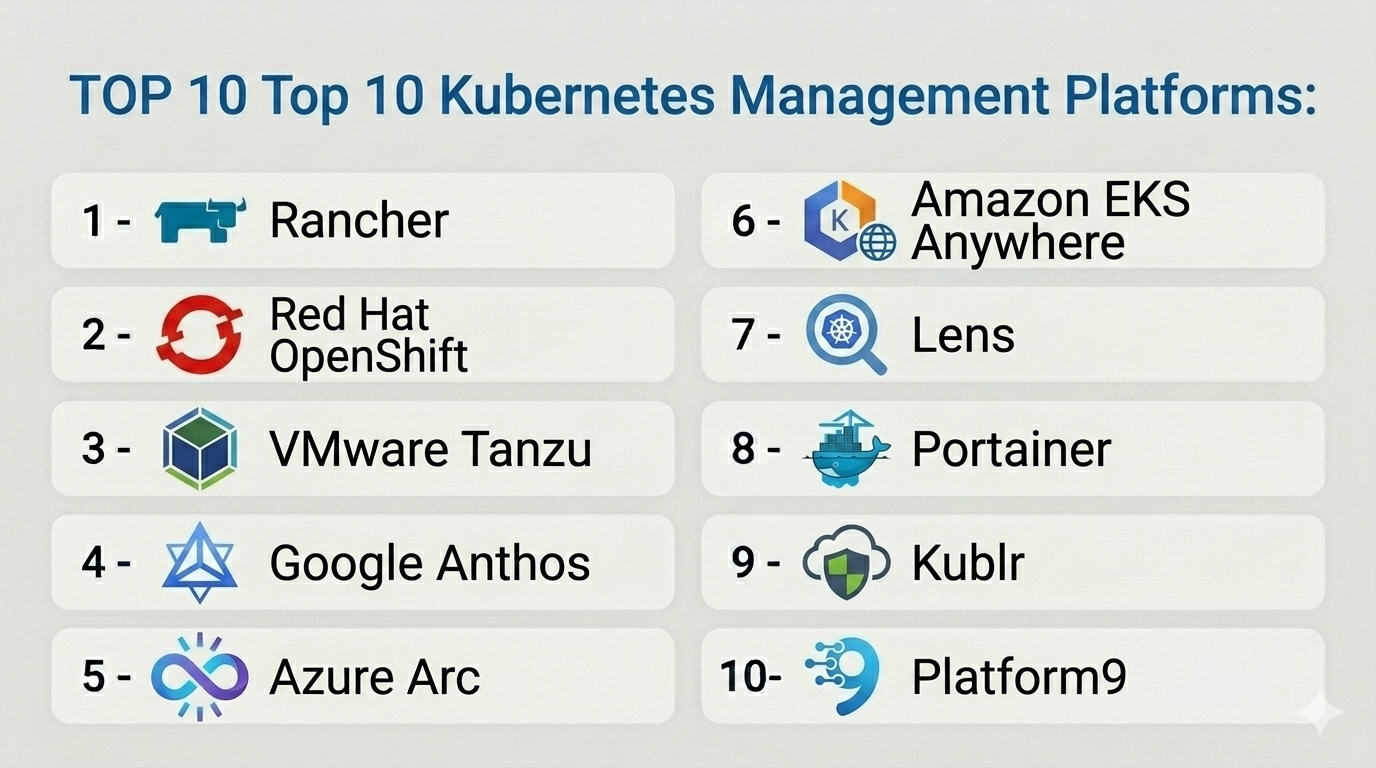
Introduction
Kubernetes Management Platforms are tools designed to simplify the deployment, operation, monitoring, and governance of Kubernetes clusters. While Kubernetes itself provides powerful orchestration capabilities, managing clusters at scale—especially across multiple environments—can be complex. These platforms add a layer of abstraction, automation, and visibility to help teams operate Kubernetes efficiently.
As organizations adopt multi-cloud and hybrid cloud strategies, Kubernetes management platforms play a critical role in centralizing control, improving security, and enabling DevOps workflows. They help reduce operational overhead while enhancing developer productivity and infrastructure reliability.
Real-world use cases include:
- Managing multiple Kubernetes clusters across clouds
- Enforcing security and compliance policies
- Monitoring performance and resource usage
- Automating cluster provisioning and scaling
- Enabling self-service environments for developers
Key evaluation criteria buyers should consider:
- Multi-cluster and multi-cloud support
- Ease of deployment and user experience
- Security features (RBAC, policy enforcement, secrets management)
- Observability (monitoring, logging, alerts)
- Automation and lifecycle management
- Integration with CI/CD and DevOps tools
- Role-based access and governance
- Scalability and performance
- Cost and licensing model
Best for: DevOps teams, platform engineers, enterprises, and organizations managing Kubernetes at scale.
Not ideal for: Small teams running a single cluster or organizations without Kubernetes expertise.
Key Trends in Kubernetes Management Platforms
- Multi-cluster management as a standard: Central dashboards for all clusters
- GitOps-first workflows: Managing infrastructure and apps via Git repositories
- Policy-as-code: Automated enforcement of security and compliance rules
- AI-driven observability: Predictive insights and anomaly detection
- Platform engineering adoption: Internal developer platforms built on Kubernetes
- Integration with service meshes: Advanced traffic management and security
- Hybrid and multi-cloud orchestration: Unified control across environments
- Self-service portals: Developers provisioning resources independently
- Cost governance tools: Tracking and optimizing cluster usage
- Security posture management: Continuous compliance monitoring
How We Selected These Tools (Methodology)
We selected the top Kubernetes management platforms based on:
- Market adoption and ecosystem strength
- Feature completeness (management, monitoring, governance)
- Multi-cluster and multi-cloud capabilities
- Security and compliance features
- Integration ecosystem (CI/CD, DevOps, cloud providers)
- Ease of use and developer experience
- Scalability and performance
- Vendor support and community strength
- Suitability for different organization sizes
Top 10 Kubernetes Management Platforms
#1 — Rancher
Short description: A widely used open-source platform for managing Kubernetes clusters across multiple environments.
Key Features
- Multi-cluster management
- Centralized dashboard
- Role-based access control
- Built-in monitoring and logging
- Multi-cloud support
- Cluster provisioning
- Policy management
Pros
- Strong multi-cluster capabilities
- Open-source and flexible
Cons
- Requires Kubernetes knowledge
- UI complexity for beginners
Platforms / Deployment
Linux
Cloud / On-premise / Hybrid
Security & Compliance
RBAC, encryption
Compliance certifications: Not publicly stated
Integrations & Ecosystem
Rancher integrates deeply with Kubernetes and DevOps ecosystems.
- CI/CD tools
- Cloud providers
- APIs
- Monitoring tools
Support & Community
Strong open-source community and enterprise support options.
#2 — Red Hat OpenShift
Short description: An enterprise Kubernetes platform with integrated management, security, and developer tools.
Key Features
- Kubernetes orchestration and management
- Built-in CI/CD pipelines
- Security and compliance tools
- Multi-cloud support
- Monitoring and logging
- Developer portal
- Automation tools
Pros
- Enterprise-ready
- Strong security and governance
Cons
- Expensive
- Requires expertise
Platforms / Deployment
Linux
Cloud / On-premise / Hybrid
Security & Compliance
RBAC, encryption, policy enforcement
Compliance certifications: Not publicly stated
Integrations & Ecosystem
- Red Hat ecosystem
- DevOps tools
- APIs
Support & Community
Strong enterprise support.
#3 — VMware Tanzu
Short description: A Kubernetes management platform designed for VMware environments and enterprise workloads.
Key Features
- Multi-cluster management
- Kubernetes lifecycle management
- Integration with VMware tools
- Security features
- Automation and orchestration
- Monitoring tools
- Application modernization support
Pros
- Strong VMware integration
- Enterprise scalability
Cons
- Requires VMware ecosystem
- Licensing cost
Platforms / Deployment
Cloud / On-premise / Hybrid
Security & Compliance
RBAC, encryption
Compliance certifications: Not publicly stated
Integrations & Ecosystem
- VMware ecosystem
- APIs
- DevOps tools
Support & Community
Enterprise-level support.
#4 — Google Anthos
Short description: A hybrid and multi-cloud Kubernetes management platform from Google.
Key Features
- Multi-cluster management
- Hybrid cloud support
- Policy enforcement
- Monitoring and logging
- Service mesh integration
- Automation tools
- Security controls
Pros
- Strong multi-cloud capabilities
- Advanced policy management
Cons
- Complex setup
- Google Cloud dependency
Platforms / Deployment
Cloud / On-premise / Hybrid
Security & Compliance
RBAC, encryption
Compliance certifications: Not publicly stated
Integrations & Ecosystem
- Google Cloud services
- APIs
- DevOps tools
Support & Community
Strong enterprise support.
#5 — Azure Arc (Kubernetes)
Short description: A management platform for extending Azure services to Kubernetes clusters anywhere.
Key Features
- Multi-cluster management
- Policy enforcement
- Integration with Azure services
- Monitoring and governance
- GitOps support
- Security features
- Automation tools
Pros
- Strong Azure integration
- Hybrid cloud capabilities
Cons
- Azure dependency
- Learning curve
Platforms / Deployment
Cloud / On-premise / Hybrid
Security & Compliance
RBAC, encryption
Compliance certifications: Not publicly stated
Integrations & Ecosystem
- Azure ecosystem
- APIs
- DevOps tools
Support & Community
Enterprise support.
#6 — Amazon EKS Anywhere
Short description: A Kubernetes management solution for running EKS on-premises.
Key Features
- Kubernetes lifecycle management
- Hybrid deployment support
- Integration with AWS services
- Automation tools
- Monitoring
- Security controls
- Cluster management
Pros
- Extends AWS capabilities on-prem
- Consistent experience
Cons
- AWS dependency
- Limited flexibility
Platforms / Deployment
Cloud / On-premise / Hybrid
Security & Compliance
IAM, RBAC, encryption
Compliance certifications: Not publicly stated
Integrations & Ecosystem
- AWS ecosystem
- APIs
- DevOps tools
Support & Community
Strong cloud support.
#7 — Lens (Kubernetes IDE)
Short description: A desktop-based Kubernetes management tool focused on developer experience.
Key Features
- Cluster visualization
- Real-time monitoring
- Multi-cluster support
- Kubernetes IDE features
- Resource management
- Logs and metrics
- Plugin support
Pros
- Developer-friendly
- Easy visualization
Cons
- Not enterprise-grade management
- Limited automation
Platforms / Deployment
Windows / macOS / Linux
Local
Security & Compliance
RBAC
Compliance certifications: Not publicly stated
Integrations & Ecosystem
- Kubernetes ecosystem
- Plugins
- APIs
Support & Community
Active community.
#8 — Portainer
Short description: A lightweight management UI for Kubernetes and Docker environments.
Key Features
- Web-based dashboard
- Multi-cluster support
- Role-based access control
- Monitoring tools
- Easy deployment
- Lightweight setup
- Environment management
Pros
- Easy to use
- Lightweight
Cons
- Limited advanced features
- Not ideal for large enterprises
Platforms / Deployment
Windows / macOS / Linux
Cloud / On-premise
Security & Compliance
RBAC
Compliance certifications: Not publicly stated
Integrations & Ecosystem
- Docker and Kubernetes tools
- APIs
Support & Community
Strong community.
#9 — Kublr
Short description: An enterprise Kubernetes management platform focused on automation and security.
Key Features
- Cluster lifecycle management
- Automation tools
- Security controls
- Multi-cloud support
- Monitoring and logging
- Policy enforcement
- Scalability
Pros
- Strong automation
- Enterprise-ready
Cons
- Smaller ecosystem
- Less mainstream adoption
Platforms / Deployment
Cloud / On-premise / Hybrid
Security & Compliance
RBAC, encryption
Compliance certifications: Not publicly stated
Integrations & Ecosystem
- Cloud providers
- APIs
- DevOps tools
Support & Community
Enterprise support.
#10 — Platform9
Short description: A SaaS-based Kubernetes management platform for hybrid and multi-cloud environments.
Key Features
- Managed Kubernetes
- Multi-cluster management
- Automation tools
- Monitoring and logging
- Security controls
- SaaS delivery model
- Hybrid cloud support
Pros
- Fully managed experience
- Easy deployment
Cons
- Subscription cost
- Limited customization
Platforms / Deployment
Cloud / Hybrid
Security & Compliance
RBAC, encryption
Compliance certifications: Not publicly stated
Integrations & Ecosystem
- Cloud providers
- APIs
- DevOps tools
Support & Community
Good enterprise support.
Comparison Table (Top 10)
| Tool Name | Best For | Platform(s) Supported | Deployment | Standout Feature | Public Rating |
|---|---|---|---|---|---|
| Rancher | Multi-cluster mgmt | Linux | Hybrid | Open-source flexibility | N/A |
| OpenShift | Enterprises | Linux | Hybrid | Built-in DevOps | N/A |
| VMware Tanzu | VMware users | Hybrid | Hybrid | VMware integration | N/A |
| Google Anthos | Multi-cloud | Hybrid | Hybrid | Policy mgmt | N/A |
| Azure Arc | Azure users | Hybrid | Hybrid | Hybrid control | N/A |
| EKS Anywhere | AWS hybrid | Hybrid | Hybrid | AWS consistency | N/A |
| Lens | Developers | Multi-platform | Local | Visualization | N/A |
| Portainer | SMB | Multi-platform | Hybrid | Simplicity | N/A |
| Kublr | Enterprises | Hybrid | Hybrid | Automation | N/A |
| Platform9 | SaaS users | Hybrid | Cloud | Managed platform | N/A |
Kubernetes Management Platforms Scoring
| Tool Name | Core (25%) | Ease (15%) | Integrations (15%) | Security (10%) | Performance (10%) | Support (10%) | Value (15%) | Weighted Total |
|---|---|---|---|---|---|---|---|---|
| Rancher | 9 | 7 | 9 | 8 | 8 | 8 | 9 | 8.4 |
| OpenShift | 9 | 7 | 9 | 9 | 9 | 9 | 7 | 8.6 |
| VMware Tanzu | 9 | 7 | 8 | 9 | 9 | 8 | 7 | 8.3 |
| Anthos | 9 | 6 | 9 | 9 | 9 | 8 | 7 | 8.2 |
| Azure Arc | 8 | 7 | 9 | 9 | 8 | 8 | 8 | 8.3 |
| EKS Anywhere | 8 | 7 | 9 | 9 | 8 | 8 | 7 | 8.1 |
| Lens | 6 | 9 | 7 | 7 | 7 | 7 | 9 | 7.6 |
| Portainer | 6 | 9 | 6 | 7 | 7 | 7 | 9 | 7.5 |
| Kublr | 8 | 7 | 8 | 8 | 8 | 7 | 7 | 7.8 |
| Platform9 | 8 | 8 | 8 | 8 | 8 | 8 | 7 | 8.0 |
How to interpret:
- Enterprise platforms score higher in security and integrations
- Open-source tools provide better value and flexibility
- SaaS tools rank higher in ease of use
- Developer tools focus on usability rather than full lifecycle management
- Choose based on scale and operational complexity
Which Kubernetes Management Platform Is Right for You?
Solo / Freelancer
Lens or Portainer for lightweight management.
SMB
Portainer or Rancher for simplicity and flexibility.
Mid-Market
Rancher, Platform9, or Azure Arc for balanced capabilities.
Enterprise
OpenShift, VMware Tanzu, or Anthos for full-scale management.
Budget vs Premium
- Budget: Rancher, Portainer
- Premium: OpenShift, Anthos
Feature Depth vs Ease of Use
- Easy: Platform9, Portainer
- Advanced: OpenShift, Tanzu
Integrations & Scalability
Choose cloud-native platforms for best integrations.
Security & Compliance Needs
Enterprise tools with policy enforcement and governance are preferred.
Frequently Asked Questions (FAQs)
What is a Kubernetes management platform?
It simplifies managing Kubernetes clusters and workloads.
Do I need one?
Yes, for multi-cluster or large-scale environments.
Is Kubernetes enough on its own?
For small setups, yes—but management platforms add efficiency.
Are these tools cloud-based?
Some are SaaS, others support hybrid or on-premise.
Is it secure?
Yes, with RBAC and policy controls.
Can it manage multiple clusters?
Yes, that’s a core feature.
Does it support automation?
Most tools include automation capabilities.
Is it expensive?
Varies by vendor and deployment model.
Can developers use it?
Yes, many tools include developer-friendly features.
How do I choose?
Based on scale, expertise, and ecosystem.
Conclusion
Kubernetes Management Platforms are essential for organizations running Kubernetes at scale. They simplify operations, enhance security, and improve developer productivity across multi-cloud and hybrid environments.
