Introduction
Container Platforms are software solutions that enable organizations to build, run, manage, and scale containerized applications. Containers package applications along with their dependencies, ensuring consistency across development, testing, and production environments. Container platforms go beyond simple container runtimes by providing orchestration, networking, security, and lifecycle management.
With the widespread adoption of microservices architectures and cloud-native development, container platforms have become essential for modern DevOps and platform engineering teams. They allow faster deployments, better scalability, and improved resource efficiency compared to traditional virtual machines.
Real-world use cases include:
- Deploying microservices-based applications
- Managing CI/CD pipelines for modern apps
- Running scalable web applications
- Supporting hybrid and multi-cloud workloads
- Building developer platforms and internal tools
Key evaluation criteria buyers should consider:
- Container orchestration capabilities
- Ease of deployment and management
- Scalability and performance
- Security features (RBAC, image scanning, policies)
- Integration with CI/CD and DevOps tools
- Multi-cloud and hybrid support
- Networking and service discovery
- Monitoring and observability
- Cost and licensing model
Best for: DevOps teams, platform engineers, cloud-native startups, enterprises modernizing applications, and organizations adopting microservices.
Not ideal for: Small teams running simple applications or organizations without DevOps maturity—simpler PaaS or traditional hosting may be sufficient.
Key Trends in Container Platforms
- Kubernetes dominance: Most platforms are built around Kubernetes orchestration
- Platform engineering rise: Internal developer platforms (IDPs) built on containers
- AI-driven operations: Automated scaling and anomaly detection
- Serverless containers: Event-driven execution models
- Security-first containers: Image scanning, runtime protection, zero-trust policies
- Multi-cloud portability: Workloads moving seamlessly across cloud providers
- GitOps adoption: Infrastructure and deployments managed via Git workflows
- Observability integration: Built-in monitoring, logging, and tracing
- Edge containerization: Running containers closer to users/devices
- Cost optimization tools: Better resource utilization and autoscaling
How We Selected These Tools (Methodology)
We evaluated container platforms based on:
- Market adoption and ecosystem strength
- Kubernetes and orchestration capabilities
- Feature completeness (networking, storage, scaling)
- Security and compliance features
- Integration with CI/CD and DevOps tools
- Ease of use and developer experience
- Scalability across workloads
- Multi-cloud and hybrid capabilities
- Vendor support and community strength
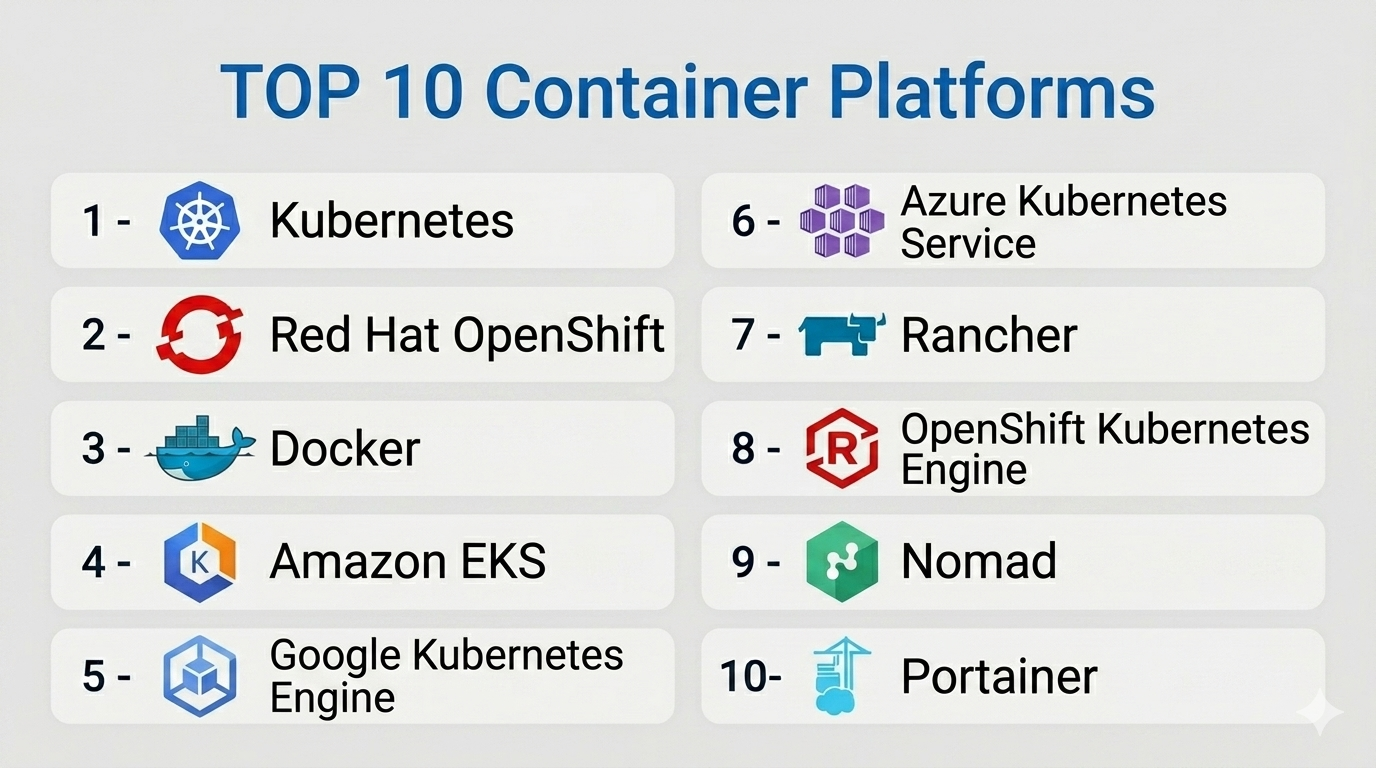
Top 10 Container Platforms
#1 — Kubernetes
Short description: The industry-standard open-source container orchestration platform used to manage containerized workloads at scale.
Key Features
- Automated container orchestration
- Self-healing and auto-scaling
- Service discovery and load balancing
- Rolling updates and rollbacks
- Storage orchestration
- Multi-cloud support
- Extensible API
Pros
- Highly flexible and scalable
- Massive ecosystem and community
Cons
- Steep learning curve
- Complex setup and management
Platforms / Deployment
Linux
Cloud / On-premise / Hybrid
Security & Compliance
RBAC, network policies, encryption
Compliance certifications: Not publicly stated
Integrations & Ecosystem
Kubernetes integrates with nearly all modern DevOps tools and cloud platforms.
- CI/CD tools
- Monitoring tools
- Cloud providers
- APIs
Support & Community
Very large open-source community and enterprise support via vendors.
#2 — Red Hat OpenShift
Short description: An enterprise Kubernetes platform with enhanced developer and security features.
Key Features
- Kubernetes-based orchestration
- Built-in CI/CD pipelines
- Developer tools and templates
- Security policies
- Multi-cloud support
- Monitoring and logging
- Automation tools
Pros
- Enterprise-ready
- Strong security features
Cons
- Expensive
- Requires expertise
Platforms / Deployment
Linux
Cloud / On-premise / Hybrid
Security & Compliance
RBAC, encryption, policy enforcement
Compliance certifications: Not publicly stated
Integrations & Ecosystem
- Red Hat ecosystem
- DevOps tools
- APIs
Support & Community
Strong enterprise support.
#3 — Docker (Docker Engine & Docker Desktop)
Short description: A widely used container platform for building and running containers, especially in development environments.
Key Features
- Container runtime
- Image creation and management
- Developer-friendly tools
- Cross-platform support
- Container registry integration
- CLI and GUI tools
- Lightweight containers
Pros
- Easy to use
- Ideal for developers
Cons
- Not a full orchestration platform alone
- Requires Kubernetes for scaling
Platforms / Deployment
Windows / macOS / Linux
Local / Cloud
Security & Compliance
Basic security features, image scanning (varies)
Compliance certifications: Not publicly stated
Integrations & Ecosystem
- CI/CD tools
- Container registries
- APIs
Support & Community
Very strong developer community.
#4 — Amazon EKS
Short description: A managed Kubernetes service that simplifies running Kubernetes on AWS.
Key Features
- Managed Kubernetes control plane
- Auto-scaling
- Integration with AWS services
- High availability
- Security controls
- Monitoring tools
- Managed updates
Pros
- Fully managed
- Scalable and reliable
Cons
- AWS dependency
- Cost complexity
Platforms / Deployment
Cloud
Security & Compliance
IAM, encryption, RBAC
Compliance certifications: Not publicly stated
Integrations & Ecosystem
- AWS ecosystem
- DevOps tools
- APIs
Support & Community
Strong cloud support.
#5 — Google Kubernetes Engine (GKE)
Short description: A managed Kubernetes platform offering advanced automation and performance optimization.
Key Features
- Managed Kubernetes
- Auto-scaling and auto-upgrades
- Integration with Google Cloud
- Monitoring and logging
- Security features
- High availability
- Developer tools
Pros
- Easy Kubernetes management
- Strong performance
Cons
- Google Cloud dependency
- Pricing complexity
Platforms / Deployment
Cloud
Security & Compliance
RBAC, encryption
Compliance certifications: Not publicly stated
Integrations & Ecosystem
- Google Cloud services
- APIs
- DevOps tools
Support & Community
Strong cloud support.
#6 — Azure Kubernetes Service (AKS)
Short description: A managed Kubernetes service integrated with Microsoft Azure.
Key Features
- Managed Kubernetes clusters
- Auto-scaling
- Integration with Azure services
- Security features
- Monitoring tools
- CI/CD integration
- High availability
Pros
- Strong Microsoft integration
- Easy to deploy
Cons
- Azure dependency
- Learning curve for beginners
Platforms / Deployment
Cloud
Security & Compliance
RBAC, encryption, IAM
Compliance certifications: Not publicly stated
Integrations & Ecosystem
- Azure ecosystem
- DevOps tools
- APIs
Support & Community
Enterprise-level support.
#7 — Rancher
Short description: A container management platform for managing Kubernetes clusters across environments.
Key Features
- Multi-cluster management
- Centralized dashboard
- Kubernetes distribution
- Role-based access control
- Monitoring tools
- Multi-cloud support
- Automation
Pros
- Simplifies Kubernetes management
- Multi-cloud flexibility
Cons
- Requires Kubernetes knowledge
- UI complexity for beginners
Platforms / Deployment
Linux
Cloud / On-premise / Hybrid
Security & Compliance
RBAC, encryption
Compliance certifications: Not publicly stated
Integrations & Ecosystem
- Kubernetes ecosystem
- APIs
- DevOps tools
Support & Community
Strong open-source community.
#8 — OpenShift Kubernetes Engine (OKE)
Short description: A lightweight Kubernetes engine from Red Hat for simplified deployments.
Key Features
- Kubernetes orchestration
- Lightweight deployment
- Security features
- Integration with OpenShift
- Automation tools
- Monitoring
- Scalability
Pros
- Simplified Kubernetes
- Lower overhead
Cons
- Limited features compared to full OpenShift
- Smaller ecosystem
Platforms / Deployment
Linux
Cloud / On-premise
Security & Compliance
RBAC, encryption
Compliance certifications: Not publicly stated
Integrations & Ecosystem
- Red Hat tools
- APIs
Support & Community
Moderate support.
#9 — Nomad (HashiCorp)
Short description: A flexible workload orchestrator supporting containers and other workloads.
Key Features
- Lightweight orchestration
- Multi-workload support
- Simple architecture
- High scalability
- Integration with HashiCorp tools
- Scheduling and automation
- Multi-cloud support
Pros
- Easy to deploy
- Supports multiple workloads
Cons
- Smaller ecosystem than Kubernetes
- Limited advanced features
Platforms / Deployment
Linux
Cloud / On-premise / Hybrid
Security & Compliance
ACLs, encryption
Compliance certifications: Not publicly stated
Integrations & Ecosystem
- HashiCorp tools
- APIs
- DevOps ecosystem
Support & Community
Growing community.
#10 — Portainer
Short description: A lightweight container management UI for Docker and Kubernetes environments.
Key Features
- Web-based UI
- Docker and Kubernetes support
- Role-based access control
- Monitoring dashboards
- Easy deployment
- Multi-environment support
- Lightweight setup
Pros
- Easy to use
- Lightweight
Cons
- Limited advanced orchestration
- Not enterprise-grade alone
Platforms / Deployment
Windows / macOS / Linux
Cloud / On-premise
Security & Compliance
RBAC
Compliance certifications: Not publicly stated
Integrations & Ecosystem
- Docker ecosystem
- APIs
Support & Community
Active community.
Comparison Table (Top 10)
| Tool Name | Best For | Platform(s) Supported | Deployment | Standout Feature | Public Rating |
|---|---|---|---|---|---|
| Kubernetes | Enterprises | Linux | Hybrid | Industry standard | N/A |
| OpenShift | Enterprises | Linux | Hybrid | Enterprise Kubernetes | N/A |
| Docker | Developers | Multi-platform | Local/Cloud | Ease of use | N/A |
| Amazon EKS | AWS users | Cloud | Cloud | Managed Kubernetes | N/A |
| GKE | Google users | Cloud | Cloud | Automation | N/A |
| AKS | Microsoft users | Cloud | Cloud | Azure integration | N/A |
| Rancher | Multi-cloud | Linux | Hybrid | Multi-cluster mgmt | N/A |
| OKE | Lightweight users | Linux | Hybrid | Simplicity | N/A |
| Nomad | Flexible workloads | Linux | Hybrid | Lightweight orchestration | N/A |
| Portainer | SMB/Developers | Multi-platform | Hybrid | UI simplicity | N/A |
Container Platforms Scoring
| Tool Name | Core (25%) | Ease (15%) | Integrations (15%) | Security (10%) | Performance (10%) | Support (10%) | Value (15%) | Weighted Total |
|---|---|---|---|---|---|---|---|---|
| Kubernetes | 10 | 6 | 10 | 9 | 10 | 9 | 9 | 9.2 |
| OpenShift | 9 | 7 | 9 | 9 | 9 | 9 | 7 | 8.6 |
| Docker | 7 | 9 | 8 | 7 | 8 | 9 | 9 | 8.2 |
| Amazon EKS | 9 | 8 | 10 | 9 | 9 | 9 | 7 | 8.8 |
| GKE | 9 | 9 | 10 | 9 | 9 | 9 | 7 | 9.0 |
| AKS | 9 | 8 | 9 | 9 | 9 | 9 | 8 | 8.8 |
| Rancher | 8 | 7 | 9 | 8 | 8 | 8 | 9 | 8.3 |
| OKE | 7 | 7 | 7 | 8 | 7 | 7 | 8 | 7.3 |
| Nomad | 8 | 8 | 7 | 8 | 8 | 7 | 9 | 8.1 |
| Portainer | 6 | 9 | 6 | 7 | 7 | 7 | 9 | 7.5 |
How to interpret:
- Kubernetes-based tools dominate in core capabilities
- Managed services score higher in ease of use
- Open-source tools offer better value
- Enterprise platforms rank higher in security and integrations
- Choose based on complexity and team expertise
Which Container Platform Is Right for You?
Solo / Freelancer
Docker or Portainer for simplicity and local development.
SMB
Portainer or Rancher for ease of management.
Mid-Market
AKS, GKE, or EKS for managed scalability.
Enterprise
Kubernetes, OpenShift, or multi-cloud platforms.
Budget vs Premium
- Budget: Kubernetes, Docker
- Premium: OpenShift, managed cloud services
Feature Depth vs Ease of Use
- Easy: Docker, Portainer
- Advanced: Kubernetes, OpenShift
Integrations & Scalability
Choose managed Kubernetes for best integrations.
Security & Compliance Needs
Enterprise tools with RBAC and policy enforcement are preferred.
Frequently Asked Questions (FAQs)
What is a container platform?
It manages containerized applications and infrastructure.
Is Kubernetes necessary?
Not always, but it’s the industry standard.
Are containers better than VMs?
They are lighter and faster but serve different use cases.
Is it secure?
Yes, with proper policies and controls.
Can it scale?
Yes, container platforms are highly scalable.
Do I need DevOps knowledge?
Most platforms require some expertise.
Is it expensive?
Depends on deployment and scale.
Can it run anywhere?
Yes, containers are portable.
What industries use it?
Tech, finance, healthcare, and more.
How do I choose?
Based on complexity, scale, and team skills.
Conclusion
Container platforms are essential for building and managing modern, scalable applications. From simple developer tools to enterprise-grade orchestration systems, the ecosystem offers solutions for every level of complexity.
