Introduction
Virtual Desktop Infrastructure (VDI) is a technology that allows organizations to host desktop environments on centralized servers and deliver them to users over a network. Instead of running applications and storing data on local machines, users access a virtual desktop that resides in a data center or cloud environment.
VDI has become a core component of modern IT strategies, especially with the rise of remote work, secure data access requirements, and centralized IT management. It enables organizations to improve security, reduce hardware dependency, and provide consistent user experiences across devices.
Real-world use cases include:
- Enabling remote work with secure virtual desktops
- Providing standardized environments for developers or employees
- Supporting call centers and distributed workforces
- Managing sensitive data in regulated industries
- Delivering applications to contractors or temporary staff
Key evaluation criteria buyers should consider:
- Performance and latency
- Scalability and user concurrency
- Security features (encryption, MFA, RBAC)
- Deployment flexibility (cloud, on-premise, hybrid)
- Cost and licensing models
- Integration with identity and access management systems
- User experience and interface
- Monitoring and analytics capabilities
- Support for GPU and high-performance workloads
Best for: Enterprises, IT teams, educational institutions, healthcare organizations, and businesses with remote or distributed workforces.
Not ideal for: Small teams with minimal remote access needs or organizations without IT resources to manage infrastructure.
Key Trends in Virtual Desktop Infrastructure (VDI)
- Cloud-hosted VDI adoption: Shift toward fully managed cloud desktop services
- Desktop-as-a-Service (DaaS): Subscription-based virtual desktops
- Zero-trust security models: Strong identity and access controls
- GPU-enabled virtual desktops: Support for design and engineering workloads
- AI-driven performance optimization: Automated resource allocation
- Hybrid VDI deployments: Combining on-premise and cloud environments
- Integration with identity providers: Seamless authentication (SSO, IAM)
- Improved user experience: Lower latency and better graphics performance
- Automation and orchestration: Simplified provisioning and scaling
- Cost optimization tools: Usage-based billing and monitoring
How We Selected These Tools (Methodology)
We selected the top VDI tools based on:
- Market adoption and enterprise usage
- Feature completeness and flexibility
- Performance and scalability
- Security and compliance capabilities
- Integration ecosystem (cloud, identity, apps)
- Ease of deployment and management
- Vendor support and documentation
- Suitability across industries and company sizes
- Innovation in cloud and DaaS offerings
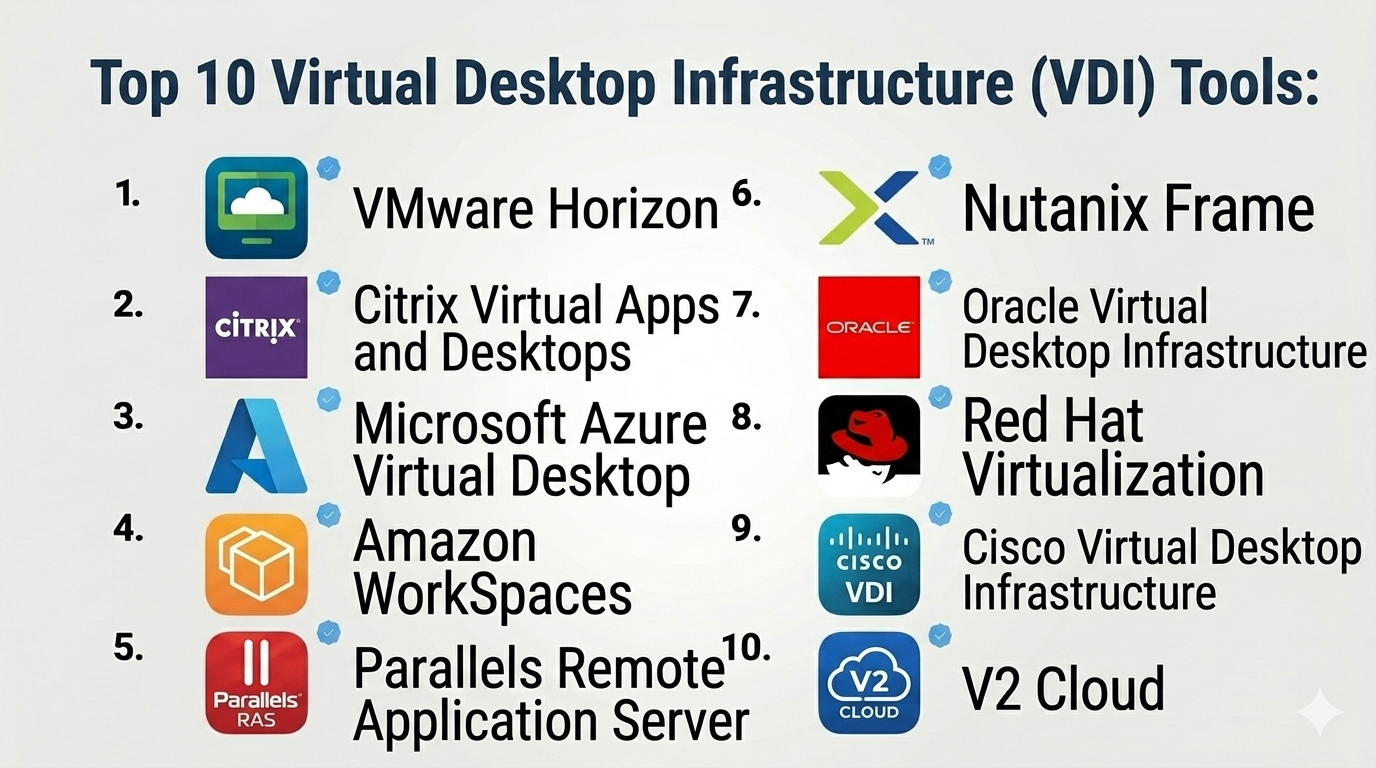
Top 10 Virtual Desktop Infrastructure (VDI) Tools
#1 — VMware Horizon
Short description: A leading VDI platform offering robust virtualization and enterprise-grade features.
Key Features
- Virtual desktop and app delivery
- Cloud and hybrid deployment
- Advanced user experience optimization
- GPU support
- Centralized management
- Automation tools
- Security controls
Pros
- Highly scalable
- Strong enterprise capabilities
Cons
- Complex setup
- Higher cost
Platforms / Deployment
Windows / Linux
Cloud / On-premise / Hybrid
Security & Compliance
Encryption, MFA, RBAC, audit logs
Compliance certifications: Not publicly stated
Integrations & Ecosystem
- VMware ecosystem
- Cloud platforms
- Identity providers
Support & Community
Extensive enterprise support and community.
#2 — Citrix Virtual Apps and Desktops
Short description: A widely adopted VDI solution known for performance and secure application delivery.
Key Features
- Virtual desktop and app delivery
- HDX performance optimization
- Cloud and hybrid support
- Centralized management
- Security features
- Automation tools
- Monitoring and analytics
Pros
- Excellent performance
- Strong security features
Cons
- Complex licensing
- Steep learning curve
Platforms / Deployment
Windows / Linux
Cloud / On-premise / Hybrid
Security & Compliance
Encryption, MFA, RBAC
Compliance certifications: Not publicly stated
Integrations & Ecosystem
- Cloud providers
- Identity systems
- Enterprise apps
Support & Community
Strong enterprise support.
#3 — Microsoft Azure Virtual Desktop
Short description: A cloud-based VDI solution integrated with Microsoft Azure.
Key Features
- Cloud-hosted virtual desktops
- Multi-session Windows support
- Integration with Azure services
- Remote app streaming
- Auto-scaling
- Security controls
- Monitoring tools
Pros
- Seamless Microsoft integration
- Flexible scaling
Cons
- Requires Azure expertise
- Cost management complexity
Platforms / Deployment
Web / Windows / macOS / iOS / Android
Cloud
Security & Compliance
Encryption, MFA, RBAC
Compliance certifications: Not publicly stated
Integrations & Ecosystem
- Azure services
- Microsoft 365
- Identity tools
Support & Community
Strong enterprise support.
#4 — Amazon WorkSpaces
Short description: A fully managed cloud VDI service from AWS.
Key Features
- Managed virtual desktops
- Auto-scaling
- Secure access
- Integration with AWS services
- Persistent desktops
- Monitoring tools
- Flexible pricing
Pros
- Fully managed
- Scalable
Cons
- AWS dependency
- Limited customization
Platforms / Deployment
Web / Windows / macOS / iOS / Android
Cloud
Security & Compliance
Encryption, IAM controls
Compliance certifications: Not publicly stated
Integrations & Ecosystem
- AWS services
- APIs
- Cloud tools
Support & Community
Strong cloud support.
#5 — Parallels Remote Application Server (RAS)
Short description: A cost-effective VDI solution for SMBs and enterprises.
Key Features
- Virtual desktop delivery
- Application publishing
- Multi-platform support
- Centralized management
- Automation tools
- Security controls
- Load balancing
Pros
- Affordable
- Easy to deploy
Cons
- Limited advanced features
- Smaller ecosystem
Platforms / Deployment
Windows / Linux
On-premise / Hybrid
Security & Compliance
Encryption, MFA
Compliance certifications: Not publicly stated
Integrations & Ecosystem
- APIs
- Business tools
Support & Community
Good support.
#6 — Nutanix Frame
Short description: A cloud-based DaaS platform designed for simplicity and scalability.
Key Features
- Desktop-as-a-Service
- Multi-cloud support
- Centralized management
- Auto-scaling
- Secure access
- Monitoring tools
- Application delivery
Pros
- Easy to use
- Multi-cloud flexibility
Cons
- Limited advanced customization
- Smaller ecosystem
Platforms / Deployment
Cloud
Security & Compliance
Encryption, MFA
Compliance certifications: Not publicly stated
Integrations & Ecosystem
- Cloud providers
- APIs
Support & Community
Moderate support.
#7 — Oracle Virtual Desktop Infrastructure
Short description: A VDI solution designed for enterprise environments with Oracle ecosystems.
Key Features
- Virtual desktop delivery
- Centralized management
- Secure access
- Integration with Oracle tools
- Monitoring
- Scalability
- Automation
Pros
- Strong integration with Oracle
- Enterprise-ready
Cons
- Limited ecosystem
- Complex setup
Platforms / Deployment
On-premise / Hybrid
Security & Compliance
Encryption, RBAC
Compliance certifications: Not publicly stated
Integrations & Ecosystem
- Oracle ecosystem
- APIs
Support & Community
Enterprise support.
#8 — Red Hat Virtualization (VDI)
Short description: An open-source-based virtualization platform supporting VDI deployments.
Key Features
- Virtual desktop hosting
- Open-source foundation
- Centralized management
- Scalability
- Security features
- Integration with Linux systems
- Automation tools
Pros
- Open-source flexibility
- Cost-effective
Cons
- Requires expertise
- Limited UI polish
Platforms / Deployment
Linux
On-premise / Hybrid
Security & Compliance
Encryption, RBAC
Compliance certifications: Not publicly stated
Integrations & Ecosystem
- Open-source tools
- APIs
Support & Community
Strong open-source community.
#9 — Cisco Virtual Desktop Infrastructure
Short description: A VDI solution integrated with Cisco infrastructure and networking.
Key Features
- Virtual desktop delivery
- Network optimization
- Security integration
- Centralized management
- Scalability
- Monitoring tools
- Automation
Pros
- Strong networking integration
- Enterprise-grade
Cons
- Requires Cisco ecosystem
- Complex setup
Platforms / Deployment
On-premise / Hybrid
Security & Compliance
Encryption, RBAC
Compliance certifications: Not publicly stated
Integrations & Ecosystem
- Cisco tools
- APIs
Support & Community
Enterprise support.
#10 — V2 Cloud
Short description: A simple cloud-based VDI solution designed for SMBs.
Key Features
- Cloud desktops
- Easy deployment
- Remote access
- Secure connections
- Monitoring tools
- Backup options
- Multi-user support
Pros
- Simple setup
- Affordable
Cons
- Limited enterprise features
- Smaller ecosystem
Platforms / Deployment
Cloud
Security & Compliance
Encryption, MFA
Compliance certifications: Not publicly stated
Integrations & Ecosystem
- APIs
- Basic integrations
Support & Community
Good support for SMBs.
Comparison Table (Top 10)
| Tool Name | Best For | Platform(s) Supported | Deployment | Standout Feature | Public Rating |
|---|---|---|---|---|---|
| VMware Horizon | Enterprises | Windows/Linux | Hybrid | Scalability | N/A |
| Citrix VAD | Enterprises | Windows/Linux | Hybrid | Performance | N/A |
| Azure Virtual Desktop | Microsoft users | Multi-platform | Cloud | Azure integration | N/A |
| Amazon WorkSpaces | Cloud users | Multi-platform | Cloud | Managed service | N/A |
| Parallels RAS | SMBs | Multi-platform | Hybrid | Affordability | N/A |
| Nutanix Frame | Multi-cloud | Cloud | Cloud | Simplicity | N/A |
| Oracle VDI | Oracle users | On-prem | Hybrid | Integration | N/A |
| Red Hat VDI | Open-source | Linux | Hybrid | Flexibility | N/A |
| Cisco VDI | Networking-heavy orgs | On-prem | Hybrid | Network optimization | N/A |
| V2 Cloud | SMBs | Cloud | Cloud | Ease of use | N/A |
Virtual Desktop Infrastructure (VDI) Tools Scoring
| Tool Name | Core (25%) | Ease (15%) | Integrations (15%) | Security (10%) | Performance (10%) | Support (10%) | Value (15%) | Weighted Total |
|---|---|---|---|---|---|---|---|---|
| VMware Horizon | 9 | 7 | 9 | 9 | 9 | 8 | 6 | 8.3 |
| Citrix VAD | 9 | 6 | 9 | 9 | 9 | 8 | 6 | 8.2 |
| Azure Virtual Desktop | 9 | 7 | 9 | 9 | 8 | 8 | 7 | 8.4 |
| Amazon WorkSpaces | 8 | 8 | 9 | 8 | 8 | 8 | 8 | 8.3 |
| Parallels RAS | 8 | 8 | 7 | 8 | 8 | 7 | 8 | 7.9 |
| Nutanix Frame | 8 | 8 | 7 | 8 | 8 | 7 | 8 | 7.9 |
| Oracle VDI | 7 | 6 | 7 | 8 | 7 | 7 | 7 | 7.1 |
| Red Hat VDI | 7 | 6 | 7 | 8 | 7 | 7 | 9 | 7.4 |
| Cisco VDI | 8 | 6 | 8 | 8 | 8 | 7 | 6 | 7.6 |
| V2 Cloud | 7 | 9 | 6 | 7 | 7 | 7 | 9 | 7.6 |
How to interpret:
- Scores are relative comparisons across tools
- Enterprise tools score higher in security and scalability
- SMB tools score higher in ease and value
- Cloud-native tools excel in flexibility and integrations
- Choose based on your organization’s needs
Which Virtual Desktop Infrastructure (VDI) Tools Is Right for You?
Solo / Freelancer
VDI is generally not necessary; consider simpler remote desktop tools instead.
SMB
Parallels RAS or V2 Cloud offers simplicity and affordability.
Mid-Market
Nutanix Frame or Amazon WorkSpaces provides scalability with ease of use.
Enterprise
VMware Horizon, Citrix, or Azure Virtual Desktop for full-scale deployments.
Budget vs Premium
- Budget: V2 Cloud, Red Hat
- Premium: VMware, Citrix
Feature Depth vs Ease of Use
- Easy: V2 Cloud, Nutanix
- Advanced: VMware, Citrix
Integrations & Scalability
Choose Azure or AWS-based solutions for strong ecosystem integration.
Security & Compliance Needs
Enterprise environments should prioritize tools with strong access controls and monitoring.
Frequently Asked Questions (FAQs)
What is VDI?
VDI allows users to access virtual desktops hosted on servers.
Is VDI secure?
Yes, with encryption and access controls.
Is VDI expensive?
It depends on scale and deployment model.
Can it replace physical desktops?
Yes, in many cases.
Does it require internet?
Yes, for remote access.
What is DaaS?
Desktop-as-a-Service is cloud-based VDI.
Can VDI support graphics workloads?
Yes, with GPU support.
Is it scalable?
Yes, especially cloud-based solutions.
Can it integrate with other tools?
Yes, via APIs and ecosystems.
Who uses VDI?
Enterprises, education, healthcare, and IT teams.
Conclusion
Virtual Desktop Infrastructure (VDI) is a powerful solution for organizations looking to centralize desktop management, improve security, and support remote work at scale. From enterprise-grade platforms to simpler cloud-based solutions, there are options for every level of complexity.
