Introduction
Virtualization Platforms are software solutions that allow organizations to create and manage virtual machines (VMs), containers, and virtualized infrastructure on a single physical hardware system. Instead of running one operating system per server, virtualization enables multiple workloads to share resources efficiently, improving utilization, scalability, and flexibility.
These platforms are a cornerstone of modern IT infrastructure, powering cloud computing, DevOps environments, testing labs, and enterprise data centers. They help organizations reduce hardware costs, streamline deployment, and enhance disaster recovery capabilities.
Real-world use cases include:
- Running multiple operating systems on a single server
- Building private or hybrid cloud environments
- Creating test and development environments
- Isolating applications for security and stability
- Supporting containerized and microservices architectures
Key evaluation criteria buyers should consider:
- Performance and resource efficiency
- Scalability and workload management
- Security features (isolation, encryption, access control)
- Ease of deployment and management
- Integration with cloud and DevOps tools
- Support for containers and Kubernetes
- High availability and disaster recovery features
- Licensing and cost structure
- Hardware compatibility
Best for: Enterprises, cloud providers, DevOps teams, IT administrators, and organizations managing complex infrastructure.
Not ideal for: Individuals or small teams with simple hosting needs—basic cloud hosting or shared infrastructure may be sufficient.
Key Trends in Virtualization Platforms
- Shift toward containerization: Integration with Kubernetes and container runtimes
- Hybrid and multi-cloud environments: Seamless workload movement across clouds
- Edge computing support: Running virtualized workloads closer to users
- AI-driven resource optimization: Automated workload balancing
- Software-defined data centers (SDDC): Fully virtualized infrastructure
- Security-first virtualization: Micro-segmentation and zero-trust models
- Lightweight virtualization: Faster boot times and reduced overhead
- Automation and orchestration: Infrastructure as code (IaC) adoption
- GPU virtualization: Support for AI/ML and graphics workloads
- Cost optimization tools: Better resource allocation and monitoring
How We Selected These Tools (Methodology)
We selected the top virtualization platforms based on:
- Market adoption and industry reputation
- Feature completeness (VMs, containers, networking, storage)
- Performance and scalability
- Security capabilities and isolation features
- Integration ecosystem (cloud, DevOps, Kubernetes)
- Ease of management and deployment
- Flexibility across deployment models
- Vendor support and community strength
- Suitability for different business sizes and use cases
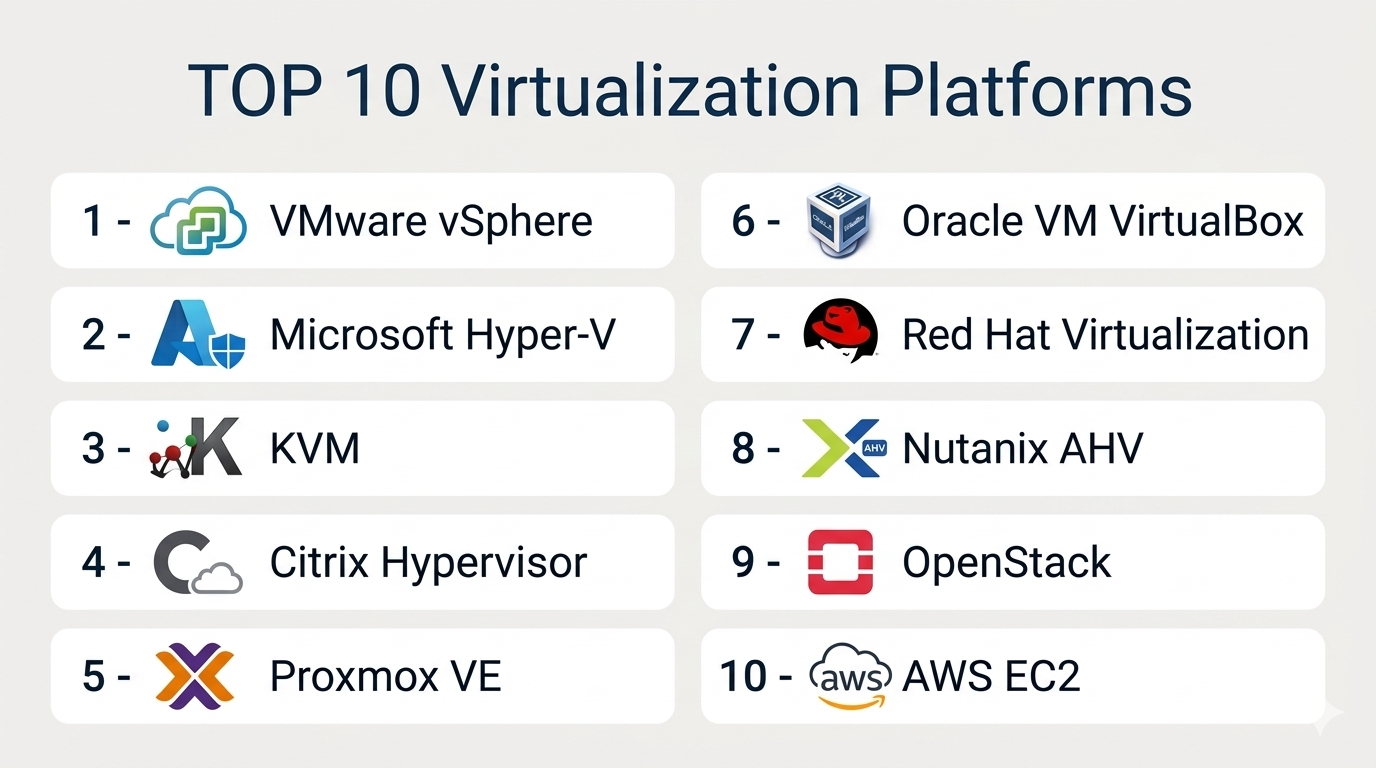
Top 10 Virtualization Platforms
#1 — VMware vSphere
Short description: A leading enterprise virtualization platform offering robust VM management and infrastructure capabilities.
Key Features
- Virtual machine management
- High availability and fault tolerance
- Distributed resource scheduling
- Storage and network virtualization
- Centralized management via vCenter
- Automation tools
- Integration with cloud environments
Pros
- Industry-leading performance
- Comprehensive feature set
Cons
- Expensive licensing
- Complex setup
Platforms / Deployment
Windows / Linux
On-premise / Hybrid
Security & Compliance
Encryption, RBAC, audit logs, MFA
Compliance certifications: Not publicly stated
Integrations & Ecosystem
VMware has a large ecosystem across enterprise IT and cloud platforms.
- Kubernetes integrations
- Cloud providers
- DevOps tools
- APIs
Support & Community
Extensive enterprise support and a large global community.
#2 — Microsoft Hyper-V
Short description: A built-in virtualization platform for Windows environments, widely used in enterprises.
Key Features
- Virtual machine hosting
- Integration with Windows Server
- Live migration
- High availability
- Virtual networking
- Resource management
- Backup and recovery
Pros
- Cost-effective for Windows users
- Strong integration with Microsoft ecosystem
Cons
- Limited cross-platform flexibility
- Smaller ecosystem than competitors
Platforms / Deployment
Windows
On-premise / Hybrid
Security & Compliance
Encryption, RBAC
Compliance certifications: Not publicly stated
Integrations & Ecosystem
- Microsoft ecosystem
- Azure integration
- DevOps tools
Support & Community
Strong enterprise support and documentation.
#3 — KVM (Kernel-based Virtual Machine)
Short description: An open-source virtualization solution integrated into Linux, widely used in cloud environments.
Key Features
- Full virtualization support
- High performance
- Open-source flexibility
- Integration with Linux tools
- Scalability
- Live migration
- Resource management
Pros
- Free and open-source
- Highly customizable
Cons
- Requires technical expertise
- Limited out-of-the-box UI
Platforms / Deployment
Linux
On-premise / Hybrid
Security & Compliance
Encryption, RBAC
Compliance certifications: Not publicly stated
Integrations & Ecosystem
- Open-source tools
- Cloud platforms
- APIs
Support & Community
Strong open-source community support.
#4 — Citrix Hypervisor
Short description: A virtualization platform designed for enterprise workloads and integration with Citrix solutions.
Key Features
- VM management
- High availability
- Live migration
- Resource pooling
- Security features
- Integration with Citrix VDI
- Performance optimization
Pros
- Strong enterprise features
- Good integration with Citrix ecosystem
Cons
- Limited outside Citrix ecosystem
- Licensing complexity
Platforms / Deployment
Linux
On-premise / Hybrid
Security & Compliance
Encryption, RBAC
Compliance certifications: Not publicly stated
Integrations & Ecosystem
- Citrix tools
- Cloud platforms
- APIs
Support & Community
Enterprise support available.
#5 — Proxmox VE
Short description: An open-source virtualization platform combining KVM and container-based virtualization.
Key Features
- VM and container support
- Web-based management interface
- High availability clustering
- Backup and restore
- Software-defined storage
- Networking tools
- Open-source flexibility
Pros
- Free and feature-rich
- Easy web interface
Cons
- Limited enterprise support
- Requires expertise for scaling
Platforms / Deployment
Linux
On-premise
Security & Compliance
Encryption, RBAC
Compliance certifications: Not publicly stated
Integrations & Ecosystem
- Open-source ecosystem
- APIs
- Storage tools
Support & Community
Active community and paid support options.
#6 — Oracle VM VirtualBox
Short description: A desktop virtualization tool for developers and personal use.
Key Features
- Cross-platform virtualization
- Multiple OS support
- Snapshot and cloning
- Virtual networking
- Easy setup
- Lightweight deployment
- Open-source base
Pros
- Free to use
- Easy for beginners
Cons
- Not suitable for enterprise workloads
- Limited scalability
Platforms / Deployment
Windows / macOS / Linux
Local / On-premise
Security & Compliance
Basic encryption
Compliance certifications: Not publicly stated
Integrations & Ecosystem
- Developer tools
- APIs
Support & Community
Strong community support.
#7 — Red Hat Virtualization
Short description: An enterprise virtualization platform built on open-source technologies.
Key Features
- VM management
- High availability
- Integration with Red Hat ecosystem
- Automation tools
- Resource management
- Security features
- Scalability
Pros
- Enterprise-grade open-source
- Strong Linux integration
Cons
- Requires expertise
- Subscription costs
Platforms / Deployment
Linux
On-premise / Hybrid
Security & Compliance
Encryption, RBAC
Compliance certifications: Not publicly stated
Integrations & Ecosystem
- Red Hat ecosystem
- OpenShift (Kubernetes)
- APIs
Support & Community
Strong enterprise and open-source support.
#8 — Nutanix AHV
Short description: A hypervisor integrated with Nutanix’s hyperconverged infrastructure platform.
Key Features
- Integrated hypervisor
- VM management
- Automation and orchestration
- High availability
- Storage and networking
- Security features
- Centralized management
Pros
- No separate hypervisor licensing
- Strong integration with HCI
Cons
- Requires Nutanix ecosystem
- Limited flexibility outside platform
Platforms / Deployment
On-premise / Hybrid
Security & Compliance
Encryption, RBAC
Compliance certifications: Not publicly stated
Integrations & Ecosystem
- Nutanix platform
- APIs
- Cloud integrations
Support & Community
Enterprise support.
#9 — OpenStack
Short description: An open-source cloud platform for building private and public clouds with virtualization.
Key Features
- Infrastructure-as-a-Service (IaaS)
- VM orchestration
- Networking and storage management
- Multi-tenant support
- API-driven architecture
- Scalability
- Automation tools
Pros
- Highly scalable
- Open-source flexibility
Cons
- Complex deployment
- Requires expertise
Platforms / Deployment
Linux
On-premise / Hybrid / Cloud
Security & Compliance
Encryption, RBAC
Compliance certifications: Not publicly stated
Integrations & Ecosystem
- Open-source tools
- Cloud platforms
- APIs
Support & Community
Large open-source community.
#10 — AWS EC2 (Virtualization Layer)
Short description: A cloud-based virtualization service for running virtual servers on demand.
Key Features
- On-demand virtual machines
- Auto-scaling
- Integration with AWS services
- Flexible instance types
- High availability
- Security controls
- Monitoring tools
Pros
- Highly scalable
- Pay-as-you-go pricing
Cons
- Cloud dependency
- Cost management complexity
Platforms / Deployment
Cloud
Security & Compliance
Encryption, IAM controls
Compliance certifications: Not publicly stated
Integrations & Ecosystem
- AWS ecosystem
- APIs
- DevOps tools
Support & Community
Strong cloud support and documentation.
Comparison Table (Top 10)
| Tool Name | Best For | Platform(s) Supported | Deployment | Standout Feature | Public Rating |
|---|---|---|---|---|---|
| VMware vSphere | Enterprises | Windows/Linux | Hybrid | Enterprise features | N/A |
| Hyper-V | Windows users | Windows | Hybrid | Native integration | N/A |
| KVM | Open-source | Linux | Hybrid | Performance | N/A |
| Citrix Hypervisor | Enterprises | Linux | Hybrid | Citrix integration | N/A |
| Proxmox VE | SMB/Open-source | Linux | On-prem | Ease of use | N/A |
| VirtualBox | Developers | Multi-platform | Local | Simplicity | N/A |
| Red Hat Virtualization | Enterprises | Linux | Hybrid | Open-source enterprise | N/A |
| Nutanix AHV | HCI users | On-prem | Hybrid | Integrated hypervisor | N/A |
| OpenStack | Cloud builders | Linux | Hybrid | IaaS platform | N/A |
| AWS EC2 | Cloud users | Cloud | Cloud | Scalability | N/A |
Virtualization Platforms Scoring
| Tool Name | Core (25%) | Ease (15%) | Integrations (15%) | Security (10%) | Performance (10%) | Support (10%) | Value (15%) | Weighted Total |
|---|---|---|---|---|---|---|---|---|
| VMware vSphere | 9 | 7 | 9 | 9 | 9 | 9 | 6 | 8.4 |
| Hyper-V | 8 | 8 | 8 | 8 | 8 | 8 | 9 | 8.2 |
| KVM | 9 | 6 | 8 | 8 | 9 | 7 | 10 | 8.3 |
| Citrix Hypervisor | 8 | 6 | 8 | 8 | 8 | 7 | 7 | 7.6 |
| Proxmox VE | 8 | 8 | 7 | 8 | 8 | 7 | 9 | 8.1 |
| VirtualBox | 6 | 9 | 6 | 7 | 7 | 7 | 10 | 7.6 |
| Red Hat Virtualization | 8 | 6 | 8 | 8 | 8 | 8 | 7 | 7.7 |
| Nutanix AHV | 9 | 7 | 8 | 8 | 9 | 8 | 7 | 8.2 |
| OpenStack | 9 | 5 | 9 | 8 | 9 | 7 | 9 | 8.1 |
| AWS EC2 | 9 | 8 | 10 | 9 | 9 | 9 | 7 | 8.8 |
How to interpret:
- Scores reflect relative strengths across platforms
- Enterprise tools rank higher in scalability and security
- Open-source tools score higher in value
- Cloud platforms excel in integrations and flexibility
- Choose based on your infrastructure and expertise
Which Virtualization Platform Is Right for You?
Solo / Freelancer
Use VirtualBox or lightweight virtualization tools for development and testing.
SMB
Proxmox VE or Hyper-V offers a balance of cost and capability.
Mid-Market
Nutanix AHV or KVM provides scalability with flexibility.
Enterprise
VMware vSphere, OpenStack, or AWS EC2 for large-scale deployments.
Budget vs Premium
- Budget: KVM, Proxmox
- Premium: VMware, Nutanix
Feature Depth vs Ease of Use
- Easy: VirtualBox, Hyper-V
- Advanced: VMware, OpenStack
Integrations & Scalability
Choose AWS or OpenStack for large-scale and cloud-native environments.
Security & Compliance Needs
Enterprise environments should prioritize tools with strong isolation and monitoring.
Frequently Asked Questions (FAQs)
What is a virtualization platform?
It allows running multiple virtual machines on one physical system.
Is virtualization secure?
Yes, with proper isolation and access controls.
What is a hypervisor?
Software that manages virtual machines.
Is virtualization expensive?
Depends on platform and scale.
Can it run multiple OS?
Yes, that’s a key feature.
What is containerization?
Lightweight virtualization using containers.
Can it integrate with cloud?
Yes, many platforms support hybrid cloud.
Is it scalable?
Yes, especially enterprise and cloud platforms.
Who uses virtualization?
Enterprises, developers, and cloud providers.
How do I choose?
Based on scale, budget, and technical expertise.
Conclusion
Virtualization platforms are the backbone of modern IT infrastructure, enabling efficient resource utilization, scalability, and flexibility. Whether you’re building a private cloud, running enterprise workloads, or creating development environments, there’s a platform suited to your needs.
