Introduction
Appointment Scheduling Software helps businesses manage bookings, organize calendars, and streamline customer appointments without manual effort. In simple terms, it replaces phone calls, spreadsheets, and back-and-forth emails with an automated system that allows customers to book time slots easily.
In today’s fast-moving digital environment, businesses need to offer frictionless booking experiences. Customers expect instant confirmations, flexible rescheduling, and reminders. Modern scheduling platforms now include automation, integrations, and even AI-based time optimization to reduce no-shows and improve efficiency.
Common use cases include:
- Healthcare clinics managing patient appointments
- Consultants and freelancers booking client sessions
- Salons and wellness centers scheduling services
- HR teams coordinating interviews
- Sales teams managing demos and discovery calls
Key evaluation criteria buyers should consider:
- Calendar synchronization (Google, Outlook, etc.)
- Automated reminders (SMS/email)
- Custom booking workflows
- Integration with CRM, payments, and video tools
- Time zone management
- Scalability across teams and locations
- Mobile accessibility
- Analytics and reporting
- Security and compliance
- Ease of setup and use
Best for: Service-based businesses, healthcare providers, consultants, HR teams, and sales organizations that require structured and automated appointment workflows.
Not ideal for: Businesses with very low appointment volume or those that rely entirely on walk-in customers without scheduling needs.
Key Trends in Appointment Scheduling Software
- AI-powered smart scheduling and conflict resolution
- Automated reminders to reduce no-shows
- Integrated payment processing during booking
- Omnichannel booking (web, mobile, social media)
- Deep integrations with CRM and marketing platforms
- Self-service rescheduling and cancellation features
- Time zone intelligence for global teams
- Data-driven insights on booking trends
- Embedded scheduling widgets for websites
- Subscription-based SaaS pricing models
How We Selected These Tools (Methodology)
- Reviewed global adoption and market reputation
- Evaluated core scheduling and automation features
- Assessed ease of use for both admins and customers
- Considered integration capabilities with major platforms
- Analyzed performance reliability and uptime expectations
- Included tools suitable for individuals, SMBs, and enterprises
- Looked at flexibility in workflows and customization
- Considered mobile-first capabilities
- Evaluated pricing transparency and value perception
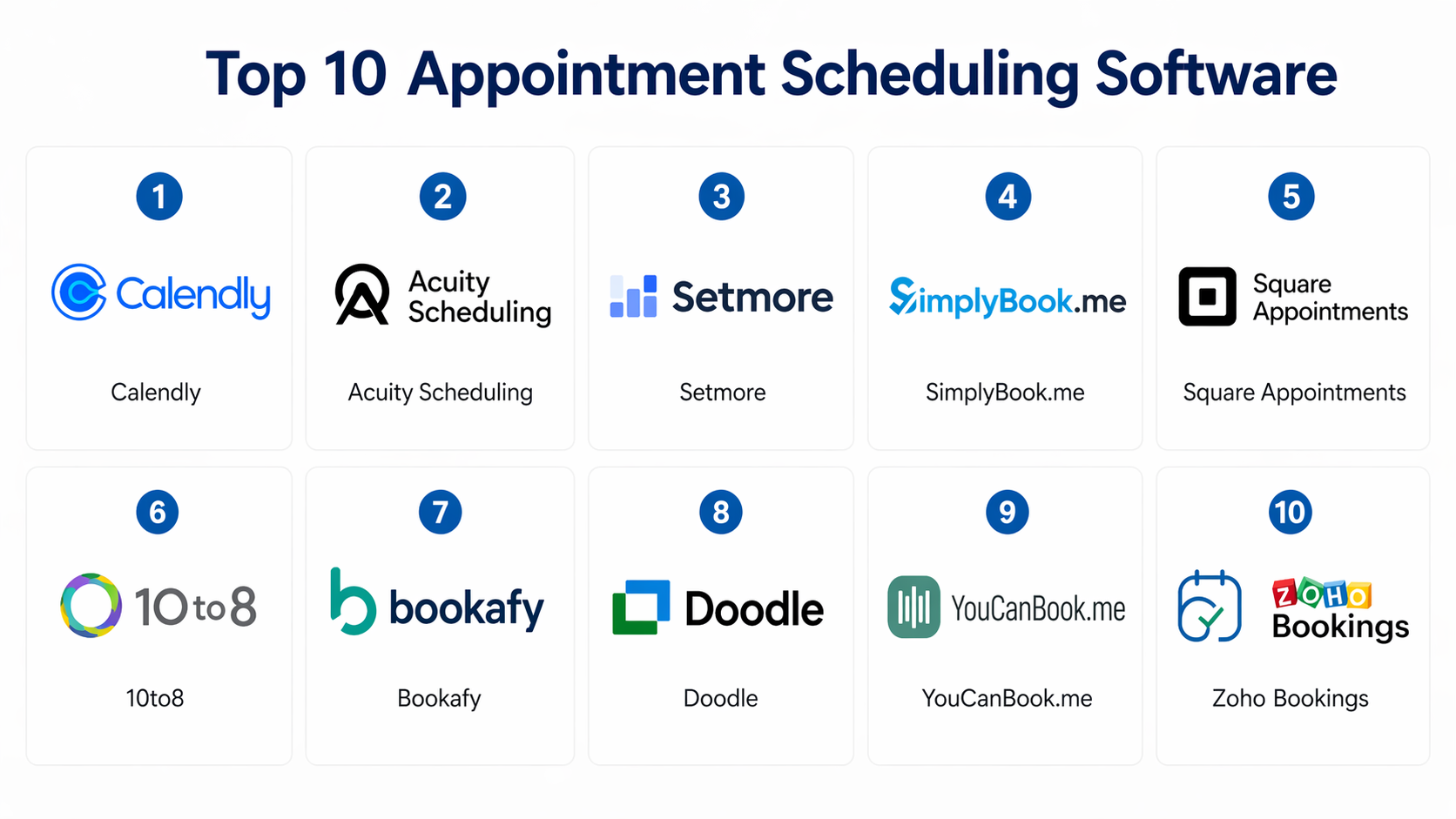
Top 10 Appointment Scheduling Software
#1 — Calendly
Short description:
Calendly is one of the most popular appointment scheduling tools used by individuals, teams, and enterprises. It simplifies scheduling by allowing users to share availability links. It integrates well with calendars and communication tools. Known for its clean interface and ease of use. Ideal for sales teams, recruiters, and consultants.
Key Features
- Automated scheduling links
- Calendar synchronization
- Time zone detection
- Meeting reminders
- Workflow automation
Pros
- Extremely easy to use
- Strong integrations
Cons
- Limited customization in lower plans
- Advanced features require upgrades
Platforms / Deployment
Web / iOS / Android
Cloud
Security & Compliance
SSO, encryption
Other certifications: Not publicly stated
Integrations & Ecosystem
Strong ecosystem with major tools.
- Google Calendar, Outlook
- Zoom, Microsoft Teams
- CRM integrations
Support & Community
Good documentation and onboarding support.
#2 — Acuity Scheduling
Short description:
Acuity Scheduling offers advanced customization for appointment workflows. It is widely used by service providers and small businesses. It supports payments and client management. Known for flexibility and branding options.
Key Features
- Custom booking forms
- Payment integration
- Client database
- Automated reminders
- Calendar syncing
Pros
- Highly customizable
- Built-in payment features
Cons
- Interface can feel complex
- Learning curve for beginners
Platforms / Deployment
Web
Cloud
Security & Compliance
Not publicly stated
Integrations & Ecosystem
Supports integrations with business tools.
- Payment gateways
- CRM systems
Support & Community
Standard support with good documentation.
#3 — Setmore
Short description:
Setmore is a user-friendly scheduling platform designed for small businesses. It offers a free plan with essential features. It supports online bookings and reminders. Ideal for startups and freelancers.
Key Features
- Online booking page
- Automated reminders
- Video meeting integration
- Multi-staff scheduling
- Reporting tools
Pros
- Free plan available
- Easy setup
Cons
- Limited advanced features
- Basic reporting
Platforms / Deployment
Web / Mobile
Cloud
Security & Compliance
Not publicly stated
Integrations & Ecosystem
Basic integrations available.
- Calendar tools
- Video platforms
Support & Community
Good for SMB users.
#4 — SimplyBook.me
Short description:
SimplyBook.me is a feature-rich scheduling platform for service businesses. It offers customization and add-ons for various industries. Known for flexibility and booking widgets.
Key Features
- Booking website
- Custom features add-ons
- Payment integration
- SMS/email notifications
- Client management
Pros
- Highly customizable
- Industry-specific features
Cons
- Add-ons increase cost
- Interface complexity
Platforms / Deployment
Web / Mobile
Cloud
Security & Compliance
Not publicly stated
Integrations & Ecosystem
Wide integration options.
- Payment systems
- CRM tools
Support & Community
Moderate support with documentation.
#5 — Square Appointments
Short description:
Square Appointments is designed for service businesses like salons and retail. It combines scheduling with payments. Known for simplicity and POS integration.
Key Features
- Appointment booking
- Payment processing
- Calendar sync
- Client management
- Automated reminders
Pros
- Integrated payments
- Easy to use
Cons
- Limited enterprise features
- Region-based limitations
Platforms / Deployment
Web / iOS / Android
Cloud
Security & Compliance
Not publicly stated
Integrations & Ecosystem
Strong POS integration.
- Square ecosystem
- Payment tools
Support & Community
Good support for SMB users.
#6 — 10to8
Short description:
10to8 focuses on reducing missed appointments with strong reminder features. It supports SMS, email, and voice reminders. Suitable for healthcare and professional services.
Key Features
- Automated reminders
- Online booking
- Calendar sync
- Reporting tools
- Multi-user support
Pros
- Reduces no-shows
- Flexible reminders
Cons
- UI could improve
- Limited advanced analytics
Platforms / Deployment
Web / Mobile
Cloud
Security & Compliance
Not publicly stated
Integrations & Ecosystem
Supports integrations.
- CRM tools
- Calendar apps
Support & Community
Reliable support with documentation.
#7 — Bookafy
Short description:
Bookafy is a scheduling platform designed for businesses needing customization and branding. It supports group bookings and workflows. Suitable for consultants and enterprises.
Key Features
- Group scheduling
- Custom workflows
- API access
- Payment integration
- Calendar sync
Pros
- Flexible workflows
- Good for teams
Cons
- Pricing varies
- UI not very modern
Platforms / Deployment
Web
Cloud
Security & Compliance
Not publicly stated
Integrations & Ecosystem
Strong API support.
- CRM
- Payment tools
Support & Community
Standard support available.
#8 — Doodle
Short description:
Doodle is widely used for group scheduling and polls. It simplifies finding common time slots. Popular among teams and event organizers.
Key Features
- Group scheduling polls
- Calendar integration
- Automated reminders
- Simple interface
- Time zone support
Pros
- Great for group meetings
- Easy to use
Cons
- Limited advanced features
- Not ideal for complex workflows
Platforms / Deployment
Web / Mobile
Cloud
Security & Compliance
Not publicly stated
Integrations & Ecosystem
Basic integrations.
- Calendar tools
Support & Community
Good documentation.
#9 — YouCanBook.me
Short description:
YouCanBook.me is a flexible scheduling tool that integrates deeply with calendars. It is customizable and supports automation. Suitable for small teams and freelancers.
Key Features
- Booking pages
- Calendar sync
- Custom workflows
- Notifications
- Reporting
Pros
- Flexible customization
- Good calendar integration
Cons
- UI not modern
- Limited enterprise features
Platforms / Deployment
Web
Cloud
Security & Compliance
Not publicly stated
Integrations & Ecosystem
Supports integrations.
- Google Calendar
- CRM tools
Support & Community
Moderate support.
#10 — Zoho Bookings
Short description:
Zoho Bookings is part of the Zoho ecosystem and offers scheduling for businesses of all sizes. It integrates with other Zoho apps. Known for affordability and ecosystem strength.
Key Features
- Online scheduling
- Calendar sync
- Automated reminders
- Multi-staff scheduling
- Reporting tools
Pros
- Strong ecosystem
- Cost-effective
Cons
- Best within Zoho ecosystem
- UI can be complex
Platforms / Deployment
Web / Mobile
Cloud
Security & Compliance
Not publicly stated
Integrations & Ecosystem
Strong within Zoho ecosystem.
- CRM
- Email tools
Support & Community
Good support and documentation.
Comparison Table (Top 10)
| Tool Name | Best For | Platform(s) Supported | Deployment | Standout Feature | Public Rating |
|---|---|---|---|---|---|
| Calendly | Sales & teams | Web, Mobile | Cloud | Easy scheduling links | N/A |
| Acuity Scheduling | Service businesses | Web | Cloud | Custom workflows | N/A |
| Setmore | SMBs | Web, Mobile | Cloud | Free plan | N/A |
| SimplyBook.me | Custom businesses | Web, Mobile | Cloud | Add-on features | N/A |
| Square Appointments | Retail & salons | Web, Mobile | Cloud | Payments integration | N/A |
| 10to8 | Healthcare | Web, Mobile | Cloud | Reminder system | N/A |
| Bookafy | Teams | Web | Cloud | Group scheduling | N/A |
| Doodle | Group meetings | Web, Mobile | Cloud | Poll-based scheduling | N/A |
| YouCanBook.me | Freelancers | Web | Cloud | Flexible booking pages | N/A |
| Zoho Bookings | Ecosystem users | Web, Mobile | Cloud | Zoho integration | N/A |
Evaluation & Scoring of Appointment Scheduling Software
| Tool Name | Core | Ease | Integrations | Security | Performance | Support | Value | Weighted Total |
|---|---|---|---|---|---|---|---|---|
| Calendly | 9 | 9 | 9 | 7 | 9 | 8 | 8 | 8.7 |
| Acuity Scheduling | 8 | 7 | 8 | 7 | 8 | 7 | 8 | 7.8 |
| Setmore | 7 | 9 | 6 | 6 | 7 | 7 | 9 | 7.6 |
| SimplyBook.me | 8 | 7 | 8 | 6 | 8 | 7 | 7 | 7.6 |
| Square Appointments | 8 | 9 | 7 | 6 | 8 | 8 | 8 | 8.0 |
| 10to8 | 7 | 8 | 7 | 6 | 7 | 7 | 8 | 7.4 |
| Bookafy | 8 | 7 | 8 | 6 | 8 | 7 | 7 | 7.6 |
| Doodle | 6 | 9 | 6 | 6 | 7 | 7 | 8 | 7.1 |
| YouCanBook.me | 7 | 8 | 7 | 6 | 7 | 7 | 8 | 7.4 |
| Zoho Bookings | 8 | 7 | 9 | 7 | 8 | 8 | 9 | 8.2 |
How to interpret scores:
These scores are relative and help compare tools across important dimensions. A higher score indicates stronger overall capability. Tools with high ease-of-use scores are ideal for quick adoption, while higher core and integration scores indicate better enterprise readiness. Always align scores with your specific needs.
Which Appointment Scheduling Software
Solo / Freelancer
Setmore, Doodle, or YouCanBook.me are simple and cost-effective.
SMB
Calendly, Square Appointments, and Zoho Bookings offer a good balance.
Mid-Market
Acuity Scheduling and SimplyBook.me provide customization and scalability.
Enterprise
Zoho Bookings and Calendly (enterprise plans) are strong choices.
Budget vs Premium
- Budget: Setmore
- Premium: Calendly, Zoho
Feature Depth vs Ease of Use
- Easy: Calendly
- Advanced: Acuity
Integrations & Scalability
Choose Zoho or Calendly for strong integrations.
Security & Compliance Needs
Enterprise-grade plans offer better controls.
Frequently Asked Questions (FAQs
1. What is appointment scheduling software?
It helps automate booking, managing, and tracking appointments.
2. How much does it cost?
Costs vary from free plans to premium subscriptions.
3. Can it reduce no-shows?
Yes, reminders significantly reduce missed appointments.
4. Does it support payments?
Many tools include payment integration.
5. Is it easy to use?
Most tools are user-friendly with minimal setup.
6. Can it integrate with CRM?
Yes, many support CRM integrations.
7. Is it secure?
Security varies by vendor; check features.
8. Can teams use it?
Yes, most tools support team scheduling.
9. What industries use it?
Healthcare, retail, consulting, and HR.
10. Can I switch tools?
Yes, but migration planning is needed.
Conclusion
Appointment Scheduling Software has become a critical tool for businesses that rely on time-based services. It simplifies booking processes, reduces administrative workload, and improves customer experience by offering convenience and flexibility. From freelancers to large enterprises, there are solutions tailored for every scale and need. However, the best choice depends on your workflow complexity, integration needs, and budget. Instead of choosing based on popularity alone, identify your top requirements, shortlist two or three tools, and test them in real scenarios. A small pilot can reveal usability, integration fit, and operational impact before making a full commitment.