Introduction
Access Control Management Software is a system that helps organizations control who can access what resources, when, and under what conditions. These resources may include physical spaces like offices and data centers, or digital assets like applications, databases, and internal systems. In simple terms, it ensures that the right people have the right level of access—nothing more, nothing less.
In today’s cloud-first, remote-first world, managing access has become more complex than ever. With distributed teams, hybrid infrastructure, and rising cyber threats, access control is no longer optional—it’s a core part of security strategy. Modern platforms now combine identity, authentication, authorization, and compliance into a single system.
Real-world use cases include:
- Managing employee access to SaaS applications and internal tools
- Controlling entry to physical facilities using smart badges or biometrics
- Enforcing role-based access in enterprise IT systems
- Securing APIs and microservices in cloud environments
- Managing vendor and third-party access securely
Key evaluation criteria buyers should consider:
- Role-Based Access Control (RBAC) and policy flexibility
- Integration with identity providers (IdPs) and SSO
- Multi-factor authentication (MFA) support
- Audit logs and compliance reporting
- Scalability for growing teams
- API and automation capabilities
- Deployment model (cloud vs on-premise)
- User experience and onboarding ease
- Cost structure and licensing flexibility
Best for: IT administrators, security teams, DevOps engineers, enterprises handling sensitive data, SaaS companies, and organizations with hybrid workforces.
Not ideal for: Very small teams with minimal security needs or businesses that rely solely on basic password-based access without regulatory requirements.
Key Trends in Access Control Management Software
- Zero Trust Security Models: Continuous verification of users and devices instead of one-time authentication
- AI-driven anomaly detection: Identifying unusual login patterns or suspicious access attempts
- Passwordless authentication: Biometrics, hardware keys, and magic links replacing passwords
- Identity-first security platforms: Access control merging with identity management
- API-first architecture: Easier integration into modern applications and microservices
- Cloud-native solutions: Rapid adoption of SaaS-based access control tools
- Compliance automation: Built-in support for GDPR, SOC 2, and industry regulations
- Decentralized identity trends: Blockchain-based identity verification emerging slowly
- Fine-grained authorization: Attribute-based access control (ABAC) gaining popularity
- Unified physical + digital access: Managing building access and system access from one platform
How We Selected These Tools (Methodology)
- Evaluated market adoption and industry recognition
- Compared feature completeness across identity and access domains
- Reviewed security capabilities like MFA, encryption, and audit trails
- Assessed integration ecosystem and API capabilities
- Considered deployment flexibility (cloud, hybrid, on-prem)
- Analyzed usability and onboarding complexity
- Looked at performance and scalability signals
- Examined support quality and documentation maturity
- Ensured coverage across enterprise, SMB, and developer-focused tools
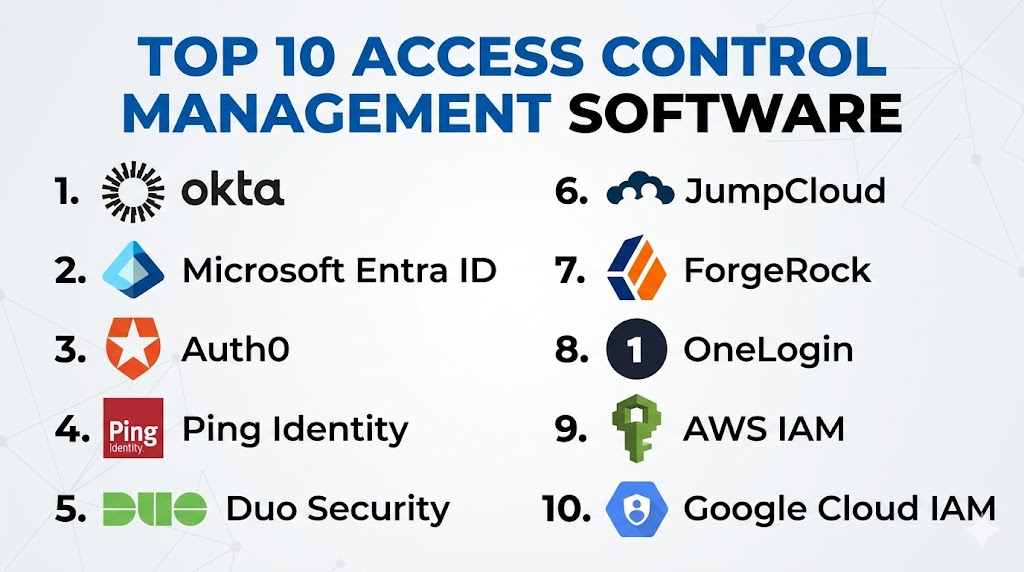
Top 10 Access Control Management Software
#1 — Okta
Short description:
Okta is a leading identity and access management platform designed for enterprises. It provides centralized control over user authentication, application access, and identity lifecycle management. Known for its strong SSO capabilities and large integration ecosystem, Okta is widely used by global organizations. It supports both workforce and customer identity use cases. Its cloud-first approach makes deployment fast and scalable.
Key Features
- Single Sign-On (SSO)
- Multi-Factor Authentication (MFA)
- Lifecycle management
- Adaptive authentication
- API access management
- Universal directory
Pros
- Extensive integration ecosystem
- Strong enterprise-grade security
Cons
- Can be expensive for smaller teams
- Initial setup complexity
Platforms / Deployment
Web / Cloud
Security & Compliance
SSO, MFA, encryption, audit logs, RBAC, GDPR (others not publicly stated)
Integrations & Ecosystem
Okta integrates with thousands of SaaS apps and enterprise systems. It supports APIs for custom integrations.
- Microsoft 365
- Salesforce
- AWS
- Google Workspace
Support & Community
Strong documentation and enterprise support. Large global community.
#2 — Microsoft Entra ID (Azure AD)
Short description:
Microsoft Entra ID is a cloud-based identity and access management solution integrated with the Microsoft ecosystem. It enables secure access to applications, devices, and data. It is ideal for organizations already using Microsoft services. It supports hybrid identity and advanced threat detection.
Key Features
- SSO across Microsoft apps
- Conditional access policies
- Identity protection
- Hybrid identity support
- Device management integration
Pros
- Deep integration with Microsoft tools
- Strong enterprise security features
Cons
- Complex configuration
- Best suited for Microsoft environments
Platforms / Deployment
Web / Cloud / Hybrid
Security & Compliance
SSO, MFA, RBAC, audit logs, GDPR
Integrations & Ecosystem
Strong integration with Microsoft ecosystem and external SaaS tools.
- Office 365
- Teams
- SharePoint
- Azure services
Support & Community
Extensive documentation and enterprise support.
#3 — Auth0
Short description:
Auth0 is a developer-friendly identity platform focused on authentication and authorization. It is widely used in modern web and mobile applications. It allows developers to quickly implement secure login systems. Its flexibility makes it ideal for custom applications.
Key Features
- Universal login
- Social login integration
- MFA support
- Role-based access control
- API security
Pros
- Developer-friendly APIs
- Fast implementation
Cons
- Pricing can scale quickly
- Requires developer involvement
Platforms / Deployment
Web / Cloud
Security & Compliance
MFA, RBAC, encryption, audit logs
Integrations & Ecosystem
Strong API-based integrations with modern apps.
- Facebook login
- GitHub
- Custom APIs
Support & Community
Active developer community and good documentation.
#4 — Ping Identity
Short description:
Ping Identity provides enterprise-grade identity and access management solutions. It supports workforce and customer identity use cases. Known for its flexibility, it supports cloud and on-prem deployments.
Key Features
- SSO and federation
- MFA
- Identity governance
- API security
- Directory services
Pros
- Highly flexible deployment
- Strong enterprise features
Cons
- Complex implementation
- Higher cost
Platforms / Deployment
Web / Cloud / Self-hosted / Hybrid
Security & Compliance
SSO, MFA, encryption, RBAC
Integrations & Ecosystem
Supports enterprise systems and APIs.
- SAP
- Oracle
- Salesforce
Support & Community
Enterprise support with strong documentation.
#5 — Duo Security
Short description:
Duo Security focuses on secure access with strong MFA and zero trust capabilities. It is widely used for securing remote access and VPNs.
Key Features
- MFA
- Device trust
- Zero trust access
- User verification
Pros
- Easy to deploy
- Strong MFA
Cons
- Limited IAM features
- Not full IAM suite
Platforms / Deployment
Web / Cloud
Security & Compliance
MFA, encryption, audit logs
Integrations & Ecosystem
Works well with existing systems.
- VPNs
- SaaS apps
- Cloud platforms
Support & Community
Good support and simple documentation.
#6 — JumpCloud
Short description:
JumpCloud is a cloud directory platform that combines identity, access, and device management. It is popular among SMBs.
Key Features
- Directory-as-a-service
- SSO
- Device management
- MFA
Pros
- All-in-one platform
- Cost-effective
Cons
- Limited advanced features
- SMB-focused
Platforms / Deployment
Web / Cloud
Security & Compliance
SSO, MFA, RBAC
Integrations & Ecosystem
Supports multiple systems.
- Google Workspace
- AWS
- Slack
Support & Community
Good documentation and support.
#7 — ForgeRock
Short description:
ForgeRock offers enterprise identity solutions focusing on digital identity management. It is suitable for large-scale deployments.
Key Features
- Identity governance
- Access management
- User lifecycle management
Pros
- Scalable for enterprises
- Strong security
Cons
- Complex setup
- High cost
Platforms / Deployment
Cloud / Hybrid
Security & Compliance
SSO, MFA, RBAC
Integrations & Ecosystem
Enterprise integrations available.
Support & Community
Enterprise-level support.
#8 — OneLogin
Short description:
OneLogin provides unified access management with SSO and identity governance features.
Key Features
- SSO
- MFA
- User provisioning
Pros
- Easy to use
- Good integrations
Cons
- Limited customization
- Pricing concerns
Platforms / Deployment
Cloud
Security & Compliance
SSO, MFA
Integrations & Ecosystem
- Salesforce
- Google Workspace
Support & Community
Moderate support availability.
#9 — AWS IAM
Short description:
AWS IAM is a core access control system for AWS services. It manages permissions and roles for cloud resources.
Key Features
- Role-based access
- Policy management
- Fine-grained permissions
Pros
- Highly secure
- Deep AWS integration
Cons
- Complex policies
- AWS-only scope
Platforms / Deployment
Cloud
Security & Compliance
RBAC, encryption, audit logs
Integrations & Ecosystem
- AWS services
- APIs
Support & Community
Strong AWS documentation.
#10 — Google Cloud IAM
Short description:
Google Cloud IAM manages access to Google Cloud resources. It provides granular permission control.
Key Features
- Role-based access
- Policy inheritance
- Audit logs
Pros
- Integrated with GCP
- Scalable
Cons
- Limited outside GCP
- Complex permissions
Platforms / Deployment
Cloud
Security & Compliance
RBAC, audit logs
Integrations & Ecosystem
- Google Cloud services
Support & Community
Strong documentation.
Comparison Table (Top 10)
| Tool Name | Best For | Platform(s) Supported | Deployment | Standout Feature | Public Rating |
|---|---|---|---|---|---|
| Okta | Enterprise IAM | Web | Cloud | Massive integrations | N/A |
| Microsoft Entra ID | Microsoft users | Web | Cloud/Hybrid | Deep MS integration | N/A |
| Auth0 | Developers | Web | Cloud | API-first auth | N/A |
| Ping Identity | Enterprises | Web | Hybrid | Flexible deployment | N/A |
| Duo Security | MFA security | Web | Cloud | Strong MFA | N/A |
| JumpCloud | SMBs | Web | Cloud | Directory + device mgmt | N/A |
| ForgeRock | Large enterprises | Web | Hybrid | Identity governance | N/A |
| OneLogin | SMB/Mid | Web | Cloud | Ease of use | N/A |
| AWS IAM | AWS users | Web | Cloud | Fine-grained policies | N/A |
| Google Cloud IAM | GCP users | Web | Cloud | Policy inheritance | N/A |
Evaluation & Scoring of Access Control Management Software
| Tool Name | Core (25%) | Ease (15%) | Integrations (15%) | Security (10%) | Performance (10%) | Support (10%) | Value (15%) | Weighted Total |
|---|---|---|---|---|---|---|---|---|
| Okta | 9 | 8 | 10 | 9 | 9 | 9 | 7 | 8.7 |
| Microsoft Entra ID | 9 | 7 | 9 | 9 | 9 | 9 | 8 | 8.6 |
| Auth0 | 8 | 8 | 9 | 8 | 8 | 8 | 7 | 8.0 |
| Ping Identity | 9 | 6 | 8 | 9 | 9 | 8 | 6 | 8.0 |
| Duo Security | 7 | 9 | 7 | 9 | 8 | 8 | 8 | 8.0 |
| JumpCloud | 7 | 8 | 7 | 7 | 8 | 7 | 8 | 7.6 |
| ForgeRock | 9 | 6 | 8 | 9 | 9 | 8 | 6 | 8.0 |
| OneLogin | 7 | 8 | 7 | 7 | 7 | 7 | 7 | 7.3 |
| AWS IAM | 9 | 6 | 8 | 9 | 9 | 8 | 9 | 8.5 |
| Google Cloud IAM | 9 | 6 | 8 | 9 | 9 | 8 | 8 | 8.4 |
How to interpret scores:
These scores are comparative, not absolute. A higher score reflects stronger capabilities across multiple dimensions. Enterprise tools tend to score higher in security and integrations, while SMB tools perform better in ease of use and value. Always align scoring with your specific use case.
Which Access Control Management Software
Solo / Freelancer
Simple tools like JumpCloud or basic IAM setups are sufficient.
SMB
JumpCloud and OneLogin offer a balance of cost and features.
Mid-Market
Auth0 and Duo Security provide flexibility and scalability.
Enterprise
Okta, Microsoft Entra ID, Ping Identity, and ForgeRock are ideal.
Budget vs Premium
Budget: JumpCloud
Premium: Okta, Ping Identity
Feature Depth vs Ease of Use
Feature-heavy: Okta, ForgeRock
Easy-to-use: Duo, OneLogin
Integrations & Scalability
Best: Okta, Auth0, AWS IAM
Security & Compliance Needs
Best: Microsoft Entra ID, Ping Identity
Frequently Asked Questions (FAQs)
1. What is access control software?
It manages user permissions and ensures secure access to systems and data.
2. How much does it cost?
Pricing varies widely depending on features and user count.
3. Is it hard to implement?
Enterprise tools can be complex; SMB tools are easier.
4. What is RBAC?
Role-Based Access Control assigns permissions based on user roles.
5. Does it support cloud apps?
Yes, most modern tools are cloud-first.
6. Can it integrate with other tools?
Yes, integration is a key feature.
7. Is MFA necessary?
Yes, it significantly improves security.
8. How scalable are these tools?
Most are designed to scale with business growth.
9. Can I switch tools easily?
Migration can be complex but manageable with planning.
10. What are alternatives?
Basic password systems or directory services, but less secure.
Conclusion
Access Control Management Software is now a foundational part of modern IT and security infrastructure. As organizations move toward cloud-native architectures and remote work environments, managing access efficiently and securely becomes critical. Tools like Okta and Microsoft Entra ID dominate the enterprise space, while platforms like Auth0 and JumpCloud cater to developers and SMBs with flexibility and ease of use.