Introduction
Workspace Analytics Tools help organizations understand how office spaces, employees, and resources are being used. These platforms collect and analyze data from desk bookings, sensors, meeting rooms, and workplace systems to provide actionable insights. In simple terms, they answer questions like: Which desks are used most? Are meeting rooms underutilized? How often do employees come to the office?
As hybrid work becomes the norm, companies are under pressure to optimize real estate costs, improve employee experience, and make data-driven workplace decisions. Workspace analytics tools are now essential for reducing unused space, planning office layouts, and improving collaboration.
Real-world use cases:
- Measuring office occupancy and utilization trends
- Optimizing workspace layout and seating plans
- Reducing real estate costs through data-driven decisions
- Improving employee experience and collaboration
- Monitoring compliance and workplace safety
What buyers should evaluate:
- Data collection methods (sensors, integrations, manual input)
- Real-time analytics vs historical reporting
- Visualization and dashboard quality
- Integration with booking and HR systems
- Scalability across locations
- Security and data privacy controls
- AI and predictive analytics capabilities
- Ease of deployment and onboarding
Best for: Enterprises, real estate teams, HR leaders, IT managers, and workplace strategists managing hybrid or multi-location offices.
Not ideal for: Small teams with fixed seating or companies without a need for workplace optimization insights.
Key Trends in Workspace Analytics Tools
- AI-driven occupancy forecasting and space optimization
- Integration with IoT sensors for real-time data collection
- Predictive analytics for workplace planning
- Privacy-first analytics with anonymized data tracking
- Integration with desk booking and collaboration platforms
- Mobile dashboards for real-time monitoring
- Sustainability tracking (energy usage, space efficiency)
- Cross-location analytics for global organizations
- Automated reporting and alerts for anomalies
- Increased focus on employee experience metrics
How We Selected These Tools (Methodology)
- Selected tools with strong adoption in workplace analytics and space management
- Evaluated feature depth in analytics, reporting, and forecasting
- Assessed performance, scalability, and reliability indicators
- Reviewed available security and compliance signals
- Considered integration ecosystem and API availability
- Analyzed usability and dashboard experience
- Included tools suitable for enterprise, mid-market, and SMB use
- Prioritized tools with innovation in AI and predictive analytics
- Focused on platforms with proven hybrid workplace capabilities
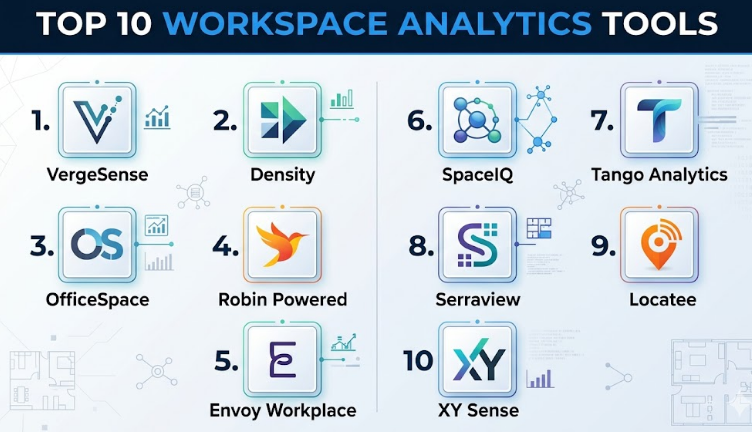
Top 10 Workspace Analytics Tools
#1 — VergeSense
Short description:
VergeSense is a workplace analytics platform that uses AI-powered sensors to track occupancy and space utilization. It provides real-time and historical insights into how office spaces are used. Designed for enterprises, it helps optimize layouts and reduce costs. It is ideal for companies investing in smart office infrastructure. It focuses heavily on sensor-driven analytics.
Key Features
- AI-powered occupancy sensors
- Real-time utilization tracking
- Workplace analytics dashboards
- Space optimization insights
- Privacy-focused data collection
- Historical trend analysis
Pros
- Highly accurate occupancy data
- Strong AI-driven insights
Cons
- Requires hardware deployment
- Higher implementation cost
Platforms / Deployment
Web
Cloud
Security & Compliance
Encryption, privacy-focused analytics
Other certifications: Not publicly stated
Integrations & Ecosystem
VergeSense integrates with workplace platforms and analytics tools.
- Workplace management systems
- APIs
- Data platforms
Support & Community
Enterprise-level support with onboarding assistance.
#2 — Density
Short description:
Density provides people-counting sensors and analytics for physical spaces. It helps organizations understand how spaces are used without tracking individuals. It is widely used in large offices and public spaces.
Key Features
- People counting sensors
- Real-time occupancy tracking
- Analytics dashboards
- Privacy-first design
- Historical reporting
Pros
- Accurate and anonymous tracking
- Scalable for large spaces
Cons
- Hardware dependency
- Limited software-only options
Platforms / Deployment
Web
Cloud
Security & Compliance
Encryption, privacy-first approach
Other certifications: Not publicly stated
Integrations & Ecosystem
Integrates with workplace and data platforms.
- APIs
- Workplace tools
- Data systems
Support & Community
Strong enterprise support.
#3 — OfficeSpace
Short description:
OfficeSpace combines workspace planning with analytics. It provides insights into space utilization and helps organizations redesign office layouts effectively. It is best for enterprises managing complex office environments.
Key Features
- Workspace analytics
- Space planning tools
- Floor visualization
- Scenario modeling
- Reporting dashboards
Pros
- Strong planning capabilities
- Visual analytics
Cons
- Complex setup
- Requires training
Platforms / Deployment
Web
Cloud
Security & Compliance
SSO, encryption
Other certifications: Not publicly stated
Integrations & Ecosystem
Integrates with enterprise systems.
- HR tools
- Calendar systems
- APIs
Support & Community
Enterprise-level support.
#4 — Robin Powered
Short description:
Robin provides workplace analytics alongside desk booking and scheduling. It helps organizations understand how teams use office spaces and collaborate.
Key Features
- Workplace analytics
- Desk and room usage tracking
- Real-time dashboards
- Team collaboration insights
- Reporting tools
Pros
- Strong analytics integration
- Good user experience
Cons
- Pricing may be higher
- Requires setup effort
Platforms / Deployment
Web / Mobile
Cloud
Security & Compliance
SSO, encryption
Other certifications: Not publicly stated
Integrations & Ecosystem
Integrates with productivity tools.
- Microsoft 365
- Google Workspace
- Slack
Support & Community
Reliable support.
#5 — Envoy Workplace
Short description:
Envoy Workplace provides analytics across desks, visitors, and workplace usage. It offers insights into employee behavior and office utilization.
Key Features
- Workplace analytics dashboards
- Visitor analytics
- Desk usage tracking
- Real-time reporting
- Automation
Pros
- Unified workplace insights
- Easy to use
Cons
- Limited advanced analytics
- Pricing tiers
Platforms / Deployment
Web / Mobile
Cloud
Security & Compliance
SSO, encryption
Other certifications: Not publicly stated
Integrations & Ecosystem
Integrates with workplace tools.
- Slack
- Microsoft 365
- Google Workspace
Support & Community
Good onboarding support.
#6 — SpaceIQ
Short description:
SpaceIQ focuses on workplace analytics and space optimization. It helps organizations make data-driven real estate decisions.
Key Features
- Space utilization analytics
- Scenario planning
- Reporting dashboards
- Data visualization
- Forecasting
Pros
- Strong analytics depth
- Enterprise-ready
Cons
- Complex implementation
- Limited SMB focus
Platforms / Deployment
Web
Cloud
Security & Compliance
SSO, encryption
Other certifications: Not publicly stated
Integrations & Ecosystem
Integrates with enterprise systems.
- HR tools
- APIs
- Data platforms
Support & Community
Enterprise support.
#7 — Tango Analytics
Short description:
Tango Analytics provides real estate and workplace analytics for enterprises. It focuses on portfolio optimization and strategic planning.
Key Features
- Portfolio analytics
- Space optimization
- Scenario modeling
- Reporting dashboards
- Forecasting tools
Pros
- Strong strategic insights
- Enterprise focus
Cons
- Complex setup
- Not SMB-friendly
Platforms / Deployment
Web
Cloud
Security & Compliance
Not publicly stated
Integrations & Ecosystem
Integrates with enterprise systems and data platforms.
- APIs
- Data tools
Support & Community
Enterprise-level support.
#8 — Serraview
Short description:
Serraview offers workplace analytics and space planning tools. It helps organizations manage and optimize office layouts.
Key Features
- Space analytics
- Floor planning
- Utilization tracking
- Reporting tools
- Scenario modeling
Pros
- Strong visualization
- Enterprise features
Cons
- Learning curve
- Limited SMB use
Platforms / Deployment
Web
Cloud
Security & Compliance
SSO, encryption
Other certifications: Not publicly stated
Integrations & Ecosystem
Integrates with enterprise tools.
- HR systems
- APIs
Support & Community
Enterprise support.
#9 — Locatee
Short description:
Locatee uses sensor and Wi-Fi data to provide workplace analytics. It focuses on occupancy tracking and space utilization.
Key Features
- Occupancy analytics
- Wi-Fi data integration
- Real-time dashboards
- Space optimization insights
- Reporting
Pros
- No additional hardware needed
- Real-time insights
Cons
- Data accuracy depends on Wi-Fi
- Limited customization
Platforms / Deployment
Web
Cloud
Security & Compliance
Encryption
Other certifications: Not publicly stated
Integrations & Ecosystem
Integrates with workplace systems.
- Wi-Fi infrastructure
- APIs
- Data platforms
Support & Community
Good enterprise support.
#10 — XY Sense
Short description:
XY Sense provides occupancy sensors and analytics for modern workplaces. It delivers real-time insights into how spaces are used.
Key Features
- Occupancy sensors
- Real-time analytics
- Data visualization
- Space optimization insights
- Privacy-first tracking
Pros
- High accuracy
- Real-time insights
Cons
- Hardware dependency
- Higher cost
Platforms / Deployment
Web
Cloud
Security & Compliance
Encryption, privacy-focused
Other certifications: Not publicly stated
Integrations & Ecosystem
Integrates with workplace tools and analytics systems.
- APIs
- Workplace platforms
Support & Community
Enterprise-level support.
Comparison Table (Top 10)
| Tool Name | Best For | Platform(s) Supported | Deployment | Standout Feature | Public Rating |
|---|---|---|---|---|---|
| VergeSense | Enterprises | Web | Cloud | AI sensors | N/A |
| Density | Large spaces | Web | Cloud | People counting | N/A |
| OfficeSpace | Enterprises | Web | Cloud | Space planning | N/A |
| Robin Powered | Hybrid teams | Web, Mobile | Cloud | Analytics + booking | N/A |
| Envoy Workplace | SMB to Enterprise | Web, Mobile | Cloud | Unified analytics | N/A |
| SpaceIQ | Enterprises | Web | Cloud | Advanced analytics | N/A |
| Tango Analytics | Enterprises | Web | Cloud | Portfolio insights | N/A |
| Serraview | Enterprises | Web | Cloud | Visualization | N/A |
| Locatee | Hybrid offices | Web | Cloud | Wi-Fi analytics | N/A |
| XY Sense | Smart offices | Web | Cloud | Sensor accuracy | N/A |
Evaluation & Scoring of Workspace Analytics Tools
| Tool Name | Core (25%) | Ease (15%) | Integrations (15%) | Security (10%) | Performance (10%) | Support (10%) | Value (15%) | Weighted Total |
|---|---|---|---|---|---|---|---|---|
| VergeSense | 9 | 7 | 8 | 8 | 9 | 8 | 7 | 8.2 |
| Density | 9 | 7 | 7 | 8 | 9 | 8 | 7 | 8.1 |
| OfficeSpace | 9 | 6 | 8 | 8 | 9 | 8 | 6 | 8.0 |
| Robin Powered | 8 | 8 | 8 | 8 | 8 | 8 | 7 | 8.0 |
| Envoy Workplace | 8 | 9 | 8 | 8 | 8 | 8 | 7 | 8.1 |
| SpaceIQ | 9 | 6 | 8 | 8 | 9 | 8 | 6 | 8.0 |
| Tango Analytics | 9 | 6 | 7 | 7 | 8 | 8 | 6 | 7.7 |
| Serraview | 8 | 6 | 7 | 8 | 8 | 7 | 6 | 7.5 |
| Locatee | 8 | 8 | 7 | 7 | 8 | 7 | 7 | 7.8 |
| XY Sense | 9 | 7 | 7 | 8 | 9 | 8 | 6 | 8.0 |
How to interpret scores:
These scores compare tools relative to each other. Higher scores indicate better overall capability. Enterprises should prioritize core features and performance, while smaller teams may focus on ease of use and value.
Which Workspace Analytics Tools
Solo / Freelancer
Not necessary unless managing shared spaces.
SMB
Envoy Workplace or Robin Powered are good starting points.
Mid-Market
OfficeSpace and SpaceIQ offer balanced analytics and usability.
Enterprise
VergeSense, Density, and Tango Analytics are strong options.
Budget vs Premium
- Budget: Locatee, Envoy
- Premium: VergeSense, Density
Feature Depth vs Ease of Use
- Feature-rich: SpaceIQ, Tango
- Easy-to-use: Envoy, Robin
Integrations & Scalability
Robin and Envoy provide strong integration ecosystems.
Security & Compliance Needs
Sensor-based enterprise tools provide stronger controls.
Frequently Asked Questions (FAQs)
1. What are workspace analytics tools?
They analyze how office spaces and resources are used.
2. Do they require hardware?
Some tools use sensors, others rely on software integrations.
3. Are they expensive?
Costs vary depending on features and hardware requirements.
4. Can they improve cost savings?
Yes, by optimizing space usage and reducing waste.
5. Are they secure?
Most offer encryption and access controls.
6. Can small businesses use them?
Yes, but simpler tools may be better.
7. How long does setup take?
From days to weeks depending on complexity.
8. Do they integrate with booking tools?
Yes, most integrate with desk booking systems.
9. Can they scale globally?
Yes, enterprise tools support multiple locations.
10. Are there alternatives?
Manual tracking, but it lacks accuracy and insights.
Conclusion
Workspace analytics tools have become essential for organizations navigating hybrid work and optimizing office environments. They provide critical insights into how space is used, enabling smarter decisions about real estate, collaboration, and employee experience. Tools like VergeSense and Density offer deep sensor-based analytics, while platforms like Envoy and Robin provide a balance of usability and insights.
