Introduction
Chemical Process Simulation Software helps engineers design, test, optimize, and troubleshoot chemical processes before making real-world changes in plants or pilot systems. In simple words, it allows process engineers to build a virtual model of a chemical plant, refinery unit, gas processing system, reactor, distillation column, heat exchanger network, or separation process.
These tools matter because chemical, petrochemical, oil and gas, pharmaceutical, energy, and manufacturing companies need safer, faster, and more cost-effective ways to improve process performance. Instead of testing every idea physically, engineers can simulate different operating conditions, feed compositions, equipment designs, and process changes digitally.
Common use cases include:
- Process design and plant optimization
- Distillation column modeling
- Reactor and separation system simulation
- Heat and material balance calculation
- Energy efficiency improvement
- Troubleshooting plant performance issues
- Safety and relief system studies
- Gas processing and refining simulation
Buyers should evaluate:
- Accuracy of thermodynamic models
- Ease of flowsheet development
- Support for steady-state and dynamic simulation
- Library of unit operations
- Reactor modeling capability
- Distillation and separation modeling
- Integration with plant data and engineering tools
- Reporting and documentation features
- Training and learning curve
- Licensing cost and deployment flexibility
Best for: process engineers, chemical engineers, refinery teams, EPC companies, plant operations teams, energy companies, research institutions, and engineering consultants.
Not ideal for: users who only need basic spreadsheet calculations, simple lab calculations, or general engineering documentation. For very small tasks, Excel-based models, calculators, or lightweight engineering tools may be easier.
Key Chemical Process Simulation Software Trends
- AI-assisted process optimization is becoming more useful, especially for improving energy efficiency, reducing emissions, and identifying better operating conditions.
- Dynamic simulation is gaining importance because companies want to test startups, shutdowns, control logic, and process safety scenarios.
- Sustainability modeling is now a major requirement, especially for carbon capture, hydrogen, biofuels, low-emission processes, and energy reduction.
- Integration with plant data is becoming more valuable, allowing teams to compare simulated performance with actual operating data.
- Cloud and hybrid deployment models are growing, but many engineering teams still use desktop-based tools due to data sensitivity and licensing habits.
- Open-source simulation tools are improving, especially for education, research, and early-stage process modeling.
- Thermodynamic accuracy remains a key differentiator, because poor property method selection can lead to incorrect design decisions.
- Digital twin use cases are expanding, especially where simulation connects with real-time plant monitoring and operations support.
- Modular licensing is common, meaning buyers should check which features are included and which require extra modules.
- Training and usability are critical, because powerful software can still fail if engineers do not understand the models, assumptions, and limitations.
How We Selected These Tools
The following tools were selected based on practical industry relevance, process engineering capability, and fit for different user types.
- Recognition and adoption in chemical, energy, refining, and process industries
- Strength of thermodynamic models and property packages
- Breadth of unit operation libraries
- Support for steady-state and dynamic simulation
- Suitability for design, optimization, troubleshooting, and operations
- Strength in specialist workflows such as gas processing, polymers, reactors, or refining
- Integration with engineering, plant data, and optimization ecosystems
- Fit for different buyers, including enterprises, EPCs, consultants, universities, and smaller teams
- Availability of training, documentation, and support
- Practical balance between capability, usability, and cost
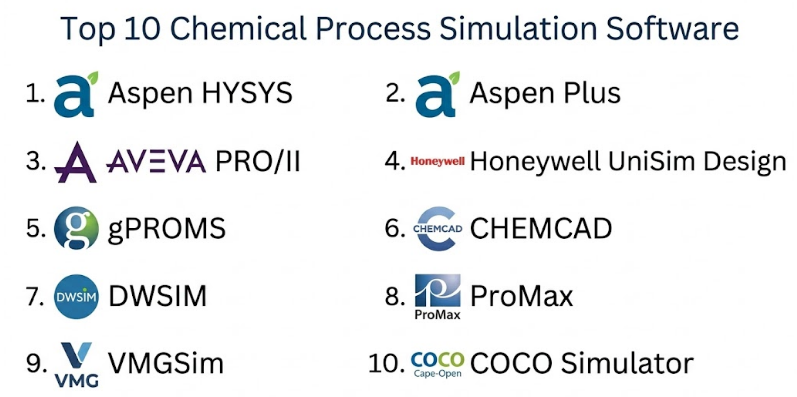
Top 10 Chemical Process Simulation Software
#1 — Aspen HYSYS
Short description :
Aspen HYSYS is one of the most recognized process simulation tools for oil and gas, refining, petrochemical, and energy workflows.It is widely used for steady-state and dynamic process modeling, especially in hydrocarbon processing and gas systems.Engineers use it to build flowsheets, simulate plant behavior, optimize process conditions, and evaluate equipment performance.It is especially strong for gas processing, refining units, separation systems, and energy-related process modeling.
Aspen HYSYS is best suited for enterprise engineering teams, EPC firms, refineries, and process consultants working on complex industrial systems.
Key Features
- Steady-state process simulation
- Dynamic process simulation
- Strong thermodynamic property packages
- Gas processing and refining workflows
- Heat exchanger and separator modeling
- Equipment sizing and rating support
- Integration with AspenTech engineering ecosystem
Pros
- Strong industry adoption in oil, gas, refining, and energy sectors
- Powerful steady-state and dynamic simulation capability
- Good fit for large industrial process models
Cons
- Can be expensive for small teams
- Learning curve can be high for beginners
- Best value comes when users understand process assumptions deeply
Platforms / Deployment
Windows commonly used
Cloud / Self-hosted / Hybrid: Varies / N/A
Security & Compliance
Not publicly stated for all deployment models. Enterprise users should verify SSO, MFA, encryption, RBAC, audit logs, and compliance requirements directly with the vendor.
Integrations & Ecosystem
Aspen HYSYS fits into a broader process engineering and plant optimization ecosystem. It is commonly used with other engineering, design, control, and optimization tools.
- AspenTech engineering suite
- Process design workflows
- Plant optimization workflows
- Equipment rating tools
- Dynamic simulation workflows
- Operations and digital twin environments
Support & Community
Support is generally enterprise-focused, with documentation, training, customer support, and professional services. Community awareness is very strong in process engineering and hydrocarbon industries.
#2 — Aspen Plus
Short description :
Aspen Plus is a powerful chemical process simulation platform used for chemical, petrochemical, biochemical, polymer, and specialty process modeling.It is especially strong for rigorous chemical process design, thermodynamic modeling, reactors, separations, and solids handling workflows.Engineers use Aspen Plus to model complex chemical processes where accurate property methods and reaction modeling are important.It is commonly used by chemical companies, universities, research teams, EPC firms, and technology developers.Aspen Plus is best suited for users who need deep chemical modeling rather than only hydrocarbon-focused process simulation.
Key Features
- Rigorous chemical process simulation
- Advanced thermodynamic property methods
- Reactor modeling support
- Distillation and separation modeling
- Solids and electrolyte process support
- Sensitivity analysis and optimization
- Strong academic and industrial usage
Pros
- Strong for chemical and specialty process modeling
- Excellent fit for research, design, and process development
- Broad thermodynamic and unit operation support
Cons
- Can feel complex for new users
- Requires strong chemical engineering knowledge
- Licensing may be costly for smaller organizations
Platforms / Deployment
Windows commonly used
Cloud / Self-hosted / Hybrid: Varies / N/A
Security & Compliance
Not publicly stated for all deployment models. Security and compliance details should be verified directly, especially for enterprise or cloud usage.
Integrations & Ecosystem
Aspen Plus works well in chemical engineering environments where simulation must support process design, optimization, costing, and scale-up decisions.
- AspenTech ecosystem
- Process design workflows
- Reactor and property modeling
- Economic evaluation tools
- Research and development workflows
- Engineering documentation workflows
Support & Community
Support is strong through vendor documentation, training, academic usage, and professional services. It has a large user base across universities, chemical companies, and engineering firms.
#3 — AVEVA PRO/II
Short description :
AVEVA PRO/II is a process simulation software used for steady-state simulation in chemical, refining, petrochemical, and oil and gas industries.It helps engineers model process flowsheets, perform heat and material balances, evaluate separation systems, and analyze equipment performance.The software is often used by EPC companies, plant engineers, and process design teams working on industrial processes.It is suitable for users who need reliable steady-state modeling and integration with broader engineering design workflows.AVEVA PRO/II is a strong option for organizations already using AVEVA’s engineering and plant design ecosystem.
Key Features
- Steady-state process simulation
- Heat and material balance calculations
- Distillation and separation modeling
- Thermodynamic property method support
- Refining and petrochemical workflows
- Equipment performance evaluation
- Integration with engineering design environments
Pros
- Strong fit for steady-state process design
- Useful for EPC and plant engineering workflows
- Works well in industrial process environments
Cons
- Dynamic simulation may require other tools or workflows
- May be less attractive for users needing modern AI-heavy features
- Licensing and deployment details vary by agreement
Platforms / Deployment
Windows commonly used
Cloud / Self-hosted / Hybrid: Varies / N/A
Security & Compliance
Not publicly stated. Buyers should verify security, authentication, and compliance requirements directly with the vendor.
Integrations & Ecosystem
AVEVA PRO/II is useful where process simulation must connect with engineering design, plant documentation, and broader asset workflows.
- AVEVA engineering ecosystem
- Process design workflows
- Plant design workflows
- Equipment sizing workflows
- Data handoff to engineering teams
- Industrial process documentation
Support & Community
Support is vendor-led, with documentation, onboarding, and enterprise support options. Community awareness is strong among EPC firms and industrial process engineers.
#4 — Honeywell UniSim Design
Short description :
Honeywell UniSim Design is a process simulation platform used for steady-state and dynamic modeling in refining, oil and gas, petrochemical, and chemical process industries.It is often used for process design, operational studies, control system evaluation, and operator training-related workflows.The software is useful for teams that want simulation connected to plant operations and automation environments.
UniSim Design supports process engineering analysis, equipment behavior studies, and dynamic process response evaluation.It is best suited for industrial organizations that need both engineering simulation and operations-focused process understanding.
Key Features
- Steady-state process modeling
- Dynamic simulation workflows
- Process control and operations support
- Refining and gas processing use cases
- Equipment modeling and performance evaluation
- Operator training support ecosystem
- Integration with Honeywell automation environments
Pros
- Strong fit for operations and control-related simulation
- Useful for dynamic behavior and plant response studies
- Good option for Honeywell automation ecosystem users
Cons
- May be more valuable in specific industrial environments
- Requires skilled users for dynamic modeling
- Public details on deployment and compliance are limited
Platforms / Deployment
Windows commonly used
Cloud / Self-hosted / Hybrid: Varies / N/A
Security & Compliance
Not publicly stated. Enterprise security, authentication, and compliance controls should be verified directly with the vendor.
Integrations & Ecosystem
UniSim Design fits well where process simulation connects with automation, operator training, and plant operations workflows.
- Honeywell automation ecosystem
- Operator training simulator workflows
- Process control workflows
- Dynamic simulation studies
- Refining and gas processing models
- Plant operations support
Support & Community
Support is generally enterprise-focused, with vendor documentation, training, and technical services. Community strength is strongest in industrial automation and process operations environments.
#5 — gPROMS
Short description :
gPROMS is an advanced process modeling and simulation platform used for high-value chemical, pharmaceutical, energy, and process development workflows.It is known for equation-oriented modeling, advanced optimization, and detailed process modeling beyond standard flowsheet simulation.
Engineers and researchers use gPROMS for model-based design, scale-up, digital twins, reaction systems, crystallization, and complex process optimization.It is especially useful where standard unit-operation-based simulation is not flexible enough.gPROMS is best suited for advanced process development teams, research groups, and companies working on high-complexity process models.
Key Features
- Equation-oriented process modeling
- Advanced process optimization
- Dynamic simulation capability
- Model-based process design
- Reactor and crystallization modeling
- Digital twin and advanced analytics support
- Strong fit for complex custom process models
Pros
- Excellent for advanced and custom process modeling
- Strong optimization and dynamic modeling capability
- Useful for R&D, scale-up, and high-complexity processes
Cons
- Requires strong modeling and mathematical skills
- May be too complex for basic process design
- Learning curve can be high for new users
Platforms / Deployment
Windows / Linux: Varies / N/A
Cloud / Self-hosted / Hybrid: Varies / N/A
Security & Compliance
Not publicly stated. Buyers should verify enterprise security and compliance controls directly with the vendor.
Integrations & Ecosystem
gPROMS is useful where organizations need advanced modeling connected with process development, optimization, and digital twin workflows.
- Model-based engineering workflows
- Custom process models
- Optimization environments
- Digital twin workflows
- R&D and scale-up studies
- Advanced reactor and separation modeling
Support & Community
Support is vendor-led and often technical in nature. Documentation, training, and professional support are important because the platform is designed for advanced users.
#6 — CHEMCAD
Short description :
CHEMCAD is a chemical process simulation software used by engineers, consultants, universities, and process companies for steady-state simulation and process design.It supports flowsheet simulation, thermodynamics, equipment modeling, heat and material balances, and process analysis.The software is often appreciated for being practical and accessible compared with some large enterprise platforms.
CHEMCAD is useful for chemical process design, environmental systems, batch-related studies, and general process engineering calculations.It is a good option for small to mid-sized teams, consultants, and academic users needing capable process simulation without excessive complexity.
Key Features
- Steady-state process simulation
- Thermodynamic property packages
- Heat and material balance calculations
- Distillation and separation modeling
- Equipment sizing support
- Process troubleshooting workflows
- Academic and consulting use cases
Pros
- Practical and approachable for many users
- Good fit for consultants, smaller teams, and education
- Covers common process engineering workflows well
Cons
- May not match enterprise ecosystem depth of larger platforms
- Advanced dynamic or AI-driven features may be limited
- Suitability depends on process complexity
Platforms / Deployment
Windows commonly used
Cloud / Self-hosted / Hybrid: Varies / N/A
Security & Compliance
Not publicly stated. Buyers should confirm security, licensing, and compliance details directly with the vendor if required.
Integrations & Ecosystem
CHEMCAD fits well in practical process design environments where engineers need clear flowsheets, property methods, and equipment calculations.
- Process design workflows
- Engineering calculations
- Equipment evaluation
- Educational workflows
- Consulting project workflows
- Data export and reporting
Support & Community
Support is vendor-led, with documentation, training, and technical help available depending on licensing. Community strength is practical, especially among consultants and academic users.
#7 — DWSIM
Short description :
DWSIM is an open-source chemical process simulator used for process modeling, education, research, and practical engineering studies.It supports steady-state and dynamic simulation, thermodynamic models, unit operations, and process flowsheet development.The tool is popular among students, educators, independent engineers, and teams that need a cost-aware simulation option.
DWSIM can be useful for learning process simulation concepts and building early-stage process models.It is best suited for academic, research, training, and smaller engineering use cases where open-source flexibility is important.
Key Features
- Open-source process simulation
- Steady-state and dynamic simulation support
- Thermodynamic property packages
- Unit operation modeling
- Flowsheet development
- Educational and research use cases
- Cross-platform availability
Pros
- Cost-effective and accessible
- Good for education, learning, and experimentation
- Flexible open-source ecosystem
Cons
- Enterprise support may be limited compared with commercial tools
- May not be ideal for highly regulated industrial design workflows
- Advanced validation may require expert review
Platforms / Deployment
Windows / Linux / macOS: Varies by version
Desktop / Self-hosted
Cloud / Hybrid: Varies / N/A
Security & Compliance
Not publicly stated. Security depends on deployment environment, user setup, and internal IT controls.
Integrations & Ecosystem
DWSIM is useful for open-source process simulation workflows and educational environments. It can support engineering learning, early process studies, and custom modeling experiments.
- Open-source workflows
- Educational simulations
- Research projects
- Thermodynamic calculations
- Unit operation modeling
- Custom extensions and scripting possibilities
Support & Community
Community support is available through open-source channels and user resources. Formal enterprise support may be limited or vary depending on the user’s environment.
#8 — ProMax
Short description :
ProMax is a process simulation software widely used in gas processing, refining, sulfur recovery, amine treating, acid gas removal, and related energy workflows.It is known for specialist strength in gas treating, dehydration, sulfur systems, and hydrocarbon processing.
Engineers use ProMax to design, troubleshoot, and optimize facilities where gas composition, contaminants, and treating processes are important.It is especially useful for process engineers working in natural gas, midstream, refining, and environmental compliance-related process units.
ProMax is best suited for teams needing detailed gas processing and treating simulation capability.
Key Features
- Gas processing simulation
- Amine treating and acid gas removal modeling
- Sulfur recovery workflows
- Dehydration and hydrocarbon processing
- Thermodynamic property support
- Process troubleshooting tools
- Environmental and emissions-related calculations
Pros
- Strong specialist capability for gas treating and sulfur workflows
- Practical for midstream and refining engineers
- Useful for troubleshooting real plant performance
Cons
- More specialized than general chemical process simulators
- May not be the best choice for broad chemical R&D workflows
- Advanced use requires domain knowledge
Platforms / Deployment
Windows commonly used
Cloud / Self-hosted / Hybrid: Varies / N/A
Security & Compliance
Not publicly stated. Buyers should confirm security and compliance requirements directly with the vendor.
Integrations & Ecosystem
ProMax fits well in process engineering environments focused on gas plants, treating systems, sulfur recovery, and hydrocarbon processing.
- Gas processing workflows
- Amine treating studies
- Sulfur recovery systems
- Plant troubleshooting
- Environmental calculation workflows
- Engineering reports and design studies
Support & Community
Support is vendor-led and typically strong for specialist gas processing users. Documentation, training, and technical assistance are important parts of the user experience.
#9 — VMGSim
Short description :
VMGSim is a process simulation tool used for oil and gas, refining, petrochemical, and chemical process modeling.It supports steady-state and dynamic simulation workflows and is known for its thermodynamics and process modeling capability.Engineers use VMGSim for plant design, equipment studies, optimization, and operational troubleshooting.It is suitable for organizations that need a flexible process simulator for hydrocarbon and chemical processes.
VMGSim is best for process engineering teams looking for a capable simulator with both design and operational study potential.
Key Features
- Steady-state process simulation
- Dynamic simulation support
- Thermodynamic modeling
- Oil and gas process workflows
- Equipment performance modeling
- Process optimization support
- Plant troubleshooting workflows
Pros
- Strong process modeling capability
- Useful for hydrocarbon and chemical workflows
- Supports both design and operational studies
Cons
- Market visibility may be lower than larger enterprise platforms
- Public security details are limited
- Training and adoption may depend on region and vendor access
Platforms / Deployment
Windows commonly used
Cloud / Self-hosted / Hybrid: Varies / N/A
Security & Compliance
Not publicly stated. Security, access control, and compliance details should be verified directly with the vendor.
Integrations & Ecosystem
VMGSim supports practical process modeling workflows for engineers working on design, optimization, and operations-related simulation.
- Oil and gas process workflows
- Chemical process simulation
- Dynamic simulation studies
- Equipment performance modeling
- Process troubleshooting
- Engineering analysis workflows
Support & Community
Support is vendor-led, with documentation and technical assistance depending on licensing and region. Community visibility is moderate compared with the largest simulation platforms.
#10 — COCO Simulator
Short description :
COCO Simulator is a free process simulation environment used mainly for education, learning, and basic chemical process modeling.It supports flowsheet simulation and can be useful for students, educators, and engineers who want to understand process simulation concepts.The tool is not usually positioned as a full enterprise replacement for commercial simulators, but it can be valuable for training and simple studies.It helps users build process flowsheets, test unit operations, and practice heat and material balance concepts.COCO Simulator is best for educational users, early-stage learners, and simple process simulation exercises.
Key Features
- Free process simulation environment
- Flowsheet modeling
- Unit operation support
- Thermodynamic calculation support
- Educational process simulation workflows
- Useful for basic heat and material balance practice
- Accessible for students and training users
Pros
- Good for learning and teaching process simulation
- Cost-friendly for basic use cases
- Useful for simple flowsheet exercises
Cons
- Not ideal for complex enterprise process design
- Limited compared with commercial simulation platforms
- Support and advanced features may be limited
Platforms / Deployment
Windows commonly used
Desktop / Self-hosted
Cloud / Hybrid: Varies / N/A
Security & Compliance
Not publicly stated. Security depends on local deployment and user environment.
Integrations & Ecosystem
COCO Simulator is mainly useful in educational and basic engineering workflows. It can help users understand process modeling before moving to larger commercial platforms.
- Educational simulation
- Basic process flowsheets
- Unit operation learning
- Heat and material balance practice
- Thermodynamic calculations
- Training environments
Support & Community
Support is mostly community and documentation-based. It is more suitable for learning and basic simulation than for enterprise-grade support needs.
Comparison Table
| Tool Name | Best For | Platform(s) Supported | Deployment | Standout Feature | Public Rating |
|---|---|---|---|---|---|
| Aspen HYSYS | Oil, gas, refining, and energy process teams | Windows commonly used | Varies / Hybrid | Strong steady-state and dynamic hydrocarbon simulation | N/A |
| Aspen Plus | Chemical, specialty, and research process modeling | Windows commonly used | Varies / Hybrid | Deep chemical thermodynamics and reactor modeling | N/A |
| AVEVA PRO/II | EPC and steady-state process design teams | Windows commonly used | Varies / N/A | Industrial heat and material balance workflows | N/A |
| Honeywell UniSim Design | Operations, control, and dynamic simulation teams | Windows commonly used | Varies / N/A | Process design connected with operations workflows | N/A |
| gPROMS | Advanced modeling, optimization, and R&D teams | Windows / Linux varies | Varies / N/A | Equation-oriented advanced process modeling | N/A |
| CHEMCAD | Consultants, SMBs, and academic users | Windows commonly used | Varies / N/A | Practical and approachable chemical simulation | N/A |
| DWSIM | Education, research, and open-source users | Windows / Linux / macOS varies | Desktop / Self-hosted | Open-source process simulation | N/A |
| ProMax | Gas processing and sulfur recovery teams | Windows commonly used | Varies / N/A | Specialist gas treating and sulfur workflows | N/A |
| VMGSim | Hydrocarbon and chemical process engineers | Windows commonly used | Varies / N/A | Flexible steady-state and dynamic simulation | N/A |
| COCO Simulator | Students and basic simulation learners | Windows commonly used | Desktop / Self-hosted | Free educational process simulation | N/A |
Evaluation & Chemical Process Simulation Software
The scoring below is comparative. It reflects general category strength, practical usability, ecosystem maturity, integration potential, support availability, and value for typical buyers. A lower score does not mean a tool is poor. Some tools are specialist, open-source, education-focused, or designed for narrower use cases.
| Tool Name | Core (25%) | Ease (15%) | Integrations (15%) | Security (10%) | Performance (10%) | Support (10%) | Value (15%) | Weighted Total (0–10) |
|---|---|---|---|---|---|---|---|---|
| Aspen HYSYS | 10 | 7 | 9 | 7 | 9 | 9 | 7 | 8.45 |
| Aspen Plus | 10 | 7 | 9 | 7 | 9 | 9 | 7 | 8.45 |
| AVEVA PRO/II | 8 | 7 | 8 | 6 | 8 | 8 | 7 | 7.55 |
| Honeywell UniSim Design | 8 | 7 | 8 | 6 | 8 | 8 | 7 | 7.55 |
| gPROMS | 9 | 6 | 8 | 6 | 8 | 8 | 7 | 7.65 |
| CHEMCAD | 8 | 8 | 7 | 5 | 7 | 7 | 8 | 7.35 |
| DWSIM | 7 | 7 | 6 | 5 | 6 | 6 | 10 | 6.90 |
| ProMax | 8 | 7 | 7 | 5 | 8 | 8 | 7 | 7.25 |
| VMGSim | 8 | 7 | 7 | 5 | 8 | 7 | 7 | 7.15 |
| COCO Simulator | 5 | 7 | 5 | 4 | 5 | 5 | 9 | 5.80 |
Use this table as a shortlist guide, not as a final verdict. Enterprise buyers should prioritize support, integrations, security, and long-term scalability. Academic and small teams may prioritize cost, ease of use, and learning value. Specialist teams should focus on workflow fit instead of only the highest total score.
Which Chemical Process Simulation Software Should You Choose?
Solo / Freelancer
Solo engineers and independent consultants usually need practical tools that are affordable, easy to learn, and flexible enough for common process studies. CHEMCAD, DWSIM, COCO Simulator, and VMGSim can be useful depending on project complexity.
For professional client work, choose a tool that can produce clear reports, handle reliable thermodynamics, and support the specific industry you serve. For learning or early-stage modeling, DWSIM and COCO Simulator are practical starting points.
SMB
Small and mid-sized engineering companies usually need a balance of capability and cost. CHEMCAD, VMGSim, ProMax, and DWSIM are worth evaluating depending on whether the work is general chemical simulation, gas processing, or education-focused.
If the SMB works in gas treating, acid gas removal, or sulfur systems, ProMax may be especially useful. If the team needs broader chemical process design, CHEMCAD or VMGSim may be more practical.
Mid-Market
Mid-market companies often need stronger workflows, better support, and broader engineering capability. Aspen HYSYS, Aspen Plus, AVEVA PRO/II, Honeywell UniSim Design, and gPROMS are strong options depending on use case.
For chemical process development, Aspen Plus and gPROMS are strong. For hydrocarbon and refining workflows, Aspen HYSYS, UniSim Design, and PRO/II are more suitable.
Enterprise
Enterprise buyers should focus on integration, governance, support, performance, and standardization. Aspen HYSYS, Aspen Plus, AVEVA PRO/II, Honeywell UniSim Design, and gPROMS are strong enterprise-level choices.
Large companies may also use specialist tools such as ProMax for gas processing or gPROMS for advanced model-based engineering. The best enterprise setup may involve more than one tool.
Budget vs Premium
For budget-conscious users, DWSIM and COCO Simulator are attractive because they are accessible and useful for learning or simple studies. CHEMCAD may also be suitable for teams wanting commercial capability without always needing the largest enterprise suite.
Premium buyers should evaluate Aspen HYSYS, Aspen Plus, AVEVA PRO/II, Honeywell UniSim Design, and gPROMS because they offer deeper industrial workflows, vendor support, and stronger fit for complex engineering environments.
Feature Depth vs Ease of Use
For feature depth, Aspen HYSYS, Aspen Plus, and gPROMS stand out. These tools support complex modeling but require strong engineering knowledge.
For ease of use, CHEMCAD, DWSIM, and COCO Simulator may feel more approachable. However, easier tools may not always be suitable for complex industrial design.
Integrations & Scalability
For scalable enterprise workflows, Aspen HYSYS, Aspen Plus, AVEVA PRO/II, and Honeywell UniSim Design are strong candidates. They are better suited for large engineering teams, plant environments, and multi-tool ecosystems.
For custom modeling and advanced R&D, gPROMS is powerful. For specialist gas workflows, ProMax can be highly relevant.
Security & Compliance Needs
Security-conscious buyers should ask vendors about:
- SSO and SAML
- MFA
- Role-based access control
- Encryption
- Audit logging
- License governance
- Data residency
- Backup and recovery
- Private deployment options
- Compliance documentation
If these details are not publicly stated, buyers should verify them directly before procurement.
Frequently Asked Questions
1. What is Chemical Process Simulation Software?
Chemical Process Simulation Software helps engineers build virtual models of chemical processes. It is used to calculate flows, temperatures, pressures, compositions, equipment behavior, and process performance before making real plant changes.
2. Who uses Chemical Process Simulation Software?
It is mainly used by chemical engineers, process engineers, refinery engineers, EPC teams, plant operations teams, researchers, consultants, and universities. It is also useful for companies working in oil and gas, chemicals, pharma, energy, and manufacturing.
3. What is the difference between steady-state and dynamic simulation?
Steady-state simulation shows how a process behaves under stable operating conditions. Dynamic simulation shows how a process changes over time, such as during startup, shutdown, control movement, or process disturbances.
4. Which tool is best for oil and gas processes?
Aspen HYSYS, Honeywell UniSim Design, ProMax, VMGSim, and AVEVA PRO/II are commonly relevant for oil, gas, refining, and hydrocarbon workflows. The best choice depends on whether the focus is gas treating, refining, operations, or general process design.
5. Which tool is best for chemical process design?
Aspen Plus, CHEMCAD, gPROMS, and DWSIM are strong choices for chemical process design depending on project complexity and budget. Aspen Plus and gPROMS are better for advanced modeling, while CHEMCAD and DWSIM can be more approachable.
6. Is open-source process simulation good enough?
Open-source tools like DWSIM can be very useful for education, research, and early-stage modeling. However, for high-value industrial design, teams should validate models carefully and consider support, accuracy, governance, and documentation needs.
7. What are common mistakes in process simulation?
Common mistakes include choosing the wrong thermodynamic model, using poor input data, ignoring real equipment limits, over-trusting simulation results, and failing to validate the model against plant or experimental data.
8. How much does process simulation software cost?
Pricing varies widely. Commercial tools may use enterprise licenses, modules, user seats, academic pricing, or custom contracts. Buyers should ask what is included, what modules cost extra, and how support is priced.
9. Can process simulation software improve energy efficiency?
Yes, simulation can help engineers identify heat recovery opportunities, optimize operating conditions, reduce utility usage, and improve separation or reaction performance. The quality of results depends on model accuracy and proper engineering review.
10. How long does onboarding take?
Onboarding depends on the tool and user experience. Basic flowsheets can be learned quickly, but advanced thermodynamics, dynamic simulation, reactors, optimization, and plant troubleshooting require deeper training and practice.
11. What integrations should buyers check?
Buyers should check integrations with plant data systems, equipment design tools, control systems, reporting tools, engineering databases, optimization platforms, and digital twin environments. Data import and export flexibility is also important.
12. Can companies switch from one simulator to another?
Yes, but switching can be challenging because models, property methods, assumptions, custom calculations, and reports may not transfer perfectly. Teams should test migration with real flowsheets before making a full switch.
Conclusion
Chemical Process Simulation Software is an important tool for modern process engineering because it helps teams design, analyze, optimize, and troubleshoot complex industrial systems with more confidence. The best tool depends heavily on the process type, team size, budget, technical skill level, and business goal. Aspen HYSYS is strong for hydrocarbon and energy workflows, while Aspen Plus is excellent for chemical and advanced process modeling. AVEVA PRO/II and Honeywell UniSim Design fit industrial engineering and operations-focused teams, while gPROMS is powerful for advanced modeling and optimization. CHEMCAD, DWSIM, and COCO Simulator are practical options for smaller teams, education, and cost-aware users. ProMax and VMGSim are valuable for specialist hydrocarbon and gas processing workflows.
