Introduction
Git Clients are software tools that provide a user-friendly interface to interact with Git repositories, enabling developers to manage version control without relying entirely on command-line operations. These tools simplify workflows like committing changes, branching, merging, resolving conflicts, and collaborating with teams.
While Git itself is powerful, it can be complex for beginners and even time-consuming for experienced developers when handling large projects. Git clients bridge this gap by offering visual interfaces, streamlined workflows, and productivity enhancements, making version control more accessible and efficient.
Common use cases include:
- Managing code repositories visually
- Handling branches and merges
- Resolving conflicts with GUI tools
- Collaborating on team projects
- Tracking changes and history
What buyers should evaluate:
- Ease of use and learning curve
- Visual interface quality
- Support for advanced Git operations
- Integration with Git hosting platforms
- Performance with large repositories
- Cross-platform availability
- Conflict resolution tools
- Customization and extensions
- Security features (SSH, credentials)
- Pricing and licensing
Best for: Developers, DevOps engineers, students, and teams who want a visual and efficient way to manage Git workflows.
Not ideal for: Advanced users who prefer full control via command-line or minimal environments.
Key Trends in Git Clients
- Improved visual workflows: Better branch visualization and history tracking
- AI-assisted commits and merges: Smarter suggestions and automation
- Cloud integration: Seamless connection with GitHub, GitLab, Bitbucket
- Cross-platform support: Consistent experience across OS
- Built-in code review features: Integrated pull request management
- Enhanced conflict resolution tools: Visual diff and merge tools
- Security enhancements: Better credential management and SSH handling
- Lightweight clients: Faster performance with large repos
- Collaboration features: Team-based workflows and notifications
- Integration with IDEs: Closer alignment with development environments
How We Selected These Tools (Methodology)
- Evaluated market popularity and developer adoption
- Assessed ease of use and UI/UX quality
- Reviewed support for advanced Git features
- Considered integration with Git hosting platforms
- Analyzed performance with large repositories
- Checked cross-platform compatibility
- Evaluated conflict resolution capabilities
- Examined security features (SSH, credential storage)
- Included both free and paid tools
- Focused on real-world usability for developers and teams
Top Git Clients
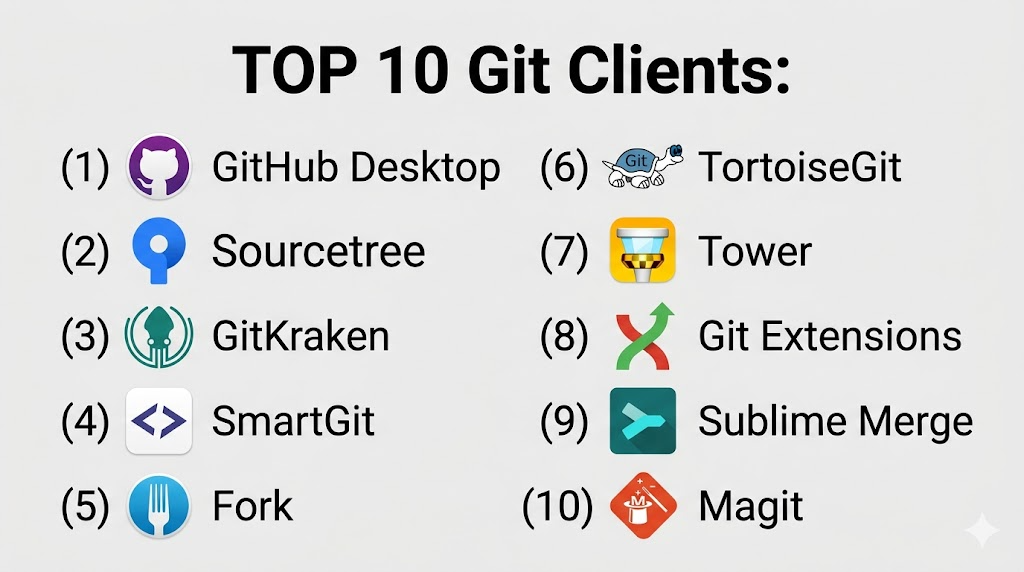
#1 — GitHub Desktop
Short description: A simple and user-friendly Git client designed for GitHub users.
Key Features
- Easy repository management
- Visual commit history
- Branch management
- Integrated pull requests
- Drag-and-drop interface
- Automatic updates
Pros
- Beginner-friendly
- Seamless GitHub integration
Cons
- Limited advanced features
- GitHub-focused
Platforms / Deployment
Windows / macOS
Security & Compliance
SSH support, credential management
Integrations & Ecosystem
GitHub Desktop integrates tightly with GitHub and basic Git workflows.
- GitHub
- Git CLI
- APIs
Support & Community
Strong community and documentation.
#2 — Sourcetree
Short description: A free Git client by Atlassian with a rich visual interface.
Key Features
- Visual branch management
- Git and Mercurial support
- Interactive rebase
- Built-in diff tools
- Repository hosting integration
Pros
- Powerful features
- Free to use
Cons
- Can be slow
- Occasional bugs
Platforms / Deployment
Windows / macOS
Security & Compliance
SSH, credential storage
Integrations & Ecosystem
- Bitbucket
- GitHub
- GitLab
- APIs
Support & Community
Strong community support.
#3 — GitKraken
Short description: A modern Git client with a visually appealing interface and advanced features.
Key Features
- Visual commit graph
- Built-in GitFlow support
- Drag-and-drop actions
- Conflict resolution tools
- Cross-platform support
Pros
- Excellent UI
- Feature-rich
Cons
- Paid for advanced features
- Resource-heavy
Platforms / Deployment
Windows / macOS / Linux
Security & Compliance
SSO, SSH, encryption
Integrations & Ecosystem
- GitHub
- GitLab
- Bitbucket
- APIs
Support & Community
Strong support and active community.
#4 — SmartGit
Short description: A professional Git client suitable for both beginners and advanced users.
Key Features
- GitFlow support
- Conflict resolution
- Visual history
- Cross-platform
- Advanced Git operations
Pros
- Powerful features
- Cross-platform
Cons
- Paid license
- UI not very modern
Platforms / Deployment
Windows / macOS / Linux
Security & Compliance
SSH, credential management
Integrations & Ecosystem
- Git hosting platforms
- APIs
- Dev tools
Support & Community
Reliable support.
#5 — Fork
Short description: A fast and intuitive Git client for developers.
Key Features
- Interactive rebase
- Visual commit graph
- Merge conflict resolution
- Lightweight
- GitFlow support
Pros
- Fast performance
- Clean UI
Cons
- Limited platform support
- Smaller ecosystem
Platforms / Deployment
Windows / macOS
Security & Compliance
SSH support
Integrations & Ecosystem
- GitHub
- GitLab
- APIs
Support & Community
Growing community.
#6 — TortoiseGit
Short description: A Windows shell extension for Git integration.
Key Features
- Windows Explorer integration
- Context menu operations
- Visual diff tools
- Commit history
- Lightweight
Pros
- Easy Windows integration
- Free
Cons
- Windows-only
- Outdated UI
Platforms / Deployment
Windows
Security & Compliance
SSH, credential storage
Integrations & Ecosystem
- Git CLI
- APIs
- Dev tools
Support & Community
Strong community.
#7 — Tower
Short description: A premium Git client focused on productivity and design.
Key Features
- Advanced Git workflows
- Conflict resolution
- Visual history
- Drag-and-drop interface
- Automation features
Pros
- Polished UI
- Powerful features
Cons
- Paid tool
- Learning curve
Platforms / Deployment
Windows / macOS
Security & Compliance
SSH, credential management
Integrations & Ecosystem
- GitHub
- GitLab
- Bitbucket
- APIs
Support & Community
Premium support.
#8 — Git Extensions
Short description: An open-source Git client with a focus on simplicity.
Key Features
- Visual Git interface
- Commit management
- Branch handling
- Integration with Git tools
- Plugin support
Pros
- Free and open-source
- Lightweight
Cons
- Limited features
- UI not modern
Platforms / Deployment
Windows
Security & Compliance
Not publicly stated
Integrations & Ecosystem
- Git CLI
- APIs
- Plugins
Support & Community
Active community.
#9 — Sublime Merge
Short description: A fast Git client with a clean and responsive interface.
Key Features
- Fast performance
- Command palette
- Visual commit graph
- Search capabilities
- Integration with Sublime ecosystem
Pros
- Very fast
- Clean UI
Cons
- Paid features
- Limited integrations
Platforms / Deployment
Windows / macOS / Linux
Security & Compliance
Not publicly stated
Integrations & Ecosystem
- Git CLI
- APIs
- Sublime tools
Support & Community
Moderate support.
#10 — Magit
Short description: A powerful Git interface for Emacs users.
Key Features
- Full Git control
- Keyboard-driven workflow
- Advanced operations
- Integration with Emacs
- Highly customizable
Pros
- Extremely powerful
- Highly customizable
Cons
- Steep learning curve
- Requires Emacs knowledge
Platforms / Deployment
Linux / macOS / Windows
Security & Compliance
Varies / N/A
Integrations & Ecosystem
- Emacs
- Git CLI
- APIs
Support & Community
Strong niche community.
Comparison Table (Top 10)
| Tool Name | Best For | Platform(s) Supported | Deployment | Standout Feature | Public Rating |
|---|---|---|---|---|---|
| GitHub Desktop | Beginners | Windows, macOS | Local | Simplicity | N/A |
| Sourcetree | Visual workflows | Windows, macOS | Local | Atlassian integration | N/A |
| GitKraken | Advanced users | Multi-platform | Local | Visual graph | N/A |
| SmartGit | Professionals | Multi-platform | Local | Advanced features | N/A |
| Fork | Speed | Windows, macOS | Local | Performance | N/A |
| TortoiseGit | Windows users | Windows | Local | Explorer integration | N/A |
| Tower | Premium users | Windows, macOS | Local | UX design | N/A |
| Git Extensions | Open-source | Windows | Local | Lightweight | N/A |
| Sublime Merge | Speed | Multi-platform | Local | Fast UI | N/A |
| Magit | Power users | Multi-platform | Local | Emacs integration | N/A |
Git Clients (Scoring)
| Tool Name | Core (25%) | Ease (15%) | Integrations (15%) | Security (10%) | Performance (10%) | Support (10%) | Value (15%) | Weighted Total |
|---|---|---|---|---|---|---|---|---|
| GitHub Desktop | 7 | 10 | 7 | 7 | 8 | 9 | 10 | 8.3 |
| Sourcetree | 8 | 8 | 9 | 8 | 7 | 8 | 9 | 8.3 |
| GitKraken | 9 | 9 | 9 | 9 | 8 | 9 | 7 | 8.8 |
| SmartGit | 9 | 7 | 8 | 8 | 8 | 8 | 7 | 8.0 |
| Fork | 8 | 9 | 7 | 7 | 9 | 7 | 9 | 8.2 |
| TortoiseGit | 7 | 8 | 7 | 8 | 7 | 8 | 10 | 7.9 |
| Tower | 9 | 8 | 8 | 8 | 8 | 9 | 6 | 8.1 |
| Git Extensions | 7 | 7 | 6 | 6 | 7 | 7 | 9 | 7.2 |
| Sublime Merge | 8 | 8 | 7 | 6 | 10 | 7 | 7 | 7.9 |
| Magit | 10 | 5 | 8 | 7 | 9 | 8 | 9 | 8.2 |
How to interpret:
- Scores reflect relative strengths across tools
- Higher scores indicate balanced performance
- Choose based on workflow preference
- UI vs power trade-offs matter
Which Service Mesh Platforms Is Right for You?
Solo / Freelancer
Use GitHub Desktop or Fork for simplicity.
SMB
Choose Sourcetree or GitKraken.
Mid-Market
Use SmartGit or Tower.
Enterprise
Use GitKraken or Tower for advanced workflows.
Budget vs Premium
- Budget: GitHub Desktop, Git Extensions
- Premium: GitKraken, Tower
Feature Depth vs Ease of Use
- Easy: GitHub Desktop
- Advanced: Magit
Integrations & Scalability
- Best: GitKraken, Sourcetree
- Limited: Git Extensions
Security & Compliance Needs
- High: GitKraken
- Basic: Open-source tools
Git Clients (FAQs)
What is a Git client?
A tool that provides a graphical interface for Git operations.
Do I need a Git client?
Not required, but it simplifies workflows.
Are they free?
Many are free; some offer paid features.
Do they support all Git features?
Most support core features; advanced ones vary.
Can beginners use them?
Yes, many are beginner-friendly.
Are they secure?
Most support SSH and credential management.
Do they work offline?
Yes, Git operations are local.
Can I switch clients?
Yes, without affecting repositories.
Are they cross-platform?
Many support multiple operating systems.
Do they integrate with GitHub?
Yes, most support major platforms.
Conclusion
Git clients play a crucial role in simplifying version control workflows, making it easier for developers to manage code, collaborate effectively, and reduce errors. From beginner-friendly tools like GitHub Desktop to advanced solutions like GitKraken and Magit, there’s a tool for every skill level and workflow.
