Introduction
Application Servers are software platforms that provide an environment for running, deploying, and managing applications—typically web-based or enterprise applications. They act as a bridge between the user-facing interface and backend systems, handling business logic, database interactions, security, and scalability.
As modern applications evolve toward microservices, cloud-native architectures, and containerization, application servers remain a foundational component for ensuring performance, reliability, and seamless user experiences. They enable developers and IT teams to deploy applications efficiently while maintaining control over security, scaling, and integration.
Common use cases include:
- Hosting enterprise web applications
- Running Java-based or multi-language backend services
- Managing APIs and middleware logic
- Supporting microservices architectures
- Enabling high-availability and load-balanced environments
What buyers should evaluate:
- Supported programming languages and frameworks
- Performance and scalability capabilities
- Ease of deployment and configuration
- Integration with databases and middleware
- Security features (authentication, encryption, access control)
- Compatibility with containers and cloud platforms
- Monitoring and management tools
- Community and vendor support
- Licensing and cost structure
Best for: Developers, DevOps engineers, IT teams, and enterprises building scalable web or enterprise-grade applications.
Not ideal for: Static websites or simple applications that can run on lightweight web servers without complex backend logic.
Key Trends in Application Servers
- Cloud-native deployment: Application servers are optimized for cloud and container environments.
- Microservices architecture: Shift from monolithic to distributed systems.
- Kubernetes integration: Native support for orchestration and scaling.
- Lightweight runtimes: Faster startup times and reduced resource usage.
- Security-first approach: Built-in authentication, encryption, and compliance tools.
- Polyglot support: Multi-language environments becoming more common.
- Serverless compatibility: Integration with serverless platforms.
- Observability integration: Logs, metrics, and traces in one platform.
- Automation & CI/CD: Seamless pipeline integrations.
- Edge computing readiness: Deployment closer to users for performance.
How We Selected These Tools (Methodology)
- Evaluated market adoption and popularity
- Assessed feature completeness and flexibility
- Reviewed performance and scalability benchmarks
- Considered security capabilities and compliance features
- Checked integration ecosystem and extensibility
- Analyzed ease of use and learning curve
- Examined community support and documentation
- Ensured coverage across enterprise and open-source tools
- Looked at deployment flexibility (cloud, on-prem, hybrid)
- Focused on real-world applicability across industries
Top Application Servers
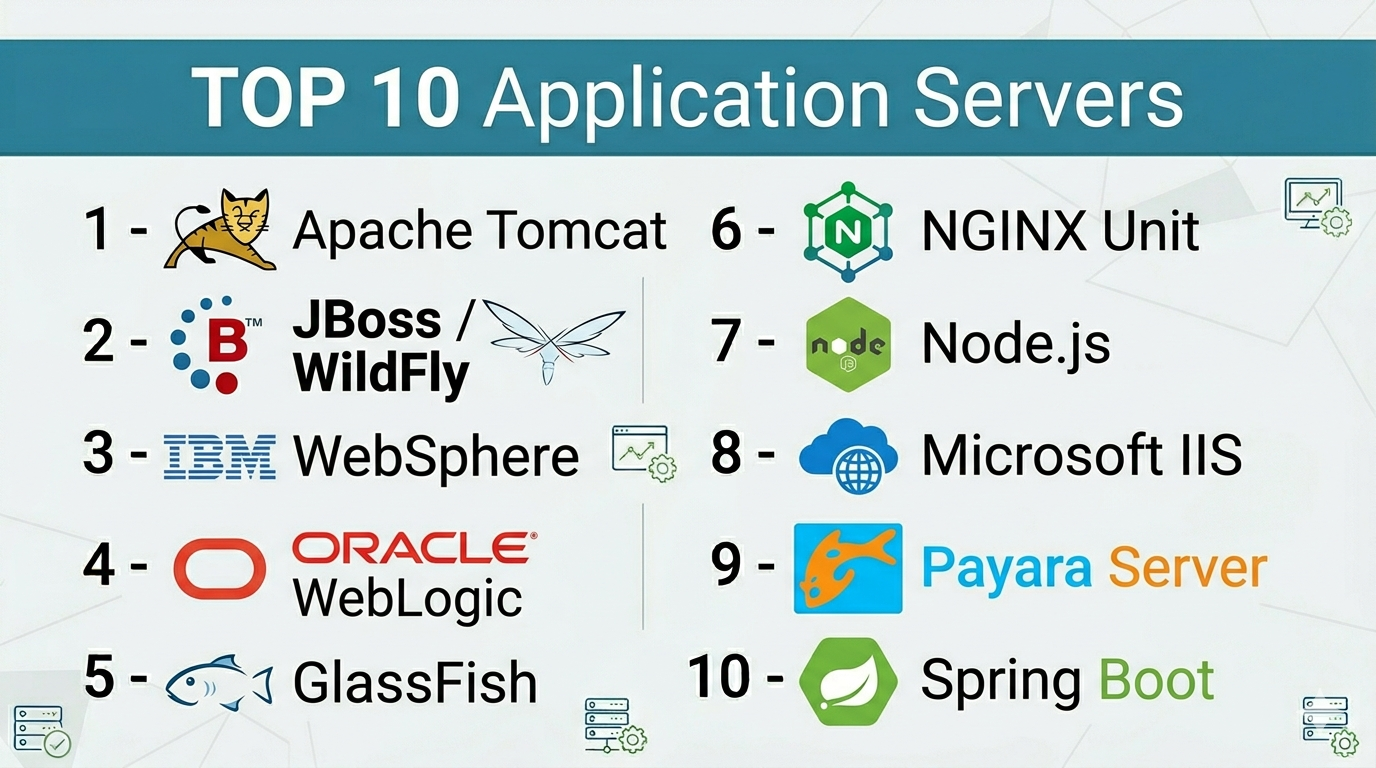
#1 — Apache Tomcat
Short description: A widely used open-source Java servlet container for running web applications.
Key Features
- Lightweight and fast
- Java Servlet and JSP support
- Easy deployment
- Strong community support
- Integration with Apache ecosystem
- Configurable architecture
Pros
- Simple to use
- Free and open-source
Cons
- Limited enterprise features
- Not a full Java EE server
Platforms / Deployment
Windows / Linux / macOS / Cloud / Self-hosted
Security & Compliance
Basic authentication, SSL support
Integrations & Ecosystem
- Apache HTTP Server
- MySQL, PostgreSQL
- CI/CD tools
- REST APIs
Support & Community
Very strong open-source community and documentation.
#2 — JBoss / WildFly
Short description: A full-featured Java EE application server developed by Red Hat.
Key Features
- Full Java EE support
- Modular architecture
- High performance
- Built-in management console
- Clustering and load balancing
Pros
- Enterprise-grade features
- Strong Red Hat backing
Cons
- Complex setup
- Resource-heavy
Platforms / Deployment
Windows / Linux / Cloud / Self-hosted
Security & Compliance
RBAC, encryption
Integrations & Ecosystem
- Red Hat ecosystem
- Kubernetes
- APIs
Support & Community
Strong enterprise and community support.
#3 — IBM WebSphere
Short description: A robust enterprise application server for large-scale deployments.
Key Features
- Enterprise scalability
- Advanced security features
- Transaction management
- Integration tools
- High availability
Pros
- Highly reliable
- Enterprise-ready
Cons
- Expensive
- Complex licensing
Platforms / Deployment
Cloud / On-prem / Hybrid
Security & Compliance
RBAC, encryption, compliance tools
Integrations & Ecosystem
- IBM Cloud
- APIs
- Enterprise systems
Support & Community
Enterprise-level support.
#4 — Oracle WebLogic
Short description: A powerful application server for enterprise Java applications.
Key Features
- Java EE support
- High scalability
- Built-in clustering
- Advanced security
- Integration with Oracle products
Pros
- Strong performance
- Enterprise capabilities
Cons
- Costly
- Complex setup
Platforms / Deployment
Cloud / On-prem / Hybrid
Security & Compliance
RBAC, encryption
Integrations & Ecosystem
- Oracle Database
- APIs
- Middleware tools
Support & Community
Enterprise support.
#5 — GlassFish
Short description: An open-source Java EE application server.
Key Features
- Full Java EE support
- Modular design
- Fast deployment
- Admin console
- REST support
Pros
- Free to use
- Developer-friendly
Cons
- Limited enterprise support
- Slower updates
Platforms / Deployment
Windows / Linux / Cloud / Self-hosted
Security & Compliance
Basic security features
Integrations & Ecosystem
- Java ecosystem
- APIs
- Databases
Support & Community
Moderate community support.
#6 — NGINX Unit
Short description: A lightweight application server supporting multiple languages.
Key Features
- Multi-language support
- Dynamic configuration
- High performance
- RESTful control API
- Lightweight footprint
Pros
- Fast and efficient
- Flexible
Cons
- Limited enterprise features
- Smaller ecosystem
Platforms / Deployment
Linux / Cloud / Self-hosted
Security & Compliance
Basic security features
Integrations & Ecosystem
- NGINX ecosystem
- APIs
- Containers
Support & Community
Growing community.
#7 — Node.js (with Express)
Short description: A runtime environment used as an application server for JavaScript applications.
Key Features
- Event-driven architecture
- Non-blocking I/O
- Large package ecosystem
- Fast performance
- Scalable
Pros
- Highly flexible
- Massive community
Cons
- Not traditional server
- Requires coding
Platforms / Deployment
Windows / Linux / macOS / Cloud / Self-hosted
Security & Compliance
Varies / N/A
Integrations & Ecosystem
- npm ecosystem
- APIs
- Databases
Support & Community
Extremely strong community.
#8 — Microsoft IIS
Short description: A web and application server for Windows environments.
Key Features
- Integration with Windows Server
- GUI-based management
- Security features
- Application hosting
- Scalability
Pros
- Easy to manage
- Strong Microsoft integration
Cons
- Windows-only
- Licensing cost
Platforms / Deployment
Windows / On-prem / Cloud
Security & Compliance
RBAC, authentication
Integrations & Ecosystem
- .NET
- Azure
- APIs
Support & Community
Enterprise support.
#9 — Payara Server
Short description: A supported fork of GlassFish with enterprise features.
Key Features
- Java EE support
- High availability
- Monitoring tools
- Clustering
- Microservices support
Pros
- Enterprise support
- Reliable
Cons
- Smaller ecosystem
- Learning curve
Platforms / Deployment
Cloud / On-prem / Hybrid
Security & Compliance
RBAC, encryption
Integrations & Ecosystem
- Java ecosystem
- APIs
- Containers
Support & Community
Strong enterprise support.
#10 — Spring Boot (Embedded Server)
Short description: A framework with embedded servers for building standalone applications.
Key Features
- Embedded Tomcat/Jetty
- Rapid development
- Auto-configuration
- Microservices support
- Cloud-native
Pros
- Developer-friendly
- Fast deployment
Cons
- Requires coding
- Not standalone server
Platforms / Deployment
Cloud / Self-hosted / Hybrid
Security & Compliance
Varies / N/A
Integrations & Ecosystem
- Spring ecosystem
- APIs
- Databases
Support & Community
Very strong community.
Comparison Table (Top 10)
| Tool Name | Best For | Platform(s) Supported | Deployment | Standout Feature | Public Rating |
|---|---|---|---|---|---|
| Apache Tomcat | Java apps | Multi-platform | Hybrid | Lightweight | N/A |
| WildFly | Enterprise Java | Multi-platform | Hybrid | Java EE support | N/A |
| WebSphere | Enterprise | Multi-platform | Hybrid | Reliability | N/A |
| WebLogic | Enterprise Java | Multi-platform | Hybrid | Scalability | N/A |
| GlassFish | Open-source Java | Multi-platform | Hybrid | Free Java EE | N/A |
| NGINX Unit | Lightweight apps | Linux | Hybrid | Multi-language | N/A |
| Node.js | JS apps | Multi-platform | Hybrid | Event-driven | N/A |
| IIS | Windows apps | Windows | Hybrid | Microsoft integration | N/A |
| Payara | Enterprise Java | Multi-platform | Hybrid | Stability | N/A |
| Spring Boot | Microservices | Multi-platform | Hybrid | Embedded server | N/A |
Application Servers (Scoring)
| Tool Name | Core | Ease | Integrations | Security | Performance | Support | Value | Weighted Total |
|---|---|---|---|---|---|---|---|---|
| Tomcat | 8 | 9 | 8 | 7 | 8 | 9 | 9 | 8.3 |
| WildFly | 9 | 7 | 8 | 8 | 9 | 8 | 8 | 8.3 |
| WebSphere | 10 | 6 | 9 | 9 | 10 | 9 | 5 | 8.6 |
| WebLogic | 9 | 6 | 9 | 9 | 9 | 9 | 5 | 8.3 |
| GlassFish | 8 | 8 | 7 | 7 | 8 | 7 | 9 | 7.9 |
| NGINX Unit | 7 | 8 | 7 | 6 | 9 | 7 | 8 | 7.6 |
| Node.js | 9 | 8 | 10 | 6 | 9 | 10 | 9 | 8.8 |
| IIS | 8 | 9 | 8 | 8 | 8 | 9 | 7 | 8.2 |
| Payara | 9 | 7 | 8 | 8 | 9 | 8 | 7 | 8.1 |
| Spring Boot | 9 | 9 | 10 | 7 | 9 | 10 | 9 | 9.0 |
Interpretation:
- Scores are comparative across tools
- Weighted totals show overall balance
- Choose based on use case, not just score
Which Service Mesh Platforms Is Right for You?
Solo / Freelancer
Use Spring Boot or Node.js for simplicity and speed.
SMB
Choose Tomcat or NGINX Unit for cost-effective solutions.
Mid-Market
Use WildFly or Payara for scalability.
Enterprise
Go with WebSphere or WebLogic for full enterprise features.
Budget vs Premium
- Budget: Tomcat, GlassFish
- Premium: WebSphere, WebLogic
Feature Depth vs Ease of Use
- Easy: Spring Boot, IIS
- Advanced: WebLogic, WebSphere
Integrations & Scalability
- Best: Node.js, Spring Boot
- Limited: NGINX Unit
Security & Compliance Needs
- High: WebSphere, WebLogic
- Basic: Tomcat
Application Servers (FAQs)
What is an application server?
It provides an environment to run and manage backend applications.
How is it different from a web server?
Web servers serve static content; application servers handle logic.
Are application servers still relevant?
Yes, especially for enterprise and backend systems.
Which is best for Java?
Tomcat, WildFly, and WebLogic are popular choices.
Are open-source options reliable?
Yes, many are widely used in production.
Do they support cloud deployment?
Most modern servers support cloud and containers.
What about security?
Most include authentication and encryption features.
Can they scale?
Yes, especially enterprise-grade servers.
Are they expensive?
Some are free; enterprise versions can be costly.
Can I switch later?
Yes, but migration requires effort.
Conclusion
Application servers continue to play a critical role in powering modern applications, from lightweight microservices to complex enterprise systems. While tools like Spring Boot and Node.js cater to developers seeking speed and flexibility, platforms like WebSphere and WebLogic provide robust enterprise-grade capabilities.
