Introduction
No-code app builders are platforms that allow users to create web and mobile applications without writing traditional code. These tools provide visual development environments, drag-and-drop interfaces, and pre-built logic components, enabling non-developers to build functional applications quickly.
As demand for digital products grows and developer resources remain limited, no-code platforms have become essential for rapid prototyping, internal tools, and even full-scale applications. Modern no-code builders now include AI-assisted development, API integrations, database management, and workflow automation—making them viable alternatives to traditional development in many scenarios.
Common use cases include:
- Building MVPs and startup prototypes
- Internal business tools and dashboards
- Customer-facing web and mobile apps
- Workflow automation and process tools
- Marketplaces and SaaS products
What buyers should evaluate:
- Ease of use and learning curve
- Flexibility and customization capabilities
- Database and backend functionality
- Integration with APIs and third-party tools
- Scalability and performance
- Deployment options (web, mobile, PWA)
- Security and compliance features
- Pricing and usage limits
- Collaboration and team features
- Vendor lock-in risks
Best for: Founders, product managers, entrepreneurs, startups, SMBs, and teams building apps without dedicated development resources.
Not ideal for: Highly complex applications requiring deep backend logic, custom infrastructure, or performance-intensive workloads—traditional development may be more suitable.
Key Trends in No-Code App Builders
- AI-assisted app generation: Automatic app structure, logic, and UI creation
- Backend-as-a-service integration: Built-in databases, authentication, and APIs
- Cross-platform deployment: Web, mobile apps, and PWAs from a single build
- Low-code hybrid models: Combining visual builders with optional coding
- Workflow automation integration: Connecting apps with business processes
- Enterprise adoption: No-code tools being used for internal enterprise apps
- Improved scalability: Handling higher traffic and more complex logic
- Marketplace ecosystems: Templates, plugins, and reusable components
- Security-first design: Role-based access, authentication, and compliance features
- API-first architecture: Seamless integration with external services
How We Selected These Tools (Methodology)
The tools listed were selected based on:
- Market popularity and adoption among no-code users
- Feature completeness across frontend, backend, and logic building
- Ease of use for non-technical users
- Flexibility and scalability for growing applications
- Integration capabilities with APIs and external tools
- Performance and reliability for real-world use cases
- Security features and access control capabilities
- Support for multiple deployment platforms
- Community, templates, and learning resources
- Innovation in AI and automation
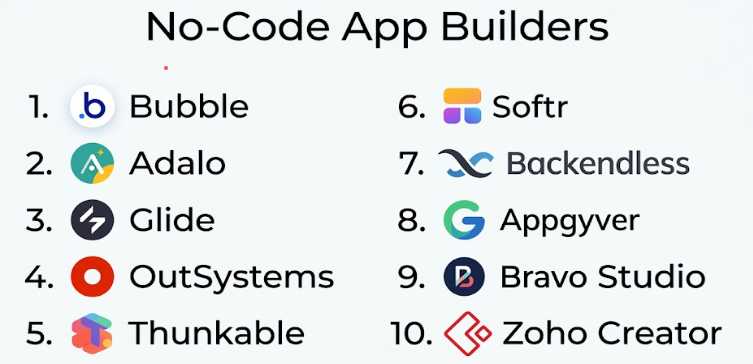
Top 10 No-Code App Builders
#1 — Bubble
Short description: A powerful no-code platform for building full-stack web applications with complex logic and workflows.
Key Features
- Visual programming interface
- Built-in database
- Workflow automation
- API integrations
- Responsive design tools
- Plugin marketplace
- Hosting included
Pros
- Highly flexible and powerful
- Suitable for complex apps
- Large community and ecosystem
Cons
- Steep learning curve
- Performance may vary at scale
Platforms / Deployment
Web (Cloud)
Security & Compliance
Not publicly stated
Integrations & Ecosystem
Bubble supports a wide range of integrations and plugins.
- APIs
- Payment gateways
- Third-party plugins
- Zapier
Support & Community
Large global community, tutorials, and forums.
#2 — Adalo
Short description: A no-code platform focused on building mobile apps with ease.
Key Features
- Drag-and-drop builder
- Mobile app publishing
- Built-in database
- Components library
- API integrations
- User authentication
Pros
- Easy mobile app creation
- Beginner-friendly
- Quick deployment
Cons
- Limited scalability
- Basic advanced features
Platforms / Deployment
Web / iOS / Android (Cloud)
Security & Compliance
Not publicly stated
Integrations & Ecosystem
- APIs
- Zapier
- External services
Support & Community
Good documentation and beginner resources.
#3 — Glide
Short description: A no-code platform that converts spreadsheets into functional apps.
Key Features
- Spreadsheet-based backend
- Drag-and-drop UI
- Real-time updates
- Templates
- User authentication
- Mobile-friendly design
Pros
- Extremely easy to use
- Fast app creation
- Ideal for internal tools
Cons
- Limited customization
- Not suitable for complex apps
Platforms / Deployment
Web / Mobile (Cloud)
Security & Compliance
Not publicly stated
Integrations & Ecosystem
- Google Sheets
- APIs
- Zapier
Support & Community
Active community and tutorials.
#4 — OutSystems
Short description: An enterprise-grade low-code/no-code platform for building scalable applications.
Key Features
- Visual development tools
- Full-stack capabilities
- AI-assisted development
- Integration tools
- DevOps automation
- Mobile and web support
Pros
- Enterprise scalability
- Strong performance
- Advanced features
Cons
- Expensive
- Requires training
Platforms / Deployment
Cloud / Hybrid
Security & Compliance
Enterprise-grade security; details not publicly stated
Integrations & Ecosystem
- Enterprise systems
- APIs
- DevOps tools
Support & Community
Strong enterprise support and resources.
#5 — Thunkable
Short description: A no-code platform for building cross-platform mobile apps.
Key Features
- Drag-and-drop builder
- Logic blocks
- Cross-platform apps
- API integrations
- Live testing
- UI components
Pros
- Easy mobile development
- Cross-platform support
- Good learning resources
Cons
- Limited advanced features
- UI flexibility constraints
Platforms / Deployment
Web / iOS / Android (Cloud)
Security & Compliance
Not publicly stated
Integrations & Ecosystem
- APIs
- External services
Support & Community
Active community and tutorials.
#6 — Softr
Short description: A no-code platform for building web apps and portals using Airtable or databases.
Key Features
- Drag-and-drop builder
- Airtable integration
- User authentication
- Templates
- Custom domains
- Responsive design
Pros
- Easy to use
- Fast setup
- Good for internal tools
Cons
- Limited backend flexibility
- Dependency on external databases
Platforms / Deployment
Web (Cloud)
Security & Compliance
Not publicly stated
Integrations & Ecosystem
- Airtable
- APIs
- Zapier
Support & Community
Good documentation and onboarding.
#7 — Backendless
Short description: A backend-focused no-code platform with strong API and database capabilities.
Key Features
- Visual backend builder
- Database management
- API services
- User authentication
- Cloud code
- Real-time database
Pros
- Strong backend capabilities
- Flexible architecture
- Scalable
Cons
- Less focus on UI
- Learning curve
Platforms / Deployment
Cloud / Self-hosted
Security & Compliance
Not publicly stated
Integrations & Ecosystem
- APIs
- External services
Support & Community
Moderate support and resources.
#8 — Appgyver
Short description: A no-code platform for building complex apps with logic and integrations.
Key Features
- Visual builder
- Logic flows
- API integration
- Cross-platform support
- UI components
- Data management
Pros
- Powerful features
- Free tier available
- Good flexibility
Cons
- Learning curve
- Smaller ecosystem
Platforms / Deployment
Web / Mobile (Cloud)
Security & Compliance
Not publicly stated
Integrations & Ecosystem
- APIs
- External tools
Support & Community
Growing community and documentation.
#9 — Bravo Studio
Short description: A tool that converts design prototypes into functional mobile apps.
Key Features
- Design-to-app workflow
- Figma integration
- API connections
- Native mobile output
- UI customization
Pros
- Great for designers
- Fast app conversion
- High-quality UI
Cons
- Limited backend features
- Requires design tools
Platforms / Deployment
Web / Mobile (Cloud)
Security & Compliance
Not publicly stated
Integrations & Ecosystem
- Figma
- APIs
Support & Community
Niche but growing community.
#10 — Zoho Creator
Short description: A no-code platform for building business applications within the Zoho ecosystem.
Key Features
- Drag-and-drop builder
- Workflow automation
- Database management
- Integration with Zoho apps
- Mobile app support
- Reporting tools
Pros
- Strong business integrations
- Scalable for SMBs
- Affordable
Cons
- Limited outside Zoho ecosystem
- UI customization constraints
Platforms / Deployment
Web / Mobile (Cloud)
Security & Compliance
Not publicly stated
Integrations & Ecosystem
- Zoho suite
- APIs
- Business tools
Support & Community
Strong support within Zoho ecosystem.
Comparison Table (Top 10)
| Tool Name | Best For | Platform(s) Supported | Deployment | Standout Feature | Public Rating |
|---|---|---|---|---|---|
| Bubble | Full-stack apps | Web | Cloud | Visual programming | N/A |
| Adalo | Mobile apps | Web, iOS, Android | Cloud | Mobile-first builder | N/A |
| Glide | Internal tools | Web, Mobile | Cloud | Spreadsheet backend | N/A |
| OutSystems | Enterprise | Web, Mobile | Cloud/Hybrid | Enterprise scalability | N/A |
| Thunkable | Mobile apps | Web, iOS, Android | Cloud | Cross-platform apps | N/A |
| Softr | Portals/web apps | Web | Cloud | Airtable integration | N/A |
| Backendless | Backend systems | Web | Cloud/Self-hosted | Backend builder | N/A |
| Appgyver | Complex apps | Web, Mobile | Cloud | Logic builder | N/A |
| Bravo Studio | Design apps | Web, Mobile | Cloud | Design-to-app workflow | N/A |
| Zoho Creator | Business apps | Web, Mobile | Cloud | Zoho ecosystem | N/A |
Evaluation & Scoring of No-Code App Builders
| Tool Name | Core | Ease | Integrations | Security | Performance | Support | Value | Weighted Total |
|---|---|---|---|---|---|---|---|---|
| Bubble | 9 | 6 | 9 | 7 | 8 | 8 | 8 | 8.2 |
| Adalo | 7 | 9 | 7 | 6 | 7 | 7 | 8 | 7.6 |
| Glide | 6 | 10 | 7 | 6 | 7 | 7 | 9 | 7.7 |
| OutSystems | 9 | 6 | 9 | 8 | 9 | 9 | 5 | 8.2 |
| Thunkable | 7 | 8 | 7 | 6 | 7 | 7 | 8 | 7.5 |
| Softr | 7 | 9 | 7 | 6 | 7 | 7 | 8 | 7.6 |
| Backendless | 8 | 6 | 8 | 7 | 8 | 7 | 7 | 7.6 |
| Appgyver | 8 | 7 | 7 | 6 | 8 | 7 | 8 | 7.7 |
| Bravo Studio | 7 | 8 | 6 | 6 | 7 | 6 | 8 | 7.3 |
| Zoho Creator | 8 | 8 | 8 | 7 | 8 | 8 | 8 | 8.0 |
Interpretation:
- Higher scores reflect stronger overall platform capability
- Bubble and OutSystems lead in flexibility and scalability
- Beginner tools excel in ease and affordability
- Enterprise tools prioritize performance and integrations
Which No-Code App Builders Tool Is Right for You?
Solo / Freelancer
- Best: Glide, Softr, Adalo
- Focus on simplicity and quick deployment
SMB
- Best: Bubble, Zoho Creator
Mid-Market
- Best: Bubble, Backendless, Appgyver
Enterprise
- Best: OutSystems
Budget vs Premium
- Budget: Glide, Softr
- Premium: OutSystems
Feature Depth vs Ease of Use
- Deep: Bubble, Backendless
- Easy: Glide, Adalo
Integrations & Scalability
- Strong: OutSystems, Bubble
- Moderate: Softr
Security & Compliance Needs
- Higher: OutSystems
- Basic: Glide
Frequently Asked Questions (FAQs)
What is a no-code app builder?
A platform that allows users to build apps without writing code.
Do I need programming knowledge?
No, these tools are designed for non-developers.
Can I build real apps with no-code tools?
Yes, many tools support production-ready applications.
Are no-code apps scalable?
Some platforms support scalability, but it depends on the tool.
Can I integrate APIs?
Yes, most tools support API integrations.
Are these tools secure?
Security varies by platform; check features before use.
Can I publish mobile apps?
Yes, tools like Adalo and Thunkable support mobile apps.
How much do they cost?
Pricing varies based on features and usage.
Can I switch platforms later?
Migration can be challenging depending on the tool.
Which tool is best?
It depends on your app complexity and requirements.
Conclusion
No-code app builders are transforming how applications are created, enabling faster development and broader accessibility. From simple internal tools to complex applications, these platforms provide powerful capabilities without traditional coding.
