Introduction
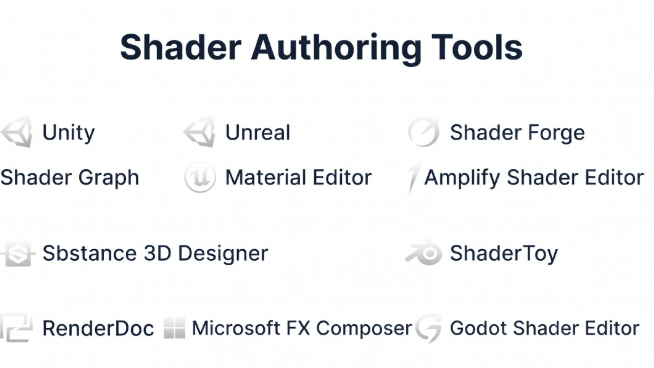
Shader Authoring Tools are specialized platforms used to create, edit, and optimize shaders—programs that control how surfaces, lighting, and visual effects are rendered in real time. These tools play a critical role in game development, AR/VR experiences, simulations, and visual effects pipelines by enabling developers and artists to define how objects look and react to light.
Modern shader tools go beyond writing raw code. They often provide node-based visual editors, real-time previews, cross-platform compatibility, and integration with game engines. This allows both programmers and artists to collaborate effectively while achieving high-performance graphics.
Common Use Cases
- Creating materials and lighting effects in games
- Designing shaders for AR/VR and real-time applications
- Visual effects (VFX) and post-processing pipelines
- Procedural textures and materials
- Optimization for performance across devices
What Buyers Should Evaluate
- Visual node-based vs code-based workflows
- Integration with game engines (Unity, Unreal, etc.)
- Real-time preview and debugging tools
- Supported shader languages (HLSL, GLSL, etc.)
- Performance optimization capabilities
- Cross-platform compatibility
- Ease of use for artists vs developers
- Extensibility and plugin ecosystem
- Documentation and community support
Best for: Graphics programmers, technical artists, game developers, VFX artists, and teams building visually rich real-time applications.
Not ideal for: Non-visual applications, backend-only systems, or teams without rendering or graphics requirements.
Key Trends in Shader Authoring Tools
- Node-based visual shader creation for non-programmers
- Real-time preview and instant feedback loops
- AI-assisted shader generation and optimization
- Cross-engine shader compatibility (Open standards)
- Integration with real-time rendering pipelines
- GPU optimization and performance profiling
- Increased adoption in AR/VR and spatial computing
- Modular shader systems and reusable components
- Hybrid workflows combining code and visual editing
- Support for physically based rendering (PBR)
How We Selected These Tools (Methodology)
- Evaluated usage across game development and VFX industries
- Assessed compatibility with major engines and pipelines
- Reviewed ease of use for both developers and artists
- Considered feature depth (visual editor, debugging, optimization)
- Analyzed performance and real-time capabilities
- Evaluated integration with rendering engines
- Considered community size and documentation quality
- Included both standalone and engine-integrated tools
- Balanced open-source and commercial offerings
Top 10 Shader Authoring Tools
#1 — Unity Shader Graph
Short description: A node-based shader creation tool within Unity that allows developers and artists to build shaders visually without writing code.
Key Features
- Node-based shader editor
- Real-time preview
- Integration with Unity rendering pipelines
- Support for PBR workflows
- Custom function nodes
- Cross-platform deployment
Pros
- Easy for non-programmers
- Seamless Unity integration
Cons
- Limited outside Unity
- Complex shaders may require code
Platforms / Deployment
Windows / macOS
Self-hosted
Security & Compliance
Not publicly stated
Integrations & Ecosystem
Unity Shader Graph is tightly integrated into the Unity ecosystem and rendering pipelines.
- Unity URP/HDRP
- Asset Store
- Visual scripting tools
Support & Community
Large community and extensive learning resources.
#2 — Unreal Material Editor
Short description: A powerful visual shader editor within Unreal Engine used for creating complex materials and effects.
Key Features
- Node-based material system
- Real-time rendering preview
- Advanced material functions
- PBR support
- Blueprint integration
- High-end rendering pipeline
Pros
- Industry-leading visual quality
- Deep integration with Unreal
Cons
- Steep learning curve
- Resource-intensive
Platforms / Deployment
Windows / macOS / Linux
Self-hosted
Security & Compliance
Not publicly stated
Integrations & Ecosystem
- Unreal Engine
- VFX pipelines
- Rendering tools
Support & Community
Strong developer and artist community.
#3 — Shader Forge
Short description: A visual shader editor for Unity that enables node-based shader creation with flexibility.
Key Features
- Node-based editor
- Real-time preview
- Custom shader creation
- Drag-and-drop workflow
- Integration with Unity
Pros
- Flexible shader creation
- Visual workflow
Cons
- Less actively maintained
- Limited compared to newer tools
Platforms / Deployment
Windows / macOS
Self-hosted
Security & Compliance
Not publicly stated
Integrations & Ecosystem
- Unity
- Asset Store
Support & Community
Moderate community support.
#4 — Amplify Shader Editor
Short description: A popular Unity plugin offering advanced shader editing with a visual node-based interface.
Key Features
- Visual shader editing
- Template system
- Real-time preview
- Custom shader functions
- Performance optimization tools
Pros
- Powerful and flexible
- Suitable for advanced users
Cons
- Paid plugin
- Requires Unity
Platforms / Deployment
Windows / macOS
Self-hosted
Security & Compliance
Not publicly stated
Integrations & Ecosystem
- Unity
- Asset Store
Support & Community
Active Unity developer community.
#5 — Substance 3D Designer
Short description: A node-based tool for creating procedural materials and textures used in games and films.
Key Features
- Procedural material creation
- Node-based workflow
- PBR support
- Texture generation
- Integration with engines
Pros
- Industry-standard for materials
- Highly flexible
Cons
- Learning curve
- Focused on materials, not full shaders
Platforms / Deployment
Windows / macOS
Self-hosted
Security & Compliance
Not publicly stated
Integrations & Ecosystem
- Unity
- Unreal Engine
- 3D pipelines
Support & Community
Strong professional community.
#6 — Blender Shader Editor
Short description: A node-based shader editor within Blender used for material creation and rendering.
Key Features
- Node-based shader system
- Real-time rendering preview
- PBR materials
- Integration with Blender
- Procedural textures
Pros
- Free and powerful
- Flexible workflows
Cons
- Not game-engine specific
- Requires export pipeline
Platforms / Deployment
Windows / macOS / Linux
Self-hosted
Security & Compliance
Not publicly stated
Integrations & Ecosystem
- Blender ecosystem
- Export pipelines
Support & Community
Large open-source community.
#7 — ShaderToy
Short description: A web-based platform for writing and sharing GLSL shaders in real time.
Key Features
- GLSL coding
- Real-time rendering
- Browser-based
- Community sharing
- Visualization tools
Pros
- Easy experimentation
- No installation required
Cons
- Limited production use
- Performance constraints
Platforms / Deployment
Web
Cloud
Security & Compliance
Not publicly stated
Integrations & Ecosystem
- WebGL
- GLSL
Support & Community
Active creative community.
#8 — RenderDoc
Short description: A graphics debugging tool used to inspect and optimize shaders and rendering pipelines.
Key Features
- Frame capture
- Shader debugging
- GPU analysis
- Performance insights
- API support
Pros
- Essential debugging tool
- Free and powerful
Cons
- Not a creation tool
- Technical complexity
Platforms / Deployment
Windows / Linux
Self-hosted
Security & Compliance
Not publicly stated
Integrations & Ecosystem
- Vulkan
- DirectX
- OpenGL
Support & Community
Strong technical community.
#9 — Microsoft FX Composer
Short description: A shader authoring tool for creating and editing shaders using HLSL.
Key Features
- HLSL editing
- Real-time preview
- Shader debugging
- Material editing
- GPU support
Pros
- Strong HLSL support
- Good debugging tools
Cons
- Less actively maintained
- Limited ecosystem
Platforms / Deployment
Windows
Self-hosted
Security & Compliance
Not publicly stated
Integrations & Ecosystem
- DirectX
- HLSL pipelines
Support & Community
Limited community.
#10 — Godot Shader Editor
Short description: A built-in shader editor in Godot for writing and testing shaders.
Key Features
- Shader language support
- Real-time preview
- Integrated workflow
- Lightweight editor
- 2D and 3D support
Pros
- Easy to use
- Open-source
Cons
- Limited advanced features
- Smaller ecosystem
Platforms / Deployment
Windows / macOS / Linux
Self-hosted
Security & Compliance
Not publicly stated
Integrations & Ecosystem
- Godot engine
- Community plugins
Support & Community
Growing open-source community.
Comparison Table (Top 10)
| Tool Name | Best For | Platform(s) Supported | Deployment | Standout Feature | Public Rating |
|---|---|---|---|---|---|
| Unity Shader Graph | Unity devs | Windows/macOS | Self-hosted | Visual nodes | N/A |
| Unreal Material Editor | AAA graphics | Multi-platform | Self-hosted | High-end visuals | N/A |
| Shader Forge | Unity shaders | Windows/macOS | Self-hosted | Flexibility | N/A |
| Amplify Shader Editor | Advanced Unity users | Windows/macOS | Self-hosted | Custom templates | N/A |
| Substance Designer | Materials | Windows/macOS | Self-hosted | Procedural textures | N/A |
| Blender Shader Editor | 3D artists | Multi-platform | Self-hosted | Node system | N/A |
| ShaderToy | Learning/experiments | Web | Cloud | Browser shaders | N/A |
| RenderDoc | Debugging | Windows/Linux | Self-hosted | GPU analysis | N/A |
| FX Composer | HLSL shaders | Windows | Self-hosted | HLSL editing | N/A |
| Godot Shader Editor | Indie devs | Multi-platform | Self-hosted | Simplicity | N/A |
Evaluation & Scoring of Shader Authoring Tools
| Tool Name | Core (25%) | Ease (15%) | Integrations (15%) | Security (10%) | Performance (10%) | Support (10%) | Value (15%) | Weighted Total |
|---|---|---|---|---|---|---|---|---|
| Unity Shader Graph | 8 | 9 | 9 | 6 | 8 | 9 | 8 | 8.2 |
| Unreal Material Editor | 9 | 7 | 9 | 6 | 9 | 9 | 7 | 8.4 |
| Shader Forge | 7 | 8 | 7 | 6 | 7 | 6 | 7 | 7.1 |
| Amplify Shader Editor | 8 | 8 | 8 | 6 | 8 | 8 | 7 | 7.8 |
| Substance Designer | 9 | 7 | 8 | 6 | 9 | 9 | 7 | 8.3 |
| Blender Shader Editor | 8 | 7 | 8 | 6 | 8 | 9 | 10 | 8.3 |
| ShaderToy | 6 | 9 | 6 | 6 | 6 | 8 | 10 | 7.3 |
| RenderDoc | 8 | 6 | 7 | 6 | 9 | 8 | 10 | 7.9 |
| FX Composer | 7 | 6 | 6 | 6 | 7 | 6 | 7 | 6.8 |
| Godot Shader Editor | 7 | 8 | 6 | 6 | 7 | 7 | 10 | 7.5 |
How to interpret these scores:
- Scores are comparative, not absolute
- Higher scores indicate better balance across features
- Engine-integrated tools excel in integration
- Open-source tools often score higher in value
- Choose based on workflow and ecosystem compatibility
Which Shader Authoring Tool Is Right for You?
Solo / Freelancer
- Best: Blender Shader Editor, Godot Shader Editor
- Focus on free and flexible tools
SMB
- Best: Unity Shader Graph, Amplify Shader Editor
- Balance between ease and features
Mid-Market
- Best: Unity Shader Graph, Substance Designer
- Need scalability and advanced workflows
Enterprise
- Best: Unreal Material Editor, Substance Designer
- High-end rendering and production pipelines
Budget vs Premium
- Budget: Blender, Godot
- Premium: Substance Designer
Feature Depth vs Ease of Use
- Deep features: Unreal Material Editor
- Easy: Unity Shader Graph
Integrations & Scalability
- Best: Unity, Unreal tools
- Moderate: Blender
Security & Compliance Needs
- Stronger: Engine-integrated tools
- Basic: Standalone tools
Frequently Asked Questions (FAQs)
What is a shader authoring tool?
A tool used to create and edit shaders that control rendering and visual effects.
Do I need coding skills?
Not always; many tools offer visual node-based systems.
Which tool is best for beginners?
Unity Shader Graph and Blender Shader Editor are beginner-friendly.
Are these tools free?
Some are free, while others require licenses.
Can I use them with game engines?
Yes, most tools integrate with major engines.
What is PBR?
Physically Based Rendering is a method for realistic material rendering.
Can shaders affect performance?
Yes, poorly optimized shaders can impact performance.
Are shaders used outside games?
Yes, in VFX, simulations, and AR/VR.
Can I switch tools later?
Yes, but may require rework.
How complex are shaders?
They range from simple to highly advanced.
Conclusion
Shader authoring tools are essential for creating visually compelling and performance-optimized real-time experiences. Whether you’re a technical artist or a graphics programmer, the right tool can significantly improve your workflow and visual output.
The best choice depends on your engine, skill level, and project requirement
