Introduction
Building Information Modeling (BIM) software is a digital tool used to design, plan, construct, and manage buildings and infrastructure using intelligent 3D models. Unlike traditional CAD tools, BIM software connects geometry with data—meaning every element (walls, doors, systems) carries information that updates automatically across the project.
In today’s construction and architecture landscape, BIM is no longer optional. It enables better collaboration, reduces errors, improves cost estimation, and supports the full lifecycle of a building—from design to maintenance. Governments and large enterprises increasingly require BIM for compliance and project delivery standards.
Common Use Cases
- Architectural design and planning
- Structural engineering and analysis
- MEP (Mechanical, Electrical, Plumbing) coordination
- Construction planning and clash detection
- Facility management and digital twins
What Buyers Should Evaluate
- Multidisciplinary capabilities (architecture + structure + MEP)
- Collaboration and cloud features
- Ease of use and learning curve
- Interoperability (IFC, CAD, APIs)
- Automation and parametric modeling
- Scalability for large projects
- Integration with construction tools
- Hardware requirements
- Cost and licensing model
Best for: Architects, civil engineers, construction firms, infrastructure companies, and project managers working on complex building projects.
Not ideal for: Small teams doing basic drafting or conceptual design—simpler CAD tools may be more efficient.
Key Trends in Building Information Modeling (BIM) Software
- AI-driven design automation for faster modeling and optimization
- Cloud-based collaboration platforms enabling real-time teamwork
- Digital twin integration for lifecycle management
- OpenBIM standards (IFC) improving interoperability
- 4D/5D BIM adoption (time and cost simulation)
- Integration with IoT and smart buildings
- Automation via scripting tools (e.g., visual programming)
- Increased focus on sustainability and energy analysis
- Mobile BIM access for on-site teams
- Growing demand for compliance and standardized workflows
How We Selected These Tools (Methodology)
- Evaluated market adoption and industry dominance
- Assessed feature completeness across disciplines
- Considered performance and scalability in large projects
- Reviewed ease of onboarding and usability
- Analyzed integration with AEC ecosystems
- Evaluated OpenBIM and interoperability support
- Considered community, documentation, and training availability
- Reviewed innovation in AI and automation
- Assessed fit across freelancers, SMBs, and enterprises
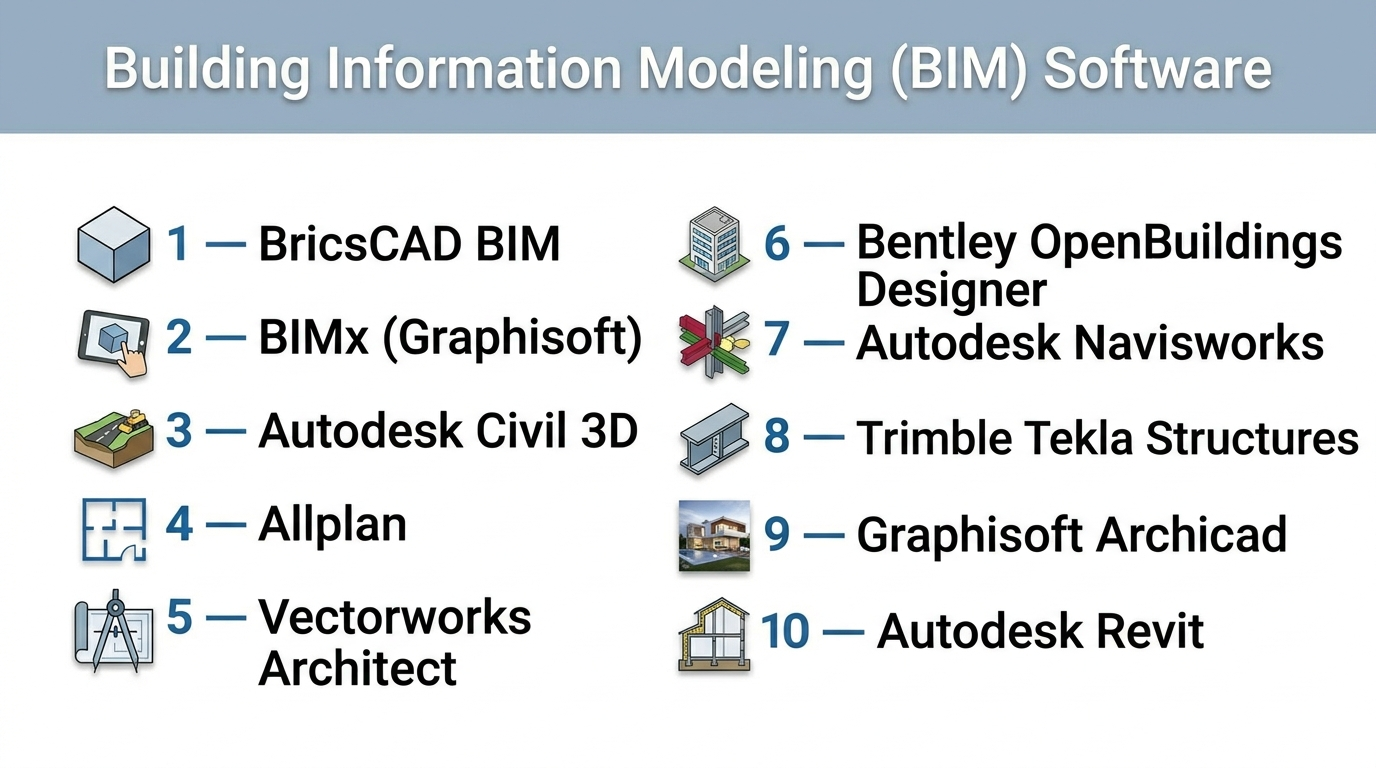
Top 10 Building Information Modeling (BIM) Software Tools
#1 — Autodesk Revit
Short description: A leading BIM platform used by architects, engineers, and contractors for multidisciplinary building design and lifecycle management.
Key Features
- Parametric modeling with automatic updates
- Architecture, structure, and MEP in one platform
- 3D modeling with 2D documentation
- Clash detection and coordination
- Cloud collaboration support
- Visual programming (Dynamo)
Pros
- Industry standard adoption
- Strong ecosystem and integrations
Cons
- Steep learning curve
- High hardware requirements
Platforms / Deployment
Windows / Cloud (via integrations)
Security & Compliance
Not publicly stated
Integrations & Ecosystem
Revit integrates deeply into the Autodesk ecosystem and beyond.
- Navisworks, AutoCAD, BIM 360
- Dynamo scripting
- Third-party plugins
- API support
Support & Community
Very large global community, extensive documentation, training resources.
#2 — Graphisoft Archicad
Short description: A BIM tool focused on architectural design with strong usability and OpenBIM support.
Key Features
- Parametric architectural modeling
- OpenBIM and IFC support
- Real-time collaboration (Teamwork)
- Built-in rendering tools
- Lifecycle data management
Pros
- Intuitive interface
- Strong design workflow
Cons
- Limited structural/MEP depth
- Smaller ecosystem than Revit
Platforms / Deployment
Windows / macOS
Security & Compliance
Not publicly stated
Integrations & Ecosystem
- IFC-based interoperability
- BIMcloud
- CAD integrations
- Plugin ecosystem
Support & Community
Strong architectural community and training resources.
#3 — Trimble Tekla Structures
Short description: A BIM solution specialized for structural engineering and fabrication-level modeling.
Key Features
- Detailed structural modeling
- Steel and concrete detailing
- Fabrication-ready outputs
- High LOD modeling
- Construction workflows
Pros
- Extremely detailed models
- Ideal for structural projects
Cons
- Complex to learn
- Limited architectural features
Platforms / Deployment
Windows
Security & Compliance
Not publicly stated
Integrations & Ecosystem
- Trimble Connect
- CAD and BIM tools
- Fabrication workflows
- API access
Support & Community
Professional support and niche community.
#4 — Autodesk Navisworks
Short description: A BIM coordination tool used for clash detection, simulation, and project review.
Key Features
- Clash detection
- 4D/5D simulation
- Model aggregation
- Project review tools
- Visualization capabilities
Pros
- Strong coordination capabilities
- Handles large datasets
Cons
- Not a modeling tool
- Requires other BIM tools
Platforms / Deployment
Windows
Security & Compliance
Not publicly stated
Integrations & Ecosystem
- Revit, AutoCAD
- BIM workflows
- Simulation tools
- API support
Support & Community
Strong enterprise usage and support.
#5 — Bentley OpenBuildings Designer
Short description: A comprehensive BIM solution for infrastructure and building projects.
Key Features
- Multidiscipline modeling
- Infrastructure design tools
- Parametric modeling
- Visualization tools
- Lifecycle management
Pros
- Strong infrastructure focus
- Scalable for large projects
Cons
- Complex interface
- Higher learning curve
Platforms / Deployment
Windows
Security & Compliance
Not publicly stated
Integrations & Ecosystem
- Bentley ecosystem
- CAD tools
- APIs
- Infrastructure tools
Support & Community
Enterprise-level support.
#6 — Vectorworks Architect
Short description: A BIM and CAD tool focused on design flexibility and creative workflows.
Key Features
- BIM and CAD integration
- Flexible modeling tools
- Visualization features
- Collaboration tools
- Rendering capabilities
Pros
- Creative flexibility
- Easier learning curve
Cons
- Less enterprise adoption
- Limited large-scale support
Platforms / Deployment
Windows / macOS
Security & Compliance
Not publicly stated
Integrations & Ecosystem
- CAD integrations
- Rendering tools
- Plugin ecosystem
Support & Community
Moderate community and support.
#7 — Allplan
Short description: A BIM solution for architecture and civil engineering with strong precision tools.
Key Features
- Parametric modeling
- Infrastructure design
- Collaboration tools
- Quantity takeoffs
- Visualization
Pros
- Strong engineering features
- Accurate modeling
Cons
- Limited global adoption
- Learning curve
Platforms / Deployment
Windows
Security & Compliance
Not publicly stated
Integrations & Ecosystem
- Nemetschek ecosystem
- CAD tools
- APIs
Support & Community
Regional support and growing community.
#8 — Autodesk Civil 3D
Short description: A BIM-focused tool for civil engineering and infrastructure design.
Key Features
- Road and infrastructure design
- Terrain modeling
- Data-rich workflows
- Automation tools
- Survey data integration
Pros
- Strong civil engineering capabilities
- Integration with Autodesk tools
Cons
- Not for building design
- Complex workflows
Platforms / Deployment
Windows
Security & Compliance
Not publicly stated
Integrations & Ecosystem
- Revit, AutoCAD
- GIS tools
- APIs
Support & Community
Strong professional ecosystem.
#9 — BIMx (Graphisoft)
Short description: A BIM viewer and presentation tool for interactive project visualization.
Key Features
- Model navigation
- Mobile support
- Presentation tools
- Real-time walkthroughs
- BIM data access
Pros
- Easy visualization
- Mobile-friendly
Cons
- Not a modeling tool
- Limited functionality
Platforms / Deployment
iOS / Android / Windows
Security & Compliance
Not publicly stated
Integrations & Ecosystem
- Archicad integration
- Mobile workflows
- BIM sharing
Support & Community
Moderate support ecosystem.
#10 — BricsCAD BIM
Short description: A cost-effective BIM solution combining CAD and BIM workflows.
Key Features
- AI-driven modeling
- Parametric components
- CAD compatibility
- OpenBIM support
- Automation tools
Pros
- Affordable alternative
- Flexible workflows
Cons
- Smaller ecosystem
- Limited enterprise adoption
Platforms / Deployment
Windows / macOS / Linux
Security & Compliance
Not publicly stated
Integrations & Ecosystem
- CAD tools
- OpenBIM workflows
- APIs
Support & Community
Growing community.
Comparison Table (Top 10)
| Tool Name | Best For | Platform(s) Supported | Deployment | Standout Feature | Public Rating |
|---|---|---|---|---|---|
| Revit | Multidisciplinary BIM | Windows | Hybrid | Industry standard | N/A |
| Archicad | Architecture | Win/macOS | Hybrid | OpenBIM workflow | N/A |
| Tekla | Structural engineering | Windows | Self-hosted | Fabrication detail | N/A |
| Navisworks | Coordination | Windows | Self-hosted | Clash detection | N/A |
| OpenBuildings | Infrastructure | Windows | Self-hosted | Infrastructure BIM | N/A |
| Vectorworks | Design flexibility | Win/macOS | Self-hosted | Creative workflow | N/A |
| Allplan | Engineering | Windows | Self-hosted | Precision modeling | N/A |
| Civil 3D | Infrastructure | Windows | Self-hosted | Civil design tools | N/A |
| BIMx | Visualization | Cross-platform | Cloud | Mobile BIM viewer | N/A |
| BricsCAD | Affordable BIM | Cross-platform | Self-hosted | AI modeling | N/A |
Evaluation & Scoring of Building Information Modeling (BIM) Software
| Tool Name | Core | Ease | Integrations | Security | Performance | Support | Value | Weighted Total |
|---|---|---|---|---|---|---|---|---|
| Revit | 10 | 6 | 10 | 5 | 9 | 10 | 7 | 8.6 |
| Archicad | 9 | 8 | 8 | 5 | 8 | 8 | 7 | 8.0 |
| Tekla | 9 | 6 | 8 | 5 | 9 | 7 | 7 | 7.9 |
| Navisworks | 8 | 7 | 9 | 5 | 9 | 8 | 7 | 8.0 |
| OpenBuildings | 8 | 6 | 8 | 5 | 8 | 7 | 7 | 7.6 |
| Vectorworks | 7 | 8 | 7 | 5 | 7 | 7 | 7 | 7.3 |
| Allplan | 7 | 7 | 7 | 5 | 8 | 7 | 7 | 7.2 |
| Civil 3D | 8 | 6 | 9 | 5 | 8 | 8 | 6 | 7.7 |
| BIMx | 6 | 9 | 6 | 5 | 7 | 6 | 8 | 7.0 |
| BricsCAD | 7 | 7 | 7 | 5 | 7 | 6 | 8 | 7.1 |
How to interpret the scores:
- Scores are comparative across tools.
- Higher scores indicate better balance across features and usability.
- Enterprise tools score higher in integrations and performance.
- Affordable tools score higher in value.
- Choose based on your specific use case rather than total score.
Which Building Information Modeling (BIM) Software Is Right for You?
Solo / Freelancer
- Best: Archicad, Vectorworks
- Reason: easier workflows and flexibility
SMB
- Best: BricsCAD, Allplan
- Reason: cost-effective and scalable
Mid-Market
- Best: Revit, Civil 3D
- Reason: strong integration and features
Enterprise
- Best: Revit, Tekla, Navisworks
- Reason: collaboration and large-scale capability
Budget vs Premium
- Budget: BricsCAD
- Premium: Revit, Tekla
Feature Depth vs Ease of Use
- Advanced: Revit, Tekla
- Easy: Archicad, Vectorworks
Integrations & Scalability
- Strong: Revit ecosystem
- Moderate: BricsCAD
Security & Compliance Needs
- Most tools: Not publicly stated
- Enterprises should validate internally
Frequently Asked Questions (FAQs)
What is BIM software?
BIM software creates intelligent 3D models that include both geometry and data.
Is BIM better than CAD?
Yes, BIM offers better collaboration and lifecycle management.
Which BIM software is most popular?
Revit is widely considered the industry standard.
Can small firms use BIM?
Yes, but they should choose simpler tools.
Is BIM expensive?
Costs vary depending on licensing and features.
What hardware is required?
High-performance systems are recommended.
Can BIM integrate with other tools?
Yes, most tools support CAD and APIs.
Is BIM required in construction?
Increasingly, yes—especially in large projects.
How long does it take to learn BIM?
It depends on the tool and complexity.
Can BIM be used for facility management?
Yes, it supports full lifecycle management.
Conclusion
Building Information Modeling software has transformed how buildings are designed, constructed, and managed. From industry leaders like Revit to specialized tools like Tekla, each solution offers unique strengths.
There is no one-size-fits-all solution. The best choice depends on your project type, team size, and integration needs
