Introduction
Visitor Pre-registration Tools help organizations collect visitor details before guests arrive at the office, campus, event, facility, or secure location. In simple words, these tools allow hosts to invite visitors in advance, collect required information, send instructions, create digital passes, speed up check-in, and improve workplace security.
These tools are important because modern workplaces need better control over who enters the building. Reception teams, security teams, HR, facilities, and workplace experience teams must know who is coming, why they are visiting, whom they are meeting, and whether any approvals, documents, badges, or access permissions are needed.
Common use cases include office visitor registration, interview candidate visits, contractor access, vendor visits, event guest check-in, customer meetings, delivery coordination, compliance screening, workplace safety workflows, and secure facility access.
Buyers should evaluate pre-registration workflows, visitor invitations, digital badges, QR check-in, ID verification, host notifications, access control integration, security screening, NDA signing, emergency logs, reporting, admin controls, privacy, and ease of use.
Best for: office managers, reception teams, facilities teams, workplace experience teams, security teams, HR teams, IT teams, schools, coworking spaces, enterprises, healthcare-adjacent facilities, manufacturing sites, and organizations that receive regular visitors.
Not ideal for: very small offices with rare visitors, teams that already manage visitors manually without security concerns, or businesses that do not need visitor records, host notifications, or access control.
Key Trends in Visitor Pre-registration Tools
- Touchless visitor check-in is becoming more common, with QR codes, mobile forms, digital passes, and self-service kiosks reducing front-desk friction.
- Workplace security is becoming a bigger driver, especially for companies that need clear visitor logs, host approvals, ID checks, and emergency evacuation records.
- Visitor management is merging with workplace experience, connecting visitor pre-registration with meeting rooms, desk booking, parking, Wi-Fi access, and office instructions.
- Access control integrations are gaining importance, allowing approved visitors to receive temporary building access or notify security teams automatically.
- Compliance and privacy workflows are becoming more structured, especially when visitors need to sign NDAs, safety forms, health declarations, or site policies.
- Host notifications are expected by default, with alerts sent through email, SMS, mobile apps, Slack-style tools, or Microsoft Teams-style workflows.
- Multi-location management is becoming essential, especially for enterprises that need consistent visitor policies across offices, branches, campuses, and facilities.
- Contractor and vendor registration is becoming more formal, with document collection, approval workflows, insurance checks, training confirmations, and visit purpose tracking.
- Visitor analytics are becoming useful, helping facilities teams understand visit volume, peak hours, visitor types, and front-desk workload.
- Branding and visitor experience matter more, because the registration process is often the first impression a guest has of the company.
How We Selected These Tools
The tools below were selected using practical business-focused evaluation logic.
- Market recognition: Tools commonly known in visitor management, workplace experience, front desk automation, and secure check-in categories were prioritized.
- Feature completeness: Pre-registration, check-in, QR codes, badges, host notifications, visitor logs, and approval workflows were considered.
- Ease of use: Visitor pre-registration must be simple for both guests and internal hosts.
- Security readiness: ID capture, access control, watchlists, admin controls, visitor records, and emergency logs were evaluated.
- Integration ecosystem: Calendar systems, access control, workplace platforms, communication tools, identity systems, and room booking integrations were reviewed.
- Visitor experience: Branding, mobile experience, arrival instructions, check-in speed, and front-desk simplicity were considered.
- Customer fit: The list includes tools for SMBs, enterprises, coworking spaces, campuses, schools, and security-focused facilities.
- Scalability: Multi-location support, admin roles, policies, reporting, and enterprise configuration were included in the evaluation.
- Support and implementation: Documentation, onboarding, device setup, and customer support were considered important.
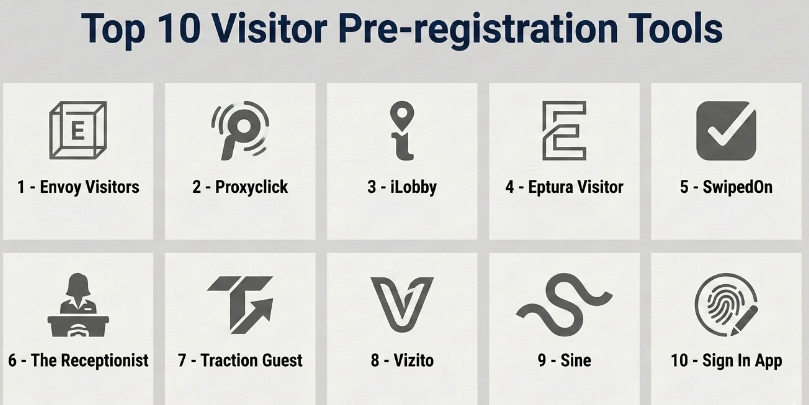
Top 10 Visitor Pre-registration Tools
#1 — Envoy Visitors
Short description :
Envoy Visitors is a widely recognized visitor management platform that helps organizations pre-register guests, manage check-ins, notify hosts, print badges, collect visitor information, and improve workplace security. It is useful for offices, enterprise workplaces, coworking spaces, schools, and facilities that receive regular visitors. Envoy supports digital sign-in, visitor invitations, workplace integrations, and admin reporting. It is especially strong for companies that want visitor pre-registration as part of a broader workplace experience platform. It is best for organizations that need a clean visitor experience with strong operational controls.
Key Features
- Visitor pre-registration and invitations.
- Digital check-in and kiosk workflows.
- QR code check-in.
- Host notifications.
- Badge printing.
- NDA and document signing.
- Visitor logs and reporting.
Pros
- Strong visitor experience and easy check-in.
- Good fit for modern offices and enterprise workplaces.
- Integrates well with broader workplace workflows.
Cons
- May be more than very small offices need.
- Hardware and kiosk setup may require planning.
- Advanced features may depend on selected plan.
Platforms / Deployment
Web / iOS / Android / Kiosk devices
Cloud
Security & Compliance
Supports visitor logs, admin controls, access management workflows, document signing, and security-related visitor processes. Specific security certifications and compliance details should be validated directly with the vendor.
Integrations & Ecosystem
Envoy connects visitor workflows with workplace and security systems.
- Calendar systems.
- Access control systems.
- Slack-style communication tools.
- Microsoft Teams-style workflows.
- Badge printing systems.
- Workplace management tools.
Support & Community
Envoy provides onboarding, documentation, support resources, and workplace operations guidance. It is suitable for organizations that want a polished visitor management experience.
#2 — Proxyclick
Short description :
Proxyclick is a visitor management and pre-registration platform designed for secure workplace access, visitor check-in, host notifications, compliance workflows, and multi-location visitor control. It is useful for enterprises, regulated workplaces, corporate offices, and facilities that need stronger visitor governance. Proxyclick supports visitor invitations, QR codes, watchlists, badges, access control integrations, and reporting. It is especially relevant for companies that need a balance of visitor experience and security control. It is best for organizations that want structured visitor management across multiple sites.
Key Features
- Visitor pre-registration.
- QR code invitations.
- Digital check-in.
- Host notifications.
- Badge printing.
- Watchlist screening.
- Multi-location visitor management.
Pros
- Strong for security-focused visitor workflows.
- Useful for enterprises and multi-site organizations.
- Good fit for compliance and front-desk control.
Cons
- May require careful setup for complex locations.
- Smaller teams may not need all governance features.
- Access control integrations should be tested before rollout.
Platforms / Deployment
Web / iOS / Android / Kiosk devices
Cloud
Security & Compliance
Supports visitor screening, visitor logs, admin controls, access workflows, and compliance-oriented visitor records. Specific security certifications should be validated directly with the vendor.
Integrations & Ecosystem
Proxyclick connects visitor registration with workplace and security systems.
- Access control systems.
- Calendar tools.
- Badge printers.
- Identity workflows.
- Communication tools.
- Facility management processes.
Support & Community
Proxyclick provides documentation, onboarding resources, and customer support. It is strong for organizations that need secure and scalable visitor pre-registration.
#3 — iLobby
Short description :
iLobby is a visitor and contractor management platform designed for secure facilities, enterprise workplaces, manufacturing sites, logistics facilities, and regulated environments. It helps organizations pre-register visitors, manage contractor access, collect documents, screen guests, and maintain visitor records. iLobby is especially useful where safety, compliance, site access, and operational control matter. It can support visitor check-in, badge printing, host notifications, emergency records, and contractor workflows. It is best for organizations that need visitor pre-registration with stronger facility security and compliance needs.
Key Features
- Visitor and contractor pre-registration.
- Digital check-in workflows.
- Badge printing.
- Document and policy acknowledgement.
- Safety and compliance screening.
- Host notifications.
- Facility visitor reporting.
Pros
- Strong fit for secure and operational facilities.
- Good for contractor and vendor management.
- Useful for compliance-heavy environments.
Cons
- May be more advanced than a basic office visitor tool.
- Setup may require security and facilities involvement.
- Best value depends on operational complexity.
Platforms / Deployment
Web / Kiosk devices / Mobile options may vary
Cloud
Security & Compliance
Supports visitor logs, contractor workflows, policy acknowledgement, screening, and facility security processes. Specific certifications and compliance details should be validated directly with the vendor.
Integrations & Ecosystem
iLobby connects visitor and contractor workflows with facility operations.
- Access control systems.
- Badge printing.
- Contractor management workflows.
- Safety policy workflows.
- Host notification systems.
- Emergency and evacuation reporting.
Support & Community
iLobby provides implementation support, documentation, and customer success resources. It is suitable for security-conscious and operations-heavy organizations.
#4 — Eptura Visitor
Short description :
Eptura Visitor is part of Eptura’s broader workplace and facility management ecosystem. It helps organizations manage visitor pre-registration, check-in, host notifications, badges, and visitor records. Eptura is useful for companies that want visitor management connected with workplace scheduling, space planning, facility operations, and employee experience. It is suitable for mid-market and enterprise organizations with multi-location workplace needs. It is best for companies that want visitor pre-registration as part of a wider workplace management strategy.
Key Features
- Visitor pre-registration.
- Digital visitor check-in.
- Host notifications.
- Badge printing.
- Visitor logs and reporting.
- Multi-location management.
- Workplace platform alignment.
Pros
- Good fit for workplace and facilities teams.
- Useful when visitor management connects with broader workplace operations.
- Scales well for multi-location organizations.
Cons
- May be broader than simple visitor check-in needs.
- Implementation depends on workplace ecosystem setup.
- Some features may depend on selected modules.
Platforms / Deployment
Web / Mobile options may vary / Kiosk devices
Cloud
Security & Compliance
Supports business visitor logs, access controls, admin workflows, and workplace governance features. Specific compliance details should be validated directly with the vendor.
Integrations & Ecosystem
Eptura Visitor connects with workplace and facility systems.
- Workplace management platforms.
- Room and desk booking workflows.
- Facility management tools.
- Calendar systems.
- Access control workflows.
- Badge printing systems.
Support & Community
Eptura provides documentation, onboarding support, and enterprise customer resources. It is useful for organizations building a connected workplace operations stack.
#5 — SwipedOn
Short description :
SwipedOn is a visitor management platform that helps businesses pre-register visitors, manage sign-ins, notify hosts, print badges, and maintain visitor logs. It is useful for small and mid-sized businesses, offices, schools, warehouses, and workplaces that want a simple digital visitor sign-in process. SwipedOn supports visitor invitations, employee sign-in features, delivery management, and basic workplace safety workflows depending on configuration. It is best for teams that want an easy visitor pre-registration and check-in solution without heavy complexity.
Key Features
- Visitor pre-registration.
- Digital sign-in.
- Host notifications.
- Badge printing.
- Visitor logs.
- Employee sign-in options.
- Delivery and workplace check-in workflows may vary.
Pros
- Simple and easy to deploy.
- Good fit for small and mid-sized workplaces.
- Practical replacement for paper visitor logs.
Cons
- May not cover complex enterprise security workflows.
- Advanced access control needs should be validated.
- Larger multi-site governance may require higher-tier options.
Platforms / Deployment
Web / iOS / Android / Kiosk devices
Cloud
Security & Compliance
Supports visitor records, admin controls, and workplace sign-in management. Specific security and compliance details should be validated directly with the vendor.
Integrations & Ecosystem
SwipedOn connects visitor check-in with common workplace workflows.
- Badge printers.
- Host notifications.
- Employee directories.
- Visitor logs.
- Mobile check-in workflows.
- Workplace reception processes.
Support & Community
SwipedOn provides documentation, customer support, and onboarding resources. It is practical for organizations moving from manual visitor logs to digital check-in.
#6 — The Receptionist
Short description :
The Receptionist is a visitor management system designed to help offices welcome visitors, pre-register guests, notify hosts, and manage front-desk check-ins. It is useful for SMBs, professional offices, clinics, agencies, coworking spaces, schools, and organizations that need a friendly visitor check-in experience. The platform can support kiosk sign-in, visitor badges, host alerts, and custom visitor workflows. It is best for organizations that want a simple and professional front-desk visitor registration process.
Key Features
- Visitor pre-registration.
- Kiosk-based check-in.
- Host notifications.
- Custom check-in flows.
- Badge printing.
- Visitor logs.
- Delivery and visitor workflow support.
Pros
- Simple and front-desk friendly.
- Good visitor experience for small and mid-sized offices.
- Useful for replacing manual receptionist workflows.
Cons
- May not fit complex enterprise access control needs.
- Advanced analytics may be limited compared with larger platforms.
- Hardware setup may require planning.
Platforms / Deployment
Web / iPad kiosk
Cloud
Security & Compliance
Supports visitor logs, admin controls, and front-desk workflow management. Specific security and compliance details should be validated directly with the vendor.
Integrations & Ecosystem
The Receptionist supports office visitor check-in and host communication workflows.
- Host notifications.
- Badge printing.
- Visitor records.
- Reception workflows.
- Employee directories.
- Delivery and front-desk processes.
Support & Community
The Receptionist provides documentation, support resources, and onboarding help. It is useful for organizations that want a polished and simple front-desk visitor experience.
#7 — Traction Guest
Short description :
Traction Guest is an enterprise visitor management platform designed for secure visitor registration, compliance workflows, access control, and visitor experience management. It helps companies pre-register guests, screen visitors, manage approvals, collect documents, and maintain visitor records. Traction Guest is useful for enterprises, regulated industries, and organizations with complex visitor requirements. It is especially relevant where visitor risk, compliance, and access permissions matter. It is best for organizations that need enterprise-grade visitor pre-registration and governance.
Key Features
- Visitor pre-registration.
- Secure check-in workflows.
- Visitor screening.
- Approval workflows.
- Badge printing.
- Compliance document collection.
- Visitor analytics and reporting.
Pros
- Strong enterprise visitor governance.
- Useful for regulated and security-focused workplaces.
- Supports complex visitor workflows.
Cons
- May be too advanced for small offices.
- Implementation can require IT and security involvement.
- Best value depends on visitor workflow complexity.
Platforms / Deployment
Web / Kiosk devices / Mobile options may vary
Cloud
Security & Compliance
Supports visitor governance, screening, approval workflows, visitor logs, and access-related controls. Specific security certifications and compliance details should be validated directly with the vendor.
Integrations & Ecosystem
Traction Guest connects visitor management with enterprise security and workplace systems.
- Access control systems.
- Identity workflows.
- Badge printing.
- Security screening workflows.
- Host notifications.
- Compliance systems.
Support & Community
Traction Guest provides enterprise onboarding, documentation, and customer support resources. It is suitable for organizations with advanced visitor security requirements.
#8 — Vizito
Short description :
Vizito is a visitor management tool that helps organizations digitize visitor sign-in, pre-register guests, print badges, notify hosts, and maintain visitor logs. It is useful for offices, schools, healthcare-adjacent workplaces, coworking spaces, and facilities that want a clear and simple visitor registration experience. Vizito supports customizable sign-in flows and visitor tracking. It is a practical option for teams that want digital visitor management without unnecessary complexity. It is best for organizations needing flexible and affordable visitor sign-in workflows.
Key Features
- Visitor pre-registration.
- Digital check-in.
- Badge printing.
- Host notifications.
- Custom sign-in forms.
- Visitor logs and exports.
- Multi-location support may vary by plan.
Pros
- Simple and practical visitor management.
- Customizable check-in flows.
- Good for SMBs and mid-sized workplaces.
Cons
- May not match enterprise-grade security platforms.
- Advanced access control should be validated.
- Reporting depth may vary by plan.
Platforms / Deployment
Web / iPad kiosk / Mobile options may vary
Cloud
Security & Compliance
Supports visitor records, admin controls, and sign-in data management. Specific security and compliance details should be validated directly with the vendor.
Integrations & Ecosystem
Vizito connects visitor workflows with front-desk and workplace processes.
- Badge printers.
- Host notifications.
- Visitor logs.
- Custom forms.
- Employee directories.
- Reception workflows.
Support & Community
Vizito provides documentation, setup guidance, and customer support. It is useful for organizations that need straightforward visitor pre-registration and check-in.
#9 — Sine
Short description :
Sine is a visitor and contractor management platform that supports pre-registration, check-in, site access, induction workflows, contractor compliance, and attendance records. It is useful for offices, construction sites, industrial facilities, schools, and multi-site organizations. Sine helps manage not only visitors but also contractors, staff, and site access requirements. It is especially relevant for workplaces where safety, compliance, and site access control matter. It is best for organizations that need visitor pre-registration plus contractor and site management workflows.
Key Features
- Visitor and contractor pre-registration.
- Digital check-in.
- Site access management.
- Induction and policy workflows.
- Host notifications.
- Attendance records.
- Multi-site visitor management.
Pros
- Strong for contractor and site access workflows.
- Useful for safety and compliance-focused environments.
- Good for multi-site operations.
Cons
- May be more operational than simple office visitor tools.
- Requires setup for induction and access workflows.
- Best value depends on site complexity.
Platforms / Deployment
Web / iOS / Android / Kiosk devices
Cloud
Security & Compliance
Supports visitor and contractor records, site access workflows, policy acknowledgement, and admin controls. Specific compliance details should be validated directly with the vendor.
Integrations & Ecosystem
Sine connects visitor management with operational site workflows.
- Contractor management.
- Site safety workflows.
- Access control processes.
- Host notifications.
- Attendance tracking.
- Multi-location operations.
Support & Community
Sine provides documentation, onboarding resources, and customer support. It is suitable for organizations managing visitors, contractors, and site access together.
#10 — Sign In App
Short description :
Sign In App is a visitor management and sign-in platform that helps organizations manage visitors, staff, contractors, and workplace check-ins. It supports pre-registration, QR code check-in, badges, host notifications, evacuation lists, and custom sign-in workflows. Sign In App is useful for offices, schools, manufacturing sites, warehouses, healthcare-adjacent facilities, and multi-location businesses. It is practical for teams that need simple but flexible sign-in management. It is best for organizations that want visitor pre-registration, staff sign-in, and emergency visibility in one platform.
Key Features
- Visitor pre-registration.
- QR code check-in.
- Digital sign-in and sign-out.
- Badge printing.
- Host notifications.
- Evacuation lists.
- Staff and contractor sign-in workflows.
Pros
- Practical for visitor, staff, and contractor sign-in.
- Useful evacuation and emergency visibility.
- Flexible for different workplace types.
Cons
- Advanced enterprise access control should be validated.
- Setup may require clear sign-in workflow design.
- Best fit depends on workplace complexity.
Platforms / Deployment
Web / iOS / Android / Kiosk devices
Cloud
Security & Compliance
Supports visitor logs, staff sign-in records, admin controls, evacuation lists, and workplace safety workflows. Specific security and compliance details should be validated directly with the vendor.
Integrations & Ecosystem
Sign In App connects visitor and workforce sign-in with workplace operations.
- Badge printers.
- Host notifications.
- Staff sign-in workflows.
- Contractor check-in processes.
- Emergency reporting.
- Multi-location visitor records.
Support & Community
Sign In App provides documentation, onboarding support, and customer service resources. It is useful for organizations that need visitor and staff sign-in visibility.
Comparison Table
| Tool Name | Best For | Platform(s) Supported | Deployment | Standout Feature | Public Rating |
|---|---|---|---|---|---|
| Envoy Visitors | Modern offices and workplace experience | Web / iOS / Android / Kiosk devices | Cloud | Visitor pre-registration with polished check-in | N/A |
| Proxyclick | Enterprise visitor security and multi-site workflows | Web / iOS / Android / Kiosk devices | Cloud | Secure visitor governance and screening | N/A |
| iLobby | Secure facilities and contractor management | Web / Kiosk devices / Mobile varies | Cloud | Visitor and contractor compliance workflows | N/A |
| Eptura Visitor | Workplace and facilities management | Web / Mobile varies / Kiosk devices | Cloud | Visitor management inside workplace operations | N/A |
| SwipedOn | SMB digital visitor sign-in | Web / iOS / Android / Kiosk devices | Cloud | Simple visitor pre-registration and sign-in | N/A |
| The Receptionist | Professional front-desk visitor experience | Web / iPad kiosk | Cloud | Friendly kiosk-based reception workflow | N/A |
| Traction Guest | Enterprise visitor governance | Web / Kiosk devices / Mobile varies | Cloud | Advanced visitor screening and approvals | N/A |
| Vizito | Flexible visitor sign-in for SMBs | Web / iPad kiosk / Mobile varies | Cloud | Custom visitor forms and badge printing | N/A |
| Sine | Visitor, contractor, and site access management | Web / iOS / Android / Kiosk devices | Cloud | Site access and induction workflows | N/A |
| Sign In App | Visitor, staff, and contractor sign-in | Web / iOS / Android / Kiosk devices | Cloud | QR check-in and evacuation visibility | N/A |
Evaluation & Visitor Pre-registration Tools
| Tool Name | Core (25%) | Ease (15%) | Integrations (15%) | Security (10%) | Performance (10%) | Support (10%) | Value (15%) | Weighted Total (0–10) |
|---|---|---|---|---|---|---|---|---|
| Envoy Visitors | 9 | 9 | 9 | 8 | 8 | 8 | 8 | 8.55 |
| Proxyclick | 9 | 8 | 9 | 9 | 8 | 8 | 7 | 8.30 |
| iLobby | 9 | 7 | 8 | 9 | 8 | 8 | 7 | 8.05 |
| Eptura Visitor | 8 | 8 | 8 | 8 | 8 | 8 | 7 | 7.85 |
| SwipedOn | 8 | 9 | 7 | 7 | 8 | 8 | 8 | 7.95 |
| The Receptionist | 8 | 9 | 7 | 7 | 8 | 8 | 8 | 7.95 |
| Traction Guest | 9 | 7 | 8 | 9 | 8 | 8 | 7 | 8.05 |
| Vizito | 8 | 8 | 7 | 7 | 8 | 7 | 8 | 7.60 |
| Sine | 8 | 8 | 8 | 8 | 8 | 8 | 8 | 8.00 |
| Sign In App | 8 | 8 | 8 | 8 | 8 | 8 | 8 | 8.00 |
These scores are comparative and should be used as a practical guide, not a fixed ranking. Envoy Visitors is strong for polished office visitor management. Proxyclick, Traction Guest, and iLobby are stronger for security and governance-heavy environments. SwipedOn, The Receptionist, and Vizito are practical for SMB visitor sign-in. Sine and Sign In App are useful when visitors, staff, contractors, and site access workflows overlap.
Which Visitor Pre-registration Tools
Solo / Freelancer
Solo professionals usually do not need a visitor pre-registration platform unless they operate a private studio, clinic, office, event space, coaching center, or shared workspace.
If a freelancer manages a small office or appointment-based space, simple sign-in tools such as The Receptionist, SwipedOn, Vizito, or Sign In App may be practical. A basic calendar booking system may also be enough if visitor records are not required.
SMB
Small and medium businesses should focus on easy setup, visitor invitations, host notifications, QR check-in, badge printing, and visitor logs. SwipedOn, The Receptionist, Vizito, Sign In App, and Envoy Visitors are strong options.
SMBs should avoid buying a complex enterprise security platform unless they need contractor compliance, access control, or multi-site governance. The main goal should be replacing paper logs and improving front-desk efficiency.
Mid-Market
Mid-market organizations usually need stronger visitor workflows, multi-location support, badges, visitor policies, host notifications, reporting, and security integrations. Envoy Visitors, Proxyclick, Eptura Visitor, Sine, and Sign In App are strong candidates.
At this stage, companies should test visitor invitations, check-in speed, visitor data fields, badge printing, employee directory sync, and emergency reporting before rollout.
Enterprise
Enterprises should prioritize security, governance, multi-location management, access control integration, visitor screening, data retention, admin roles, and compliance workflows. Proxyclick, iLobby, Traction Guest, Envoy Visitors, and Eptura Visitor are strong options depending on use case.
Large organizations should involve facilities, security, IT, legal, privacy, HR, and workplace experience teams before choosing a platform. Visitor data and building access are sensitive operational areas.
Budget vs Premium
Budget-conscious teams may prefer SwipedOn, The Receptionist, Vizito, or Sign In App for simple visitor sign-in and pre-registration.
Premium platforms such as Envoy Visitors, Proxyclick, iLobby, Traction Guest, and Eptura Visitor are better when organizations need access control, visitor screening, contractor workflows, compliance records, and enterprise admin controls.
Feature Depth vs Ease of Use
If ease of use matters most, The Receptionist, SwipedOn, Vizito, and Envoy Visitors are practical choices. These tools are easier for front-desk staff, hosts, and visitors to understand quickly.
If feature depth matters more, Proxyclick, iLobby, Traction Guest, Sine, and Eptura Visitor offer stronger support for approvals, compliance workflows, contractor access, security policies, and multi-location management.
Integrations & Scalability
Visitor pre-registration tools should integrate with calendars, employee directories, badge printers, communication tools, access control systems, identity providers, and workplace platforms.
For modern office visitor experience, Envoy Visitors is strong. For secure enterprise visitor governance, Proxyclick and Traction Guest are strong. For contractor-heavy sites, iLobby and Sine are useful. For simple front-desk workflows, SwipedOn, The Receptionist, and Vizito are practical.
Security & Compliance Needs
Visitor tools may collect names, phone numbers, email addresses, company names, ID details, photos, signatures, NDAs, health declarations, safety forms, and visit logs. This makes privacy and security important.
Buyers should validate SSO, MFA, role-based access, data retention, visitor data deletion, audit logs, badge controls, access control permissions, emergency reporting, and whether sensitive visitor information can be restricted.
Frequently Asked Questions
1. What is a Visitor Pre-registration Tool?
A Visitor Pre-registration Tool allows guests to register before arriving at a workplace or facility. It can collect visitor details, send QR codes, notify hosts, prepare badges, and speed up check-in. It helps front-desk and security teams know who is expected.
2. How is visitor pre-registration different from visitor check-in?
Visitor pre-registration happens before the guest arrives. Visitor check-in happens when the guest reaches the site. Pre-registration makes check-in faster because visitor details, host information, approvals, and documents can be prepared in advance.
3. What pricing models are common for Visitor Pre-registration Tools?
Pricing may be based on locations, number of visitors, number of devices, admin users, feature modules, access control integrations, or enterprise plans. Some tools offer simple SMB plans, while security-heavy platforms use custom pricing.
4. What are common mistakes when implementing visitor pre-registration?
Common mistakes include collecting too much visitor data, not informing visitors clearly, failing to notify hosts, forgetting badge printer setup, and not defining data retention rules. Another mistake is not testing the visitor experience before launch.
5. Which tool is best for small offices?
SwipedOn, The Receptionist, Vizito, Sign In App, and Envoy Visitors can be practical for small offices. The best choice depends on whether the office needs QR check-in, badges, host notifications, staff sign-in, or visitor logs.
6. Which tool is best for enterprises?
Proxyclick, iLobby, Traction Guest, Envoy Visitors, and Eptura Visitor are strong options for enterprises. The best choice depends on security needs, access control systems, multi-location management, contractor workflows, and compliance requirements.
7. Can Visitor Pre-registration Tools print badges?
Yes, many visitor pre-registration tools support badge printing. Badges may include visitor name, company, host, photo, date, QR code, and visit purpose. Badge printing depends on the tool, printer support, and configuration.
8. Can these tools notify hosts when visitors arrive?
Yes, host notifications are a common feature. Notifications may be sent through email, SMS, mobile apps, Slack-style tools, or Microsoft Teams-style workflows. Buyers should test notification speed and reliability before rollout.
9. Do Visitor Pre-registration Tools support access control?
Many enterprise visitor management platforms support access control integrations, but support varies by vendor and access control system. Buyers should test temporary access permissions, badge activation, security workflows, and approval processes before deployment.
10. Are Visitor Pre-registration Tools secure?
They can be secure when configured properly. Buyers should check access controls, encryption, visitor data retention, audit logs, admin permissions, identity integrations, and privacy settings. Visitor data should only be collected when needed and stored responsibly.
Conclusion
Visitor Pre-registration Tools help organizations create a safer, faster, and more professional visitor experience. They allow guests to register before arrival, reduce front-desk workload, notify hosts, prepare badges, maintain visitor logs, and support workplace security. The best platform depends on the organization’s size, visitor volume, security requirements, and workplace setup. Envoy Visitors is strong for modern office visitor experience, Proxyclick and Traction Guest are useful for enterprise visitor governance, iLobby and Sine are strong for contractor and secure site workflows, Eptura Visitor fits broader workplace operations, and SwipedOn, The Receptionist, Vizito, and Sign In App are practical for SMB and mid-market visitor sign-in.
