Introduction
Video conferencing tools are software platforms that enable real-time virtual meetings using audio, video, and collaboration features over the internet. In simple terms, they replace or enhance face-to-face meetings with digital interactions—whether it’s a quick team sync, a client presentation, or a global webinar.
In today’s hybrid and remote-first work environments, video conferencing has become a critical communication layer for organizations of all sizes. Beyond basic calls, modern tools now offer AI-powered meeting summaries, real-time transcription, collaboration whiteboards, and deep integrations with productivity ecosystems.
Common use cases include:
- Remote team meetings and daily stand-ups
- Client presentations and demos
- Webinars, training sessions, and online classes
- Interviews and hiring processes
- Cross-border collaboration and stakeholder communication
Key evaluation criteria buyers should consider:
- Video/audio quality and reliability
- Ease of use and onboarding
- AI capabilities (transcription, summaries, insights)
- Security and compliance standards
- Integration with existing tools (calendar, CRM, etc.)
- Scalability for large meetings/webinars
- Pricing and licensing flexibility
- Device and platform compatibility
- Recording and storage features
Best for: Remote teams, hybrid organizations, educators, consultants, sales teams, and enterprises with distributed workforces.
Not ideal for: Teams that require only asynchronous communication (e.g., email-first workflows) or environments with extremely limited internet connectivity where video calls are impractical.
Key Trends in Portfolio & Video Conferencing Tools
- AI-powered meeting assistants: Automatic summaries, action items, and sentiment analysis are becoming standard.
- Real-time transcription and translation: Multi-language support is expanding global collaboration.
- Hybrid work optimization: Tools are evolving to support seamless in-office and remote participation.
- Security-first architecture: End-to-end encryption, zero-trust models, and compliance certifications are increasingly expected.
- Deep ecosystem integrations: Native integrations with project management, CRM, and collaboration tools are now critical.
- Webinar and event convergence: Platforms are blending meetings with large-scale event hosting capabilities.
- Low-bandwidth optimization: Adaptive streaming ensures usability in varying network conditions.
- Browser-first experiences: Reduced dependency on desktop apps, enabling quick joins via web.
- Flexible pricing models: Usage-based and tiered pricing are becoming more common.
- AR/VR meeting experimentation: Early adoption of immersive collaboration environments is emerging.
How We Selected These Tools (Methodology)
- Evaluated market adoption and brand recognition across industries
- Assessed feature completeness, including AI and collaboration capabilities
- Considered performance and reliability signals such as uptime and call quality
- Reviewed security posture indicators like encryption and compliance support
- Analyzed integration ecosystems with productivity and business tools
- Included tools serving multiple segments (SMB, mid-market, enterprise)
- Balanced ease of use vs advanced functionality
- Considered deployment flexibility (cloud vs self-hosted options)
- Factored in customer support and documentation maturity
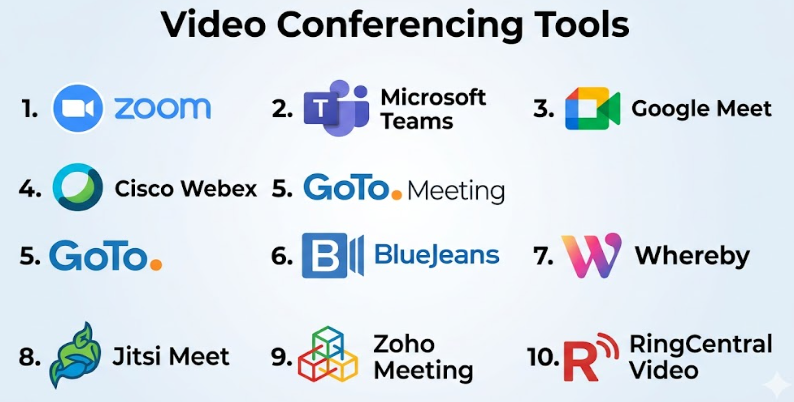
Top 10 Video Conferencing Tools
#1 — Zoom
Short description: A widely adopted video conferencing platform known for reliability, scalability, and ease of use. Suitable for individuals, SMBs, and enterprises.
Key Features
- HD video and audio meetings
- Breakout rooms for group sessions
- AI meeting summaries and transcription
- Webinar and event hosting capabilities
- Screen sharing and whiteboarding
- Virtual backgrounds and noise suppression
Pros
- Easy to use with minimal setup
- Strong performance even with large meetings
Cons
- Advanced features locked behind higher tiers
- Can become costly at scale
Platforms / Deployment
Web / Windows / macOS / Linux / iOS / Android
Cloud
Security & Compliance
- Encryption, SSO/SAML, MFA, RBAC
- SOC 2, GDPR support (as publicly known)
Integrations & Ecosystem
Zoom integrates with popular tools like calendars, CRMs, and collaboration platforms.
- Google Workspace
- Microsoft 365
- Slack
- Salesforce
- API support
Support & Community
Extensive documentation, global support, and a large user community.
#2 — Microsoft Teams
Short description: A collaboration-first platform combining chat, meetings, and file sharing, ideal for organizations using Microsoft ecosystems.
Key Features
- Integrated chat and video conferencing
- Meeting recordings and transcripts
- Deep Microsoft 365 integration
- Live captions and translation
- Webinar hosting
Pros
- Seamless integration with Microsoft tools
- Strong enterprise capabilities
Cons
- Can feel complex for new users
- Performance may vary on lower-end devices
Platforms / Deployment
Web / Windows / macOS / iOS / Android
Cloud
Security & Compliance
- SSO, MFA, encryption
- Compliance aligned with Microsoft standards
Integrations & Ecosystem
Deep integration with Microsoft ecosystem and third-party apps.
- Outlook
- SharePoint
- OneDrive
- Power Platform
Support & Community
Strong enterprise support and extensive documentation.
#3 — Google Meet
Short description: A browser-first video conferencing tool designed for simplicity and tight integration with Google Workspace.
Key Features
- Browser-based meetings
- Real-time captions
- Screen sharing
- Integration with Gmail and Calendar
- Noise cancellation
Pros
- No downloads required
- Simple and intuitive interface
Cons
- Limited advanced features compared to competitors
- Fewer customization options
Platforms / Deployment
Web / Android / iOS
Cloud
Security & Compliance
- Encryption and Google security infrastructure
- GDPR support
Integrations & Ecosystem
Native integration with Google tools.
- Gmail
- Google Calendar
- Google Drive
Support & Community
Strong documentation; widely adopted across SMBs and education.
#4 — Cisco Webex
Short description: An enterprise-grade video conferencing solution with strong security and collaboration capabilities.
Key Features
- HD video meetings
- AI-powered meeting insights
- Webinars and events
- Advanced security controls
- Real-time translation
Pros
- Strong security focus
- Reliable enterprise performance
Cons
- Interface can feel dated
- Learning curve for new users
Platforms / Deployment
Web / Windows / macOS / iOS / Android
Cloud / Hybrid
Security & Compliance
- Encryption, SSO, compliance certifications (varies by plan)
Integrations & Ecosystem
- Microsoft 365
- Google Workspace
- CRM tools
- APIs
Support & Community
Enterprise-level support with robust documentation.
#5 — GoTo Meeting
Short description: A straightforward video conferencing tool focused on ease of use and reliability for SMBs.
Key Features
- One-click meetings
- Screen sharing
- Meeting recording
- Mobile access
- Calendar integrations
Pros
- Easy to set up
- Reliable performance
Cons
- Limited advanced features
- Fewer integrations
Platforms / Deployment
Web / Windows / macOS / iOS / Android
Cloud
Security & Compliance
Not publicly stated
Integrations & Ecosystem
- Calendar tools
- Limited third-party integrations
Support & Community
Standard support; smaller community compared to competitors.
#6 — BlueJeans
Short description: A video conferencing platform known for high-quality video and Dolby-powered audio.
Key Features
- High-definition video
- Dolby Voice audio
- Smart meetings analytics
- Recording and playback
Pros
- Excellent audio quality
- Good for large meetings
Cons
- Less popular than competitors
- Limited ecosystem
Platforms / Deployment
Web / Windows / macOS / iOS / Android
Cloud
Security & Compliance
Not publicly stated
Integrations & Ecosystem
- Calendar integrations
- API access
Support & Community
Moderate support and documentation.
#7 — Whereby
Short description: A lightweight, browser-based video conferencing tool ideal for quick meetings and small teams.
Key Features
- No downloads required
- Custom meeting rooms
- Screen sharing
- Simple UI
Pros
- Extremely easy to use
- Fast setup
Cons
- Limited scalability
- Fewer enterprise features
Platforms / Deployment
Web
Cloud
Security & Compliance
Not publicly stated
Integrations & Ecosystem
- Basic integrations
- API options
Support & Community
Limited but improving support.
#8 — Jitsi Meet
Short description: An open-source video conferencing solution suitable for developers and privacy-focused users.
Key Features
- Open-source platform
- Self-hosting capability
- End-to-end encryption (experimental)
- No account required
Pros
- Free and customizable
- Privacy-friendly
Cons
- Requires technical setup for self-hosting
- Limited enterprise features
Platforms / Deployment
Web / Android / iOS
Cloud / Self-hosted
Security & Compliance
Varies / N/A
Integrations & Ecosystem
- APIs for customization
- Developer-friendly
Support & Community
Strong open-source community.
#9 — Zoho Meeting
Short description: A cost-effective video conferencing tool integrated within the Zoho ecosystem.
Key Features
- Webinars and meetings
- Screen sharing
- Recording
- Integration with Zoho apps
Pros
- Affordable pricing
- Good for Zoho users
Cons
- Limited advanced features
- Smaller ecosystem
Platforms / Deployment
Web / Windows / macOS / iOS / Android
Cloud
Security & Compliance
Not publicly stated
Integrations & Ecosystem
- Zoho CRM
- Zoho Projects
- Zoho ecosystem tools
Support & Community
Decent support; strong within Zoho ecosystem.
#10 — RingCentral Video
Short description: A unified communications platform offering video conferencing as part of a broader suite.
Key Features
- HD video meetings
- Team messaging
- Screen sharing
- Integration with RingCentral services
Pros
- Unified communication platform
- Good integration capabilities
Cons
- Can be complex
- Pricing may vary
Platforms / Deployment
Web / Windows / macOS / iOS / Android
Cloud
Security & Compliance
- Encryption, SSO
- Compliance varies
Integrations & Ecosystem
- CRM tools
- Productivity apps
- APIs
Support & Community
Strong enterprise support.
Comparison Table (Top 10)
| Tool Name | Best For | Platform(s) Supported | Deployment | Standout Feature | Public Rating |
|---|---|---|---|---|---|
| Zoom | All sizes | Web, Desktop, Mobile | Cloud | Breakout rooms | N/A |
| Microsoft Teams | Enterprises | Web, Desktop, Mobile | Cloud | Microsoft integration | N/A |
| Google Meet | SMBs | Web, Mobile | Cloud | Browser-first | N/A |
| Cisco Webex | Enterprises | Web, Desktop, Mobile | Hybrid | Security | N/A |
| GoTo Meeting | SMBs | Web, Desktop, Mobile | Cloud | Simplicity | N/A |
| BlueJeans | Large meetings | Web, Desktop, Mobile | Cloud | Audio quality | N/A |
| Whereby | Small teams | Web | Cloud | No downloads | N/A |
| Jitsi Meet | Developers | Web, Mobile | Hybrid | Open-source | N/A |
| Zoho Meeting | SMBs | Web, Desktop, Mobile | Cloud | Cost-effective | N/A |
| RingCentral Video | Enterprises | Web, Desktop, Mobile | Cloud | Unified communications | N/A |
Video Conferencing Tools
| Tool Name | Core (25%) | Ease (15%) | Integrations (15%) | Security (10%) | Performance (10%) | Support (10%) | Value (15%) | Weighted Total |
|---|---|---|---|---|---|---|---|---|
| Zoom | 9 | 9 | 9 | 8 | 9 | 9 | 8 | 8.7 |
| Microsoft Teams | 9 | 7 | 10 | 9 | 8 | 9 | 8 | 8.6 |
| Google Meet | 7 | 9 | 8 | 8 | 8 | 8 | 9 | 8.2 |
| Cisco Webex | 8 | 7 | 8 | 9 | 9 | 9 | 7 | 8.2 |
| GoTo Meeting | 7 | 8 | 6 | 6 | 8 | 7 | 7 | 7.2 |
| BlueJeans | 7 | 7 | 6 | 6 | 9 | 7 | 7 | 7.3 |
| Whereby | 6 | 9 | 5 | 5 | 7 | 6 | 8 | 6.9 |
| Jitsi Meet | 6 | 6 | 7 | 6 | 7 | 7 | 9 | 7.0 |
| Zoho Meeting | 7 | 8 | 7 | 6 | 7 | 7 | 9 | 7.5 |
| RingCentral Video | 8 | 7 | 8 | 8 | 8 | 8 | 7 | 7.9 |
How to interpret scores:
- Scores are comparative, not absolute.
- Higher totals indicate better overall balance across criteria.
- Weighting emphasizes core features and value.
- Enterprise tools score higher on integrations and security.
- SMB tools often score higher on ease of use and value.
Which Video Conferencing Tools Is Right for You?
Solo / Freelancer
- Best choices: Google Meet, Whereby
- Focus on ease of use and low cost
SMB
- Best choices: Zoom, Zoho Meeting, GoTo Meeting
- Balance between cost, features, and reliability
Mid-Market
- Best choices: Zoom, Microsoft Teams
- Need integrations and scalability
Enterprise
- Best choices: Microsoft Teams, Cisco Webex, RingCentral
- Prioritize security, compliance, and ecosystem
Budget vs Premium
- Budget: Jitsi, Zoho Meeting
- Premium: Zoom, Webex
Feature Depth vs Ease of Use
- Easy: Google Meet, Whereby
- Advanced: Teams, Webex
Integrations & Scalability
- Strong ecosystems: Teams, Zoom
- Developer flexibility: Jitsi
Security & Compliance Needs
- High compliance: Webex, Teams
- Basic needs: Whereby, Zoho
Frequently Asked Questions (FAQs)
What is a video conferencing tool?
A software platform that enables real-time video meetings over the internet.
Are free plans sufficient?
For small teams, yes. Larger organizations typically need paid plans.
Do these tools require installation?
Some are browser-based; others offer desktop apps.
How secure are video conferencing tools?
Most offer encryption and authentication, but levels vary.
Can I record meetings?
Yes, most tools support recording.
What integrations are important?
Calendars, CRM, and collaboration tools are key.
Can I host webinars?
Yes, many tools support webinars.
What is the biggest mistake when choosing a tool?
Ignoring integration and scalability needs.
Can I switch tools easily?
Switching is possible but may require retraining and migration.
Are there open-source options?
Yes, Jitsi Meet is a popular open-source choice.
Conclusion
Video conferencing tools have evolved from simple meeting platforms into full collaboration ecosystems. The “best” tool depends heavily on your organization’s size, workflows, and priorities—whether that’s ease of use, deep integrations, or enterprise-grade security.
