Introduction
Template Management Tools help organizations create, store, control, update, approve, and reuse business templates from one organized place. In simple words, these tools make sure teams use the right version of documents, emails, proposals, presentations, contracts, forms, brand assets, and communication templates instead of creating everything from scratch.
Templates are important because growing teams often waste time rewriting the same content again and again. Sales teams need proposal templates, HR teams need offer letters, legal teams need contract templates, marketing teams need campaign templates, support teams need response templates, and finance teams need invoice or report templates. Without proper template control, teams may use outdated branding, incorrect language, old pricing, expired policies, or inconsistent formats.
Common use cases include proposal templates, contract templates, email templates, document templates, presentation templates, brand templates, HR letters, legal clauses, customer support replies, sales enablement content, invoice templates, and internal policy documents.
Buyers should evaluate template creation, approval workflows, version control, access permissions, brand governance, search, integrations, collaboration, document generation, eSignature support, analytics, security, and scalability.
Best for: sales teams, marketing teams, legal teams, HR teams, finance teams, operations teams, customer support teams, agencies, enterprises, SaaS companies, and organizations that create repeatable business documents or messages.
Not ideal for: very small teams with only a few simple templates, individuals who manage templates manually without confusion, or organizations that do not need brand control, approval workflows, or reusable document automation.
Key Trends in Template Management Tools
- Template governance is becoming more important, especially for companies that need consistent branding, legal language, pricing, and compliance-approved content.
- AI-assisted template creation is growing, helping teams draft proposals, emails, contracts, knowledge articles, and reusable content faster.
- Document automation is becoming connected with template management, allowing teams to merge CRM, form, or database data into approved templates.
- Sales and proposal teams are using templates more strategically, especially for faster quote creation, consistent messaging, and better deal response times.
- Legal and compliance teams want tighter control, including clause libraries, approval workflows, version history, and restricted editing permissions.
- Brand consistency is a major driver, as marketing and design teams want approved logos, colors, copy blocks, slides, and campaign layouts used correctly.
- Template analytics are becoming useful, showing which templates are used most, which documents perform better, and where teams create content manually.
- Integrations with CRM, eSignature, cloud storage, CMS, and productivity suites are now expected, because templates must fit into daily workflows.
- Self-service template libraries are replacing scattered folders, making it easier for employees to find approved templates without asking managers or admin teams.
- Enterprise access control is becoming critical, especially when templates include pricing, legal terms, confidential language, or region-specific compliance content.
How We Selected These Tools
The tools below were selected using practical business-focused evaluation logic.
- Market recognition: Tools commonly known in document automation, proposal management, contract templates, brand templates, email templates, and content governance were prioritized.
- Feature completeness: Template libraries, version control, approvals, permissions, reusable content blocks, and document generation were reviewed.
- Ease of use: Business users should be able to create and use templates without depending on technical teams every time.
- Workflow fit: Tools that support sales, legal, HR, marketing, operations, and customer communication workflows were included.
- Automation capability: Data merge, CRM fields, dynamic content, conditional logic, and reusable content blocks were considered important.
- Brand and compliance control: Tools with approval workflows, locked sections, access permissions, and governance features were given stronger consideration.
- Integration ecosystem: CRM, eSignature, cloud storage, email, productivity suites, and business applications were reviewed.
- Security and administration: Role-based access, audit history, document permissions, and enterprise controls were considered.
- Scalability: Tools suitable for SMBs, growing teams, and enterprise-level template governance were included.
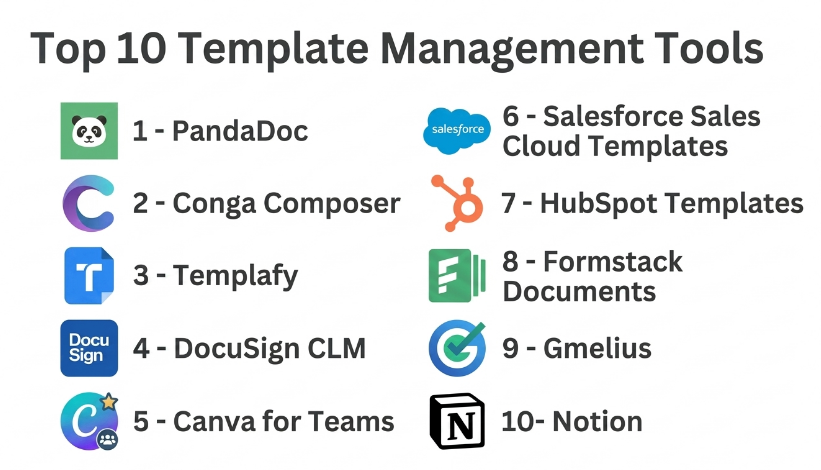
Top 10 Template Management Tools
#1 — PandaDoc
Short description :
PandaDoc is a document automation and proposal management platform that helps teams create, manage, send, track, and sign business documents using reusable templates. It is especially useful for sales teams, operations teams, HR teams, legal teams, and agencies that create proposals, quotes, contracts, agreements, and onboarding documents. PandaDoc supports template libraries, content blocks, pricing tables, variables, approvals, and eSignature workflows. It helps reduce manual document creation and improves consistency across customer-facing documents. It is best for businesses that need proposal and contract templates with signing and workflow automation.
Key Features
- Reusable document templates.
- Content library and approved blocks.
- Variables and merge fields.
- Pricing tables and quote templates.
- eSignature workflows.
- Document tracking and analytics.
- CRM integrations.
Pros
- Strong for proposals, quotes, and contracts.
- Combines template management with eSignature.
- Good for sales and customer-facing document workflows.
Cons
- May be more than needed for simple template storage.
- Template setup requires planning for best results.
- Some advanced workflow features may depend on selected plan.
Platforms / Deployment
Web / iOS / Android
Cloud
Security & Compliance
Supports document access controls, user permissions, eSignature workflows, and business document security features depending on plan. Specific compliance details should be validated directly with the vendor.
Integrations & Ecosystem
PandaDoc connects templates with sales and business workflows.
- CRM systems.
- Payment workflows.
- eSignature workflows.
- Cloud storage.
- Sales documents.
- Approval processes.
Support & Community
PandaDoc provides documentation, onboarding resources, customer support, and template guidance. It is practical for teams that want reusable templates connected with document sending and signing.
#2 — Conga Composer
Short description :
Conga Composer is a document generation and template automation tool used by sales, legal, finance, operations, and enterprise teams. It helps organizations generate documents from CRM and business data using approved templates. Conga is especially useful when teams need to create contracts, quotes, proposals, invoices, letters, and reports based on structured data. It supports template automation, data merging, workflow logic, and document output control. It is best for organizations that need powerful document generation connected with CRM and enterprise systems.
Key Features
- Document template generation.
- CRM data merge.
- Dynamic fields and conditional content.
- Proposal, contract, and quote templates.
- Automated document output.
- Batch document generation.
- Business workflow integration.
Pros
- Strong for CRM-based document generation.
- Useful for complex enterprise templates.
- Good for teams that need structured document automation.
Cons
- Setup can require technical or admin expertise.
- May be too advanced for simple template libraries.
- Best value depends on strong data quality.
Platforms / Deployment
Web
Cloud
Security & Compliance
Supports business document controls, user permissions, and enterprise workflow governance depending on configuration. Specific compliance details should be validated directly with the vendor.
Integrations & Ecosystem
Conga Composer connects template generation with enterprise business data.
- CRM platforms.
- Contract workflows.
- Quote generation.
- Business applications.
- Document storage.
- Approval workflows.
Support & Community
Conga provides documentation, implementation support, partner resources, and enterprise customer support. It is suitable for organizations with structured document automation needs.
#3 — Templafy
Short description :
Templafy is an enterprise template management and document governance platform focused on brand consistency, compliance, and productivity. It helps organizations manage document templates, presentation templates, email signatures, brand assets, legal disclaimers, and approved content. Templafy is useful for large companies that need employees to create consistent, compliant documents across departments and regions. It works well for enterprises with strict brand and legal requirements. It is best for organizations that need centralized template governance across Microsoft Office and business document workflows.
Key Features
- Centralized template library.
- Brand asset management.
- Document and presentation templates.
- Email signature management.
- Dynamic content insertion.
- Compliance-approved content blocks.
- Enterprise access controls.
Pros
- Strong enterprise template governance.
- Helps maintain brand and compliance consistency.
- Useful for large distributed teams.
Cons
- May be too advanced for small businesses.
- Implementation requires brand and template planning.
- Best value depends on company-wide adoption.
Platforms / Deployment
Web / Microsoft Office workflows / Desktop integrations may vary
Cloud
Security & Compliance
Supports enterprise access controls, template governance, content permissions, and brand compliance workflows. Specific certifications should be validated directly with the vendor.
Integrations & Ecosystem
Templafy connects templates with office productivity and brand workflows.
- Microsoft Office.
- Email systems.
- Brand asset libraries.
- Document management systems.
- Enterprise identity systems.
- Presentation workflows.
Support & Community
Templafy provides enterprise onboarding, customer success, documentation, and implementation support. It is best for organizations that need company-wide template control.
#4 — DocuSign CLM
Short description :
DocuSign CLM is a contract lifecycle management platform that helps legal, sales, procurement, and operations teams manage contract templates, clause libraries, approvals, negotiations, and signing workflows. It is useful for organizations that need approved contract templates and controlled legal language. DocuSign CLM helps standardize contract creation, reduce manual legal work, and improve contract governance. It is not only a template tool, but template management is central to its contract workflow value. It is best for companies that need contract templates connected with approvals and eSignature.
Key Features
- Contract template management.
- Clause library.
- Approval workflows.
- Contract generation.
- Negotiation tracking.
- eSignature integration.
- Contract repository support.
Pros
- Strong for legal and contract templates.
- Helps standardize contract language.
- Useful for sales, procurement, and legal collaboration.
Cons
- More complex than simple document template tools.
- Implementation requires legal process planning.
- Best value depends on contract volume and workflow maturity.
Platforms / Deployment
Web / Mobile options may vary
Cloud
Security & Compliance
Supports contract governance, permissions, approval workflows, audit trails, and secure document handling depending on plan. Specific compliance details should be validated directly with the vendor.
Integrations & Ecosystem
DocuSign CLM connects template management with contract operations.
- CRM systems.
- eSignature workflows.
- Contract repositories.
- Legal approval workflows.
- Procurement processes.
- Business applications.
Support & Community
DocuSign provides documentation, support resources, implementation partners, and enterprise customer support. It is practical for legal and contract-heavy organizations.
#5 — Canva for Teams
Short description :
Canva for Teams is a design and brand template platform that helps teams create, manage, and reuse branded templates for social media, presentations, flyers, posters, reports, documents, and marketing assets. It is especially useful for marketing teams, small businesses, agencies, HR teams, educators, and internal communications teams. Canva for Teams supports brand kits, shared template libraries, design approvals, content collaboration, and asset reuse. It is best for teams that need easy design template management without heavy design software complexity.
Key Features
- Branded design templates.
- Brand kits with colors, fonts, and logos.
- Shared team libraries.
- Presentation and social media templates.
- Approval workflows may vary by plan.
- Design collaboration.
- Content resizing and reuse.
Pros
- Very easy for non-designers.
- Strong for marketing and visual templates.
- Helps maintain brand consistency across simple designs.
Cons
- Not built for legal or contract template governance.
- Advanced enterprise controls may vary by plan.
- Complex design systems may still require professional tools.
Platforms / Deployment
Web / Windows / macOS / iOS / Android
Cloud
Security & Compliance
Supports team permissions, brand controls, and content access management depending on plan. Specific enterprise security details should be validated directly with the vendor.
Integrations & Ecosystem
Canva for Teams connects design templates with content and marketing workflows.
- Brand kits.
- Social media workflows.
- Presentation templates.
- Cloud storage.
- Marketing assets.
- Team collaboration.
Support & Community
Canva provides tutorials, templates, support resources, and a large user community. It is practical for teams that need fast, branded visual content creation.
#6 — Salesforce Sales Cloud Templates
Short description :
Salesforce Sales Cloud includes template management capabilities for sales emails, documents, quotes, CRM communication, and customer workflows depending on configuration and connected tools. It is useful for sales teams that want reusable templates connected with customer records, opportunities, leads, accounts, and pipeline activity. Salesforce templates help standardize outreach, follow-ups, sales messaging, and customer communication. It is best for Salesforce-heavy organizations that want template usage tied directly to CRM data and sales processes.
Key Features
- Email templates.
- CRM merge fields.
- Sales communication templates.
- Quote and document workflows may vary.
- Approval processes.
- Automation through CRM workflows.
- Reporting and activity tracking.
Pros
- Strong CRM-connected template usage.
- Useful for sales teams and account managers.
- Helps standardize customer communication.
Cons
- Requires Salesforce configuration knowledge.
- Not a general-purpose template library for every department.
- Advanced document generation may need add-ons.
Platforms / Deployment
Web / iOS / Android
Cloud
Security & Compliance
Security depends on Salesforce configuration, role permissions, sharing rules, and admin controls. CRM data access should be managed carefully.
Integrations & Ecosystem
Salesforce templates connect with CRM and revenue workflows.
- Leads and contacts.
- Accounts and opportunities.
- Sales automation.
- Approval workflows.
- Email communication.
- App ecosystem tools.
Support & Community
Salesforce provides documentation, admin resources, partner support, and a large professional community. It is strongest when managed by experienced CRM administrators.
#7 — HubSpot Templates
Short description :
HubSpot Templates help sales, marketing, and customer service teams create reusable email templates, snippets, sequences, landing pages, forms, and customer communication assets. It is useful for teams that want template management connected with CRM activity and customer data. HubSpot allows users to personalize templates using contact and company properties, track performance, and standardize outreach. It is best for growing businesses that want template management inside a broader CRM, sales, marketing, and service platform.
Key Features
- Sales email templates.
- Marketing email templates.
- Snippets and reusable content.
- CRM personalization fields.
- Sequences and automation.
- Landing page and form templates.
- Template performance tracking.
Pros
- Strong for CRM-based communication templates.
- Useful for sales, marketing, and support teams.
- Easy for business users to create and reuse content.
Cons
- More focused on customer communication than formal documents.
- Advanced features may depend on plan.
- Template quality depends on CRM data quality.
Platforms / Deployment
Web / iOS / Android
Cloud
Security & Compliance
Supports user permissions, CRM access controls, marketing email compliance workflows, and account security depending on plan.
Integrations & Ecosystem
HubSpot templates connect with customer engagement workflows.
- CRM records.
- Sales email workflows.
- Marketing automation.
- Customer service tools.
- Forms and landing pages.
- Reporting dashboards.
Support & Community
HubSpot provides documentation, training resources, support, and a large user community. It is practical for teams that need templates connected with customer-facing work.
#8 — Formstack Documents
Short description :
Formstack Documents is a document generation tool that helps teams create templates and automatically merge data into PDFs, Word documents, letters, contracts, invoices, certificates, and forms. It is useful for HR, sales, finance, operations, education, legal, and administrative teams. Formstack Documents supports template fields, conditional logic, automated delivery, and integrations with forms, CRM systems, databases, and cloud storage. It is best for teams that need data-driven document templates and workflow automation.
Key Features
- Document template creation.
- Data merge fields.
- PDF and Word document generation.
- Conditional content.
- Automated document delivery.
- Batch document generation.
- Integrations with forms and business systems.
Pros
- Strong for automated document generation.
- Useful across many business departments.
- Reduces repetitive manual document preparation.
Cons
- Setup requires template and data mapping.
- Not focused on design-heavy brand templates.
- Advanced workflows may require automation planning.
Platforms / Deployment
Web
Cloud
Security & Compliance
Supports business document workflows, access controls, and data handling features depending on plan. Specific compliance needs should be validated directly with the vendor.
Integrations & Ecosystem
Formstack Documents connects templates with business data sources.
- Forms.
- CRM systems.
- Databases.
- Cloud storage.
- eSignature tools.
- Automation workflows.
Support & Community
Formstack provides documentation, onboarding resources, templates, and support. It is useful for teams that need repeatable document generation.
#9 — Gmelius
Short description :
Gmelius is a Gmail and Google Workspace collaboration platform that includes shared email templates, team inbox workflows, email sequences, and customer communication features. It is useful for support teams, sales teams, customer operations, account managers, and small businesses that need reusable email responses and team communication templates. Gmelius helps teams standardize replies, collaborate on inboxes, and manage customer-facing communication. It is best for Google Workspace teams that want shared email templates inside collaborative inbox workflows.
Key Features
- Shared Gmail templates.
- Team inbox workflows.
- Email sequences.
- Customer response templates.
- Collaboration and assignment.
- Automation rules.
- Reporting features may vary.
Pros
- Good fit for Gmail-based teams.
- Useful for customer support and sales replies.
- Helps standardize repetitive email communication.
Cons
- Not a document template management platform.
- Best value depends on Google Workspace usage.
- Advanced CRM-style workflows may require other tools.
Platforms / Deployment
Web / Gmail / Google Workspace
Cloud
Security & Compliance
Supports team access controls and Google Workspace-based workflows depending on configuration. Users should review account permissions and data access carefully.
Integrations & Ecosystem
Gmelius connects templates with Gmail and shared inbox workflows.
- Gmail.
- Google Workspace.
- Shared inboxes.
- Customer support workflows.
- Sales email workflows.
- Team collaboration.
Support & Community
Gmelius provides documentation, customer support, and onboarding guidance. It is useful for teams that live inside Gmail and need reusable communication templates.
#10 — Notion
Short description :
Notion is a flexible workspace tool that can be used to create and manage internal templates for documents, meeting notes, project briefs, knowledge base pages, content calendars, onboarding checklists, SOPs, and team workflows. It is not a dedicated enterprise template governance platform, but it is popular for lightweight template libraries and repeatable team processes. Notion is useful for startups, agencies, product teams, operations teams, HR teams, and creators. It is best for teams that want flexible internal templates inside a collaborative workspace.
Key Features
- Page and database templates.
- Internal knowledge base.
- Project and task templates.
- Meeting note templates.
- SOP and checklist templates.
- Team collaboration.
- Flexible workspace organization.
Pros
- Very flexible for internal templates.
- Good for startups and cross-functional teams.
- Easy to create repeatable workflows and documents.
Cons
- Not ideal for strict legal or brand governance.
- Advanced approval and audit workflows may be limited.
- Template sprawl can happen without clear structure.
Platforms / Deployment
Web / Windows / macOS / iOS / Android
Cloud
Security & Compliance
Supports workspace permissions, page sharing controls, and team administration depending on plan. Sensitive template access should be managed carefully.
Integrations & Ecosystem
Notion templates work well for internal documentation and collaboration.
- Knowledge bases.
- Project workflows.
- Team documentation.
- Content calendars.
- Meeting notes.
- Internal process libraries.
Support & Community
Notion provides documentation, templates, support resources, and a large creator community. It is useful for lightweight and flexible template management.
Comparison Table
| Tool Name | Best For | Platform(s) Supported | Deployment | Standout Feature | Public Rating |
|---|---|---|---|---|---|
| PandaDoc | Proposals, quotes, and contracts | Web / iOS / Android | Cloud | Templates with eSignature and tracking | N/A |
| Conga Composer | CRM-based document generation | Web | Cloud | Complex data-driven document templates | N/A |
| Templafy | Enterprise brand and document governance | Web / Office integrations vary | Cloud | Centralized brand-compliant template management | N/A |
| DocuSign CLM | Contract templates and clause governance | Web / Mobile varies | Cloud | Contract templates with approvals and signing | N/A |
| Canva for Teams | Visual and brand design templates | Web / Windows / macOS / iOS / Android | Cloud | Easy branded design template creation | N/A |
| Salesforce Sales Cloud Templates | CRM-based sales templates | Web / iOS / Android | Cloud | Templates connected to Salesforce data | N/A |
| HubSpot Templates | Sales, marketing, and service templates | Web / iOS / Android | Cloud | CRM-powered communication templates | N/A |
| Formstack Documents | Automated document generation | Web | Cloud | Data merge into PDFs and Word documents | N/A |
| Gmelius | Gmail shared email templates | Web / Gmail / Google Workspace | Cloud | Shared Gmail templates and team inbox workflows | N/A |
| Notion | Internal workspace templates | Web / Windows / macOS / iOS / Android | Cloud | Flexible team templates and process libraries | N/A |
Evaluation & Template Management Tools
| Tool Name | Core (25%) | Ease (15%) | Integrations (15%) | Security (10%) | Performance (10%) | Support (10%) | Value (15%) | Weighted Total (0–10) |
|---|---|---|---|---|---|---|---|---|
| PandaDoc | 9 | 8 | 9 | 8 | 8 | 8 | 8 | 8.40 |
| Conga Composer | 9 | 7 | 10 | 8 | 8 | 8 | 7 | 8.20 |
| Templafy | 9 | 8 | 9 | 9 | 8 | 9 | 7 | 8.40 |
| DocuSign CLM | 9 | 7 | 9 | 9 | 8 | 9 | 7 | 8.20 |
| Canva for Teams | 8 | 10 | 8 | 8 | 8 | 8 | 9 | 8.45 |
| Salesforce Sales Cloud Templates | 8 | 7 | 10 | 9 | 8 | 9 | 7 | 8.30 |
| HubSpot Templates | 8 | 9 | 9 | 8 | 8 | 9 | 8 | 8.40 |
| Formstack Documents | 9 | 7 | 9 | 8 | 8 | 8 | 7 | 8.10 |
| Gmelius | 7 | 8 | 8 | 8 | 8 | 8 | 8 | 7.75 |
| Notion | 7 | 9 | 8 | 8 | 8 | 8 | 9 | 8.05 |
These scores are comparative and should be used as a practical guide, not a fixed ranking. Canva for Teams is strong for visual and brand templates. PandaDoc, Conga Composer, Formstack Documents, and DocuSign CLM are stronger for document and contract automation. Templafy is strong for enterprise template governance. Salesforce and HubSpot are useful for CRM-based templates. Notion is practical for internal process templates, while Gmelius is useful for Gmail-based team communication templates.
Which Template Management Tools
Solo / Freelancer
Solo professionals usually need simple template tools that save time without adding complexity. Canva for Teams, Notion, PandaDoc, and HubSpot Templates can be practical depending on the work type.
A freelancer creating proposals may prefer PandaDoc. A designer or marketer may prefer Canva. A consultant managing SOPs or checklists may prefer Notion. The best tool depends on whether the main templates are documents, designs, emails, or internal processes.
SMB
Small and medium businesses should focus on ease of use, reusable templates, brand consistency, and basic approvals. Canva for Teams, PandaDoc, HubSpot Templates, Formstack Documents, and Notion are strong options.
SMBs should avoid overbuilding template systems too early. Start with the templates that are used most often, such as proposals, sales emails, onboarding documents, invoices, HR letters, and marketing assets.
Mid-Market
Mid-market organizations usually need better governance, CRM integrations, template approvals, reusable content blocks, and role-based access. PandaDoc, HubSpot Templates, Salesforce Sales Cloud Templates, Formstack Documents, DocuSign CLM, and Templafy are strong candidates.
At this stage, companies should define who owns each template, who can edit it, who can approve it, and how outdated templates will be retired.
Enterprise
Enterprises should prioritize template governance, compliance-approved language, brand control, permissions, auditability, integrations, and global scalability. Templafy, DocuSign CLM, Conga Composer, Salesforce Sales Cloud Templates, and PandaDoc are strong options.
Large organizations should involve legal, marketing, brand, sales operations, IT, HR, compliance, and security teams before standardizing template management workflows.
Budget vs Premium
Budget-conscious teams may prefer Canva for Teams, Notion, Gmelius, or simple CRM template features already available in their existing tools.
Premium platforms such as Templafy, DocuSign CLM, Conga Composer, and enterprise-level PandaDoc are better when organizations need strict approvals, dynamic content, audit trails, legal governance, brand control, and CRM-connected automation.
Feature Depth vs Ease of Use
If ease of use matters most, Canva for Teams, Notion, HubSpot Templates, and Gmelius are practical choices. They help teams create and reuse templates quickly.
If feature depth matters more, Templafy, Conga Composer, DocuSign CLM, Formstack Documents, and PandaDoc provide stronger governance, automation, data merge, approvals, and document workflow control.
Integrations & Scalability
Template management tools should integrate with CRM systems, email platforms, cloud storage, eSignature tools, document management systems, design tools, marketing automation platforms, and productivity suites.
For Salesforce-heavy companies, Salesforce templates and Conga Composer are relevant. For HubSpot users, HubSpot Templates are practical. For contract-heavy teams, DocuSign CLM is strong. For brand-heavy teams, Templafy and Canva are useful.
Security & Compliance Needs
Templates may include legal terms, pricing, discount rules, confidential clauses, brand assets, customer communication, HR language, financial details, and regulated disclaimers. Security and permissions are important.
Buyers should validate role-based access, edit permissions, approval workflows, audit history, version control, template ownership, data merge security, document storage, and user access policies.
Frequently Asked Questions
1. What is a Template Management Tool?
A Template Management Tool helps teams create, store, organize, approve, and reuse templates for documents, emails, proposals, contracts, presentations, designs, and internal processes. It helps improve consistency and reduce repetitive manual work.
2. How is template management different from document management?
Document management focuses on storing and organizing documents. Template management focuses on reusable starting points that teams use to create new documents or messages. A template management tool often includes version control, approvals, brand rules, and reusable content blocks.
3. What pricing models are common for Template Management Tools?
Pricing may be per user, per team, per document volume, per module, or custom enterprise pricing. Design tools, CRM platforms, document automation systems, and contract platforms may all price template features differently.
4. What are common mistakes when managing templates?
Common mistakes include keeping templates in scattered folders, not assigning template owners, failing to update old templates, allowing everyone to edit approved language, and not controlling brand assets. Another mistake is creating too many templates that nobody uses.
5. Which tool is best for proposal templates?
PandaDoc is strong for proposal templates because it supports reusable content, pricing tables, CRM data, document tracking, and eSignature workflows. Conga Composer and HubSpot may also be useful depending on CRM and sales workflow needs.
6. Which tool is best for contract templates?
DocuSign CLM is strong for contract templates because it supports clause libraries, approvals, negotiation workflows, and signing. PandaDoc and Conga Composer may also support contract template workflows depending on business complexity.
7. Which tool is best for brand templates?
Templafy and Canva for Teams are strong options for brand templates. Templafy is better for enterprise document and brand governance, while Canva is easier for visual content, social posts, presentations, and marketing designs.
8. Can Template Management Tools support approvals?
Yes, many template tools support approval workflows. This is useful when legal, marketing, compliance, or brand teams need to approve templates before employees use them. Approval depth varies by platform.
9. Can templates pull data from CRM systems?
Yes, many tools can merge CRM data into templates. Salesforce, HubSpot, Conga Composer, PandaDoc, and Formstack Documents can support CRM-connected personalization depending on configuration.
10. Are Template Management Tools secure?
They can be secure when configured properly. Buyers should check role-based access, edit permissions, approval controls, data merge security, audit logs, and template sharing rules before rollout.
Conclusion
Template Management Tools help organizations save time, improve consistency, reduce errors, and protect brand, legal, and operational quality across repeated business content. The best platform depends on the type of templates your team uses most. PandaDoc is strong for proposals and sales documents, Conga Composer is powerful for CRM-based document generation, Templafy is best for enterprise template governance, DocuSign CLM is useful for contract templates, Canva for Teams is excellent for visual brand templates, Salesforce and HubSpot templates are practical for CRM-based communication, Formstack Documents supports automated document generation, Gmelius is helpful for Gmail-based response templates, and Notion is flexible for internal process templates.
