Introduction
Secure File Transfer (MFT – Managed File Transfer) tools are enterprise-grade solutions designed to securely exchange files between systems, users, and organizations. Unlike basic file transfer protocols, MFT platforms provide encryption, automation, compliance controls, and centralized visibility to ensure sensitive data is transferred safely and reliably.
With increasing regulatory requirements, data privacy concerns, and the need for secure B2B integrations, MFT tools have become critical infrastructure for organizations handling financial data, healthcare records, legal documents, and other sensitive information.
Real-world use cases include:
- Secure exchange of files between business partners (B2B integration)
- Automating file transfers between internal systems
- Sending sensitive documents (financial, legal, healthcare)
- Compliance-driven data transfers with audit trails
- Replacing legacy FTP systems with secure alternatives
Key evaluation criteria buyers should consider:
- Supported protocols (SFTP, FTPS, HTTPS, AS2, etc.)
- Automation and workflow capabilities
- Security features (encryption, MFA, RBAC, audit logs)
- Compliance support (GDPR, HIPAA, etc.)
- Scalability and performance
- Integration with enterprise systems
- Deployment options (cloud, on-premise, hybrid)
- Monitoring and reporting capabilities
- Ease of use and administration
Best for: Enterprises, financial institutions, healthcare organizations, logistics companies, and IT teams managing secure, high-volume file transfers.
Not ideal for: Individuals or small teams needing simple file sharing; basic cloud storage tools may be sufficient.
Key Trends in Secure File Transfer (MFT) Tools
- Zero-trust security models: Strong authentication and access controls for every transfer
- API-driven file transfers: Integration with modern applications and workflows
- Cloud-native MFT platforms: Shift from on-premise to SaaS-based solutions
- Automation-first workflows: Reduced manual intervention with event-based triggers
- Compliance-ready reporting: Built-in audit logs and reporting for regulations
- End-to-end encryption: Data protection in transit and at rest
- Hybrid deployment models: Supporting both cloud and on-premise environments
- Integration with DevOps pipelines: File transfers as part of automated workflows
- AI-driven anomaly detection: Identifying unusual transfer behavior
- Scalable high-volume transfers: Handling large datasets efficiently
How We Selected These Tools (Methodology)
We selected the top MFT tools based on:
- Market adoption and enterprise usage
- Support for secure transfer protocols and standards
- Automation and workflow capabilities
- Security and compliance features
- Integration ecosystem and API support
- Performance and scalability
- Ease of deployment and usability
- Vendor reputation and support quality
- Flexibility across industries and use cases
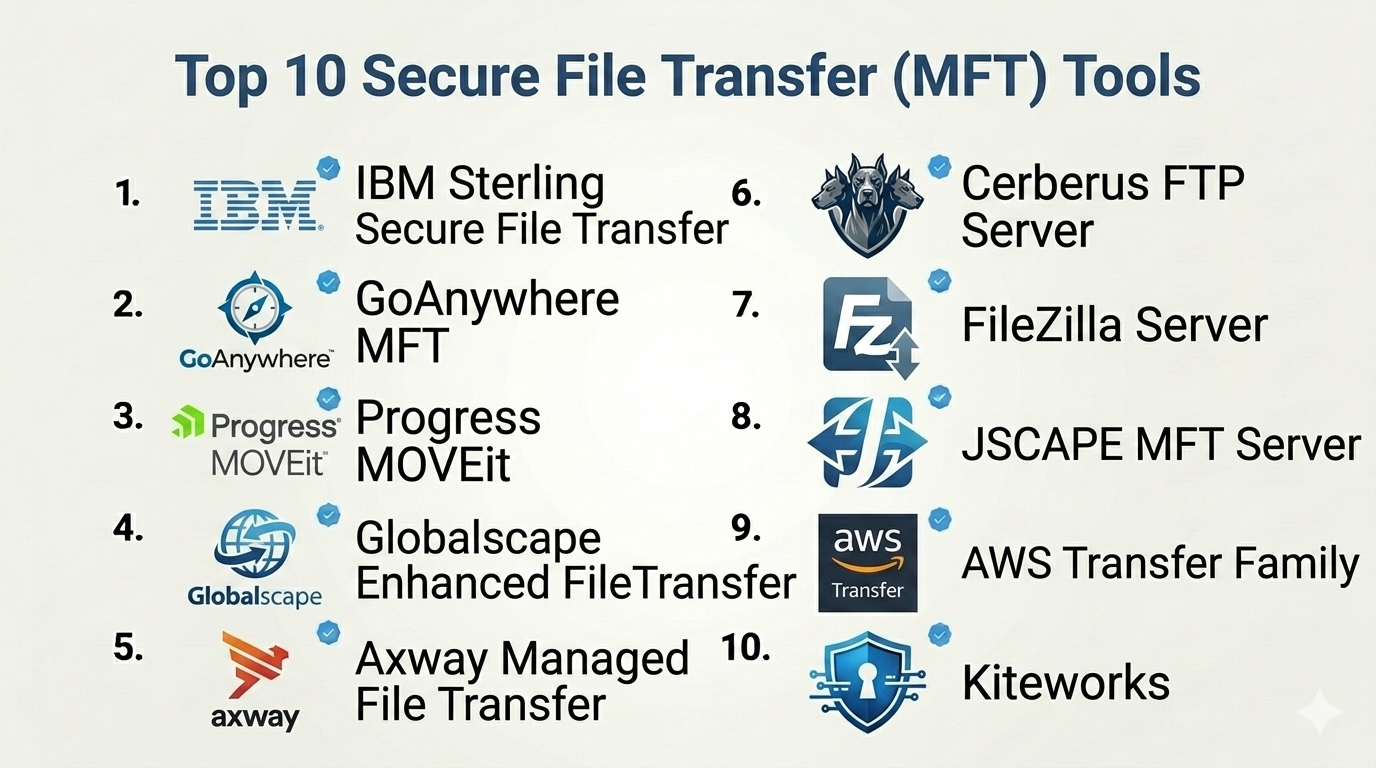
Top 10 Secure File Transfer (MFT) Tools
#1 — IBM Sterling Secure File Transfer
Short description: A robust enterprise-grade MFT solution designed for high-volume, mission-critical file transfers.
Key Features
- Multi-protocol support (SFTP, FTPS, AS2, etc.)
- Advanced workflow automation
- Real-time monitoring and alerts
- High availability and scalability
- Data encryption and security controls
- Centralized management
- Compliance reporting
Pros
- Highly scalable for enterprises
- Strong automation and security
Cons
- Complex implementation
- Higher cost
Platforms / Deployment
Windows / Linux
On-premise / Hybrid
Security & Compliance
Encryption, RBAC, audit logs, MFA
Compliance certifications: Not publicly stated
Integrations & Ecosystem
IBM Sterling integrates with enterprise systems and B2B platforms.
- ERP systems
- Supply chain platforms
- APIs
Support & Community
Enterprise-level support with extensive documentation.
#2 — GoAnywhere MFT
Short description: A comprehensive MFT solution offering automation, security, and compliance features.
Key Features
- Secure file transfer protocols
- Workflow automation
- Encryption and key management
- File sharing portal
- Audit logging
- Scheduler and triggers
- Centralized dashboard
Pros
- Easy-to-use interface
- Strong compliance features
Cons
- Licensing can be complex
- Requires setup time
Platforms / Deployment
Windows / Linux
Cloud / On-premise / Hybrid
Security & Compliance
Encryption, RBAC, MFA, audit logs
Compliance certifications: Not publicly stated
Integrations & Ecosystem
- Cloud storage platforms
- Databases
- APIs
Support & Community
Strong support and documentation.
#3 — Progress MOVEit
Short description: A widely used MFT solution focusing on secure file transfer and automation.
Key Features
- Secure file transfer protocols
- Automation workflows
- File encryption
- Activity tracking
- Compliance reporting
- User access controls
- High availability
Pros
- Strong compliance capabilities
- Reliable performance
Cons
- UI could be improved
- Pricing varies
Platforms / Deployment
Windows
Cloud / On-premise
Security & Compliance
Encryption, RBAC, audit logs, MFA
Compliance certifications: Not publicly stated
Integrations & Ecosystem
- Enterprise systems
- APIs
- Cloud platforms
Support & Community
Good documentation and enterprise support.
#4 — Globalscape Enhanced File Transfer (EFT)
Short description: A secure and scalable MFT solution with strong automation and compliance features.
Key Features
- Secure protocols support
- Workflow automation
- Event-based triggers
- Advanced reporting
- Data encryption
- User management
- Compliance tools
Pros
- Flexible automation
- Strong reporting
Cons
- Windows-focused
- Complex setup
Platforms / Deployment
Windows
On-premise / Hybrid
Security & Compliance
Encryption, RBAC, audit logs
Compliance certifications: Not publicly stated
Integrations & Ecosystem
- Enterprise tools
- APIs
- Cloud services
Support & Community
Enterprise-level support.
#5 — Axway Managed File Transfer
Short description: An enterprise MFT platform for secure and scalable file exchange across organizations.
Key Features
- Multi-protocol support
- Centralized governance
- Automation workflows
- Real-time monitoring
- Security controls
- High scalability
- Compliance reporting
Pros
- Strong enterprise features
- Scalable architecture
Cons
- Complex implementation
- Higher cost
Platforms / Deployment
Cloud / On-premise / Hybrid
Security & Compliance
Encryption, RBAC, audit logs
Compliance certifications: Not publicly stated
Integrations & Ecosystem
- B2B platforms
- APIs
- Enterprise systems
Support & Community
Enterprise support.
#6 — Cerberus FTP Server
Short description: A secure file transfer server with MFT capabilities for SMBs and enterprises.
Key Features
- Secure protocols (SFTP, FTPS, HTTPS)
- User access controls
- File transfer automation
- Logging and reporting
- Active Directory integration
- Web-based interface
- Event notifications
Pros
- Easy to deploy
- Strong security features
Cons
- Limited enterprise automation
- Windows-focused
Platforms / Deployment
Windows
On-premise
Security & Compliance
Encryption, RBAC, MFA
Compliance certifications: Not publicly stated
Integrations & Ecosystem
- Active Directory
- APIs
- Basic integrations
Support & Community
Good documentation.
#7 — FileZilla Server (Pro)
Short description: A lightweight file transfer solution with secure protocol support.
Key Features
- SFTP and FTPS support
- User management
- File transfer controls
- Logging
- Cross-platform support
- Simple configuration
- Secure connections
Pros
- Easy to use
- Low cost
Cons
- Limited MFT features
- Minimal automation
Platforms / Deployment
Windows / Linux
On-premise
Security & Compliance
Encryption
Compliance certifications: Not publicly stated
Integrations & Ecosystem
- Limited integrations
- Basic API support
Support & Community
Strong community support.
#8 — JSCAPE MFT Server
Short description: A platform-independent MFT solution with strong automation and protocol support.
Key Features
- Multi-protocol support
- Automation workflows
- Event triggers
- Encryption
- User management
- Cross-platform compatibility
- Centralized control
Pros
- Platform flexibility
- Strong automation
Cons
- UI can feel outdated
- Learning curve
Platforms / Deployment
Windows / Linux / macOS
On-premise / Hybrid
Security & Compliance
Encryption, RBAC, audit logs
Compliance certifications: Not publicly stated
Integrations & Ecosystem
- APIs
- Enterprise systems
- Cloud tools
Support & Community
Moderate support.
#9 — AWS Transfer Family
Short description: A cloud-native file transfer service integrated with AWS infrastructure.
Key Features
- Managed SFTP, FTPS, FTP
- Integration with AWS services
- Scalable infrastructure
- Identity management
- Logging and monitoring
- Secure data transfer
- Pay-as-you-go pricing
Pros
- Fully managed service
- Scalable
Cons
- AWS dependency
- Requires cloud knowledge
Platforms / Deployment
Cloud
Security & Compliance
Encryption, IAM controls
Compliance certifications: Not publicly stated
Integrations & Ecosystem
- AWS services
- APIs
- Cloud storage
Support & Community
Strong cloud support.
#10 — Kiteworks
Short description: A secure content communication platform with MFT capabilities.
Key Features
- Secure file transfer
- Compliance tracking
- Data governance
- Encryption
- User access control
- Audit logs
- Secure sharing
Pros
- Strong compliance features
- Secure communication
Cons
- Higher pricing
- Complex setup
Platforms / Deployment
Cloud / Hybrid
Security & Compliance
Encryption, RBAC, MFA, audit logs
Compliance certifications: Not publicly stated
Integrations & Ecosystem
- Enterprise apps
- APIs
- Security tools
Support & Community
Enterprise support.
Comparison Table (Top 10)
| Tool Name | Best For | Platform(s) Supported | Deployment | Standout Feature | Public Rating |
|---|---|---|---|---|---|
| IBM Sterling | Enterprises | Windows/Linux | Hybrid | High-volume transfers | N/A |
| GoAnywhere | Compliance-heavy orgs | Multi-platform | Hybrid | Automation workflows | N/A |
| MOVEit | Enterprises | Windows | Hybrid | Compliance reporting | N/A |
| Globalscape EFT | Automation | Windows | Hybrid | Event triggers | N/A |
| Axway MFT | Large enterprises | Multi-platform | Hybrid | Governance | N/A |
| Cerberus | SMBs | Windows | On-prem | Easy deployment | N/A |
| FileZilla Server | Basic needs | Multi-platform | On-prem | Simplicity | N/A |
| JSCAPE | Cross-platform | Multi-platform | Hybrid | Protocol support | N/A |
| AWS Transfer | Cloud users | Cloud | Cloud | AWS integration | N/A |
| Kiteworks | Secure sharing | Cloud | Hybrid | Compliance tracking | N/A |
Secure File Transfer (MFT) Tools Scoring
| Tool Name | Core (25%) | Ease (15%) | Integrations (15%) | Security (10%) | Performance (10%) | Support (10%) | Value (15%) | Weighted Total |
|---|---|---|---|---|---|---|---|---|
| IBM Sterling | 9 | 6 | 9 | 9 | 9 | 8 | 6 | 8.2 |
| GoAnywhere | 9 | 8 | 8 | 9 | 8 | 8 | 7 | 8.3 |
| MOVEit | 9 | 7 | 8 | 9 | 8 | 8 | 7 | 8.2 |
| Globalscape | 8 | 6 | 8 | 8 | 8 | 7 | 7 | 7.7 |
| Axway | 9 | 6 | 9 | 9 | 9 | 8 | 6 | 8.1 |
| Cerberus | 7 | 8 | 6 | 8 | 7 | 7 | 8 | 7.4 |
| FileZilla | 6 | 9 | 5 | 7 | 7 | 7 | 9 | 7.1 |
| JSCAPE | 8 | 6 | 7 | 8 | 8 | 7 | 7 | 7.5 |
| AWS Transfer | 8 | 7 | 9 | 9 | 9 | 8 | 7 | 8.3 |
| Kiteworks | 8 | 7 | 8 | 9 | 8 | 8 | 6 | 7.9 |
How to interpret:
- Scores are comparative across tools, not absolute measures
- Enterprise tools score higher in security and scalability
- Simpler tools score higher in ease and value
- Choose based on your organization’s complexity and needs
- No single tool is best for every scenario
Which Secure File Transfer (MFT) Tools Is Right for You?
Solo / Freelancer
Basic tools like FileZilla Server may be sufficient for simple secure transfers.
SMB
Cerberus or JSCAPE provide a balance of security and usability.
Mid-Market
GoAnywhere or MOVEit offer automation and compliance features without full enterprise complexity.
Enterprise
IBM Sterling, Axway, or Kiteworks are ideal for large-scale, compliance-heavy environments.
Budget vs Premium
- Budget: FileZilla, Cerberus
- Premium: IBM Sterling, Axway
Feature Depth vs Ease of Use
- Easy: Cerberus, FileZilla
- Advanced: IBM Sterling, Axway
Integrations & Scalability
Choose AWS Transfer or Axway if you need strong integrations and scalability.
Security & Compliance Needs
Highly regulated industries should prioritize tools with audit logs, encryption, and compliance reporting.
Frequently Asked Questions (FAQs)
What is MFT?
Managed File Transfer is a secure and automated way to transfer files.
How is it different from FTP?
MFT includes encryption, automation, and compliance features.
Is MFT secure?
Yes, it uses encryption and access controls.
What protocols are supported?
Common ones include SFTP, FTPS, HTTPS, and AS2.
How much does it cost?
Pricing varies widely depending on features and scale.
Can it be automated?
Yes, most tools support workflow automation.
Is cloud MFT better?
It offers scalability and flexibility.
Can it integrate with other systems?
Yes, via APIs and connectors.
What industries use MFT?
Finance, healthcare, logistics, and enterprises.
Can I switch tools?
Yes, but migration planning is required.
Conclusion
Secure File Transfer (MFT) tools are essential for organizations that need reliable, secure, and compliant file exchange. From lightweight solutions to enterprise-grade platforms, the market offers options for every level of complexity.
