Introduction
Remote Backup for SaaS Tools help businesses protect data stored inside cloud applications such as Microsoft 365, Google Workspace, Salesforce, Jira, Confluence, Shopify, GitHub, and other SaaS platforms. In plain English, these tools create separate backup copies of SaaS data so teams can recover from accidental deletion, ransomware, bad syncs, insider mistakes, migration errors, and retention gaps.
This matters strongly business environment because most companies now run critical workflows through SaaS platforms. Sales records, customer emails, contracts, project tickets, product documentation, HR files, and collaboration data often live outside traditional servers. SaaS vendors provide platform availability, but businesses still need their own backup and recovery strategy.
Real-world use cases include:
- Recovering deleted Microsoft 365 emails, Teams files, or SharePoint folders.
- Restoring Salesforce records after bulk import mistakes.
- Protecting Google Workspace data from user error or account compromise.
- Backing up Jira and Confluence before migrations or configuration changes.
- Meeting audit, legal hold, retention, and compliance needs.
Buyers should evaluate:
- SaaS application coverage
- Granular restore options
- Backup frequency and retention control
- Security features
- Compliance support
- Admin usability
- Recovery speed
- Pricing model
- API and integration depth
- Vendor support quality
Best for: IT managers, SaaS admins, security teams, compliance teams, MSPs, mid-market companies, enterprises, and growing SaaS-heavy businesses that rely on cloud applications for daily operations.
Not ideal for: very small teams using only basic SaaS apps with low-risk data, companies already covered by a strong internal backup architecture, or teams that only need simple export-based archives instead of full restore workflows.
Key Trends in Remote Backup for SaaS Tools
- Cloud-to-cloud backup is becoming the default: Businesses prefer backup tools that connect directly to SaaS APIs without local servers.
- AI-assisted recovery is growing: Some platforms are adding smarter search, anomaly detection, and guided recovery workflows.
- Ransomware recovery expectations are higher: Buyers now look for immutability, clean restore points, and fast rollback.
- SaaS sprawl is creating backup gaps: Companies use many SaaS tools, so broader app coverage is becoming more important.
- Compliance-driven retention is a major buying factor: Legal hold, audit trails, retention policies, and role-based access are now core requirements.
- Microsoft 365 and Google Workspace remain primary workloads: Email, files, chats, and collaboration data are still the most common backup targets.
- Salesforce backup demand is increasing: CRM data is business-critical, and accidental changes can directly affect revenue operations.
- MSP-friendly backup platforms are expanding: Service providers want multi-tenant dashboards, client reporting, and centralized billing.
- API-based restore is becoming more granular: Teams want to restore individual records, folders, users, permissions, and metadata.
- Pricing scrutiny is rising: Buyers compare per-user, per-workload, storage-based, and bundled pricing before selecting a tool.
How We Selected These Tools
The tools below were selected using practical evaluation logic:
- Strong market recognition in SaaS backup and cloud data protection.
- Coverage for widely used platforms such as Microsoft 365, Google Workspace, Salesforce, Jira, and Confluence.
- Backup and recovery depth, including granular restore, search, retention, and automation.
- Fit across different company sizes, from SMBs to enterprises.
- Security posture signals such as encryption, access controls, audit logs, MFA, and compliance support.
- Integration ecosystem, including APIs, identity providers, monitoring tools, and MSP platforms.
- Reliability signals based on product maturity, workload focus, and operational design.
- Administrative usability for IT teams with limited time.
- Support options, documentation, onboarding, and partner ecosystem.
- Value for different buyer types, not only feature volume.
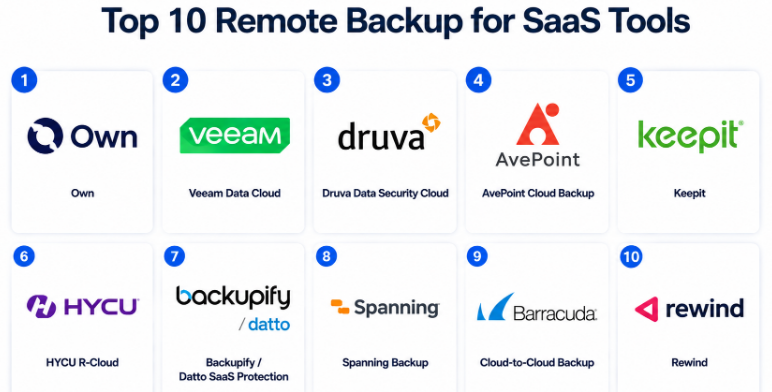
Top 10 Remote Backup for SaaS Tools
#1 — Own
Short description :
Own, formerly known as OwnBackup, is a well-known SaaS data protection platform focused strongly on Salesforce and other cloud application data.It helps businesses back up, compare, recover, archive, and protect mission-critical SaaS records.It is especially useful for sales, service, revenue operations, and enterprise IT teams that depend heavily on Salesforce.Own is often considered when data integrity, auditability, and CRM recovery are major concerns.It is a strong fit for mid-market and enterprise teams with complex SaaS data models.
Key Features
- Automated SaaS data backups.
- Salesforce-focused backup and recovery workflows.
- Granular record-level restore.
- Data comparison and change tracking.
- Sandbox seeding and data management support.
- Archive and compliance-focused capabilities.
- Admin controls for backup governance.
Pros
- Strong fit for Salesforce-heavy organizations.
- Useful for recovering from bulk changes and user mistakes.
- Good for complex business data models.
Cons
- May be more than small teams need.
- Pricing can be premium for broader use cases.
- Best value appears when Salesforce is a major system.
Platforms / Deployment
Cloud.
Security & Compliance
SSO/SAML, encryption, audit logs, and access controls are commonly expected in enterprise-grade deployments. Specific certifications vary by plan and region. Use “Not publicly stated” where contract-level confirmation is needed.
Integrations & Ecosystem
Own is strongest in CRM and SaaS business application ecosystems, especially where Salesforce is central to operations.
- Salesforce
- Service cloud workflows
- Sandbox and data management use cases
- Identity provider integrations
- Enterprise admin workflows
- API-based recovery workflows
Support & Community
Own provides enterprise-style onboarding, documentation, and customer support options. Community strength is mostly professional and enterprise-focused rather than open-source community-driven.
#2 — Veeam Data Cloud
Short description :
Veeam Data Cloud is part of Veeam’s broader data protection ecosystem and supports SaaS backup use cases such as Microsoft 365 and Salesforce.It is built for organizations that want reliable backup, retention, recovery, and administrative control.Veeam is especially familiar to IT teams already using Veeam for infrastructure or hybrid backup.The SaaS backup offering is useful for businesses that want continuity between traditional backup and cloud application protection.
It fits SMB, mid-market, and enterprise environments depending on workload scope.
Key Features
- Microsoft 365 backup and recovery.
- Salesforce backup support.
- Granular restore workflows.
- Retention policy management.
- Admin dashboard and reporting.
- Cloud-based backup management.
- Integration with broader Veeam data protection strategy.
Pros
- Strong brand recognition in backup and recovery.
- Good fit for teams already using Veeam.
- Practical for Microsoft 365-focused environments.
Cons
- Some features may depend on product packaging.
- Broader SaaS app coverage may not match specialist tools.
- Configuration planning is important for larger environments.
Platforms / Deployment
Cloud / Hybrid.
Security & Compliance
Encryption, access controls, and audit-oriented capabilities are commonly part of enterprise backup platforms. Specific SOC 2, ISO 27001, HIPAA, or regional compliance details should be verified by plan. Not publicly stated for all cases.
Integrations & Ecosystem
Veeam’s ecosystem is strong across backup, infrastructure, cloud, and partner channels.
- Microsoft 365
- Salesforce
- Cloud storage ecosystems
- Identity and admin workflows
- MSP and reseller ecosystem
- Broader backup operations
Support & Community
Veeam has strong documentation, partner support, and a large professional community. Support tiers may vary by subscription and region.
#3 — Druva Data Security Cloud
Short description :
Druva Data Security Cloud is a cloud-native data protection platform that supports SaaS applications, endpoints, and cloud workloads.For SaaS backup, it is often used for Microsoft 365, Google Workspace, Salesforce, and similar business platforms.It is designed for teams that want centralized backup, governance, and recovery without managing backup infrastructure.Druva is a good fit for cloud-first companies, distributed teams, and security-conscious IT departments.It works well where backup, compliance, and cyber resilience are connected priorities.
Key Features
- Cloud-native SaaS backup.
- Microsoft 365 and Google Workspace protection.
- Salesforce backup support.
- Centralized data protection dashboard.
- Retention and recovery policies.
- Search and eDiscovery-oriented capabilities.
- Security-focused backup architecture.
Pros
- Strong cloud-native design.
- Good fit for distributed businesses.
- Useful for organizations wanting centralized protection.
Cons
- May require careful licensing review.
- Advanced governance features may need higher plans.
- Some teams may prefer workload-specific tools.
Platforms / Deployment
Cloud.
Security & Compliance
Encryption, access control, audit capabilities, and compliance-oriented data governance are core expectations. Specific certification coverage should be verified directly. Not publicly stated for all workloads and plans.
Integrations & Ecosystem
Druva connects with productivity, collaboration, cloud, and enterprise IT ecosystems.
- Microsoft 365
- Google Workspace
- Salesforce
- Identity providers
- Security and compliance workflows
- Cloud data protection operations
Support & Community
Druva offers enterprise documentation, onboarding resources, and support tiers. Community strength is mostly vendor-led and enterprise user focused.
#4 — AvePoint Cloud Backup
Short description :
AvePoint Cloud Backup is a SaaS backup and recovery solution known especially for Microsoft 365 protection.
It helps organizations protect Exchange, SharePoint, OneDrive, Teams, and other collaboration data.
AvePoint is often selected by companies that need strong Microsoft ecosystem alignment.
It is useful for digital workplace teams, IT admins, compliance teams, and enterprise collaboration environments.The tool is suitable for businesses that need granular recovery and governance around Microsoft cloud data.
Key Features
- Microsoft 365 workload backup.
- Granular restore for files, emails, and collaboration data.
- Policy-based backup management.
- Retention and recovery controls.
- Admin reporting.
- Microsoft ecosystem alignment.
- Cloud backup management.
Pros
- Strong Microsoft 365 focus.
- Useful for collaboration-heavy organizations.
- Good fit for governance and digital workplace teams.
Cons
- Best value is often Microsoft-centric.
- May not be ideal for broad SaaS coverage outside supported apps.
- Licensing details should be reviewed carefully.
Platforms / Deployment
Cloud.
Security & Compliance
SSO/SAML, encryption, RBAC, and audit-related features may be available depending on configuration and plan. Specific certifications vary. Not publicly stated for every deployment.
Integrations & Ecosystem
AvePoint works strongly within Microsoft cloud and collaboration ecosystems.
- Microsoft 365
- Exchange Online
- SharePoint
- OneDrive
- Teams
- Microsoft admin workflows
Support & Community
AvePoint provides enterprise documentation, onboarding support, and professional services options. Community strength is stronger among Microsoft-focused IT teams.
#5 — Keepit
Short description :
Keepit is a cloud backup and recovery platform focused on SaaS data protection.
It supports major SaaS workloads such as Microsoft 365, Google Workspace, Salesforce, and other business applications.Keepit is built around independent backup storage, fast recovery, and simple management.
It is useful for organizations that want SaaS backup separated from the production SaaS environment.
The platform fits SMBs, mid-market companies, enterprises, and compliance-driven teams.
Key Features
- Cloud-to-cloud SaaS backup.
- Independent backup storage model.
- Microsoft 365 and Google Workspace support.
- Salesforce and other SaaS coverage.
- Granular search and restore.
- Retention policy controls.
- Centralized management console.
Pros
- Strong focus on SaaS backup independence.
- Good fit for compliance-aware teams.
- Simple backup and recovery workflows.
Cons
- App coverage should be checked before purchase.
- Advanced enterprise needs may require plan review.
- Pricing may vary by workload and region.
Platforms / Deployment
Cloud.
Security & Compliance
Encryption, access controls, MFA, and compliance-oriented features are commonly associated with enterprise SaaS backup platforms. Specific certification claims should be confirmed directly. Not publicly stated for all use cases.
Integrations & Ecosystem
Keepit supports major SaaS platforms and business productivity ecosystems.
- Microsoft 365
- Google Workspace
- Salesforce
- Dynamics-related use cases
- Identity provider workflows
- Admin reporting and monitoring
Support & Community
Keepit provides documentation, onboarding, and customer support. Community is mostly vendor-led and partner-driven rather than open-source.
#6 — HYCU R-Cloud
Short description :
HYCU R-Cloud is a SaaS data protection platform designed to protect a wide range of SaaS applications.
It is known for its focus on application-aware backup and recovery across modern cloud services.
HYCU is useful for companies dealing with SaaS sprawl and needing broader app coverage beyond only Microsoft 365 or Google Workspace.It fits IT teams that want simple deployment, centralized protection, and scalable SaaS recovery.It is especially relevant for modern businesses using many cloud-native tools.
Key Features
- SaaS application backup coverage.
- Application-aware recovery.
- Cloud-native management.
- Automated protection policies.
- Centralized dashboard.
- Recovery workflow automation.
- Support for broad SaaS ecosystems.
Pros
- Useful for businesses with many SaaS apps.
- Good cloud-native backup approach.
- Strong fit for modern distributed IT environments.
Cons
- Buyers must confirm specific SaaS app support.
- Some advanced features may vary by workload.
- May require planning for multi-app governance.
Platforms / Deployment
Cloud.
Security & Compliance
Encryption, access control, and policy-based administration are expected in modern backup platforms. Specific compliance certifications should be verified. Not publicly stated for all supported apps.
Integrations & Ecosystem
HYCU is designed around broad SaaS and cloud application protection.
- Microsoft 365
- Google Workspace
- Salesforce
- Cloud-native SaaS applications
- Identity and admin workflows
- API-based SaaS protection
Support & Community
HYCU offers documentation, vendor support, and partner-led assistance. Community is growing around cloud-native data protection use cases.
#7 — Backupify / Datto SaaS Protection
Short description :
Backupify, also known through Datto SaaS Protection, is a SaaS backup solution commonly used for Microsoft 365 and Google Workspace environments.It is popular with SMBs, IT service providers, and businesses that want simple cloud application backup.The tool helps protect emails, files, calendars, contacts, and collaboration data from deletion or corruption.It is practical for teams that need easy deployment and straightforward recovery.It is also relevant for MSPs managing backup across multiple client environments.
Key Features
- Microsoft 365 backup.
- Google Workspace backup.
- Email, calendar, contact, and file recovery.
- Automated backup schedules.
- Admin management console.
- Search-based restore.
- MSP-friendly backup workflows.
Pros
- Easy to understand and deploy.
- Strong fit for SMB and MSP use cases.
- Good for common productivity suite backup.
Cons
- Less suited for highly complex enterprise SaaS estates.
- Advanced customization may be limited.
- Broader SaaS app coverage may vary.
Platforms / Deployment
Cloud.
Security & Compliance
Encryption, access controls, and admin-level security features are commonly expected. Specific compliance certifications should be verified by plan. Not publicly stated for all cases.
Integrations & Ecosystem
Backupify / Datto SaaS Protection is commonly aligned with productivity suite protection and MSP workflows.
- Microsoft 365
- Google Workspace
- MSP management workflows
- Email and file recovery
- Admin reporting
- Partner ecosystem
Support & Community
Support is generally available through vendor and partner channels. MSP ecosystem support is a major strength, while public community resources are more limited.
#8 — Spanning Backup
Short description :
Spanning Backup is a SaaS backup product known for protecting Google Workspace, Microsoft 365, and Salesforce environments.It is designed for organizations that want automated backup, quick restore, and simple admin management.Spanning is useful for teams that need productivity suite backup without excessive complexity.It can support IT admins, SaaS managers, compliance teams, and business continuity planning.It fits SMB and mid-market organizations especially well.
Key Features
- Google Workspace backup.
- Microsoft 365 backup.
- Salesforce backup options.
- Automated daily backup.
- Granular restore.
- User-friendly admin console.
- End-user restore options in some use cases.
Pros
- Simple interface for common SaaS backup needs.
- Good fit for productivity suite protection.
- Practical for SMB and mid-market buyers.
Cons
- Enterprise depth may vary by workload.
- App coverage is narrower than broader SaaS platforms.
- Advanced governance requirements may need review.
Platforms / Deployment
Cloud.
Security & Compliance
Encryption, admin controls, and access management capabilities are generally expected. Specific compliance claims should be verified directly. Not publicly stated for all plans.
Integrations & Ecosystem
Spanning focuses on popular SaaS platforms used by business teams.
- Google Workspace
- Microsoft 365
- Salesforce
- Admin console workflows
- User restore workflows
- Backup reporting
Support & Community
Spanning offers vendor documentation and customer support. Community strength is strongest among SaaS admins and SMB IT teams.
#9 — Barracuda Cloud-to-Cloud Backup
Short description :
Barracuda Cloud-to-Cloud Backup is a SaaS backup tool focused mainly on Microsoft 365 protection.
It helps organizations protect Exchange, SharePoint, OneDrive, and Teams data from accidental deletion, ransomware, and retention gaps.Barracuda is a familiar name for security and backup buyers, especially in SMB and mid-market environments.The tool is practical for companies that want backup as part of a broader security and resilience strategy.It is well suited for Microsoft 365-heavy businesses.
Key Features
- Microsoft 365 backup.
- Exchange, SharePoint, OneDrive, and Teams protection.
- Point-in-time recovery.
- Granular restore.
- Cloud-based management.
- Retention policy controls.
- Security-focused backup approach.
Pros
- Strong fit for Microsoft 365 environments.
- Good for SMB and mid-market security teams.
- Simple cloud-to-cloud backup model.
Cons
- Less ideal for broad SaaS app coverage.
- Best value is Microsoft-focused.
- Advanced needs should be checked by plan.
Platforms / Deployment
Cloud.
Security & Compliance
Encryption, access control, MFA, and admin security features may be available. Specific certifications and compliance details should be verified directly. Not publicly stated for all plans.
Integrations & Ecosystem
Barracuda integrates well into Microsoft 365 and security-focused IT environments.
- Microsoft 365
- Exchange Online
- SharePoint
- OneDrive
- Teams
- Barracuda security ecosystem
Support & Community
Barracuda provides documentation, onboarding resources, partner support, and technical support tiers. Community support is stronger in SMB and security-focused IT circles.
#10 — Rewind
Short description :
Rewind is a SaaS backup platform focused on business-critical cloud applications, especially eCommerce and development-related SaaS tools.It is commonly known for backing up platforms such as Shopify, QuickBooks Online, GitHub, Jira, and similar tools depending on availability.
Rewind is useful when teams need to recover from app configuration errors, bad imports, accidental deletion, or third-party app issues.It is a strong fit for eCommerce teams, SaaS operators, agencies, and development teams.The platform is practical when SaaS data loss could directly affect business operations.
Key Features
- SaaS app backup and restore.
- eCommerce platform backup.
- Git and project tool backup use cases.
- Automated backup schedules.
- Granular restore options.
- Change tracking.
- Business app recovery workflows.
Pros
- Strong fit for eCommerce and operational SaaS tools.
- Useful for recovering from third-party app issues.
- Simple backup experience for non-enterprise teams.
Cons
- Not a universal SaaS backup platform.
- App support should be checked carefully.
- Enterprise compliance depth may vary.
Platforms / Deployment
Cloud.
Security & Compliance
Encryption and secure access controls are commonly expected. Specific compliance certifications should be confirmed by plan and workload. Not publicly stated for all cases.
Integrations & Ecosystem
Rewind focuses on SaaS apps where operational data changes frequently and errors can be costly.
- Shopify
- QuickBooks Online
- GitHub
- Jira
- eCommerce workflows
- Developer and business app workflows
Support & Community
Rewind provides documentation, onboarding content, and customer support. Community strength is practical and user-focused, especially among eCommerce and SaaS operations teams.
Comparison Table
| Tool Name | Best For | Platform(s) Supported | Deployment | Standout Feature | Public Rating |
|---|---|---|---|---|---|
| Own | Salesforce-heavy enterprises | Salesforce and supported SaaS apps | Cloud | CRM data backup and recovery depth | N/A |
| Veeam Data Cloud | Microsoft 365 and Salesforce backup | Microsoft 365, Salesforce, selected cloud workloads | Cloud / Hybrid | Strong backup ecosystem | N/A |
| Druva Data Security Cloud | Cloud-first SaaS protection | Microsoft 365, Google Workspace, Salesforce | Cloud | Cloud-native centralized protection | N/A |
| AvePoint Cloud Backup | Microsoft 365 governance teams | Microsoft 365 workloads | Cloud | Microsoft ecosystem alignment | N/A |
| Keepit | Independent SaaS backup storage | Microsoft 365, Google Workspace, Salesforce, others | Cloud | Independent cloud backup approach | N/A |
| HYCU R-Cloud | Broad SaaS application backup | Multiple SaaS applications | Cloud | Application-aware SaaS protection | N/A |
| Backupify / Datto SaaS Protection | SMBs and MSPs | Microsoft 365, Google Workspace | Cloud | Simple productivity suite backup | N/A |
| Spanning Backup | SMB and mid-market SaaS teams | Google Workspace, Microsoft 365, Salesforce | Cloud | Simple SaaS recovery workflows | N/A |
| Barracuda Cloud-to-Cloud Backup | Microsoft 365 protection | Microsoft 365 | Cloud | Security-focused M365 backup | N/A |
| Rewind | eCommerce and app-specific SaaS backup | Shopify, GitHub, QuickBooks Online, Jira, others | Cloud | Operational SaaS rollback | N/A |
Evaluation & Remote Backup for SaaS Tools
| Tool Name | Core (25%) | Ease (15%) | Integrations (15%) | Security (10%) | Performance (10%) | Support (10%) | Value (15%) | Weighted Total (0–10) |
|---|---|---|---|---|---|---|---|---|
| Own | 9 | 8 | 8 | 9 | 9 | 8 | 7 | 8.25 |
| Veeam Data Cloud | 9 | 8 | 8 | 8 | 9 | 9 | 8 | 8.45 |
| Druva Data Security Cloud | 9 | 8 | 8 | 9 | 9 | 8 | 8 | 8.50 |
| AvePoint Cloud Backup | 8 | 8 | 8 | 8 | 8 | 8 | 8 | 8.00 |
| Keepit | 8 | 8 | 8 | 8 | 8 | 8 | 8 | 8.00 |
| HYCU R-Cloud | 8 | 8 | 9 | 8 | 8 | 8 | 8 | 8.15 |
| Backupify / Datto SaaS Protection | 7 | 9 | 7 | 8 | 8 | 8 | 8 | 7.75 |
| Spanning Backup | 7 | 9 | 7 | 8 | 8 | 8 | 8 | 7.75 |
| Barracuda Cloud-to-Cloud Backup | 8 | 8 | 7 | 8 | 8 | 8 | 8 | 7.85 |
| Rewind | 8 | 8 | 7 | 7 | 8 | 8 | 8 | 7.75 |
These scores are comparative, not absolute. A lower score does not mean a tool is poor; it may simply be more specialized. For example, Rewind can be excellent for eCommerce backup even if it does not cover as many enterprise SaaS workloads. Buyers should use the score as a shortlist guide, then validate app coverage, retention needs, recovery workflow, security controls, and pricing before purchase.
Which Remote Backup for SaaS Tools
Solo / Freelancer
Solo users and freelancers usually need simple, affordable protection for email, files, client documents, GitHub repositories, or eCommerce store data. Rewind can be useful for Shopify, GitHub, and operational SaaS data. Spanning Backup or Backupify may be practical if the main need is Google Workspace or Microsoft 365 backup.
The focus should be ease of use, low admin effort, and predictable pricing.
SMB
SMBs should look for tools that are easy to deploy, simple to manage, and strong enough for common recovery needs. Backupify / Datto SaaS Protection, Spanning Backup, Barracuda Cloud-to-Cloud Backup, and Keepit are practical options depending on the SaaS stack.
SMBs should avoid overbuying complex enterprise platforms unless they have strict compliance, legal, or high-volume recovery requirements.
Mid-Market
Mid-market businesses usually need stronger admin controls, retention policies, user-level recovery, and support for multiple SaaS apps. Druva, Keepit, AvePoint, HYCU, Veeam, and Own are worth shortlisting depending on workloads.
A mid-market buyer should test restore quality, not only backup setup. The most important question is: “Can we recover the exact data we need, quickly and safely?”
Enterprise
Enterprises should prioritize security, governance, auditability, compliance, scale, and integration with identity systems. Own is strong for Salesforce-heavy organizations. Druva, Veeam, Keepit, AvePoint, and HYCU can fit larger backup strategies depending on application coverage.
Enterprises should run proof-of-concept testing with real datasets, role-based access requirements, audit needs, and recovery time targets.
Budget vs Premium
Budget-focused buyers should compare Backupify, Spanning, Barracuda, and Rewind for focused workloads. Premium buyers with complex environments may prefer Own, Druva, Veeam, HYCU, Keepit, or AvePoint.
The cheapest tool is not always the best value. Poor recovery, weak retention, or missing app coverage can become more expensive than the subscription.
Feature Depth vs Ease of Use
If ease of use matters most, Spanning, Backupify, Rewind, and Barracuda are practical starting points. If feature depth matters more, Own, Druva, Veeam, HYCU, Keepit, and AvePoint deserve deeper evaluation.
The right balance depends on admin maturity. A small IT team may benefit more from simplicity than from advanced controls they rarely use.
Integrations & Scalability
For broad SaaS environments, HYCU, Druva, Keepit, and Veeam are strong shortlist candidates. For Microsoft-focused organizations, AvePoint, Barracuda, Veeam, Druva, and Keepit are relevant. For Salesforce-heavy teams, Own, Veeam, Druva, and Spanning may be considered.
Scalability should include app coverage, user growth, retention expansion, restore volume, and admin delegation.
Security & Compliance Needs
Security-conscious buyers should evaluate encryption, MFA, SSO/SAML, RBAC, audit logs, retention policies, immutable backup options, legal hold, and regional data handling. Enterprises should also ask vendors for current compliance documentation instead of relying on public claims.
For regulated teams, backup is not only an IT tool. It becomes part of governance, risk, compliance, and business continuity planning.
Frequently Asked Questions
1. What is remote backup for SaaS tools?
Remote backup for SaaS tools means creating backup copies of data stored in cloud applications. These backups are stored separately from the original SaaS platform so teams can recover deleted, corrupted, or changed data.
2. Why do I need SaaS backup if my SaaS provider already stores my data?
SaaS providers usually protect platform uptime, but customers are still responsible for many data loss events. Accidental deletion, bad imports, sync mistakes, insider changes, and retention gaps may still require a separate backup tool.
3. Which SaaS apps should be backed up first?
Start with business-critical platforms such as Microsoft 365, Google Workspace, Salesforce, Jira, Confluence, GitHub, Shopify, and finance-related SaaS tools. Prioritize systems where data loss would affect revenue, compliance, operations, or customer delivery.
4. How are SaaS backup tools priced?
Pricing may be per user, per workload, per tenant, per storage volume, or bundled through a platform plan. Buyers should check retention limits, restore limits, storage charges, and support costs before choosing a vendor.
5. How long does onboarding usually take?
Simple Microsoft 365 or Google Workspace backup can often be configured quickly. Larger environments with compliance rules, multiple apps, role mapping, and retention policies may need a structured implementation plan.
6. What are common mistakes when buying SaaS backup software?
Common mistakes include assuming recycle bins are enough, not testing restores, ignoring retention limits, choosing based only on price, and failing to confirm app-specific recovery details. Backup value is proven during recovery, not during setup.
7. Are SaaS backup tools secure?
Most serious SaaS backup tools provide encryption, admin controls, access management, and backup isolation features. However, buyers should verify MFA, SSO, RBAC, audit logs, and compliance documentation directly with the vendor.
8. Can SaaS backup tools help with ransomware recovery?
Yes, they can help if backup copies are clean, separate, searchable, and restorable. The tool should support point-in-time recovery, strong access controls, and protection against unauthorized backup deletion.
9. Can I switch SaaS backup tools later?
Yes, but switching can be complex if you have long retention histories, legal hold needs, or large backup volumes. Before switching, check export options, retention continuity, restore access, and contract terms.
10. What alternatives exist to SaaS backup tools?
Alternatives include manual exports, native retention policies, recycle bins, archive tools, and custom scripts. These may work for small needs, but they usually lack automated recovery, granular restore, audit controls, and reliable retention management.
Conclusion
Remote Backup for SaaS Tools are now an important part of modern business continuity planning. As companies depend more on Microsoft 365, Google Workspace, Salesforce, Jira, GitHub, Shopify, and other cloud platforms, data protection can no longer stop at the SaaS vendor’s default retention or recycle bin. The right backup tool helps teams recover faster, reduce risk, support audits, protect customer data, and stay operational after mistakes or attacks.
