Introduction
Push Notification Platforms help businesses send short, timely messages to users across mobile apps, websites, and sometimes connected channels like email, SMS, or in-app messaging. In simple English, these platforms help teams remind users, bring them back, share alerts, promote offers, send updates, and improve engagement without waiting for users to open the app or website.
For modern digital products, push notifications matter because users expect fast, personal, and relevant communication. A banking app may send fraud alerts. An e-commerce app may send cart reminders. A SaaS product may send workflow updates. A media app may send breaking news. A travel platform may send booking or gate-change alerts.
Best for: Product teams, marketers, app developers, e-commerce brands, SaaS companies, fintech apps, media platforms, gaming apps, travel platforms, and enterprises that need real-time customer engagement.
Not ideal for: Very small websites with low traffic, businesses without consent-based messaging strategy, teams that only need email newsletters, or companies that cannot manage notification frequency and user privacy properly.
Key Trends in Push Notification Platforms
- AI-assisted personalization is becoming more important for timing, message copy, audience targeting, and churn prevention.
- Omnichannel engagement is growing, where push works together with email, SMS, WhatsApp, in-app messages, and web notifications.
- Privacy-first messaging is now a key buying factor because users expect clear opt-in, consent management, and fewer irrelevant alerts.
- Real-time behavioral triggers are becoming standard for cart abandonment, product activity, onboarding, fraud alerts, and lifecycle campaigns.
- Cross-platform delivery is critical because users move between iOS, Android, desktop browsers, and web apps.
- Developer-friendly APIs and SDKs are important for engineering teams that need transactional notifications and event-based messaging.
- Advanced segmentation is moving beyond basic demographics into behavior, lifecycle stage, purchase history, and predictive engagement.
- Notification fatigue management is becoming a serious feature area, with frequency caps, quiet hours, send-time optimization, and preference centers.
- Enterprise governance is growing, including RBAC, audit logs, approval workflows, and data residency expectations.
- Pricing transparency and scalability matter more because notification volume can grow quickly as user bases expand.
How We Selected These Tools
- Selected tools with strong market recognition in mobile push, web push, customer engagement, or developer notification infrastructure.
- Included a balanced mix of marketing-focused, enterprise-grade, developer-first, and infrastructure-oriented platforms.
- Considered core push capabilities such as segmentation, automation, personalization, scheduling, and analytics.
- Looked at ecosystem strength, including SDKs, APIs, CRM integrations, CDP support, and data platform connectivity.
- Considered fit for different business sizes, from startups and SMBs to large enterprise teams.
- Prioritized platforms known for mobile and web notification use cases rather than general messaging tools only.
- Reviewed flexibility for transactional, lifecycle, promotional, and product-led notification scenarios.
- Considered support, documentation, and onboarding depth where publicly known.
- Avoided guessing public ratings, certifications, or compliance claims where not clearly known.
- Scoring is comparative and based on practical buyer evaluation, not a universal ranking.
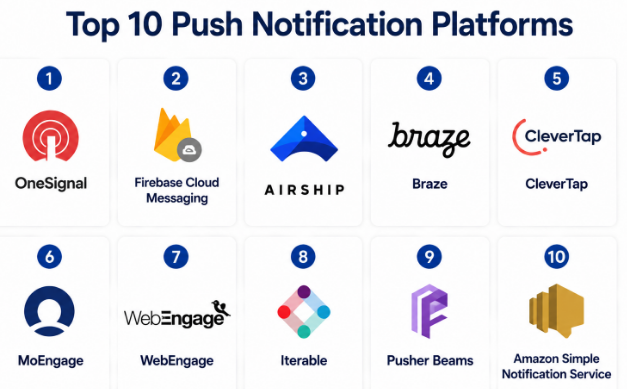
Top 10 Push Notification Platforms
#1 — OneSignal
Short description :
OneSignal is a widely used push notification and customer messaging platform for mobile apps, websites, and digital products. It is popular with startups, publishers, SaaS companies, gaming apps, and growth teams that want a practical way to send push messages without building everything from scratch. The platform supports mobile push, web push, in-app messaging, email, SMS, and user journeys. It is useful for teams that want quick setup, audience segmentation, automation, and campaign analytics. OneSignal is also developer-friendly, making it suitable for both marketing and engineering teams.
Key Features
- Mobile push notification support for iOS and Android.
- Web push notifications for browser-based engagement.
- Audience segmentation based on user behavior and attributes.
- Automated journeys for lifecycle messaging.
- In-app messaging for onboarding and product engagement.
- APIs and SDKs for developer-led implementation.
- Analytics for delivery, opens, clicks, and engagement.
Pros
- Easy to start for small and growing teams.
- Strong fit for both marketing campaigns and product notifications.
- Supports multiple messaging channels beyond push.
Cons
- Advanced use cases may require careful setup and planning.
- Larger teams may need higher-tier features for governance.
- Pricing can scale with audience size and message volume.
Platforms / Deployment
Web / iOS / Android
Cloud
Security & Compliance
Not publicly stated for all detailed controls. Common enterprise security expectations may vary by plan. Buyers should confirm SSO/SAML, RBAC, audit logs, GDPR support, and data processing requirements directly during evaluation.
Integrations & Ecosystem
OneSignal has a strong ecosystem for app developers, product teams, and growth marketers. It commonly fits into mobile apps, websites, analytics stacks, and customer engagement workflows.
- Mobile SDKs
- Web SDKs
- REST APIs
- CRM and marketing integrations
- Analytics and data tools
- Automation workflows
Support & Community
OneSignal has strong documentation and a large user base. Support options vary by plan, and teams with complex enterprise needs should check onboarding, SLA, and dedicated support availability.
#2 — Firebase Cloud Messaging
Short description :
Firebase Cloud Messaging, often called FCM, is Google’s messaging service for sending push notifications and data messages to mobile and web apps. It is especially useful for developers building Android, iOS, and web applications within the Firebase or Google Cloud ecosystem. FCM is often chosen for transactional notifications, app alerts, system messages, and developer-controlled push workflows. It is not always a full marketing automation suite by itself, but it is a strong foundation for technical teams. It works well when engineering teams want control over notification logic and backend integration.
Key Features
- Push notification delivery for Android, iOS, and web apps.
- Supports notification messages and data messages.
- Works with Firebase projects and app development workflows.
- Useful for transactional and event-triggered notifications.
- Supports topic messaging for grouped audiences.
- API-driven message sending.
- Strong fit for developer-controlled notification systems.
Pros
- Strong developer-first option for app teams.
- Good fit for products already using Firebase.
- Useful for transactional and system-triggered alerts.
Cons
- Not a complete marketing automation platform by itself.
- Advanced segmentation and journeys may require additional tools.
- Non-technical teams may find it less campaign-friendly.
Platforms / Deployment
Web / iOS / Android
Cloud
Security & Compliance
Security depends on Firebase and Google Cloud project configuration. Buyers should confirm access control, data handling, audit logging, and compliance needs based on their implementation.
Integrations & Ecosystem
FCM works well inside the Firebase and Google Cloud ecosystem. It can also connect with custom backends, analytics systems, and application servers.
- Firebase SDKs
- Google Cloud services
- REST APIs
- App backend systems
- Analytics workflows
- Custom event systems
Support & Community
Firebase has extensive documentation, developer guides, and a large community. Enterprise support depends on the broader Google Cloud support arrangement.
#3 — Airship
Short description :
Airship is an enterprise customer engagement platform with strong capabilities in mobile push notifications, app messaging, journeys, and lifecycle engagement. It is commonly used by brands that need reliable messaging at scale, especially in industries like retail, media, travel, financial services, and consumer apps. Airship is suitable for teams that want advanced segmentation, automation, experimentation, and mobile-first engagement. It is often a better fit for mid-market and enterprise teams than very small projects.
Key Features
- Mobile push and web notification capabilities.
- Customer journey orchestration.
- Segmentation and audience targeting.
- In-app messaging and mobile app experiences.
- Automation for lifecycle campaigns.
- Experimentation and performance measurement.
- Enterprise-focused engagement workflows.
Pros
- Strong enterprise fit for mobile-first brands.
- Good support for advanced engagement journeys.
- Useful for large-scale customer communication programs.
Cons
- May be more complex than needed for small teams.
- Implementation can require planning and technical support.
- Pricing may not suit early-stage startups.
Platforms / Deployment
Web / iOS / Android
Cloud
Security & Compliance
Not publicly stated for every requirement in this context. Buyers should validate SSO/SAML, RBAC, audit logs, GDPR readiness, and enterprise compliance documentation during procurement.
Integrations & Ecosystem
Airship supports enterprise engagement ecosystems and can connect with marketing, analytics, customer data, and app development systems.
- Mobile SDKs
- APIs
- Customer data tools
- Marketing platforms
- Analytics tools
- Enterprise workflow systems
Support & Community
Airship is known as an enterprise-oriented platform, so onboarding and support options are generally important parts of the buying process. Exact support tiers vary and should be confirmed during evaluation.
#4 — Braze
Short description :
Braze is a customer engagement platform used by brands that need personalized messaging across push, email, SMS, in-app messages, and other channels. Push notifications are one part of its broader lifecycle marketing and customer engagement suite. Braze is well-suited for mid-market and enterprise companies that need advanced segmentation, journey orchestration, campaign testing, and customer behavior-based messaging. It is especially useful when marketing, product, and data teams work together on engagement strategy.
Key Features
- Push notifications across mobile and web use cases.
- Cross-channel campaign orchestration.
- Advanced segmentation and personalization.
- Journey and lifecycle automation.
- In-app messaging and content experiences.
- Testing and optimization tools.
- Strong analytics and engagement measurement.
Pros
- Strong for mature lifecycle marketing teams.
- Good fit for large-scale personalization.
- Supports multiple customer communication channels.
Cons
- May be too advanced for simple push-only needs.
- Requires planning, data setup, and campaign governance.
- Cost may be higher than simple push platforms.
Platforms / Deployment
Web / iOS / Android
Cloud
Security & Compliance
Not publicly stated for all details here. Buyers should validate SSO/SAML, RBAC, audit logs, encryption, GDPR support, and industry-specific compliance needs during vendor review.
Integrations & Ecosystem
Braze has a broad engagement ecosystem and is often connected with analytics, CDPs, data warehouses, mobile apps, and marketing systems.
- APIs
- SDKs
- CDP integrations
- Data warehouse connections
- Marketing tools
- Analytics platforms
Support & Community
Braze is generally used by mature teams that need structured onboarding, customer success, and technical implementation support. Exact support levels vary by contract.
#5 — CleverTap
Short description :
CleverTap is a customer engagement and retention platform with strong push notification, segmentation, analytics, and lifecycle automation capabilities. It is widely used by mobile-first businesses such as e-commerce, fintech, gaming, subscription apps, and consumer internet companies. CleverTap is useful for teams that want to understand user behavior and trigger personalized campaigns from that behavior. It combines analytics and engagement, which helps product and marketing teams work from the same user data.
Key Features
- Mobile and web push notification campaigns.
- User segmentation based on behavior and lifecycle stage.
- Journey automation and campaign workflows.
- Analytics for retention, funnels, and engagement.
- Personalization based on user actions.
- In-app messaging and omnichannel campaigns.
- Campaign experimentation and optimization.
Pros
- Strong fit for retention-focused mobile businesses.
- Combines analytics and messaging in one platform.
- Useful for lifecycle automation and user reactivation.
Cons
- May require clean event tracking for best results.
- Advanced campaigns can take time to configure.
- Smaller teams may not need the full feature set.
Platforms / Deployment
Web / iOS / Android
Cloud
Security & Compliance
Not publicly stated for all details here. Buyers should confirm SSO/SAML, MFA, RBAC, audit logs, encryption, GDPR, and other compliance needs before purchase.
Integrations & Ecosystem
CleverTap works well with mobile apps, marketing stacks, analytics tools, and data-driven engagement workflows.
- Mobile SDKs
- Web SDKs
- APIs
- Analytics integrations
- Marketing tools
- Customer data workflows
Support & Community
CleverTap provides documentation and onboarding resources. Support quality and availability may vary by plan, customer size, and region.
#6 — MoEngage
Short description :
MoEngage is a customer engagement platform focused on personalized campaigns across push notifications, email, SMS, in-app messaging, and other channels. It is commonly used by consumer brands, e-commerce companies, fintech apps, travel platforms, and subscription businesses. MoEngage is useful for teams that want AI-assisted engagement, customer journey automation, and behavior-based targeting. It fits companies that need a practical balance between marketing usability and data-driven personalization.
Key Features
- Mobile push, web push, and cross-channel messaging.
- Customer journey automation.
- Behavior-based segmentation.
- Personalization and campaign optimization.
- In-app messaging for mobile engagement.
- Analytics for campaign performance.
- AI-assisted engagement features where available.
Pros
- Strong for customer retention and lifecycle campaigns.
- Useful for brands that need multiple channels.
- Good fit for mobile-first growth teams.
Cons
- Full value depends on proper data and event setup.
- May be more than needed for basic push alerts.
- Buyers should validate regional support and pricing.
Platforms / Deployment
Web / iOS / Android
Cloud
Security & Compliance
Not publicly stated for every detail here. Buyers should validate SSO/SAML, RBAC, audit logs, GDPR, encryption, and data residency needs during evaluation.
Integrations & Ecosystem
MoEngage connects with customer data, analytics, marketing, and application ecosystems. It is commonly used as part of a customer engagement stack.
- Mobile SDKs
- Web SDKs
- APIs
- CDP integrations
- Analytics tools
- Marketing systems
Support & Community
MoEngage offers documentation and customer support resources. Enterprise buyers should confirm onboarding, SLAs, dedicated support, and implementation services.
#7 — WebEngage
Short description :
WebEngage is a customer engagement and marketing automation platform that includes push notifications, web push, email, SMS, WhatsApp, in-app messages, and journey automation. It is commonly used by e-commerce, edtech, fintech, travel, media, and subscription brands. WebEngage is useful for teams that want to improve retention, reduce churn, and automate customer journeys. It is especially suitable for businesses that want push notifications as part of a wider engagement strategy.
Key Features
- Mobile push and web push notifications.
- Journey designer for lifecycle automation.
- Segmentation based on behavior and attributes.
- Omnichannel campaign management.
- In-app messaging and user engagement tools.
- Campaign analytics and reporting.
- Personalization for retention-focused use cases.
Pros
- Good fit for engagement-heavy consumer businesses.
- Supports multiple marketing channels.
- Useful for retention, onboarding, and reactivation campaigns.
Cons
- Requires thoughtful campaign planning.
- May be too broad for developer-only notification needs.
- Advanced setup can require marketing and technical coordination.
Platforms / Deployment
Web / iOS / Android
Cloud
Security & Compliance
Not publicly stated for all details here. Buyers should validate SSO/SAML, RBAC, audit logs, GDPR, and data handling requirements during procurement.
Integrations & Ecosystem
WebEngage fits into customer engagement, analytics, and marketing ecosystems. It is often used with apps, websites, CRMs, and data systems.
- Mobile SDKs
- Web SDKs
- APIs
- CRM tools
- Analytics platforms
- Marketing channels
Support & Community
WebEngage provides documentation and customer support. Support depth may vary by plan, region, and customer size.
#8 — Iterable
Short description :
Iterable is a cross-channel marketing automation platform that supports push notifications along with email, SMS, in-app messaging, and lifecycle campaigns. It is designed for growth, lifecycle, and marketing teams that need personalized customer journeys across multiple channels. Iterable is often a strong fit for mid-market and enterprise teams with mature marketing operations. Push notifications inside Iterable work best when combined with customer data, segmentation, and campaign orchestration.
Key Features
- Mobile push notifications as part of cross-channel campaigns.
- Journey automation and lifecycle workflows.
- Customer segmentation and personalization.
- A/B testing and campaign optimization.
- Email, SMS, and in-app messaging support.
- APIs and data integrations.
- Analytics for engagement and campaign performance.
Pros
- Strong for lifecycle marketing teams.
- Good fit for cross-channel customer journeys.
- Useful when push is part of a broader communication strategy.
Cons
- Not ideal for simple developer-only push needs.
- Setup may require strong data and marketing operations.
- May be more expensive than basic push tools.
Platforms / Deployment
Web / iOS / Android
Cloud
Security & Compliance
Not publicly stated for every detail here. Buyers should confirm SSO/SAML, RBAC, audit logs, encryption, GDPR, and compliance needs directly.
Integrations & Ecosystem
Iterable works with marketing stacks, customer data systems, analytics tools, and application data sources.
- APIs
- SDKs
- CDP connections
- Data warehouse workflows
- CRM integrations
- Analytics tools
Support & Community
Iterable generally serves teams that need onboarding, support, and technical guidance. Exact support tiers should be checked during vendor evaluation.
#9 — Pusher Beams
Short description :
Pusher Beams is a developer-focused push notification service designed for engineering teams that want to add push notifications into applications with less infrastructure work. It is useful for transactional alerts, app updates, chat notifications, and event-based communication. Pusher Beams is not mainly a full marketing automation suite, so it fits teams that already manage segmentation, workflows, and user logic inside their own systems. It is a practical choice for developers who want APIs and SDKs for push delivery.
Key Features
- Push notifications for iOS and Android apps.
- Developer-friendly APIs and SDKs.
- Event-based notification workflows.
- Useful for transactional and real-time alerts.
- Supports application-driven push logic.
- Good fit for chat, marketplace, and product alerts.
- Helps reduce custom push infrastructure work.
Pros
- Strong fit for engineering-led teams.
- Good for transactional and real-time notification use cases.
- Simpler than large marketing automation platforms.
Cons
- Not a full customer engagement suite.
- Limited marketing automation compared with enterprise platforms.
- Teams may need to build segmentation and analytics separately.
Platforms / Deployment
iOS / Android
Cloud
Security & Compliance
Not publicly stated for all details here. Buyers should confirm access controls, encryption, audit logs, and compliance needs based on their application requirements.
Integrations & Ecosystem
Pusher Beams fits developer workflows and custom applications. It is best when connected to backend systems and event-driven application logic.
- APIs
- Mobile SDKs
- Backend applications
- Event systems
- Chat and marketplace platforms
- Custom product workflows
Support & Community
Pusher has developer documentation and technical resources. Support options may vary by plan and product package.
#10 — Amazon Simple Notification Service
Short description :
Amazon Simple Notification Service, also known as Amazon SNS, is a cloud messaging service used for application-to-application and application-to-person communication. It can support mobile push notifications along with other messaging patterns. SNS is best suited for technical teams already using AWS and needing scalable notification infrastructure. It is not a marketing campaign platform by itself, but it is valuable for backend-driven alerts, transactional messages, system notifications, and event-based architectures.
Key Features
- Supports pub/sub messaging patterns.
- Can be used for mobile push notification delivery.
- Fits AWS-based application architectures.
- Useful for event-driven systems and alerts.
- Supports high-scale notification workflows.
- API-driven configuration and delivery.
- Works with other AWS services.
Pros
- Strong fit for AWS-native engineering teams.
- Scalable for system and transactional messaging.
- Flexible for event-driven architectures.
Cons
- Not built as a marketer-friendly campaign tool.
- Requires technical setup and AWS knowledge.
- Advanced audience journeys need additional systems.
Platforms / Deployment
iOS / Android / Web use cases through connected architecture
Cloud
Security & Compliance
Security depends on AWS configuration, IAM policies, encryption settings, logging, and account governance. Buyers should validate compliance requirements based on their AWS environment.
Integrations & Ecosystem
Amazon SNS fits strongly into AWS infrastructure and backend systems. It is best for engineering teams that want notifications as part of cloud architecture.
- AWS services
- APIs
- Event-driven systems
- Backend applications
- Monitoring and alerting workflows
- Mobile push services
Support & Community
Amazon SNS has detailed AWS documentation and a large developer ecosystem. Support depends on the AWS support plan selected by the customer.
Comparison Table
| Tool Name | Best For | Platform(s) Supported | Deployment | Standout Feature | Public Rating |
|---|---|---|---|---|---|
| OneSignal | Startups, SMBs, apps, publishers, growth teams | Web, iOS, Android | Cloud | Easy push setup with multichannel engagement | N/A |
| Firebase Cloud Messaging | Developers and Firebase-based apps | Web, iOS, Android | Cloud | Developer-first push infrastructure | N/A |
| Airship | Enterprise mobile engagement teams | Web, iOS, Android | Cloud | Enterprise-grade customer journeys | N/A |
| Braze | Mid-market and enterprise lifecycle marketing | Web, iOS, Android | Cloud | Cross-channel personalization and orchestration | N/A |
| CleverTap | Retention-focused mobile businesses | Web, iOS, Android | Cloud | Analytics plus engagement automation | N/A |
| MoEngage | Consumer brands and mobile-first growth teams | Web, iOS, Android | Cloud | AI-assisted customer engagement workflows | N/A |
| WebEngage | E-commerce, fintech, travel, edtech, media | Web, iOS, Android | Cloud | Omnichannel journey automation | N/A |
| Iterable | Lifecycle marketing and cross-channel campaigns | Web, iOS, Android | Cloud | Customer journey automation across channels | N/A |
| Pusher Beams | Developer-led push implementation | iOS, Android | Cloud | API-first push delivery | N/A |
| Amazon Simple Notification Service | AWS-native engineering teams | iOS, Android, Web architecture use cases | Cloud | Scalable cloud notification infrastructure | N/A |
Evaluation & Push Notification Platforms
| Tool Name | Core (25%) | Ease (15%) | Integrations (15%) | Security (10%) | Performance (10%) | Support (10%) | Value (15%) | Weighted Total (0–10) |
|---|---|---|---|---|---|---|---|---|
| OneSignal | 9 | 9 | 8 | 7 | 8 | 8 | 9 | 8.35 |
| Firebase Cloud Messaging | 8 | 7 | 9 | 8 | 9 | 8 | 9 | 8.20 |
| Airship | 9 | 7 | 8 | 8 | 9 | 8 | 7 | 8.05 |
| Braze | 9 | 7 | 9 | 8 | 8 | 8 | 7 | 8.10 |
| CleverTap | 9 | 8 | 8 | 7 | 8 | 8 | 8 | 8.10 |
| MoEngage | 8 | 8 | 8 | 7 | 8 | 8 | 8 | 7.90 |
| WebEngage | 8 | 8 | 8 | 7 | 8 | 7 | 8 | 7.80 |
| Iterable | 8 | 7 | 9 | 8 | 8 | 8 | 7 | 7.90 |
| Pusher Beams | 7 | 8 | 7 | 7 | 8 | 7 | 8 | 7.45 |
| Amazon Simple Notification Service | 8 | 6 | 9 | 8 | 9 | 8 | 8 | 8.00 |
These scores are comparative, not absolute. A high score does not mean the tool is best for every business. For example, Braze may be stronger for enterprise lifecycle marketing, while Firebase Cloud Messaging may be better for developer-led transactional alerts. Buyers should use the scores as a shortlist guide, then validate pricing, integrations, security, and implementation effort.
Which Push Notification Platforms
Solo / Freelancer
Solo founders, freelancers, and small product builders should usually choose simple and affordable tools. OneSignal is a strong option when you need fast setup, web push, mobile push, and basic automation. Firebase Cloud Messaging is better if you are a developer building inside Firebase and want direct control.
For a small blog, content site, or early app, avoid buying a large enterprise engagement suite too early. Start with simple push campaigns, basic segmentation, and clear opt-in messaging.
SMB
SMBs should look for tools that balance ease of use, cost, and growth features. OneSignal, MoEngage, WebEngage, and CleverTap can be good options depending on business type. E-commerce, edtech, fintech, and subscription apps should prioritize segmentation, automation, cart reminders, onboarding flows, and campaign analytics.
SMBs should avoid overcomplicating the stack. A tool that is easy for marketing and product teams to use may deliver more value than a powerful platform that no one uses properly.
Mid-Market
Mid-market teams usually need stronger lifecycle automation, better analytics, and integrations with CRM, CDP, analytics, and data platforms. Braze, CleverTap, MoEngage, Iterable, WebEngage, and Airship are strong candidates for this stage.
At this level, the decision should include data readiness. If event tracking is poor, even the best platform will not perform well. Mid-market buyers should run a pilot with real campaigns before signing a long contract.
Enterprise
Enterprises should focus on governance, reliability, security review, permission controls, auditability, support, and integration depth. Braze, Airship, Iterable, CleverTap, and MoEngage are often better aligned with enterprise engagement teams.
Enterprise teams should also check SSO/SAML, RBAC, audit logs, data residency, legal review, procurement requirements, and SLA expectations. Push notifications may look simple, but at enterprise scale they involve product, marketing, engineering, legal, and data teams.
Budget vs Premium
Budget-conscious teams should consider OneSignal, Firebase Cloud Messaging, Pusher Beams, or Amazon SNS depending on technical ability and use case. These options can work well when teams have clear requirements and do not need heavy marketing automation.
Premium platforms are better when push is only one part of a larger customer engagement strategy. If your team needs journeys, experimentation, multiple channels, predictive targeting, and deep analytics, premium tools may save time and improve campaign quality.
Feature Depth vs Ease of Use
Simple tools are easier to launch but may have limits in advanced segmentation, journey design, and governance. Deep platforms offer more control but require stronger planning, data quality, and internal ownership.
Choose ease of use when your team is small or still learning push strategy. Choose feature depth when you already have campaign processes, event tracking, and customer lifecycle goals.
Integrations & Scalability-
If push notifications are connected to many systems, integrations become critical. Product analytics, CRM, CDP, data warehouses, backend events, support tools, and marketing platforms should all be reviewed.
For developer-led systems, Firebase Cloud Messaging, Amazon SNS, and Pusher Beams may be strong. For marketing-led ecosystems, Braze, Iterable, CleverTap, MoEngage, WebEngage, Airship, and OneSignal may be better.
Security & Compliance Needs
Security-sensitive industries such as fintech, healthcare, insurance, government, and enterprise SaaS should review compliance carefully. Do not assume that every feature is available on every plan.
Buyers should check data processing agreements, encryption, RBAC, SSO/SAML, audit logs, user consent, data retention, GDPR support, and whether sensitive data should ever appear inside notification content.
Frequently Asked Questions
1. What is a push notification platform?
A push notification platform helps businesses send messages to users through mobile apps, websites, and browsers. It usually includes targeting, scheduling, automation, analytics, and delivery tools.
2. How are push notifications different from email?
Push notifications appear directly on a device or browser, while email goes to an inbox. Push is usually better for urgent, short, and action-based messages, while email is better for longer content.
3. What pricing models do push notification platforms use?
Pricing may depend on subscribers, monthly active users, message volume, channels, or feature tiers. Some tools offer free plans, while enterprise platforms usually use custom pricing.
4. How long does implementation usually take?
Basic web push can be implemented quickly, but full mobile push with SDKs, events, segmentation, and automation takes more planning. Complex enterprise setups may require product, marketing, engineering, and legal involvement.
5. What are common mistakes teams make with push notifications?
The biggest mistakes are sending too many messages, using generic copy, ignoring user preferences, and not measuring results. Poor targeting can increase opt-outs and reduce trust.
6. Are push notifications secure?
Push can be secure when implemented properly, but teams should avoid sending sensitive personal or financial information inside notification text. Security depends on platform controls, app setup, and internal data policies.
7. Can push notification platforms scale to millions of users?
Many leading platforms are designed for large-scale delivery. However, buyers should test performance, API limits, delivery reporting, segmentation speed, and support quality before relying on a platform for mission-critical use.
8. What integrations should buyers look for?
Common integrations include mobile SDKs, web SDKs, APIs, CRM tools, analytics platforms, CDPs, data warehouses, marketing automation tools, and backend event systems.
9. Is it difficult to switch push notification platforms?
Switching can be complex because teams may need to migrate SDKs, user tokens, segments, events, campaigns, and reporting workflows. A migration plan should include testing and phased rollout.
10. What are alternatives to push notifications?
Alternatives include email, SMS, WhatsApp, in-app messages, live chat, product banners, and social retargeting. The best option depends on urgency, message length, user consent, and business goal.
Conclusion
Push Notification Platforms are now an important part of digital customer engagement because users expect fast, relevant, and personalized communication. However, the best platform depends on your company size, technical resources, customer journey, security needs, and channel strategy. A developer-led app may prefer Firebase Cloud Messaging, Amazon SNS, or Pusher Beams. A growing business may prefer OneSignal, CleverTap, MoEngage, or WebEngage. A larger enterprise may need Braze, Airship, or Iterable for deeper lifecycle automation and governance.
