Introduction
Print Management Tools help organizations control, secure, track, and optimize printing across offices, branches, schools, hospitals, shared workspaces, and remote environments. In simple words, these tools help IT teams manage printers, users, print queues, print costs, secure release printing, driver deployment, print policies, and reporting from one central system.
Printing may look simple, but in many organizations it creates hidden problems: wasted paper, unmanaged printers, insecure print jobs, high toner costs, driver issues, helpdesk tickets, and poor visibility into who is printing what. Print management tools solve these challenges by giving businesses better control over printing behavior, access, security, and cost.
Common use cases include secure pull printing, print cost tracking, printer fleet management, cloud printing, driverless printing, print quotas, mobile printing, remote printing, user authentication, and compliance-friendly print auditing.
Buyers should evaluate ease of deployment, cloud readiness, secure print release, printer compatibility, driver management, reporting, cost controls, authentication options, mobile printing, print policies, scalability, and support quality.
Best for: IT teams, system administrators, schools, universities, enterprises, healthcare organizations, law firms, finance teams, government offices, coworking spaces, managed print providers, and companies with multiple printers or locations.
Not ideal for: very small teams with one basic printer, businesses with low print volume, or companies that already operate fully paperless and rarely need physical document workflows.
Key Trends in Print Management Tools
- Cloud print management is becoming more popular, especially for hybrid workplaces, distributed offices, and IT teams that want fewer print servers.
- Secure print release is now a major requirement, helping prevent sensitive documents from sitting unattended on printer trays.
- Print server reduction is a common IT goal, as organizations want simpler infrastructure, fewer drivers, and lower maintenance.
- Mobile and remote printing are more important, especially for employees who work across offices, homes, coworking spaces, and shared environments.
- Sustainability reporting is gaining attention, with organizations tracking paper usage, color printing, duplex printing, and waste reduction.
- User authentication is becoming standard, with badge release, PIN release, SSO, identity provider integration, and role-based access.
- Print analytics are helping organizations reduce costs, identify high-volume users, control color printing, and optimize printer placement.
- Zero-trust workplace security is influencing print workflows, requiring stronger control over who can print, release, and access sensitive documents.
- Managed print services are becoming more data-driven, using print management tools to monitor fleets, usage, costs, and service needs.
- Driverless and universal print experiences are growing, reducing helpdesk tickets and improving employee printing reliability.
How We Selected These Tools
The tools below were selected using practical business-focused evaluation logic.
- Market recognition: Tools commonly known in print management, secure printing, cloud printing, print fleet management, and enterprise printing were prioritized.
- Feature completeness: Secure print release, print tracking, policy management, reporting, driver management, mobile printing, and cost control were reviewed.
- Ease of deployment: Cloud-native, serverless, hybrid, and traditional deployment models were considered.
- Security readiness: Authentication, pull printing, audit logs, access controls, and document security features were evaluated.
- Printer compatibility: Support for mixed printer fleets and multi-vendor environments was considered important.
- Integration ecosystem: Identity providers, badge systems, cloud directories, operating systems, and print infrastructure integrations were reviewed.
- Customer fit: The list includes tools for SMBs, enterprises, education, healthcare, managed print providers, and distributed workforces.
- Scalability: Tools suitable for single-location offices, multi-branch companies, campuses, and global enterprises were included.
- Support and administration: Admin experience, documentation, vendor support, and operational simplicity were considered.
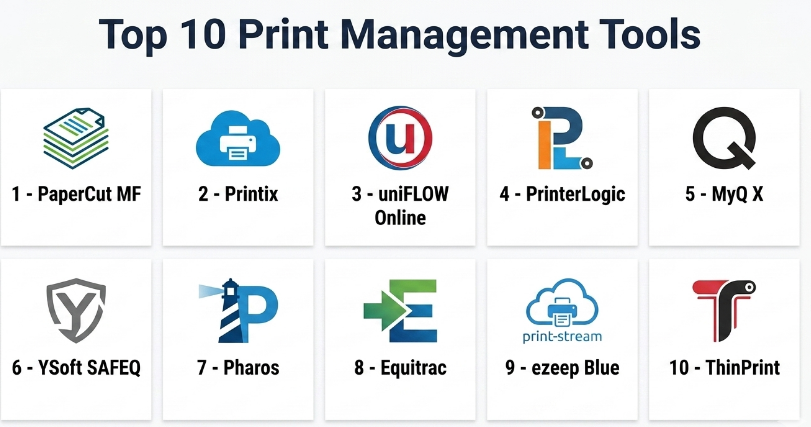
Top 10 Print Management Tools
#1 — PaperCut MF
Short description :
PaperCut MF is one of the most widely recognized print management tools for organizations that need secure printing, cost tracking, print quotas, reporting, and multi-function device control. It is used across education, healthcare, enterprise, legal, finance, and government environments. PaperCut MF helps organizations manage print behavior, reduce waste, authenticate users, and enable secure print release. It works well in mixed printer environments and supports many common print management workflows. It is best for organizations that need strong print control, visibility, and security across multiple devices.
Key Features
- Secure print release.
- Print tracking and reporting.
- User authentication.
- Print quotas and charging.
- Rules-based print policies.
- Multi-function printer support.
- Mobile and BYOD printing options.
Pros
- Strong feature depth for print control and reporting.
- Suitable for schools, universities, and enterprises.
- Works well in mixed printer fleet environments.
Cons
- Setup can require print infrastructure planning.
- Smaller teams may not need all features.
- Advanced configuration may need IT expertise.
Platforms / Deployment
Web / Windows / macOS / Linux
Cloud / Self-hosted / Hybrid options may vary
Security & Compliance
Supports secure print release, user authentication, audit logs, access controls, and print tracking. Specific security certifications and compliance details should be validated directly with the vendor.
Integrations & Ecosystem
PaperCut MF connects with identity, printer, and workplace systems to support secure print operations.
- Multi-function printers.
- Directory services.
- Badge authentication systems.
- Print servers.
- Mobile printing workflows.
- Reporting and cost recovery workflows.
Support & Community
PaperCut provides documentation, partner support, reseller support, and implementation guidance. It has a strong presence in education and enterprise print management.
#2 — Printix
Short description :
Printix is a cloud-based print management platform designed to simplify printing for modern workplaces. It helps organizations manage printers, users, print queues, and secure printing without relying heavily on traditional print servers. Printix is useful for distributed teams, cloud-first businesses, SMBs, and organizations moving away from legacy print infrastructure. It supports cloud print management, driver deployment, mobile printing, and user-based print control. It is best for companies that want simple cloud print management with reduced infrastructure complexity.
Key Features
- Cloud-based print management.
- Print queue management.
- Secure print release.
- Driver and printer deployment.
- User-based print controls.
- Mobile and remote printing support.
- Centralized admin console.
Pros
- Good fit for cloud-first organizations.
- Reduces dependency on traditional print servers.
- Easier to manage for distributed workplaces.
Cons
- May not cover every complex print accounting use case.
- Printer compatibility should be tested before rollout.
- Advanced enterprise workflows may require careful configuration.
Platforms / Deployment
Web / Windows / macOS
Cloud
Security & Compliance
Supports secure print workflows, user authentication, cloud-based administration, and access controls. Specific compliance details should be validated directly with the vendor.
Integrations & Ecosystem
Printix works well in cloud workplace environments.
- Cloud directories.
- Windows and macOS devices.
- Printer fleets.
- Secure release workflows.
- Remote printing workflows.
- IT administration tools.
Support & Community
Printix provides documentation, onboarding resources, and customer support. It is practical for organizations modernizing print infrastructure.
#3 — uniFLOW Online
Short description :
uniFLOW Online is a cloud-based print and scan management platform designed for organizations that need secure printing, scan workflows, cost control, and fleet management. It is commonly associated with Canon environments but can support broader print management needs depending on setup. uniFLOW Online helps users print securely, release documents at devices, scan to destinations, and track print usage. It is suitable for enterprises, education, healthcare, and offices that need cloud print and scan control. It is best for organizations that want secure cloud print management with strong document workflow features.
Key Features
- Cloud print management.
- Secure print release.
- Scan workflow support.
- Print tracking and reporting.
- User authentication.
- Cost control and accounting.
- Device and fleet management features.
Pros
- Strong print and scan workflow support.
- Good fit for cloud-managed office environments.
- Useful for organizations needing secure release printing.
Cons
- Best fit may depend on printer fleet and vendor environment.
- Setup can require print and scan workflow planning.
- Some advanced features may depend on device compatibility.
Platforms / Deployment
Web / Windows / macOS
Cloud
Security & Compliance
Supports secure print release, user authentication, scan control, access management, and print tracking. Specific security certifications should be validated directly with the vendor.
Integrations & Ecosystem
uniFLOW Online connects printing and scanning with workplace document workflows.
- Multi-function devices.
- Cloud storage workflows.
- Directory services.
- Secure release systems.
- Scan destinations.
- Print reporting workflows.
Support & Community
uniFLOW Online is supported through vendor and partner channels. It is useful for organizations that need print and scan workflow support at scale.
#4 — PrinterLogic
Short description :
PrinterLogic is a print management platform focused on eliminating print servers, simplifying printer deployment, and improving print reliability. It helps IT teams centrally manage printers, drivers, queues, and user access while reducing infrastructure complexity. PrinterLogic is especially useful for distributed enterprises, branch offices, and organizations tired of print server maintenance. It supports direct IP printing, driver management, secure release options, and cloud-based administration. It is best for IT teams that want to modernize print management and reduce helpdesk tickets.
Key Features
- Serverless print management.
- Centralized printer deployment.
- Driver management.
- Direct IP printing.
- Secure release printing options.
- Cloud-based admin console.
- Print reporting and visibility.
Pros
- Strong for eliminating print servers.
- Useful for distributed offices and branch locations.
- Reduces printer deployment and driver issues.
Cons
- May not be as cost-accounting focused as some tools.
- Advanced secure release workflows may require additional setup.
- Best value depends on existing print server pain points.
Platforms / Deployment
Web / Windows / macOS / Linux options may vary
Cloud / Hybrid options may vary
Security & Compliance
Supports secure print options, centralized access control, and administrative management. Specific security and compliance details should be validated directly with the vendor.
Integrations & Ecosystem
PrinterLogic connects with enterprise print and IT workflows.
- Directory services.
- Printer fleets.
- Driver deployment systems.
- Direct IP printing.
- Cloud administration.
- Enterprise endpoint environments.
Support & Community
PrinterLogic provides documentation, support resources, and implementation assistance. It is a strong option for IT teams focused on print infrastructure simplification.
#5 — MyQ X
Short description :
MyQ X is a print management and document workflow platform that supports secure printing, print accounting, scanning, mobile printing, and device management. It is suitable for organizations that need control over print costs, document workflows, and user authentication. MyQ X is used across offices, schools, enterprises, public sector organizations, and print-heavy workplaces. It helps teams manage print jobs, reduce waste, and secure document release at printers. It is best for organizations that want print management combined with document workflow capabilities.
Key Features
- Secure print release.
- Print accounting and reporting.
- User authentication.
- Mobile printing.
- Scan workflow support.
- Rules-based print policies.
- Multi-function device integration.
Pros
- Strong print and scan workflow capabilities.
- Useful for cost tracking and print control.
- Good fit for multi-function printer environments.
Cons
- Setup may require print environment planning.
- Some features depend on printer compatibility.
- Smaller teams may find it more advanced than needed.
Platforms / Deployment
Web / Windows / macOS / Linux options may vary
Cloud / Self-hosted / Hybrid options may vary
Security & Compliance
Supports secure print release, authentication, print tracking, and document workflow control. Specific certifications and compliance details should be validated directly with the vendor.
Integrations & Ecosystem
MyQ X connects print, scan, and document workflows.
- Multi-function printers.
- Directory services.
- Badge systems.
- Mobile printing.
- Scan destinations.
- Reporting systems.
Support & Community
MyQ X provides documentation, implementation support, and partner-based assistance. It is useful for organizations that need stronger print and scan process control.
#6 — YSoft SAFEQ
Short description :
YSoft SAFEQ is an enterprise print management and document capture platform designed for secure printing, print governance, cost control, and workflow automation. It supports user authentication, pull printing, print reporting, scan workflows, and device management. YSoft SAFEQ is useful for enterprises, education, healthcare, government, and regulated environments that need stronger print security and control. It helps organizations reduce waste, protect documents, and improve print operations. It is best for larger organizations that need enterprise-grade print management and document workflow governance.
Key Features
- Secure pull printing.
- Print reporting and cost control.
- User authentication.
- Scan and document capture workflows.
- Print rules and policies.
- Device management support.
- Multi-vendor printer fleet support.
Pros
- Strong enterprise print security and governance.
- Useful for print-heavy and regulated environments.
- Supports print and scan workflow needs.
Cons
- May be too advanced for small businesses.
- Implementation can require skilled configuration.
- Best value depends on organization size and print complexity.
Platforms / Deployment
Web / Windows / Linux options may vary
Cloud / Self-hosted / Hybrid options may vary
Security & Compliance
Supports authentication, secure pull printing, audit trails, access controls, and document workflow security. Specific security certifications should be validated directly with the vendor.
Integrations & Ecosystem
YSoft SAFEQ supports enterprise print and document ecosystems.
- Multi-function printers.
- Identity systems.
- Badge authentication.
- Scan workflows.
- Print reporting.
- Document capture systems.
Support & Community
YSoft provides enterprise support, partner support, documentation, and implementation guidance. It is suited for organizations with mature print governance needs.
#7 — Pharos
Short description :
Pharos provides print management solutions focused on secure printing, cost recovery, cloud print management, print analytics, and enterprise print optimization. It is commonly used in universities, enterprises, healthcare, and organizations with complex print environments. Pharos helps organizations control print access, understand print usage, reduce waste, and improve print security. It can support print release, user-based reporting, and cloud print workflows depending on product configuration. It is best for organizations that need print analytics and secure print control at scale.
Key Features
- Secure print release.
- Print analytics and reporting.
- Cost recovery and accounting.
- Cloud print management options.
- User authentication.
- Print policy controls.
- Enterprise print optimization.
Pros
- Strong analytics and print optimization capabilities.
- Good fit for education and enterprise environments.
- Useful for cost recovery and print accountability.
Cons
- May require careful implementation planning.
- Best value depends on print volume and reporting needs.
- Some capabilities vary by product offering.
Platforms / Deployment
Web / Windows / macOS options may vary
Cloud / Self-hosted / Hybrid options may vary
Security & Compliance
Supports secure print release, user authentication, print tracking, and administrative controls. Specific compliance details should be validated directly with the vendor.
Integrations & Ecosystem
Pharos connects print operations with security and cost management workflows.
- Printer fleets.
- Directory services.
- Badge systems.
- Cloud print workflows.
- Print analytics.
- Cost recovery processes.
Support & Community
Pharos provides documentation, customer support, and implementation guidance. It is especially useful for education and enterprise print environments.
#8 — Equitrac
Short description :
Equitrac is a print management and cost recovery solution used by organizations that need print tracking, secure print release, accounting, and document output control. It is especially relevant for legal firms, finance teams, enterprises, and print-heavy organizations where cost allocation and document accountability matter. Equitrac helps track print usage by user, client, department, matter, or cost center depending on configuration. It is best for organizations that need strong print accounting and cost recovery workflows.
Key Features
- Print tracking and accounting.
- Secure print release.
- Cost recovery workflows.
- User and department reporting.
- Authentication support.
- Print policy enforcement.
- Multi-function device support.
Pros
- Strong for cost recovery and print accounting.
- Useful for legal, finance, and enterprise environments.
- Helps allocate print costs accurately.
Cons
- May feel traditional compared with newer cloud-first tools.
- Setup can be complex for detailed accounting workflows.
- Smaller teams may not need advanced cost recovery.
Platforms / Deployment
Web / Windows options may vary
Self-hosted / Hybrid options may vary
Security & Compliance
Supports secure printing, user authentication, print tracking, and cost allocation workflows. Specific security and compliance details should be validated directly with the vendor.
Integrations & Ecosystem
Equitrac connects print usage with accounting and business workflows.
- Multi-function printers.
- Directory services.
- Cost centers.
- Legal matter workflows.
- Badge authentication.
- Reporting systems.
Support & Community
Equitrac is supported through vendor and partner channels. It is suited for organizations that need detailed print accounting and document output control.
#9 — ezeep Blue
Short description :
ezeep Blue is a cloud print management platform designed to simplify printing for modern workplaces, coworking spaces, remote teams, and distributed organizations. It helps users print without complex drivers or traditional print servers. ezeep Blue is useful for teams that need easy cloud printing, managed printer access, and simplified print administration. It is especially relevant for coworking spaces, flexible offices, and cloud-first businesses. It is best for organizations that want lightweight cloud printing with simple user access.
Key Features
- Cloud print management.
- Driverless or simplified printing workflows.
- User and printer access management.
- Remote and mobile printing.
- Centralized admin control.
- Print queue management.
- Support for flexible workplace printing.
Pros
- Strong for cloud-first and flexible workplaces.
- Easy for users who need simple printing access.
- Useful for coworking and distributed teams.
Cons
- May not cover deep enterprise print accounting needs.
- Printer compatibility should be validated.
- Advanced secure print workflows may require plan review.
Platforms / Deployment
Web / Windows / macOS / iOS / Android
Cloud
Security & Compliance
Supports cloud print security, user access controls, and managed printer permissions. Specific security certifications and compliance details should be validated directly with the vendor.
Integrations & Ecosystem
ezeep Blue supports cloud printing and flexible workplace print access.
- Cloud directories.
- Printer fleets.
- Remote printing workflows.
- Mobile devices.
- Coworking environments.
- Admin print management.
Support & Community
ezeep Blue provides documentation, onboarding resources, and customer support. It is practical for cloud-first teams and flexible workplaces.
#10 — ThinPrint
Short description :
ThinPrint is a print management and print optimization solution designed for virtual desktop, remote work, server-based computing, and enterprise print environments. It helps organizations manage printing across complex IT infrastructure, including remote desktops, virtual apps, branch offices, and distributed environments. ThinPrint is useful for enterprises that need reliable printing across virtualized or remote work scenarios. It focuses on print performance, bandwidth optimization, driver management, and print reliability. It is best for organizations with VDI, remote desktop, or complex enterprise print architecture.
Key Features
- Print optimization for remote and virtual environments.
- VDI and remote desktop printing support.
- Driver management.
- Print performance optimization.
- Bandwidth control.
- Centralized print administration.
- Enterprise print infrastructure support.
Pros
- Strong fit for VDI and remote desktop environments.
- Helps improve print performance in complex infrastructure.
- Useful for enterprises with distributed IT environments.
Cons
- Not a simple print tracking tool for small offices.
- Best value depends on virtual desktop or remote infrastructure.
- Setup may require IT expertise.
Platforms / Deployment
Windows / Server environments / Virtual desktop environments
Cloud / Self-hosted / Hybrid options may vary
Security & Compliance
Supports enterprise print administration and secure print infrastructure workflows depending on deployment. Specific security and compliance details should be validated directly with the vendor.
Integrations & Ecosystem
ThinPrint connects with enterprise remote work and virtualization environments.
- VDI platforms.
- Remote desktop environments.
- Print servers.
- Branch office printing.
- Windows environments.
- Enterprise endpoint infrastructure.
Support & Community
ThinPrint provides documentation, technical support, and implementation guidance. It is best suited for IT teams managing complex printing across remote and virtual desktop environments.
Comparison Table
| Tool Name | Best For | Platform(s) Supported | Deployment | Standout Feature | Public Rating |
|---|---|---|---|---|---|
| PaperCut MF | Secure print control and cost tracking | Web / Windows / macOS / Linux | Cloud / Self-hosted / Hybrid varies | Secure print release and print accounting | N/A |
| Printix | Cloud-first print management | Web / Windows / macOS | Cloud | Serverless cloud print management | N/A |
| uniFLOW Online | Cloud print and scan workflows | Web / Windows / macOS | Cloud | Secure print with scan workflow support | N/A |
| PrinterLogic | Print server elimination | Web / Windows / macOS / Linux varies | Cloud / Hybrid varies | Centralized printer deployment without print servers | N/A |
| MyQ X | Print and document workflow control | Web / Windows / macOS / Linux varies | Cloud / Self-hosted / Hybrid varies | Secure printing plus scan workflows | N/A |
| YSoft SAFEQ | Enterprise print governance | Web / Windows / Linux varies | Cloud / Self-hosted / Hybrid varies | Secure pull printing and document capture | N/A |
| Pharos | Print analytics and cost recovery | Web / Windows / macOS varies | Cloud / Self-hosted / Hybrid varies | Print optimization and usage analytics | N/A |
| Equitrac | Print accounting and cost allocation | Web / Windows varies | Self-hosted / Hybrid varies | Detailed print cost recovery | N/A |
| ezeep Blue | Cloud printing for flexible workplaces | Web / Windows / macOS / iOS / Android | Cloud | Simple cloud printing for distributed teams | N/A |
| ThinPrint | VDI and remote desktop printing | Windows / Server / VDI environments | Cloud / Self-hosted / Hybrid varies | Print optimization for virtual environments | N/A |
Evaluation & Print Management Tools
| Tool Name | Core (25%) | Ease (15%) | Integrations (15%) | Security (10%) | Performance (10%) | Support (10%) | Value (15%) | Weighted Total (0–10) |
|---|---|---|---|---|---|---|---|---|
| PaperCut MF | 10 | 8 | 9 | 9 | 9 | 9 | 8 | 8.95 |
| Printix | 8 | 9 | 8 | 8 | 8 | 8 | 8 | 8.15 |
| uniFLOW Online | 9 | 8 | 8 | 9 | 8 | 8 | 7 | 8.15 |
| PrinterLogic | 9 | 8 | 9 | 8 | 9 | 8 | 8 | 8.45 |
| MyQ X | 9 | 8 | 8 | 8 | 8 | 8 | 8 | 8.25 |
| YSoft SAFEQ | 9 | 7 | 8 | 9 | 8 | 8 | 7 | 8.05 |
| Pharos | 9 | 7 | 8 | 8 | 8 | 8 | 7 | 7.95 |
| Equitrac | 8 | 7 | 8 | 8 | 8 | 8 | 7 | 7.65 |
| ezeep Blue | 8 | 9 | 7 | 8 | 8 | 8 | 8 | 7.95 |
| ThinPrint | 8 | 7 | 8 | 8 | 9 | 8 | 7 | 7.85 |
These scores are comparative and should be used as a practical guide, not a fixed ranking. PaperCut MF is strong for secure print control and accounting. PrinterLogic is strong for print server elimination. Printix and ezeep Blue are practical for cloud-first print management. uniFLOW Online, MyQ X, and YSoft SAFEQ are strong when secure print and scan workflows matter. ThinPrint is especially useful for virtual desktop and remote printing environments.
Which Print Management Tools
Solo / Freelancer
Solo professionals usually do not need advanced print management software. A basic printer driver, cloud print option, or simple device management setup is usually enough.
However, freelancers managing shared offices, coworking spaces, or client IT environments may consider lightweight cloud tools such as ezeep Blue, Printix, or simple built-in printer administration depending on the environment.
SMB
Small and medium businesses should focus on easy deployment, secure print release, printer access control, and reduced IT maintenance. Printix, ezeep Blue, PrinterLogic, PaperCut MF, and MyQ X can be practical options.
If the SMB wants to avoid print servers, Printix or PrinterLogic may be useful. If the SMB needs print tracking and cost control, PaperCut MF or MyQ X may be stronger.
Mid-Market
Mid-market organizations usually need stronger printer fleet control, reporting, user authentication, secure release, driver management, and print policy enforcement. PaperCut MF, PrinterLogic, uniFLOW Online, MyQ X, and Pharos are strong candidates.
At this stage, buyers should test printer compatibility, secure release workflows, reporting quality, directory integration, and admin effort before rollout.
Enterprise
Enterprises should prioritize scalability, security, multi-location support, audit logs, print cost control, identity integration, device compatibility, print server reduction, and support quality. PaperCut MF, PrinterLogic, YSoft SAFEQ, Pharos, uniFLOW Online, Equitrac, and ThinPrint may be relevant depending on infrastructure.
Large organizations should involve IT, security, facilities, procurement, compliance, and managed print partners before choosing a platform.
Budget vs Premium
Budget-conscious teams may prefer cloud-first tools like Printix or ezeep Blue if their needs are simple and infrastructure is modern.
Premium and enterprise-focused tools such as PaperCut MF, YSoft SAFEQ, Pharos, Equitrac, uniFLOW Online, and ThinPrint are better when organizations need advanced security, accounting, reporting, print governance, and complex infrastructure support.
Feature Depth vs Ease of Use
If ease of use matters most, Printix, ezeep Blue, and PrinterLogic are practical choices because they focus on simpler print administration and cloud or serverless workflows.
If feature depth matters more, PaperCut MF, MyQ X, YSoft SAFEQ, Pharos, and Equitrac provide stronger secure print, print accounting, cost recovery, scan workflows, and policy control.
Integrations & Scalability
Print management tools should integrate with identity providers, directory services, badge systems, print servers, cloud directories, endpoint management, and multi-function printers.
For Microsoft-heavy or cloud-first workplaces, Printix, PrinterLogic, and ezeep Blue may be worth testing. For education and enterprise print governance, PaperCut MF, Pharos, YSoft SAFEQ, and MyQ X are strong. For VDI and remote printing, ThinPrint should be reviewed carefully.
Security & Compliance Needs
Printing can expose sensitive documents such as contracts, invoices, HR records, medical forms, financial reports, legal documents, and customer information. Secure print release and user authentication are important.
Buyers should validate secure pull printing, badge release, PIN release, SSO, MFA, role-based access, audit logs, encryption, print job retention, reporting restrictions, and printer hardening guidance before rollout.
Frequently Asked Questions
1. What is a Print Management Tool?
A Print Management Tool helps organizations control printers, print jobs, users, drivers, print queues, costs, and print security. It gives IT teams better visibility into who is printing, where documents are printed, and how print resources are used.
2. How is print management different from printer monitoring?
Printer monitoring mainly checks printer status, toner levels, errors, and availability. Print management is broader because it includes secure printing, user policies, cost tracking, print release, driver management, mobile printing, and reporting.
3. What pricing models are common for Print Management Tools?
Pricing may be based on number of users, printers, devices, servers, print volume, modules, deployment type, or enterprise agreements. Cloud tools may use subscription pricing, while enterprise tools may involve licenses, support, and implementation costs.
4. What are common mistakes when implementing print management?
Common mistakes include not mapping printers properly, ignoring user authentication, failing to test drivers, skipping secure release policies, and not training users. Another mistake is choosing a tool without testing it on the actual printer fleet.
5. Which tool is best for small businesses?
Printix, ezeep Blue, PrinterLogic, PaperCut MF, and MyQ X can be practical for small businesses depending on needs. If the business wants simple cloud printing, Printix or ezeep Blue may be enough. If print tracking and secure release matter, PaperCut MF may be stronger.
6. Which tool is best for enterprises?
PaperCut MF, PrinterLogic, YSoft SAFEQ, Pharos, uniFLOW Online, Equitrac, and ThinPrint are strong enterprise options. The best choice depends on print volume, security needs, printer fleet, infrastructure, cost recovery, and remote work requirements.
7. What is secure print release?
Secure print release means a document is only printed after the user authenticates at the printer. This prevents confidential documents from sitting unattended in output trays. Authentication may use a badge, PIN, username, mobile app, or identity system.
8. Can Print Management Tools reduce print costs?
Yes, they can reduce costs by tracking usage, setting print quotas, encouraging duplex printing, restricting color printing, reducing waste, and identifying unnecessary print volume. Cost savings depend on policy design and user behavior.
9. Do these tools support mobile printing?
Many modern print management tools support mobile printing, remote printing, or BYOD printing. Support varies by vendor, platform, printer type, and security model. Buyers should test mobile workflows before rollout.
10. Are Print Management Tools secure?
They can improve print security when configured correctly. Buyers should review secure release, encryption, user authentication, audit logs, access controls, job retention, and printer-level security settings before deployment.
Conclusion
Print Management Tools help organizations control printing costs, secure sensitive documents, simplify printer administration, reduce waste, and improve the overall print experience. The best tool depends on the organization’s size, printer fleet, security needs, cloud strategy, and infrastructure complexity. PaperCut MF is strong for secure print release and cost tracking, Printix and ezeep Blue are practical for cloud-first printing, PrinterLogic is useful for eliminating print servers, uniFLOW Online and MyQ X combine print and scan workflows, YSoft SAFEQ supports enterprise print governance, Pharos is strong for analytics and education-style environments, Equitrac is useful for cost recovery, and ThinPrint is best for VDI and remote desktop printing.
