Introduction
Mobile Analytics SDKs help app teams understand how users behave inside mobile applications. In simple words, these SDKs collect product usage data such as app installs, sessions, screen views, button clicks, purchases, crashes, funnels, retention, and user journeys. This helps product managers, developers, marketers, and founders make better decisions based on real app behavior instead of guesswork.
Mobile analytics is important because mobile users expect fast apps, smooth onboarding, personalized experiences, and fewer bugs. Without good analytics, teams may not know where users drop off, which features are used most, or why paid users stop returning.
Common use cases include app onboarding analysis, user retention tracking, conversion funnel analysis, crash impact measurement, campaign attribution, product experiments, and revenue tracking.
Buyers should evaluate:
- SDK performance and app size impact
- Event tracking flexibility
- Funnel and cohort analysis
- Crash and performance monitoring
- Privacy and consent controls
- Dashboard usability
- Integrations with marketing and data tools
- Real-time reporting
- Pricing model
- Support and documentation
Best for: Mobile app developers, product managers, growth teams, marketers, SaaS apps, fintech apps, e-commerce apps, gaming apps, subscription apps, and enterprises that need clear user behavior insights.
Not ideal for: Very small apps with limited users, teams that only need basic app store reports, or businesses without a clear analytics plan. In some cases, server-side analytics or privacy-first internal reporting may be better.
Key Trends in Mobile Analytics SDKs
- Privacy-first analytics is becoming more important as teams manage consent, data minimization, and regional privacy rules.
- AI-assisted insights are helping teams detect user behavior patterns, churn risks, and unusual product trends.
- Lightweight SDKs are preferred because mobile teams want analytics without slowing app performance.
- Product analytics and marketing analytics are merging, helping teams connect user behavior with campaigns and revenue.
- Real-time dashboards are becoming important for monitoring launches, campaigns, crashes, and live product changes.
- Cross-platform tracking is expected across iOS, Android, web, and backend events.
- Warehouse-native analytics is growing as companies want raw event data inside their own data warehouse.
- Better attribution controls are needed due to mobile privacy changes and limited device-level tracking.
- Experimentation integration is becoming common, where analytics connects with A/B testing and feature flags.
- Governance and data quality matter more because poor event naming can make analytics unreliable.
How We Selected These Tools
- Chose tools with strong recognition in mobile analytics, product analytics, app intelligence, and developer ecosystems.
- Included a balanced mix of mobile-first, product analytics, enterprise, developer-friendly, and privacy-focused options.
- Considered SDK maturity, documentation quality, and support for iOS and Android.
- Reviewed event tracking, funnels, cohorts, retention, segmentation, and reporting depth.
- Considered integrations with data warehouses, marketing tools, attribution tools, and experimentation platforms.
- Looked at fit across startups, SMBs, mid-market teams, and enterprise organizations.
- Avoided guessing certifications, ratings, or compliance claims where not clearly known.
- Considered practical usability for product, engineering, growth, and data teams.
- Included tools suitable for both technical and non-technical users.
- Scoring is comparative and based on common buyer needs.
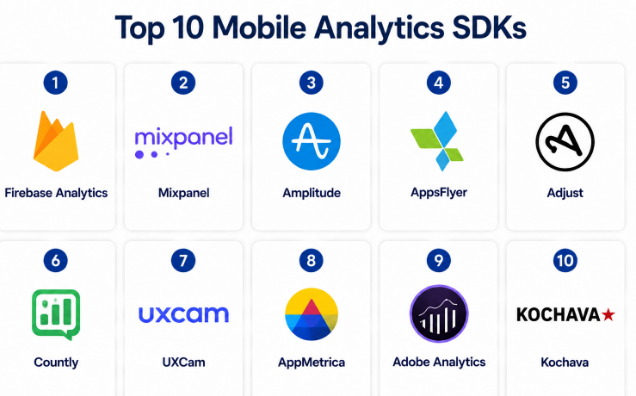
Top 10 Mobile Analytics SDKs
#1 — Firebase Analytics
Short description :
Firebase Analytics, also known as Google Analytics for Firebase, is a popular mobile analytics SDK for app developers. It helps teams track user behavior, app events, audiences, conversions, and engagement across Android and iOS apps. It is especially useful for teams already using Firebase for app development, crash reporting, messaging, or remote configuration. Firebase Analytics is often a strong starting point for startups and developer-led teams. It works well for app usage tracking, campaign measurement, and basic product analytics.
Key Features
- Event tracking for mobile app behavior.
- Audience creation and user segmentation.
- Integration with Firebase products.
- Conversion tracking for key app actions.
- Support for Android and iOS apps.
- Basic retention and engagement reporting.
- Works with app campaigns and Firebase tools.
Pros
- Strong fit for developer-led mobile teams.
- Useful if the app already uses Firebase.
- Good starting point for basic and mid-level app analytics.
Cons
- Advanced product analytics may require additional tools.
- Reporting flexibility may feel limited for complex teams.
- Deep warehouse or custom analysis may need extra setup.
Platforms / Deployment
iOS / Android
Cloud
Security & Compliance
Security depends on Google/Firebase project configuration and access controls. Buyers should validate privacy, consent, retention, and compliance requirements based on their app and region.
Integrations & Ecosystem
Firebase Analytics works well inside the Firebase and Google ecosystem. It is commonly used with app development, crash reporting, push notifications, and experimentation workflows.
- Firebase Crashlytics
- Firebase Cloud Messaging
- Remote Config
- Google Ads
- BigQuery export options
- Mobile app SDKs
Support & Community
Firebase has strong documentation, large developer adoption, and broad community support. Enterprise support depends on the broader Google Cloud support arrangement.
#2 — Mixpanel
Short description :
Mixpanel is a product analytics platform that helps mobile and web teams understand user behavior through events, funnels, cohorts, retention, and user journeys. It is useful for product managers, founders, growth teams, and data teams that want deeper insights than basic app analytics. Mixpanel is commonly used to track feature adoption, onboarding success, conversion paths, and retention trends. Its mobile SDKs help collect app events from iOS and Android. It is a strong fit for product-led companies that need practical analytics for decision-making.
Key Features
- Event-based product analytics.
- Funnel analysis for conversion tracking.
- Cohort analysis for user grouping.
- Retention reports for repeat usage.
- User profiles and segmentation.
- Mobile SDKs for iOS and Android.
- Dashboards for product and growth teams.
Pros
- Strong product analytics depth.
- Easy for product and growth teams to explore data.
- Good for funnels, retention, and behavior analysis.
Cons
- Requires clean event planning for best results.
- Pricing can grow with event volume.
- Teams may need data governance for complex tracking.
Platforms / Deployment
Web / iOS / Android
Cloud
Security & Compliance
Not publicly stated for every detail here. Buyers should validate SSO/SAML, RBAC, audit logs, data retention, GDPR needs, and enterprise compliance requirements during evaluation.
Integrations & Ecosystem
Mixpanel connects well with modern product, data, and marketing stacks. It is often used alongside CDPs, warehouses, app frameworks, and customer engagement platforms.
- Mobile SDKs
- Web SDKs
- APIs
- Data warehouse workflows
- CDP integrations
- Marketing and experimentation tools
Support & Community
Mixpanel has strong documentation, templates, guides, and product analytics learning resources. Support options vary by plan and company size.
#3 — Amplitude
Short description :
Amplitude is a digital analytics platform used by product, growth, and data teams to understand user journeys across mobile and web products. It is strong for product analytics, behavioral cohorts, funnels, retention, experimentation, and customer journey analysis. Mobile app teams use Amplitude SDKs to track meaningful user actions and connect them with product outcomes. It is suitable for SaaS, fintech, e-commerce, media, health, education, and consumer apps. Amplitude is often chosen by teams that need deeper insight into user behavior and product growth.
Key Features
- Event-based analytics for mobile and web.
- Funnel and retention analysis.
- Behavioral cohorts and segmentation.
- Journey analysis for user paths.
- Experimentation and feature analysis options.
- Dashboards for product and growth teams.
- Integrations with data and marketing systems.
Pros
- Strong for advanced product analytics.
- Good fit for product-led growth teams.
- Useful for retention, activation, and feature adoption analysis.
Cons
- Requires good event taxonomy and data discipline.
- May feel advanced for very small teams.
- Pricing and implementation should be reviewed carefully.
Platforms / Deployment
Web / iOS / Android
Cloud
Security & Compliance
Not publicly stated for all details here. Buyers should confirm SSO/SAML, RBAC, audit logs, GDPR support, encryption, and enterprise compliance needs during vendor review.
Integrations & Ecosystem
Amplitude has a strong ecosystem for product analytics, experimentation, data pipelines, and customer engagement workflows.
- Mobile SDKs
- Web SDKs
- APIs
- Data warehouse integrations
- CDP connections
- Experimentation tools
Support & Community
Amplitude offers strong documentation, learning content, and product analytics resources. Support depth may vary by package and customer tier.
#4 — AppsFlyer
Short description :
AppsFlyer is a mobile measurement and marketing analytics platform focused on attribution, campaign performance, fraud protection, and app growth measurement. It is widely used by mobile marketers, app growth teams, gaming companies, e-commerce apps, and consumer brands. AppsFlyer helps teams understand which campaigns, channels, and partners drive installs, engagement, and revenue. It is less of a pure product analytics tool and more focused on mobile attribution and marketing measurement. It is valuable when paid acquisition and campaign ROI are important.
Key Features
- Mobile attribution and campaign measurement.
- Install and post-install event tracking.
- Fraud protection features.
- Deep linking and user journey support.
- Partner and ad network ecosystem.
- Revenue and ROI measurement.
- Mobile SDKs for app tracking.
Pros
- Strong for mobile marketing attribution.
- Useful for paid acquisition and growth teams.
- Large ecosystem of marketing partners.
Cons
- Not mainly built for deep product analytics.
- Implementation can require careful campaign setup.
- May be more than needed for apps without paid marketing.
Platforms / Deployment
iOS / Android
Cloud
Security & Compliance
Not publicly stated for all details here. Buyers should validate privacy, data sharing, consent, GDPR needs, access controls, and compliance requirements.
Integrations & Ecosystem
AppsFlyer is known for its mobile marketing ecosystem and partner integrations. It connects with ad networks, analytics tools, marketing platforms, and data systems.
- Mobile SDKs
- Ad network partners
- Marketing platforms
- Deep linking tools
- Data export workflows
- APIs
Support & Community
AppsFlyer provides documentation and customer support resources. Enterprise and high-growth app teams should confirm onboarding, partner setup support, and account management options.
#5 — Adjust
Short description :
Adjust is a mobile measurement platform used for app attribution, campaign analytics, fraud prevention, and growth measurement. It is commonly used by mobile marketers, gaming companies, subscription apps, and consumer businesses running paid campaigns. Adjust helps teams understand where users come from, what campaigns perform well, and how marketing spend connects to app behavior. It supports mobile SDK implementation and campaign measurement across channels. It is a strong choice for teams that need mobile attribution and performance marketing insights.
Key Features
- Mobile attribution tracking.
- Campaign performance analytics.
- Fraud prevention and protection features.
- Event and revenue tracking.
- Deep linking support.
- Partner ecosystem for mobile marketing.
- Reporting for growth and acquisition teams.
Pros
- Strong for mobile acquisition measurement.
- Useful for campaign ROI and partner tracking.
- Good fit for apps with paid marketing budgets.
Cons
- Not a full product analytics replacement.
- Requires correct campaign and event setup.
- May be complex for non-marketing teams.
Platforms / Deployment
iOS / Android
Cloud
Security & Compliance
Not publicly stated for all details here. Buyers should validate privacy controls, data processing, consent management, access controls, and compliance needs.
Integrations & Ecosystem
Adjust integrates with mobile marketing partners, ad networks, data platforms, and app growth workflows.
- Mobile SDKs
- Ad network integrations
- Marketing partners
- Deep linking workflows
- APIs
- Data export options
Support & Community
Adjust provides documentation and customer support. Support levels may depend on customer tier, contract size, and implementation complexity.
#6 — Countly
Short description :
Countly is a product analytics platform that supports mobile, web, desktop, and other digital channels. It is known for offering both cloud and self-hosted deployment options, making it useful for companies with stricter data control needs. Mobile teams can use Countly SDKs to track sessions, events, crashes, funnels, users, and engagement. It can be a strong fit for organizations that want analytics flexibility and more control over data hosting. Countly is suitable for product, engineering, and privacy-conscious teams.
Key Features
- Mobile analytics for iOS and Android.
- Event tracking and user behavior analysis.
- Crash analytics and performance insights.
- Funnel and retention reporting.
- Cloud and self-hosted deployment options.
- User profiles and segmentation.
- Dashboards and custom reporting.
Pros
- Flexible deployment options.
- Good for privacy-conscious teams.
- Covers product analytics and crash insights.
Cons
- Self-hosting requires technical ownership.
- Interface and setup may need learning time.
- Some advanced features may depend on plan.
Platforms / Deployment
Web / iOS / Android / Windows / macOS / Linux
Cloud / Self-hosted / Hybrid
Security & Compliance
Not publicly stated for every detail here. Self-hosted deployment may help with data control, but buyers should validate SSO/SAML, RBAC, audit logs, encryption, and compliance needs.
Integrations & Ecosystem
Countly supports a flexible ecosystem for apps, websites, and custom digital products. It can connect with internal systems through SDKs and APIs.
- Mobile SDKs
- Web SDKs
- APIs
- Plugin ecosystem
- Crash analytics workflows
- Custom data pipelines
Support & Community
Countly provides documentation and support resources. Support and onboarding vary by plan and deployment model.
#7 — UXCam
Short description :
UXCam is a mobile app analytics platform focused on user experience analytics. It helps teams understand how users interact with mobile screens through session replay, heatmaps, funnels, events, and crash-related insights. UXCam is useful for product managers, UX designers, and mobile teams that want to see friction points inside the app experience. It is especially helpful for improving onboarding, forms, checkout flows, and mobile usability. It works best when teams care about visual behavior analysis, not only event numbers.
Key Features
- Mobile session replay.
- Heatmaps for screen interaction.
- Funnel and event analytics.
- Crash and issue context.
- User journey analysis.
- Screen analytics for UX improvement.
- Mobile SDKs for iOS and Android.
Pros
- Strong for UX and usability analysis.
- Helps teams see where users struggle.
- Useful for improving onboarding and conversion flows.
Cons
- Requires careful privacy masking and consent planning.
- Not a complete marketing attribution platform.
- May be less useful for teams needing only basic metrics.
Platforms / Deployment
iOS / Android
Cloud
Security & Compliance
Not publicly stated for every detail here. Buyers should validate privacy masking, consent management, access controls, GDPR needs, and sensitive data handling.
Integrations & Ecosystem
UXCam fits well with product analytics, UX research, crash analysis, and product management workflows.
- Mobile SDKs
- Product analytics tools
- Crash reporting workflows
- APIs
- User research workflows
- Team dashboards
Support & Community
UXCam provides documentation and support resources. Teams should confirm onboarding, privacy guidance, and support availability based on plan.
#8 — AppMetrica
Short description :
AppMetrica is a mobile analytics and attribution platform used for app performance measurement, user behavior tracking, campaign analytics, crash reporting, and audience analysis. It is useful for mobile app teams that want analytics, attribution, and crash data in one platform. AppMetrica can support product, marketing, and engineering use cases. It is suitable for apps that need practical analytics without building a large internal tracking system. Teams should evaluate regional fit, support, and ecosystem needs before choosing it.
Key Features
- Mobile app analytics for iOS and Android.
- Event and conversion tracking.
- Attribution and campaign analytics.
- Crash reporting.
- Audience segmentation.
- Revenue and engagement tracking.
- Dashboards for app performance monitoring.
Pros
- Combines analytics, attribution, and crash insights.
- Useful for mobile-first teams.
- Can support both product and marketing measurement.
Cons
- Ecosystem fit may vary by region and stack.
- Not always the first choice for large enterprise analytics.
- Buyers should validate support and integrations carefully.
Platforms / Deployment
iOS / Android
Cloud
Security & Compliance
Not publicly stated for all details here. Buyers should validate privacy, access controls, data retention, GDPR needs, and compliance requirements.
Integrations & Ecosystem
AppMetrica supports mobile analytics and app marketing workflows. It can connect with apps, campaigns, and reporting processes.
- Mobile SDKs
- Attribution workflows
- Crash reporting
- APIs
- Campaign measurement
- App performance dashboards
Support & Community
Support and documentation are available, but buyers should confirm regional support, onboarding help, and enterprise assistance where needed.
#9 — Adobe Analytics
Short description :
Adobe Analytics is an enterprise analytics platform used by large organizations to analyze customer behavior across digital channels, including mobile apps. It is suitable for enterprises that already use Adobe Experience Cloud and need advanced reporting, segmentation, customer journey analytics, and marketing performance analysis. Mobile analytics is part of a larger enterprise analytics ecosystem. Adobe Analytics is best for mature data, marketing, and analytics teams that need deep customization and enterprise governance. It may be too complex for small mobile teams.
Key Features
- Enterprise-level digital analytics.
- Mobile app behavior tracking.
- Advanced segmentation and reporting.
- Customer journey analysis.
- Integration with Adobe Experience Cloud.
- Custom dashboards and analysis workflows.
- Strong fit for large-scale analytics programs.
Pros
- Strong enterprise analytics depth.
- Good fit for organizations using Adobe ecosystem.
- Powerful segmentation and reporting capabilities.
Cons
- Can be complex to implement and manage.
- May be too heavy for small teams.
- Requires analytics expertise for best results.
Platforms / Deployment
Web / iOS / Android
Cloud
Security & Compliance
Not publicly stated for all details here. Enterprise buyers should validate SSO/SAML, RBAC, audit logs, encryption, GDPR, data governance, and compliance needs directly.
Integrations & Ecosystem
Adobe Analytics fits deeply into the Adobe ecosystem and enterprise marketing stacks.
- Adobe Experience Cloud
- Mobile SDKs
- Web analytics workflows
- Data connectors
- Marketing tools
- Enterprise reporting systems
Support & Community
Adobe has enterprise documentation, partner support, and professional services options. Support depends on contract and enterprise package.
#10 — Kochava
Short description :
Kochava is a mobile measurement and attribution platform used by app marketers and growth teams. It supports campaign measurement, mobile attribution, fraud prevention, audience insights, and app analytics workflows. Kochava is useful for teams that need to understand mobile user acquisition, campaign performance, and post-install behavior. It is often considered by companies running serious mobile marketing programs. It is not mainly a general product analytics tool, but it is valuable for attribution-heavy mobile businesses.
Key Features
- Mobile attribution and campaign analytics.
- Post-install event tracking.
- Fraud prevention and traffic quality analysis.
- Audience and engagement insights.
- Partner and ad network connections.
- Revenue and conversion measurement.
- Reporting for mobile growth teams.
Pros
- Strong for mobile measurement and attribution.
- Useful for paid acquisition analysis.
- Good fit for growth and marketing teams.
Cons
- Not a full product analytics suite.
- Requires careful implementation and campaign setup.
- May be unnecessary for apps without paid acquisition.
Platforms / Deployment
iOS / Android
Cloud
Security & Compliance
Not publicly stated for all details here. Buyers should validate privacy controls, data sharing policies, user consent, access management, and compliance needs.
Integrations & Ecosystem
Kochava works with mobile advertising, attribution, and campaign measurement ecosystems.
- Mobile SDKs
- Ad network integrations
- APIs
- Campaign analytics tools
- Data export workflows
- Audience measurement systems
Support & Community
Kochava provides documentation and support resources. Enterprise buyers should confirm onboarding, account support, and technical implementation assistance.
Comparison Table
| Tool Name | Best For | Platform(s) Supported | Deployment | Standout Feature | Public Rating |
|---|---|---|---|---|---|
| Firebase Analytics | Developer-led mobile teams | iOS, Android | Cloud | Strong Firebase ecosystem fit | N/A |
| Mixpanel | Product and growth analytics | Web, iOS, Android | Cloud | Funnels, cohorts, and retention analysis | N/A |
| Amplitude | Product-led growth teams | Web, iOS, Android | Cloud | Advanced behavioral analytics | N/A |
| AppsFlyer | Mobile attribution and paid marketing | iOS, Android | Cloud | Campaign attribution and partner ecosystem | N/A |
| Adjust | Mobile growth and acquisition teams | iOS, Android | Cloud | Attribution and fraud prevention | N/A |
| Countly | Privacy-conscious product teams | Web, iOS, Android, Windows, macOS, Linux | Cloud / Self-hosted / Hybrid | Flexible deployment options | N/A |
| UXCam | Mobile UX and session analysis | iOS, Android | Cloud | Session replay and heatmaps | N/A |
| AppMetrica | Mobile analytics and attribution | iOS, Android | Cloud | Analytics, attribution, and crash reporting | N/A |
| Adobe Analytics | Enterprise analytics teams | Web, iOS, Android | Cloud | Enterprise digital analytics depth | N/A |
| Kochava | Mobile marketing measurement | iOS, Android | Cloud | Attribution and campaign measurement | N/A |
Evaluation & Mobile Analytics SDKs
| Tool Name | Core (25%) | Ease (15%) | Integrations (15%) | Security (10%) | Performance (10%) | Support (10%) | Value (15%) | Weighted Total (0–10) |
|---|---|---|---|---|---|---|---|---|
| Firebase Analytics | 8 | 8 | 9 | 8 | 8 | 8 | 9 | 8.30 |
| Mixpanel | 9 | 8 | 8 | 8 | 8 | 8 | 8 | 8.25 |
| Amplitude | 9 | 8 | 9 | 8 | 8 | 8 | 7 | 8.25 |
| AppsFlyer | 8 | 7 | 9 | 8 | 8 | 8 | 7 | 7.90 |
| Adjust | 8 | 7 | 8 | 8 | 8 | 8 | 7 | 7.75 |
| Countly | 8 | 7 | 7 | 8 | 8 | 7 | 8 | 7.60 |
| UXCam | 8 | 8 | 7 | 7 | 8 | 7 | 8 | 7.65 |
| AppMetrica | 8 | 7 | 7 | 7 | 8 | 7 | 8 | 7.45 |
| Adobe Analytics | 9 | 6 | 9 | 8 | 8 | 8 | 6 | 7.80 |
| Kochava | 8 | 7 | 8 | 8 | 8 | 7 | 7 | 7.60 |
These scores are comparative and should not be treated as final buying advice. A tool with a high score may still be a poor fit if your team lacks the needed skills, budget, or data maturity. For example, Firebase Analytics may suit developer-led teams, while Amplitude or Mixpanel may fit product teams better. AppsFlyer, Adjust, and Kochava are stronger when attribution and paid acquisition are central needs.
Which Mobile Analytics SDKs
Solo / Freelancer
Solo builders should start with simple and low-friction tools. Firebase Analytics is a practical choice for app developers already using Firebase. Mixpanel can also work well if the app needs better product behavior tracking.
Avoid complex enterprise tools at this stage. Focus on basic events, onboarding metrics, retention, crashes, and conversion paths.
SMB
SMBs should choose tools that are easy to implement and useful for product decisions. Mixpanel, Amplitude, Firebase Analytics, Countly, and UXCam can be strong options depending on the use case.
If the business spends money on mobile ads, AppsFlyer or Adjust may be needed for attribution. If the main goal is product improvement, Mixpanel, Amplitude, or UXCam may be better.
Mid-Market
Mid-market teams usually need stronger event governance, integrations, dashboards, and cross-functional reporting. Amplitude and Mixpanel are strong for product analytics. AppsFlyer, Adjust, and Kochava are useful for marketing attribution.
At this stage, teams should define event naming rules, user identity logic, consent flows, and reporting ownership before scaling analytics.
Enterprise
Enterprises should prioritize governance, security, access controls, data pipelines, and integration depth. Adobe Analytics, Amplitude, AppsFlyer, Adjust, and Kochava may fit enterprise needs depending on the team structure.
Large companies should also validate SSO, RBAC, audit logs, data retention, legal review, privacy requirements, and support SLAs.
Budget vs Premium
Budget-focused teams may start with Firebase Analytics, Countly, or simpler analytics setups. These can cover many basic needs without heavy cost.
Premium platforms are better when teams need advanced segmentation, attribution, experimentation, enterprise governance, or large-scale reporting.
Feature Depth vs Ease of Use
Simple tools help teams launch faster, but deep tools provide better analysis when data becomes complex. Firebase is easier for developer-led teams. Mixpanel and Amplitude provide deeper product analytics. Adobe Analytics provides enterprise depth but requires more expertise.
Choose ease of use when the team is small. Choose depth when analytics is central to product, marketing, and revenue decisions.
Integrations & Scalability-
Analytics tools must connect with mobile apps, backend systems, data warehouses, marketing tools, attribution platforms, and experimentation systems. Poor integration planning can create data silos.
Growing teams should check SDK quality, API flexibility, export options, identity resolution, and event volume limits before choosing a platform.
Security & Compliance Needs
Security-sensitive apps should carefully evaluate consent management, access controls, encryption, data retention, privacy settings, and user data handling. Teams should avoid collecting unnecessary personal data.
For fintech, healthcare, government, or enterprise apps, legal and security teams should review the analytics setup before production rollout.
Frequently Asked Questions
1. What is a Mobile Analytics SDK?
A Mobile Analytics SDK is a software kit added to an app to collect user behavior data. It helps teams track events, sessions, screens, conversions, crashes, and retention.
2. Why do mobile apps need analytics SDKs?
Mobile apps need analytics to understand what users do after installing the app. Without analytics, teams cannot clearly see onboarding issues, feature usage, drop-offs, or retention problems.
3. Are Mobile Analytics SDKs difficult to implement?
Basic setup can be simple, but good analytics needs proper event planning. Teams should define event names, user properties, conversion goals, and privacy rules before full implementation.
4. What pricing models do Mobile Analytics SDKs use?
Pricing may depend on monthly tracked users, event volume, data retention, features, or enterprise contracts. If pricing is unclear, buyers should treat it as custom or variable.
5. What is the difference between product analytics and attribution?
Product analytics focuses on how users behave inside the app. Attribution focuses on where users came from, which campaigns drove installs, and how marketing spend performs.
6. Can one SDK handle everything?
Some platforms cover multiple needs, but many teams use more than one tool. For example, one tool may handle product analytics, while another handles attribution or crash reporting.
7. Do analytics SDKs slow down mobile apps?
A well-built SDK should have limited impact, but poor implementation can affect performance. Teams should test app size, load time, battery usage, and network behavior.
8. How should teams plan event tracking?
Teams should start with business goals, then map events to those goals. Common events include signup, login, search, add to cart, purchase, subscription, feature use, and churn signals.
9. Is privacy important in mobile analytics?
Yes, privacy is very important. Teams should collect only needed data, manage consent properly, avoid sensitive data in events, and follow applicable privacy rules.
10. How hard is it to switch analytics SDKs?
Switching can be difficult because teams may need to update app code, migrate event definitions, rebuild dashboards, and align historical data. A phased migration is usually safer.
Conclusion
Mobile Analytics SDKs help app teams move from guesswork to informed decisions. The right platform depends on your app stage, team size, budget, technical skills, privacy needs, and business goals. Firebase Analytics is a practical starting point for many developer-led apps. Mixpanel and Amplitude are strong for product analytics and user behavior insights. AppsFlyer, Adjust, and Kochava are better for mobile attribution and paid acquisition measurement. UXCam is useful when teams need visual UX insights, while Countly can fit teams that need flexible deployment. Enterprise teams may consider Adobe Analytics when they need deeper reporting and governance.
