Introduction
Meeting Management Software helps teams plan, run, document, and follow up on meetings in a more structured way. In simple words, these tools make meetings more organized by supporting agendas, meeting notes, action items, decisions, reminders, recurring meeting workflows, collaboration, and accountability.
Modern teams often spend a large part of their week in meetings, but many meetings still happen without a clear agenda, owner, decision record, or follow-up plan. This creates confusion, repeated discussions, missed tasks, and low productivity. Meeting management software solves this by turning meetings into a managed workflow before, during, and after the conversation.
Common use cases include leadership meetings, one-on-ones, project reviews, board meetings, sprint planning, customer meetings, team standups, performance check-ins, hiring discussions, and cross-functional planning meetings.
Buyers should evaluate agenda creation, collaborative notes, action tracking, calendar integration, recurring meeting templates, AI summaries, meeting analytics, task integrations, security controls, admin permissions, mobile support, and ease of adoption.
Best for: managers, team leads, project managers, executives, HR teams, product teams, engineering teams, customer success teams, remote teams, and organizations that want more structured, accountable meetings.
Not ideal for: very small teams with only a few informal meetings, users who only need simple video conferencing, or organizations that already manage meeting workflows effectively inside project management and documentation tools.
Key Trends in Meeting Management Software
- AI meeting summaries are becoming common, helping teams turn long discussions into short recaps, decisions, and follow-up points.
- Action item tracking is becoming a core feature, because teams want meetings to create accountability rather than just discussion.
- Meeting management is moving beyond notes, with tools supporting agendas, decisions, tasks, templates, analytics, and follow-up workflows.
- One-on-one meeting workflows are becoming more important, especially for managers who need structured employee conversations, feedback, and coaching history.
- Calendar and video meeting integrations are expected, because teams want meeting workflows to connect directly with Google Calendar, Outlook, Zoom, Google Meet, and Microsoft Teams.
- Async meeting preparation is growing, allowing participants to add agenda items, comments, updates, and blockers before the live meeting starts.
- Meeting analytics are gaining attention, helping leaders understand meeting volume, meeting cost, recurring meeting quality, attendance, and follow-up completion.
- Project and task tool integrations are becoming essential, so action items can move from meeting notes into real execution workflows.
- Executive and board meeting management is becoming more structured, with stronger needs for agendas, minutes, approvals, governance, and secure document sharing.
- Privacy and data governance matter more, especially when meeting notes include employee feedback, leadership decisions, financial updates, legal topics, or customer information.
How We Selected These Tools
The tools below were selected using practical business-focused evaluation logic.
- Market recognition: Tools known in meeting management, meeting notes, agenda management, board meetings, collaboration, and productivity categories were prioritized.
- Feature completeness: Agendas, notes, action items, decisions, templates, reminders, meeting history, and follow-up tracking were reviewed.
- Ease of use: Meeting tools must be simple enough for managers and teams to use regularly.
- Collaboration value: Tools that support shared agendas, live notes, comments, ownership, and team accountability were given stronger consideration.
- Integration ecosystem: Calendar, video meeting, project management, task management, CRM, and collaboration integrations were considered.
- AI and automation: AI summaries, action extraction, meeting recaps, reminders, and workflow automation were evaluated where relevant.
- Customer fit: The list includes tools for individuals, managers, teams, executives, boards, enterprises, and project-driven organizations.
- Security and governance: Admin controls, permissions, privacy, access management, and secure document handling were considered.
- Scalability: Tools suitable for small teams, growing companies, and enterprise meeting programs were included.
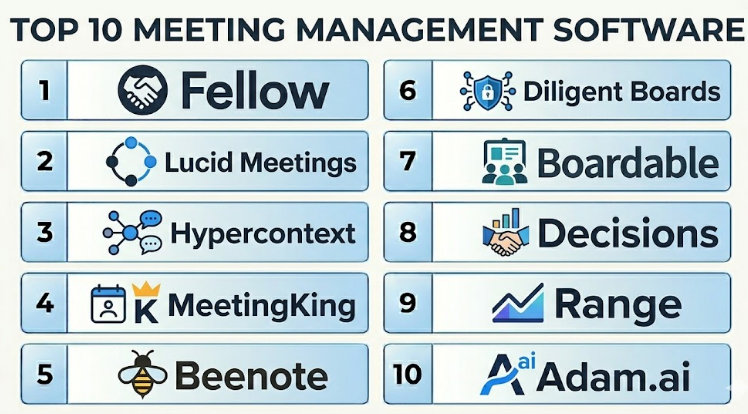
Top 10 Meeting Management Software
#1 — Fellow
Short description :
Fellow is a meeting management platform designed to help teams create agendas, capture notes, assign action items, run one-on-ones, and improve meeting habits. It is useful for managers, leadership teams, product teams, engineering teams, HR teams, and remote organizations. Fellow helps teams prepare before meetings, collaborate during meetings, and follow up after meetings. It supports meeting templates, recurring meeting notes, action tracking, and integrations with common work tools. It is best for teams that want better meeting structure and accountability.
Key Features
- Collaborative meeting agendas.
- Shared meeting notes.
- Action item tracking.
- One-on-one meeting workflows.
- Meeting templates.
- Feedback and meeting habits support.
- Calendar and productivity integrations.
Pros
- Strong for managers and recurring meetings.
- Helps teams move from discussion to action.
- Good balance of notes, agendas, and follow-up workflows.
Cons
- Teams must adopt agenda discipline to get full value.
- May be more structured than users who only need simple notes.
- Advanced features may depend on selected plan.
Platforms / Deployment
Web / iOS / Android
Cloud
Security & Compliance
Supports business security controls, user permissions, and admin features depending on plan. Specific security certifications and compliance details should be validated directly with the vendor.
Integrations & Ecosystem
Fellow works well with team productivity and meeting workflows.
- Google Calendar.
- Microsoft Outlook.
- Zoom.
- Google Meet.
- Slack-style collaboration tools.
- Project and task management tools.
Support & Community
Fellow provides documentation, templates, onboarding resources, and customer support. It is especially useful for organizations trying to improve meeting culture and accountability.
#2 — Lucid Meetings
Short description :
Lucid Meetings is a dedicated meeting management software built to help teams design, run, and document effective meetings. It supports agendas, meeting templates, facilitator tools, minutes, decisions, and action items. Lucid Meetings is useful for teams that want a structured approach to meeting operations rather than only taking notes. It is suitable for leadership meetings, project meetings, governance meetings, and recurring team sessions. It is best for organizations that want formal meeting structure and repeatable meeting processes.
Key Features
- Structured meeting agendas.
- Meeting templates and meeting types.
- Meeting minutes and notes.
- Decision tracking.
- Action item management.
- Facilitator tools.
- Meeting history and records.
Pros
- Strong focus on meeting process design.
- Useful for formal and recurring meetings.
- Helps teams standardize meeting practices.
Cons
- May feel more formal than lightweight note tools.
- Requires users to follow meeting process discipline.
- Less known than broader productivity platforms.
Platforms / Deployment
Web
Cloud
Security & Compliance
Supports business account controls and permissions. Specific security and compliance details should be validated directly with the vendor.
Integrations & Ecosystem
Lucid Meetings supports structured meeting workflows and can fit into team operations.
- Calendar workflows.
- Task follow-up processes.
- Meeting record management.
- Team collaboration workflows.
- Project meeting documentation.
- Governance meeting processes.
Support & Community
Lucid Meetings provides support resources, meeting templates, and guidance for improving meeting effectiveness. It is useful for teams that want more formal meeting management.
#3 — Hypercontext
Short description :
Hypercontext is a meeting management and team alignment tool focused on one-on-ones, team meetings, goals, feedback, and employee conversations. It helps managers and teams create shared agendas, document discussions, track next steps, and connect meetings with priorities. Hypercontext is useful for managers, HR teams, leadership teams, and growing organizations that want better recurring meeting habits. It is especially helpful for manager-employee conversations and team check-ins. It is best for teams that want meetings connected to alignment and performance conversations.
Key Features
- One-on-one meeting agendas.
- Team meeting agendas.
- Shared notes and discussion history.
- Action item tracking.
- Goal and priority alignment.
- Feedback and employee conversation workflows.
- Meeting templates.
Pros
- Strong for manager-led meetings.
- Useful for one-on-ones and recurring team discussions.
- Helps keep conversation history organized.
Cons
- May not be ideal for board-style or formal governance meetings.
- Best value depends on manager adoption.
- Some advanced workflows may require broader HR tool support.
Platforms / Deployment
Web
Cloud
Security & Compliance
Supports business access controls and account management features. Specific security certifications and compliance details should be validated directly with the vendor.
Integrations & Ecosystem
Hypercontext connects meeting workflows with daily team productivity.
- Calendar tools.
- Slack-style communication workflows.
- Productivity tools.
- Goal tracking workflows.
- Employee feedback processes.
- Meeting notes and action tracking.
Support & Community
Hypercontext provides templates, documentation, onboarding resources, and support. It is practical for managers who want more structured employee and team conversations.
#4 — MeetingKing
Short description :
MeetingKing is meeting management software designed to help teams create agendas, write meeting minutes, track tasks, and organize meeting records. It supports practical meeting workflows from preparation to follow-up. MeetingKing is useful for small businesses, project teams, committees, managers, and organizations that need a simple way to manage meeting notes and actions. It focuses on clear agendas, minutes, and task follow-up rather than complex collaboration layers. It is best for teams that want a straightforward meeting minutes and task tracking tool.
Key Features
- Meeting agenda creation.
- Meeting minutes.
- Task and action item tracking.
- Meeting templates.
- Follow-up reminders.
- Meeting history.
- Team collaboration on meeting records.
Pros
- Simple and practical for meeting minutes.
- Good for task follow-up after meetings.
- Useful for small teams and committees.
Cons
- Interface may feel less modern than newer platforms.
- Advanced AI automation may be limited.
- Not ideal for teams needing deep integrations or analytics.
Platforms / Deployment
Web
Cloud
Security & Compliance
Supports basic business account controls. Specific security and compliance details should be validated directly with the vendor.
Integrations & Ecosystem
MeetingKing supports practical meeting documentation and follow-up workflows.
- Calendar workflows.
- Email reminders.
- Task tracking.
- Meeting minutes.
- Team action items.
- Recurring meeting records.
Support & Community
MeetingKing provides documentation and support resources. It is suitable for teams that need reliable agenda, minutes, and task management without excessive complexity.
#5 — Beenote
Short description :
Beenote is a meeting management platform that helps teams plan meetings, create agendas, write minutes, track decisions, assign tasks, and manage meeting governance. It is useful for teams that need structured meeting documentation and accountability. Beenote can support leadership meetings, board meetings, project meetings, committees, and internal team discussions. It helps organizations keep records of decisions and tasks in one place. It is best for companies that need formal meeting minutes and decision tracking.
Key Features
- Meeting planning and agenda creation.
- Meeting minutes.
- Decision tracking.
- Task and action item management.
- Meeting templates.
- Collaboration and participant management.
- Meeting record storage.
Pros
- Strong for formal meeting documentation.
- Useful for decisions and action accountability.
- Good fit for committees and governance-style meetings.
Cons
- May be more structured than casual teams need.
- User adoption depends on disciplined meeting processes.
- Advanced AI features may be limited compared with AI-first tools.
Platforms / Deployment
Web
Cloud
Security & Compliance
Supports business access controls and meeting record management. Specific security and compliance details should be validated directly with the vendor.
Integrations & Ecosystem
Beenote supports organized meeting operations and formal follow-up.
- Calendar workflows.
- Task tracking.
- Meeting minutes.
- Decision records.
- Team collaboration.
- Committee and governance workflows.
Support & Community
Beenote provides documentation, support resources, and meeting management guidance. It is useful for teams that need consistent and auditable meeting records.
#6 — Diligent Boards
Short description :
Diligent Boards is board meeting management software designed for directors, executives, governance teams, and board administrators. It helps organizations manage board packs, agendas, secure documents, approvals, minutes, voting, and governance workflows. Unlike general team meeting tools, Diligent Boards is focused on high-stakes board and executive meetings where security, confidentiality, and governance matter. It is best for enterprises, nonprofits, public sector organizations, and boards that need secure meeting management.
Key Features
- Board agenda management.
- Secure board materials.
- Meeting minutes and approvals.
- Voting and resolutions.
- Director collaboration.
- Governance workflows.
- Secure document access.
Pros
- Strong fit for board and executive meetings.
- Focused on governance and secure collaboration.
- Useful for organizations with formal board processes.
Cons
- Not suitable for everyday team meetings.
- May be too expensive or advanced for small teams.
- Best value depends on formal governance needs.
Platforms / Deployment
Web / iOS / Android
Cloud
Security & Compliance
Designed for secure board and governance workflows. Supports enterprise-grade access controls, secure document management, and administrative governance depending on plan. Specific certifications should be validated directly with the vendor.
Integrations & Ecosystem
Diligent Boards supports governance and executive meeting workflows.
- Board document workflows.
- Governance records.
- Approval processes.
- Secure collaboration.
- Executive reporting.
- Board administration workflows.
Support & Community
Diligent provides enterprise support, onboarding, documentation, and governance-focused customer success resources. It is best suited for board administrators and executive teams.
#7 — Boardable
Short description :
Boardable is board management software designed for nonprofits, boards, committees, and leadership groups that need meeting agendas, minutes, documents, tasks, polls, and board collaboration. It helps organizations manage board meetings more easily without relying on scattered emails and files. Boardable is useful for nonprofit boards, associations, committees, and mission-driven organizations. It is more specialized than general meeting software but more approachable than some enterprise governance platforms. It is best for boards that need practical meeting and document management.
Key Features
- Board meeting agendas.
- Meeting minutes.
- Document sharing.
- Task management.
- Polls and voting.
- Board member collaboration.
- Meeting scheduling and records.
Pros
- Good for nonprofit and committee board meetings.
- Easier to approach than heavy governance platforms.
- Helps centralize board documents and meeting records.
Cons
- Not designed for general team productivity meetings.
- May not match enterprise board governance depth.
- Best value depends on board process maturity.
Platforms / Deployment
Web / iOS / Android
Cloud
Security & Compliance
Supports secure document access, user permissions, and board collaboration controls depending on plan. Specific security and compliance details should be validated directly with the vendor.
Integrations & Ecosystem
Boardable supports board and committee meeting workflows.
- Board documents.
- Meeting agendas.
- Minutes and records.
- Polls and approvals.
- Task follow-up.
- Board member communication.
Support & Community
Boardable provides onboarding resources, support, documentation, and board-focused guidance. It is useful for organizations that need simple board meeting management.
#8 — Decisions
Short description :
Decisions is meeting management software designed to work closely with Microsoft Teams and Microsoft 365 environments. It helps teams create agendas, manage meeting minutes, track decisions, assign tasks, and improve follow-up inside Microsoft workflows. Decisions is useful for organizations that already use Microsoft Teams heavily and want more structure around meetings. It helps teams move beyond basic meeting chat into organized preparation, documentation, and accountability. It is best for Microsoft-first teams that want structured meeting management inside their existing ecosystem.
Key Features
- Meeting agenda management.
- Meeting minutes.
- Decision tracking.
- Task and action item management.
- Microsoft Teams integration.
- Microsoft 365 workflow support.
- Meeting templates and follow-up tracking.
Pros
- Strong fit for Microsoft Teams users.
- Helps structure meetings without leaving Microsoft workflows.
- Good for decisions, minutes, and task follow-up.
Cons
- Best value depends on Microsoft 365 adoption.
- Less useful for teams outside Microsoft environments.
- Requires consistent meeting process adoption.
Platforms / Deployment
Web / Windows / macOS
Cloud
Security & Compliance
Security and compliance depend partly on Microsoft 365 configuration and the selected Decisions plan. Supports business access control and administrative features. Specific certifications should be validated directly with the vendor.
Integrations & Ecosystem
Decisions is built around Microsoft meeting workflows.
- Microsoft Teams.
- Microsoft Outlook.
- Microsoft 365.
- Planner-style task workflows.
- Meeting agendas.
- Decision and minutes records.
Support & Community
Decisions provides documentation, support resources, and Microsoft-focused onboarding guidance. It is practical for companies that want structured meetings inside Microsoft Teams.
#9 — Range
Short description :
Range is a team communication and meeting tool focused on check-ins, async updates, team meetings, mood sharing, and team health. It helps distributed teams stay aligned without relying only on live meetings. Range is useful for remote teams, engineering teams, product teams, managers, and organizations that want lightweight meeting structure combined with async communication. It supports team check-ins, meeting agendas, updates, and collaboration around team priorities. It is best for teams that want fewer status meetings and better async alignment.
Key Features
- Team check-ins.
- Async status updates.
- Meeting agendas.
- Team meeting notes.
- Mood and team health signals.
- Goal and priority visibility.
- Integrations with work tools.
Pros
- Strong for remote and async teams.
- Helps reduce unnecessary status meetings.
- Useful for team health and alignment.
Cons
- Not ideal for formal board or governance meetings.
- May not replace deep project management tools.
- Best value depends on team participation.
Platforms / Deployment
Web
Cloud
Security & Compliance
Supports business account controls and permissions depending on plan. Specific security and compliance details should be validated directly with the vendor.
Integrations & Ecosystem
Range connects team updates with collaboration and productivity workflows.
- Slack-style tools.
- Calendar workflows.
- Project management tools.
- Engineering tools.
- Team check-ins.
- Meeting notes workflows.
Support & Community
Range provides documentation, onboarding resources, templates, and support. It is especially useful for teams working across remote or hybrid environments.
#10 — Adam.ai
Short description :
Adam.ai is meeting management software that helps teams manage the full meeting lifecycle, including agendas, minutes, action items, decisions, files, follow-ups, and meeting history. It is useful for businesses that want structured meeting records and accountability across teams. Adam.ai supports meeting workspaces, collaboration, task tracking, and integrations with common tools. It is suitable for project teams, managers, operations teams, and organizations that need a dedicated system for meeting management. It is best for teams that want meeting planning, execution, and follow-up in one platform.
Key Features
- Meeting agenda creation.
- Meeting minutes and notes.
- Action item tracking.
- Decision management.
- Meeting file attachments.
- Meeting workspaces.
- Follow-up and task workflows.
Pros
- Covers the full meeting lifecycle.
- Useful for teams that need structured meeting records.
- Good for action tracking and decision documentation.
Cons
- May require user training for consistent adoption.
- Not as well known as some broader productivity tools.
- Advanced integrations and automation may vary by plan.
Platforms / Deployment
Web
Cloud
Security & Compliance
Supports business access controls and administrative features depending on plan. Specific security certifications and compliance details should be validated directly with the vendor.
Integrations & Ecosystem
Adam.ai connects meeting management with team productivity workflows.
- Calendar platforms.
- Video meeting tools.
- Project management tools.
- File sharing workflows.
- Task management systems.
- Collaboration platforms.
Support & Community
Adam.ai provides documentation, onboarding resources, and customer support. It is suitable for teams that want a dedicated platform for meeting lifecycle management.
Comparison Table
| Tool Name | Best For | Platform(s) Supported | Deployment | Standout Feature | Public Rating |
|---|---|---|---|---|---|
| Fellow | Team meetings and one-on-ones | Web / iOS / Android | Cloud | Agendas, notes, and action tracking | N/A |
| Lucid Meetings | Structured meeting process management | Web | Cloud | Formal meeting design and facilitation | N/A |
| Hypercontext | Manager one-on-ones and team alignment | Web | Cloud | Meeting workflows connected to alignment | N/A |
| MeetingKing | Simple agendas, minutes, and tasks | Web | Cloud | Practical meeting minutes and follow-up | N/A |
| Beenote | Formal meeting minutes and decisions | Web | Cloud | Decision and task tracking for structured meetings | N/A |
| Diligent Boards | Board and executive meetings | Web / iOS / Android | Cloud | Secure board materials and governance workflows | N/A |
| Boardable | Nonprofit and committee board meetings | Web / iOS / Android | Cloud | Board agendas, documents, and minutes | N/A |
| Decisions | Microsoft Teams meeting management | Web / Windows / macOS | Cloud | Structured meetings inside Microsoft workflows | N/A |
| Range | Async team check-ins and meetings | Web | Cloud | Team alignment and async updates | N/A |
| Adam.ai | Full meeting lifecycle management | Web | Cloud | Agendas, minutes, decisions, and follow-ups | N/A |
Evaluation & Meeting Management Software
| Tool Name | Core (25%) | Ease (15%) | Integrations (15%) | Security (10%) | Performance (10%) | Support (10%) | Value (15%) | Weighted Total (0–10) |
|---|---|---|---|---|---|---|---|---|
| Fellow | 9 | 9 | 9 | 8 | 8 | 8 | 8 | 8.50 |
| Lucid Meetings | 8 | 7 | 7 | 8 | 8 | 8 | 8 | 7.70 |
| Hypercontext | 8 | 8 | 8 | 8 | 8 | 8 | 8 | 8.00 |
| MeetingKing | 7 | 8 | 6 | 7 | 8 | 7 | 8 | 7.35 |
| Beenote | 8 | 7 | 7 | 8 | 8 | 8 | 7 | 7.55 |
| Diligent Boards | 9 | 7 | 8 | 9 | 9 | 9 | 7 | 8.25 |
| Boardable | 8 | 8 | 7 | 8 | 8 | 8 | 8 | 7.90 |
| Decisions | 8 | 8 | 9 | 8 | 8 | 8 | 8 | 8.15 |
| Range | 8 | 8 | 8 | 8 | 8 | 8 | 8 | 8.00 |
| Adam.ai | 8 | 8 | 8 | 8 | 8 | 8 | 8 | 8.00 |
These scores are comparative and should be used as a practical guide, not as a final ranking. Fellow is strong for team meetings and one-on-ones. Diligent Boards and Boardable are better for board and governance meetings. Decisions is useful for Microsoft Teams environments. Range is strong for async team alignment, while Lucid Meetings, Beenote, MeetingKing, and Adam.ai are practical for structured meeting records and follow-up workflows.
Which Meeting Management Software
Solo / Freelancer
Solo professionals usually do not need a heavy meeting management platform. A simple note-taking app, calendar tool, or task manager may be enough.
However, consultants, coaches, and freelancers who run client meetings may benefit from Fellow, MeetingKing, Adam.ai, or Lucid Meetings to keep agendas, notes, decisions, and follow-ups organized.
SMB
Small and medium businesses should focus on tools that are easy to adopt and help improve meeting discipline quickly. Fellow, Hypercontext, MeetingKing, Range, and Adam.ai are practical options.
The main goal for SMBs should be reducing wasted meetings. A good platform should help teams prepare agendas, capture notes, assign owners, and follow up without creating extra admin work.
Mid-Market
Mid-market organizations usually need better recurring meeting structure, manager workflows, task tracking, decision history, and cross-functional accountability. Fellow, Decisions, Adam.ai, Lucid Meetings, and Hypercontext are strong candidates.
At this stage, companies should evaluate calendar integration, task tool integration, recurring templates, permissions, meeting history, and adoption across departments.
Enterprise
Enterprises should prioritize security, governance, admin controls, integration with productivity suites, meeting records, access permissions, and scalability. Diligent Boards, Fellow, Decisions, Adam.ai, and Lucid Meetings may be relevant depending on meeting type.
For board and executive meetings, Diligent Boards or Boardable may be more appropriate. For team and manager meetings, Fellow, Decisions, Range, and Adam.ai may fit better.
Budget vs Premium
Budget-conscious teams may start with simple meeting notes, shared documents, or lightweight tools like MeetingKing, Range, or Fellow depending on plan needs.
Premium tools are better when organizations require board governance, secure document handling, advanced admin controls, Microsoft Teams integration, decision tracking, and formal meeting records.
Feature Depth vs Ease of Use
If ease of use matters most, Fellow, Hypercontext, Range, and MeetingKing are practical choices. These tools help teams improve meetings without heavy process complexity.
If feature depth matters more, Diligent Boards, Decisions, Adam.ai, Lucid Meetings, and Beenote provide stronger support for formal records, decisions, governance, and structured meeting lifecycles.
Integrations & Scalability
Meeting management software should connect with calendars, video meeting tools, task management systems, project tools, document platforms, and collaboration apps.
For Microsoft-heavy organizations, Decisions is worth reviewing. For manager and team workflows, Fellow and Hypercontext are strong. For async teams, Range is useful. For board meetings, Diligent Boards and Boardable are more specialized.
Security & Compliance Needs
Meeting records may include sensitive leadership decisions, employee performance conversations, financial details, legal discussions, board materials, strategy updates, and customer issues.
Buyers should validate SSO, MFA, role-based access, admin controls, document permissions, audit logs, data retention, encryption, export controls, and secure sharing before rollout.
Frequently Asked Questions
1. What is Meeting Management Software?
Meeting Management Software helps teams plan, run, document, and follow up on meetings. It usually includes agendas, notes, decisions, action items, reminders, templates, and meeting history. Its purpose is to make meetings more organized, productive, and accountable.
2. How is it different from video conferencing software?
Video conferencing software helps people meet online through audio and video. Meeting management software helps organize the meeting workflow before, during, and after the conversation. Many teams use both together.
3. What pricing models are common for Meeting Management Software?
Most tools use per-user pricing, team subscriptions, custom enterprise pricing, or board-level pricing for governance tools. Some platforms offer free or low-cost plans for individuals and small teams, while enterprise tools may require custom quotes.
4. What are common mistakes when implementing meeting software?
Common mistakes include adding a tool without changing meeting habits, not using agendas, failing to assign action owners, and not reviewing follow-ups. Another common mistake is choosing a tool that is too complex for the team’s meeting culture.
5. Which tool is best for one-on-one meetings?
Fellow and Hypercontext are strong options for one-on-one meetings because they support recurring agendas, notes, feedback, and action items. They help managers keep employee conversations structured and easy to review.
6. Which tool is best for board meetings?
Diligent Boards and Boardable are strong options for board meetings. They are designed for agendas, secure documents, minutes, approvals, voting, and governance workflows. General team meeting tools may not provide enough board-level security and structure.
7. Can meeting management software reduce unnecessary meetings?
Yes, when used properly. Tools like Range, Fellow, and Hypercontext can support async updates, better agendas, and clearer decision-making. This helps teams cancel low-value meetings or replace them with written updates.
8. What integrations should buyers check?
Buyers should check calendar tools, video meeting platforms, task management systems, project management tools, Microsoft Teams, Slack-style communication tools, document storage, and identity providers. The right integrations depend on meeting type and team workflow.
9. Is Meeting Management Software secure?
Many tools offer business security controls, but security depends on vendor, plan, and configuration. Buyers should check access controls, SSO, MFA, document permissions, audit logs, encryption, data retention, and admin settings.
10. Can these tools track action items?
Yes, most meeting management tools support action item tracking. They allow teams to assign owners, set due dates, track status, and review follow-ups in future meetings. This is one of the most important reasons to use meeting management software.
Conclusion
Meeting Management Software helps teams make meetings more purposeful, organized, and accountable. Instead of treating meetings as temporary conversations, these tools turn them into structured workflows with agendas, notes, decisions, owners, and follow-ups. The best tool depends on the meeting type and company need. Fellow is strong for team meetings and one-on-ones, Lucid Meetings and Beenote are useful for structured meeting records, Hypercontext is strong for manager conversations, MeetingKing is practical for simple minutes and tasks, Diligent Boards and Boardable are best for board meetings, Decisions fits Microsoft Teams environments, Range supports async team alignment, and Adam.ai covers the full meeting lifecycle.
