Introduction
Live Streaming Studio Software enables creators, businesses, and broadcasters to produce and stream live video content with professional-quality visuals, audio, and real-time interactions. These tools combine video switching, overlays, scene management, audio mixing, and streaming distribution into a single production environment.
As live content becomes central to marketing, gaming, education, events, and social media, streaming software has evolved to include AI-powered enhancements, multi-platform streaming, audience engagement tools, and cloud-based production workflows. Whether you’re hosting webinars, streaming gameplay, or running virtual events, the right studio software can significantly impact production quality and audience experience.
Common Use Cases
- Content creators & streamers: Gaming, tutorials, and live shows
- Businesses & marketers: Webinars, product launches, live demos
- Educators: Online classes and live training sessions
- Event organizers: Virtual conferences and live events
- Media production teams: Broadcast-quality live streaming
What Buyers Should Evaluate
- Multi-platform streaming support (YouTube, Twitch, etc.)
- Scene composition and switching capabilities
- Audio mixing and control
- Overlay and branding customization
- Performance and system requirements
- Cloud vs local streaming capabilities
- Collaboration and remote production features
- Integration with cameras and hardware
- Analytics and audience engagement tools
- Pricing and scalability
Best for: Streamers, content creators, marketers, educators, and media teams looking to deliver high-quality live video content with interactive features.
Not ideal for: Users who only need simple video calls or basic screen recording. Lightweight tools or conferencing platforms may be sufficient.
Key Trends in Live Streaming Studio Software
- Cloud-based streaming studios: Browser-based production without heavy hardware
- AI-powered enhancements: Background removal, auto-framing, noise reduction
- Multi-streaming: Broadcasting to multiple platforms simultaneously
- Interactive features: Live chat, polls, audience engagement tools
- Low-latency streaming: Real-time interaction improvements
- Virtual production: Green screen and virtual environments
- Mobile streaming: Streaming directly from smartphones
- Integration ecosystems: APIs and plugins for extended functionality
- Subscription pricing models: Tiered plans based on features and usage
- Hybrid workflows: Combining local and cloud production
How We Selected These Tools (Methodology)
The tools in this list were selected based on:
- Adoption among creators, businesses, and broadcasters
- Feature completeness for live production workflows
- Performance and reliability during live streaming
- Ease of use across skill levels
- Integration with streaming platforms and hardware
- Support for multi-streaming and collaboration
- Availability of cloud and local deployment options
- Community support and documentation
- Pricing flexibility and value
- Suitability for different use cases
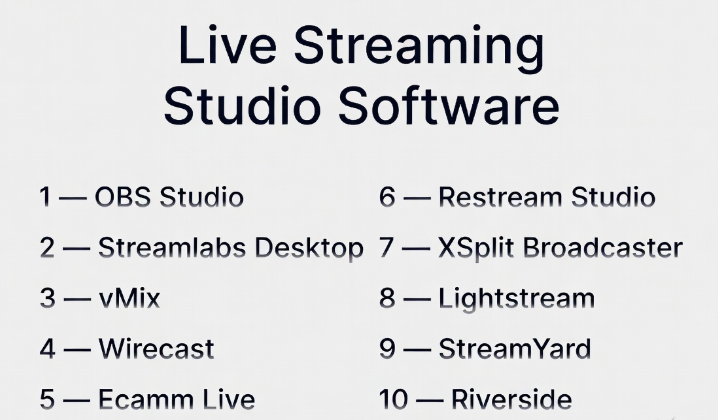
Top 10 Live Streaming Studio Software Tools
#1 — OBS Studio
Short description: A free and open-source live streaming and recording software widely used by creators and professionals.
Key Features
- Scene composition and switching
- Multi-source input (camera, screen, audio)
- Real-time encoding
- Plugin support
- Custom transitions
- Recording and streaming
- Advanced audio mixing
Pros
- Free and highly customizable
- Strong community support
- Powerful features for advanced users
Cons
- Steep learning curve
- No built-in cloud features
- Requires manual setup
Platforms / Deployment
Windows / macOS / Linux
Security & Compliance
Not publicly stated
Integrations & Ecosystem
OBS Studio supports a wide range of plugins and integrations.
- Streaming platforms
- Plugins and extensions
- Hardware devices
Support & Community
Very large global community with extensive tutorials.
#2 — Streamlabs Desktop
Short description: A user-friendly streaming software built on OBS, designed for streamers with built-in tools and monetization features.
Key Features
- Pre-built overlays
- Alerts and widgets
- Multi-stream support
- Chat integration
- Scene customization
- Audio controls
- Built-in themes
Pros
- Easy setup
- Integrated monetization tools
- Streamer-focused features
Cons
- Resource-heavy
- Limited customization vs OBS
- Subscription for premium features
Platforms / Deployment
Windows / macOS
Security & Compliance
Not publicly stated
Integrations & Ecosystem
- Streaming platforms
- Widgets and alerts
- Monetization tools
Support & Community
Strong community among streamers.
#3 — vMix
Short description: A professional live production software offering advanced features for broadcast-quality streaming.
Key Features
- Multi-camera support
- Live video switching
- 4K streaming
- Instant replay
- Audio mixing
- Virtual sets
- NDI support
Pros
- Broadcast-level features
- High performance
- Advanced production tools
Cons
- Windows only
- Expensive
- Complex setup
Platforms / Deployment
Windows
Security & Compliance
Not publicly stated
Integrations & Ecosystem
- NDI tools
- Broadcast hardware
- Streaming platforms
Support & Community
Professional user base with detailed documentation.
#4 — Wirecast
Short description: A professional streaming software for live production, events, and broadcasting.
Key Features
- Multi-camera switching
- Built-in encoding
- Live graphics and titles
- Audio mixing
- Multi-stream output
- Recording capabilities
- Guest streaming
Pros
- Professional-grade features
- Multi-platform streaming
- Reliable performance
Cons
- Expensive
- Resource-intensive
- Learning curve
Platforms / Deployment
Windows / macOS
Security & Compliance
Not publicly stated
Integrations & Ecosystem
- Streaming platforms
- Hardware devices
- Production tools
Support & Community
Strong professional support resources.
#5 — Ecamm Live
Short description: A macOS-focused live streaming software with an intuitive interface and powerful production tools.
Key Features
- Scene switching
- Screen sharing
- Guest interviews
- Overlays and branding
- Audio controls
- Multi-streaming
- Recording
Pros
- Easy to use
- Great for Mac users
- Strong feature set
Cons
- macOS only
- Subscription pricing
- Limited advanced broadcast tools
Platforms / Deployment
macOS
Security & Compliance
Not publicly stated
Integrations & Ecosystem
- Streaming platforms
- Interview tools
- Social media
Support & Community
Active creator community.
#6 — Restream Studio
Short description: A cloud-based streaming studio that enables multi-platform broadcasting directly from a browser.
Key Features
- Browser-based streaming
- Multi-streaming
- Guest invitations
- Chat aggregation
- Branding tools
- Screen sharing
- Analytics
Pros
- No installation required
- Easy multi-streaming
- Great for remote teams
Cons
- Limited advanced controls
- Internet-dependent
- Subscription required
Platforms / Deployment
Web (Cloud)
Security & Compliance
Not publicly stated
Integrations & Ecosystem
- Streaming platforms
- Social media
- Analytics tools
Support & Community
Growing community with solid documentation.
#7 — XSplit Broadcaster
Short description: A live streaming and recording software designed for gamers and content creators.
Key Features
- Scene switching
- Game capture
- Audio mixing
- Plugin support
- Recording tools
- Multi-streaming
- Custom overlays
Pros
- Easy to use
- Good performance
- Strong gaming features
Cons
- Windows only
- Paid license for full features
- Smaller ecosystem
Platforms / Deployment
Windows
Security & Compliance
Not publicly stated
Integrations & Ecosystem
- Streaming platforms
- Plugins
- Gaming tools
Support & Community
Moderate community support.
#8 — Lightstream
Short description: A cloud-based streaming studio designed for creators who want simple setup and remote streaming.
Key Features
- Cloud-based production
- Scene switching
- Remote guest support
- Branding tools
- Multi-platform streaming
- Console streaming support
- Easy setup
Pros
- No hardware setup needed
- Easy to use
- Great for beginners
Cons
- Limited advanced features
- Subscription model
- Internet dependency
Platforms / Deployment
Web (Cloud)
Security & Compliance
Not publicly stated
Integrations & Ecosystem
- Streaming platforms
- Console integrations
- Cloud tools
Support & Community
Beginner-friendly support.
#9 — StreamYard
Short description: A browser-based streaming studio focused on simplicity and live audience engagement.
Key Features
- Browser-based streaming
- Guest interviews
- Branding tools
- Multi-streaming
- Chat overlays
- Screen sharing
- Recording
Pros
- Very easy to use
- Great for interviews
- No installation required
Cons
- Limited customization
- Subscription required
- Basic production tools
Platforms / Deployment
Web (Cloud)
Security & Compliance
Not publicly stated
Integrations & Ecosystem
- Streaming platforms
- Social media
- Guest tools
Support & Community
Strong user base among marketers.
#10 — Riverside
Short description: A streaming and recording platform focused on high-quality remote video and audio production.
Key Features
- Local recording
- Remote guest support
- High-quality audio/video
- Live streaming
- Editing tools
- Transcription
- Cloud storage
Pros
- High-quality recordings
- Great for remote interviews
- Built-in editing
Cons
- Subscription pricing
- Limited advanced live production features
- Internet dependency
Platforms / Deployment
Web (Cloud)
Security & Compliance
Not publicly stated
Integrations & Ecosystem
- Editing tools
- Cloud storage
- Streaming platforms
Support & Community
Growing community with modern workflows.
Comparison Table (Top 10)
| Tool Name | Best For | Platform(s) Supported | Deployment | Standout Feature | Public Rating |
|---|---|---|---|---|---|
| OBS Studio | Advanced users | Windows, macOS, Linux | Local | Free & customizable | N/A |
| Streamlabs | Streamers | Windows, macOS | Local | Built-in overlays | N/A |
| vMix | Broadcast production | Windows | Local | 4K production | N/A |
| Wirecast | Professional streaming | Windows, macOS | Local | Multi-camera switching | N/A |
| Ecamm Live | Mac users | macOS | Local | Ease of use | N/A |
| Restream Studio | Multi-streaming | Web | Cloud | Browser streaming | N/A |
| XSplit | Gamers | Windows | Local | Game capture | N/A |
| Lightstream | Beginners | Web | Cloud | No setup streaming | N/A |
| StreamYard | Interviews | Web | Cloud | Guest streaming | N/A |
| Riverside | Remote production | Web | Cloud | High-quality recording | N/A |
Evaluation & Scoring of Live Streaming Studio Software
| Tool Name | Core | Ease | Integrations | Security | Performance | Support | Value | Weighted Total |
|---|---|---|---|---|---|---|---|---|
| OBS Studio | 9 | 6 | 9 | 6 | 9 | 9 | 10 | 8.6 |
| Streamlabs | 8 | 9 | 8 | 6 | 8 | 8 | 8 | 8.2 |
| vMix | 10 | 6 | 8 | 6 | 10 | 8 | 6 | 8.3 |
| Wirecast | 9 | 7 | 8 | 6 | 9 | 8 | 6 | 8.1 |
| Ecamm Live | 8 | 9 | 7 | 6 | 8 | 8 | 7 | 8.0 |
| Restream Studio | 8 | 9 | 9 | 6 | 7 | 8 | 8 | 8.2 |
| XSplit | 8 | 8 | 7 | 6 | 8 | 7 | 7 | 7.7 |
| Lightstream | 7 | 9 | 7 | 6 | 7 | 7 | 8 | 7.6 |
| StreamYard | 7 | 10 | 7 | 6 | 7 | 8 | 8 | 7.8 |
| Riverside | 8 | 9 | 7 | 6 | 8 | 8 | 7 | 7.9 |
How to interpret the scores:
- Scores are relative comparisons, not absolute performance guarantees
- Professional tools score higher in features and performance
- Cloud tools score higher in ease of use and accessibility
- Choose based on your workflow, not just total score
Which Live Streaming Studio Software Is Right for You?
Solo / Freelancer
- Best: OBS Studio, StreamYard, Lightstream
- Focus on ease of use and affordability
SMB
- Best: Streamlabs, Restream Studio
- Balance features and usability
Mid-Market
- Best: Wirecast, Ecamm Live
- Need advanced production features
Enterprise
- Best: vMix, Wirecast
- Focus on scalability and broadcast quality
Budget vs Premium
- Budget: OBS Studio, StreamYard
- Premium: vMix, Wirecast
Feature Depth vs Ease of Use
- Deep: vMix, OBS Studio
- Easy: StreamYard, Lightstream
Integrations & Scalability
- Strong: OBS Studio, Restream
- Flexible: Wirecast
Security & Compliance Needs
- Most tools: Not publicly stated
- Enterprises should validate internally
Frequently Asked Questions (FAQs)
What is live streaming studio software?
It allows users to create and broadcast live video content.
Do I need powerful hardware?
For local tools, yes. Cloud tools reduce hardware needs.
Can I stream to multiple platforms?
Yes, many tools support multi-streaming.
Are there free options?
Yes, OBS Studio is free.
What is latency?
Delay between broadcast and viewer playback.
Can I invite guests?
Many tools support remote guest streaming.
Is cloud streaming better?
It depends on your workflow and internet reliability.
Can I record streams?
Yes, most tools support recording.
What integrations are important?
Streaming platforms, chat tools, and analytics.
Can beginners use these tools?
Yes, many tools are beginner-friendly.
Conclusion
Live streaming studio software plays a crucial role in delivering professional, engaging, and scalable live content. The right choice depends on your technical skills, production needs, and audience size.
- Choose simple cloud tools for quick setup
- Choose advanced local tools for full control
- Consider performance and integrations for growth
There is no single best solution—only the one that aligns with your workflow.
