Introduction
Legal Hold Software helps organizations preserve documents, emails, messages, files, records, and other business data when litigation, investigation, audit, or regulatory action is expected. In simple words, it stops important information from being deleted, changed, or lost when the company has a legal duty to keep it.
Legal hold matters because businesses store information across many systems such as email, cloud drives, collaboration tools, HR systems, finance platforms, customer records, file servers, and archives. If relevant data is deleted after a legal duty begins, the organization may face penalties, court issues, compliance problems, or reputational damage.
Common use cases include litigation readiness, internal investigations, employment disputes, regulatory inquiries, compliance audits, data preservation, custodian notices, email preservation, eDiscovery preparation, and legal risk management.
Buyers should evaluate hold notice workflows, custodian tracking, acknowledgment management, reminders, escalation, data source integrations, audit trails, reporting, eDiscovery alignment, security controls, ease of use, scalability, and defensibility.
Best for: corporate legal teams, compliance teams, law firms, eDiscovery teams, HR legal teams, records management teams, government agencies, financial services, healthcare organizations, insurance companies, and enterprises with frequent legal or regulatory matters.
Not ideal for: very small businesses with rare legal matters, teams that only need basic document storage, or organizations that do not yet have enough legal, compliance, or data preservation complexity to justify a dedicated platform.
Key Trends in Legal Hold Software
- Legal hold is becoming more connected to eDiscovery, because teams want preservation, collection, review, and production workflows to work together.
- Cloud data preservation is now essential, especially for email, cloud storage, chat tools, collaboration platforms, and SaaS business systems.
- Automation is reducing manual legal team effort, including automated notices, reminders, escalations, custodian tracking, and reporting.
- Defensible audit trails are a major buying factor, because legal teams need proof that holds were issued, acknowledged, monitored, and released correctly.
- Integration with Microsoft 365 and Google Workspace is highly important, as email and documents are often central to litigation and investigations.
- Information governance and legal hold are merging, helping organizations balance retention, deletion, privacy, and legal preservation obligations.
- AI-assisted matter management is growing, helping teams identify custodians, classify data, and connect legal hold activity with eDiscovery workflows.
- Custodian experience is becoming more important, because employees must understand hold notices, acknowledge responsibilities, and follow preservation instructions.
- Cross-border data privacy is creating complexity, especially when legal holds involve employee data, customer data, regional retention rules, or privacy requests.
- Legal operations teams want better reporting, including hold status, custodian response rates, overdue acknowledgments, matter activity, and risk visibility.
How We Selected These Tools
The tools below were selected using practical business-focused evaluation logic.
- Market recognition: Platforms known in legal hold, eDiscovery, litigation readiness, information governance, and enterprise legal operations were prioritized.
- Feature completeness: Hold notices, custodian tracking, acknowledgments, reminders, escalations, reporting, and matter workflows were reviewed.
- Defensibility: Audit trails, preservation records, legal documentation, and reporting strength were considered important.
- Ease of use: Legal teams should be able to create, monitor, and release holds without heavy IT dependency.
- Data preservation depth: Integration with email, file storage, cloud systems, collaboration tools, and enterprise repositories was evaluated.
- eDiscovery alignment: Tools that connect legal hold with collection, review, and production workflows were given strong consideration.
- Security and governance: Access controls, permissions, audit logs, data privacy, and enterprise administration were reviewed.
- Customer fit: The list includes tools for corporate legal teams, law firms, enterprises, government agencies, and compliance-heavy industries.
- Scalability: Platforms suitable for multiple matters, large custodian groups, global teams, and complex data environments were included.
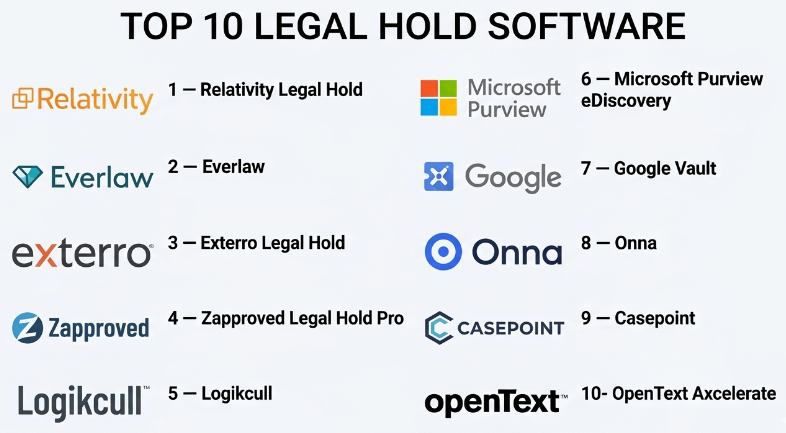
Top 10 Legal Hold Software
#1 — Relativity Legal Hold
Short description :
Relativity Legal Hold is a legal hold and eDiscovery workflow solution designed for corporate legal teams, law firms, and enterprise eDiscovery teams. It helps organizations issue hold notices, track custodian acknowledgments, send reminders, manage matters, and preserve legal defensibility. Relativity is especially useful for teams that already use broader eDiscovery workflows and need legal hold connected to review and production processes. It supports structured legal hold management at scale. It is best for organizations that need legal hold inside a mature eDiscovery ecosystem.
Key Features
- Legal hold notice creation.
- Custodian acknowledgment tracking.
- Automated reminders and escalations.
- Matter-based hold management.
- Audit trails and reporting.
- eDiscovery workflow alignment.
- Custodian communication tracking.
Pros
- Strong fit for legal and eDiscovery teams.
- Useful for defensible hold workflows.
- Works well in complex litigation environments.
Cons
- May be more advanced than small teams need.
- Best value depends on eDiscovery process maturity.
- Implementation may require legal operations planning.
Platforms / Deployment
Web
Cloud / Enterprise deployment options may vary
Security & Compliance
Supports enterprise access controls, audit trails, legal matter tracking, and defensible workflow records. Specific compliance details should be validated directly with the vendor.
Integrations & Ecosystem
Relativity Legal Hold fits naturally into broader legal and eDiscovery workflows.
- eDiscovery review workflows.
- Legal matter management processes.
- Custodian tracking.
- Document collection workflows.
- Legal reporting.
- Enterprise legal operations.
Support & Community
Relativity provides enterprise support, documentation, training, partner resources, and a large legal technology ecosystem. It is best suited for teams with formal litigation and eDiscovery processes.
#2 — Everlaw
Short description :
Everlaw is a cloud-based eDiscovery platform that includes legal hold capabilities as part of broader litigation, investigation, review, and production workflows. It helps legal teams manage matters, preserve data, communicate with custodians, and move from hold to review in a connected environment. Everlaw is useful for law firms, corporate legal departments, government teams, and investigation teams that need a modern cloud-based legal workflow. It is best for organizations that want legal hold connected with cloud eDiscovery and case preparation.
Key Features
- Legal hold workflows.
- Custodian communication.
- Matter-based management.
- eDiscovery review and production.
- Search and analytics.
- Collaboration features.
- Audit and activity tracking.
Pros
- Strong cloud-based legal workflow.
- Good connection between hold, review, and case work.
- Useful for litigation and investigation teams.
Cons
- May be too broad for teams needing only basic legal holds.
- Requires legal workflow knowledge.
- Pricing may be better suited for legal teams with regular matters.
Platforms / Deployment
Web
Cloud
Security & Compliance
Supports secure legal review, access controls, audit trails, and matter governance features. Specific certifications and compliance details should be validated directly with the vendor.
Integrations & Ecosystem
Everlaw supports legal hold as part of litigation and eDiscovery workflows.
- Legal matter workflows.
- Document review.
- Investigation workflows.
- Production workflows.
- Case preparation.
- Legal collaboration.
Support & Community
Everlaw provides onboarding, customer support, documentation, and legal workflow guidance. It is suitable for teams that want cloud-first litigation support.
#3 — Exterro Legal Hold
Short description :
Exterro Legal Hold is part of a broader legal governance, risk, compliance, and eDiscovery platform. It helps organizations issue hold notices, manage custodians, automate reminders, track acknowledgments, preserve data, and maintain audit-ready records. Exterro is especially useful for corporate legal teams that need repeatable legal hold processes connected with information governance and eDiscovery. It is suitable for enterprises handling frequent legal matters, investigations, and regulatory requests. It is best for organizations that want legal hold connected with end-to-end legal operations.
Key Features
- Legal hold notice management.
- Custodian tracking and acknowledgments.
- Automated reminders and escalations.
- Matter management alignment.
- Preservation and collection workflows.
- Audit trails and defensibility reports.
- Information governance alignment.
Pros
- Strong end-to-end legal governance focus.
- Useful for enterprise legal operations.
- Good for repeatable and defensible legal hold processes.
Cons
- May require process design before rollout.
- Smaller companies may not need the full platform depth.
- Configuration can be detailed for complex environments.
Platforms / Deployment
Web
Cloud / Enterprise deployment options may vary
Security & Compliance
Supports legal defensibility, audit trails, access controls, reporting, and enterprise governance workflows. Specific compliance details should be validated directly with the vendor.
Integrations & Ecosystem
Exterro connects legal hold with broader legal and data workflows.
- eDiscovery workflows.
- Information governance systems.
- Data preservation processes.
- Custodian communications.
- Matter workflows.
- Legal reporting.
Support & Community
Exterro provides onboarding, professional services, documentation, and enterprise support. It is useful for organizations building mature legal operations processes.
#4 — Zapproved Legal Hold Pro
Short description :
Zapproved Legal Hold Pro is a legal hold management tool designed to help corporate legal teams issue notices, track acknowledgments, send reminders, manage custodians, and maintain defensible records. It is focused on making legal hold workflows easier, more consistent, and less manual. Zapproved is especially useful for legal teams that want a dedicated hold platform without unnecessary complexity. It is suitable for organizations with recurring litigation, investigations, or compliance matters. It is best for corporate legal teams that need practical and focused legal hold automation.
Key Features
- Legal hold notice templates.
- Custodian tracking.
- Acknowledgment management.
- Automated reminders.
- Escalation workflows.
- Reporting dashboards.
- Audit trail documentation.
Pros
- Focused legal hold workflow.
- Easy for corporate legal teams to understand.
- Good for replacing manual spreadsheet-based hold tracking.
Cons
- Broader eDiscovery features may depend on product ecosystem.
- Integration depth should be validated for each environment.
- May not fit teams wanting a full legal operations suite.
Platforms / Deployment
Web
Cloud
Security & Compliance
Supports audit trails, custodian tracking, access controls, and defensible legal hold records. Specific security and compliance details should be validated directly with the vendor.
Integrations & Ecosystem
Zapproved Legal Hold Pro supports legal operations and eDiscovery preparation workflows.
- Custodian communication.
- Legal matter workflows.
- eDiscovery preparation.
- Reporting and status tracking.
- Legal operations processes.
- Preservation documentation.
Support & Community
Zapproved provides onboarding, documentation, legal hold guidance, and customer support. It is suitable for legal teams that want a dedicated legal hold solution.
#5 — Logikcull
Short description :
Logikcull is a cloud-based eDiscovery platform that supports legal hold, data upload, processing, review, and production workflows. It is designed for legal teams that want a simpler eDiscovery experience with less technical overhead. Logikcull can help organizations manage legal matters, preserve relevant data, and move into review when needed. It is useful for law firms, corporate legal teams, government teams, and smaller legal departments that need practical legal hold and eDiscovery workflows. It is best for teams that want legal hold in an approachable cloud eDiscovery environment.
Key Features
- Legal hold workflows.
- Custodian communication.
- Data upload and processing.
- Search and review.
- Document production.
- Matter-based workflows.
- Audit and reporting features.
Pros
- User-friendly legal technology experience.
- Good for teams wanting simplified eDiscovery.
- Useful for smaller legal teams and growing legal departments.
Cons
- May not match the deepest enterprise customization needs.
- Advanced workflows should be validated before purchase.
- Best value depends on broader eDiscovery usage.
Platforms / Deployment
Web
Cloud
Security & Compliance
Supports legal matter controls, audit tracking, access management, and secure review workflows. Specific compliance details should be validated directly with the vendor.
Integrations & Ecosystem
Logikcull connects legal hold with cloud eDiscovery workflows.
- Legal hold notices.
- Data processing.
- Document review.
- Production workflows.
- Matter collaboration.
- Legal reporting.
Support & Community
Logikcull provides onboarding, support, documentation, and legal workflow guidance. It is practical for legal teams that want less technical eDiscovery operations.
#6 — Microsoft Purview eDiscovery
Short description :
Microsoft Purview eDiscovery helps organizations manage legal hold, search, preservation, and eDiscovery workflows across Microsoft 365 data. It is especially useful for companies that store email, Teams messages, SharePoint files, OneDrive documents, and other collaboration data inside Microsoft 365. Legal teams and IT teams can use Purview to preserve relevant content, search across sources, and support legal investigations. It is best for Microsoft-first organizations that need legal hold and eDiscovery capabilities within their existing Microsoft environment.
Key Features
- Microsoft 365 legal hold capabilities.
- eDiscovery search and case management.
- Preservation of email and collaboration data.
- Custodian and data source management.
- Review set workflows may vary by licensing.
- Audit and activity records.
- Integration with Microsoft compliance tools.
Pros
- Strong fit for Microsoft 365 environments.
- Preserves data close to where it lives.
- Useful for IT, compliance, and legal teams.
Cons
- Best value depends on Microsoft licensing and configuration.
- Legal hold workflows may require IT expertise.
- Non-Microsoft data sources may require additional tools.
Platforms / Deployment
Web
Cloud
Security & Compliance
Security and compliance depend on Microsoft 365 configuration and licensing. Supports Microsoft identity, permissions, audit logs, retention, eDiscovery, and compliance controls.
Integrations & Ecosystem
Microsoft Purview eDiscovery works deeply with Microsoft 365 data sources.
- Exchange.
- Microsoft Teams.
- SharePoint.
- OneDrive.
- Microsoft compliance center.
- Microsoft identity and admin tools.
Support & Community
Microsoft provides documentation, admin resources, partner support, and enterprise support options. It is best for organizations with Microsoft 365 compliance administration capability.
#7 — Google Vault
Short description :
Google Vault is an information governance and eDiscovery tool for Google Workspace data. It helps organizations retain, search, export, and place holds on Gmail messages, Google Drive files, Chat data, and other supported Google Workspace content. Google Vault is useful for companies, schools, nonprofits, and organizations that rely heavily on Google Workspace. It helps legal and IT teams preserve data for litigation, investigations, audits, and compliance needs. It is best for Google-first organizations that need legal hold and retention controls within Google Workspace.
Key Features
- Legal holds for supported Google Workspace data.
- Search and export workflows.
- Retention rules.
- eDiscovery support.
- Gmail and Drive data preservation.
- Google Chat data support may vary by configuration.
- Audit and admin workflows.
Pros
- Strong fit for Google Workspace organizations.
- Useful for preserving email and document data.
- Simple option for Google-native legal hold needs.
Cons
- Limited to supported Google Workspace data.
- Advanced legal workflow features may require additional tools.
- Legal teams may need IT support for administration.
Platforms / Deployment
Web
Cloud
Security & Compliance
Security and compliance depend on Google Workspace configuration and licensing. Supports retention, holds, search, export, and admin controls within the Google Workspace environment.
Integrations & Ecosystem
Google Vault works with supported Google Workspace systems.
- Gmail.
- Google Drive.
- Google Chat.
- Google Groups.
- Google Workspace admin controls.
- eDiscovery export workflows.
Support & Community
Google provides documentation, admin resources, and enterprise support depending on Workspace plan. It is best for teams already using Google Workspace.
#8 — Onna
Short description :
Onna is a data integration and eDiscovery platform focused on collecting, preserving, searching, and managing data from modern workplace applications. It is useful for organizations that need to preserve and discover data across collaboration tools, messaging systems, knowledge platforms, ticketing tools, and cloud applications. Onna can support legal hold and data preservation workflows by connecting to many SaaS systems where business conversations happen. It is best for organizations that need legal hold and eDiscovery readiness across modern cloud collaboration data.
Key Features
- Data source connectors.
- Legal hold and preservation workflows.
- Search across connected platforms.
- eDiscovery data collection.
- Information governance support.
- Collaboration data management.
- Export and review workflows.
Pros
- Strong for modern SaaS and collaboration data.
- Useful when data lives outside email.
- Helps legal teams manage newer workplace data sources.
Cons
- Connector availability should be validated carefully.
- Setup can require IT and legal coordination.
- May be used alongside review platforms rather than replacing them.
Platforms / Deployment
Web
Cloud
Security & Compliance
Supports access controls, data governance workflows, and secure data collection processes. Specific compliance and security details should be validated directly with the vendor.
Integrations & Ecosystem
Onna connects with modern workplace and SaaS platforms.
- Collaboration tools.
- Messaging systems.
- Knowledge platforms.
- Ticketing tools.
- Cloud storage systems.
- eDiscovery review workflows.
Support & Community
Onna provides implementation support, documentation, and customer success resources. It is useful for organizations with data spread across many cloud applications.
#9 — Casepoint
Short description :
Casepoint is a legal discovery platform that supports eDiscovery, legal hold, investigation, review, analytics, and production workflows. It is used by law firms, corporations, government agencies, and legal teams that need a secure and scalable environment for managing legal data. Casepoint helps legal teams handle matters from preservation through review and production. It is useful when legal hold must connect with broader litigation and investigation workflows. It is best for organizations that need an integrated legal discovery platform.
Key Features
- Legal hold management.
- eDiscovery processing.
- Document review.
- Analytics and search.
- Production workflows.
- Investigation support.
- Audit and reporting tools.
Pros
- Strong integrated legal discovery platform.
- Useful for litigation and government workflows.
- Supports legal hold through broader matter lifecycle.
Cons
- May be more platform than basic legal hold buyers need.
- Requires legal and eDiscovery process knowledge.
- Implementation scope should be defined carefully.
Platforms / Deployment
Web
Cloud / Enterprise options may vary
Security & Compliance
Supports secure legal workflows, access controls, audit records, and eDiscovery governance. Specific security certifications and compliance details should be validated directly with the vendor.
Integrations & Ecosystem
Casepoint connects legal hold with broader legal discovery workflows.
- Data processing.
- Legal review.
- Investigation workflows.
- Document production.
- Search and analytics.
- Matter reporting.
Support & Community
Casepoint provides customer support, implementation guidance, documentation, and legal workflow assistance. It is suitable for teams managing complex discovery processes.
#10 — OpenText Axcelerate
Short description :
OpenText Axcelerate is an eDiscovery and investigation platform that supports legal hold, data processing, review, analytics, and production workflows. It is designed for enterprises, law firms, and legal teams that handle complex litigation, investigations, and regulatory matters. OpenText Axcelerate helps organizations manage large data volumes, identify relevant information, and support defensible legal workflows. It is best for organizations that need enterprise eDiscovery capabilities with legal hold and advanced review features.
Key Features
- Legal hold support.
- eDiscovery processing.
- Advanced analytics.
- Document review workflows.
- Investigation support.
- Production management.
- Audit trails and reporting.
Pros
- Strong enterprise eDiscovery capabilities.
- Useful for complex litigation and investigations.
- Good fit for organizations handling large data volumes.
Cons
- May be too complex for basic legal hold needs.
- Implementation and administration may require expertise.
- Best suited for mature legal and eDiscovery teams.
Platforms / Deployment
Web
Cloud / Enterprise deployment options may vary
Security & Compliance
Supports enterprise legal workflows, access controls, audit trails, and governance features. Specific compliance details should be validated directly with the vendor.
Integrations & Ecosystem
OpenText Axcelerate supports legal discovery and investigation workflows.
- Legal hold workflows.
- Data processing.
- Document review.
- Analytics.
- Production workflows.
- Enterprise legal operations.
Support & Community
OpenText provides enterprise support, documentation, professional services, and implementation resources. It is suitable for large organizations with complex legal discovery needs.
Comparison Table
| Tool Name | Best For | Platform(s) Supported | Deployment | Standout Feature | Public Rating |
|---|---|---|---|---|---|
| Relativity Legal Hold | Enterprise eDiscovery teams | Web | Cloud / Enterprise varies | Legal hold inside mature eDiscovery workflows | N/A |
| Everlaw | Cloud legal review and litigation workflows | Web | Cloud | Legal hold connected with cloud eDiscovery | N/A |
| Exterro Legal Hold | End-to-end legal governance | Web | Cloud / Enterprise varies | Legal hold with information governance alignment | N/A |
| Zapproved Legal Hold Pro | Corporate legal hold automation | Web | Cloud | Focused custodian notices and acknowledgment tracking | N/A |
| Logikcull | Simplified cloud eDiscovery | Web | Cloud | Approachable hold and review workflow | N/A |
| Microsoft Purview eDiscovery | Microsoft 365 legal hold | Web | Cloud | Preservation across Microsoft 365 data | N/A |
| Google Vault | Google Workspace legal hold | Web | Cloud | Retention and hold for Google Workspace data | N/A |
| Onna | Modern SaaS and collaboration data preservation | Web | Cloud | Connectors for workplace application data | N/A |
| Casepoint | Integrated legal discovery workflows | Web | Cloud / Enterprise varies | Legal hold through discovery lifecycle | N/A |
| OpenText Axcelerate | Complex enterprise eDiscovery | Web | Cloud / Enterprise varies | Advanced analytics and legal discovery support | N/A |
Evaluation & Legal Hold Software
| Tool Name | Core (25%) | Ease (15%) | Integrations (15%) | Security (10%) | Performance (10%) | Support (10%) | Value (15%) | Weighted Total (0–10) |
|---|---|---|---|---|---|---|---|---|
| Relativity Legal Hold | 9 | 7 | 9 | 9 | 9 | 9 | 7 | 8.35 |
| Everlaw | 9 | 8 | 8 | 9 | 9 | 9 | 7 | 8.35 |
| Exterro Legal Hold | 9 | 7 | 9 | 9 | 8 | 9 | 7 | 8.25 |
| Zapproved Legal Hold Pro | 8 | 9 | 8 | 8 | 8 | 8 | 8 | 8.15 |
| Logikcull | 8 | 9 | 7 | 8 | 8 | 8 | 8 | 8.00 |
| Microsoft Purview eDiscovery | 8 | 7 | 10 | 9 | 8 | 9 | 8 | 8.45 |
| Google Vault | 7 | 8 | 9 | 8 | 8 | 8 | 8 | 8.00 |
| Onna | 8 | 7 | 10 | 8 | 8 | 8 | 7 | 8.05 |
| Casepoint | 9 | 7 | 8 | 9 | 8 | 8 | 7 | 8.05 |
| OpenText Axcelerate | 9 | 6 | 8 | 9 | 9 | 9 | 7 | 8.15 |
These scores are comparative and should be used as a practical guide, not a fixed ranking. Microsoft Purview eDiscovery and Google Vault are strong when data is mainly inside Microsoft 365 or Google Workspace. Relativity, Everlaw, Exterro, Casepoint, and OpenText Axcelerate are stronger for broader legal and eDiscovery workflows. Zapproved Legal Hold Pro is practical for focused corporate legal hold automation, while Onna is useful when data is spread across modern SaaS tools.
Which Legal Hold Software
Solo / Freelancer
Solo professionals usually do not need dedicated legal hold software. A secure document repository, basic retention process, and legal guidance may be enough for rare legal matters.
However, independent legal consultants or eDiscovery consultants should understand platforms such as Relativity, Everlaw, Exterro, Zapproved, Microsoft Purview, and Google Vault because clients may use them to manage preservation obligations.
SMB
Small and medium businesses should focus on simplicity, affordability, and clear preservation workflows. Google Vault, Microsoft Purview eDiscovery, Logikcull, and Zapproved Legal Hold Pro may be practical depending on the company’s systems.
If the business uses Google Workspace, Google Vault may be the simplest starting point. If the business uses Microsoft 365, Microsoft Purview eDiscovery may be more practical.
Mid-Market
Mid-market organizations usually need better hold notices, custodian tracking, audit trails, matter workflows, and data preservation across multiple systems. Zapproved Legal Hold Pro, Exterro Legal Hold, Everlaw, Logikcull, Onna, and Microsoft Purview eDiscovery are strong candidates.
At this stage, companies should document who issues holds, who approves them, how custodians acknowledge them, how reminders are handled, and how holds are released.
Enterprise
Enterprises should prioritize defensibility, scalability, multi-matter management, integration depth, data source coverage, security, audit trails, and eDiscovery alignment. Relativity Legal Hold, Exterro Legal Hold, Everlaw, Microsoft Purview eDiscovery, Casepoint, and OpenText Axcelerate are strong options.
Large organizations should involve legal, compliance, IT, privacy, records management, HR, security, and eDiscovery teams before standardizing legal hold workflows.
Budget vs Premium
Budget-conscious teams should first review legal hold capabilities already available in their productivity suite. Microsoft 365 organizations may already have Microsoft Purview options, while Google Workspace organizations may have Google Vault depending on licensing.
Premium platforms such as Relativity, Everlaw, Exterro, Casepoint, and OpenText Axcelerate are better when organizations need enterprise eDiscovery, complex workflows, multiple matters, large custodian groups, and stronger analytics.
Feature Depth vs Ease of Use
If ease of use matters most, Zapproved Legal Hold Pro, Logikcull, Google Vault, and Microsoft Purview eDiscovery may be practical depending on internal expertise.
If feature depth matters more, Relativity Legal Hold, Exterro Legal Hold, Everlaw, Casepoint, and OpenText Axcelerate provide stronger litigation lifecycle support, review workflows, analytics, and legal operations depth.
Integrations & Scalability
Legal hold software should integrate with email, cloud storage, collaboration tools, HR systems, employee directories, document repositories, eDiscovery systems, and information governance platforms.
For Microsoft-heavy organizations, Microsoft Purview eDiscovery is highly relevant. For Google-heavy organizations, Google Vault is practical. For modern SaaS data sources, Onna may be useful. For litigation-heavy organizations, Relativity, Everlaw, Exterro, Casepoint, or OpenText Axcelerate should be reviewed.
Security & Compliance Needs
Legal hold software handles sensitive legal matters, employee data, investigations, privileged communication, business records, regulatory issues, and litigation evidence. Security must be reviewed carefully.
Buyers should validate SSO, MFA, role-based access, audit logs, matter permissions, retention controls, data encryption, legal hold release workflows, reporting restrictions, and custodian privacy considerations.
Frequently Asked Questions
1. What is Legal Hold Software?
Legal Hold Software helps organizations preserve relevant data when litigation, investigation, audit, or regulatory action is expected. It manages hold notices, custodian acknowledgments, reminders, reporting, and preservation workflows so important information is not deleted or changed.
2. How is legal hold different from document retention?
Document retention is a normal policy for keeping or deleting records over time. Legal hold overrides normal deletion rules when certain data must be preserved for a legal matter. Once a legal hold is active, relevant information should not be destroyed until the hold is released.
3. What pricing models are common for Legal Hold Software?
Pricing may be based on users, custodians, matters, data volume, modules, enterprise agreements, or broader eDiscovery platform usage. Some tools are included inside productivity or compliance suites, while dedicated legal platforms often use custom pricing.
4. What are common mistakes when managing legal holds?
Common mistakes include issuing holds too late, tracking acknowledgments manually, failing to remind custodians, not documenting the process, forgetting to release old holds, and not preserving data from collaboration tools. Another common mistake is relying only on email notices without audit tracking.
5. Which tool is best for Microsoft 365 legal hold?
Microsoft Purview eDiscovery is a strong option for Microsoft 365 environments because it can preserve and search supported Microsoft data sources. However, organizations with broader data needs may still require additional eDiscovery or legal hold platforms.
6. Which tool is best for Google Workspace legal hold?
Google Vault is a practical option for Google Workspace environments because it supports holds, retention, search, and export for supported Google data. Organizations should confirm licensing, data source coverage, and legal workflow needs before relying on it fully.
7. Which Legal Hold Software is best for enterprises?
Relativity Legal Hold, Exterro Legal Hold, Everlaw, Casepoint, OpenText Axcelerate, and Microsoft Purview eDiscovery are strong enterprise options. The best choice depends on data sources, eDiscovery maturity, litigation volume, security needs, and existing technology stack.
8. Can Legal Hold Software send notices automatically?
Yes, most legal hold platforms can send notices, reminders, escalations, and release notifications automatically. They also track whether custodians have received and acknowledged the notice, which is important for defensibility.
9. What is a custodian in legal hold?
A custodian is a person who may have relevant information for a legal matter. This could include employees, managers, executives, contractors, or others who created, received, stored, or controlled relevant documents, emails, messages, or files.
10. Can legal hold apply to chat and collaboration tools?
Yes, but support depends on the platform and data source. Modern legal holds often need to cover email, cloud drives, chat tools, collaboration platforms, ticketing systems, and SaaS applications. Buyers should validate exact data source coverage before purchase.
Conclusion
Legal Hold Software helps organizations preserve important information, reduce legal risk, and create a defensible process when litigation, audits, investigations, or regulatory matters arise. The best platform depends on data sources, company size, legal matter volume, eDiscovery maturity, and existing technology stack. Microsoft Purview eDiscovery is strong for Microsoft 365 environments, while Google Vault is practical for Google Workspace users. Zapproved Legal Hold Pro is useful for focused corporate legal hold automation, and Logikcull is approachable for cloud-based hold and review workflows. Relativity, Everlaw, Exterro, Casepoint, and OpenText Axcelerate are stronger for advanced legal and eDiscovery teams.
