Introduction
Endpoint Management Tools are software platforms that help organizations monitor, manage, secure, and control endpoint devices such as laptops, desktops, mobile devices, servers, and increasingly IoT endpoints. In simple terms, these tools allow IT teams to maintain visibility and control over every device connected to their network—no matter where it is located.
Modern endpoint management goes far beyond basic device tracking. It includes patch management, policy enforcement, remote configuration, application deployment, and security controls. With the rise of remote work, BYOD (Bring Your Own Device), and hybrid IT environments, endpoint management tools have become essential for maintaining operational efficiency and security.
Common use cases include:
- Device provisioning and configuration
- Patch management and updates
- Endpoint security enforcement
- Remote troubleshooting and support
- Application deployment and control
Key evaluation criteria buyers should consider:
- Device discovery and inventory management
- Cross-platform support (Windows, macOS, Linux, mobile)
- Patch management and automation
- Security features (encryption, compliance, policies)
- Remote access and troubleshooting capabilities
- Integration with ITSM, RMM, and security tools
- Scalability for distributed environments
- Ease of use and deployment
- Reporting and analytics
- Pricing and licensing model
Best for: IT teams, enterprises, managed service providers (MSPs), and organizations managing distributed or hybrid workforces with multiple endpoint devices.
Not ideal for: Very small teams with minimal device management needs or organizations relying entirely on unmanaged personal devices.
Key Trends in Portfolio & Endpoint Management Tools for the Future
- Unified Endpoint Management (UEM): Consolidating device management across desktop, mobile, and IoT
- Zero-trust security models: Stronger authentication and device posture checks
- AI-driven automation: Predictive maintenance and issue resolution
- Cloud-native management: Faster deployment and scalability
- Remote workforce enablement: Managing devices outside traditional networks
- Security convergence: Integration with EDR and XDR platforms
- Automation-first patching: Intelligent scheduling and prioritization
- Policy-based management: Centralized configuration enforcement
- Integration with identity systems: Tighter alignment with IAM platforms
- Real-time analytics: Improved visibility into device performance and risks
How We Selected These Tools (Methodology)
- Evaluated market adoption and industry reputation
- Assessed feature completeness across endpoint management and security
- Reviewed cross-platform support capabilities
- Considered automation and patch management features
- Analyzed integration ecosystems with ITSM, RMM, and security tools
- Included tools for SMB, mid-market, and enterprise use cases
- Balanced ease of use with advanced capabilities
- Evaluated scalability and deployment flexibility
- Considered security and compliance signals
- Reviewed support, documentation, and community strength
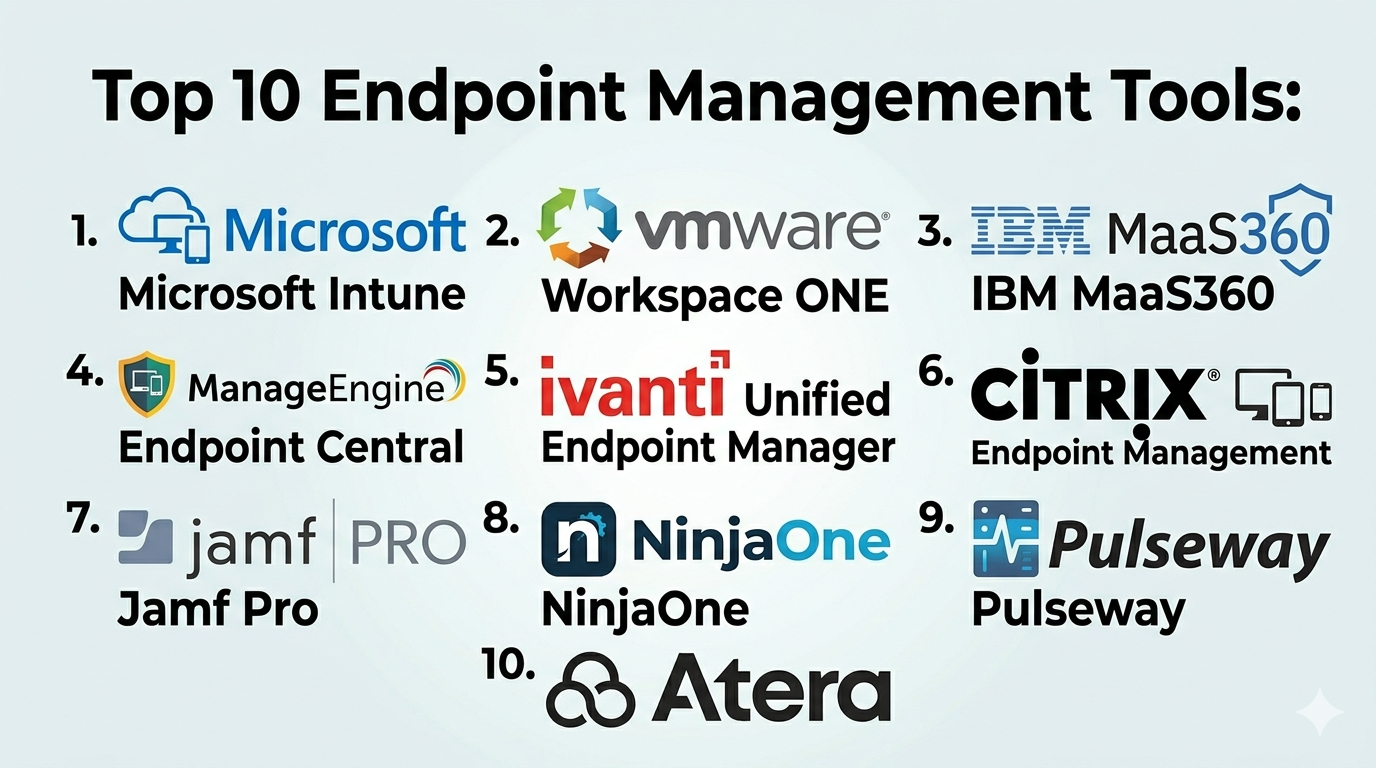
Top 10 Endpoint Management Tools
#1 — Microsoft Intune
Short description: A cloud-based endpoint management solution that is part of Microsoft Endpoint Manager, designed for organizations using the Microsoft ecosystem.
Key Features
- Device and application management
- Policy enforcement
- Mobile device management (MDM)
- Patch and update management
- Integration with Azure AD
- Conditional access policies
Pros
- Deep integration with Microsoft ecosystem
- Strong security and compliance features
Cons
- Requires Microsoft ecosystem familiarity
- Complex configuration for beginners
Platforms / Deployment
Web
Cloud
Security & Compliance
- SSO, MFA, encryption
- Compliance varies
Integrations & Ecosystem
- Microsoft 365
- Azure services
- APIs
Support & Community
Extensive documentation and global community.
#2 — VMware Workspace ONE
Short description: A unified endpoint management platform offering strong mobility and security features.
Key Features
- Unified endpoint management
- Mobile device management
- Identity and access integration
- Application management
- Automation workflows
Pros
- Strong cross-platform support
- Enterprise-grade security
Cons
- Complex setup
- High cost
Platforms / Deployment
Web
Cloud / Hybrid
Security & Compliance
- SSO, encryption
- Compliance varies
Integrations & Ecosystem
- VMware ecosystem
- APIs
Support & Community
Enterprise-level support.
#3 — IBM MaaS360
Short description: A cloud-based endpoint management solution with AI-driven insights and strong mobile management capabilities.
Key Features
- Mobile device management
- Endpoint security
- AI insights
- Policy enforcement
- Reporting
Pros
- Strong mobile management
- AI-driven insights
Cons
- Limited desktop depth
- UI complexity
Platforms / Deployment
Web
Cloud
Security & Compliance
- Encryption, SSO
- Compliance varies
Integrations & Ecosystem
- IBM tools
- APIs
Support & Community
Enterprise support.
#4 — ManageEngine Endpoint Central
Short description: A comprehensive endpoint management solution offering patching, deployment, and asset management.
Key Features
- Patch management
- Software deployment
- Asset management
- Remote control
- Automation
Pros
- Strong feature set
- Affordable
Cons
- UI may feel outdated
- Learning curve
Platforms / Deployment
Web
Cloud / On-premise
Security & Compliance
Not publicly stated
Integrations & Ecosystem
- ManageEngine suite
- APIs
Support & Community
Reliable support.
#5 — Ivanti Unified Endpoint Manager
Short description: An enterprise endpoint management platform with strong automation and security features.
Key Features
- Device management
- Patch management
- Automation workflows
- Security controls
- Reporting
Pros
- Strong automation
- Enterprise scalability
Cons
- Complex deployment
- Pricing not transparent
Platforms / Deployment
Web
Cloud / On-premise
Security & Compliance
- SSO, encryption
- Compliance varies
Integrations & Ecosystem
- ITSM tools
- APIs
Support & Community
Enterprise-level support.
#6 — Citrix Endpoint Management
Short description: A UEM solution focused on secure access and device management.
Key Features
- Device management
- Application management
- Secure access
- Policy enforcement
- Reporting
Pros
- Strong security features
- Good integration with Citrix ecosystem
Cons
- Limited outside Citrix environments
- Complex setup
Platforms / Deployment
Web
Cloud
Security & Compliance
- Encryption, SSO
- Compliance varies
Integrations & Ecosystem
- Citrix tools
- APIs
Support & Community
Enterprise support.
#7 — Jamf Pro
Short description: A specialized endpoint management tool designed for Apple devices.
Key Features
- macOS and iOS management
- Device configuration
- Application deployment
- Security policies
- Automation
Pros
- Best-in-class Apple support
- Easy to use for Apple environments
Cons
- Limited to Apple ecosystem
- Not ideal for mixed environments
Platforms / Deployment
Web
Cloud
Security & Compliance
Not publicly stated
Integrations & Ecosystem
- Apple ecosystem
- APIs
Support & Community
Strong Apple-focused community.
#8 — NinjaOne
Short description: A modern endpoint management and RMM platform focused on simplicity and automation.
Key Features
- Endpoint monitoring
- Patch management
- Remote access
- Automation
- Reporting
Pros
- Easy to use
- Strong automation
Cons
- Limited enterprise depth
- Pricing varies
Platforms / Deployment
Web
Cloud
Security & Compliance
Not publicly stated
Integrations & Ecosystem
- IT tools
- APIs
Support & Community
Strong support and onboarding.
#9 — Pulseway
Short description: A mobile-first endpoint management solution with real-time monitoring capabilities.
Key Features
- Mobile monitoring
- Remote control
- Patch management
- Alerts
- Automation
Pros
- Strong mobile app
- Easy to use
Cons
- Limited enterprise features
- Smaller ecosystem
Platforms / Deployment
Web / Mobile
Cloud / On-premise
Security & Compliance
Not publicly stated
Integrations & Ecosystem
- APIs
- IT tools
Support & Community
Good SMB support.
#10 — Atera
Short description: An all-in-one platform combining endpoint management, RMM, and PSA capabilities.
Key Features
- Endpoint monitoring
- Patch management
- Remote access
- Automation
- Ticketing
Pros
- All-in-one solution
- Simple pricing
Cons
- Limited enterprise features
- Fewer advanced capabilities
Platforms / Deployment
Web
Cloud
Security & Compliance
Not publicly stated
Integrations & Ecosystem
- APIs
- IT tools
Support & Community
Good SMB support.
Comparison Table (Top 10)
| Tool Name | Best For | Platform(s) Supported | Deployment | Standout Feature | Public Rating |
|---|---|---|---|---|---|
| Microsoft Intune | Enterprise | Web | Cloud | Microsoft integration | N/A |
| VMware Workspace ONE | Enterprise | Web | Hybrid | UEM capabilities | N/A |
| IBM MaaS360 | Enterprise | Web | Cloud | AI insights | N/A |
| ManageEngine Endpoint Central | SMB | Web | Hybrid | Patch mgmt | N/A |
| Ivanti UEM | Enterprise | Web | Hybrid | Automation | N/A |
| Citrix Endpoint | Enterprise | Web | Cloud | Secure access | N/A |
| Jamf Pro | Apple users | Web | Cloud | Apple mgmt | N/A |
| NinjaOne | SMB | Web | Cloud | Simplicity | N/A |
| Pulseway | SMB | Web, Mobile | Hybrid | Mobile-first | N/A |
| Atera | SMB | Web | Cloud | All-in-one | N/A |
Endpoint Management Tools
| Tool Name | Core (25%) | Ease (15%) | Integrations (15%) | Security (10%) | Performance (10%) | Support (10%) | Value (15%) | Weighted Total |
|---|---|---|---|---|---|---|---|---|
| Microsoft Intune | 9 | 7 | 9 | 9 | 9 | 9 | 7 | 8.6 |
| VMware Workspace ONE | 9 | 6 | 9 | 9 | 9 | 9 | 6 | 8.3 |
| IBM MaaS360 | 8 | 7 | 7 | 8 | 8 | 8 | 7 | 7.8 |
| ManageEngine | 8 | 8 | 7 | 7 | 8 | 8 | 8 | 7.9 |
| Ivanti | 9 | 6 | 8 | 9 | 9 | 9 | 6 | 8.2 |
| Citrix | 8 | 6 | 8 | 9 | 8 | 8 | 6 | 7.8 |
| Jamf Pro | 8 | 9 | 7 | 7 | 8 | 8 | 7 | 7.9 |
| NinjaOne | 7 | 9 | 7 | 6 | 7 | 8 | 8 | 7.6 |
| Pulseway | 7 | 9 | 6 | 6 | 7 | 7 | 8 | 7.4 |
| Atera | 7 | 9 | 6 | 6 | 7 | 7 | 9 | 7.5 |
How to interpret scores:
- Scores are comparative across tools
- Higher scores indicate stronger overall capability
- Enterprise tools excel in security and scalability
- SMB tools lead in ease of use and value
- Choose based on device diversity and management complexity
Which Endpoint Management Tools Is Right for You?
Solo / Freelancer
- Best choices: Atera, Pulseway
- Focus on simplicity and affordability
SMB
- Best choices: ManageEngine Endpoint Central, NinjaOne
- Balance usability and features
Mid-Market
- Best choices: IBM MaaS360, Jamf Pro
- Need cross-platform or specialized management
Enterprise
- Best choices: Microsoft Intune, VMware Workspace ONE, Ivanti
- Prioritize scalability and security
Budget vs Premium
- Budget: Atera, ManageEngine
- Premium: Microsoft Intune, VMware
Feature Depth vs Ease of Use
- Easy: NinjaOne, Atera
- Advanced: Intune, Ivanti
Integrations & Scalability
- Strong: Intune, VMware
- Flexible: ManageEngine
Security & Compliance Needs
- High: Intune, VMware, Ivanti
- Moderate: SMB tools
Frequently Asked Questions (FAQs)
What are endpoint management tools?
They help manage, monitor, and secure devices like laptops and mobile phones.
Are endpoint management and MDM the same?
MDM is a subset focused on mobile devices.
Do these tools support remote work?
Yes, they are designed for distributed environments.
Can small businesses use endpoint tools?
Yes, many tools are SMB-friendly.
What integrations are important?
ITSM, security, and identity systems.
Are these tools cloud-based?
Most offer cloud or hybrid deployments.
Do they include security features?
Yes, many include policy enforcement and encryption.
How long does setup take?
From hours to weeks depending on complexity.
Can they manage multiple OS types?
Yes, most support cross-platform management.
What is the pricing model?
Typically per-device or per-user.
Conclusion
Endpoint Management Tools are essential for organizations managing modern, distributed IT environments. They provide visibility, control, and security across all devices, helping IT teams maintain efficiency and reduce risks.
