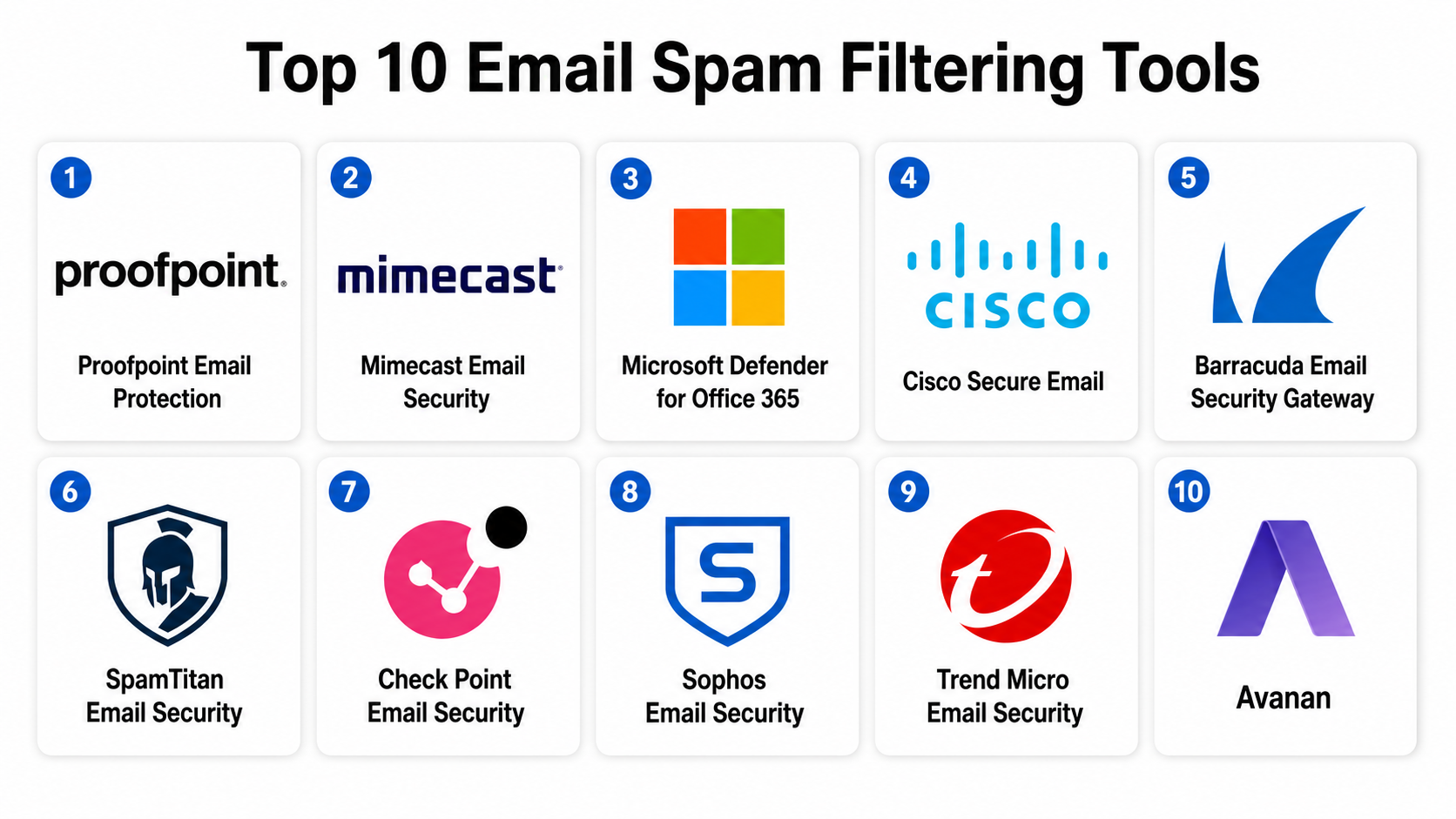
Introduction
Email Spam Filtering Tools are security solutions designed to detect, block, and manage unwanted or malicious emails before they reach a user’s inbox. These tools use a combination of rule-based filtering, machine learning, sender reputation analysis, content inspection, and threat intelligence to identify spam, phishing attempts, malware attachments, and business email compromise (BEC) attacks.
In email remains one of the most exploited attack vectors in cybersecurity. Despite advancements in authentication protocols and cloud security, attackers continue to use AI-generated phishing, credential harvesting, and spoofed domains to bypass traditional defenses. Modern spam filtering tools now go far beyond simple keyword filtering—they operate as AI-driven email security platforms integrated into enterprise security ecosystems.
Common use cases include:
- Blocking phishing and spear-phishing emails
- Preventing malware and ransomware delivery via email
- Filtering bulk spam and promotional abuse
- Detecting business email compromise (BEC) attacks
- Securing enterprise communication systems
- Protecting SaaS and cloud email environments
- Enforcing email authentication policies (SPF, DKIM, DMARC)
- Reducing inbox overload and productivity loss
When evaluating Email Spam Filtering Tools, organizations should consider:
- Detection accuracy for spam and phishing
- False positive/negative rates
- Real-time threat intelligence updates
- AI and machine learning capabilities
- Integration with email platforms (cloud and on-prem)
- Malware and attachment scanning depth
- URL and link protection capabilities
- Scalability for enterprise environments
- Admin control and policy customization
- Compliance and audit readiness
Best for: Enterprises, SMBs, government organizations, healthcare providers, and any business relying heavily on email communication.
Not ideal for: Systems without email communication or internal-only offline environments.
Key Trends in Email Spam Filtering Tools
- AI-driven phishing detection replacing rule-based filters
- Growth of BEC (Business Email Compromise) prevention systems
- Integration with zero trust security architectures
- Real-time URL rewriting and sandbox analysis
- Deep learning models for language and intent detection
- Cloud-native email security platforms replacing on-prem gateways
- Increased focus on attachment sandboxing and malware detonation
- DMARC enforcement becoming standard practice
- Behavioral analysis of sender reputation and communication patterns
- Unified email + collaboration security platforms (email, chat, files)
How We Selected These Tools (Methodology)
The tools listed below were selected based on enterprise adoption, threat detection accuracy, email security depth, integration capabilities, scalability, and compliance readiness.
Selection criteria included:
- Spam and phishing detection accuracy
- Malware and attachment protection strength
- AI and machine learning maturity
- Email platform compatibility (Microsoft 365, Google Workspace, etc.)
- Real-time threat intelligence integration
- Enterprise scalability and uptime reliability
- Policy customization and admin controls
- API and security ecosystem integration
- False positive rate efficiency
- Market credibility and adoption
Email Spam Filtering Tools
#1 — Proofpoint Email Protection
Short description :
Proofpoint Email Protection is a leading enterprise email security platform that blocks spam, phishing, and advanced email threats using AI-driven detection, behavioral analysis, and global threat intelligence.
Key Features
- Advanced phishing and spam detection
- Business Email Compromise (BEC) protection
- URL rewriting and real-time scanning
- Attachment sandboxing and malware detection
- AI-driven threat classification
- Email quarantine and policy control
- Threat intelligence network
Pros
- Extremely strong phishing protection
- Excellent enterprise threat intelligence
- High detection accuracy for BEC attacks
Cons
- Complex enterprise configuration
- Premium pricing model
- Requires tuning for large deployments
Platforms / Deployment
- Cloud / Hybrid
Security & Compliance
- Encryption
- Audit logs
- Threat intelligence integration
- Policy enforcement tools
- Compliance support (varies by region)
Integrations & Ecosystem
- Microsoft 365
- Google Workspace
- SIEM systems
- Security orchestration tools
- APIs
Support & Community
Strong enterprise support and onboarding services.
#2 — Mimecast Email Security
Short description :
Mimecast provides cloud-based email security that protects against spam, phishing, ransomware, and impersonation attacks using layered AI-driven filtering and threat intelligence.
Key Features
- Spam and phishing filtering
- Impersonation attack detection
- URL protection and rewriting
- Attachment sandboxing
- Continuity and backup services
- Threat intelligence analysis
- Policy-based filtering
Pros
- Strong layered protection model
- Excellent email continuity features
- Good phishing detection accuracy
Cons
- Complex configuration for advanced policies
- Can be expensive for SMBs
- Requires ongoing tuning
Platforms / Deployment
- Cloud / Hybrid
Security & Compliance
- Encryption
- Compliance archiving
- Audit logs
- Data loss prevention support
- Policy enforcement
Integrations & Ecosystem
- Microsoft 365
- Google Workspace
- Enterprise email systems
- SIEM platforms
- APIs
Support & Community
Strong enterprise support and documentation.
#3 — Microsoft Defender for Office 365
Short description :
Microsoft Defender for Office 365 protects users from spam, phishing, and malware using AI-based detection, Safe Links, Safe Attachments, and real-time threat analysis integrated into Microsoft 365.
Key Features
- AI-based spam and phishing detection
- Safe Links URL protection
- Safe Attachments sandboxing
- Anti-phishing policies
- Real-time threat intelligence
- Automated incident response
- Email and collaboration security
Pros
- Deep Microsoft ecosystem integration
- Strong AI-driven detection
- Easy deployment for Microsoft users
Cons
- Best within Microsoft ecosystem
- Limited customization outside Microsoft stack
- Requires licensing tiers
Platforms / Deployment
- Cloud
Security & Compliance
- Encryption
- Audit logs
- Threat analytics
- Compliance tools
- Identity integration
Integrations & Ecosystem
- Microsoft 365
- Entra ID
- Security center tools
- SIEM systems
- APIs
Support & Community
Strong enterprise Microsoft support ecosystem.
#4 — Cisco Secure Email (Cloud Gateway)
Short description :
Cisco Secure Email provides advanced spam filtering, phishing protection, and malware defense using threat intelligence, sandboxing, and machine learning-based email analysis.
Key Features
- Spam and phishing filtering
- Malware and attachment sandboxing
- URL filtering and rewriting
- Advanced threat intelligence
- Email encryption support
- Policy-based controls
- Cloud email gateway
Pros
- Strong enterprise security integration
- Good sandboxing capabilities
- Scales well for large organizations
Cons
- Complex deployment and configuration
- Requires security expertise
- Higher cost for enterprise use
Platforms / Deployment
- Cloud / Hybrid
Security & Compliance
- Encryption
- Threat intelligence
- Audit logging
- Policy enforcement
- Compliance support
Integrations & Ecosystem
- Microsoft 365
- Email servers
- Security appliances
- SIEM tools
- APIs
Support & Community
Strong enterprise support and consulting.
#5 — Barracuda Email Security Gateway
Short description :
Barracuda Email Security Gateway is a widely used email protection platform that filters spam, phishing, and malware using layered security and cloud-based threat intelligence.
Key Features
- Spam and phishing filtering
- Advanced malware detection
- URL protection and rewriting
- Attachment sandboxing
- Impersonation protection
- Email archiving integration
- Policy-based filtering
Pros
- Easy deployment
- Strong spam filtering accuracy
- Good value for SMB and mid-market
Cons
- Less advanced AI than top-tier competitors
- Limited deep behavioral analysis
- Requires tuning for complex environments
Platforms / Deployment
- Cloud / Hybrid
Security & Compliance
- Encryption
- Audit logs
- Policy enforcement
- Compliance tools
- Threat intelligence support
Integrations & Ecosystem
- Microsoft 365
- Google Workspace
- Email servers
- Security tools
- APIs
Support & Community
Good enterprise and SMB support.
#6 — SpamTitan Email Security
Short description :
SpamTitan provides cloud-based spam and phishing protection using machine learning, real-time blacklists, and advanced email filtering techniques.
Key Features
- Spam and phishing filtering
- Malware detection
- Real-time blacklist checking
- Attachment scanning
- URL filtering
- Policy-based rules
- Email quarantine management
Pros
- Simple deployment
- Cost-effective for SMBs
- Strong spam filtering accuracy
Cons
- Limited enterprise-grade intelligence
- Fewer advanced AI features
- Basic analytics capabilities
Platforms / Deployment
- Cloud / On-prem
Security & Compliance
- Encryption
- Spam filtering controls
- Audit logs
- Policy enforcement
- Compliance support (varies)
Integrations & Ecosystem
- Microsoft 365
- Google Workspace
- Email servers
- APIs
- Security gateways
Support & Community
Good SMB-focused support and documentation.
#7 — Check Point Email Security
Short description :
Check Point Email Security provides advanced spam filtering, phishing protection, and malware defense integrated into broader enterprise cybersecurity infrastructure.
Key Features
- AI-based spam filtering
- Phishing and BEC detection
- Malware sandboxing
- Threat intelligence integration
- URL protection
- Email encryption
- Policy-based filtering
Pros
- Strong enterprise cybersecurity integration
- High detection accuracy
- Good threat intelligence capabilities
Cons
- Complex deployment
- Requires security expertise
- Premium pricing structure
Platforms / Deployment
- Cloud / Hybrid
Security & Compliance
- Encryption
- Threat intelligence
- Audit logs
- Compliance tools
- Policy enforcement
Integrations & Ecosystem
- Enterprise security stacks
- Microsoft 365
- Email systems
- SIEM platforms
- APIs
Support & Community
Strong enterprise support ecosystem.
#8 — Sophos Email Security
Short description :
Sophos Email Security provides cloud-based spam filtering and phishing protection with AI-driven detection and integration into the Sophos security ecosystem.
Key Features
- Spam and phishing filtering
- Malware detection
- URL rewriting and scanning
- Deep learning threat detection
- Email encryption
- Policy-based controls
- Quarantine management
Pros
- Strong AI-based detection
- Easy integration with Sophos ecosystem
- Good usability for IT teams
Cons
- Best value within Sophos ecosystem
- Limited advanced customization
- Requires subscription tiers
Platforms / Deployment
- Cloud
Security & Compliance
- Encryption
- Audit logs
- Threat detection systems
- Compliance support
- Policy controls
Integrations & Ecosystem
- Microsoft 365
- Sophos security suite
- Email systems
- APIs
- SIEM tools
Support & Community
Good enterprise and SMB support.
#9 — Trend Micro Email Security
Short description :
Trend Micro Email Security protects against spam, phishing, and advanced threats using AI-based filtering and global threat intelligence networks.
Key Features
- Spam and phishing filtering
- Advanced threat protection
- URL scanning and protection
- Attachment sandboxing
- AI-based detection engine
- Email encryption
- Policy enforcement
Pros
- Strong global threat intelligence
- Reliable spam filtering
- Good enterprise scalability
Cons
- Complex configuration
- Requires tuning for accuracy
- Enterprise pricing
Platforms / Deployment
- Cloud / Hybrid
Security & Compliance
- Encryption
- Threat intelligence
- Audit logs
- Compliance tools
- Policy enforcement
Integrations & Ecosystem
- Microsoft 365
- Enterprise email systems
- Security platforms
- APIs
- SIEM tools
Support & Community
Strong enterprise support and global presence.
#10 — Avanan (Check Point Cloud Email Security)
Short description :
Avanan provides cloud-native email security that blocks spam, phishing, and malware before they reach inboxes, with deep integration into SaaS platforms like Microsoft 365 and Google Workspace.
Key Features
- Inline spam and phishing filtering
- AI-based threat detection
- Zero-day attack protection
- SaaS email integration
- Malware sandboxing
- URL protection
- Automated remediation
Pros
- Strong cloud-native architecture
- Excellent SaaS integration
- High detection accuracy
Cons
- Enterprise pricing
- Requires setup for advanced policies
- Less suitable for very small businesses
Platforms / Deployment
- Cloud
Security & Compliance
- Encryption
- Audit logs
- Threat intelligence
- Compliance support
- Policy enforcement
Integrations & Ecosystem
- Microsoft 365
- Google Workspace
- SaaS platforms
- APIs
- Security stacks
Support & Community
Strong enterprise support and onboarding.
Comparison Table (Top 10)
| Tool Name | Best For | Platform(s) Supported | Deployment | Standout Feature | Public Rating |
|---|---|---|---|---|---|
| Proofpoint | Enterprise email security | Cloud/Hybrid | Hybrid | Advanced phishing defense | N/A |
| Mimecast | Email continuity + security | Cloud/Hybrid | Hybrid | Continuity + protection | N/A |
| Microsoft Defender | Microsoft 365 security | Cloud | Cloud | Safe Links + Attachments | N/A |
| Cisco Secure Email | Enterprise gateway security | Cloud/Hybrid | Hybrid | Sandboxing engine | N/A |
| Barracuda | SMB & mid-market | Cloud/Hybrid | Hybrid | Strong spam filtering | N/A |
| SpamTitan | SMB email protection | Cloud/On-prem | Hybrid | Cost-effective filtering | N/A |
| Check Point | Enterprise security stack | Cloud/Hybrid | Hybrid | Threat intelligence integration | N/A |
| Sophos | SMB & enterprise mix | Cloud | Cloud | AI-driven filtering | N/A |
| Trend Micro | Global enterprise security | Cloud/Hybrid | Hybrid | Threat intelligence network | N/A |
| Avanan | Cloud email security | Cloud | Cloud | SaaS-native protection | N/A |
Evaluation & Email Spam Filtering Tools
| Tool Name | Core (25%) | Ease (15%) | Integrations (15%) | Security (10%) | Performance (10%) | Support (10%) | Value (15%) | Weighted Total |
|---|---|---|---|---|---|---|---|---|
| Proofpoint | 10 | 7 | 9 | 10 | 9 | 9 | 7 | 8.7 |
| Mimecast | 9 | 8 | 9 | 9 | 9 | 9 | 8 | 8.8 |
| Microsoft Defender | 9 | 9 | 10 | 9 | 10 | 9 | 9 | 9.2 |
| Cisco | 9 | 7 | 9 | 9 | 9 | 8 | 7 | 8.5 |
| Barracuda | 8 | 9 | 8 | 8 | 8 | 8 | 9 | 8.4 |
| SpamTitan | 7 | 9 | 7 | 8 | 8 | 8 | 9 | 8.0 |
| Check Point | 9 | 7 | 9 | 10 | 9 | 8 | 7 | 8.6 |
| Sophos | 8 | 9 | 8 | 9 | 8 | 8 | 8 | 8.3 |
| Trend Micro | 9 | 7 | 9 | 9 | 9 | 8 | 8 | 8.5 |
| Avanan | 9 | 8 | 9 | 9 | 9 | 9 | 7 | 8.7 |
Which Email Spam Filtering Tools
Solo / Freelancer
- SpamTitan
- Sophos
- Barracuda
SMB
- Barracuda
- Sophos
- SpamTitan
Mid-Market
- Mimecast
- Trend Micro
- Cisco Secure Email
Enterprise
- Proofpoint
- Microsoft Defender for Office 365
- Check Point / Avanan
Budget vs Premium
- Budget-friendly: SpamTitan
- Balanced value: Barracuda, Sophos
- Premium enterprise: Proofpoint, Cisco, Check Point
Feature Depth vs Ease of Use
- Easiest to use: Microsoft Defender
- Deepest enterprise security: Proofpoint
- Best cloud-native UX: Avanan
Integrations & Scalability
- Best ecosystem integration: Microsoft Defender
- Best enterprise scalability: Proofpoint
- Best hybrid flexibility: Mimecast
Security & Compliance Needs
Highly regulated industries should prioritize:
- Proofpoint
- Microsoft Defender for Office 365
- Check Point
- Cisco Secure Email
Frequently Asked Questions (FAQs)
1. What is email spam filtering?
It is the process of blocking unwanted or malicious emails before they reach the inbox.
2. How do spam filters work?
They use AI, rules, and threat intelligence to analyze email content and sender behavior.
3. Can spam filters stop phishing?
Yes, modern tools are highly effective at detecting phishing emails.
4. Do spam filters block legitimate emails?
Sometimes, but false positives are reduced through tuning and AI improvements.
5. Are spam filters cloud-based?
Most modern solutions are cloud-native, though hybrid models still exist.
6. Do they protect against malware?
Yes, many include attachment scanning and sandboxing.
7. What is BEC protection?
It prevents Business Email Compromise attacks targeting executives and finance teams.
8. Are spam filters AI-powered?
Yes, most modern systems use machine learning for detection.
9. Can small businesses use spam filters?
Yes, many tools offer SMB-friendly versions.
10. What is the future of email security?
It is moving toward AI-driven, zero trust email ecosystems with continuous threat detection.
Conclusion
Email Spam Filtering Tools remain a critical defense layer in modern cybersecurity, protecting organizations from phishing, malware, spam, and advanced email-based attacks. As threats become more sophisticated and AI-driven, traditional filtering methods are no longer enough, making advanced security platforms essential. Proofpoint, Microsoft Defender for Office 365, and Mimecast lead in enterprise-grade protection, while Barracuda and Sophos provide strong value for SMBs. Avanan and Cisco deliver robust cloud and hybrid security, and Check Point and Trend Micro offer deep integration within broader cybersecurity ecosystems.
