Introduction
Email Deliverability Tools help businesses understand whether their emails are reaching the inbox, spam folder, promotions tab, or getting blocked before delivery. In plain English, these tools help marketing, sales, product, and IT teams improve email sending quality, sender reputation, domain authentication, inbox placement, bounce handling, and spam risk.
In email environment, deliverability matters more because mailbox providers are stricter about authentication, engagement, spam complaints, bulk sending behavior, and sender trust. A good email campaign is not only about design or copy; it must also pass technical, reputation, and compliance checks.
Common use cases include:
- Monitoring inbox placement before launching campaigns.
- Checking SPF, DKIM, DMARC, and BIMI setup.
- Detecting blacklist or blocklist issues.
- Improving cold email and newsletter performance.
- Tracking sender reputation across domains and IPs.
Buyers should evaluate:
- Inbox placement testing
- DMARC and authentication checks
- Reputation monitoring
- Spam testing
- Reporting dashboards
- API and CRM integrations
- Ease of onboarding
- Security controls
- Pricing flexibility
- Support quality
Best for: marketing teams, SaaS companies, agencies, ecommerce brands, sales teams, IT administrators, and companies sending high-volume transactional or promotional emails.
Not ideal for: very small teams sending only a few manual emails per month, businesses without email marketing activity, or teams that only need a basic email service provider with simple reporting.
Key Trends in Email Deliverability Tools
- AI-based deliverability recommendations are becoming common for subject lines, sender behavior, spam risk, and engagement analysis.
- DMARC enforcement is now more important, especially for bulk senders that must prove domain authenticity.
- Inbox placement testing is moving beyond simple spam checks and now includes Gmail, Outlook, Yahoo, and regional mailbox testing.
- Reputation monitoring is becoming continuous, not only campaign-based.
- Deliverability and security are merging, especially around phishing protection, spoofing prevention, and domain trust.
- More tools now support API-based workflows for developers and product teams.
- Cold outreach teams are using warm-up and monitoring tools, but buyers must be careful with risky automation practices.
- Marketing teams want simpler dashboards that explain technical issues in business-friendly language.
- Enterprise buyers expect SSO, RBAC, audit logs, and compliance documentation, especially when customer data is involved.
- Email platforms are becoming more integrated, connecting deliverability with CRM, CDP, ecommerce, analytics, and customer support systems.
How We Selected These Tools
- Selected tools with strong market recognition in email deliverability, monitoring, testing, or sender reputation.
- Included a balanced mix of enterprise, SMB, developer-first, and marketing-focused platforms.
- Prioritized tools that support inbox placement, spam testing, authentication checks, or reputation monitoring.
- Considered ecosystem fit with ESPs, CRMs, APIs, and marketing platforms.
- Reviewed practical usefulness for marketing, sales, IT, and engineering teams.
- Favored tools with clear use cases and mature workflows.
- Avoided tools that are only basic email senders without meaningful deliverability capabilities.
- Included tools suitable for different budget levels and technical maturity.
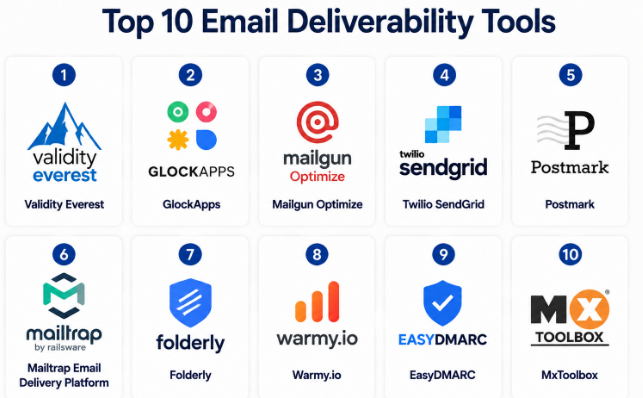
Top 10 Email Deliverability Tools
#1 — Validity Everest
Short description :
Validity Everest is a full email deliverability platform built for serious marketing and revenue teams. It helps users monitor inbox placement, sender reputation, list quality, engagement, and email performance. It is best suited for mid-market and enterprise teams that send regular campaigns at scale. The platform is useful for brands that need deeper reporting instead of only basic email metrics. It also helps teams identify deliverability risks before they affect revenue.
Key Features
- Inbox placement testing across major mailbox providers.
- Sender reputation monitoring.
- Email list validation capabilities.
- Engagement and campaign performance insights.
- Deliverability dashboards for marketing teams.
- Monitoring for authentication and infrastructure issues.
- Enterprise-focused reporting workflows.
Pros
- Strong fit for high-volume email programs.
- Broad deliverability visibility in one platform.
- Useful for teams that need advanced reporting.
Cons
- May be too advanced for small teams.
- Pricing may not suit low-volume senders.
- Requires deliverability knowledge to use deeply.
Platforms / Deployment
Cloud / Web
Security & Compliance
SSO/SAML, RBAC, audit logs, and compliance details vary by plan. Public certification details: Not publicly stated.
Integrations & Ecosystem
Validity Everest is designed to fit into larger email marketing and CRM ecosystems. It works best when connected with campaign platforms, customer data workflows, and analytics tools.
- Email service providers
- CRM platforms
- Marketing automation tools
- Data quality workflows
- Reporting dashboards
Support & Community
Validity provides business-focused support and onboarding options. Community visibility is moderate, but enterprise support and documentation are stronger than casual community resources.
#2 — GlockApps
Short description :
GlockApps is a popular email deliverability testing tool for marketers, agencies, and small to mid-sized businesses. It helps users test inbox placement, spam score, authentication, and blacklist status before sending campaigns. The tool is practical for teams that want fast visibility into where their emails may land. It is especially useful for agencies managing multiple sending domains. GlockApps is also friendly for users who need deliverability testing without a heavy enterprise setup.
Key Features
- Inbox placement testing.
- Spam score analysis.
- SPF, DKIM, and DMARC checks.
- Blacklist monitoring.
- Email template testing.
- Domain reputation insights.
- Reporting for campaign troubleshooting.
Pros
- Easy to understand for marketers.
- Good for pre-send testing.
- Useful for agencies and consultants.
Cons
- Advanced enterprise workflows may be limited.
- Some results require deliverability expertise.
- Not a full email marketing platform.
Platforms / Deployment
Cloud / Web
Security & Compliance
MFA and account security options may vary. Public compliance certifications: Not publicly stated.
Integrations & Ecosystem
GlockApps fits well into email marketing workflows where teams need testing before sending. It can be used alongside most email service providers.
- ESP workflows
- SMTP testing
- Campaign testing
- Domain authentication checks
- Reporting exports
Support & Community
Documentation is practical and focused on deliverability testing. Support is generally suitable for marketers, agencies, and SMB users. Community depth is moderate.
#3 — Mailgun Optimize
Short description :
Mailgun Optimize is a deliverability solution connected with the Mailgun ecosystem. It is useful for developers, SaaS teams, and businesses that send transactional or application-based emails. It helps users monitor inbox placement, reputation, validation, and deliverability performance. It is especially strong when paired with Mailgun’s email sending infrastructure. Product and engineering teams can use it to improve system email reliability.
Key Features
- Inbox placement insights.
- Email validation.
- Reputation monitoring.
- Deliverability reporting.
- API-friendly workflows.
- Transactional email visibility.
- Integration with Mailgun sending services.
Pros
- Strong for developer-first teams.
- Useful for transactional email programs.
- Works well with Mailgun infrastructure.
Cons
- Best value often comes inside Mailgun ecosystem.
- Less ideal for non-technical marketing-only teams.
- Advanced setup may need engineering help.
Platforms / Deployment
Cloud / Web / API
Security & Compliance
Security features vary by plan. Public compliance details for specific deliverability features: Not publicly stated.
Integrations & Ecosystem
Mailgun Optimize fits naturally into developer workflows and SaaS email systems. It works well when email sending is part of an application or product.
- Mailgun Email API
- SMTP workflows
- Webhooks
- Application monitoring
- Email validation pipelines
Support & Community
Mailgun has developer documentation and technical support resources. Support level depends on plan and usage. Community presence is stronger among developer and SaaS teams.
#4 — Twilio SendGrid
Short description :
Twilio SendGrid is widely used for transactional and marketing email sending, with deliverability tools built into its platform. It helps businesses manage sending infrastructure, authentication, analytics, suppression lists, and email performance. It is useful for startups, SaaS companies, ecommerce brands, and enterprises. While it is not only a deliverability tool, its deliverability features are important for high-volume senders. It is especially useful for teams that want sending and monitoring in one place.
Key Features
- Email API and SMTP sending.
- Authentication setup support.
- Suppression and bounce management.
- Deliverability analytics.
- Dedicated IP options.
- Reputation monitoring signals.
- Scalable transactional email infrastructure.
Pros
- Strong developer and API ecosystem.
- Scales well for transactional email.
- Suitable for both startups and large businesses.
Cons
- Deliverability success still depends on sender behavior.
- Advanced deliverability needs may require expert support.
- Interface may feel technical for non-developers.
Platforms / Deployment
Cloud / Web / API
Security & Compliance
MFA and account security features are available. Detailed compliance varies by service and plan. Public certification details for all features: Not publicly stated.
Integrations & Ecosystem
SendGrid has a broad developer ecosystem and works with many product, marketing, and data workflows.
- REST APIs
- SMTP relay
- Webhooks
- Marketing platforms
- CRM workflows
- Application backends
Support & Community
Documentation is strong, especially for developers. Support tiers vary by plan. Community presence is strong because of wide adoption.
#5 — Postmark
Short description :
Postmark is an email delivery platform focused mainly on transactional emails. It is known for speed, reliability, and clean developer workflows. While it is not a traditional marketing deliverability suite, it helps teams send important emails like password resets, invoices, alerts, and product notifications. It is best for SaaS products, apps, and businesses where transactional email reliability matters. Teams choose it when they want simple, dependable email delivery with clear reporting.
Key Features
- Transactional email delivery.
- Message streams for email separation.
- Delivery and bounce tracking.
- Spam complaint handling.
- Developer-friendly APIs.
- Templates and activity logs.
- Strong focus on reliable sending.
Pros
- Excellent fit for product and SaaS emails.
- Simple and clean developer experience.
- Strong focus on transactional reliability.
Cons
- Not built as a full marketing deliverability suite.
- Limited for complex newsletter programs.
- Advanced inbox placement testing may require another tool.
Platforms / Deployment
Cloud / Web / API
Security & Compliance
Security and compliance details vary by plan and account setup. Public certification details: Not publicly stated.
Integrations & Ecosystem
Postmark integrates well with application stacks and developer workflows. It is commonly used where product emails must be fast and dependable.
- APIs
- SMTP
- Webhooks
- Application backends
- Product notification systems
- Template workflows
Support & Community
Documentation is clear and developer-friendly. Support is generally known for being practical and product-focused. Community is strong among SaaS builders and developers.
#6 — Mailtrap Email Delivery Platform
Short description :
Mailtrap is useful for development, testing, and production email delivery workflows. It helps developers test emails safely before sending them to real users and also supports production email sending. For deliverability, it helps teams check email content, headers, spam risks, and delivery behavior. It is best for engineering teams, QA teams, and SaaS companies that want controlled email testing and sending. It is also helpful for reducing email mistakes before launch.
Key Features
- Email testing sandbox.
- SMTP and API email sending.
- Email preview and debugging.
- Spam analysis.
- Header inspection.
- Delivery monitoring.
- Developer-focused workflows.
Pros
- Strong for testing before production.
- Useful for developers and QA teams.
- Helps prevent broken or risky emails.
Cons
- Marketing deliverability depth may be limited.
- Not ideal as a pure enterprise deliverability suite.
- Some teams may still need separate inbox placement tools.
Platforms / Deployment
Cloud / Web / API
Security & Compliance
Security controls vary by plan. Public compliance certifications: Not publicly stated.
Integrations & Ecosystem
Mailtrap works well with development and staging environments. It is especially useful for teams building products with automated emails.
- SMTP
- APIs
- CI/CD workflows
- Development environments
- QA testing systems
- Application frameworks
Support & Community
Documentation is practical and developer-friendly. Support options vary by plan. Community awareness is strong in engineering and QA circles.
#7 — Folderly
Short description :
Folderly is an email deliverability platform focused on improving inbox placement and sender health. It is often used by sales, marketing, and outreach teams that want better visibility into deliverability problems. The platform helps detect issues related to spam placement, authentication, reputation, and email content. It is useful for teams running outbound campaigns or managing multiple mailboxes. Folderly is designed to make deliverability easier for non-technical users.
Key Features
- Inbox placement monitoring.
- Domain and mailbox health checks.
- Spam issue detection.
- Deliverability recommendations.
- Email content analysis.
- Outreach-focused monitoring.
- Reporting dashboards.
Pros
- Good for sales and outreach teams.
- Business-friendly deliverability guidance.
- Helps non-technical users understand issues.
Cons
- May not replace deep enterprise tools.
- Pricing may be high for very small users.
- Results depend on responsible sending practices.
Platforms / Deployment
Cloud / Web
Security & Compliance
Security and compliance details vary. Public certification details: Not publicly stated.
Integrations & Ecosystem
Folderly fits well into outbound email and sales engagement workflows. It is most useful when paired with CRMs and mailbox providers.
- Gmail and Outlook workflows
- Sales engagement tools
- CRM systems
- Email health dashboards
- Domain monitoring workflows
Support & Community
Support is generally focused on onboarding and deliverability improvement. Community depth is moderate, with stronger value in guided support and service-oriented workflows.
#8 — Warmy.io
Short description :
Warmy.io is an email warm-up and deliverability improvement tool used by sales teams, agencies, and outbound marketers. It helps monitor mailbox health and improve inbox placement signals over time. The tool is especially relevant for teams using cold outreach, but it should be used carefully and ethically. It is not a replacement for good list quality, permission, and proper targeting. Warmy.io is best for teams that need mailbox monitoring and sender reputation support.
Key Features
- Email warm-up automation.
- Inbox placement tracking.
- Deliverability monitoring.
- Domain health checks.
- Reputation improvement workflows.
- Spam placement insights.
- Reports for outreach teams.
Pros
- Useful for outbound email teams.
- Simple setup for mailbox monitoring.
- Helps identify sender health issues.
Cons
- Warm-up tools must be used responsibly.
- Not a full email marketing platform.
- Not ideal for permission-based newsletter teams only.
Platforms / Deployment
Cloud / Web
Security & Compliance
Security details vary by plan. Public compliance certifications: Not publicly stated.
Integrations & Ecosystem
Warmy.io is commonly used with mailbox providers and outbound sales systems. It is most useful when combined with good sending practices.
- Gmail workflows
- Outlook workflows
- Sales outreach tools
- Domain health checks
- Deliverability reports
Support & Community
Support is focused on setup, monitoring, and deliverability guidance. Public community depth is moderate. Documentation and onboarding vary by plan.
#9 — EasyDMARC
Short description :
EasyDMARC focuses on domain authentication, DMARC monitoring, and email security. It helps businesses protect domains from spoofing and phishing while also improving trust with mailbox providers. It is useful for IT teams, security teams, MSPs, and businesses that need stronger domain-level email control. While it is not only a marketing deliverability tool, it plays a major role in deliverability readiness. It is especially useful for teams managing SPF, DKIM, DMARC, and BIMI.
Key Features
- DMARC monitoring and reporting.
- SPF and DKIM checks.
- BIMI support.
- Domain spoofing visibility.
- Email authentication guidance.
- Managed service options.
- MSP-friendly workflows.
Pros
- Strong for authentication and domain protection.
- Useful for security and IT teams.
- Helps support deliverability compliance basics.
Cons
- Not focused on campaign content testing.
- Limited as a pure inbox placement tool.
- Requires DNS and email authentication understanding.
Platforms / Deployment
Cloud / Web
Security & Compliance
Security-focused platform. Specific certifications and compliance claims: Not publicly stated.
Integrations & Ecosystem
EasyDMARC fits into IT, DNS, and security workflows. It helps teams manage authentication records and analyze domain-level email behavior.
- DNS workflows
- DMARC reports
- MSP dashboards
- Security operations
- Email authentication systems
- BIMI workflows
Support & Community
Documentation is useful for DMARC and authentication education. Support options vary by plan. Community is strongest among IT, MSP, and security-focused users.
#10 — MxToolbox
Short description :
MxToolbox is a long-standing email diagnostics and monitoring tool used by IT administrators, support teams, and technical users. It helps check DNS, MX records, SPF, DKIM, DMARC, blacklist status, and mail server health. It is not a full marketing deliverability platform, but it is highly useful for troubleshooting email infrastructure. Teams often use it when email delivery problems appear suddenly. It is best for technical checks and fast diagnostics.
Key Features
- MX record lookup.
- Blacklist monitoring.
- SPF, DKIM, and DMARC checks.
- SMTP diagnostics.
- DNS troubleshooting.
- Mail server health checks.
- Alerting and monitoring options.
Pros
- Strong for technical troubleshooting.
- Useful for IT and admin teams.
- Fast checks for common email problems.
Cons
- Not built for campaign inbox placement testing.
- Limited marketing analytics.
- Interface may feel technical for beginners.
Platforms / Deployment
Cloud / Web
Security & Compliance
Security and compliance details: Not publicly stated.
Integrations & Ecosystem
MxToolbox is best used alongside email infrastructure, DNS, and IT monitoring workflows. It helps teams quickly validate technical records and diagnose sending issues.
- DNS tools
- Mail server checks
- Blacklist monitoring
- Admin workflows
- Email authentication checks
- Alerting workflows
Support & Community
Documentation is practical for technical users. Community recognition is strong among IT admins. Support options vary by plan.
Comparison Table
| Tool Name | Best For | Platform(s) Supported | Deployment | Standout Feature | Public Rating |
|---|---|---|---|---|---|
| Validity Everest | Enterprise and high-volume marketing teams | Web | Cloud | Advanced inbox placement and reputation analytics | N/A |
| GlockApps | Agencies, SMB marketers, deliverability testing | Web | Cloud | Pre-send inbox placement and spam testing | N/A |
| Mailgun Optimize | Developers and SaaS transactional email teams | Web / API | Cloud | Developer-first deliverability monitoring | N/A |
| Twilio SendGrid | Scalable transactional and marketing email | Web / API | Cloud | Email API with deliverability analytics | N/A |
| Postmark | SaaS and product transactional email | Web / API | Cloud | Fast, reliable transactional email delivery | N/A |
| Mailtrap Email Delivery Platform | Developers, QA, and product teams | Web / API | Cloud | Testing plus production email workflows | N/A |
| Folderly | Sales and outreach deliverability teams | Web | Cloud | Business-friendly inbox placement guidance | N/A |
| Warmy.io | Cold outreach and mailbox warm-up teams | Web | Cloud | Email warm-up and sender health monitoring | N/A |
| EasyDMARC | IT, security, and MSP teams | Web | Cloud | DMARC and domain authentication management | N/A |
| MxToolbox | IT admins and technical troubleshooting | Web | Cloud | DNS, blacklist, and email diagnostics | N/A |
Evaluation & Email Deliverability Tools
| Tool Name | Core (25%) | Ease (15%) | Integrations (15%) | Security (10%) | Performance (10%) | Support (10%) | Value (15%) | Weighted Total (0–10) |
|---|---|---|---|---|---|---|---|---|
| Validity Everest | 9 | 7 | 8 | 8 | 9 | 8 | 7 | 8.15 |
| GlockApps | 8 | 8 | 7 | 6 | 8 | 7 | 8 | 7.55 |
| Mailgun Optimize | 8 | 7 | 9 | 7 | 8 | 7 | 8 | 7.85 |
| Twilio SendGrid | 8 | 7 | 9 | 7 | 9 | 7 | 8 | 8.00 |
| Postmark | 8 | 9 | 8 | 7 | 9 | 8 | 8 | 8.15 |
| Mailtrap Email Delivery Platform | 7 | 9 | 8 | 6 | 8 | 7 | 8 | 7.65 |
| Folderly | 8 | 8 | 7 | 6 | 7 | 7 | 7 | 7.35 |
| Warmy.io | 7 | 8 | 6 | 6 | 7 | 7 | 7 | 6.95 |
| EasyDMARC | 8 | 8 | 7 | 8 | 8 | 7 | 8 | 7.75 |
| MxToolbox | 7 | 8 | 6 | 6 | 8 | 7 | 8 | 7.20 |
These scores are comparative, not absolute. A higher score does not mean the tool is best for every team. For example, Postmark scores strongly for transactional email, while Validity Everest is stronger for advanced deliverability programs. Teams should use the table to shortlist tools, then validate pricing, integrations, support, and security requirements before purchase.
Which Email Deliverability Tools
Solo / Freelancer
Solo users usually need simple testing, domain checks, and affordable monitoring. GlockApps, MxToolbox, and Warmy.io can be practical choices depending on the use case. If the main need is checking whether emails go to spam, GlockApps is a strong starting point. If the main need is DNS and blacklist troubleshooting, MxToolbox is more useful.
SMB
SMBs need a balance of ease, price, and clear reporting. GlockApps, Folderly, EasyDMARC, and Mailtrap can work well depending on the team. Marketing teams may prefer GlockApps or Folderly. IT teams may prefer EasyDMARC. Product teams may prefer Mailtrap or Postmark.
Mid-Market
Mid-market teams usually need better reporting, multiple domains, stronger integrations, and more reliable support. Validity Everest, Twilio SendGrid, Mailgun Optimize, Postmark, and EasyDMARC are strong candidates. The right choice depends on whether the team sends marketing emails, transactional emails, or both.
Enterprise
Enterprise buyers should focus on security controls, support quality, reporting depth, role-based access, auditability, and integration with existing systems. Validity Everest is strong for large deliverability programs. Twilio SendGrid and Mailgun Optimize are strong for scalable email infrastructure. EasyDMARC is useful for domain security and authentication governance.
Budget vs Premium
Budget-conscious teams should start with tools that solve the most urgent problem first. For technical checks, MxToolbox may be enough. For campaign testing, GlockApps may be enough. Premium teams that need deeper visibility should evaluate Validity Everest, enterprise SendGrid plans, or advanced DMARC platforms.
Feature Depth vs Ease of Use
Feature-rich tools are powerful, but they may require email expertise. Validity Everest provides deeper deliverability insights, while GlockApps and Folderly may be easier for marketing and sales teams. Developers may prefer Postmark, Mailgun Optimize, or Mailtrap because they fit technical workflows better.
Integrations & Scalability-
If email is part of a SaaS product or application, API quality matters. Twilio SendGrid, Mailgun Optimize, Postmark, and Mailtrap are stronger for developer workflows. If the team needs CRM or sales workflow support, Folderly, Warmy.io, and GlockApps may be easier to use.
Security & Compliance Needs
For security-focused teams, email authentication and domain protection should come first. EasyDMARC is strong for DMARC, SPF, DKIM, and BIMI workflows. Enterprises should also check SSO, RBAC, audit logs, data handling, and compliance documentation before selecting any platform.
Frequently Asked Questions
1. What is an email deliverability tool?
An email deliverability tool helps you understand whether your emails are reaching the inbox, spam folder, or getting blocked. It checks sender reputation, domain authentication, content quality, blacklist status, and inbox placement.
2. How much do email deliverability tools usually cost?
Pricing varies widely. Some tools offer entry-level plans for small teams, while enterprise platforms use custom pricing. If pricing is not clearly listed, treat it as “Varies / N/A” and confirm directly during evaluation.
3. Do I need an email deliverability tool if I already use an email marketing platform?
Yes, in many cases. Email marketing platforms show campaign performance, but dedicated deliverability tools give deeper visibility into inbox placement, spam risks, authentication, and reputation issues.
4. What is the most common email deliverability mistake?
The most common mistake is focusing only on email design and ignoring sender reputation, list quality, authentication, and engagement. Even a well-designed email can fail if the domain or sending behavior looks risky.
5. How long does onboarding take?
Simple tools can be used in minutes or hours. Enterprise platforms may take longer because teams must connect domains, verify DNS records, configure users, review reports, and align sending practices.
6. Are email deliverability tools secure?
Most reputable SaaS tools include basic account security, but security depth varies. Buyers should check MFA, SSO, RBAC, audit logs, encryption, data retention, and compliance documentation before purchase.
7. Can these tools improve inbox placement automatically?
Some tools provide automated recommendations or warm-up workflows, but no tool can guarantee inbox placement. Good deliverability depends on authentication, sender reputation, list quality, content, frequency, and recipient engagement.
8. Do email deliverability tools support integrations?
Many tools support integrations with ESPs, CRMs, APIs, SMTP systems, and reporting workflows. Developer-first tools usually provide stronger APIs, while marketing-focused tools provide easier dashboards.
9. When should a company switch deliverability tools?
A company should consider switching when the current tool lacks required inbox testing, poor reporting, weak support, limited integrations, or insufficient security controls. Switching should be tested with a pilot before full migration.
10. What are alternatives to dedicated email deliverability tools?
Alternatives include built-in ESP analytics, basic DNS tools, manual blacklist checks, and DMARC reporting tools. These may work for small teams, but dedicated tools are better when email revenue, scale, or reputation risk is high.
Conclusion
Email deliverability is no longer a small technical detail; it is a core part of digital communication, customer trust, and revenue performance. The best Email Deliverability Tool depends on what your team sends, how often you send, who manages email operations, and how much visibility you need. A SaaS product team may choose Postmark, Mailgun Optimize, Mailtrap, or Twilio SendGrid because API reliability matters most. A marketing team may prefer Validity Everest, GlockApps, or Folderly because inbox placement and campaign reputation are more important. An IT or security team may choose EasyDMARC or MxToolbox because authentication, DNS, and domain protection are the main priorities.
