Introduction
Data Migration Tools are software platforms that help businesses move data from one system to another safely, accurately, and with minimum disruption. This may include moving databases, files, applications, analytics data, customer records, ERP data, CRM data, or cloud warehouse data from legacy systems to modern platforms.
In simple terms, these tools help companies avoid manual copying, broken records, downtime, duplicate data, and compliance risks during migration. In a modern business environment, data migration matters because companies are moving from on-premises systems to cloud platforms, modernizing old applications, consolidating tools after mergers, and preparing clean data pipelines for analytics and AI.
Common use cases include:
- Migrating on-premises databases to cloud databases
- Moving data from legacy ERP or CRM systems
- Cloud warehouse migration
- Data lake and analytics modernization
- Continuous replication during system cutover
- Backup, recovery, and disaster recovery migration
Buyers should evaluate:
- Source and target system support
- Migration speed and reliability
- Change data capture support
- Downtime requirements
- Data validation features
- Security and encryption
- Compliance readiness
- Pricing model
- Ease of setup
- Monitoring and rollback options
Best for: IT managers, database administrators, data engineers, cloud architects, enterprise teams, SaaS companies, financial services, healthcare, retail, manufacturing, and any business moving critical data between systems.
Not ideal for: Very small teams with simple one-time CSV imports, businesses with low data volume, or teams that only need lightweight manual export/import features.
Key Trends in Data Migration Tools
- Cloud-first migration: More businesses are moving from legacy systems to AWS, Azure, Google Cloud, Snowflake, Databricks, and other modern data platforms.
- Low-downtime migration: Change data capture and continuous replication are becoming standard for critical workloads.
- AI-assisted mapping: Modern tools are starting to help with schema mapping, anomaly detection, transformation suggestions, and quality checks.
- Hybrid deployment: Enterprises still need hybrid models because sensitive data often remains on-premises.
- Data quality focus: Migration is no longer just movement; validation, profiling, deduplication, and cleansing are now important.
- Compliance-first buying: Security, audit logs, RBAC, encryption, and regional data controls are key buying factors.
- ELT and reverse ETL growth: Data migration overlaps with modern data integration and warehouse automation.
- API-based ecosystems: Buyers prefer tools with strong APIs, connectors, webhooks, and automation support.
- Usage-based pricing: Many platforms use consumption, connector, task, row, or volume-based pricing.
- AI-ready data pipelines: Clean migration pipelines are becoming important for analytics, machine learning, and generative AI use cases.
How We Selected These Tools
The tools were selected using a practical evaluation approach:
- Strong market recognition in database, cloud, and enterprise data migration
- Support for common source and target systems
- Feature completeness across batch migration, replication, transformation, and monitoring
- Cloud migration relevance for modern infrastructure teams
- Enterprise readiness for security, governance, and scale
- Integration strength with databases, warehouses, SaaS tools, and cloud platforms
- Fit for different company sizes, from SMB to enterprise
- Practical use cases across migration, modernization, and analytics
- Availability of documentation, support, and ecosystem maturity
- Balanced mix of cloud-native, enterprise, developer-friendly, and managed platforms
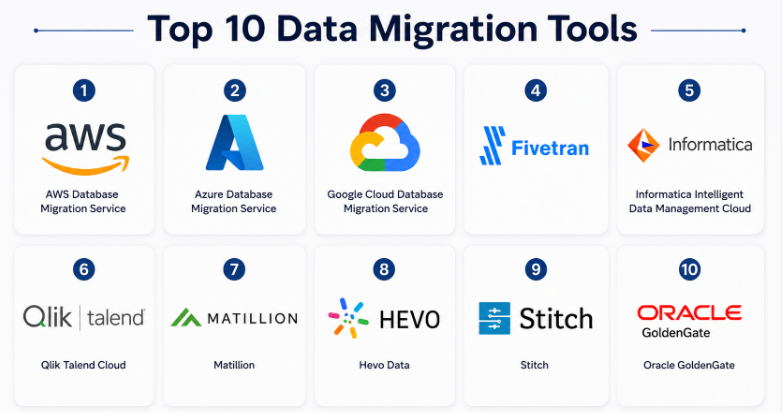
Top 10 Data Migration Tools
#1 — AWS Database Migration Service
Short description :
AWS Database Migration Service is a cloud-based tool for migrating databases to AWS and within AWS environments. It is widely used by teams moving from on-premises databases to Amazon RDS, Amazon Aurora, Amazon Redshift, and other AWS data services. It supports both one-time migrations and continuous replication. It is especially useful for companies already invested in AWS. For cloud architects and database teams, it provides a structured way to reduce downtime during database modernization.
Key Features
- Supports homogeneous and heterogeneous database migration
- Change data capture for ongoing replication
- Works with many relational and non-relational databases
- Useful for cloud modernization and database consolidation
- Supports migration assessment and schema conversion workflows
- Pay-as-you-go usage model
- Strong fit for AWS-native environments
Pros
- Excellent choice for AWS-focused migration projects
- Supports low-downtime database migration
- Scales well for enterprise workloads
Cons
- Best value is inside the AWS ecosystem
- Complex migrations may need expert DBA support
- Not designed as a general SaaS app migration tool
Platforms / Deployment
Cloud / Hybrid
Security & Compliance
AWS provides enterprise-grade security controls such as encryption, IAM-based access, network isolation, logging, and cloud compliance programs. Specific compliance depends on the AWS services and region used.
Integrations & Ecosystem
AWS DMS fits deeply into the AWS database and analytics ecosystem.
- Amazon RDS
- Amazon Aurora
- Amazon Redshift
- Amazon S3
- Oracle, SQL Server, MySQL, PostgreSQL
- AWS CloudWatch and IAM
Support & Community
AWS DMS has strong documentation, enterprise support options, training materials, partner support, and a large cloud community. Support quality depends on the AWS support plan.
#2 — Azure Database Migration Service
Short description :
Azure Database Migration Service helps teams migrate databases into Microsoft Azure. It is useful for organizations moving SQL Server, MySQL, PostgreSQL, MongoDB, and other supported databases to Azure data platforms. It is especially strong for Microsoft-heavy environments. Companies using Azure SQL Database, Azure SQL Managed Instance, or Azure Arc-based assessments can benefit from guided migration workflows. It is designed for structured, cloud-focused database modernization.
Key Features
- Guided database migration workflows
- Supports online and offline migration scenarios
- Strong fit for SQL Server migration
- Works with Azure portal, PowerShell, and CLI
- Assessment and readiness support
- Helps automate repeatable migrations
- Supports enterprise Azure environments
Pros
- Strong option for Microsoft and Azure customers
- Helpful for SQL Server modernization
- Good automation support through Azure tooling
Cons
- Mostly suited for Azure targets
- Complex enterprise migrations may still need planning
- Some scenarios may require separate Azure tools
Platforms / Deployment
Cloud / Hybrid
Security & Compliance
Azure security capabilities include identity controls, encryption, network security, logging, and compliance programs. Exact compliance depends on Azure service configuration and region.
Integrations & Ecosystem
Azure Database Migration Service connects well with Microsoft data platforms.
- Azure SQL Database
- Azure SQL Managed Instance
- SQL Server
- MySQL
- PostgreSQL
- PowerShell and Azure CLI
Support & Community
Microsoft provides detailed documentation, enterprise support plans, partner consulting, and a strong Azure community. It is well suited for companies already using Microsoft cloud services.
#3 — Google Cloud Database Migration Service
Short description :
Google Cloud Database Migration Service helps businesses migrate databases into Google Cloud. It supports guided migration paths for common database engines and is often used for Cloud SQL and AlloyDB migration projects. It is useful for teams adopting Google Cloud for application modernization, analytics, and managed database operations. The tool focuses on simplifying networking, replication, migration status tracking, and validation.
Key Features
- Guided database migration experience
- Supports common database engines
- Uses native replication where applicable
- Helps manage networking and migration setup
- Supports validation before migration
- Good fit for Cloud SQL and AlloyDB migration
- Integrated with Google Cloud operations
Pros
- Strong for Google Cloud database modernization
- Helpful guided setup for migration teams
- Good fit for PostgreSQL and MySQL modernization paths
Cons
- Best for Google Cloud target environments
- May not cover every enterprise migration pattern
- Complex schema changes may require extra work
Platforms / Deployment
Cloud / Hybrid
Security & Compliance
Google Cloud provides identity, encryption, networking, audit logging, and compliance controls. Exact compliance depends on configuration, service usage, and region.
Integrations & Ecosystem
Google Cloud Database Migration Service works well inside the Google Cloud ecosystem.
- Cloud SQL
- AlloyDB
- MySQL
- PostgreSQL
- SQL Server
- Google Cloud networking and monitoring tools
Support & Community
Google Cloud provides documentation, support plans, migration guides, and partner help. Community support is strong among cloud-native and data engineering teams.
#4 — Fivetran
Short description :
Fivetran is an automated data movement platform used for moving data from SaaS applications, databases, and files into cloud warehouses and data platforms. It is popular with data teams that want managed connectors, automated schema handling, and reliable ELT pipelines. It is especially useful for analytics migration, warehouse consolidation, and ongoing data synchronization. Fivetran is more of a modern data integration and replication platform than a traditional lift-and-shift database migration tool.
Key Features
- Large connector ecosystem
- Automated schema drift handling
- Managed ELT pipelines
- Change data capture support for databases
- Cloud warehouse-focused workflows
- Monitoring and pipeline observability
- Enterprise security options
Pros
- Reduces manual pipeline maintenance
- Strong for analytics and warehouse migration
- Good connector coverage for SaaS data
Cons
- Pricing can grow with usage
- Less ideal for full application migration
- Advanced customization may be limited compared with code-first tools
Platforms / Deployment
Cloud / Hybrid
Security & Compliance
Known security and compliance capabilities include SOC 1, SOC 2, GDPR, HIPAA BAA, ISO 27001, PCI DSS Level 1, and HITRUST for applicable services and plans.
Integrations & Ecosystem
Fivetran has a strong modern data stack ecosystem.
- Snowflake
- Databricks
- BigQuery
- Redshift
- PostgreSQL and MySQL
- Salesforce, NetSuite, HubSpot, and many SaaS tools
Support & Community
Fivetran offers documentation, onboarding resources, enterprise support, and a strong data engineering user base. Support depth varies by plan.
#5 — Informatica Intelligent Data Management Cloud
Short description :
Informatica Intelligent Data Management Cloud is an enterprise-grade platform for data integration, migration, governance, quality, and management. It is widely used by large organizations with complex data landscapes. It supports cloud, hybrid, and multi-cloud migration needs. Informatica is best suited for enterprises that need more than basic movement, including data quality, governance, metadata, compliance, and lifecycle control.
Key Features
- Enterprise data integration and migration
- Cloud and hybrid data movement
- Data quality and governance capabilities
- Metadata management
- AI-assisted automation features
- Broad enterprise connector ecosystem
- Suitable for regulated industries
Pros
- Strong enterprise data management depth
- Good for complex hybrid environments
- Combines migration with quality and governance
Cons
- Can be complex for small teams
- May require specialist implementation
- Pricing is usually enterprise-focused
Platforms / Deployment
Cloud / Hybrid
Security & Compliance
Known capabilities include enterprise security controls, access management, encryption, audit-related controls, and SOC 1 Type 2 compliance for Informatica IDMC controls. Other compliance details may vary by product and region.
Integrations & Ecosystem
Informatica works across many enterprise systems.
- Cloud data warehouses
- ERP and CRM systems
- Databases
- Data lakes
- Mainframe and legacy platforms
- APIs and enterprise middleware
Support & Community
Informatica has mature documentation, professional services, training, enterprise support, and a strong partner ecosystem. It is better suited for organizations with formal data teams.
#6 — Qlik Talend Cloud
Short description :
Qlik Talend Cloud combines data integration, transformation, quality, and governance capabilities for modern data teams. It is useful for cloud migration, data warehouse modernization, and continuous synchronization. Talend has long been recognized in the data integration space, and Qlik Talend Cloud now focuses on trusted, AI-ready data. It is a good fit for companies that need both migration and data quality capabilities in one platform.
Key Features
- Data migration and integration workflows
- Change data capture support
- Data quality and transformation features
- Drag-and-drop design experience
- Cloud and hybrid integration patterns
- Governance-oriented capabilities
- Useful for AI-ready data preparation
Pros
- Strong data integration heritage
- Good balance of migration and data quality
- Useful for cloud data platform projects
Cons
- May require learning for non-technical users
- Enterprise setup can take planning
- Some capabilities depend on product edition
Platforms / Deployment
Cloud / Hybrid
Security & Compliance
Security controls may include access management, encryption, and governance features. Specific certifications and compliance details should be validated by buyers. Not publicly stated for every deployment scenario.
Integrations & Ecosystem
Qlik Talend Cloud supports many data environments.
- Databases
- Cloud warehouses
- SaaS applications
- Data lakes
- APIs
- BI and analytics ecosystems
Support & Community
Qlik and Talend have documentation, training resources, enterprise support, and an established user community. Support depends on subscription level and deployment model.
#7 — Matillion
Short description :
Matillion is a cloud-native data integration platform designed for data teams building pipelines into modern cloud data platforms. It is often used for cloud migration, ELT, transformation, and warehouse modernization. Matillion is useful for teams that want visual pipeline building with scalable cloud execution. It is not a traditional database-only migration tool, but it is strong for analytics-focused migration and modern data platform projects.
Key Features
- Cloud-native data integration
- Visual pipeline design
- ELT and transformation workflows
- Strong fit for cloud warehouses
- Automation and orchestration capabilities
- Enterprise security controls
- AI-assisted data productivity features
Pros
- Good for modern cloud data teams
- Visual interface helps speed pipeline building
- Strong fit for warehouse and analytics migration
Cons
- Less suited for simple database lift-and-shift
- Best value appears in cloud data platform projects
- Some teams may need training for advanced pipelines
Platforms / Deployment
Cloud / Hybrid
Security & Compliance
Known security posture includes SOC 1 Type II, SOC 2 Type II, SOC 3, ISO 27001, and PCI DSS certification for relevant services.
Integrations & Ecosystem
Matillion integrates with modern cloud data ecosystems.
- Snowflake
- Databricks
- Amazon Redshift
- Google BigQuery
- Azure Synapse
- SaaS and database connectors
Support & Community
Matillion provides documentation, onboarding, support plans, training, and partner support. It has a growing community among cloud data engineers.
#8 — Hevo Data
Short description :
Hevo Data is a no-code and low-code data pipeline platform used for moving data from SaaS tools, databases, files, and applications into cloud warehouses. It is popular with growing data teams that want fast setup and managed pipelines without heavy engineering work. Hevo is well suited for analytics migration, reporting modernization, and continuous data syncing. It is especially practical for SMB and mid-market teams.
Key Features
- No-code data pipeline creation
- Prebuilt connectors
- Real-time and batch data movement
- Schema mapping and transformation support
- Monitoring and failure handling
- Cloud warehouse support
- Useful for analytics migration
Pros
- Faster setup for smaller data teams
- Good for SaaS-to-warehouse migration
- Reduces manual ETL scripting
Cons
- Enterprise customization may be limited
- Pricing depends on usage and scale
- Not ideal for complex legacy database migration
Platforms / Deployment
Cloud
Security & Compliance
Security details vary by plan and deployment. Buyers should validate SSO, encryption, audit logs, SOC 2, ISO 27001, GDPR, and HIPAA needs directly. Not publicly stated for all requirements.
Integrations & Ecosystem
Hevo connects common business and analytics systems.
- Cloud warehouses
- Databases
- SaaS applications
- Marketing platforms
- CRM systems
- BI tools
Support & Community
Hevo provides documentation, onboarding support, and customer support options. Community depth is smaller than older enterprise platforms but useful for modern data teams.
#9 — Stitch
Short description :
Stitch is a cloud data integration platform commonly used for moving data from SaaS apps and databases into cloud data warehouses. It is simple compared with heavy enterprise platforms and useful for teams that want straightforward ELT pipelines. Stitch is often considered by SMBs, startups, and analytics teams that need practical data movement without a large engineering setup. It works best for warehouse-focused migration and reporting use cases.
Key Features
- Simple ELT data movement
- SaaS and database connectors
- Cloud warehouse support
- Pipeline scheduling
- Basic monitoring
- Developer-friendly configuration
- Useful for smaller analytics teams
Pros
- Simple to understand and implement
- Good for basic SaaS data migration
- Lower complexity than enterprise suites
Cons
- Less advanced than enterprise platforms
- Limited for complex transformation needs
- Support and capabilities may vary by plan
Platforms / Deployment
Cloud
Security & Compliance
Not publicly stated for all security and compliance requirements. Buyers should validate encryption, SSO, audit logs, SOC 2, GDPR, and role-based controls before purchase.
Integrations & Ecosystem
Stitch works with common data destinations and sources.
- Snowflake
- BigQuery
- Redshift
- PostgreSQL
- MySQL
- SaaS applications
Support & Community
Documentation and support are available, but community and enterprise depth may be more limited than larger platforms. It is best for teams with simpler migration needs.
#10 — Oracle GoldenGate
Short description :
Oracle GoldenGate is an enterprise data replication and migration platform used for high-volume, real-time data movement. It is especially strong in Oracle-heavy environments but can support broader heterogeneous replication scenarios. It is commonly used for zero-downtime migration, database upgrades, disaster recovery, and data synchronization. Large enterprises use it where reliability, transactional consistency, and complex database replication matter.
Key Features
- Real-time data replication
- Change data capture
- High availability and disaster recovery support
- Strong Oracle database support
- Heterogeneous database replication
- Low-latency data movement
- Enterprise-grade monitoring and control
Pros
- Strong for mission-critical database replication
- Mature enterprise technology
- Good fit for low-downtime migration
Cons
- Can be complex to configure
- Best suited for skilled database teams
- Licensing and cost may be high for smaller teams
Platforms / Deployment
Cloud / Self-hosted / Hybrid
Security & Compliance
Security depends on Oracle platform configuration, access controls, encryption setup, and deployment model. Specific compliance should be validated by buyers. Not publicly stated for every use case.
Integrations & Ecosystem
Oracle GoldenGate fits enterprise database environments.
- Oracle Database
- Oracle Cloud Infrastructure
- SQL Server
- MySQL
- PostgreSQL
- Big data and analytics platforms
Support & Community
Oracle provides enterprise documentation, support plans, professional services, and partner expertise. Community support is strongest among experienced Oracle database professionals.
Comparison Table
| Tool Name | Best For | Platform(s) Supported | Deployment | Standout Feature | Public Rating |
|---|---|---|---|---|---|
| AWS Database Migration Service | AWS database migration | Cloud platforms, databases | Cloud / Hybrid | Low-downtime AWS database migration | N/A |
| Azure Database Migration Service | Azure and SQL Server migration | Cloud platforms, databases | Cloud / Hybrid | Guided Azure database migration | N/A |
| Google Cloud Database Migration Service | Google Cloud database migration | Cloud platforms, databases | Cloud / Hybrid | Guided migration to Cloud SQL and AlloyDB | N/A |
| Fivetran | Managed ELT and warehouse migration | Cloud warehouses, SaaS, databases | Cloud / Hybrid | Automated connectors and schema handling | N/A |
| Informatica IDMC | Enterprise data migration and governance | Enterprise systems, cloud, databases | Cloud / Hybrid | Broad data management and governance | N/A |
| Qlik Talend Cloud | Data quality and cloud migration | Databases, SaaS, cloud platforms | Cloud / Hybrid | Migration with data quality features | N/A |
| Matillion | Cloud warehouse migration | Cloud warehouses, SaaS, databases | Cloud / Hybrid | Visual cloud-native data pipelines | N/A |
| Hevo Data | SMB and mid-market analytics migration | SaaS, databases, warehouses | Cloud | No-code data pipelines | N/A |
| Stitch | Simple warehouse ELT migration | SaaS, databases, warehouses | Cloud | Lightweight ELT setup | N/A |
| Oracle GoldenGate | Enterprise real-time replication | Databases and enterprise platforms | Cloud / Self-hosted / Hybrid | Real-time transactional replication | N/A |
Evaluation & Data Migration Tools
| Tool Name | Core (25%) | Ease (15%) | Integrations (15%) | Security (10%) | Performance (10%) | Support (10%) | Value (15%) | Weighted Total (0–10) |
|---|---|---|---|---|---|---|---|---|
| AWS Database Migration Service | 9 | 7 | 8 | 9 | 9 | 9 | 8 | 8.40 |
| Azure Database Migration Service | 8 | 8 | 8 | 9 | 8 | 9 | 8 | 8.25 |
| Google Cloud Database Migration Service | 8 | 8 | 8 | 9 | 8 | 8 | 8 | 8.10 |
| Fivetran | 9 | 9 | 10 | 9 | 9 | 8 | 7 | 8.75 |
| Informatica IDMC | 10 | 7 | 10 | 9 | 9 | 9 | 7 | 8.80 |
| Qlik Talend Cloud | 9 | 7 | 9 | 8 | 8 | 8 | 8 | 8.25 |
| Matillion | 8 | 8 | 9 | 9 | 8 | 8 | 8 | 8.25 |
| Hevo Data | 7 | 9 | 8 | 7 | 8 | 7 | 8 | 7.75 |
| Stitch | 6 | 9 | 7 | 6 | 7 | 6 | 8 | 7.00 |
| Oracle GoldenGate | 10 | 6 | 8 | 8 | 10 | 9 | 6 | 8.25 |
These scores are comparative, not absolute. A higher score does not mean the tool is best for every business. For example, Oracle GoldenGate may be excellent for enterprise replication but too complex for a startup. Fivetran may be strong for cloud analytics pipelines but not the best choice for full legacy application migration. Use the scores as a shortlist guide, then validate with your own data volume, sources, security needs, budget, and migration timeline.
Which Data Migration Tools
Solo / Freelancer
Solo users usually do not need heavy enterprise migration platforms. If the requirement is simple SaaS reporting or small warehouse migration, Stitch or Hevo Data may be enough. For cloud database migration, AWS DMS, Azure DMS, or Google Cloud DMS can work if the freelancer already understands the target cloud.
SMB
SMBs should focus on ease of use, connector availability, predictable pricing, and fast onboarding. Hevo Data, Stitch, Fivetran, and Matillion are practical options depending on the data stack. If the business is moving databases into one cloud provider, native cloud tools can reduce complexity.
Mid-Market
Mid-market companies usually need more governance, monitoring, and scalability. Fivetran, Matillion, Qlik Talend Cloud, and Informatica IDMC are strong candidates. The decision should depend on whether the company needs simple data movement, deeper transformation, or full data quality controls.
Enterprise
Enterprises should prioritize reliability, compliance, auditability, hybrid support, and migration governance. Informatica IDMC, Oracle GoldenGate, AWS DMS, Azure DMS, Google Cloud DMS, and Qlik Talend Cloud are strong options. Large organizations should run proof-of-concept testing before selecting a final platform.
Budget vs Premium
For budget-sensitive teams, Stitch and Hevo Data may be easier starting points. Native cloud migration services can also be cost-effective when the target cloud is already decided. Premium tools like Informatica, Oracle GoldenGate, Fivetran, and Matillion offer more depth, automation, and enterprise controls.
Feature Depth vs Ease of Use
If ease of use is the priority, Hevo Data, Stitch, Fivetran, and Matillion are easier to adopt. If feature depth is more important, Informatica IDMC, Oracle GoldenGate, and Qlik Talend Cloud are stronger choices. Native cloud tools sit in the middle because they are easier inside their own cloud but less flexible across multi-cloud needs.
Integrations & Scalability
Fivetran is strong for connector-driven analytics pipelines. Informatica and Qlik Talend Cloud are better for broad enterprise integration. Matillion works well with modern cloud warehouses. AWS, Azure, and Google tools are best when your migration target is already clear.
Security & Compliance Needs
Regulated industries should validate encryption, RBAC, SSO, audit logs, data residency, compliance reports, and access control before choosing any tool. Informatica, Fivetran, Matillion, Oracle, AWS, Azure, and Google Cloud are more suitable for security-heavy environments, but final approval should come from internal security and compliance teams.
Frequently Asked Questions
1. What is a data migration tool?
A data migration tool helps move data from one system to another without relying on manual export and import work. It can move databases, SaaS data, files, warehouse data, and application records while helping reduce errors and downtime.
2. How much do data migration tools cost?
Pricing varies by vendor, usage, data volume, connector count, deployment model, and support level. Some tools use pay-as-you-go pricing, while enterprise platforms usually require custom pricing.
3. Which tool is best for cloud database migration?
For AWS, AWS Database Migration Service is a strong fit. For Azure, Azure Database Migration Service is suitable. For Google Cloud, Google Cloud Database Migration Service is practical. The best choice depends on your target cloud.
4. Which tool is best for SaaS data migration?
Fivetran, Hevo Data, Stitch, Matillion, and Qlik Talend Cloud are commonly used for SaaS-to-warehouse data movement. Buyers should compare connector coverage before choosing.
5. What is the biggest mistake in data migration?
The biggest mistake is migrating without profiling, cleaning, and validating the data first. Bad source data can create duplicate records, broken reports, failed applications, and compliance issues.
6. Do data migration tools support real-time migration?
Many tools support real-time or near-real-time migration through change data capture. AWS DMS, Fivetran, Qlik Talend Cloud, Oracle GoldenGate, and some cloud-native tools are commonly used for this requirement.
7. Are data migration tools secure?
Most mature tools provide encryption, access controls, and monitoring features. However, security depends on configuration, deployment model, user permissions, and compliance requirements.
8. How long does data migration take?
Migration time depends on data volume, source complexity, network speed, transformation needs, validation effort, and downtime limits. A small migration may take days, while enterprise migration can take weeks or months.
9. Can I switch from one migration tool to another?
Yes, but switching can require rebuilding connectors, mappings, transformations, monitoring rules, and validation logic. Teams should avoid vendor lock-in by documenting pipelines clearly.
10. What are alternatives to data migration tools?
Alternatives include manual scripts, custom ETL jobs, database dump and restore, cloud-native import tools, API-based sync, or professional migration services. These may work for simple projects but can become risky at scale.
Conclusion
Data Migration Tools are important for any business moving from legacy systems to modern cloud, analytics, database, or application platforms. However, there is no single best tool for every company. AWS Database Migration Service, Azure Database Migration Service, and Google Cloud Database Migration Service are strong when the destination cloud is already chosen. Fivetran, Hevo Data, Stitch, and Matillion are practical for analytics and warehouse migration. Informatica IDMC, Qlik Talend Cloud, and Oracle GoldenGate are better suited for complex enterprise environments where governance, replication, and reliability matter more.
