Introduction
A Configuration Management Database (CMDB) is a centralized repository that stores information about IT assets—servers, applications, networks, cloud resources—and the relationships between them. In simple terms, it helps organizations understand what they own, how everything connects, and how changes impact systems.
In modern IT environments—especially with hybrid cloud, microservices, and distributed teams—CMDBs have become essential. They provide visibility, support incident management, enable compliance, and power automation across IT operations.
Common use cases:
- Incident management: Quickly identify impacted systems and dependencies
- Change management: Assess risk before making infrastructure changes
- Asset tracking: Maintain accurate inventory of IT resources
- Compliance & audits: Ensure traceability and governance
- Service mapping: Visualize relationships between applications and infrastructure
What buyers should evaluate:
- Data accuracy and auto-discovery capabilities
- Relationship mapping and service modeling
- Integration with ITSM, DevOps, and cloud tools
- Ease of implementation and maintenance
- Scalability across hybrid/multi-cloud environments
- Automation and AI capabilities
- Security controls and auditability
- Customization and schema flexibility
- Cost and total ownership complexity
Best for: IT managers, DevOps teams, enterprise architects, MSPs, and organizations with complex IT environments (mid-market to enterprise).
Not ideal for: Small teams with minimal infrastructure or those already using lightweight asset tracking tools without dependency complexity.
Key Trends in Configuration Management Databases (CMDB)
AI-driven discovery & mapping: Automated dependency mapping using machine learning reduces manual effort
- Real-time CMDB updates: Shift from static databases to continuously updated systems
- Cloud-native CMDBs: Designed for dynamic, ephemeral infrastructure in Kubernetes and serverless environments
- Integration with AIOps platforms: CMDBs feeding data into predictive analytics and incident prevention tools
- Service-centric models: Moving from asset tracking to business service mapping
- API-first ecosystems: Strong emphasis on integrations and extensibility
- Compliance automation: Built-in frameworks for regulatory requirements and audit trails
- Low-code customization: Easier schema configuration without deep technical expertise
- Shift-left IT operations: Integration with CI/CD pipelines for earlier visibility into changes
- Cost optimization insights: Linking asset data with financial metrics for FinOps strategies
How We Selected These Tools (Methodology)
The tools in this list were selected based on a balanced evaluation of:
- Market adoption and enterprise mindshare
- Breadth and depth of CMDB features
- Automation and discovery capabilities
- Reliability and scalability across environments
- Security posture and governance features
- Integration ecosystem (ITSM, cloud, DevOps tools)
- Flexibility in configuration and data modeling
- Usability and onboarding experience
- Suitability across SMB, mid-market, and enterprise segments
- Vendor maturity and product evolution
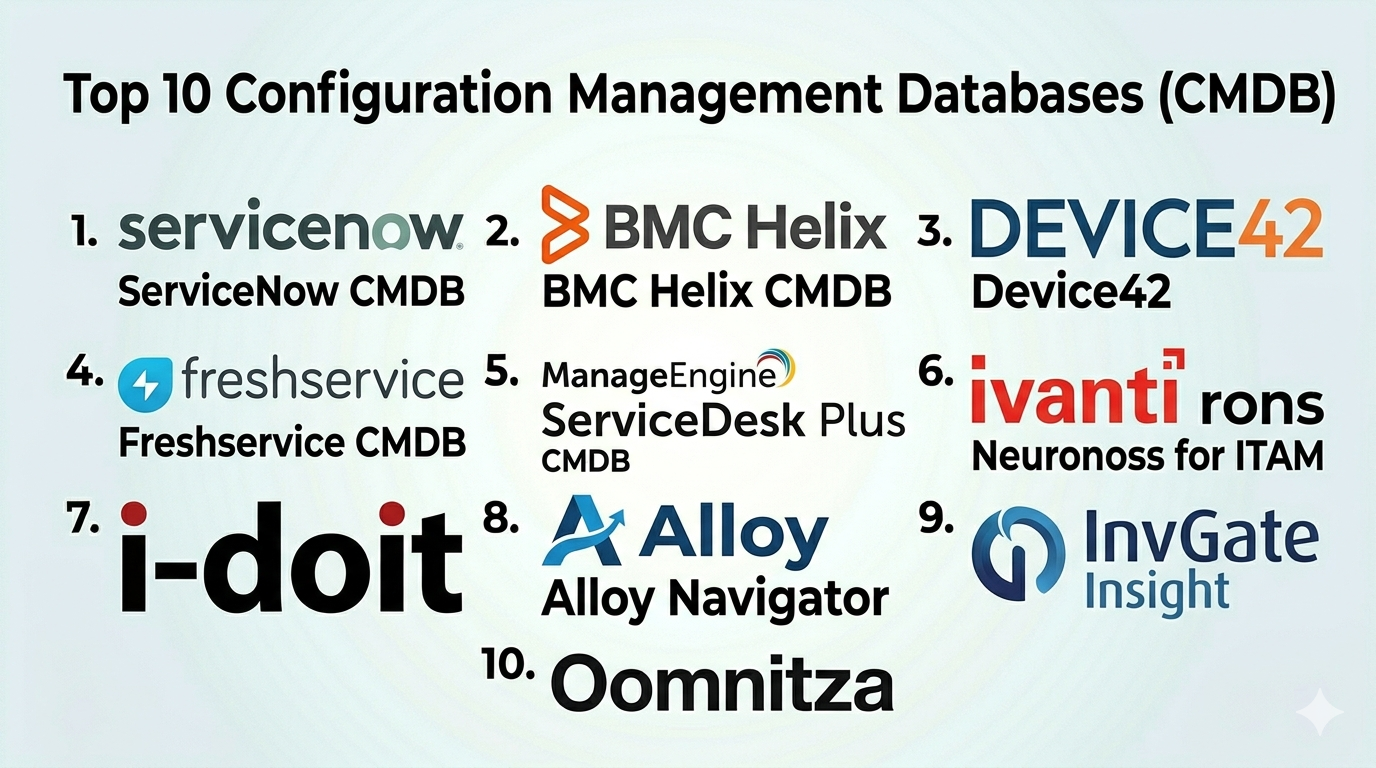
Top 10 Configuration Management Databases (CMDB)
#1 — ServiceNow CMDB
Short description: A leading enterprise-grade CMDB integrated within the ServiceNow ITSM platform, designed for large-scale organizations.
Key Features
- Automated discovery and service mapping
- Strong relationship modeling
- Native ITSM integration
- AI-powered insights
- Compliance and governance tools
- Multi-cloud support
Pros
- Highly scalable for enterprises
- Deep integration across IT workflows
Cons
- Complex implementation
- Expensive for smaller teams
Platforms / Deployment
Cloud / Hybrid
Security & Compliance
SSO, MFA, RBAC, audit logs; compliance certifications not publicly detailed
Integrations & Ecosystem
Extensive ecosystem with enterprise tools.
- Cloud platforms
- DevOps tools
- Monitoring systems
- APIs for customization
Support & Community
Strong enterprise support, extensive documentation, large community
#2 — BMC Helix CMDB
Short description: A robust CMDB solution from BMC designed for complex IT environments and service management.
Key Features
- Automated asset discovery
- Service impact modeling
- AI/ML insights
- Multi-cloud visibility
- Compliance tracking
Pros
- Strong enterprise capabilities
- Advanced analytics
Cons
- Steep learning curve
- UI can feel outdated
Platforms / Deployment
Cloud / Hybrid
Security & Compliance
SSO, RBAC, audit logs; compliance details not publicly stated
Integrations & Ecosystem
Integrates with BMC suite and third-party tools
- Cloud services
- ITSM tools
- Monitoring platforms
Support & Community
Enterprise-level support; moderate community presence
#3 — Device42
Short description: A hybrid IT discovery and CMDB tool focused on asset tracking and dependency mapping.
Key Features
- Automated discovery
- Dependency visualization
- IP address management
- Password management
- Data center infrastructure mapping
Pros
- Strong discovery capabilities
- Visual mapping features
Cons
- UI can be complex
- Limited ITSM features
Platforms / Deployment
Cloud / Self-hosted
Security & Compliance
RBAC, encryption; other details not publicly stated
Integrations & Ecosystem
API-driven integrations
- Monitoring tools
- Cloud platforms
- ITSM systems
Support & Community
Good documentation; moderate support options
#4 — Freshservice CMDB
Short description: A user-friendly CMDB built into Freshservice, ideal for SMBs and mid-market teams.
Key Features
- Asset lifecycle management
- Relationship mapping
- Automated discovery
- Incident/change integration
- Cloud asset tracking
Pros
- Easy to use
- Fast implementation
Cons
- Limited enterprise depth
- Customization constraints
Platforms / Deployment
Cloud
Security & Compliance
SSO, RBAC; compliance details not publicly stated
Integrations & Ecosystem
Strong SaaS integrations
- Cloud apps
- Collaboration tools
- APIs
Support & Community
Good onboarding and support; growing community
#5 — ManageEngine ServiceDesk Plus CMDB
Short description: A cost-effective CMDB bundled with ITSM features, popular among SMBs.
Key Features
- Asset discovery
- Relationship mapping
- Change management integration
- Reporting dashboards
- ITIL-aligned workflows
Pros
- Affordable pricing
- All-in-one ITSM solution
Cons
- Limited scalability
- UI not modern
Platforms / Deployment
Cloud / On-premise
Security & Compliance
RBAC, audit logs; compliance not publicly stated
Integrations & Ecosystem
- Zoho ecosystem
- APIs
- Monitoring tools
Support & Community
Strong support; active user base
#6 — Ivanti Neurons for ITAM (CMDB)
Short description: A modern IT asset management and CMDB platform with automation and AI capabilities.
Key Features
- Real-time asset discovery
- Automation workflows
- AI insights
- Endpoint management integration
- Risk analysis
Pros
- Strong automation
- Unified IT visibility
Cons
- Complex setup
- Pricing not transparent
Platforms / Deployment
Cloud
Security & Compliance
SSO, encryption; other details not publicly stated
Integrations & Ecosystem
- Endpoint tools
- Cloud platforms
- APIs
Support & Community
Enterprise support; smaller community
#7 — i-doit (Open Source CMDB)
Short description: An open-source CMDB solution focused on flexibility and customization.
Key Features
- Custom object modeling
- IT documentation
- Relationship mapping
- Reporting
- API access
Pros
- Open-source flexibility
- Cost-effective
Cons
- Requires technical expertise
- Limited automation
Platforms / Deployment
Self-hosted
Security & Compliance
Varies based on deployment
Integrations & Ecosystem
- APIs
- Custom integrations
Support & Community
Active open-source community
#8 — Alloy Navigator
Short description: A combined ITSM and CMDB platform for mid-sized organizations.
Key Features
- Asset tracking
- Workflow automation
- Relationship mapping
- Ticketing integration
- Reporting
Pros
- Flexible workflows
- Affordable
Cons
- Limited advanced features
- Smaller ecosystem
Platforms / Deployment
Cloud / On-premise
Security & Compliance
Not publicly stated
Integrations & Ecosystem
- APIs
- Basic integrations
Support & Community
Moderate support; smaller community
#9 — InvGate Insight
Short description: A modern IT asset and CMDB platform with strong usability.
Key Features
- Asset discovery
- Dependency mapping
- Software license tracking
- Visualization tools
- ITSM integration
Pros
- Clean UI
- Easy setup
Cons
- Limited enterprise features
- Smaller ecosystem
Platforms / Deployment
Cloud / On-premise
Security & Compliance
Not publicly stated
Integrations & Ecosystem
- ITSM tools
- APIs
Support & Community
Good support; growing community
#10 — Oomnitza
Short description: A SaaS-based CMDB and asset management platform focused on automation and integrations.
Key Features
- Unified asset view
- Workflow automation
- SaaS and hardware tracking
- API integrations
- Lifecycle management
Pros
- Strong integrations
- Automation capabilities
Cons
- Less traditional CMDB depth
- Learning curve
Platforms / Deployment
Cloud
Security & Compliance
Not publicly stated
Integrations & Ecosystem
- SaaS tools
- HR systems
- APIs
Support & Community
Good support; moderate ecosystem
Comparison Table (Top 10)
| Tool Name | Best For | Platform(s) Supported | Deployment | Standout Feature | Public Rating |
|---|---|---|---|---|---|
| ServiceNow CMDB | Enterprises | Web | Cloud/Hybrid | Deep ITSM integration | N/A |
| BMC Helix CMDB | Large enterprises | Web | Cloud/Hybrid | AI-driven insights | N/A |
| Device42 | Hybrid IT environments | Web | Cloud/Self-hosted | Visual dependency mapping | N/A |
| Freshservice CMDB | SMBs | Web | Cloud | Ease of use | N/A |
| ManageEngine CMDB | SMBs | Web | Cloud/On-premise | Affordable ITSM suite | N/A |
| Ivanti Neurons | Enterprises | Web | Cloud | Automation & AI | N/A |
| i-doit | Tech teams | Web | Self-hosted | Open-source flexibility | N/A |
| Alloy Navigator | Mid-market | Web | Cloud/On-premise | Workflow customization | N/A |
| InvGate Insight | SMBs | Web | Cloud/On-premise | User-friendly UI | N/A |
| Oomnitza | SaaS-heavy orgs | Web | Cloud | Integration-first design | N/A |
Configuration Management Databases (CMDB) Scoring
| Tool Name | Core (25%) | Ease (15%) | Integrations (15%) | Security (10%) | Performance (10%) | Support (10%) | Value (15%) | Weighted Total |
|---|---|---|---|---|---|---|---|---|
| ServiceNow | 9 | 6 | 9 | 8 | 9 | 9 | 6 | 8.1 |
| BMC Helix | 9 | 6 | 8 | 8 | 9 | 8 | 6 | 7.9 |
| Device42 | 8 | 6 | 7 | 7 | 8 | 7 | 7 | 7.3 |
| Freshservice | 7 | 9 | 7 | 7 | 8 | 8 | 8 | 7.8 |
| ManageEngine | 7 | 7 | 7 | 7 | 7 | 8 | 9 | 7.5 |
| Ivanti | 8 | 6 | 8 | 8 | 8 | 7 | 6 | 7.5 |
| i-doit | 6 | 5 | 6 | 6 | 7 | 6 | 9 | 6.6 |
| Alloy Navigator | 6 | 7 | 6 | 6 | 7 | 7 | 8 | 6.9 |
| InvGate | 7 | 8 | 6 | 6 | 7 | 7 | 8 | 7.2 |
| Oomnitza | 7 | 7 | 9 | 7 | 7 | 7 | 7 | 7.4 |
How to interpret scores:
- Scores are comparative, not absolute
- Higher “Core” = stronger CMDB capabilities
- “Ease” reflects onboarding and usability
- “Value” considers cost vs features
- Enterprises should prioritize Core + Integrations
- SMBs should prioritize Ease + Value
Which Configuration Management Databases (CMDB) Is Right for You?
Solo / Freelancer
- Typically overkill
- Consider lightweight asset tracking tools instead
SMB
- Best picks: Freshservice, ManageEngine, InvGate
- Focus on ease of use and affordability
Mid-Market
- Best picks: Device42, Alloy Navigator
- Balance between features and flexibility
Enterprise
- Best picks: ServiceNow, BMC Helix, Ivanti
- Prioritize scalability, automation, compliance
Budget vs Premium
- Budget: ManageEngine, i-doit
- Premium: ServiceNow, BMC Helix
Feature Depth vs Ease of Use
- Deep features: ServiceNow, BMC
- Easy to use: Freshservice, InvGate
Integrations & Scalability
- Strong integrations: Oomnitza, ServiceNow
- Scalable: BMC, Ivanti
Security & Compliance Needs
- Enterprise-grade: ServiceNow, BMC
- Basic needs: SMB tools
Frequently Asked Questions (FAQs)
What is a CMDB used for?
A CMDB helps track IT assets and their relationships, enabling better incident, change, and asset management.
Is CMDB only for large enterprises?
No, SMB-friendly options exist, though complexity varies.
How much does a CMDB cost?
Pricing varies widely depending on features and scale.
How long does implementation take?
From days (simple tools) to months (enterprise platforms).
What are common mistakes?
Poor data quality, lack of automation, and unclear ownership.
Does CMDB require manual updates?
Modern tools use automated discovery to reduce manual work.
Can CMDB integrate with DevOps tools?
Yes, many support CI/CD and cloud integrations.
Is CMDB required for ITIL?
It is a core component of ITIL practices.
Can I switch CMDB tools later?
Yes, but data migration can be complex.
What are alternatives to CMDB?
Asset management tools or spreadsheets for small setups.
Conclusion
CMDBs have evolved from static asset repositories into dynamic, intelligent systems that power modern IT operations. Choosing the right CMDB depends on your organization’s size, complexity, and integration needs.
