Introduction
Cloud Migration Tools help businesses move applications, databases, files, virtual machines, workloads, and infrastructure from on-premises systems or one cloud platform to another. In simple words, these tools make cloud movement safer, faster, and more organized.
Cloud migration matters because companies want better scalability, lower infrastructure burden, improved disaster recovery, stronger security controls, and faster digital transformation. However, migration is not only about “moving data.” It also involves planning, dependency mapping, testing, cost control, performance validation, and rollback readiness.
Common use cases include:
- Moving on-premises servers to AWS, Azure, or Google Cloud.
- Migrating databases with minimum downtime.
- Moving workloads between cloud providers.
- Modernizing legacy applications.
- Migrating files, virtual machines, and storage systems.
Buyers should evaluate:
- Supported platforms
- Migration automation
- Application discovery
- Dependency mapping
- Downtime reduction
- Security controls
- Cost visibility
- Rollback options
- Database support
- Reporting and monitoring
Best for: IT teams, cloud architects, DevOps engineers, infrastructure teams, enterprises, SMBs, and managed service providers planning cloud adoption or cloud modernization.
Not ideal for: very small teams with only basic file transfer needs, companies without a clear cloud strategy, or businesses that require only manual one-time data movement.
Key Trends in Cloud Migration Tools
- AI-assisted migration planning: Tools are becoming smarter in assessing workloads, risks, dependencies, and cloud readiness.
- Multi-cloud migration is increasing: Companies want flexibility across AWS, Azure, Google Cloud, and private cloud environments.
- Application modernization is part of migration: Teams are not only moving workloads but also refactoring, containerizing, and optimizing them.
- Lower downtime is a major requirement: Businesses expect near-zero downtime migration for critical systems.
- Security-first migration is now standard: Encryption, IAM, audit logs, and compliance validation are becoming core expectations.
- Cost optimization is built into migration planning: Teams want tools that estimate cloud costs before migration.
- Hybrid cloud migration remains important: Many businesses continue to run mixed on-premises and cloud environments.
- Database migration is becoming more automated: Schema conversion, replication, and validation are improving.
- Kubernetes migration is growing: More teams are moving workloads into container platforms.
- Migration reporting is more business-focused: Leaders want dashboards that show progress, risk, cost, and readiness.
How We Selected These Tools
- Strong market adoption and recognition.
- Support for major cloud platforms.
- Ability to handle real migration complexity.
- Coverage for servers, databases, files, apps, and virtual machines.
- Security and compliance readiness.
- Reliability for enterprise and SMB workloads.
- Integration with cloud-native services.
- Documentation and support maturity.
- Practical fit for different migration scenarios.
- Strong value across planning, execution, and post-migration validation.
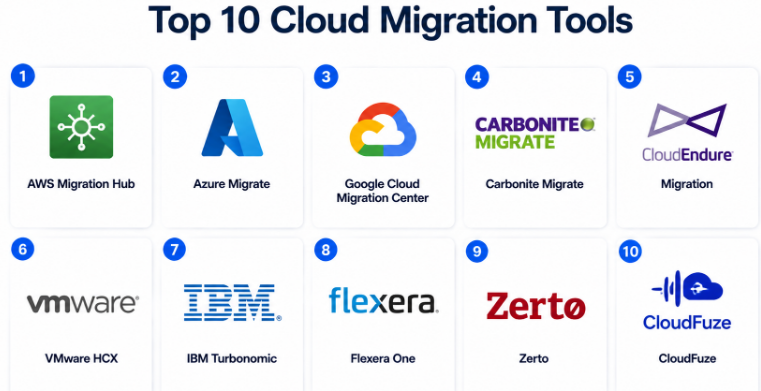
Top 10 Cloud Migration Tools
#1 — AWS Migration Hub
Short description :
AWS Migration Hub helps teams plan, track, and manage migrations to AWS.It gives a central place to monitor migration progress across applications and workloads.It is useful for companies moving servers, databases, and applications into AWS.The tool works well for AWS-focused cloud migration projects.It is best for teams that already prefer the AWS ecosystem.
Key Features
- Central migration tracking.
- Application discovery support.
- Integration with AWS migration services.
- Server and database migration visibility.
- Migration progress dashboard.
- Support for phased cloud adoption.
- Works with AWS-native migration workflows.
Pros
- Strong fit for AWS migration projects.
- Useful centralized migration visibility.
- Good integration with AWS services.
Cons
- Mainly focused on AWS.
- Not ideal for vendor-neutral multi-cloud migration.
- Requires AWS knowledge for best results.
Platforms / Deployment
Cloud.
Security & Compliance
AWS identity, access control, encryption options, audit logging, and compliance-related controls are available through AWS services. Specific compliance depends on configuration and workload.
Integrations & Ecosystem
AWS Migration Hub connects strongly with the AWS migration ecosystem.
- AWS Application Migration Service
- AWS Database Migration Service
- AWS Discovery tools
- AWS CloudFormation
- AWS monitoring services
- AWS identity and access tools
Support & Community
AWS has extensive documentation, training resources, partner support, and enterprise support options. Community strength is very high due to AWS adoption.
#2 — Azure Migrate
Short description :
Azure Migrate is Microsoft’s cloud migration platform for moving workloads to Azure.It helps assess, plan, and migrate servers, databases, web apps, and virtual desktops.It is useful for organizations already using Microsoft technologies.The tool provides readiness assessment, cost estimation, and dependency insights.
It is a strong choice for enterprises moving Windows, SQL Server, and VMware workloads to Azure.
Key Features
- Server assessment and migration.
- Database migration support.
- Web app migration support.
- Dependency visualization.
- Cost estimation.
- VMware and Hyper-V support.
- Azure readiness reporting.
Pros
- Strong fit for Microsoft-heavy environments.
- Good workload assessment features.
- Useful cost and readiness insights.
Cons
- Azure-focused.
- May require cloud architecture knowledge.
- Complex migrations still need careful planning.
Platforms / Deployment
Cloud / Hybrid.
Security & Compliance
Supports Microsoft identity, encryption, RBAC, audit logs, and compliance-aligned Azure controls. Final compliance depends on workload design and configuration.
Integrations & Ecosystem
Azure Migrate integrates deeply with Microsoft cloud and enterprise infrastructure tools.
- Azure Virtual Machines
- Azure SQL
- Azure App Service
- VMware environments
- Hyper-V environments
- Microsoft monitoring and identity tools
Support & Community
Microsoft offers strong documentation, partner support, enterprise support, and a large professional community.
#3 — Google Cloud Migration Center
Short description :
Google Cloud Migration Center helps businesses assess and plan cloud migration to Google Cloud.
It supports discovery, workload assessment, cost estimation, and migration planning.
It is useful for teams moving infrastructure, applications, and data into Google Cloud.
The platform is suitable for companies interested in analytics, AI, Kubernetes, and modern cloud-native services.It works best when Google Cloud is the target platform.
Key Features
- Migration assessment.
- Infrastructure discovery.
- Cost estimation.
- Workload planning.
- Cloud readiness analysis.
- Integration with Google Cloud migration services.
- Support for modernization planning.
Pros
- Good for Google Cloud-focused migrations.
- Useful assessment and planning features.
- Strong fit for cloud-native modernization.
Cons
- Mainly focused on Google Cloud.
- Less useful for neutral multi-cloud comparison.
- Requires Google Cloud expertise.
Platforms / Deployment
Cloud.
Security & Compliance
Google Cloud provides IAM, encryption, audit logging, and compliance-related controls. Exact compliance depends on implementation and workload requirements.
Integrations & Ecosystem
Google Cloud Migration Center connects with Google Cloud migration and modernization services.
- Google Compute Engine
- Google Kubernetes Engine
- Database migration services
- Cloud storage services
- Monitoring tools
- IAM and security services
Support & Community
Google Cloud offers documentation, training, partner resources, and enterprise support. Community strength is strong among cloud-native and Kubernetes-focused teams.
#4 — Carbonite Migrate
Short description :
Carbonite Migrate is a workload migration tool designed to move physical, virtual, and cloud workloads with reduced downtime.It is useful for server migration, data center migration, cloud migration, and disaster recovery-related movement.The platform supports continuous replication to help reduce migration risk.
It is suitable for enterprises and mid-market businesses with complex infrastructure.
It is especially helpful when downtime control is a major concern.
Key Features
- Physical, virtual, and cloud migration.
- Continuous replication.
- Low-downtime migration.
- Workload testing.
- Cutover controls.
- Migration automation.
- Support for complex infrastructure moves.
Pros
- Strong for workload-level migration.
- Useful when downtime must be minimized.
- Good for hybrid environments.
Cons
- May require technical migration expertise.
- Not focused only on SaaS-style simplicity.
- Pricing and packaging may vary.
Platforms / Deployment
Cloud / Hybrid.
Security & Compliance
Encryption and access controls are commonly expected. Specific certifications and compliance details should be verified directly. Not publicly stated for all use cases.
Integrations & Ecosystem
Carbonite Migrate is useful across infrastructure, cloud, and disaster recovery workflows.
- Physical servers
- Virtual machines
- Cloud platforms
- Data center environments
- Replication workflows
- Migration testing workflows
Support & Community
Support is generally vendor-led with enterprise service options. Community is more professional and infrastructure-focused.
#5 — CloudEndure Migration
Short description :
CloudEndure Migration is known for automated lift-and-shift migration to cloud environments.
It helps replicate machines continuously and supports cutover when teams are ready.
It is especially associated with AWS migration workflows.
The tool is useful for companies moving existing workloads with minimal application redesign.
It fits teams that need fast server migration rather than deep modernization.
Key Features
- Automated machine replication.
- Lift-and-shift migration.
- Low-downtime cutover.
- Continuous data replication.
- Migration testing.
- Recovery-oriented workflows.
- Infrastructure migration support.
Pros
- Useful for fast workload migration.
- Helps reduce migration downtime.
- Good fit for lift-and-shift projects.
Cons
- Less focused on app modernization.
- AWS alignment may limit neutral use cases.
- Buyers should confirm current availability and packaging.
Platforms / Deployment
Cloud / Hybrid.
Security & Compliance
Security depends on cloud configuration, access controls, encryption settings, and workload design. Not publicly stated for all scenarios.
Integrations & Ecosystem
CloudEndure Migration is mainly aligned with infrastructure and cloud workload movement.
- AWS migration workflows
- Server replication
- Cloud cutover planning
- Migration testing
- Disaster recovery-style movement
- Infrastructure modernization paths
Support & Community
Support depends on cloud provider and product availability. Documentation and support should be checked during evaluation.
#6 — VMware HCX
Short description :
VMware HCX is a migration and mobility platform for VMware environments.
It helps move virtual machines between data centers, private clouds, and public cloud VMware services.
It is useful for enterprises with large VMware estates.
The tool supports workload mobility, network extension, and migration orchestration.
It is best for businesses that want to migrate VMware workloads without major redesign.
Key Features
- VMware workload migration.
- Bulk migration support.
- Live migration options.
- Network extension.
- Hybrid cloud mobility.
- Migration orchestration.
- Data center evacuation support.
Pros
- Strong for VMware-heavy environments.
- Helps reduce disruption during migration.
- Useful for hybrid cloud strategies.
Cons
- Mainly useful for VMware workloads.
- May be complex for smaller teams.
- Requires VMware skills.
Platforms / Deployment
Hybrid.
Security & Compliance
VMware security controls, network segmentation, encryption options, and role-based administration may apply depending on deployment. Specific compliance depends on environment design.
Integrations & Ecosystem
VMware HCX fits strongly within the VMware ecosystem and supported cloud VMware services.
- VMware vSphere
- VMware Cloud platforms
- Private cloud environments
- Public cloud VMware services
- Network extension tools
- Data center migration workflows
Support & Community
VMware has strong enterprise support, documentation, partner services, and professional community strength.
#7 — IBM Turbonomic
Short description :
IBM Turbonomic is not only a migration tool, but it helps cloud migration by analyzing workload performance, resource needs, and placement decisions.It is useful for planning cloud moves with better cost and performance visibility.The platform helps teams avoid overprovisioning and underprovisioning during migration.It fits enterprises that want data-driven cloud planning.
It is especially valuable when cloud cost and workload performance are major concerns.
Key Features
- Workload resource analysis.
- Cloud planning support.
- Performance optimization.
- Cost-aware placement recommendations.
- Hybrid cloud visibility.
- Automation options.
- Capacity planning.
Pros
- Strong for cost and performance planning.
- Useful before and after migration.
- Good fit for enterprise cloud optimization.
Cons
- Not a pure migration execution tool.
- Works best with mature infrastructure data.
- May be more advanced than SMBs need.
Platforms / Deployment
Cloud / Hybrid.
Security & Compliance
Enterprise access controls and integration security are commonly expected. Specific compliance claims should be verified directly. Not publicly stated for all deployment types.
Integrations & Ecosystem
IBM Turbonomic integrates with infrastructure, cloud, and monitoring ecosystems.
- Public cloud platforms
- Virtualization platforms
- Kubernetes environments
- Monitoring tools
- IT operations workflows
- Automation platforms
Support & Community
IBM offers enterprise documentation, professional services, and support options. Community strength is mainly enterprise IT and cloud operations focused.
#8 — Flexera One
Short description :
Flexera One supports cloud migration planning through IT asset visibility, cloud cost management, and workload assessment.It helps businesses understand what they have before deciding what to move.
The platform is useful for enterprises managing complex software, infrastructure, and cloud portfolios.
It is especially helpful for migration governance, cost planning, and license risk reduction.
It fits companies that want financial and operational control during cloud migration.
Key Features
- IT asset discovery.
- Cloud cost visibility.
- Migration planning support.
- Software license insights.
- Workload assessment.
- Governance reporting.
- Hybrid IT visibility.
Pros
- Strong for migration planning and governance.
- Useful for cost and license visibility.
- Good enterprise fit.
Cons
- Not a direct migration execution tool.
- Can be complex for smaller teams.
- Best value appears in larger environments.
Platforms / Deployment
Cloud / Hybrid.
Security & Compliance
Enterprise security controls, access management, and governance features are expected. Specific certifications should be verified directly. Not publicly stated for all use cases.
Integrations & Ecosystem
Flexera One connects with IT asset, cloud cost, and enterprise management ecosystems.
- Public cloud platforms
- IT asset systems
- CMDB workflows
- Cloud financial management
- Software licensing tools
- Governance reporting
Support & Community
Flexera provides enterprise support, documentation, and professional services. Community is mostly enterprise IT asset and FinOps focused.
#9 — Zerto
Short description :
Zerto is a disaster recovery and workload mobility platform that can support cloud migration use cases.
It helps replicate workloads and recover them across environments.The tool is useful for businesses that want migration, resilience, and recovery capabilities together.It fits enterprise and mid-market teams with critical workloads.Zerto is especially relevant when downtime, rollback, and business continuity are important.
Key Features
- Continuous data protection.
- Workload replication.
- Disaster recovery workflows.
- Cloud mobility support.
- Low data loss recovery design.
- Testing and failover workflows.
- Multi-environment workload movement.
Pros
- Strong resilience and recovery focus.
- Useful for critical workload migration.
- Good for hybrid cloud environments.
Cons
- May be more than simple migration projects need.
- Requires skilled implementation.
- Pricing can vary by environment.
Platforms / Deployment
Cloud / Hybrid.
Security & Compliance
Security depends on deployment design, encryption, access controls, and environment configuration. Specific compliance details should be verified. Not publicly stated for all use cases.
Integrations & Ecosystem
Zerto works across virtualization, cloud, and disaster recovery ecosystems.
- VMware environments
- Public cloud platforms
- Hybrid cloud infrastructure
- Replication workflows
- Disaster recovery operations
- Business continuity planning
Support & Community
Zerto offers enterprise support, documentation, and partner-led services. Community strength is strong among disaster recovery and infrastructure professionals.
#10 — CloudFuze
Short description :
CloudFuze is a cloud data migration platform focused on moving files, users, permissions, and collaboration data between cloud storage and productivity platforms.It is useful for businesses migrating between Google Workspace, Microsoft 365, Dropbox, Box, and similar platforms.The tool helps with user mapping, permissions handling, and migration reporting.It is best for cloud file migration and SaaS collaboration migration.It fits SMBs, enterprises, education, and managed migration projects.
Key Features
- Cloud file migration.
- User and permission mapping.
- Google Workspace and Microsoft 365 migration support.
- Dropbox, Box, and cloud storage migration use cases.
- Migration reporting.
- Delta migration support.
- Collaboration data movement.
Pros
- Strong for file and cloud storage migration.
- Useful for collaboration platform changes.
- Good for user-level migration planning.
Cons
- Not designed for full infrastructure migration.
- App coverage should be checked before purchase.
- Complex permission structures need testing.
Platforms / Deployment
Cloud.
Security & Compliance
Encryption, secure transfer, and access controls are commonly expected. Specific compliance certifications should be verified directly. Not publicly stated for all plans.
Integrations & Ecosystem
CloudFuze connects with cloud storage and productivity platforms.
- Google Workspace
- Microsoft 365
- Dropbox
- Box
- OneDrive
- SharePoint
Support & Community
CloudFuze provides documentation, migration support, and customer assistance. Community strength is more service-led than open community-driven.
Comparison Table
| Tool Name | Best For | Platform(s) Supported | Deployment | Standout Feature | Public Rating |
|---|---|---|---|---|---|
| AWS Migration Hub | AWS-focused migration | AWS workloads | Cloud | Central migration tracking | N/A |
| Azure Migrate | Azure migration | Azure, VMware, Hyper-V, databases | Cloud / Hybrid | Azure readiness assessment | N/A |
| Google Cloud Migration Center | Google Cloud migration | Google Cloud workloads | Cloud | Cloud readiness and cost planning | N/A |
| Carbonite Migrate | Low-downtime workload migration | Physical, virtual, cloud workloads | Cloud / Hybrid | Continuous replication | N/A |
| CloudEndure Migration | Lift-and-shift migration | Cloud and server workloads | Cloud / Hybrid | Automated replication | N/A |
| VMware HCX | VMware workload migration | VMware environments | Hybrid | VMware workload mobility | N/A |
| IBM Turbonomic | Migration planning and optimization | Cloud, hybrid, Kubernetes, virtualization | Cloud / Hybrid | Cost and performance planning | N/A |
| Flexera One | Cloud migration governance | Hybrid IT and cloud environments | Cloud / Hybrid | Asset and cost visibility | N/A |
| Zerto | Resilience-led migration | Virtual and cloud workloads | Cloud / Hybrid | Disaster recovery plus migration | N/A |
| CloudFuze | Cloud file migration | Microsoft 365, Google Workspace, Dropbox, Box | Cloud | User and permission mapping | N/A |
Evaluation & Cloud Migration Tools
| Tool Name | Core (25%) | Ease (15%) | Integrations (15%) | Security (10%) | Performance (10%) | Support (10%) | Value (15%) | Weighted Total (0–10) |
|---|---|---|---|---|---|---|---|---|
| AWS Migration Hub | 9 | 8 | 9 | 9 | 9 | 9 | 8 | 8.65 |
| Azure Migrate | 9 | 8 | 9 | 9 | 9 | 9 | 8 | 8.65 |
| Google Cloud Migration Center | 8 | 8 | 8 | 9 | 8 | 8 | 8 | 8.15 |
| Carbonite Migrate | 8 | 7 | 7 | 8 | 8 | 8 | 7 | 7.55 |
| CloudEndure Migration | 8 | 8 | 7 | 8 | 8 | 7 | 8 | 7.75 |
| VMware HCX | 9 | 7 | 8 | 8 | 9 | 8 | 7 | 8.05 |
| IBM Turbonomic | 8 | 7 | 8 | 8 | 9 | 8 | 7 | 7.85 |
| Flexera One | 8 | 7 | 8 | 8 | 8 | 8 | 7 | 7.75 |
| Zerto | 8 | 7 | 8 | 8 | 9 | 8 | 7 | 7.90 |
| CloudFuze | 7 | 8 | 8 | 7 | 8 | 7 | 8 | 7.55 |
These scores are comparative and should be used for shortlisting, not as a final buying decision. A tool with a lower score may still be the best choice for a specific migration need. For example, CloudFuze is strong for file migration, while VMware HCX is stronger for VMware workload mobility. Always validate platform support, migration testing, downtime tolerance, security controls, and total cost before selecting a tool.
Which Cloud Migration Tools
Solo / Freelancer
Solo professionals usually do not need a heavy enterprise migration platform. For small file movement, CloudFuze may be useful if the goal is moving files between cloud storage platforms. If the migration is to AWS, Azure, or Google Cloud, native migration tools from those providers may be enough.
The focus should be simplicity, low cost, and clear migration steps.
SMB
SMBs should choose based on target cloud and workload type. Azure Migrate is useful for Microsoft-heavy SMBs. AWS Migration Hub is a good choice for AWS-focused moves. CloudFuze works well for cloud file migration. Carbonite Migrate may help when server migration needs low downtime.
SMBs should avoid complex tools unless they have skilled IT support.
Mid-Market
Mid-market businesses often need better planning, reporting, security, and workload testing. Azure Migrate, AWS Migration Hub, Google Cloud Migration Center, VMware HCX, Zerto, and Carbonite Migrate are strong candidates depending on the environment.
The key priority should be migration safety, not only speed.
Enterprise
Enterprises need deep assessment, dependency mapping, governance, compliance, automation, and rollback planning. VMware HCX is useful for VMware estates. IBM Turbonomic and Flexera One are strong for planning and optimization. Zerto and Carbonite Migrate can support resilience-focused migration. Native cloud tools are strong when the target platform is clear.
Enterprises should run a proof of concept before large migration waves.
Budget vs Premium
Budget-focused buyers should start with native cloud tools such as AWS Migration Hub, Azure Migrate, or Google Cloud Migration Center. These may reduce tool cost when the migration target is already clear.
Premium buyers may need Carbonite Migrate, VMware HCX, IBM Turbonomic, Flexera One, or Zerto for complex planning, workload mobility, optimization, and resilience.
Feature Depth vs Ease of Use
For ease of use, CloudFuze and native cloud migration tools may be easier to start with. For feature depth, VMware HCX, Zerto, Carbonite Migrate, IBM Turbonomic, and Flexera One provide stronger enterprise-level capabilities.
The right choice depends on whether the migration is simple data movement, infrastructure migration, or full cloud transformation.
Integrations & Scalability
AWS Migration Hub, Azure Migrate, and Google Cloud Migration Center scale well inside their own ecosystems. VMware HCX is strong for VMware estates. IBM Turbonomic and Flexera One help when organizations need visibility across hybrid and multi-cloud environments.
Scalability should include workload volume, number of users, number of applications, migration waves, and post-migration optimization.
Security & Compliance Needs
Security-focused teams should check encryption, IAM, SSO, RBAC, audit logs, migration logs, network security, and compliance documentation. For regulated industries, migration tools must support governance and evidence collection.
The tool should not only move workloads but also help prove that migration was controlled, secure, and auditable.
Frequently Asked Questions
1. What are cloud migration tools?
Cloud migration tools help move applications, servers, databases, files, and workloads from one environment to another. They reduce manual effort and help teams manage risk during migration.
2. Why are cloud migration tools important?
They help businesses avoid downtime, data loss, performance issues, and migration confusion. A good tool makes planning, testing, execution, and monitoring more reliable.
3. Are cloud migration tools only for enterprises?
No. SMBs, startups, agencies, and freelancers may also use them. However, larger businesses usually need more advanced migration planning, reporting, compliance, and automation.
4. What is the difference between cloud migration and cloud modernization?
Migration means moving workloads to the cloud. Modernization means improving those workloads through containers, managed databases, serverless services, automation, or cloud-native redesign.
5. Which tool is best for AWS migration?
AWS Migration Hub is a strong option for AWS-focused migration. It works best when the target cloud is AWS and the team wants centralized migration tracking.
6. Which tool is best for Azure migration?
Azure Migrate is a strong option for moving workloads to Azure. It is especially useful for Microsoft-heavy environments using Windows Server, SQL Server, VMware, or Hyper-V.
7. Can cloud migration tools reduce downtime?
Yes, many tools use replication, testing, staged cutover, and rollback planning to reduce downtime. However, downtime also depends on application design, database size, network speed, and migration planning.
8. What are common cloud migration mistakes?
Common mistakes include poor assessment, ignoring dependencies, underestimating cost, skipping testing, weak rollback planning, and moving workloads without optimization.
9. Are cloud migration tools secure?
Most serious tools support secure transfer, access controls, encryption, and audit visibility. Still, security depends heavily on correct configuration and cloud architecture.
10. How should I choose the right cloud migration tool?
Start with your target cloud, workload type, downtime tolerance, security needs, budget, and team skill level. Then shortlist tools and test them with a real pilot migration.
Conclusion
Cloud Migration Tools are essential for businesses that want to move workloads, data, applications, and infrastructure to the cloud with less risk. The best tool depends on your target platform, migration size, technical maturity, compliance needs, downtime tolerance, and long-term cloud strategy. AWS Migration Hub, Azure Migrate, and Google Cloud Migration Center are strong choices when the destination cloud is clear. VMware HCX is powerful for VMware-heavy environments. Carbonite Migrate and Zerto are useful when low downtime and resilience matter. IBM Turbonomic and Flexera One help with planning, cost, and governance. CloudFuze is practical for cloud file and collaboration migration.
