Introduction
Cloud File Storage tools are platforms that allow individuals and organizations to store, access, sync, and share files over the internet instead of relying on local devices or on-premise servers. These tools provide centralized storage, real-time collaboration, and secure access from anywhere, making them essential in modern digital workflows.
As remote work, distributed teams, and digital collaboration continue to expand, cloud file storage has become a foundational layer for productivity and data management. Businesses now rely on these platforms not just for storage, but also for sharing, version control, and integration with other business tools.
Real-world use cases include:
- Storing and sharing business documents across teams
- Real-time collaboration on files and folders
- Backup and synchronization of important data
- Secure file sharing with external partners or clients
- Managing large media files and project assets
Key evaluation criteria buyers should consider:
- Storage capacity and scalability
- File synchronization and version control
- Security features (encryption, MFA, access controls)
- Collaboration and sharing capabilities
- Integration with productivity tools
- Cross-platform support
- Performance and upload/download speeds
- Ease of use and user experience
- Pricing and storage tiers
Best for: Businesses of all sizes, remote teams, freelancers, content creators, and organizations needing centralized file access and collaboration.
Not ideal for: Users requiring full backup or disaster recovery solutions (dedicated backup tools are more suitable), or those with strict on-premise data requirements.
Key Trends in Cloud File Storage Tools
- AI-powered search and organization: Faster file discovery using intelligent tagging and indexing
- Real-time collaboration enhancements: Improved co-editing and commenting features
- Zero-trust security models: Stronger identity verification and access controls
- End-to-end encryption adoption: Increasing demand for privacy-focused storage
- Hybrid storage models: Combining cloud and local storage for flexibility
- Deep SaaS integrations: Seamless connectivity with productivity and workflow tools
- Large file optimization: Better handling of media-heavy files (video, design assets)
- Versioning and audit trails: Enhanced tracking for compliance and accountability
- Offline access improvements: Sync capabilities for remote or low-connectivity environments
- Flexible pricing tiers: Pay-as-you-go and scalable plans
How We Selected These Tools (Methodology)
We evaluated cloud file storage tools based on:
- Market adoption and user base size
- Feature completeness (storage, sync, sharing, collaboration)
- Security and privacy capabilities
- Performance and reliability
- Integration ecosystem with productivity tools
- Ease of use and onboarding experience
- Scalability for individuals and enterprises
- Cross-platform compatibility
- Vendor support and documentation
- Suitability across different user segments
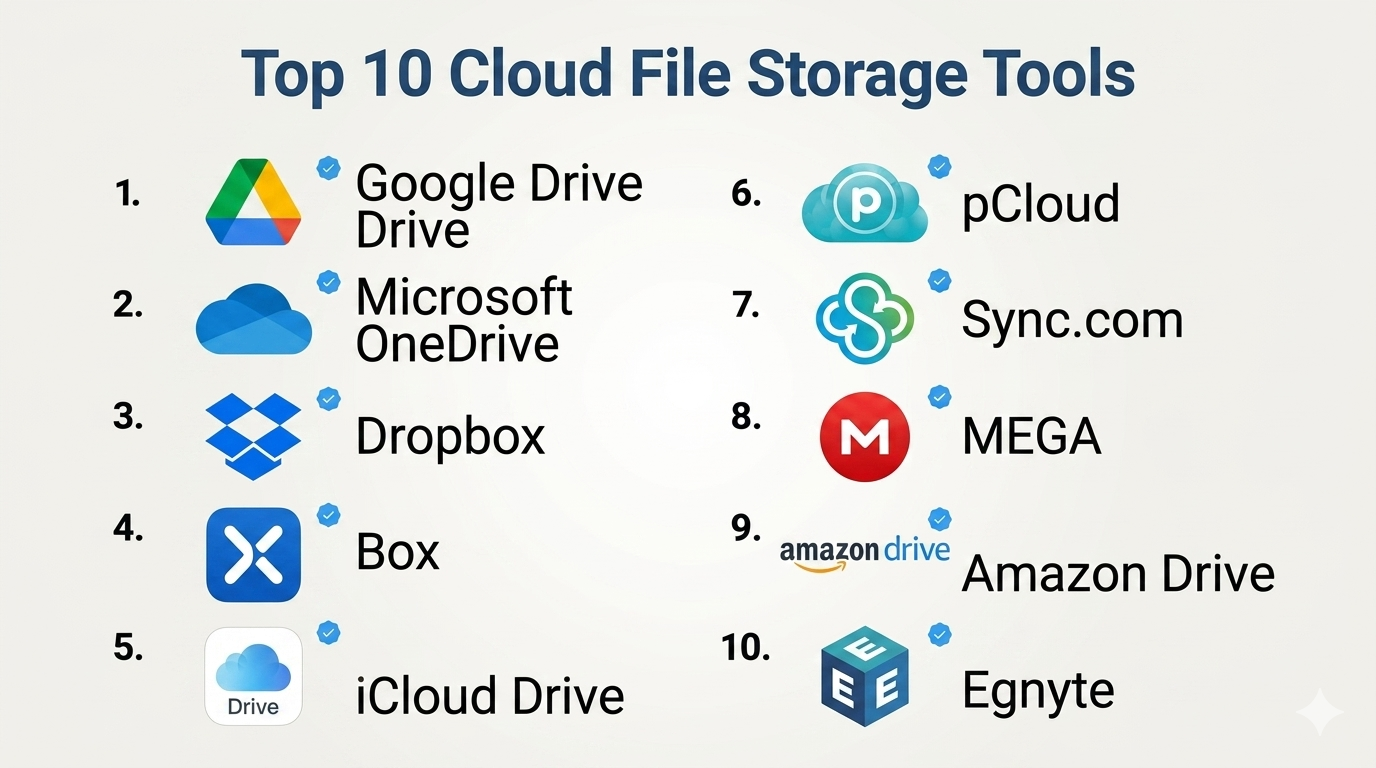
Top 10 Cloud File Storage Tools
#1 — Google Drive
Short description: A widely used cloud storage platform with strong collaboration features, ideal for individuals and teams.
Key Features
- File storage and synchronization
- Real-time collaboration
- Integration with Google Workspace
- File sharing and permissions
- Version history
- Offline access
- AI-powered search
Pros
- Easy to use
- Strong collaboration tools
Cons
- Limited storage in free tier
- Privacy concerns for some users
Platforms / Deployment
Web / Windows / macOS / iOS / Android
Cloud
Security & Compliance
Encryption, MFA, RBAC
Compliance certifications: Not publicly stated
Integrations & Ecosystem
Google Drive integrates deeply with productivity and collaboration tools.
- Google Docs, Sheets, Slides
- Third-party SaaS apps
- APIs for developers
Support & Community
Extensive documentation and large global user base.
#2 — Microsoft OneDrive
Short description: A cloud storage solution integrated with Microsoft 365, ideal for business users.
Key Features
- File storage and sync
- Integration with Office apps
- File sharing and permissions
- Version control
- Backup for desktops and documents
- Real-time collaboration
- Offline access
Pros
- Seamless Microsoft integration
- Strong enterprise features
Cons
- Sync issues reported occasionally
- UI complexity for new users
Platforms / Deployment
Web / Windows / macOS / iOS / Android
Cloud
Security & Compliance
Encryption, MFA, RBAC
Compliance certifications: Not publicly stated
Integrations & Ecosystem
- Microsoft 365 apps
- Teams, SharePoint
- APIs
Support & Community
Enterprise support and strong documentation.
#3 — Dropbox
Short description: A popular cloud storage platform known for simplicity and reliable file syncing.
Key Features
- File storage and sync
- Smart sync
- File sharing
- Version history
- Collaboration tools
- Backup features
- Offline access
Pros
- Reliable sync performance
- Easy to use
Cons
- Higher pricing
- Limited advanced features in basic plans
Platforms / Deployment
Web / Windows / macOS / iOS / Android
Cloud
Security & Compliance
Encryption, MFA
Compliance certifications: Not publicly stated
Integrations & Ecosystem
- Productivity tools
- APIs
- Third-party integrations
Support & Community
Strong documentation and support.
#4 — Box
Short description: An enterprise-focused cloud storage platform with strong security and compliance features.
Key Features
- Secure file storage
- Collaboration tools
- Workflow automation
- Version control
- Advanced permissions
- Compliance features
- Integration support
Pros
- Enterprise-grade security
- Strong compliance capabilities
Cons
- Higher cost
- Complexity for small teams
Platforms / Deployment
Web / Windows / macOS / iOS / Android
Cloud
Security & Compliance
Encryption, MFA, RBAC, audit logs
Compliance certifications: Not publicly stated
Integrations & Ecosystem
- Enterprise apps
- APIs
- Workflow tools
Support & Community
Enterprise-level support.
#5 — iCloud Drive
Short description: Apple’s cloud storage solution designed for seamless integration with Apple devices.
Key Features
- File storage and sync
- Integration with Apple ecosystem
- File sharing
- Backup capabilities
- Versioning
- Cross-device sync
- Privacy-focused features
Pros
- Seamless Apple integration
- Easy to use
Cons
- Limited outside Apple ecosystem
- Fewer enterprise features
Platforms / Deployment
Web / macOS / iOS
Cloud
Security & Compliance
Encryption, MFA
Compliance certifications: Not publicly stated
Integrations & Ecosystem
- Apple apps
- Limited third-party integrations
Support & Community
Good support for Apple users.
#6 — pCloud
Short description: A privacy-focused cloud storage solution with optional lifetime plans.
Key Features
- File storage and sync
- Client-side encryption (optional)
- File sharing
- Version history
- Media streaming
- Offline access
- Backup features
Pros
- Strong privacy options
- Flexible pricing
Cons
- Smaller ecosystem
- Limited enterprise features
Platforms / Deployment
Web / Windows / macOS / Linux / iOS / Android
Cloud
Security & Compliance
Encryption, MFA
Compliance certifications: Not publicly stated
Integrations & Ecosystem
- APIs
- Limited third-party integrations
Support & Community
Moderate community support.
#7 — Sync.com
Short description: A privacy-first cloud storage platform with end-to-end encryption.
Key Features
- End-to-end encryption
- File storage and sharing
- Version history
- Backup capabilities
- Secure collaboration
- Offline access
- File recovery
Pros
- Strong security
- Privacy-focused
Cons
- Limited integrations
- Slower sync performance
Platforms / Deployment
Web / Windows / macOS / iOS / Android
Cloud
Security & Compliance
End-to-end encryption, MFA
Compliance certifications: Not publicly stated
Integrations & Ecosystem
- Limited integrations
- APIs
Support & Community
Decent documentation.
#8 — MEGA
Short description: A cloud storage platform focused on privacy and large storage offerings.
Key Features
- End-to-end encryption
- Large storage capacity
- File sharing
- Chat features
- Sync capabilities
- Versioning
- Mobile apps
Pros
- Strong privacy focus
- Generous storage plans
Cons
- Limited enterprise features
- Performance varies
Platforms / Deployment
Web / Windows / macOS / Linux / iOS / Android
Cloud
Security & Compliance
End-to-end encryption, MFA
Compliance certifications: Not publicly stated
Integrations & Ecosystem
- APIs
- Limited enterprise integrations
Support & Community
Moderate support.
#9 — Amazon Drive (Amazon Photos)
Short description: A storage solution focused on personal file and photo storage within the Amazon ecosystem.
Key Features
- File and photo storage
- Backup capabilities
- Sharing features
- Integration with Amazon services
- Mobile apps
- Sync features
- Storage plans
Pros
- Affordable for Prime users
- Easy to use
Cons
- Limited business features
- Ecosystem dependency
Platforms / Deployment
Web / iOS / Android
Cloud
Security & Compliance
Encryption, MFA
Compliance certifications: Not publicly stated
Integrations & Ecosystem
- Amazon ecosystem
- Limited third-party integrations
Support & Community
Basic support.
#10 — Egnyte
Short description: A hybrid cloud storage platform designed for enterprises with strong compliance needs.
Key Features
- Hybrid storage
- File sharing and collaboration
- Data governance
- Compliance tools
- Backup capabilities
- Access controls
- Integration support
Pros
- Strong compliance features
- Hybrid flexibility
Cons
- Higher pricing
- Complex setup
Platforms / Deployment
Web / Windows / macOS / iOS / Android
Cloud / Hybrid
Security & Compliance
Encryption, MFA, RBAC, audit logs
Compliance certifications: Not publicly stated
Integrations & Ecosystem
- Enterprise tools
- APIs
- Workflow platforms
Support & Community
Enterprise-level support.
Comparison Table (Top 10)
| Tool Name | Best For | Platform(s) Supported | Deployment | Standout Feature | Public Rating |
|---|---|---|---|---|---|
| Google Drive | Collaboration | Multi-platform | Cloud | Real-time editing | N/A |
| OneDrive | Microsoft users | Multi-platform | Cloud | Office integration | N/A |
| Dropbox | File syncing | Multi-platform | Cloud | Reliable sync | N/A |
| Box | Enterprises | Multi-platform | Cloud | Security/compliance | N/A |
| iCloud | Apple users | Apple ecosystem | Cloud | Seamless sync | N/A |
| pCloud | Privacy users | Multi-platform | Cloud | Client-side encryption | N/A |
| Sync.com | Secure storage | Multi-platform | Cloud | End-to-end encryption | N/A |
| MEGA | Large storage | Multi-platform | Cloud | High capacity | N/A |
| Amazon Drive | Personal use | Mobile/Web | Cloud | Photo storage | N/A |
| Egnyte | Enterprises | Multi-platform | Hybrid | Data governance | N/A |
Cloud File Storage Tools Scoring
| Tool Name | Core (25%) | Ease (15%) | Integrations (15%) | Security (10%) | Performance (10%) | Support (10%) | Value (15%) | Weighted Total |
|---|---|---|---|---|---|---|---|---|
| Google Drive | 9 | 9 | 9 | 8 | 8 | 8 | 9 | 8.7 |
| OneDrive | 9 | 8 | 9 | 8 | 8 | 8 | 8 | 8.4 |
| Dropbox | 8 | 9 | 8 | 8 | 9 | 8 | 7 | 8.2 |
| Box | 9 | 7 | 9 | 9 | 8 | 8 | 6 | 8.1 |
| iCloud | 7 | 9 | 6 | 8 | 8 | 7 | 8 | 7.7 |
| pCloud | 8 | 8 | 6 | 9 | 8 | 7 | 8 | 7.9 |
| Sync.com | 8 | 7 | 6 | 9 | 7 | 7 | 8 | 7.7 |
| MEGA | 7 | 8 | 6 | 9 | 7 | 7 | 9 | 7.8 |
| Amazon Drive | 6 | 8 | 6 | 7 | 7 | 6 | 8 | 7.0 |
| Egnyte | 9 | 7 | 8 | 9 | 8 | 8 | 6 | 8.1 |
How to interpret:
- Higher scores indicate balanced performance across key areas
- Enterprise tools score higher in security and integrations
- Consumer tools score higher in ease and value
- Always align scores with your specific use case
- No single tool is best for every scenario
Which Cloud File Storage Tools Is Right for You?
Solo / Freelancer
Google Drive, Dropbox, or pCloud are ideal for simplicity and affordability.
SMB
OneDrive or Dropbox offers a good balance of collaboration and cost.
Mid-Market
Egnyte or Box provides better governance and scalability.
Enterprise
Box and Egnyte are strong choices for compliance and control.
Budget vs Premium
- Budget: Google Drive, MEGA
- Premium: Box, Egnyte
Feature Depth vs Ease of Use
- Easy: Google Drive, iCloud
- Advanced: Box, Egnyte
Integrations & Scalability
Choose tools aligned with your existing ecosystem (Google or Microsoft).
Security & Compliance Needs
Use Sync.com, Box, or Egnyte for higher security requirements.
Frequently Asked Questions (FAQs)
What is cloud file storage?
It allows storing and accessing files online instead of local devices.
Is it secure?
Most tools offer encryption and access controls.
How much does it cost?
Pricing varies based on storage and features.
Can I share files securely?
Yes, with permissions and access controls.
Do these tools support collaboration?
Yes, many offer real-time editing.
Can I access files offline?
Most tools support offline access.
What is versioning?
It tracks file changes and allows rollback.
Can I integrate with other tools?
Yes, most platforms support integrations.
Is it suitable for businesses?
Yes, many tools offer enterprise features.
Can I switch providers?
Yes, but data migration is required.
Conclusion
Cloud file storage tools have become essential for modern work environments, enabling seamless collaboration, secure data access, and scalable storage. From simple personal tools to enterprise-grade platforms, there’s a solution for every need.
