Introduction
Changelog & Release Notes Tools are platforms that help teams document, manage, and communicate product updates, bug fixes, and new features to users and stakeholders. These tools ensure that every product change is clearly recorded and shared in a structured, user-friendly format.
As software development becomes increasingly continuous and agile, with frequent releases and rapid iteration cycles, maintaining clear and consistent release communication has become essential. These tools bridge the gap between engineering, product, and customer-facing teams, ensuring transparency and improving user trust.
Common use cases include:
- Publishing product updates and feature releases
- Communicating bug fixes and improvements
- Maintaining version history and audit trails
- Improving customer engagement and transparency
- Supporting internal documentation and team alignment
What buyers should evaluate:
- Ease of creating and publishing release notes
- Customization and branding options
- Integration with development tools (Git, CI/CD)
- Automation capabilities (auto-generated changelogs)
- Collaboration features for teams
- Public vs private changelog options
- Notification and distribution channels
- Analytics and engagement tracking
- API and extensibility
- Pricing and scalability
Best for: Product managers, developers, DevOps teams, and SaaS companies that release updates frequently.
Not ideal for: Small projects with infrequent updates or teams that rely solely on informal communication channels.
Key Trends in Changelog & Release Notes Tools
- Automation-first changelogs: Auto-generating release notes from commits and pull requests
- Customer-facing transparency: Public changelogs improving trust and engagement
- Integration with CI/CD pipelines: Automatic updates during deployments
- AI-assisted summaries: Generating user-friendly release notes from technical changes
- Multi-channel distribution: Email, in-app, and web notifications
- Custom branding: Matching changelogs with product identity
- Collaboration workflows: Cross-team input and approvals
- Analytics tracking: Measuring user engagement with updates
- API-driven platforms: Integration with product ecosystems
- Version control integration: Deep Git-based workflows
How We Selected These Tools (Methodology)
- Evaluated market adoption and popularity
- Assessed ease of use and content creation workflows
- Reviewed automation and integration capabilities
- Considered customization and branding options
- Analyzed collaboration and team features
- Checked distribution and notification capabilities
- Evaluated analytics and reporting features
- Examined scalability across teams and products
- Included both developer-first and product-focused tools
- Focused on real-world SaaS and product team workflows
Top Changelog & Release Notes Tools
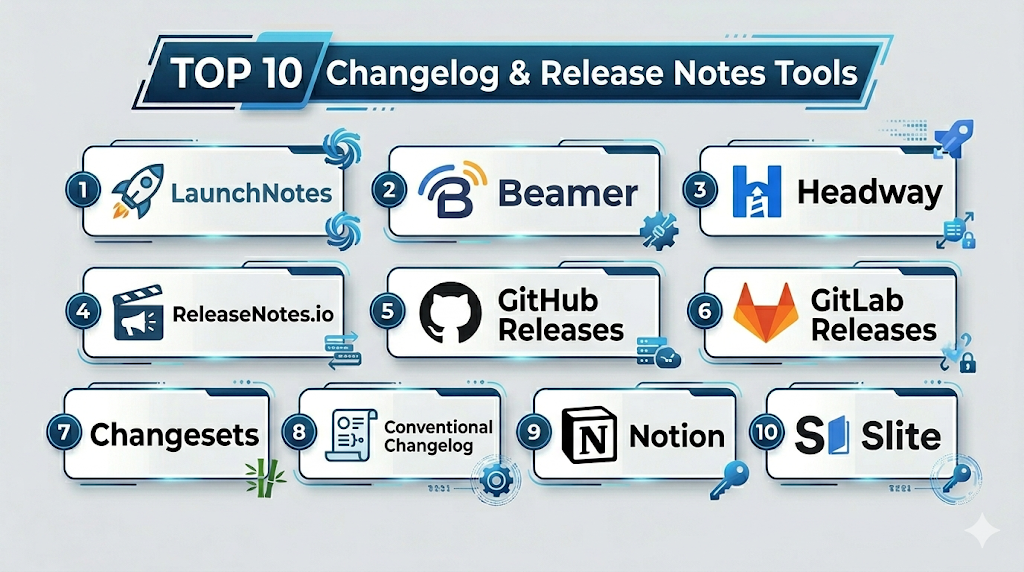
#1 — LaunchNotes
Short description: A product communication platform designed for sharing release updates with customers.
Key Features
- Public and private changelogs
- Customer segmentation
- Notifications and subscriptions
- Roadmap sharing
- Collaboration tools
- Analytics dashboard
Pros
- Customer-focused communication
- Easy to use
Cons
- Premium pricing
- Limited developer automation
Platforms / Deployment
Web / Cloud
Security & Compliance
Not publicly stated
Integrations & Ecosystem
LaunchNotes connects with product and support tools.
- APIs
- Slack
- CRM tools
Support & Community
Strong support and onboarding.
#2 — Beamer
Short description: A tool for creating and sharing product updates via in-app notifications.
Key Features
- In-app changelog widget
- Push notifications
- User segmentation
- Analytics tracking
- Custom branding
Pros
- Great user engagement
- Easy setup
Cons
- Limited developer integrations
- Pricing tiers
Platforms / Deployment
Web / Cloud
Security & Compliance
Not publicly stated
Integrations & Ecosystem
- APIs
- Web apps
- CRM tools
Support & Community
Good support.
#3 — Headway
Short description: A lightweight tool for publishing changelogs and announcements.
Key Features
- Public changelog pages
- Embeddable widgets
- Custom branding
- Notifications
- Simple UI
Pros
- Easy to use
- Clean design
Cons
- Limited advanced features
- Basic analytics
Platforms / Deployment
Web / Cloud
Security & Compliance
Not publicly stated
Integrations & Ecosystem
- APIs
- Web tools
- Dev tools
Support & Community
Moderate support.
#4 — ReleaseNotes.io
Short description: A platform for managing release notes and internal communication.
Key Features
- Release documentation
- Internal collaboration
- Custom templates
- Integration support
- Workflow management
Pros
- Team collaboration
- Structured workflows
Cons
- Less customer-facing
- Limited automation
Platforms / Deployment
Web / Cloud
Security & Compliance
Not publicly stated
Integrations & Ecosystem
- APIs
- Dev tools
- Project management tools
Support & Community
Moderate support.
#5 — GitHub Releases
Short description: A built-in feature for publishing release notes directly from repositories.
Key Features
- Version tagging
- Markdown-based notes
- Integration with Git workflows
- Automation via CI/CD
- Asset uploads
Pros
- Free and integrated
- Developer-friendly
Cons
- Limited customization
- Not customer-focused
Platforms / Deployment
Web / Cloud
Security & Compliance
Access control, audit logs
Integrations & Ecosystem
- GitHub ecosystem
- CI/CD tools
- APIs
Support & Community
Very strong community.
#6 — GitLab Releases
Short description: A release management tool integrated within GitLab.
Key Features
- Release tracking
- Changelog generation
- CI/CD integration
- Version control integration
- Automation
Pros
- Fully integrated
- Strong automation
Cons
- Requires GitLab usage
- UI complexity
Platforms / Deployment
Web / Cloud / Self-hosted
Security & Compliance
RBAC, audit logs
Integrations & Ecosystem
- GitLab ecosystem
- APIs
- DevOps tools
Support & Community
Strong support.
#7 — Changesets
Short description: A developer-focused tool for managing versioning and changelogs.
Key Features
- Version management
- Automated changelog generation
- Monorepo support
- Git integration
- CLI-based workflows
Pros
- Developer-friendly
- Automation
Cons
- CLI-focused
- Not beginner-friendly
Platforms / Deployment
Cross-platform / CLI
Security & Compliance
Not publicly stated
Integrations & Ecosystem
- Git
- CI/CD tools
- APIs
Support & Community
Active community.
#8 — Conventional Changelog
Short description: A tool that generates changelogs based on commit conventions.
Key Features
- Automated changelog generation
- Commit parsing
- Custom templates
- Integration with Git
- CLI support
Pros
- Free
- Highly customizable
Cons
- Requires strict commit rules
- Setup complexity
Platforms / Deployment
Cross-platform / CLI
Security & Compliance
Not publicly stated
Integrations & Ecosystem
- Git
- CI/CD tools
- APIs
Support & Community
Strong open-source community.
#9 — Notion (for Release Notes)
Short description: A flexible workspace tool used for managing release notes and documentation.
Key Features
- Custom templates
- Collaboration tools
- Rich text editing
- Internal documentation
- Integration support
Pros
- Flexible
- Easy collaboration
Cons
- Not specialized
- Manual workflows
Platforms / Deployment
Web / Desktop / Mobile
Security & Compliance
RBAC, encryption
Integrations & Ecosystem
- APIs
- Productivity tools
- Dev tools
Support & Community
Large community.
#10 — Slite
Short description: A collaborative documentation tool used for internal release notes.
Key Features
- Team collaboration
- Document sharing
- Templates
- Search functionality
- Integration support
Pros
- Simple
- Team-focused
Cons
- Not specialized
- Limited automation
Platforms / Deployment
Web / Desktop
Security & Compliance
Not publicly stated
Integrations & Ecosystem
- APIs
- Productivity tools
- Dev tools
Support & Community
Moderate support.
Comparison Table (Top 10)
| Tool Name | Best For | Platform(s) Supported | Deployment | Standout Feature | Public Rating |
|---|---|---|---|---|---|
| LaunchNotes | Product teams | Web | Cloud | Customer comms | N/A |
| Beamer | Engagement | Web | Cloud | In-app updates | N/A |
| Headway | Simplicity | Web | Cloud | UI | N/A |
| ReleaseNotes.io | Teams | Web | Cloud | Workflow | N/A |
| GitHub Releases | Devs | Web | Cloud | Git integration | N/A |
| GitLab Releases | DevOps | Web | Hybrid | Automation | N/A |
| Changesets | Devs | CLI | Local | Version mgmt | N/A |
| Conv. Changelog | Automation | CLI | Local | Commit parsing | N/A |
| Notion | Docs | Multi | Cloud | Flexibility | N/A |
| Slite | Teams | Web | Cloud | Collaboration | N/A |
Changelog & Release Notes Tools (Scoring)
| Tool Name | Core (25%) | Ease (15%) | Integrations (15%) | Security (10%) | Performance (10%) | Support (10%) | Value (15%) | Weighted Total |
|---|---|---|---|---|---|---|---|---|
| LaunchNotes | 9 | 9 | 8 | 7 | 8 | 9 | 7 | 8.3 |
| Beamer | 8 | 9 | 7 | 7 | 8 | 8 | 7 | 8.0 |
| Headway | 7 | 9 | 6 | 6 | 8 | 7 | 8 | 7.6 |
| ReleaseNotes.io | 8 | 8 | 7 | 7 | 8 | 7 | 7 | 7.7 |
| GitHub Releases | 9 | 8 | 10 | 8 | 9 | 10 | 10 | 9.2 |
| GitLab Releases | 9 | 7 | 10 | 8 | 9 | 9 | 9 | 8.9 |
| Changesets | 8 | 6 | 9 | 7 | 8 | 8 | 9 | 7.9 |
| Conv. Changelog | 8 | 6 | 9 | 7 | 8 | 8 | 10 | 8.0 |
| Notion | 7 | 9 | 8 | 8 | 8 | 9 | 9 | 8.2 |
| Slite | 7 | 9 | 7 | 7 | 8 | 8 | 8 | 7.9 |
How to interpret:
- Higher scores indicate better overall balance
- Developer tools excel in automation and integrations
- Product-focused tools shine in user engagement
- Choose based on workflow and audience needs
Which Service Mesh Platforms Is Right for You?
Solo / Freelancer
Use GitHub Releases or Notion.
SMB
Choose Headway or Beamer.
Mid-Market
Use LaunchNotes or GitLab Releases.
Enterprise
Go with LaunchNotes or ReleaseNotes.io.
Budget vs Premium
- Budget: GitHub Releases, Conventional Changelog
- Premium: LaunchNotes, Beamer
Feature Depth vs Ease of Use
- Easy: Headway
- Advanced: GitLab Releases
Integrations & Scalability
- Best: GitHub, GitLab
- Limited: Slite
Security & Compliance Needs
- High: GitLab
- Basic: Notion
Changelog & Release Notes Tools (FAQs)
What are changelog tools?
They help document and share product updates.
Why are they important?
They improve transparency and communication.
Are they automated?
Many tools support automation.
Do they integrate with Git?
Yes, most developer tools do.
Can they be public?
Yes, many support public changelogs.
Are they customizable?
Yes, especially premium tools.
Do they support notifications?
Yes, via email or in-app alerts.
Are they scalable?
Yes, for teams and enterprises.
Can I switch tools?
Yes, with some migration effort.
Are free tools available?
Yes, like GitHub Releases.
Conclusion
Changelog & Release Notes Tools play a vital role in keeping users informed, improving transparency, and aligning teams. Whether you need developer-focused automation tools like GitHub Releases or customer-facing platforms like LaunchNotes, there are solutions for every workflow.
