Introduction
Enterprise Browser Management tools help organizations centrally manage, secure, configure, monitor, and control web browsers used across corporate environments. In simple terms, these platforms allow IT and security teams to enforce browser policies, protect users from web-based threats, manage extensions, secure SaaS access, and maintain compliance across distributed workforces.
In browsers have effectively become the primary enterprise workspace. Employees increasingly rely on cloud applications, SaaS platforms, remote access tools, and web-based collaboration systems. As a result, browser security, visibility, governance, and operational management have become critical priorities. Modern Enterprise Browser Management platforms combine policy enforcement, Zero Trust access controls, secure browsing, telemetry analytics, data loss prevention (DLP), extension governance, and AI-driven threat detection to protect organizations against browser-based risks.
Common real-world use cases include:
- Browser security and governance
- SaaS application access control
- Extension and plugin management
- Secure remote workforce operations
- Compliance and data protection monitoring
When evaluating Browser Management tools, buyers should consider:
- Centralized browser policy management
- Security and Zero Trust capabilities
- Browser telemetry and visibility
- SaaS access governance
- Extension and plugin control
- Cross-platform device support
- Cloud and hybrid deployment options
- Integration ecosystem maturity
- Reporting and compliance functionality
- Scalability for distributed environments
Best for: Enterprise IT teams, cybersecurity operations, compliance-driven organizations, remote workforce environments, managed service providers, and businesses heavily reliant on SaaS applications.
Not ideal for: Very small organizations with limited endpoint management requirements or businesses using minimal SaaS infrastructure.
Key Trends in Browser Management (Enterprise)
- Enterprise browsers are becoming a major Zero Trust security layer.
- SaaS governance and browser isolation capabilities are rapidly expanding.
- AI-assisted threat detection for browser activity is improving.
- Browser telemetry analytics are increasingly integrated with SIEM and XDR platforms.
- Secure enterprise browsers are replacing traditional VPN-centric access models.
- Browser extension governance is becoming a major compliance priority.
- Remote Browser Isolation (RBI) adoption is increasing.
- Cloud-native browser management architectures are growing rapidly.
- Identity-aware browser access policies are becoming standard.
- Data loss prevention within browsers is becoming more sophisticated.
How We Selected These Tools (Methodology)
The platforms in this list were selected based on security capabilities, browser governance functionality, scalability, and market adoption.
Our evaluation process included:
- Enterprise adoption and market reputation
- Browser security and policy enforcement depth
- SaaS governance capabilities
- Endpoint and browser telemetry visibility
- AI and automation maturity
- Integration ecosystem strength
- Scalability across hybrid work environments
- Security and compliance functionality
- Ease of administration and deployment
- Vendor reliability and support quality
The final list includes enterprise browser vendors, secure browser providers, endpoint management platforms, and browser security solutions.
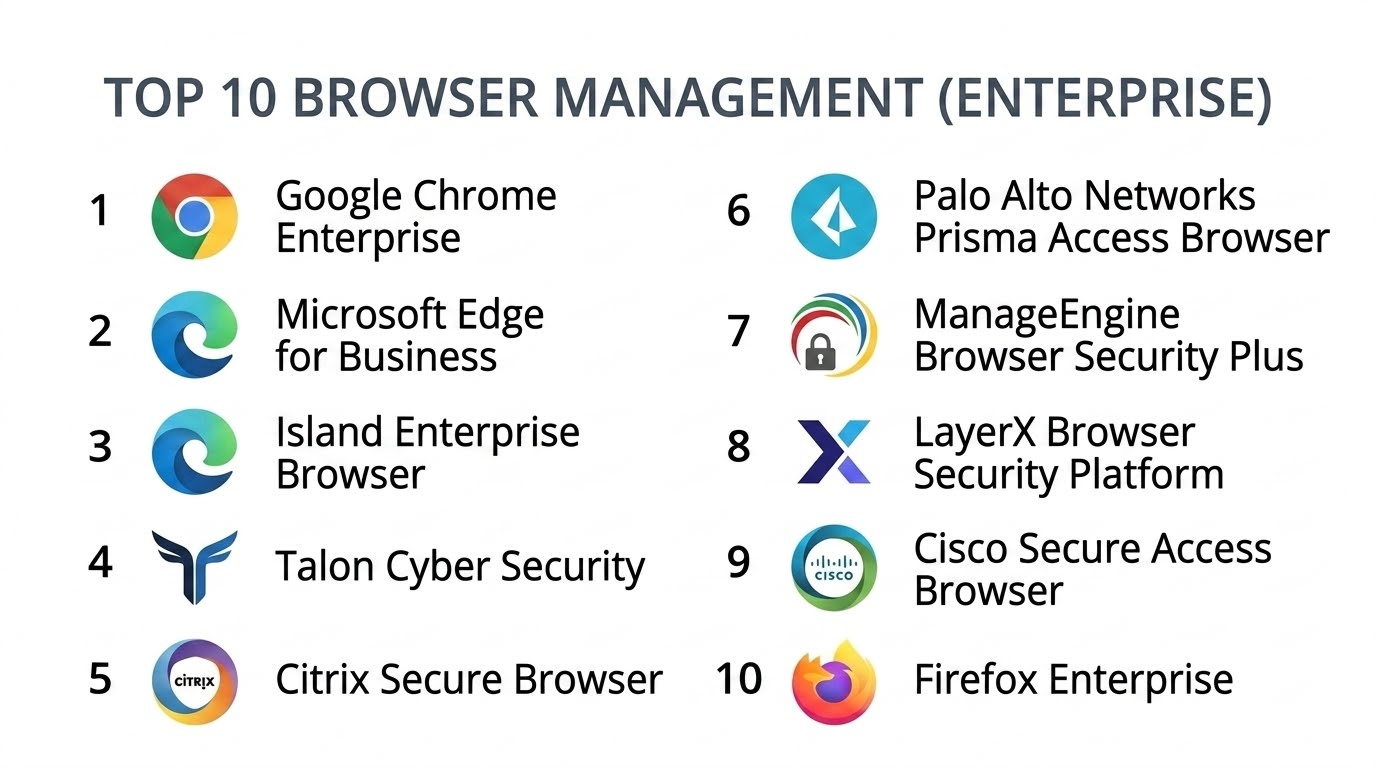
Browser Management (Enterprise)
#1 — Google Chrome Enterprise
Short description :
Google Chrome Enterprise is one of the most widely adopted enterprise browser management platforms, offering centralized browser policy management, extension governance, endpoint controls, and enterprise-grade browser security. Organizations use it to secure browser access, manage enterprise browsing policies, and support distributed workforces across multiple operating systems.
Key Features
- Centralized browser policy management
- Enterprise extension governance
- Cloud-based browser management
- Security policy enforcement
- Browser telemetry and reporting
- Cross-platform support
- Zero Trust integration capabilities
Pros
- Broad enterprise adoption
- Strong cross-platform compatibility
- Extensive policy management controls
Cons
- Advanced security features may require additional Google services
- Complex large-scale policy configurations
- Browser telemetry depth varies
Platforms / Deployment
- Windows / macOS / Linux / ChromeOS / Android / iOS
- Cloud
Security & Compliance
- SSO/SAML
- MFA
- Encryption
- RBAC
- Audit logs
- SOC 2
- GDPR
Integrations & Ecosystem
Chrome Enterprise integrates deeply with Google Workspace and enterprise identity ecosystems.
- Google Workspace
- Microsoft Entra ID
- Okta
- APIs
- Endpoint management tools
- SIEM platforms
Support & Community
Large global ecosystem with extensive enterprise documentation and administrator community support.
#2 — Microsoft Edge for Business
Short description :
Microsoft Edge for Business provides enterprise browser management, security controls, application compatibility, and policy governance integrated with Microsoft enterprise ecosystems. It is widely used by organizations operating Windows-heavy environments and Microsoft 365 infrastructures.
Key Features
- Enterprise browser policy management
- Microsoft security integration
- Browser profile separation
- Application compatibility controls
- Extension governance
- Secure browsing analytics
- Cloud policy synchronization
Pros
- Deep Microsoft ecosystem integration
- Strong enterprise manageability
- Excellent compatibility for Windows environments
Cons
- Best suited for Microsoft-centric organizations
- Some advanced controls tied to Microsoft services
- Cross-platform governance depth varies
Platforms / Deployment
- Windows / macOS / Linux / Android / iOS
- Cloud
Security & Compliance
- MFA
- SSO/SAML
- RBAC
- Encryption
- Audit logs
- SOC 2
- ISO 27001
- GDPR
Integrations & Ecosystem
Edge integrates broadly across Microsoft enterprise ecosystems.
- Microsoft 365
- Intune
- Microsoft Defender
- Entra ID
- APIs
- SIEM platforms
Support & Community
Extensive Microsoft enterprise support ecosystem with broad IT administrator adoption.
#3 — Island Enterprise Browser
Short description :
Island Enterprise Browser is a secure enterprise browser platform designed specifically for enterprise security, SaaS governance, Zero Trust access, and workforce productivity. It combines browser management with built-in security and operational controls.
Key Features
- Secure enterprise browser environment
- Zero Trust browser access
- SaaS governance controls
- Browser activity visibility
- Built-in DLP capabilities
- Secure clipboard and download controls
- Enterprise browsing policies
Pros
- Security-first browser architecture
- Strong SaaS governance capabilities
- Good remote workforce protection
Cons
- Newer vendor compared to traditional browser ecosystems
- Premium enterprise pricing
- Some organizations may require workflow adjustments
Platforms / Deployment
- Windows / macOS
- Cloud
Security & Compliance
- MFA
- SSO/SAML
- RBAC
- Encryption
- Audit logs
- SOC 2
- GDPR
Integrations & Ecosystem
Island integrates with enterprise identity, security, and SaaS ecosystems.
- Okta
- Microsoft Entra ID
- CrowdStrike
- APIs
- SIEM platforms
- SaaS security tools
Support & Community
Rapidly growing enterprise security ecosystem with dedicated onboarding and deployment support.
#4 — Talon Cyber Security
Short description :
Talon Cyber Security provides a secure enterprise browser designed for Zero Trust security, remote workforce enablement, and browser-based enterprise access control. It helps organizations secure unmanaged and managed endpoints through browser-centric security models.
Key Features
- Secure enterprise browser
- Remote workforce security
- Browser isolation controls
- SaaS application governance
- Browser telemetry analytics
- DLP functionality
- Zero Trust enforcement
Pros
- Strong browser-based security model
- Good support for unmanaged devices
- Useful Zero Trust capabilities
Cons
- Enterprise-focused pricing
- Adoption may require browser migration
- Ecosystem still expanding
Platforms / Deployment
- Windows / macOS
- Cloud
Security & Compliance
- MFA
- SSO/SAML
- Encryption
- RBAC
- Audit logs
- GDPR
Integrations & Ecosystem
Talon integrates with enterprise identity and security ecosystems.
- Okta
- Microsoft Entra ID
- APIs
- SIEM platforms
- Endpoint security tools
Support & Community
Provides enterprise onboarding and operational deployment support.
#5 — Citrix Secure Browser
Short description :
Citrix Secure Browser is a browser isolation and secure browsing solution designed to provide controlled browser access for remote users, contractors, and high-security environments. It emphasizes browser isolation and secure application delivery.
Key Features
- Remote browser isolation
- Secure web application access
- Browser session protection
- SaaS access governance
- Web threat isolation
- Cloud-delivered browser security
- Session recording capabilities
Pros
- Strong browser isolation functionality
- Useful contractor and third-party access support
- Good cloud-based delivery model
Cons
- Primarily security-focused rather than operational browser management
- Advanced deployments may require Citrix expertise
- Full ecosystem benefits tied to Citrix environments
Platforms / Deployment
- Web / Windows / macOS
- Cloud
Security & Compliance
- MFA
- SSO/SAML
- Encryption
- RBAC
- Audit logs
- GDPR
Integrations & Ecosystem
Citrix Secure Browser integrates with identity and remote access ecosystems.
- Citrix Workspace
- Okta
- Microsoft Entra ID
- APIs
- Security platforms
Support & Community
Strong enterprise support ecosystem with broad remote access expertise.
#6 — Palo Alto Networks Prisma Access Browser
Short description :
Prisma Access Browser is a secure enterprise browser solution integrated into Palo Alto Networks’ Zero Trust and SASE ecosystem. It provides secure SaaS access, browser governance, and browser-level security analytics.
Key Features
- Secure enterprise browser
- Browser-based Zero Trust controls
- SaaS governance
- Browser telemetry analytics
- DLP enforcement
- Threat prevention
- Identity-aware browsing policies
Pros
- Strong Zero Trust integration
- Good SASE ecosystem alignment
- Advanced security visibility
Cons
- Best suited for Palo Alto ecosystems
- Premium enterprise pricing
- Operational browser management depth varies
Platforms / Deployment
- Windows / macOS
- Cloud
Security & Compliance
- MFA
- SSO/SAML
- RBAC
- Encryption
- Audit logs
- SOC 2
- GDPR
Integrations & Ecosystem
Prisma Access Browser integrates with Palo Alto security ecosystems and enterprise identity providers.
- Prisma Access
- Cortex XDR
- Okta
- APIs
- SIEM platforms
Support & Community
Strong enterprise security support with extensive cybersecurity documentation.
#7 — ManageEngine Browser Security Plus
Short description :
ManageEngine Browser Security Plus helps organizations manage browser security policies, extension controls, browser hardening, and compliance requirements across enterprise environments. It is commonly used by IT operations teams managing large endpoint fleets.
Key Features
- Browser hardening policies
- Extension management
- Browser compliance controls
- Security configuration enforcement
- Browser vulnerability visibility
- Reporting dashboards
- Centralized policy administration
Pros
- Strong browser policy management
- Good compliance visibility
- Useful for IT operations teams
Cons
- UI modernization could improve
- Advanced analytics depth varies
- Less focused on browser-native Zero Trust models
Platforms / Deployment
- Windows / macOS
- Cloud / On-premises
Security & Compliance
- RBAC
- Encryption
- Audit logs
- MFA
- GDPR
Integrations & Ecosystem
ManageEngine integrates with IT operations and endpoint management ecosystems.
- Active Directory
- Endpoint Central
- APIs
- ITSM platforms
- Security tools
Support & Community
Large IT operations ecosystem with strong administrator documentation.
#8 — LayerX Browser Security Platform
Short description :
LayerX provides browser security and enterprise browser protection focused on SaaS governance, web threat prevention, browser telemetry, and data protection for modern cloud-first environments.
Key Features
- Browser threat protection
- SaaS governance analytics
- Browser telemetry visibility
- Data loss prevention
- Browser extension visibility
- Secure browsing policies
- AI-assisted threat analytics
Pros
- Strong SaaS-focused visibility
- Good browser threat detection
- Lightweight deployment model
Cons
- Newer vendor ecosystem
- Enterprise-focused pricing
- Some advanced workflows may require tuning
Platforms / Deployment
- Windows / macOS
- Cloud
Security & Compliance
- MFA
- SSO/SAML
- Encryption
- RBAC
- Audit logs
- GDPR
Integrations & Ecosystem
LayerX integrates with enterprise security and SaaS ecosystems.
- Okta
- Microsoft Entra ID
- APIs
- SIEM platforms
- SaaS security tools
Support & Community
Growing enterprise browser security ecosystem with onboarding assistance.
#9 — Cisco Secure Access Browser
Short description :
Cisco Secure Access Browser combines browser security, Zero Trust access, and SaaS governance capabilities within Cisco’s broader security ecosystem. It supports secure enterprise browsing and workforce access management.
Key Features
- Secure browser access
- Zero Trust browsing policies
- SaaS visibility
- Browser telemetry monitoring
- Threat analytics
- Identity-aware controls
- Browser governance tools
Pros
- Strong Cisco security ecosystem integration
- Good distributed workforce support
- Useful security visibility
Cons
- Best suited for Cisco-centric environments
- Advanced deployments may require Cisco expertise
- Operational browser management depth varies
Platforms / Deployment
- Windows / macOS
- Cloud
Security & Compliance
- MFA
- SSO/SAML
- RBAC
- Encryption
- Audit logs
- SOC 2
- GDPR
Integrations & Ecosystem
Cisco Secure Access Browser integrates with Cisco networking and security ecosystems.
- Cisco Secure Access
- Duo Security
- APIs
- SIEM platforms
- Identity providers
Support & Community
Strong enterprise networking and security support organization.
#10 — Firefox Enterprise
Short description :
Firefox Enterprise provides enterprise browser configuration management, policy enforcement, and browser governance features for organizations requiring centralized browser administration and open standards compatibility.
Key Features
- Enterprise browser policies
- Extension governance
- Browser configuration management
- Security policy enforcement
- Open-source browser framework
- Cross-platform support
- Centralized administration
Pros
- Strong open standards compatibility
- Flexible policy configuration
- Cross-platform support
Cons
- Smaller enterprise ecosystem than Chrome or Edge
- Advanced enterprise telemetry varies
- Some SaaS compatibility workflows may require tuning
Platforms / Deployment
- Windows / macOS / Linux
- Cloud / On-premises
Security & Compliance
- MFA
- Encryption
- RBAC
- Audit logs
- GDPR
Integrations & Ecosystem
Firefox Enterprise integrates with endpoint management and enterprise identity ecosystems.
- Active Directory
- APIs
- Endpoint management platforms
- Identity providers
- Security tools
Support & Community
Strong open-source community with enterprise administrator documentation.
Comparison Table (Top 10)
| Tool Name | Best For | Platform(s) Supported | Deployment | Standout Feature | Public Rating |
|---|---|---|---|---|---|
| Google Chrome Enterprise | Broad enterprise browser governance | Cross-platform | Cloud | Centralized browser policy management | N/A |
| Microsoft Edge for Business | Microsoft-centric organizations | Cross-platform | Cloud | Microsoft ecosystem integration | N/A |
| Island Enterprise Browser | Secure enterprise browsing | Windows, macOS | Cloud | Built-in enterprise browser security | N/A |
| Talon Cyber Security | Remote workforce security | Windows, macOS | Cloud | Browser-based Zero Trust access | N/A |
| Citrix Secure Browser | Browser isolation environments | Web, Windows, macOS | Cloud | Remote browser isolation | N/A |
| Prisma Access Browser | SASE and Zero Trust environments | Windows, macOS | Cloud | Browser-level Zero Trust controls | N/A |
| ManageEngine Browser Security Plus | Browser policy administration | Windows, macOS | Cloud, On-premises | Browser hardening controls | N/A |
| LayerX Browser Security Platform | SaaS-focused browser security | Windows, macOS | Cloud | SaaS governance analytics | N/A |
| Cisco Secure Access Browser | Cisco security environments | Windows, macOS | Cloud | Secure browser access controls | N/A |
| Firefox Enterprise | Open standards browser governance | Windows, macOS, Linux | Cloud, On-premises | Flexible enterprise browser policies | N/A |
Evaluation & Browser Management (Enterprise)
| Tool Name | Core (25%) | Ease (15%) | Integrations (15%) | Security (10%) | Performance (10%) | Support (10%) | Value (15%) | Weighted Total (0–10) |
|---|---|---|---|---|---|---|---|---|
| Google Chrome Enterprise | 9 | 9 | 10 | 9 | 9 | 9 | 8 | 8.95 |
| Microsoft Edge for Business | 9 | 8 | 10 | 9 | 9 | 9 | 8 | 8.80 |
| Island Enterprise Browser | 9 | 7 | 8 | 10 | 8 | 8 | 7 | 8.15 |
| Talon Cyber Security | 8 | 7 | 7 | 9 | 8 | 7 | 7 | 7.60 |
| Citrix Secure Browser | 8 | 7 | 8 | 9 | 8 | 8 | 7 | 7.80 |
| Prisma Access Browser | 9 | 7 | 8 | 10 | 8 | 8 | 7 | 8.05 |
| ManageEngine Browser Security Plus | 8 | 8 | 7 | 8 | 8 | 8 | 8 | 7.90 |
| LayerX Browser Security Platform | 8 | 8 | 7 | 9 | 8 | 7 | 7 | 7.75 |
| Cisco Secure Access Browser | 8 | 7 | 8 | 9 | 8 | 8 | 7 | 7.80 |
| Firefox Enterprise | 7 | 8 | 7 | 7 | 8 | 7 | 9 | 7.55 |
These scores are comparative evaluations designed to help organizations understand the relative strengths of enterprise browser management platforms. Security-first enterprise browsers generally score highly in Zero Trust and governance functionality, while traditional browser management solutions often provide broader compatibility and operational simplicity. Buyers should prioritize categories aligned with infrastructure strategy, SaaS adoption, workforce distribution, and compliance requirements.
Which Browser Management (Enterprise) Tools
Solo / Freelancer
Solo operators and very small businesses generally only require standard browser security settings rather than enterprise-grade browser governance platforms.
SMB
Google Chrome Enterprise, Microsoft Edge for Business, and ManageEngine Browser Security Plus provide strong usability, centralized management, and manageable deployment complexity for SMB environments.
Mid-Market
Island Enterprise Browser, LayerX, and Talon Cyber Security work well for organizations balancing browser security, SaaS governance, and distributed workforce requirements.
Enterprise
Google Chrome Enterprise, Microsoft Edge for Business, and Prisma Access Browser are ideal for enterprises requiring large-scale governance, advanced security controls, Zero Trust integration, and operational scalability.
Budget vs Premium
Budget-conscious buyers may prefer Firefox Enterprise or native Chrome/Edge management capabilities, while premium enterprise buyers often invest in Island or Prisma Access Browser for advanced browser-native security functionality.
Feature Depth vs Ease of Use
Prisma Access Browser and Island provide deeper security functionality but may require operational expertise. Chrome Enterprise and Edge for Business generally provide easier onboarding and broader administrator familiarity.
Integrations & Scalability
Organizations heavily invested in Microsoft, Google Workspace, Cisco, Palo Alto Networks, or Okta ecosystems should prioritize platforms with strong native integrations and identity-aware controls.
Security & Compliance Needs
Highly regulated industries should prioritize browser platforms offering advanced audit logging, DLP, Zero Trust access policies, RBAC, encryption, and SaaS governance capabilities.
Frequently Asked Questions (FAQs)
1. What is Enterprise Browser Management?
Enterprise Browser Management refers to centrally managing browser policies, security controls, extensions, configurations, and compliance across organizational environments.
2. Why are enterprise browsers becoming important?
Browsers have become the primary interface for SaaS applications, cloud services, and remote work operations, making browser security and governance critical.
3. What is the difference between a standard browser and an enterprise browser?
Enterprise browsers include centralized policy controls, security governance, telemetry visibility, Zero Trust functionality, and compliance management capabilities.
4. Can browser management tools improve security?
Yes. They help enforce secure browsing policies, control extensions, reduce SaaS risks, implement DLP controls, and improve threat visibility.
5. What is browser isolation?
Browser isolation separates browsing activity from the endpoint environment to reduce exposure to malicious web content and browser-based attacks.
6. Are enterprise browser platforms cloud-native?
Most modern enterprise browser platforms are cloud-native and optimized for hybrid and remote workforce environments.
7. Which industries rely heavily on enterprise browser management?
Finance, healthcare, government, education, telecom, SaaS, and regulated industries are major adopters.
8. What features matter most in enterprise browser management?
Important features include policy enforcement, SaaS governance, telemetry analytics, Zero Trust controls, DLP, integrations, and extension management.
9. Are enterprise browser platforms difficult to deploy?
Deployment complexity depends on organizational size, browser policies, identity integrations, and endpoint management requirements.
10. What are common browser management implementation mistakes?
Common mistakes include weak extension governance, poor identity integration planning, insufficient user communication, and inadequate SaaS visibility.
11. Can smaller organizations benefit from browser management tools?
Yes. Smaller organizations can improve browser security, SaaS governance, and compliance using centralized browser management capabilities.
12. How do enterprise browsers support Zero Trust strategies?
They enforce identity-aware access controls, browser-based security policies, telemetry monitoring, and secure SaaS access without relying solely on traditional VPNs.
Conclusion
Enterprise Browser Management platforms have become essential technologies for organizations operating increasingly cloud-driven, SaaS-heavy, and distributed workplace environments. In browsers are no longer simple web access tools — they are critical enterprise workspaces requiring centralized governance, security visibility, compliance controls, and operational intelligence.The ideal solution depends heavily on organizational infrastructure, SaaS adoption strategy, security maturity, and workforce distribution.
